
Adobe Firefly reviews written last winter no longer match what Adobe sells. The plan list has a new tier, the free plan works differently, an earlier unlimited promotion ended in May while a new first-year one is running, and Adobe’s March 2026 post put the model catalog at more than 30 models. This Adobe Firefly review rebuilds the page from Adobe’s own plans page as it read on October 10, 2026: what each plan costs, what a credit buys, what video really uses up, and where Midjourney or ChatGPT is the cheaper way to get an image.
⚡ TL;DR: The Bottom Line
What It Is: Adobe’s AI studio for images, video and audio. It runs Adobe’s own Firefly models plus partner models from Google, OpenAI, Black Forest Labs, Runway, Kling and others, paid for with monthly credits.
Best For: People who already work in Adobe apps and want commercially safe images. Pro ($19.99 a month) is the sensible start because Adobe’s product page includes Photoshop on web and mobile with it.
Price: Free (daily generations), Standard $9.99, Pro $19.99, Pro Plus $49.99, Premium $199.99 a month. Creative Cloud Pro is $69.99 with 4,000 credits.
Our Take: Standard, Pro and Pro Plus all give you about 200 credits per dollar, so you are choosing a size, not a better deal. Premium gives 250.
⚠️ The Catch: Credits reset every billing cycle and do not roll over. Adobe’s “safe for commercial use” line covers Adobe’s own Firefly models, and partner models are left for you to judge.
📑 Quick Navigation
💰 Adobe Firefly Pricing 2026: Every Plan and What You Get
Adobe Firefly pricing in 2026 has five individual plans. Free accounts get “free daily generations across image, video, and audio”, and Adobe does not print how many. The four paid plans are listed below as Adobe’s plans page showed them on October 10, 2026 (US dollars, per month):
| Plan | Price a Month | Credits | 5-Second Videos | Translate Audio/Video | Sound Effects / Music Minutes |
|---|---|---|---|---|---|
| Free | $0 | Daily generations (no number given) | Not stated | Not stated | Not stated |
| Standard | $9.99 | 2,000 | Up to 20 | Up to 6 min | 200 effects / 100 min |
| Pro | $19.99 | 4,000 | Up to 40 | Up to 13 min | 400 effects / 200 min |
| Pro Plus | $49.99 ($34.97 offer) | 10,000 | Up to 100 | Up to 33 min | 1,000 effects / 500 min |
| Premium | $199.99 ($139.91 offer) | 50,000 | Unlimited Firefly Video Model | Up to 166 min | 5,000 effects / 2,500 min |
Three details change how to read that table. First, the offer prices in brackets are Adobe’s “Save 30%. First year only. Ends Oct 21.” deal on its two biggest plans, so they are one-year prices, not the permanent rate. Second, team plans are priced per license at the same $19.99, $49.99 and $199.99 a month, but Adobe labels them “Annual, billed monthly” and lists no promotion. Third, Creative Cloud Pro is a different product: $69.99 a month buys 4,000 Firefly credits (the same as Pro) plus more than 20 Creative Cloud apps, and new subscribers can save 50% for the first three months. Adobe’s product page includes Photoshop on web and mobile with Pro.

📊 Monthly Firefly Credits by Plan
🎯 How Firefly Credits Work (and What a Video Really Costs)
Think of credits as arcade tokens: ordinary image and vector generations are free to play on a paid plan, and the tokens go on the premium rides. Adobe’s FAQ says paid plans include “unlimited standard image and vector generations”, while premium features, including partner models, video, sound effects and audio translation, use credits. Monthly credits “reset each billing cycle and do not roll over”, so a quiet month is simply wasted.
Adobe lists how many five-second videos each plan covers, which lets you work out a best-case price for a clip. Standard gives 2,000 credits for up to 20 videos, Pro gives 4,000 for up to 40 and Pro Plus gives 10,000 for up to 100. Every one of those implies as little as about 100 credits per five-second clip, or about $0.50 a clip at the monthly price if you use the whole allowance. The page does not say which model or settings those counts assume, so treat 100 as a floor, not a quote. It is still five times the 20 credits our December 2025 version claimed.
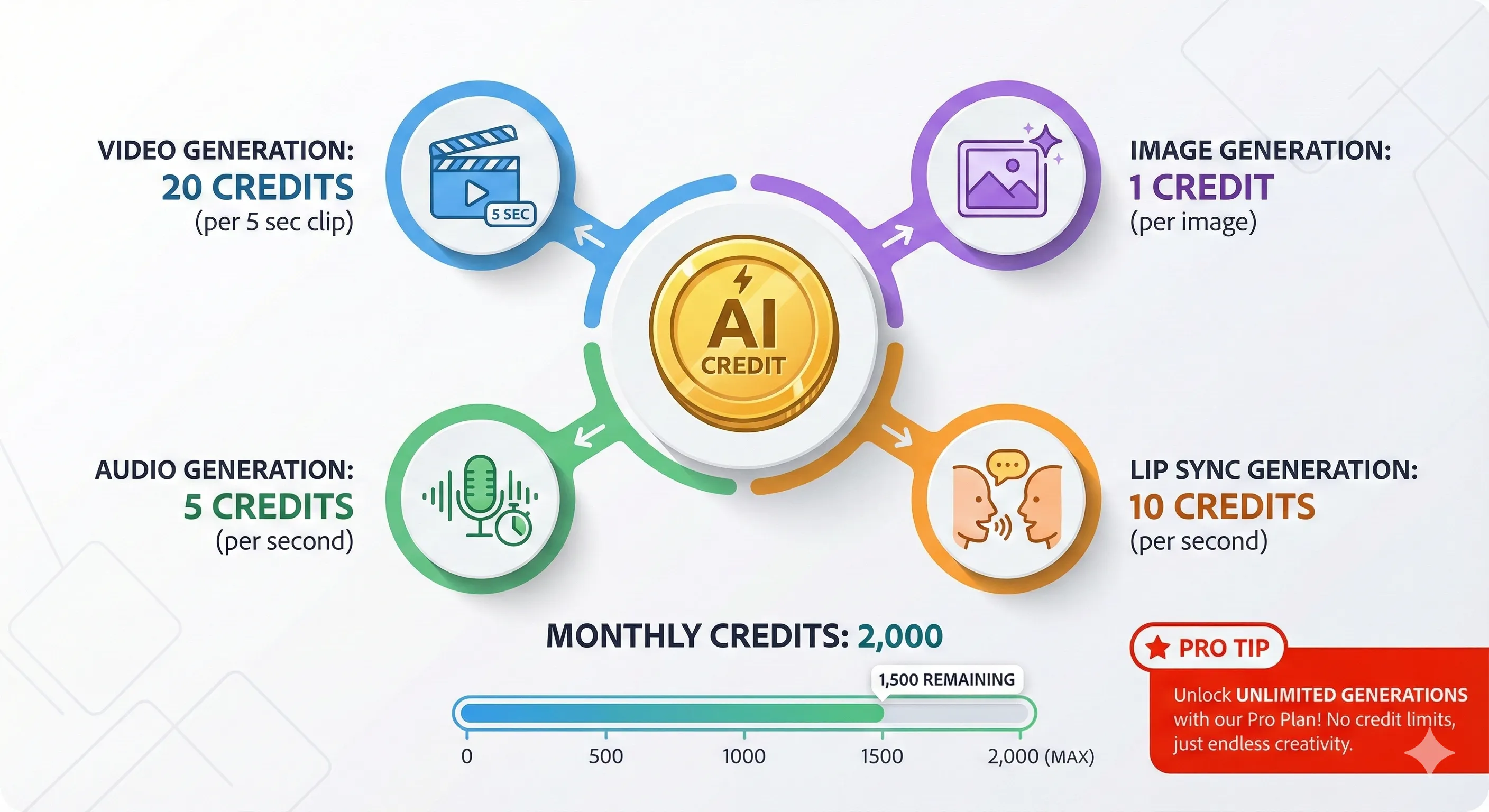
Partner models are priced separately and can cost far more. In a May 2026 Adobe Community thread, a Pro Plus subscriber reported that Veo 3.1 still showed 400 credits per video during Adobe’s May promotion. The thread doesn’t give the clip length, but it is four times the best-case 100 credits implied for a five-second Firefly clip, so check the credit cost shown next to a model before you press Generate.
🔍 REALITY CHECK
Marketing Claims: “unlimited generations in Firefly on select models for the first year.”
What It Really Means: “Select models” differs by plan, and Adobe’s plans page names them without mapping each list to a tier in the text. The same Community thread shows an Adobe community manager answering that credits are deducted when you click Generate, are automatically returned if a generation fails with an error, and are not refunded for results you simply don’t like. A subscriber in that thread also reported some models showing “400 credits” despite the promotion.
Verdict: Read the model list on the plan card before you subscribe for “unlimited”, and treat failed-generation refunds as automatic only for errors.
In practice that means pricing a project in clips, not in months. At the best-case 100 credits a clip, a ten-clip social campaign is about 1,000 credits, half of a Standard plan, before any retries.
💡 Key Takeaway: Budget at least 100 credits per five-second Firefly video and more for partner video models. Adobe’s counts say Standard covers up to 20 clips a month at best. Go to Pro only if you want the 40-clip allowance or the Photoshop-on-web perk.
🔥 What Adobe Firefly Does in October 2026
Firefly is Adobe’s home for AI images, video and audio. Adobe’s product page lists generation and editing (Generative Fill, Generative Expand, Prompt to Edit, upscaling), text and image to video, speech, music and sound effects, a collaborative canvas called Firefly Boards, and a Firefly AI Assistant that picks the right tool from a text description. It also names a mobile app for iOS and Android and integrations with Photoshop, Illustrator, Lightroom, Premiere and Adobe Express.
Adobe Firefly Image 5 model review: what the model is and where it runs
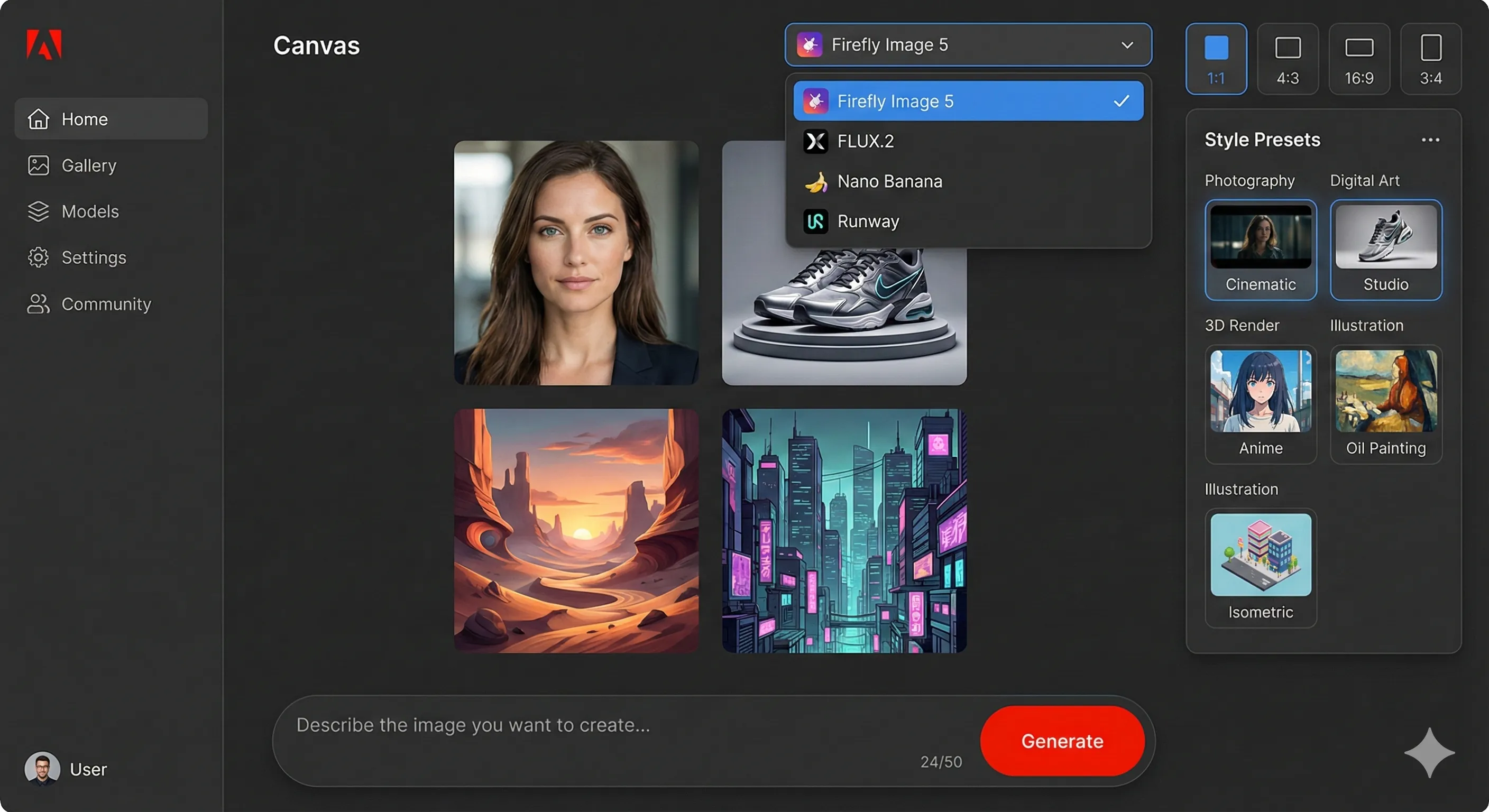
Firefly Image 5 is Adobe’s own image model, described as “now generally available” in an Adobe post dated March 19, 2026. That post also put custom models, where you train a private model on your own images, into public beta. Adobe’s product page lists the partner image models next to it: GPT Image 1.5, Google’s Gemini 3.1 with Nano Banana 2, and FLUX.2 pro. Its plans page names Nano Banana Pro and “ChatGPT Image 2” in the first-year offers.
What Adobe shipped in 2026
- March 19: Kling 2.5 Turbo added to a catalog Adobe puts at more than 30 models, which also names Nano Banana 2, Veo 3.1 and Runway’s Gen-4.5.
- April and June 18: the Firefly AI Assistant launched in beta in April, then gained brand-kit, product-video, storyboard and Quick Cut skills and reached public beta in Premiere, Photoshop, Illustrator, InDesign and Frame.io. An upgraded studio with reusable Elements and Projects is a private beta behind a waitlist.
- September 18: video background removal across a whole clip, 10 aspect ratios for GPT Image 2 (up from three), reference images for Kling 3.0 Omni and longer prompt limits. Adobe announced no plan or credit changes.
- October 9: FutureFive reports a new “Send to Adobe” option in Claude Motion that opens an animation in the Firefly Video Editor.
🔍 REALITY CHECK
Marketing Claims: “Outputs from Adobe Firefly AI models are safe for commercial use.”
What It Really Means: The sentence is about Adobe’s own Firefly models. The same page says you are responsible for judging whether partner-model content suits your project, and it lists partner models inside the same apps. Our December 2025 version implied everything in Firefly was covered.
Verdict: For client work, stick to Firefly’s own models where you can and read the terms for any partner model first.
🎬 Adobe Firefly Video: Editor, Models and What It Costs
Adobe Firefly video pricing comes down to credits and plan size. The Firefly Video Model is Adobe’s own, Premium gives “unlimited Firefly Video Model access in Generate Video”, and every smaller plan counts clips: 20, 40 or 100 five-second videos. Partner video models (Adobe’s product page names Runway, Kling, Luma and Topaz, and its plans page adds Google’s Veo) sit on top and draw more credits. An Adobe community manager said in October 2026 that Kling models are only available to individual subscribers, not team or enterprise plans.
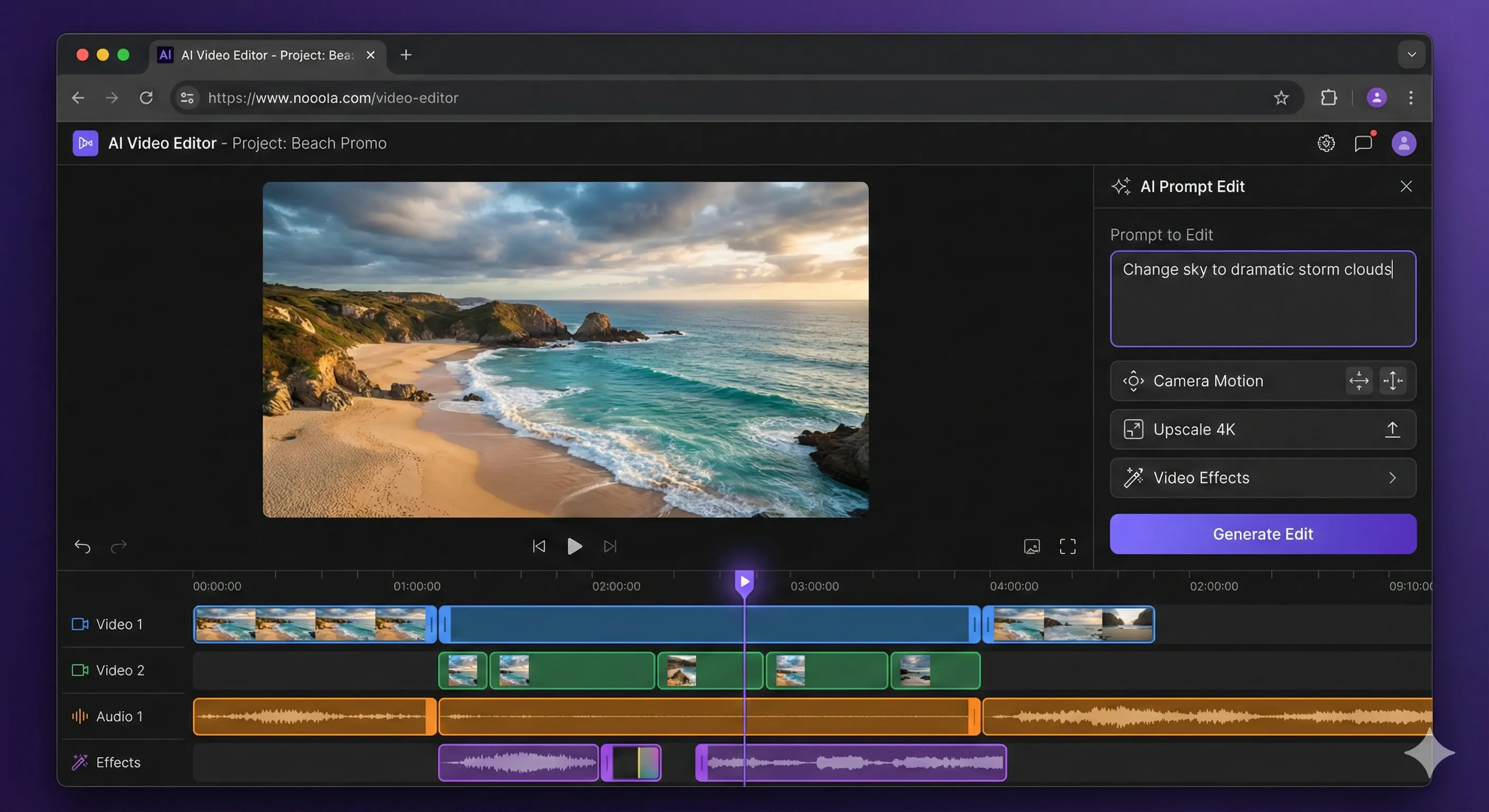
The editing side matters as much as generation. The Firefly Video Editor is where clips are refined after generation, and Adobe’s 2026 updates keep adding to it: Quick Cut, in the AI Assistant, assembles footage into a first cut, and the September update added background removal across a whole clip. The workflow is the pitch: you can fix a clip inside the same app instead of regenerating it from scratch. If you only want clips and care more about price per second, compare against Kling AI and Runway, which sell their own video models directly.
The Runway partnership, ten months on
Our December 2025 version covered Adobe’s announced partnership with Runway and Runway’s Gen-4.5 video model arriving in Firefly. That model is still in the catalog: Adobe’s March 2026 post names Runway’s Gen-4.5 among the partner models. What changed is the crowd around it. Adobe’s pages now also list Kling, Veo, Luma and Topaz, so Runway is one option in a menu rather than the headline feature.

📬 Enjoying this breakdown?
Get honest AI tool analysis delivered weekly. No hype, no spam.
⚔️ Adobe Firefly vs Midjourney vs ChatGPT vs Nano Banana
We compare what each vendor prints on its own pages, not image quality, because quality is a matter of taste and the prompt. For the picture-by-picture side, see our best AI image generators comparison and the Nano Banana review.
| Criteria | Adobe Firefly | Midjourney | ChatGPT Images 2.5 | Google Gemini (Nano Banana) |
|---|---|---|---|---|
| Free option | Free daily generations | No free plan listed | Free: “Limited image creation” | Image generation and editing with a free Google account (Google’s plan table names Nano Banana 2) |
| Cheapest paid plan | Standard $9.99 | Basic $10 | Go $8 | Google AI Plus $4.99 |
| Next step up | Pro $19.99 | Standard $30 | Plus $20: “More complex and accurate image creation” | Google AI Pro $19.99 |
| Unlimited images | Standard image generations on paid plans | Relax mode on Standard, Pro and Mega | No number published, except Pro: “Unlimited” subject to abuse guardrails | Compute-based limits, no count |
| Commercial use | Safe for Firefly models, vet partner models | Allowed; Pro or Mega if company revenue is over $1,000,000 a year | See OpenAI’s terms | See Google’s terms |
| Lives inside | Photoshop, Illustrator, Premiere, Express | Midjourney’s own service | ChatGPT | Gemini, Search, Google apps |
Read across the table and the pattern is plain. Firefly’s selling point is where it lives, inside the apps designers already use, and the commercial-use wording for Adobe’s own models. On price it is level with Midjourney Basic at about $10 a month, and the two cheaper routes are ChatGPT Go at $8 and Google’s $4.99 AI Plus plan, which also covers Nano Banana (see our Google AI Plus review). OpenAI and Google publish limit wording but no image counts for any plan, and ChatGPT Pro’s “unlimited” carries an abuse-guardrails footnote, so the plainest unlimited promises are Firefly’s standard features and Midjourney’s Relax mode. For the ChatGPT side, our ChatGPT review covers the plans.
📈 Entry and Mid-Tier Monthly Prices (USD)
💬 What Subscribers Report (Adobe Community Threads)
Our December 2025 version quoted G2 and forum snippets we can no longer verify, so they are gone. The recent threads on Adobe’s own Community forum point to the same two worries, both about credits rather than about picture quality:
- “Unlimited” that still showed a price. On May 1, 2026 a Pro Plus subscriber wrote that Veo 3.1 still showed 400 credits per video, and that some models showing “Uses 0 credits” still triggered an insufficient-credits message. Adobe’s reply, marked as the answer, pointed to the list of covered models and said credits are returned automatically when a generation errors.
- Failures that cost credits. On January 28, 2026 another user reported Veo 3.1 Fast image-to-video errors that went on for days, and said on January 29 that the problem was fixed but the credits were not refunded. Adobe staff did not reply in the visible thread.
These are single reports, not a measured failure rate. The practical lesson is the same either way: start with a small paid plan, watch your credit balance after a few failed runs, and screenshot the credit cost on any partner model before you rely on a promotion.
👤 Who Should Pay for Firefly (and Who Shouldn’t)

Stay on Free if: you make an occasional image and are happy with daily limits that Adobe does not quantify. It is the way to see the interface before paying.
Choose Standard ($9.99) if: you generate images and a few short clips a month. 2,000 credits covers up to 20 five-second videos.
Choose Pro ($19.99) if: you want Photoshop on web and mobile with your AI plan, or you need up to 40 clips. This is the best starting point for most Adobe users.
Choose Pro Plus ($49.99, or $34.97 for the first year until October 21) if: you make video every week and want up to 100 clips and 10,000 credits. Compare it with a direct Kling or Runway plan first, because a video-only subscription may suit you better.
Choose Premium ($199.99, or $139.91 for the first year) if: you produce video as a job and want unlimited Firefly Video Model access with 50,000 credits.
Look at Creative Cloud Pro ($69.99) if: you also need Photoshop, Premiere and the other desktop apps. You get 4,000 Firefly credits with them, the same as Pro.
Skip Firefly if: you want the most stylised art (look at Midjourney or Leonardo), you need a design tool with templates (see Canva Magic Studio), or you only want a free image maker (see our free AI tools guide).
❓ FAQs: Your Questions Answered
Q: Is Adobe Firefly free?
A: Yes, there is a free plan. Adobe says free accounts get “free daily generations” across image, video and audio, and it does not publish a number. Unlimited standard image and vector generations need a paid plan, starting at $9.99 a month.
Q: How much does Adobe Firefly cost in 2026?
A: Standard is $9.99 a month, Pro $19.99, Pro Plus $49.99 and Premium $199.99. Pro Plus and Premium are $34.97 and $139.91 a month for the first year if you subscribe by October 21. Creative Cloud Pro is $69.99 a month and includes 4,000 Firefly credits.
Q: What is Adobe Firefly video pricing?
A: Adobe’s counts (up to 20, 40 or 100 five-second videos) imply as little as about 100 credits a clip, or $0.50 at a full Standard, Pro or Pro Plus allowance. Premium has unlimited Firefly Video Model access. Partner models can cost more: one subscriber reported 400 credits for a Veo 3.1 clip.
Q: Is Adobe Firefly safe for commercial use?
A: Yes for Adobe’s own Firefly models: Adobe’s FAQ says their outputs are “safe for commercial use”. For partner models such as Google, OpenAI, FLUX, Runway and Kling, Adobe says you are responsible for judging whether the content suits your project.
Q: Do Firefly credits roll over?
A: No. Adobe says monthly credits reset each billing cycle and do not roll over.
Q: Does Adobe Firefly work offline?
A: We found no offline mode on Adobe’s plan or product pages, which describe a web app and a mobile app. Plan on needing a connection for generation.
Q: What is Firefly Pro Plus?
A: It is the plan between Pro and Premium: 10,000 credits a month, up to 100 five-second videos and 33 minutes of translation, at $49.99 a month. Adobe’s offer prices it at $34.97 a month for the first year until October 21.
Q: Is Adobe Firefly cheaper than Midjourney?
A: About the same at the start: Firefly Standard is $9.99 and Midjourney Basic is $10. Next up, Firefly Pro is $19.99 against Midjourney Standard at $30, but Midjourney Standard includes unlimited Relax-mode images, so it depends on volume and whether you need Adobe’s apps.
Final Verdict: Is Adobe Firefly Worth It in 2026?
Firefly is worth it for people already inside Adobe’s apps, and a questionable buy for everyone else. The value is the workflow: images, video and audio from one subscription, inside Photoshop and Premiere, with commercial-use wording for Adobe’s own models. The weak points are all about credits. Standard, Pro and Pro Plus differ only in size at about 200 credits per dollar, credits do not roll over, partner models can draw far more per clip, and “unlimited” offers come with model lists you have to read.
Use Firefly if: you work in Adobe apps and want AI that sits inside them. Start on Pro at $19.99 a month and watch your credit balance for a month.
Look elsewhere if: you want the cheapest image maker (Google AI Plus at $4.99 or ChatGPT Go at $8), unlimited Relax-mode images (Midjourney Standard at $30), or video only (a direct Kling or Runway plan). Check the plans yourself on Adobe’s Firefly plans page before October 21 if you want the first-year offer.

Founder of AI Tool Analysis. Reads every pricing page, help article and footnote so you don’t have to. Covering AI tools since 2025. See how we research →
Related Reading
- Best AI Image Generators 2026
- Midjourney Review
- Nano Banana 2 Review
- AI Image Editing Tools: Nano Banana vs the Rest
- Kling AI Review
- Runway Review
- Leonardo.AI Review
- Canva Magic Studio Review
Stay Updated on AI Creative Tools
Stay ahead of the creative AI curve. Weekly pricing changes, new plans and plain-English breakdowns of AI image and video tools, straight from the vendors’ own pages.
- ✅ Honest Breakdowns: We read the pricing pages and footnotes, not press releases
- ✅ Price Tracking: Know when tools drop prices or add free tiers
- ✅ Feature Launches: Major updates covered within days
- ✅ Comparison Updates: As the market shifts, we update our verdicts
- ✅ No Hype: Just the AI news that actually matters for your work
Free, unsubscribe anytime.

Last Updated: October 10, 2026
Firefly Version Covered: Firefly Image 5, Firefly Video Model, Firefly AI Assistant (public beta), partner models as listed on Adobe’s plans page
Next Review Update: October 22, 2026
Have a tool you want us to cover? Suggest it here | Questions? Contact us