
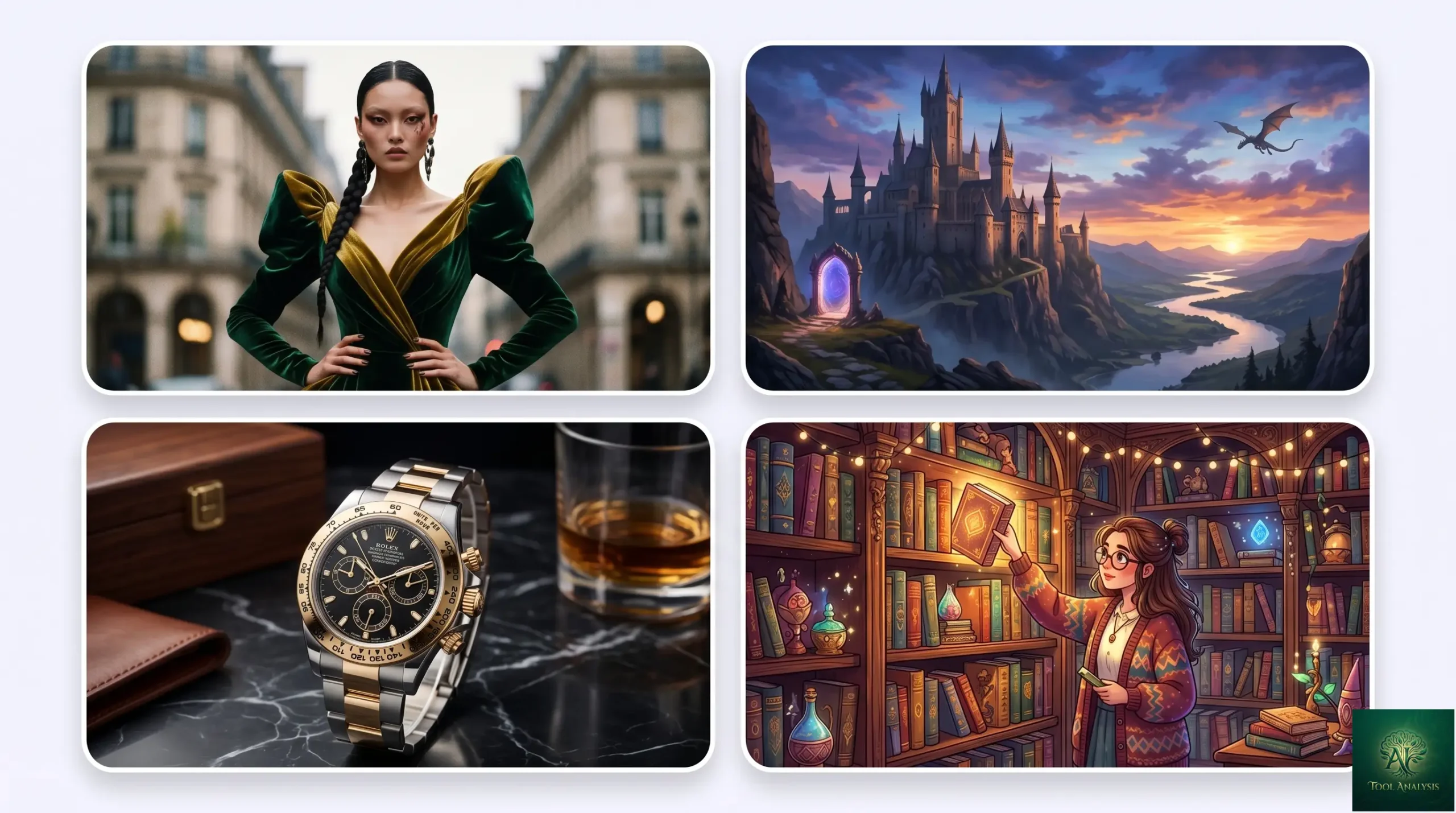
The AI image generators field crystallized in 2026 into something genuinely useful: 10+ credible models across distinct specializations, with no single tool winning every category. Midjourney V8 launched in March 2026 with a 5x faster engine and native 2K resolution. Flux 2 by Black Forest Labs took photorealism leadership. Nano Banana Pro and Nano Banana 2 from Google brought integration into the broader Gemini ecosystem. Recraft V4 staked out the logo-and-vector niche. The “best AI image generator” question stopped having a single answer — it now depends entirely on what you’re making. This review of AI image generators tests all 10 tools worth knowing about in May 2026 and gives explicit picks for each use case.
⚡ TL;DR – The Bottom Line
What This Is: Tested 10 AI image generators in May 2026 — Midjourney V8, Flux 2, Nano Banana Pro, Nano Banana 2, GPT Image 1.5/2, Imagen 4 Fast, Ideogram, Recraft V4, Adobe Firefly, Stable Diffusion 4, plus Krea + Magnific.
Best For: Anyone deciding which AI image generator (or combination) to use for their specific work in 2026.
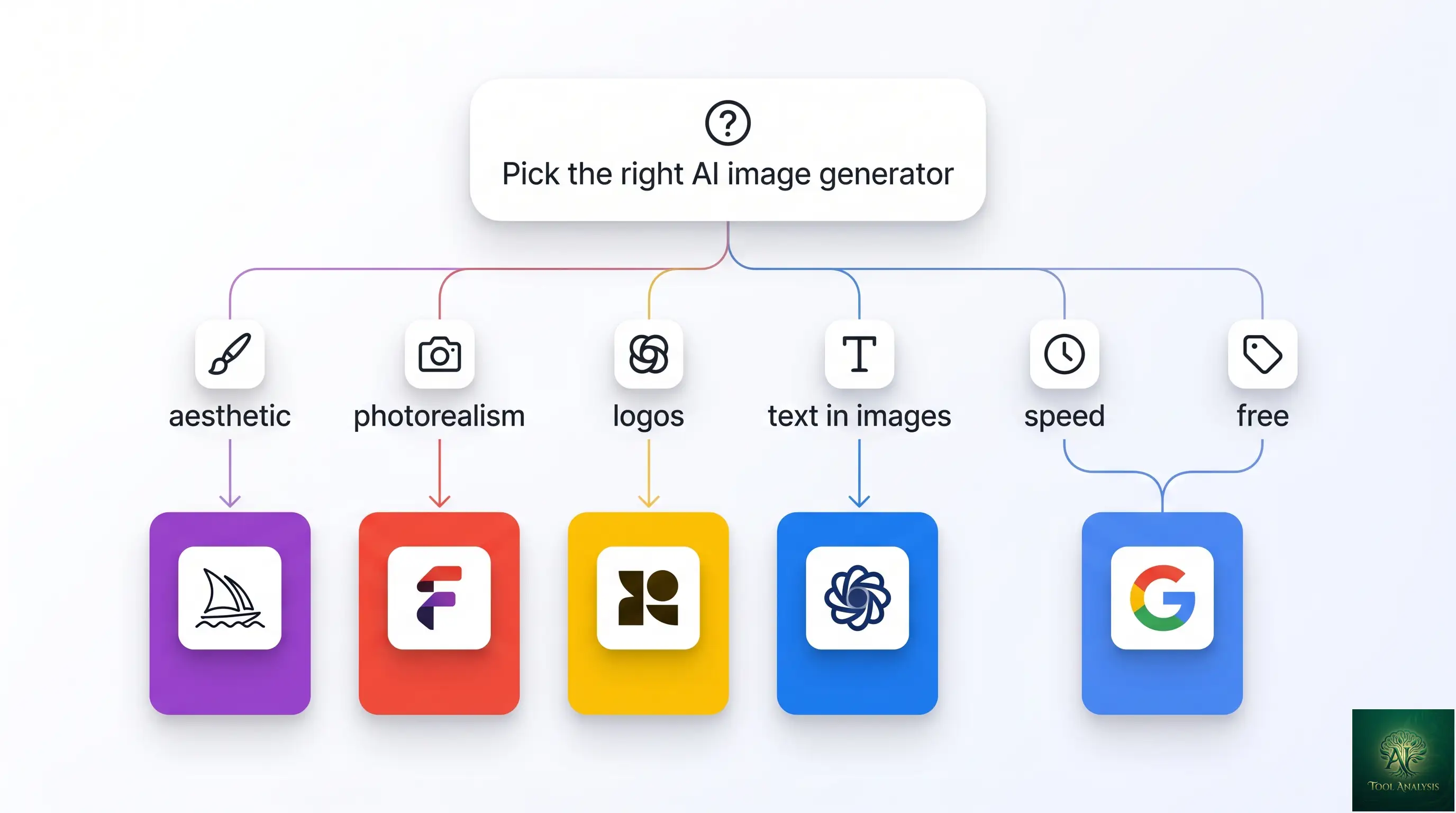
Top Picks by Use Case: Midjourney V8 (aesthetic), Flux 2 Pro (photorealism), Recraft V4 (logos), Ideogram 3+ (typography), Nano Banana 2 (free / speed), Adobe Firefly (commercially safe).
Pricing: Effectively free via Gemini app (Nano Banana 2) up through $120/mo (Midjourney Mega). Most professionals land at $20-$30/month for one specialist tool.
⚠️ The Catch: No single tool wins every category. Most professional workflows use 2-3 tools per project. Buying one general-purpose generator for everything leaves quality on the table.
📑 Quick Navigation
The Bottom Line: Which AI Image Generators Should You Use?
Pick by use case, not by overall winner:
- Aesthetic art and stylized work: Midjourney V8 ($10-$120/mo). The native 2K resolution and aesthetic ceiling are unmatched. Worth the no-free-tier commitment if you make stylized images regularly.
- Photorealism (especially portraits, skin, and physical objects): Flux 2 (Pro tier ~$30/mo via various providers, or Flux Kontext for editing). The skin-texture quality is visibly ahead of every competitor; landscapes and architecture also excellent.
- Text inside images, logos, posters, signage: Recraft V4 ($12/mo) for logos and SVG vectors. Ideogram 3.0+ for general typography in images. Both beat the general-purpose tools by a wide margin on this specific job.
- Free / casual / convenience: Nano Banana 2 inside the free Gemini app. Fastest generation in the field (1-3 seconds), unlimited free use, and good-enough quality for most casual needs. The right default for “I just need an image, now.”
- Best AI image generators free + paid all-in-one: Nano Banana Pro inside Google AI Pro ($19.99/mo). 100 free generations per day on the free Gemini tier; unlimited Pro generations on the $19.99 subscription. Best price-per-quality of any paid tier.
Skip the dedicated AI image generators subscription entirely if you only generate images occasionally — both ChatGPT Plus ($20/mo) and Google AI Pro ($19.99/mo) bundle good-enough generators (GPT Image 1.5 and Nano Banana Pro respectively) into broader subscriptions you might already have. Don’t pay twice.
The State of AI Image Generators in April 2026
Three structural shifts in the last six months reshape how to think about AI image generators.
Specialization beats generalization
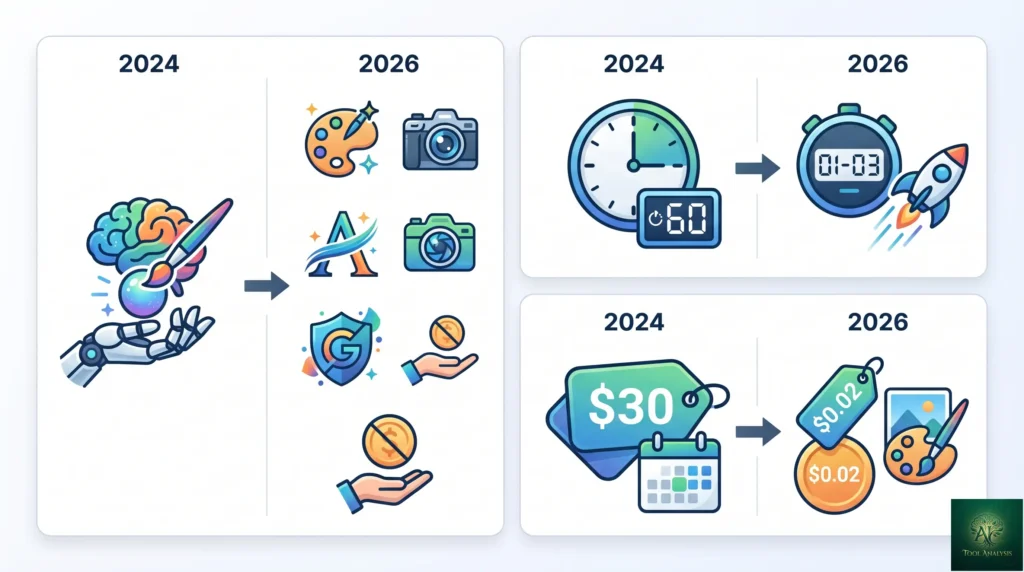
The “one model does everything” thesis lost in 2026. Midjourney V8 is the best aesthetic tool but not the best at text-in-image. Flux 2 is the best at photorealism but mediocre for stylized cartoon work. Recraft V4 wins logos but isn’t useful for general scenes. The mature category recognizes that different specializations matter and most professional users now run 2-3 tools per project depending on what they’re producing.
Speed dropped to seconds
Nano Banana 2 generates images in 1-3 seconds. Imagen 4 Fast takes ~2 seconds at $0.02 per image. Even the slower premium tools (Midjourney V8 at ~5 seconds, Flux 2 Pro at ~6-8 seconds) are dramatically faster than the 30-60 second waits that defined the category in 2024. The combination of faster inference hardware and more efficient diffusion architectures means generation latency stopped being a meaningful bottleneck for most workflows.
Pricing converged at the low end
Imagen 4 Fast at $0.02 per image, Flux dev at similar tier, Nano Banana 2 free in the Gemini app — the per-image cost for “good enough” output across modern AI image generators is now effectively zero for casual use and cents for high-volume API use. The premium pricing only sticks for the absolute-best aesthetic ceiling (Midjourney) or photorealism (Flux 2 Pro). For 80% of use cases, you can produce competent images at near-zero cost in 2026.
💡 Key Takeaway: The “one model wins everything” thesis is dead in 2026. Most professional workflows now use 2-3 specialized AI image generators per project. Budget for that — at the prices these tools hit ($0-$30 per tool), running a 3-tool stack costs less than a single Adobe Creative Cloud subscription used to.
1. Midjourney V8: The Aesthetic King
Midjourney V8 launched in March 2026 with what Midjourney described as “a completely rewritten engine” — 5x faster generation than V7, native 2048×2048 resolution without upscaling, and meaningful improvements in prompt-following and aesthetic ceiling. Six weeks of testing across hundreds of prompts confirms the marketing: V8 is genuinely the best aesthetic-quality tool available in May 2026, especially for stylized illustration, concept art, fashion, and editorial photography.
Strengths: aesthetic ceiling, stylization, native 2K resolution, character consistency via the Reference feature, the Style Tuner for brand-consistent output. Weaknesses: still mediocre at text rendering inside images (use Ideogram or Recraft for that), no native free tier, and the Discord-first interface remains a friction for users expecting a polished web app. Pricing: Basic $10/month (3.3 hours Fast GPU), Standard $30/month (15 hours Fast + unlimited Relax), Pro $60/month (30 hours Fast + Stealth Mode), Mega $120/month (max GPU). Annual billing saves 20%.
Best for: illustrators, concept artists, marketers producing stylized social-media graphics, anyone whose output requires the absolute best aesthetic quality. Skip if: your primary need is text in images, photorealism beats stylization for your work, or you can’t tolerate the Discord-or-web-app interface.
2. Flux 2 (Black Forest Labs): The Photorealism Champion
Flux 2 from Black Forest Labs — the team that previously released Stable Diffusion — became the photorealism leader in 2026. The Flux 2 Pro and Flux.2 [max] tiers tied with GPT Image 1.5 at the top of the LM Arena image-generation leaderboard at ~1,265 Elo (as of December 2025; both have continued to improve since). The skin-texture quality on portraits is visibly ahead of every other model — pores, hair, micro-expressions all render at near-photographic fidelity.
Strengths: best-in-class photorealism for portraits, landscapes, architecture, product photography. Flux Kontext (the editing variant, now an Adobe partner model) handles surgical edits to existing images. Open weights available for self-hosting. Weaknesses: stylized illustration is mediocre vs Midjourney; UI varies by provider since Flux is distributed through multiple platforms. Pricing: varies by provider — fal.ai, Replicate, and various wrappers run Flux Pro at roughly $0.04-0.08 per image. Adobe Firefly Pro tier ($30/mo) bundles Flux Pro generations alongside Adobe’s own models.
Best for: photographers needing AI-augmented retouching, e-commerce product shots, real-estate visualization, anyone where “looks like a real photograph” matters more than “looks aesthetically curated.” Skip if: your work is illustration-first or stylized, you need a polished consumer UI, or you want a single subscription rather than provider-by-provider billing.
3. Nano Banana Pro & Nano Banana 2 (Google)
Google’s image-generation lineup splits into two products at different price-and-capability tiers, both branded “Nano Banana” internally and surfaced in the Gemini consumer app and Google AI subscriptions.
Nano Banana 2 (Gemini 3.1 Flash Image) is the fastest image generator in the field at 1-3 seconds per image. Free in the Gemini consumer app with effectively unlimited daily use; runs at $0.039 per image via the Gemini API. Quality is competitive with mid-tier paid models — better than DALL-E 3 inside ChatGPT for literal prompt-following, behind Midjourney V8 for aesthetic ceiling, behind Flux 2 for photorealism.
Nano Banana Pro (Gemini 3 Pro Image) is the professional-grade upgrade. Better text rendering inside images (one of the longest-standing weaknesses across all image AI), better at glass and water reflections, supports Style Transfer (upload a reference image, generate matching aesthetics), and is the model Adobe integrated into Firefly and Photoshop on day one of its November 2025 launch. Pricing: 100 free generations per day in the Gemini app on the free tier; unlimited on Google AI Pro ($19.99/month) and Ultra ($249.99/month).
Best for: Nano Banana 2 — casual users, anyone needing fast iteration, free-tier Gemini app users. Nano Banana Pro — professionals already on Google AI Pro who want bundled image generation, anyone who needs the best text-in-image quality at this price point. Skip if: you need the absolute aesthetic ceiling (Midjourney) or photorealism (Flux 2) for your specific work.
4. GPT Image 1.5 / GPT Image 2 (OpenAI)
OpenAI’s image generation evolved from the original DALL-E 3 to GPT-Image-1 in 2024, then GPT Image 1.5 in late 2025, with GPT Image 2 rolling out through 2026. GPT Image 1.5 was the headline 2025 release with the new “likeness preservation” feature for repeat character generation; GPT Image 2 (when available) extends this with sharper photographic output and improved prompt-following.
Strengths: best literal prompt-following in the field — if you describe exactly what you want, GPT Image returns exactly that more reliably than alternatives. Excellent at text inside images. The conversational interface inside ChatGPT means you can iterate on a generation through chat (“make it brighter, change the background to a beach”) rather than re-prompting from scratch. Weaknesses: aesthetic ceiling is below Midjourney; per-image quality is excellent but never quite the wow factor of the aesthetic-leader tools. Pricing: bundled with ChatGPT Plus ($20/month). API access at GPT-Image rates per image (varies; check current OpenAI pricing).
Best for: ChatGPT Plus subscribers who want bundled image generation, anyone needing precise prompt-following over aesthetic ceiling, conversational iteration workflows. Skip if: you’re not on the OpenAI ecosystem and don’t have a specific reason to be — Nano Banana Pro at the same $19.99/month tier is comparable on quality and bundles more.
5. Google Imagen 4 Fast: Speed and Cost
Imagen 4 Fast is Google’s high-throughput image generator inside Vertex AI and Google Cloud. It’s Google’s “industrial volume” pick — designed for use cases where you generate thousands or millions of images and per-image cost matters more than per-image absolute quality.
Strengths: $0.02 per image (the cheapest serious AI image generator in 2026), generates in ~2 seconds, decent quality for most use cases. Strong at text rendering across AI image generators. Well-integrated with Google Cloud’s broader AI tooling. Weaknesses: not the absolute best on any dimension — wins on price-per-image and speed, loses to specialists on aesthetic / photorealism / typography. Pricing: $0.02 per image via Vertex AI (pay-as-you-go), or bundled into Google Cloud’s broader subscriptions.
Best for: developers building image generation into their own products at high volume, e-commerce platforms generating product variations at scale, anyone where unit economics dominate. Skip if: you’re a casual user or designer — the consumer-facing tools (Nano Banana 2, Midjourney, Flux) are better fits for human-driven workflows.
6. Ideogram 3.0+: Typography Specialist
Ideogram remains the specialist for images with prominent text content. The “text inside images” problem was the longest-standing weakness across all general-purpose generators in 2024-2025; Ideogram solved it by training specifically for typography correctness. The 3.0+ generation produces clean readable text in posters, signage, logo-adjacent work, and any image where the words are part of the visual content.
Strengths: best-in-class text rendering and typography. Excellent at posters, social-media graphics with copy, signage, hero banners with embedded headlines. Easy-to-use web app. Weaknesses: general-purpose image quality lags Midjourney and Flux. Best treated as a specialist tool alongside a general-purpose generator, not as a sole tool. Pricing: free tier with limited credits, paid plans from $7/month. Also available as a partner model inside Adobe Firefly.
Best for: marketers producing posters and social graphics with prominent text. Designers needing typography-first AI. Anyone working with logos that need readable text-in-image rendering. Skip if: your work doesn’t involve text in images — stick with general-purpose generators.
7. Recraft V4: Logos and SVG Vectors
The most undervalued specialist in the 2026 lineup. Recraft V4 was named the best logo-generation model in independent testing (HuggingFace benchmarks), and supports SVG export for scalable vector outputs — the only major image generator that produces native vector graphics rather than raster images. Built-in brand styling tools let you maintain visual consistency across a series of generated assets.
Strengths: best logo generation, native SVG vector export, brand styling tools for consistency. Weaknesses: not built for general-purpose photorealistic or aesthetic image work — it’s a logo-and-graphic-design specialist. Pricing: free tier with limited credits, paid plans from $12/month.
Best for: brand designers, logo creators, anyone needing scalable vector outputs rather than raster images. Skip if: you don’t need vectors and your work is general-purpose imagery.
8. Adobe Firefly Image: Commercially Safe
Adobe’s Firefly image models remain the commercially-safe default for designers who need IP indemnification on generated outputs. Trained on Adobe Stock and licensed content (not on the open web), Firefly outputs come with Adobe’s commercial-use guarantees that matter for client work and enterprise deployment. The 2026 update integrated partner models including Nano Banana Pro, FLUX, Ideogram, OpenAI’s GPT-Image, and others — Firefly is now the multi-model hub rather than just Adobe’s own model.
Strengths: commercially-safe training data with IP indemnification, deep integration with Photoshop / Illustrator / InDesign, multi-model picker for choosing the best model per generation, Affinity v3 design suite now free with AI features behind Firefly subscription. Weaknesses: Adobe’s own Firefly Image model trails the specialists on most quality dimensions; the value is in the integration, not the model. Pricing: Firefly Standard $9.99/month, Firefly Pro $30/month, bundled into Creative Cloud All Apps at $59.99/month.
Best for: professional designers already on Creative Cloud, agencies producing client work where IP indemnification matters, teams that need the multi-model picker to avoid maintaining multiple subscriptions. Skip if: you don’t need commercial-safety guarantees and don’t already pay for Adobe.
9. Stable Diffusion 4 / SDXL: Open Source Control
Stable Diffusion remains the open-source AI image generators default for users who need maximum control, fine-tuning on their own data, or NSFW work that the hosted services block. Stable Diffusion 4 (released in late 2025) and the still-popular SDXL line both offer the open-weights advantage that the closed-source competitors don’t.
Strengths: free if you have the GPU, full control via ControlNet for poses and compositions, fine-tunable on your own images, vibrant community ecosystem of LoRAs and models. Weaknesses: requires technical setup, hardware investment for serious use, and the cutting-edge quality lags behind Midjourney V8 and Flux 2. Pricing: free if self-hosted; paid hosted versions through Stability AI’s API, Replicate, fal.ai, and other providers vary by tier.
Best for: developers building image products on their own infrastructure, hobbyists with capable GPUs, anyone needing maximum customization, NSFW work that hosted services block. Skip if: you want a polished consumer experience without technical setup.
10. Krea + Magnific: Real-Time and Upscaling
Two specialists worth a final mention. Krea is the real-time generative editor — type a prompt, see the image update as you type, with sub-second iteration. Best for prototyping where you want immediate visual feedback and live-stream use cases where latency matters. Pricing from $10/month. Magnific is the upscaling specialist — feed it a low-resolution or AI-generated image, get a print-ready high-resolution output with detail enhancement. Best for turning Midjourney V8 outputs into 8K printables, restoring old photos, and any “make this image bigger and sharper” workflow. Pricing from $39/month.
🔍 REALITY CHECK
Marketing Claims: “Our AI image generator beats Midjourney” (some variant of this appears on every competitor’s marketing page).
Actual Experience: Universally false at the aesthetic ceiling level. Midjourney V8 still wins on aesthetic art direction in independent testing. Where competitors do beat Midjourney is on specific dimensions: Flux 2 wins photorealism, GPT Image wins prompt accuracy, Recraft wins logos, Ideogram wins typography, Nano Banana 2 wins speed, Imagen 4 Fast wins per-image cost. The “beats Midjourney” pitch usually conflates one specific dimension with overall superiority. Most users actually want the dimension where their target tool wins, not aesthetic ceiling — pick on the specific axis that matters for your work, not on which tool’s marketing is loudest.
Verdict: Midjourney still wins aesthetics. Other tools win other things. Pick by what you actually need to make.
📊 Entry-Tier Monthly Cost (May 2026)
Lowest paid tier across the 10 AI image generators tested. The free Gemini app (Nano Banana 2 + 100/day Pro) excluded as $0.
📬 Find this useful?
Get our weekly creative-AI tool reviews — Midjourney updates, Flux releases, Nano Banana features, pricing changes.
Head-to-Head: AI Image Generators That Win Each Category
| Category | Winner | Runner-Up | Best Free Option |
|---|---|---|---|
| Aesthetic art / stylization | Midjourney V8 | Flux 2 | Nano Banana 2 |
| Photorealism | Flux 2 Pro | Midjourney V8 (realistic) | Nano Banana Pro (100/day free) |
| Prompt accuracy | GPT Image 1.5/2 | Flux 2 [max] | Nano Banana 2 |
| Text inside images | Recraft V4 / Ideogram 3+ | Nano Banana Pro | Ideogram free tier |
| Logo / SVG vectors | Recraft V4 | Adobe Firefly | Recraft free tier |
| Speed (per image) | Nano Banana 2 (1-3 sec) | Imagen 4 Fast (~2 sec) | Nano Banana 2 |
| Cost per image (API) | Imagen 4 Fast ($0.02) | Nano Banana 2 ($0.039) | Nano Banana 2 (free Gemini) |
| Commercial-safe IP | Adobe Firefly | Stable Diffusion (own training) | Adobe Firefly free tier |
| Open source / customization | Stable Diffusion 4 | Flux 2 (open weights) | SD self-hosted |
| Real-time iteration | Krea | Nano Banana 2 | Krea trial |
📐 Capability Profile: Top 5 AI Image Generators
Subjective 0-10 scoring across the dimensions that matter for image-generator buyers. Higher is better.
Pricing Breakdown (May 2026)
| Tool | Free Tier | Entry Paid | Pro Tier |
|---|---|---|---|
| Midjourney | None | $10/mo Basic | $30 Std / $60 Pro / $120 Mega |
| Flux 2 | Trial credits | ~$30/mo Pro | Adobe Pro $30 / Custom enterprise |
| Nano Banana 2FREE | Effectively unlimited | $19.99 Google AI Pro | $249.99 Google AI Ultra |
| Nano Banana ProVALUE | 100/day in Gemini app | $19.99 Google AI Pro | $249.99 Ultra |
| GPT Image 1.5 / 2 | None | $20 ChatGPT Plus | $100 / $200 ChatGPT Pro |
| Imagen 4 Fast (Vertex AI) | API trial credits | $0.02/image pay-go | Volume discounts |
| Ideogram | Limited credits | $7/mo | Up to $48/mo |
| Recraft | Limited credits | $12/mo | Pro $20/mo |
| Adobe Firefly | Limited free | $9.99 Standard | $30 Pro / $59.99 CC All Apps |
| Stable Diffusion 4 | Free (self-host) | Hosted ~$10-30/mo | Enterprise / API |
| Krea | Trial credits | $10/mo | Higher tiers |
| Magnific | None | $39/mo | $99 Pro |
The pricing landscape has tiered into three bands. The cheap-or-free band ($0-$15/month) covers Nano Banana 2 free, Ideogram, Recraft, Adobe Firefly Standard, Krea, Stable Diffusion self-hosted — enough capability for most casual and small-business users. The mid-tier band ($19-$30/month) covers Google AI Pro, ChatGPT Plus, Adobe Firefly Pro, Midjourney Standard, Flux 2 Pro — the sweet spot for serious creators. The premium band ($60+/month) is Midjourney Pro/Mega, Magnific, ChatGPT Pro, Adobe Creative Cloud All Apps — for power users with specific high-end needs.
How to Choose Among the AI Image Generators
- Marketers / social media managers: Nano Banana Pro inside Google AI Pro ($19.99) covers 90% of social-graphic needs. Add Ideogram free tier for typography-heavy posters. Optional: Midjourney Basic ($10) if you need stylized aesthetic posts.
- Photographers / e-commerce: Flux 2 Pro is the right tool for product retouching and photo augmentation. Pair with Magnific ($39) for upscaling final outputs. Skip Midjourney unless you also do stylized work.
- Illustrators / concept artists: Midjourney Pro ($60) for the aesthetic ceiling. Add Recraft for occasional logo work. Stable Diffusion 4 if you want maximum customization on your own GPU.
- Brand designers: Recraft V4 ($12-$20) for logos and vectors. Ideogram for typography-heavy assets. Adobe Firefly via Creative Cloud if you also need Photoshop / Illustrator integration.
- Developers / API users: Imagen 4 Fast ($0.02/image) for high-volume cheap generation. Nano Banana 2 ($0.039/image) for high-volume good-quality. Stable Diffusion self-hosted if cost-per-image matters more than developer time.
- Casual users / hobbyists: Free Gemini app (Nano Banana 2 + 100/day Pro) — there’s no reason to pay for image generation as a casual user in 2026.
🔍 REALITY CHECK
Marketing Claims: “AI-generated images are commercially safe to use” (the recurring claim across most generators).
Actual Experience: Mostly true with important caveats. Adobe Firefly’s models are explicitly commercially safe with IP indemnification — Adobe will defend you if a Firefly-generated image triggers a copyright claim. Other models (Midjourney, Stable Diffusion, GPT Image) grant commercial use rights but don’t include indemnification. The legal status of AI-generated image copyright remains contested in many jurisdictions; the US Copyright Office’s current stance is that purely AI-generated images don’t qualify for copyright protection, but human-modified compositions do. For client work or any high-stakes commercial use, prefer Firefly (with indemnification) or treat AI output as a starting point you modify substantially before claiming copyright.
Verdict: “Commercially usable” is real for most tools. “Indemnified against IP claims” is only Adobe Firefly. Plan accordingly for client work.
FAQs
Are there truly free AI image generators in 2026?
Yes — the free Gemini app gives you Nano Banana 2 with effectively unlimited daily use plus 100 free Nano Banana Pro generations per day. That’s the most generous free tier in the field. Stable Diffusion is also free if self-hosted. Adobe Firefly, Ideogram, and Recraft offer limited free tiers; everything else (Midjourney, Flux 2 paid, GPT Image) requires payment.
Which AI image generators are best for photorealism?
Flux 2 Pro by Black Forest Labs in May 2026. The skin-texture quality on portraits is visibly ahead of every other model. Runner-up is Midjourney V8 with realistic-style prompting. For free options, Nano Banana Pro (100/day in the Gemini app) is the best free photorealism path.
Which AI image generators are best for text and logos?
Two answers. For logos and vector graphics, Recraft V4 is best (and supports SVG export). For general typography-in-images (posters, signage, social graphics with prominent text), Ideogram 3.0+ is best. Both beat the general-purpose tools by a wide margin on these specific jobs.
Can these tools generate video as well?
Mostly no — these are image generators, not video. For video, look at Sora 2 (bundled with ChatGPT Plus), Runway, Kling, Veo (Google Flow), or Pika. Some image tools (Krea, the Gemini app) include limited image-to-video features but the dedicated video tools produce better results.
Are AI-generated images safe for commercial use?
Most paid tiers grant commercial use rights, but only Adobe Firefly explicitly indemnifies against IP claims. For high-stakes client work, prefer Firefly. For lower-stakes commercial use (social posts, marketing graphics), other tools’ commercial rights are usually adequate. Always check the specific terms of the model you’re using.
What is the learning curve for these tools?
Casual use of any modern AI image generators is “type a prompt, get an image” with minutes of setup. Power use (consistent styling, advanced techniques like ControlNet, LoRAs, Style Tuners) takes weeks of practice. Stable Diffusion has the steepest curve due to local installation and configuration; Nano Banana 2 in the Gemini app has the gentlest.
Can I edit images after they’re generated?
Yes, increasingly. Nano Banana Pro, Flux Kontext (the Flux 2 editing variant), GPT Image, and Photoshop’s Generative Fill all support post-generation edits. For more comprehensive editing workflows, see our AI image editing tools comparison.
Can I copyright images generated by AI?
Generally no in the US — the Copyright Office’s current guidance is that purely AI-generated images don’t qualify for copyright protection. Human-modified compositions where the AI output is a starting point can qualify. International rules vary. For commercial work where copyright matters, modify AI outputs substantially before claiming copyright.
✅ State of the Category in 2026
- ✓ 10+ credible specialized AI image generators
- ✓ Free Gemini app (Nano Banana 2) covers casual users entirely
- ✓ Generation speed dropped to 1-3 seconds
- ✓ Per-image API cost as low as $0.02 (Imagen 4 Fast)
- ✓ Native 2K resolution standard (Midjourney V8)
❌ What Still Falls Short
- ✗ No single tool wins every category
- ✗ Only Adobe Firefly offers IP indemnification
- ✗ AI-generated images don’t qualify for US copyright on their own
- ✗ Hands and small text still hit-or-miss on most models
The AI image generation category is the healthiest it has ever been. 10+ credible specialists, near-zero costs for casual use, $20-30/month for professional specialists. Half a star off because the “one tool does everything” thesis still doesn’t hold — buyers must commit to a 2-3 tool stack for full coverage.
💡 Key Takeaway: Don’t overpay. The free Gemini app (Nano Banana 2 + 100/day Pro) covers casual users completely. Most professionals only need one paid specialist (~$20/month) plus the free Gemini app for everything else. The “subscribe to multiple paid tools” stack is for high-volume professionals, not the common case.
The Final Verdict
The AI image generators category in May 2026 is meaningfully better than it was twelve months ago. Midjourney V8 set a new aesthetic ceiling. Flux 2 took photorealism to near-photographic fidelity. Nano Banana 2 made fast image generation effectively free. The pricing landscape converged enough that most casual and small-business users can produce competent images at near-zero cost via the free Gemini app, while professionals pay $20-$60/month for the specialized leaders in their specific use case.
The biggest mistake we see in 2026 is buyers paying for one general-purpose generator and trying to make it cover every use case. When choosing among AI image generators, pick by use case: Midjourney for aesthetic, Flux 2 for photorealism, Recraft for logos, Ideogram for text, Nano Banana 2 for free convenience. Most professional workflows now use 2-3 tools per project depending on what’s being made — and at the prices these tools hit in 2026, that’s affordable for almost everyone.
Related Reading
- Best AI Image Editing Tools — for editing existing images (vs generating new ones)
- Nano Banana 2 Review — full deep-dive on Google’s free image generator
- Nano Banana Pro — the Gemini 3 Pro Image upgrade for paid tiers
- Canva Magic Studio Review — bundled image generation inside Canva (Dream Lab uses Phoenix model)
- Gemini Flash Review — the LLM family that includes Nano Banana 2 image generation
- Google AI Plus Review — the consumer subscription bundling Nano Banana Pro
- The Complete AI Tools Guide — buyer’s guide for picking the right tool from 200+ tested
- Earlier Image Generators Roundup — for historical context (most generators in that post are now obsolete)
Founder of AI Tool Analysis. Reads every pricing page, help article and footnote so you don’t have to. Covering AI tools since 2025. See how we research →
Stay Updated on AI Image Generators
The image-AI category shifts every month. Subscribe for honest reviews of new model releases, pricing changes, and benchmark updates — delivered every Thursday at 9 AM EST.
- ✅ Sourced Reviews: Every price and limit checked against the vendor’s own pages, not rewritten from press releases
- ✅ Model Releases: Major Midjourney / Flux / Nano Banana / GPT Image launches covered within days
- ✅ Pricing Changes: Know when free tiers expand or paid tiers shift
- ✅ Comparison Updates: Side-by-side benchmarks as the field shifts
- ✅ No Hype: Just the AI image news that matters for your work
Free, unsubscribe anytime.

Last Updated: May 1, 2026
Tools Covered: Midjourney V8, Flux 2 / Flux Pro, Nano Banana 2 (Gemini 3.1 Flash Image), Nano Banana Pro (Gemini 3 Pro Image), GPT Image 1.5 / GPT Image 2, Imagen 4 Fast, Ideogram 3.0+, Recraft V4, Adobe Firefly Image, Stable Diffusion 4 / SDXL, plus Krea + Magnific specialists.
Slug Note: Renamed from /best-ai-image-generators-2025/ to /best-ai-image-generators/ on May 1, 2026 for evergreen URL. 301 redirect in place.
Next Review Update: August 2026 (or sooner when Midjourney V9, Flux 3, or major model releases ship)
Have a tool you want us to review? Suggest it here | Questions? Contact us