

Claude Design is free now. It comes with every Claude plan, including the $0 Free plan, and it lives inside ordinary Claude chats. Our verdict in this Claude Design review: start on Free, and pay $20 a month for Pro only if you want Claude Code to turn your designs into working software, or you keep running into the limit.
PCWorld’s April review, which warned Pro users about being locked out after half an hour, described a separate weekly Design meter. Anthropic has since folded Claude Design into your plan’s shared limits. Everything below comes from Anthropic’s pricing, help and launch pages plus press reports, read on October 17, 2026. Nobody at AI Tool Analysis ran Claude Design for this review.
TL;DR: Claude Design in October 2026
What it is: Anthropic’s tool for designs, interactive prototypes, one-pagers and other visual work, made by chatting with Claude in any conversation.
Price: included on every plan: Free ($0), Pro ($20 a month, or $17 a month billed yearly), Max ($100 a month) and Ultra ($200 a month, formerly Max 20x).
Limits: no separate Design allowance. It shares your plan’s limits, and Anthropic gives no number for design work.
Our take: a fast way to get a first version you can react to. It does not replace shared Figma files or a designer’s judgment.
The catch: handing a design to Claude Code needs a paid plan, and claude.ai/design closes on December 14, 2026.
Quick Navigation
Is Claude Design worth it in 2026?
For most people, yes, because trying it costs nothing. Describe a one-pager, a pitch deck or an app screen, and Claude builds a first version beside the chat. You then refine it by talking, leaving comments or editing it directly.
Much of what you may have read about it is out of date. The table below sets the launch-week picture against Anthropic’s pages today.
| At launch (April 17, 2026) | Now (as of October 17, 2026) | |
|---|---|---|
| Who gets it | Pro, Max, Team and Enterprise, as a research preview | Free, Pro, Max, Ultra, Team and Enterprise |
| Where it lives | A separate site, claude.ai/design | Any chat, Claude Code and the Artifacts tab; the separate site closes December 14, 2026 |
| Usage | Its own weekly allowance | The same limits as the rest of Claude |
| Exports | Canva, PDF, PPTX, standalone HTML | Adds .zip, Google Slides and apps such as Lovable, Miro and Vercel |
The one group that should think twice is anyone who needs a production design file: Figma is not on the export list we read.
Is Claude Design any good? One real example
On launch day, PCWorld’s Ben Patterson gave it one line: “Let’s create an interactive graphic that explains AI tokens to everyday users.” (Tokens are the small chunks of text an AI model reads and writes.) Claude first asked multiple-choice questions about audience and style. Answering took about a minute, and a draft was ready within five minutes.
Anthropic describes the same pattern. Say what you’re building, who it’s for and what matters most, and Claude asks follow-up questions when it needs them. You then refine in three ways: chat for big changes, comments pinned to one element, or direct edits on the canvas. Claude also makes sliders for things like spacing and color.
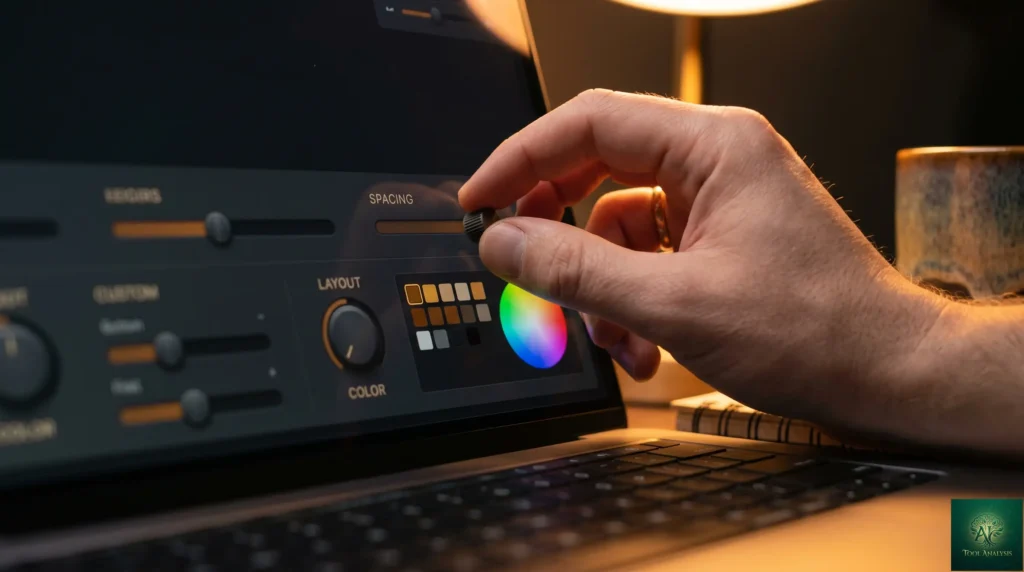
Since September, you start a design from any chat. Ask for one in a conversation, or pick Output, then Design, in the message box. You can also start one from the Artifacts tab, or type /design inside Claude Code.
In the iPhone and Android apps you can ask for a design and come back for the result, but sharing settings need the web or desktop app. Designs start private, and you choose who can view, comment on or edit them.
Handing a design to Claude Code
When a design is ready to become a real site or app, you can hand it to Claude Code, Anthropic’s coding agent (a program that writes and runs code for you, step by step). It carries on from your design instead of rebuilding it from a screenshot. The Free plan lacks this step, because Claude Code comes only with paid plans. Our Claude Code review covers what it can do once the design arrives.

Reality Check: from 20+ prompts to 2?
Anthropic’s launch post quotes Brilliant’s Olivia Xu: pages that took more than 20 prompts in other tools needed 2 in Claude Design.
That is a customer quote the vendor chose to publish, not a measurement. We found no independent comparison on the pages we read for this review.
What to do: judge it on one real job of your own on the Free plan before you pay for anything.
Is Claude Design free, and when is Pro worth $20?
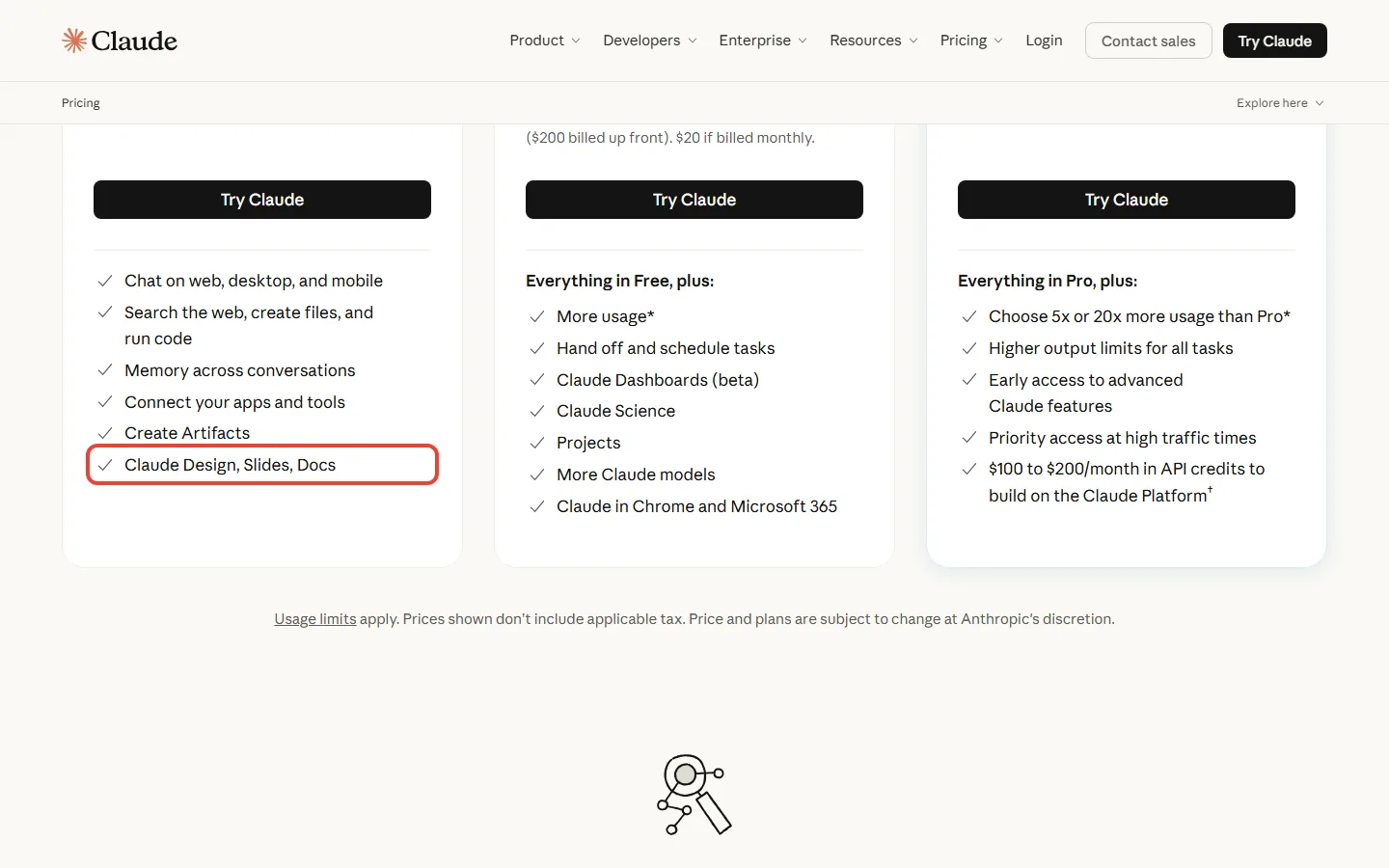
Yes, it is free. Anthropic’s release notes put Claude Design on every plan, Free included, from September 16, 2026, and the pricing page lists it on the Free card. Paying gets you more usage and Claude Code.
| Plan | Price | What it adds for design work |
|---|---|---|
| Free | $0 | Claude Design, Slides and Docs; the smallest allowance |
| Pro | $20 a month, or $17 a month billed yearly ($200 up front) | At least 5x Free’s usage per 5-hour session; Claude Code for the design handoff |
| Max | $100 a month | 5x Pro’s usage every 5 hours and every week |
| Ultra (was Max 20x) | $200 a month | 10x Pro’s usage every week; no 5-hour limit for verified accounts |
Max and Ultra prices are for web subscriptions; Anthropic says mobile pricing may vary. For the full plan picture beyond design, see our Claude AI review.
How the usage limits work now
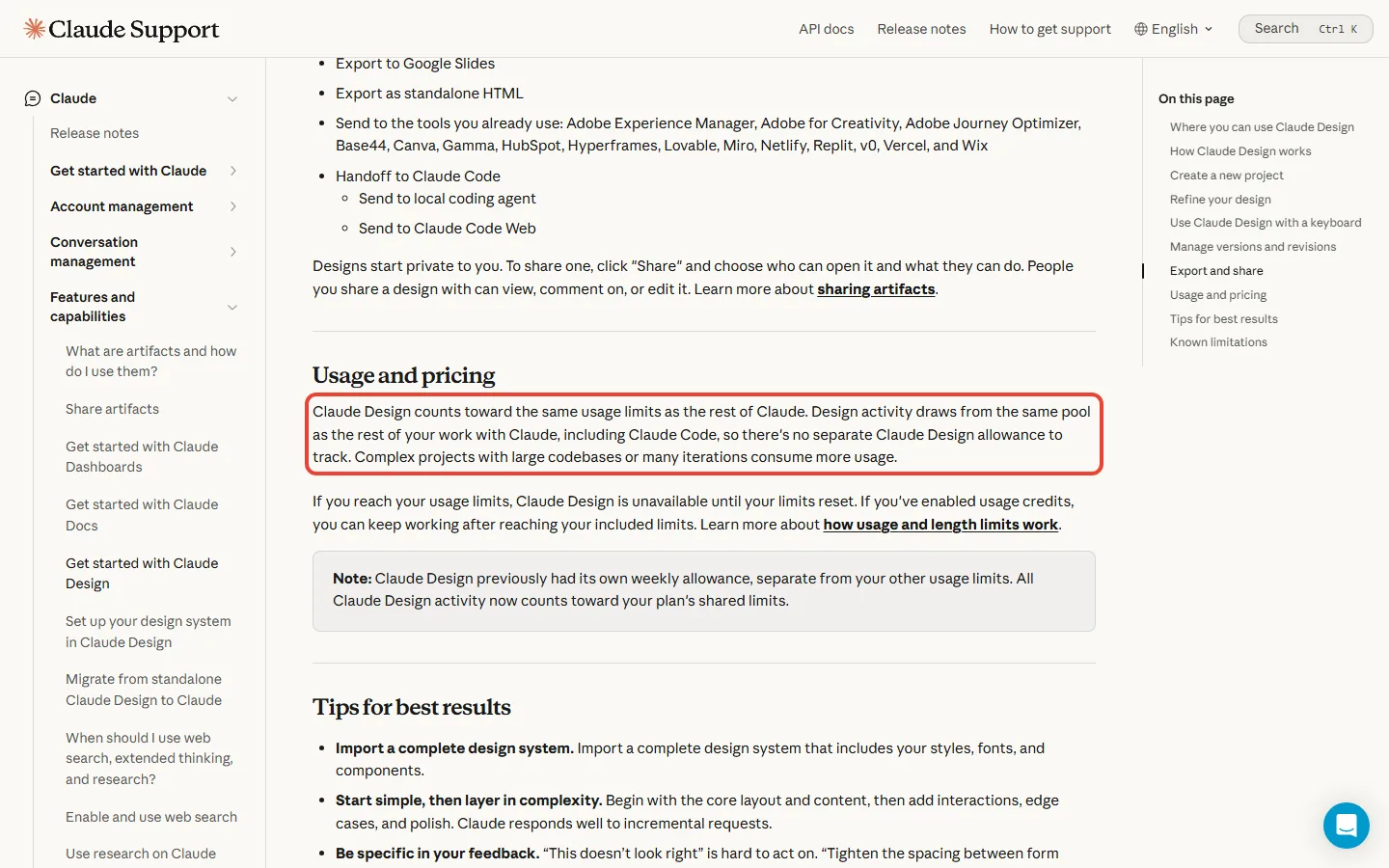
Not any more. At launch it had its own weekly allowance, separate from your chats. That is the meter PCWorld drained on day one: three variations took about 25 minutes and used 80 percent of a Pro plan’s weekly Design allowance.
Today, design work draws from the same pool as everything else you do in Claude, Claude Code included. Most plans reset on a rolling five-hour window (Ultra has no five-hour limit once your account is verified), and paid plans add a weekly limit on top. Anthropic gives no message count, and big codebases or many rounds of changes use more.
When you run out, Claude Design stops until your limit resets. On a paid plan you can switch on usage credits and keep going at API rates, the pay-per-use prices developers pay. Settings, then Usage, shows where you stand.
What you would pay in a year: three cases
- Say you make one flyer or one-pager a month. Free covers it at $0, as long as you don’t need Claude Code to build anything from it.
- Say you mock up app screens every week and want Claude Code to build them. That needs Pro: $20 x 12 = $240 a year billed monthly, or $200 on the annual plan, which saves $40.
- Say you design and code with Claude for most of the working day. Max is $100 x 12 = $1,200 a year, and Ultra (formerly Max 20x) is $200 x 12 = $2,400. Start on Pro and move up only if Settings, then Usage, shows you hitting the limit. Max and Ultra are billed monthly only, so there is no yearly commitment.
Reality Check: one shared pool cuts both ways
Anthropic presents the change as simpler: “there’s no separate Claude Design allowance to track.” The flip side is that a heavy design session now spends the same allowance your chats and Claude Code use.
On the pricing and help pages we read on October 17, Anthropic gives no figure for how much one design uses.
What to do: if you also code with Claude Code, check Settings, then Usage, after your first few designs and before a big project.
Our video for Claude beginners walks through Projects, Connectors and Design: what each one does, where to find it in Claude, and which of them work on the Free plan. Watch it if you are deciding whether Design alone is a reason to pay for Pro.
claude.ai/design closes on December 14: what to do before then
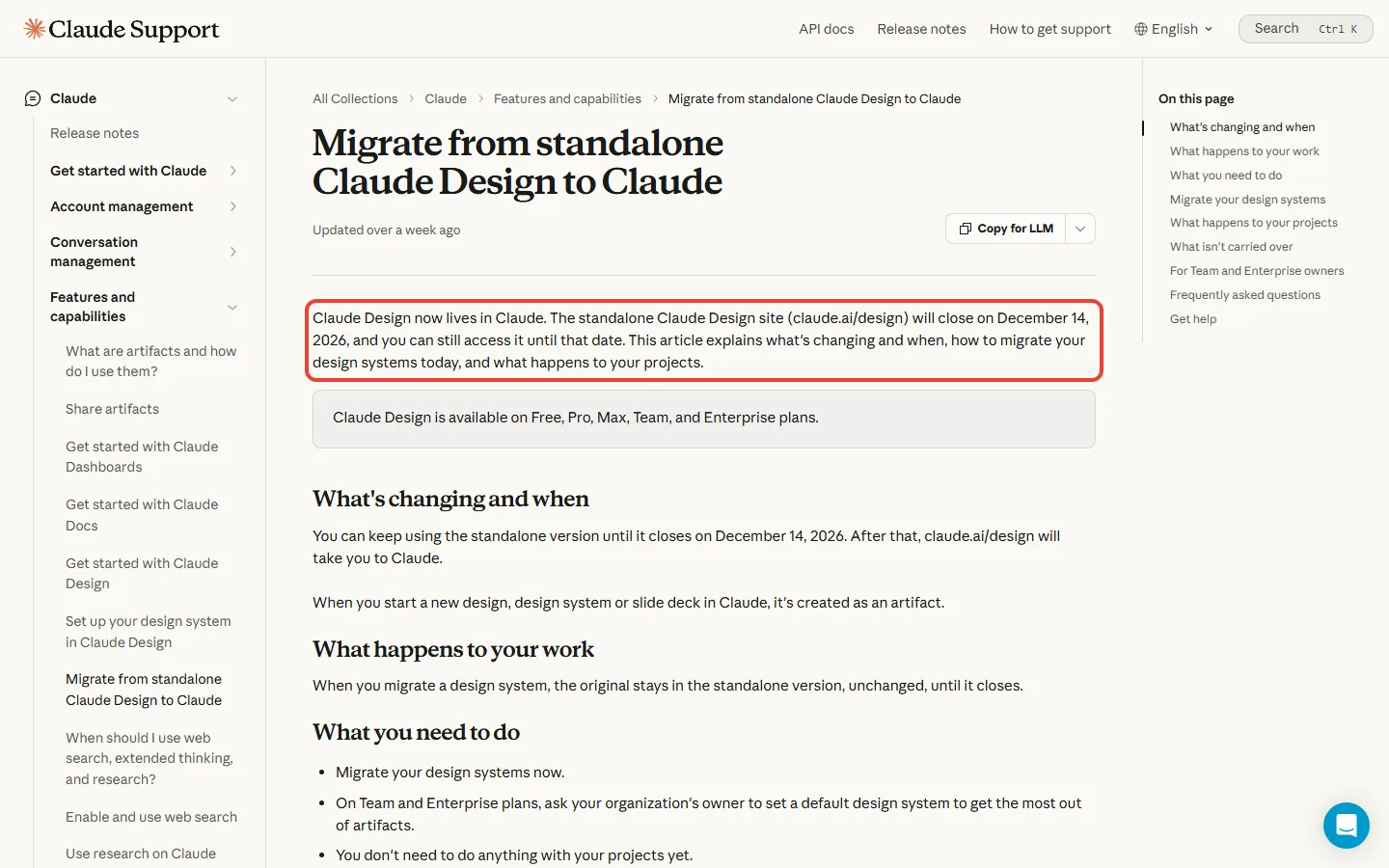
If you used the standalone site, it keeps working until December 14, 2026, then sends you to Claude. Your projects stay on the standalone site and keep working until it closes, and Anthropic says details on moving them to Claude are coming soon.
Your design systems (the saved brand colors, fonts and components Claude builds with) should move now. After the closure, your chats with Claude and your comments are deleted, and public project links stop working.
- Open the Artifacts page in Claude, or the Design tab at the bottom of the sidebar.
- Click “Migrate team design systems” in the “Claude Design lives here now” banner.
- Anthropic’s guide uses the same button on personal plans, where the migration starts straight away. On a team plan, confirm it.
- Check the results. Empty design systems, and ones made from a built-in starter theme, don’t move over, even if you edited them.
- Save anything you need from your standalone chats and comments before December 14.
On a team, one person’s migration brings over everyone’s design systems, so only one of you needs to start it. The originals stay untouched on the standalone site until it closes.
How to start your first Claude Design project
Open any chat and ask for what you need, for example “Make a one-pager from this proposal”. Or pick a Design template from the Artifacts tab. Give Claude the goal, the layout, the content and the audience. Anthropic’s own sample prompts read like a short brief: “Design a mobile app onboarding flow with 4 screens that walks users through our core features.”

How to make designs match your brand
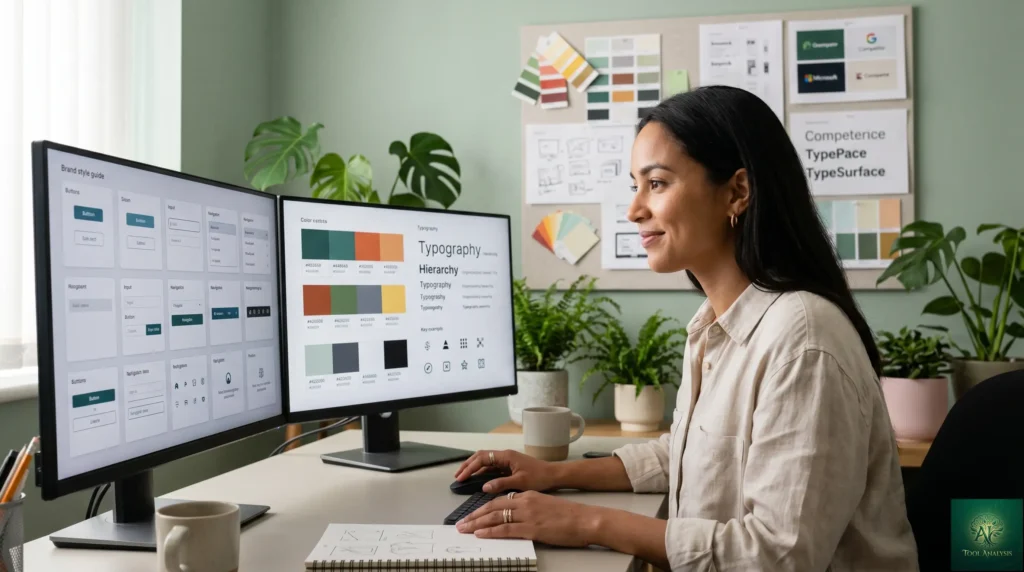
If you have a brand, set up a design system first. You can bring one in from a GitHub repo, design files or raw uploads, or from your local codebase through Claude Code. Anthropic warns that the import is only as good as its source, so a messy codebase shows up in the output. Team admins can lock everyone to one approved system, managed under Settings, then Design Systems.
Claude Design vs Figma and Canva: do you still need them?
Claude Design gets you from an idea to a first version fast. Figma is where product teams keep shared, production design files, and Canva is for finishing marketing graphics. On the export list we read on October 17, Canva is a destination and Figma is not.
| If you need | Use |
|---|---|
| A first draft of a page, deck or app screen from a description | Claude Design, on every Claude plan |
| That design turned into working code | Claude Design plus Claude Code, on paid plans |
| Shared design files for a product team | Figma: Starter is free; Professional from $16 a month per Full seat |
| Social posts and brand graphics to finish by hand | Canva, which Claude Design can send work to |
Lovable, v0 and Replit are on the send-to list too, if you would rather turn a design into an app there. Our Lovable review covers that route, and our Canva Magic Studio review covers Canva’s own AI tools.
Who should use Claude Design, and who can skip it
Use it if you need visuals without a designer on call
Anthropic pitches it at founders, product managers and marketers without a design background, and at designers who want to try more directions. If you need a one-pager, a deck or a clickable mock-up this week, start here. If your team already builds with Claude Code, the handoff is the strongest reason to pay for Pro. Teams on Claude’s agent features can read our Claude Cowork review for how designs fit into longer tasks.
Stick with Figma if your team lives in shared design files
If your product team depends on Figma libraries and files, keep them. Anthropic lists its own known gaps: no version history yet, shaky results when two people edit at once, and inline comments that sometimes don’t show on the page.
The missing history matters. PCWorld’s writer mistook the undo button for the back button and lost all the work. Anthropic’s workaround before a big change: tell Claude “Save what we have and try a completely different approach.”
Don’t upgrade just for it if you make the odd graphic
Free already includes Claude Design. Pay only when you want Claude Code, or when you hit the limit week after week. For slides inside Microsoft 365 rather than in Claude, see our Claude in PowerPoint review.
Claude Design FAQs
Is Claude Design free?
Yes. Anthropic’s release notes dated September 16, 2026 put Claude Design on every Claude plan, including the $0 Free plan. Free has the smallest allowance; Pro gives at least 5x more per 5-hour session.
Do I need Claude Pro for Claude Design?
No. Pro adds two things: at least 5x Free’s usage per 5-hour session, and Claude Code for turning designs into working code. It costs $20 a month, or $17 a month if you pay for a year up front.
Claude Design vs a human designer: can it replace one?
No. It speeds up first drafts, and Anthropic’s own tagline is “You’re the designer, start to finish.” Claude can review a design for accessibility, contrast and usability, but that is a second opinion. Choices about your brand, your audience and what to cut still come from you or a designer.
Does Claude Design export to Figma?
Not on the export list we read on October 17, 2026. You can download a .zip, PDF, PPTX or standalone HTML file, export to Google Slides, send to apps such as Canva, Miro or Vercel, or hand off to Claude Code.
Does Claude Design have its own usage limit?
No. It used to have its own weekly allowance. Now it counts toward the same limits as the rest of Claude, Claude Code included.
What happens to claude.ai/design on December 14?
It closes and sends you to Claude. Migrate your design systems from the Artifacts page before then, and save any chats and comments you need, because they are deleted after the closure.
Is Claude Design on for Enterprise plans?
Usually, but check your settings. Anthropic’s Design help and product pages say it turns on by default on October 15, 2026, except in HIPAA-enabled organizations. Its migration guide still lists the Design template as off by default for Enterprise, so ask your owner to look under Organization settings, then Artifacts. Enterprise costs $20 per seat a month, billed annually with a 20-seat minimum, plus usage at API rates.
Claude Design review: our verdict

Claude Design went from a paid research preview in April to a feature on every plan, Free included, by Anthropic’s September 16 release notes. It also lost the separate weekly meter that made PCWorld’s launch review so gloomy.
We rate it 4 out of 5, based on Anthropic’s documentation and published reports. Fast first drafts, useful exports and the Claude Code handoff sit on one side. Basic co-editing, no Figma export and no published usage figure sit on the other. Independent evidence on output quality is thin: beyond PCWorld’s launch-day example, the pages we read are Anthropic’s own.
✅ Where Claude Design wins
- ✓ Included on every Claude plan, Free too
- ✓ Works in any chat and in Claude Code
- ✓ Exports to PDF, PPTX, HTML and Google Slides, or sends to apps like Canva
- ✓ Hands designs to Claude Code to build
⚠️ Where it falls short
- ✗ Design work shares your chat and Claude Code limits
- ✗ No version history yet
- ✗ The Claude Code handoff needs a paid plan
- ✗ No Figma on the export list (October 17)
Sources and how we checked: plan facts come from Anthropic’s pricing page, its Claude Design help article, the migration guide and the April launch post; the launch-day example comes from PCWorld; Figma prices from Figma’s pricing page. All read on October 17, 2026. This review is research-based: nobody at AI Tool Analysis ran Claude Design for it.
Related Reading
- Claude AI Review: every Claude plan and what it includes
- Claude Code Review: the coding agent Claude Design hands off to
- Claude Code vs Cursor: which $20 coding tool fits you
- Claude Cowork Review: Anthropic’s agent features, rolling out into chat on Pro and Max
- Claude in PowerPoint Review: slides inside Microsoft 365
- Canva Magic Studio Review: Canva’s own AI design tools
- Lovable Review: turning a design into an app
Stay Updated on AI Design Tools
AI design tools change plans and limits often. Get weekly price checks, new-plan alerts and plain-English reviews in your inbox.
- Sourced reviews: every price and limit checked against the vendor’s own pages
- Price-change alerts: know when a tool drops a price or adds a free plan
- Worked examples: plan limits turned into what you can actually do
Free, unsubscribe anytime.

Last Updated: November 1, 2026 | Facts checked: on October 17, 2026, against Anthropic’s pricing, help and release-note pages; plan names, prices, usage limits and plan availability re-checked on November 1, 2026 | Next Review Update: December 1, 2026
Have a tool you want us to cover? Suggest it here | Questions? Contact us