
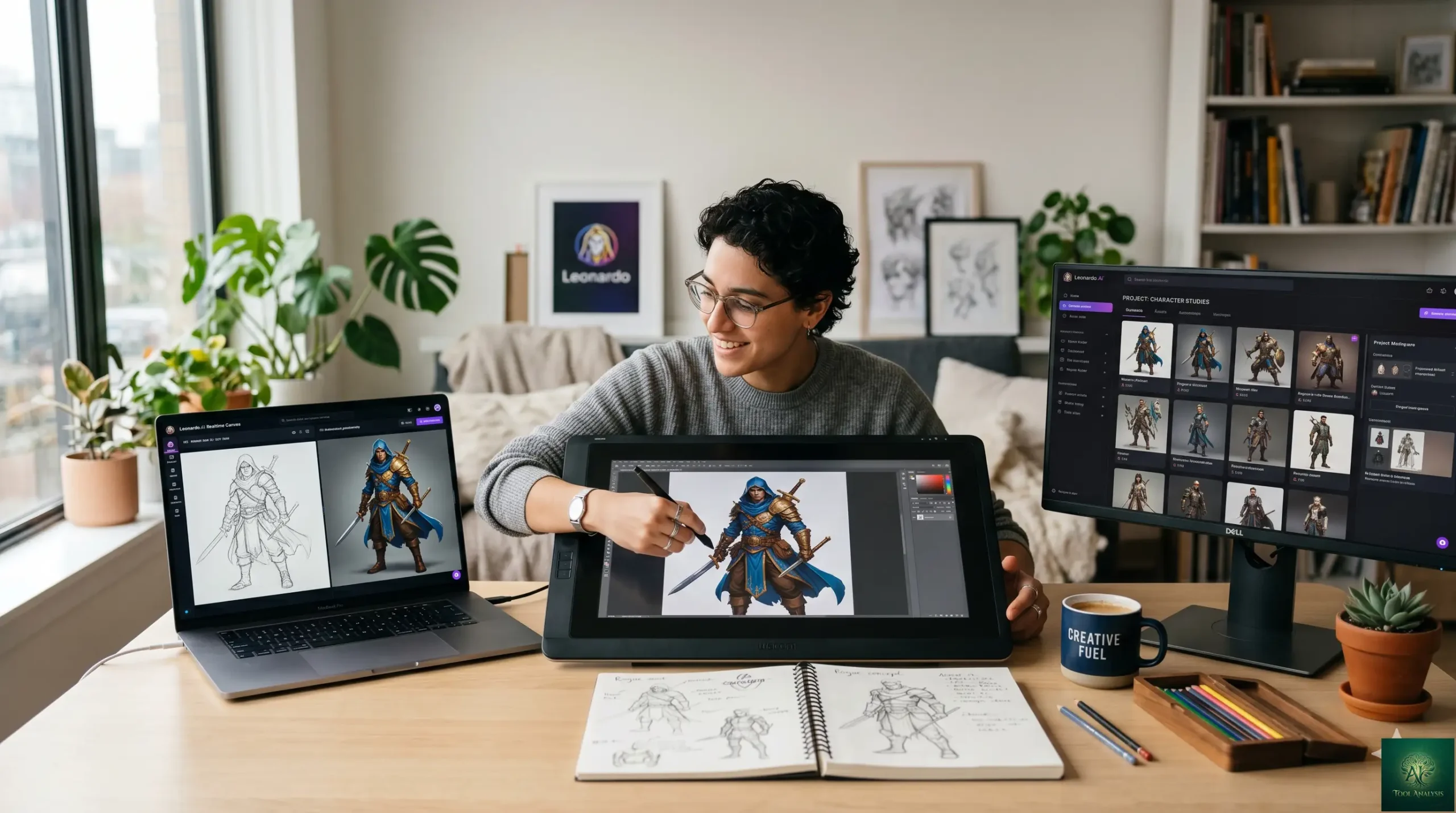
This Leonardo.AI review tests the May 2026 product against the maturing AI image generation field — Midjourney V8 leading aesthetics, Flux 2 Pro leading photorealism, Nano Banana family owning free, Recraft V4 owning logos/vectors. The headline question for buyers in 2026 isn’t “does Leonardo work” — it does, and well — but “is Leonardo’s studio workflow worth committing to versus the leaner chat-style competitors that have improved significantly.” This leonardo ai review answers that honestly across the dimensions that matter for image-tool buyers: output quality vs paid alternatives, the Phoenix model’s actual strengths, Realtime Canvas vs competing sketch-to-image flows, Motion 2.0 video reality check, pricing per outcome, and honest verdicts for the personas who reach for AI image tools (game artists, character designers, marketing creators, hobbyists, content workflow builders). Spoilers: yes for game/character workflows, mixed for general image generation, no for pure photorealism or free-tier needs.
⚡ TL;DR – The Bottom Line
What This Is: The honest May 2026 Leonardo AI review of the May 2026 product — AI image studio with Phoenix model, Realtime Canvas, Motion 2.0 video generation.
Best For: Game artists, character designers, marketing creators who value studio workflow + asset library, hobbyists who like generative-art experimentation.
Pricing: Free (150 daily credits), Apprentice ~$10/mo, Artisan ~$24/mo, Maestro ~$48/mo. Verify current pricing on leonardo.ai — token economy adjusted periodically.
Our Take: Leonardo holds a defensible niche in game-asset and character-design workflows. Realtime Canvas remains best-in-class for sketch-to-image. The Phoenix model is competent but no longer category-leading vs Midjourney V8 / Flux 2 Pro.
⚠️ The Catch: Leonardo’s general-purpose generation lost competitive ground through 2026. Pick it for the studio-workflow strengths, not because it’s the absolute best image quality.
📑 Quick Navigation
Leonardo AI Review — The Bottom Line
- You’re a game artist or character designer: Yes, this Leonardo.AI review unambiguously recommends it. The Elements feature for character consistency, the Realtime Canvas for sketch-to-image iteration, and the studio workflow built around iterative asset development all serve game/character workflows better than chat-style competitors.
- You want absolute best aesthetic quality: Skip Leonardo, use Midjourney V8. Leonardo’s Phoenix model is competent; Midjourney V8 is the aesthetic ceiling. The gap matters for portfolio-grade creative work.
- You want photorealism: Skip Leonardo, use Flux 2 Pro. Flux became the photorealism standard through 2026; Leonardo doesn’t compete on this axis specifically.
- You want a generous free tier: Skip Leonardo (150 daily credits is OK but limited), use Nano Banana 2 inside the Gemini app instead. Free Gemini app + Nano Banana 2 is the most generous free image generation in May 2026.
- You want logos or SVG vectors: Skip Leonardo, use Recraft V4. Recraft owns this category in May 2026; Leonardo isn’t optimized for vector output.
- You want AI video generation as a primary use case: Skip Leonardo’s Motion 2.0, use Runway or Kling AI instead. Motion 2.0 is competent but a clear secondary feature for Leonardo, not the primary product.
Studio vs Chatbot: Leonardo’s Philosophy
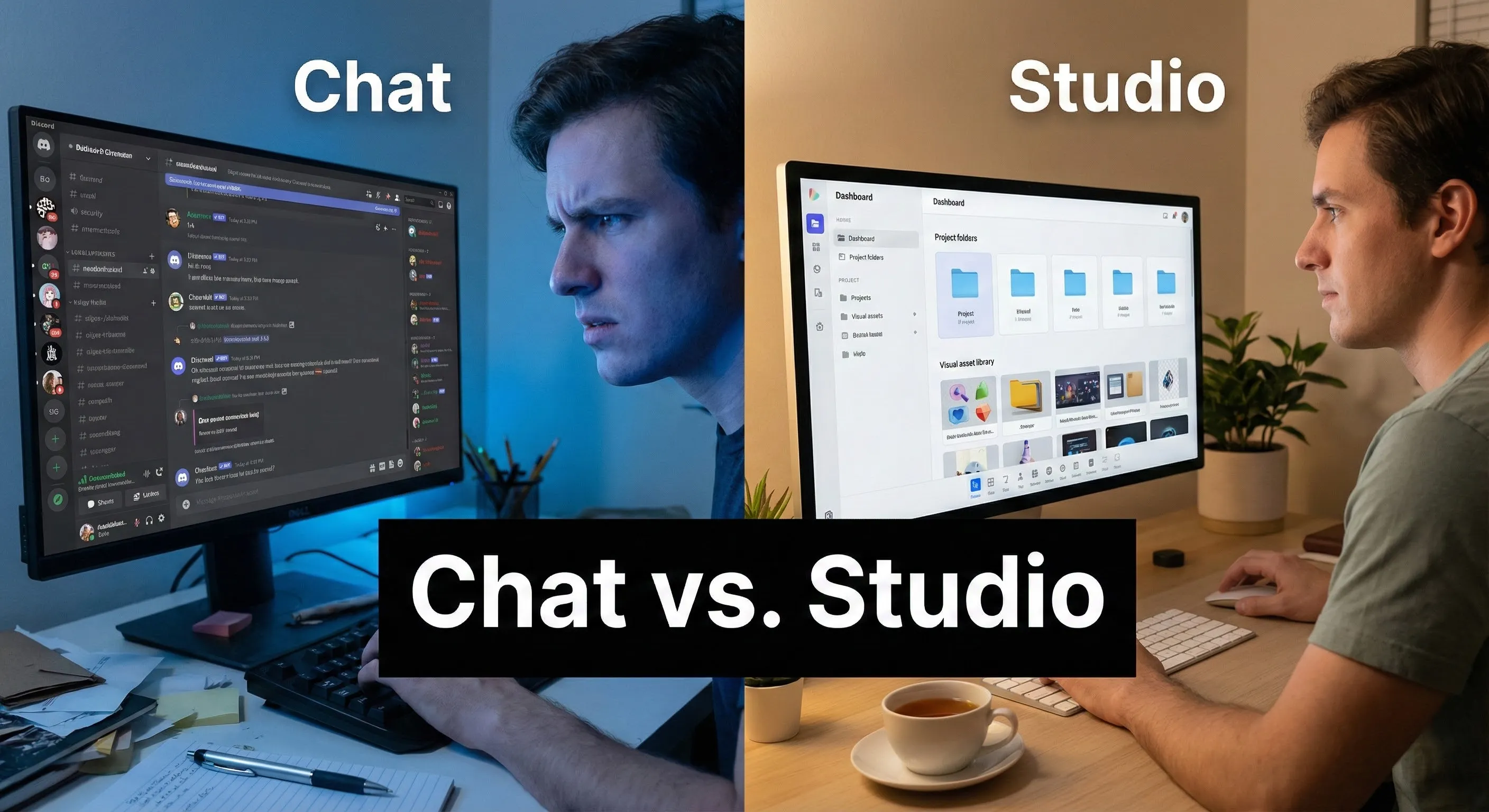
The defining design choice for Leonardo.AI is “studio workflow over chat interface.” Where competitors like Midjourney, Flux, and ChatGPT image gen treat image creation as a single text-in / image-out exchange, Leonardo wraps generation inside a persistent studio environment with an asset library, character collections, project workspaces, and iterative editing tools. For one-off images this is overhead; for ongoing creative workflows (game asset development, character design, marketing campaign asset libraries) it’s a meaningful productivity advantage.
Whether the studio philosophy is the right choice in 2026 depends on what you’re building. For continuous creative work, yes — Leonardo’s persistence pays back. For occasional image generation or experimental creativity, the chat-style tools are lower friction and currently producing better individual images.
What Changed Since Late 2025
- Competitive position weakened. Through 2026, Midjourney V8 widened its aesthetic lead, Flux 2 Pro became the photorealism standard, Nano Banana Pro/Banana 2 own the free tier, and Recraft V4 took the logo/SVG category. Leonardo retained game-asset and character-design workflows but ceded other lanes.
- Phoenix model maintained but not upgraded. The Phoenix model that launched in late 2025 remained Leonardo’s flagship through 2026 — competent for stylized work, no longer category-leading for general purpose generation.
- Motion 2.0 matured. The image-to-video feature improved through 2026 — better motion coherence, longer clips, more reliable lip-sync for character animation. Still a secondary feature versus Runway / Kling for primary video work.
- Realtime Canvas held its lead. The sketch-to-image experience that made Leonardo distinctive in 2024-2025 remains best-in-class — no competitor matches the responsive iterative drawing-to-output workflow.
- Pricing structure intact. Free / Apprentice / Artisan / Maestro tiers held through 2026. Verify current dollar amounts on leonardo.ai — token economy was adjusted periodically through the year.
Getting Started in 10 Minutes
The first-image workflow is straightforward but more involved than chat-style competitors. Sign up for Leonardo (free tier, 150 daily credits), navigate to the Image Generation page, pick a model (Phoenix for general work, Lucid for photorealistic, or one of the fine-tuned community models for specific styles), describe what you want, optionally pick a preset style, and click Generate. First image lands in 30-60 seconds. The full studio workflow (saving to collections, building character references, iterative editing) takes longer to internalize but pays back across many images.
The genuinely useful onboarding pattern: pick one specific creative project (a character design, a game asset set, a marketing campaign visual), build it through Leonardo’s studio workflow, and use that artifact as your reference for whether the studio overhead pays back vs simpler chat-style tools.
Is The Phoenix Model Worth The Hype?
Phoenix is Leonardo’s flagship in-house model — the late-2025 launch that the original “is the Phoenix model worth the hype?” question framed. The May 2026 honest answer: Phoenix is competent and produces good stylized output, but it lost competitive ground through the year. Where Phoenix excels: stylized illustration, fantasy art, game-asset aesthetics, character work that benefits from the Leonardo style baseline. Where Phoenix loses: pure photorealism (Flux 2 Pro wins), absolute aesthetic ceiling (Midjourney V8 wins), prompt accuracy (GPT Image 1.5/2 wins), text rendering inside images (Recraft V4 / Ideogram win).
Practical implication: pick Phoenix for the Leonardo-friendly aesthetic baseline, not because it’s objectively the best. For projects where any of the above competitor strengths is load-bearing, route those specific images through the appropriate tool and use Leonardo for the rest of the workflow.
Realtime Canvas + The Editor: Leonardo’s Best Feature
Realtime Canvas is Leonardo’s standout feature — the sketch-to-image experience where you draw rough shapes on a canvas and see them transform into polished imagery in real time. The responsiveness (sub-second updates as you draw) and the quality of the iterative refinement remain best-in-class in May 2026. No competing tool matches this specific workflow.
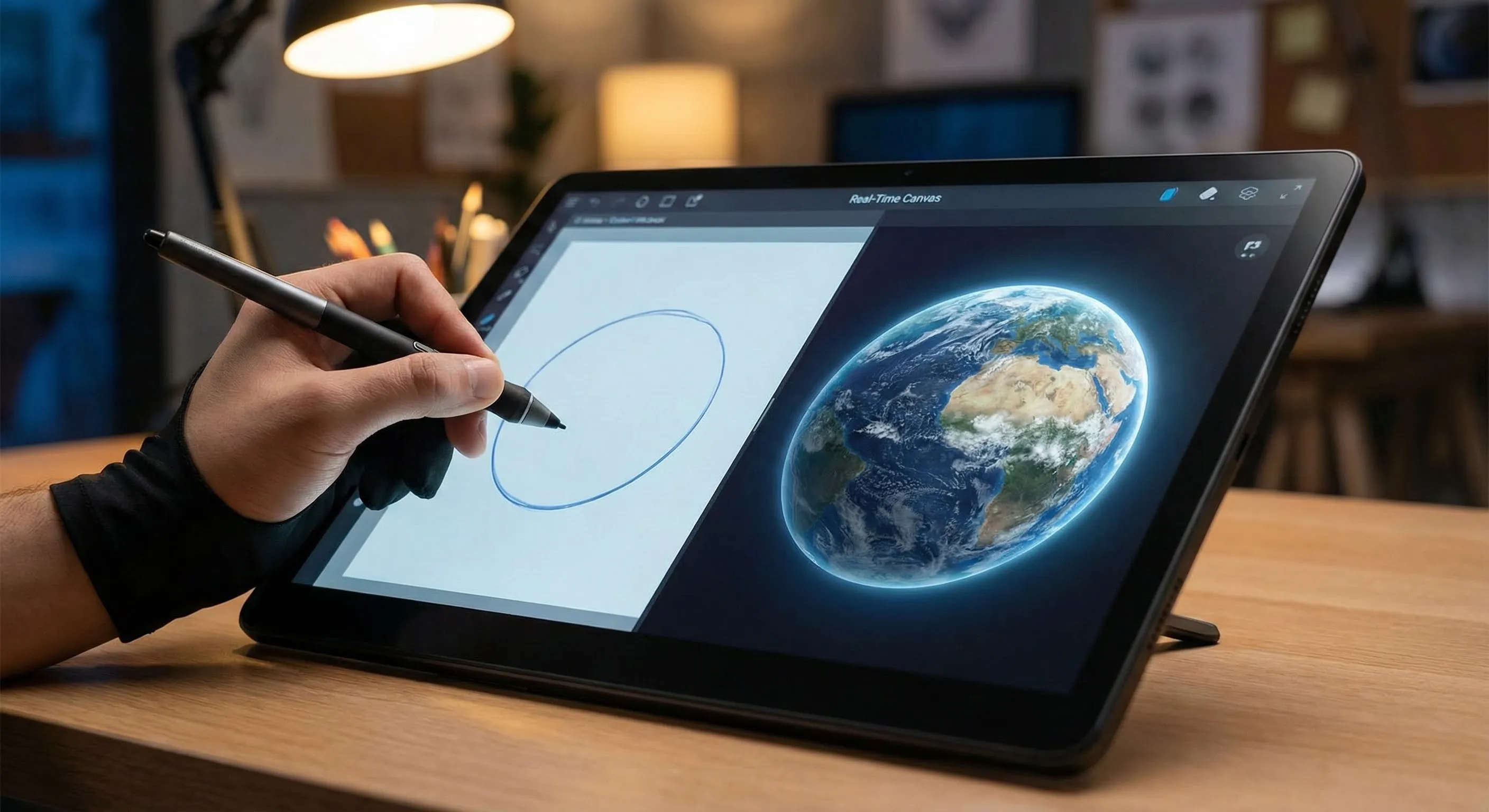
The Canvas Editor for inpainting and outpainting is also strong — comparable to dedicated photo-edit-with-AI tools, integrated with Leonardo’s broader studio environment. For game artists and character designers iterating on existing assets, this combination (Realtime Canvas + Editor) is genuinely the strongest argument for committing to Leonardo over chat-style alternatives.
Character Consistency & The Elements System
Character consistency — generating the same character across multiple images, scenes, and styles — is a perpetual hard problem in AI image generation. Leonardo’s “Elements” system addresses this by letting you define character references (face, costume, props) that constrain subsequent generations. For game artists building character sheets, illustration series, or storyboard work, this remains a meaningful workflow advantage in May 2026. Competitors like Midjourney’s Character References and Nano Banana’s likeness preservation closed the gap somewhat, but Leonardo’s Elements remains more workflow-integrated than the alternatives.
Realistic expectations: Elements get you 80-90% character consistency across generations. The remaining 10-20% requires manual cleanup (inpainting via the Canvas Editor) for production-grade work. Better than competitors’ alternatives; not perfect.
Leonardo AI Review: Motion 2.0: Image-to-Video Reality Check
Motion 2.0 is Leonardo’s image-to-video feature — turn a static Leonardo-generated image into a short animated clip with controllable camera moves and subject motion. The May 2026 reality: competent for short clips (under 5 seconds), reasonable motion coherence, useful for adding subtle life to character art or product visuals. Limitations: short clips only, no native sound, not the right tool for cinema-grade or long-form video.
For primary video generation work, dedicated tools serve better — see Runway for cinematic generation, Kling AI for high-fidelity motion. Treat Motion 2.0 as “value-add for image work” rather than “primary video tool” and expectations align with reality.
🔍 REALITY CHECK
Marketing Claims: “Leonardo.AI — the leading AI image generation platform for creators.”
Actual Experience: True for the specific workflows Leonardo serves well — game-asset development, character design with consistency, sketch-to-image iteration, multi-asset creative projects. False as a general claim. Leonardo lost the “leading” position for general image generation through 2026 — Midjourney V8 wins aesthetics, Flux 2 Pro wins photorealism, Nano Banana family wins free, Recraft V4 wins logos/vectors. Leonardo retains specific niches (studio workflow, Realtime Canvas, Elements consistency) where it remains the best choice for committed users; the category leadership in general-purpose generation is gone.
Verdict: “Leading for game artists / character designers / studio workflows” is honest. “Leading for AI image generation generally” oversells what Leonardo currently is in May 2026.
Leonardo.AI Review: Token Economy & Pricing
| Tier | Price (verify current) | What You Get | Best For |
|---|---|---|---|
| FreeFREE | $0 | 150 daily credits, public Generations, basic models | Trial / casual hobbyist use |
| ApprenticeSWEET SPOT | ~$10/mo | ~8,500 credits/mo, private mode, faster generation, all models | Active creators, light commercial work |
| Artisan | ~$24/mo | ~25,000 credits/mo, asset library expansion, priority queue | Game artists, character designers |
| Maestro | ~$48/mo | ~60,000 credits/mo, API access, unlimited Realtime Canvas | Studios, agencies, heavy production work |
| Team Plans | Custom (per-seat above Maestro) | Shared workspaces, admin controls, team asset libraries | Small studios, marketing teams |
Pricing tip: most paying users land on Apprentice ($10/mo) — covers the typical creative workflow comfortably. Upgrade to Artisan only if you’re hitting the credit ceiling on Apprentice (real commercial work usage). Maestro is for studios producing high volume; the Team plans matter only if shared workspaces are required.
📬 Find this Leonardo AI review useful?
Get our weekly AI image tool reviews — Leonardo / Midjourney / Flux / Nano Banana updates, pricing changes, and quality benchmarks.
Leonardo AI vs Midjourney vs Flux vs Nano Banana
| Dimension | Leonardo.AI | Midjourney V8 | Flux 2 Pro | Nano Banana Pro |
|---|---|---|---|---|
| Aesthetic ceiling | Strong (stylized) | Best in class | Strong (photoreal) | Strong |
| Photorealism | Good | Strong | Best in class | Strong |
| Sketch-to-image (Realtime) | Best in class | N/A | N/A | Limited |
| Character consistency | Best in class (Elements) | Strong (References) | Strong | Strong (likeness preservation) |
| Studio workflow | Best in class | None (chat-only) | None (chat/API only) | None (in Gemini app) |
| Free tier generosity | Decent (150/day) | None | Trial only | Best (free in Gemini app) |
| Entry paid tier | ~$10/mo | $10/mo Basic | ~$30/mo Pro | $19.99/mo Google AI Pro |
| Best for | Game artists, character designers | Aesthetic creative work | Photorealistic production | Free + general use |
The honest verdict: Leonardo wins specific niches (studio workflow, Realtime Canvas, character consistency via Elements). Other tools win other lanes. Most professional creators in 2026 use 2-3 image tools rather than committing to one — Leonardo for the workflow strengths, Midjourney for hero creative shots, Flux for photorealistic needs, Nano Banana for free everyday use. See the broader picture in our best AI image generators roundup.
💡 Key Takeaway: Leonardo.AI in May 2026 is a niche-specialist tool, not a general-purpose image leader. Pick it for studio workflow + Realtime Canvas + character consistency via Elements. For other use cases, dedicated tools serve better — combine Leonardo with Midjourney/Flux/Nano Banana for a multi-tool stack rather than committing to Leonardo alone.
FAQs
Is Leonardo.AI worth it in 2026?
For game artists, character designers, and creators who specifically benefit from studio workflow + Realtime Canvas + Elements character consistency, yes. For general-purpose image generation, Leonardo lost competitive ground to Midjourney V8, Flux 2 Pro, and Nano Banana Pro through 2026 — pick the appropriate specialist instead. Match Leonardo to the workflows where it still leads.
Is Leonardo.AI free?
Yes — the free tier gives you 150 daily credits, basic models, and public Generations. Sufficient for testing the product and casual creative work. Insufficient for production-grade or high-volume use. Apprentice tier (~$10/mo) is the entry-level paid plan for active creators.
Is Leonardo.AI better than Midjourney?
Different tools for different jobs. Leonardo wins on studio workflow, Realtime Canvas, character consistency via Elements. Midjourney V8 wins on aesthetic ceiling for general creative work. Pick by use case rather than treating it as one-or-the-other. Many professional creators use both for different stages of their workflow.
What is the Phoenix model?
Phoenix is Leonardo’s flagship in-house image generation model — launched late 2025, retained as flagship through 2026. Strong for stylized illustration, fantasy art, game-asset aesthetics. Not category-leading for photorealism (Flux 2 Pro wins) or absolute aesthetic ceiling (Midjourney V8 wins).
What is Realtime Canvas?
Leonardo’s sketch-to-image feature — draw rough shapes on a canvas and watch them transform into polished imagery in real time, with sub-second updates as you draw. Best-in-class implementation in May 2026; no competing tool matches the responsiveness or quality of the iterative refinement workflow.
Does Leonardo.AI generate video?
Yes — Motion 2.0 turns Leonardo-generated images into short animated clips (under 5 seconds) with controllable camera moves and subject motion. Competent for adding life to character art or product visuals. For primary video work, dedicated tools like Runway or Kling AI serve better.
Can Leonardo.AI maintain character consistency across multiple images?
Yes — the Elements system lets you define character references (face, costume, props) that constrain subsequent generations. Best-in-class for character consistency in May 2026. Realistic expectation: 80-90% consistent across generations, remaining 10-20% requires manual cleanup via the Canvas Editor.
What’s the cheapest way to use Leonardo.AI for serious work?
Apprentice tier at ~$10/mo is the value sweet spot for most paying users — covers active creative workflow comfortably with ~8,500 credits/month. Upgrade to Artisan only if hitting credit ceilings on real commercial work. Maestro is for high-volume studio production.
✅ What Leonardo.AI Wins At
- ✓ Realtime Canvas sketch-to-image (best in class)
- ✓ Character consistency via Elements system
- ✓ Studio workflow with persistent asset library
- ✓ Game-asset and character-design workflows
- ✓ Affordable entry tier ($10/mo Apprentice)
❌ Where Leonardo.AI Falls Short
- ✗ General aesthetic ceiling trails Midjourney V8
- ✗ Photorealism trails Flux 2 Pro
- ✗ Free tier less generous than Nano Banana 2 (Gemini app)
- ✗ Motion 2.0 video is competent but secondary to dedicated video tools
Defensible niche leader for game artists, character designers, and studio-workflow creators. One full star off because Leonardo lost general-purpose category leadership to Midjourney / Flux / Nano Banana through 2026 — pick it for the niche strengths, not as a default image generator.
Leonardo AI Review: The Final Verdict
Leonardo.AI in May 2026 is the right answer for game artists, character designers, and creators who specifically value studio workflow + Realtime Canvas + character consistency via Elements. The Phoenix model produces solid stylized output, the Realtime Canvas is genuinely the best sketch-to-image experience available, the Elements system gives Leonardo the most reliable character-consistency story among AI image tools, and Motion 2.0 adds useful (if secondary) video capability. For these specific workflows, this leonardo ai review unambiguously recommends it.
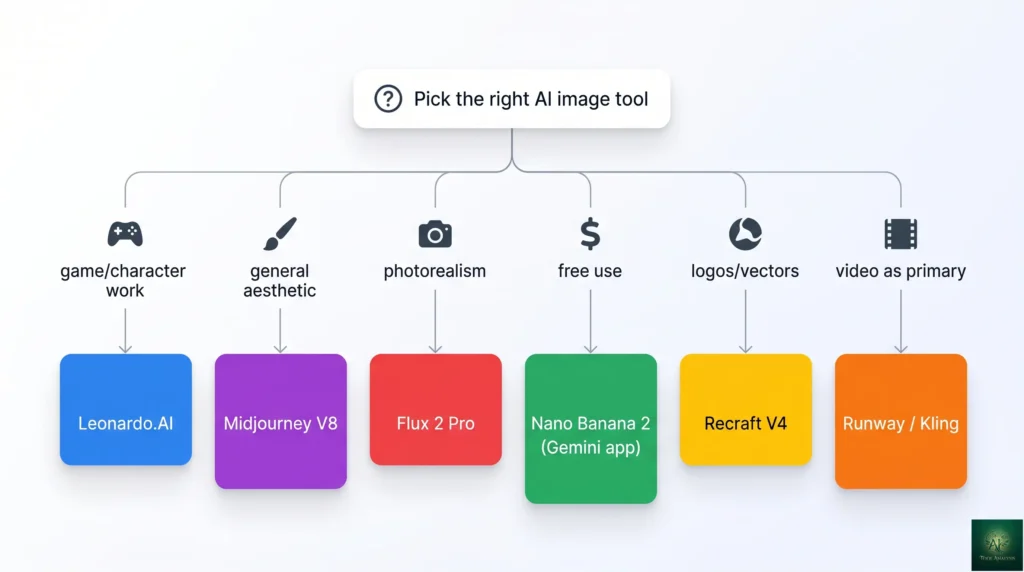
Final leonardo ai review verdict: pick Leonardo.AI if your work is game-asset development, character design, or any creative workflow where iterative studio production matters more than chat-style speed. Skip Leonardo if you want absolute aesthetic ceiling (use Midjourney V8), photorealism (use Flux 2 Pro), generous free use (use Nano Banana 2 in the Gemini app), logos/SVG (use Recraft V4), or AI video as a primary use case (use Runway or Kling). Match the tool to your specific need and Leonardo serves a real, defensible niche — just no longer the general-purpose category leader it was in 2024.
Related Reading
- Best AI Image Generators 2026 — broader roundup placing Leonardo in context vs Midjourney / Flux / Nano Banana
- Nano Banana Pro Review — the Google image generator that owns the free + general tier
- AI Image Editing Tools (Nano Banana) — focused on image editing workflows
- Runway Review — for primary AI video generation (vs Leonardo Motion 2.0)
- Kling AI Review — alternative for high-fidelity AI video
- Canva Magic Studio Review — for design-tool-with-AI workflow vs Leonardo studio
- Best AI Tools for Social Media — broader social-media creative stack
- The Complete AI Tools Guide — buyer’s guide for picking the right tool from 200+ tested
Founder of AI Tool Analysis. Reads every pricing page, help article and footnote so you don’t have to. Covering AI tools since 2025. See how we research →
Stay Updated on AI Image Tools
The AI image tools landscape shifts quarterly. Subscribe for honest reviews of new Leonardo / Midjourney / Flux / Nano Banana releases, pricing changes, and quality benchmarks — delivered every Thursday at 9 AM EST.
- ✅ Sourced Reviews: Every price and limit checked against the vendor’s own pages, not rewritten from press releases
- ✅ New Releases: Leonardo Phoenix updates / Midjourney versions / Flux releases covered within days
- ✅ Pricing Changes: Know when token economies or subscription tiers shift
- ✅ Quality Benchmarks: Side-by-side image comparisons as the field evolves
- ✅ No Hype: Just the AI image news that matters for your work
Free, unsubscribe anytime.

Last Updated: May 1, 2026
Tool Tested: Leonardo.AI (May 2026 product, Phoenix model + Realtime Canvas + Motion 2.0), with comparison context to Midjourney V8, Flux 2 Pro, Nano Banana Pro, Recraft V4, Ideogram. Verify current pricing on leonardo.ai before publish — token economy adjusted periodically through 2026.
Slug Note: Renamed from /leonardo-ai-review-2025/ to /leonardo-ai-review/ on May 1, 2026 for evergreen URL. 301 redirect in place. Under the no-version-or-year-in-slugs standing policy.
Next Review Update: August 2026 (or sooner when Leonardo ships a major model release)
Have a tool you want us to review? Suggest it here | Questions? Contact us