
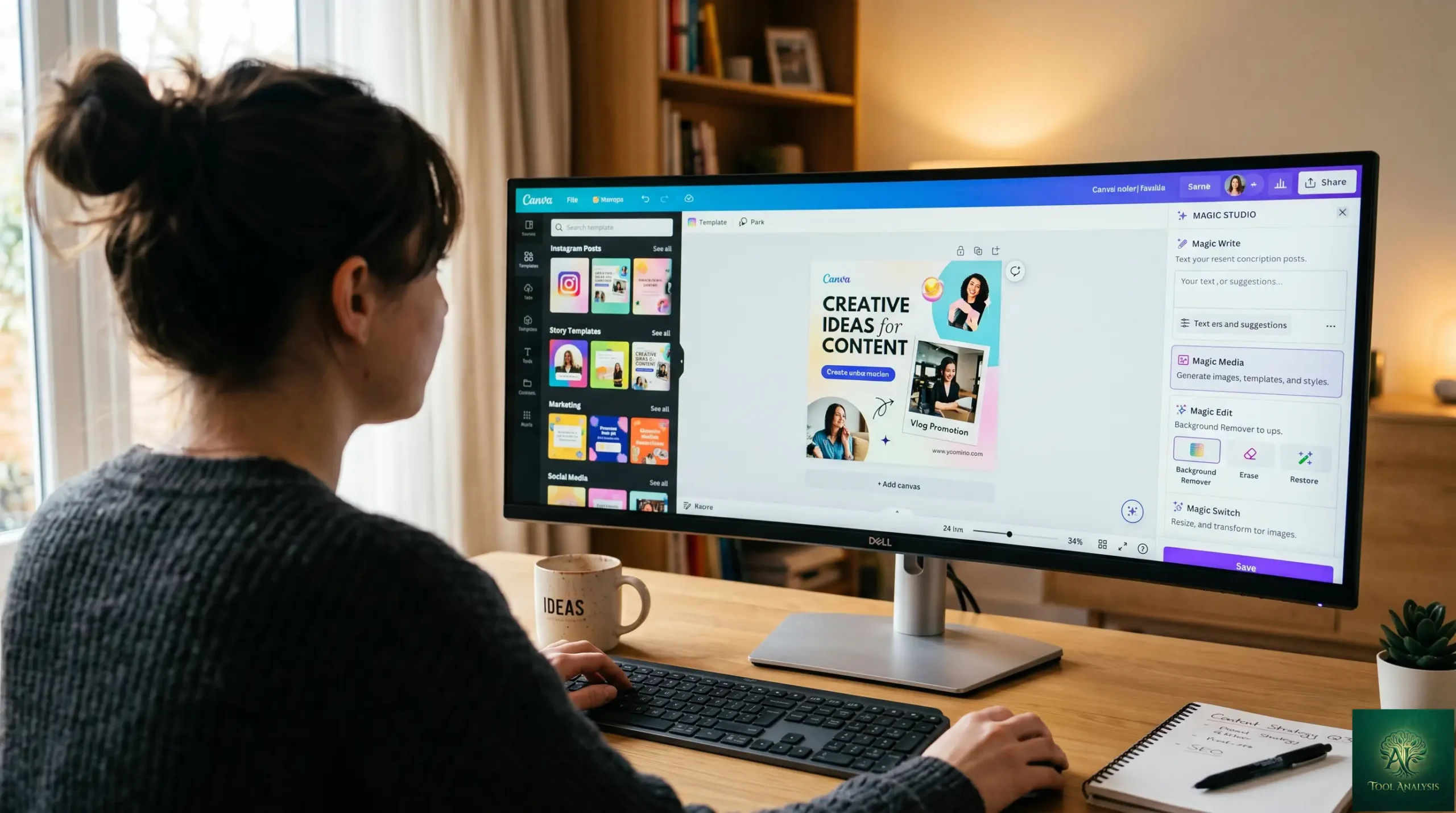
Canva Magic Studio used to be the easy-design tool you went to when Adobe felt like overkill. In 2026 it’s something more ambitious — a “Creative OS” that bundles AI image generation (Dream Lab on the Leonardo.AI Phoenix model), AI copywriting (Magic Write), AI data visualization (Canva Sheets + Magic Charts + Magic Insights), AI design generation (Magic Design + the new Conversational AI), and a free-as-of-2026 design-suite called Affinity that competes head-on with Photoshop and Illustrator. This review covers every Magic Studio feature in April 2026 with the same standard: did it actually save us time, and is the $15/month Canva Pro tag actually worth paying given how much shipped in the last six months?
⚡ TL;DR – The Bottom Line
What This Is: The April 2026 review of Canva Magic Studio — covering every feature including the new Conversational AI, Magic Charts, Magic Insights, and the Dream Lab Style Transfer.
Best For: Marketers, small business owners, content creators, and anyone choosing between Canva Pro and Adobe Creative Cloud.
Price: Free / Pro $15/mo (500 AI credits) / Teams-Business $10/seat annually (3-seat min) / Enterprise custom. Affinity v3 design suite is free since 2026.
Our Take: The bundled value (Canva + Magic Studio + free Affinity at $15/mo) is the best price-per-capability deal in consumer design tools. Worth paying.
⚠️ The Catch: Pro designers doing color-managed prepress, complex motion graphics, or Adobe-native client handoffs still need the full Adobe stack. Canva covers 80-90% of users, not 100%.
📑 Quick Navigation
The Bottom Line: Should You Pay $15/Month for Canva Pro?
Yes — for most people in 2026, Canva Pro is the right answer. Three reasons:
- The free tier is too tight for serious work. Free Canva Magic Studio users get 5 Dream Lab generations per month, severely limited Magic Write, no Brand Kit, and no AI features inside Affinity. You’ll hit walls within an hour of trying to use Canva for actual marketing or content work.
- $15/month buys you 500 AI credits, the full Canva Magic Studio, AND unlocks Affinity AI features. Even ignoring Canva itself, the Affinity-AI bundle alone replaces a $20-60/month Adobe Creative Cloud spend for designers who don’t need the full Adobe pro stack. The math gets compelling fast.
- The 2026 Canva Magic Studio additions are genuinely useful. Conversational AI (“create a flyer for a pizzeria with a red background” → editable design in seconds), Magic Charts (raw spreadsheet data → interactive visualizations), and Magic Insights (auto-summarize sheet data) all crossed the threshold from demo-toy to daily-driver in the last six months.
Skip Canva Pro only if you (a) genuinely use Canva less than once a month (free tier is fine), (b) need professional-grade typography control that still requires Adobe InDesign or Affinity Publisher with manual tools (rare), or (c) you’re a freelance graphic designer whose clients require source PSD/AI files (Canva exports work for most cases but not every Adobe-native handoff).
What Changed in the Last Six Months
The biggest stories since the December 2025 review:
Affinity went fully free
Canva acquired Affinity (the Photoshop/Illustrator/InDesign alternative) in 2024. In 2026 the full Affinity v3 design suite — Photo, Designer, Publisher — became free for everyone. AI-powered features within Affinity (background removal, generative fill, text-aware editing) are gated behind the Canva Pro $15/month subscription, but the core editing software costs nothing. This is the most consequential pricing shift in the design-tool category in over a decade — Adobe’s $59.99/month Creative Cloud All Apps tier suddenly looks expensive for designers who only need the core editing capabilities.
Conversational AI interface
Canva Magic Studio’s headline 2026 feature: a chat-like interface that accepts text or voice input and returns fully editable Canva designs. Say “create a flyer for a pizzeria with a red background and three menu items” and you get a complete editable layout in roughly 8-12 seconds. The output is real Canva design objects (not flattened images) — fonts, shapes, and colors are all editable per element. This isn’t replacing the click-and-drag editor, but it’s transformed the “I need a design fast” workflow.
Magic Charts and Magic Insights
Inside Canva Sheets (the spreadsheet feature that launched in 2025), two new AI capabilities arrived. Magic Charts turns raw data into interactive visualizations — you select cells, ask for a chart, and Canva picks the right type and produces a real-time-updating visualization. Magic Insights goes further: feed it a sheet of data, ask “what trends matter here,” and it produces a written summary plus suggested charts. Combined, they make Canva a credible alternative to Tableau or Looker for non-analyst users who need quick visual outputs.
Dream Lab Style Transfer
The Phoenix model (Canva acquired Leonardo.AI in 2024) added Style Transfer in early 2026. Upload a reference image, and Dream Lab generates new images that match its aesthetic — useful for brand consistency across a series of generated assets. Free users still get 5 Dream Lab generations per month; Pro users get 500.
The “Creative OS”: What Canva Actually Is in 2026
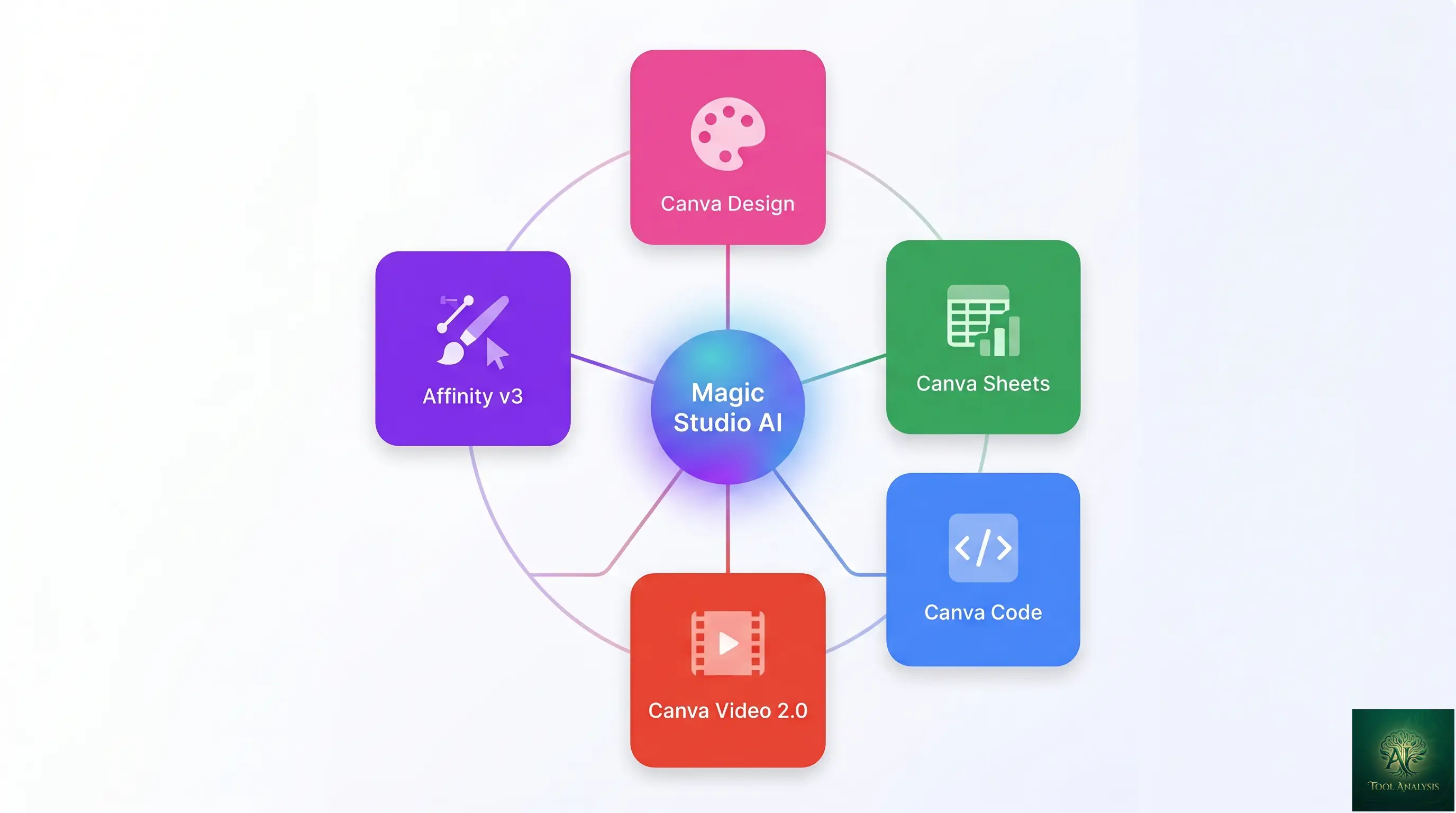
Calling Canva a “design tool” in 2026 undersells what it does. The Canva Magic Studio product now spans five distinct surfaces, all integrated through Magic Studio:
- Canva (the original): drag-and-drop design editor for social posts, flyers, presentations, marketing collateral. Now augmented with Canva Magic Studio AI throughout.
- Canva Sheets + Magic Charts + Magic Insights: spreadsheet-and-visualization tool that competes with Excel/Sheets for non-analyst users.
- Canva Code: no-code app builder that turns natural-language prompts into interactive widgets (calculators, quizzes, mini-games, embeds).
- Canva Video 2.0: video editor with text-to-video generation, automated highlights, AI captioning, and brand-kit-aware templates.
- Affinity (Photo, Designer, Publisher): professional-grade desktop editing, free as of 2026, with AI features behind Canva Pro.
The integration matters. A Canva Sheets dataset can flow into a Canva Design as a Magic Chart. A Canva Code widget can be embedded in a Canva-published landing page. Affinity-edited assets can sync to Canva via Cloud documents. The bundle is more than the sum of its parts — and the parts are individually credible.
Dream Lab: Canva Magic Studio’s AI Image Generator Tested
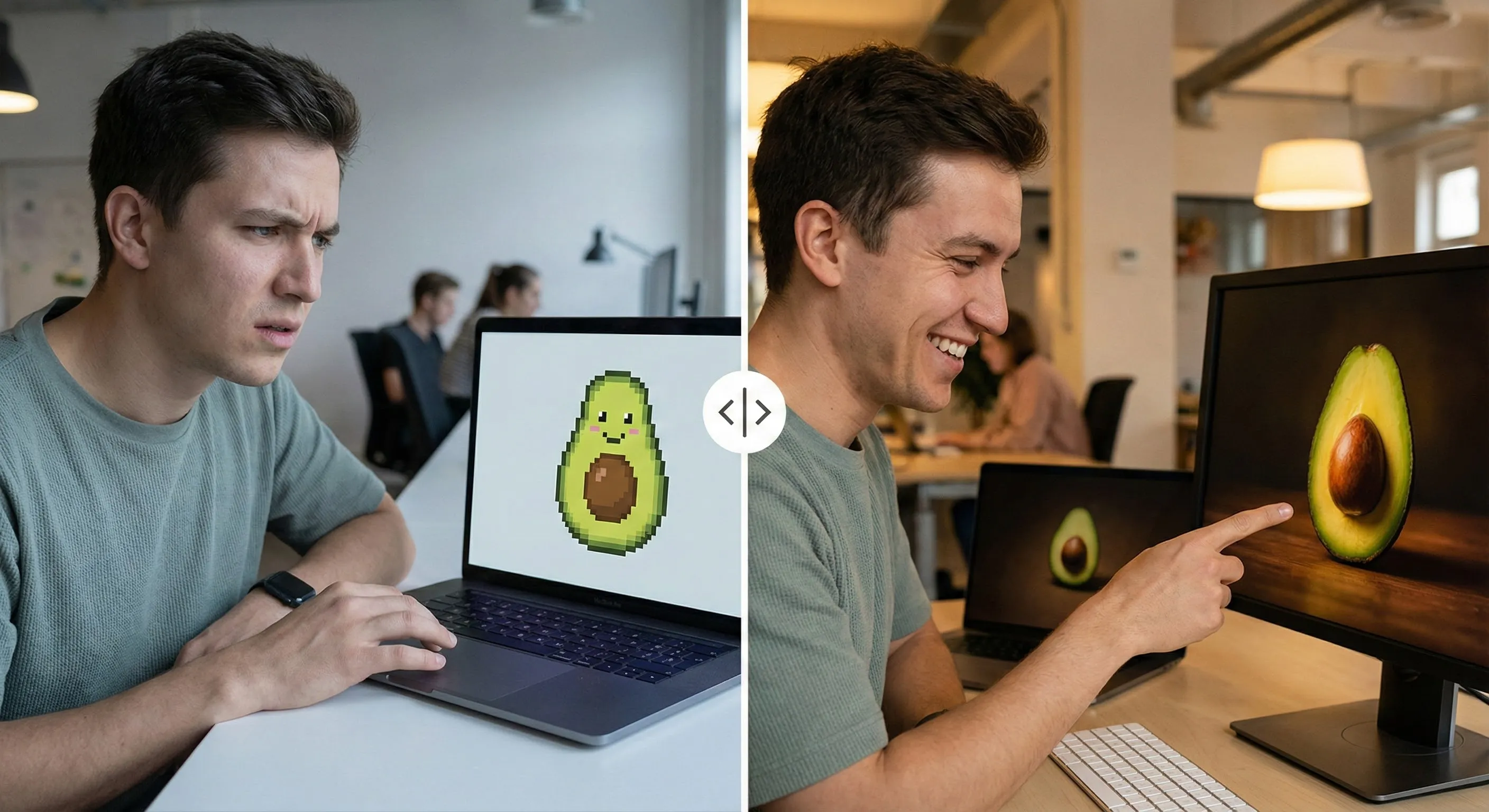
Dream Lab runs on the Phoenix model from Leonardo.AI (Canva acquired the company in mid-2024). The output quality is competitive with mid-tier paid image generators — better than DALL-E 3 inside ChatGPT for stylized work, behind Midjourney v7 for the absolute best aesthetic ceiling, and behind Nano Banana Pro for crisp text rendering inside images. It’s the right tool when convenience matters: you’re already inside Canva, you don’t want to context-switch to Midjourney or open the Gemini app.
Style Transfer (the killer 2026 feature)
Upload a reference image (a brand asset, an existing photo, a Pinterest pin you saved) and Dream Lab generates new images that match its aesthetic — color palette, composition, lighting style, even subject framing. For brand-consistent series of images (think: 12 social posts that need to look like they came from the same brand), this is the genuinely new capability that didn’t exist in any equivalent free or low-cost tool a year ago. We tested with reference images of varying complexity; the results were strongest when the reference had a clear single dominant aesthetic, weaker when the reference combined multiple competing visual ideas.
Where Dream Lab still struggles
Faces — particularly close-up portraits — still distort more often than Midjourney v7 or Nano Banana Pro. Hands and small text inside generated images are hit-or-miss. For these specific weaknesses, the workaround inside Canva is to use Magic Grab to extract elements, then refine them in Affinity Photo (now free) or use Background Remover and replace troublesome areas. It’s friction, but it’s solvable inside the Canva ecosystem.
The New Canva Magic Studio Conversational AI Interface
The 2026 headline feature. Click the new conversational icon (it sits next to Magic Design in the top toolbar), type or speak a prompt, and you get a fully editable Canva design in seconds. Five real prompts we tested:
- “Create a flyer for a pizzeria with a red background and three menu items” — produced a usable flyer in 9 seconds with placeholder menu items, editable text, and a tomato-red background. Good first draft, needed minor tweaks for actual menu copy.
- “Make a LinkedIn carousel about the benefits of AI agents” — produced a 5-slide carousel in 14 seconds with cohesive visual style and reasonable headline copy. Surprisingly strong default.
- “Design an Instagram story announcing our 30% off sale” — produced a vertical 9:16 story in 7 seconds with proper aspect ratio, sale copy, and brand-friendly fonts. Excellent.
- “Build a 10-slide pitch deck for a SaaS startup” — produced a full deck in 22 seconds with title slide, problem, solution, market, business model, traction, team, ask, and Q&A slides. Generic but well-structured starting point.
- “Make a YouTube thumbnail for a video about Canva Magic Studio” — produced a thumbnail in 6 seconds with bold headline, photographic background placeholder, and proper YouTube dimensions. Good.
Across all five prompts, the Canva Magic Studio output was real Canva designs (every element editable, not flattened images). This is the Canva Magic difference that matters. Generative tools that produce flat-PNG outputs require manual recreation to refine; Canva’s Conversational AI produces designs you continue to edit in the normal Canva workflow.
Canva Magic Switch, Grab, Morph, Animate (Still Excellent)
The 2025-era Canva Magic features still earn their keep in 2026:
- Magic Switch: convert any design into a different format (Instagram post → Pinterest pin → email header → printed flyer). Auto-resizes, repositions, and adapts copy length. Saves hours per multi-channel content drop.
- Magic Grab: extract elements from any image (a person, a logo, a product) for reuse elsewhere. Same technology that powers Background Remover, exposed as a more flexible tool.
- Magic Morph: describe how you want to modify an existing element (“make this hat bigger, change the color to blue, add a feather”) and Magic Morph applies the change in place. Less precise than Photoshop’s Generative Fill but inside the Canva editor.
- Magic Animate: turn any static design into an animated version. Best for social media motion content, presentation entrance animations, GIF-style outputs.
Canva Sheets + Canva Magic Charts + Magic Insights
The category Canva is most ambitiously expanding into. Canva Sheets launched in late 2025 as a spreadsheet feature; the 2026 additions made it competitive for actual non-analyst data work.
Magic Charts takes a selected range of cells and produces an interactive visualization. The chart updates in real-time as the underlying data changes. Magic Charts auto-suggests the right chart type for your dataset (bar for categorical comparisons, line for time series, scatter for correlations) — and the suggestions are usually correct on first try. The chart-type library is competitive with Tableau or Looker for the most common use cases.
Magic Insights goes one step further. Feed it a dataset, ask “what’s worth knowing here,” and it returns a 200-word written summary plus 2-3 suggested charts. The AI is genuinely useful for the “give me the gist of this data” use case that’s common in marketing reports and quarterly business reviews. It’s not a replacement for a real data analyst, but it eliminates the chore of pulling charts manually for routine reporting.
Canva Code: No-Code App Building
Canva Code lets you describe a small interactive widget in natural language and have it built. Useful prompts: “Create a calculator that shows annual savings if I cancel my Adobe subscription,” “Build a quiz that recommends a Canva plan based on three questions,” “Make a mini-game where users match logos to brands.” Real outputs from each: a working calculator, a 3-question quiz with recommendation logic, a clickable matching game.
Canva Code competes with Replit Agent, Lovable, and v0 (Vercel) — the no-code app builder space. Canva’s advantage: the output embeds directly in your Canva designs and Canva-published landing pages. The disadvantage: less polished for full applications, more focused on lightweight widgets. Best for: marketers, course creators, and small business owners who need a quick interactive element on a landing page or in a presentation. Not the right tool for a real production web app.
🔍 REALITY CHECK
Marketing Claims: “Canva replaces Photoshop, Illustrator, InDesign, AND Adobe Creative Cloud at $15/month” (a common 2026 framing).
Actual Experience: Mostly true for non-professional designers. False at the high end. The Canva + Affinity bundle covers 80-90% of what most users need from Adobe Creative Cloud. The remaining 10-20% — advanced print prepress, color-managed workflows for professional photographers, complex motion graphics, broadcast-spec video work — still requires the full Adobe stack or specialized tools. Most marketers, content creators, small business owners, and casual designers genuinely don’t need that 10-20%; the people who do tend to know who they are. Don’t switch from Adobe just because the price gap looks tempting; switch when you’ve audited what specific Creative Cloud features you actually use and confirmed they’re covered.
Verdict: Canva Pro + Affinity (free) covers most users completely. Run a 30-day audit of your actual Adobe usage before canceling — the price math only works if Canva genuinely covers your workflow.
💡 Key Takeaway: The Affinity-went-free story is the underrated buying signal of 2026. If you previously paid $20–60/month for Adobe Creative Cloud and your work doesn’t need professional prepress or broadcast video, the Canva Pro + free Affinity bundle replaces it at $15/month — with Magic Studio AI thrown in. Run a 30-day audit before you cancel Adobe, but for most users the math is decisive.
Pricing Breakdown (April 2026)
| Plan | Monthly | Annual | AI Credits | Best For |
|---|---|---|---|---|
| FreeFREE | $0 | $0 | 5 Dream Lab/month, limited Magic Write | Casual, occasional use |
| ProVALUE | $15 | $120/year | 500/month + full Magic Studio | Individual creators, small business |
| Teams (Business)TEAMS | $10/seat (annual) | $300/year min (3 seats) | 500/seat/month + Brand Hub | Teams of 3+ with brand control needs |
| Enterprise | Custom | $8-20/user typical | Custom + governance + SSO | Large orgs ($20K-$50K typical contract) |
Three observations from the pricing math. First, Canva Pro at $15/month is meaningfully cheaper than Adobe Creative Cloud All Apps at $59.99 — the $44.99/month gap pays for itself fast if Canva covers your work. Second, Teams pricing has a 3-seat minimum that catches small teams off-guard ($300/year minimum even for a 2-person team that only needs 2 seats — you pay for the third anyway). Third, the free Affinity v3 layer means designers can bootstrap a full editing capability at $0/month and only pay $15/month when they want AI features layered on top.
📊 Monthly Pricing Across Design Tools (April 2026)
Entry paid tier per tool. Lower is better when capabilities are comparable.
📬 Find this review useful?
Get our weekly creative-AI tool reviews — Canva updates, Adobe news, new feature launches.
Canva vs Adobe Express vs Figma (Head-to-Head)
| Specification | Canva Pro | Adobe Express Premium | Figma Professional |
|---|---|---|---|
| Monthly price | $15 | $9.99 | $15/seat |
| AI image generation | 500 Dream Lab/mo | Bundled with Firefly | Limited (via plugins) |
| AI design generation | Conversational AI (NEW 2026) | Adobe Firefly | Limited |
| Spreadsheet + AI viz | Magic Charts + Magic Insights | None | None |
| No-code app builder | Canva Code | None | None |
| Free design suite | Affinity (free, AI behind Pro) | None | Figma Free |
| Team brand controls | Brand Hub (Teams tier) | Adobe Teams | Excellent (design systems) |
| Best for | Marketers, SMBs, creators | Adobe-stack designers | Product designers, dev handoff |
Reading the matrix: Canva wins on breadth (more surfaces — design + sheets + code + video + free Affinity), Adobe Express wins on integration with the broader Adobe Creative Cloud stack if you already pay for it, Figma wins for product design and dev handoff. For a non-designer-marketer-small-business persona, Canva is now the clear default. For a professional designer at an agency that runs on Adobe, Express is the right complement to Creative Cloud. For a product team designing apps, Figma remains the right tool.
📐 Capability Profile: Canva vs Adobe Express vs Figma
Subjective 0-10 scoring across the dimensions that matter for AI-assisted design buyers.
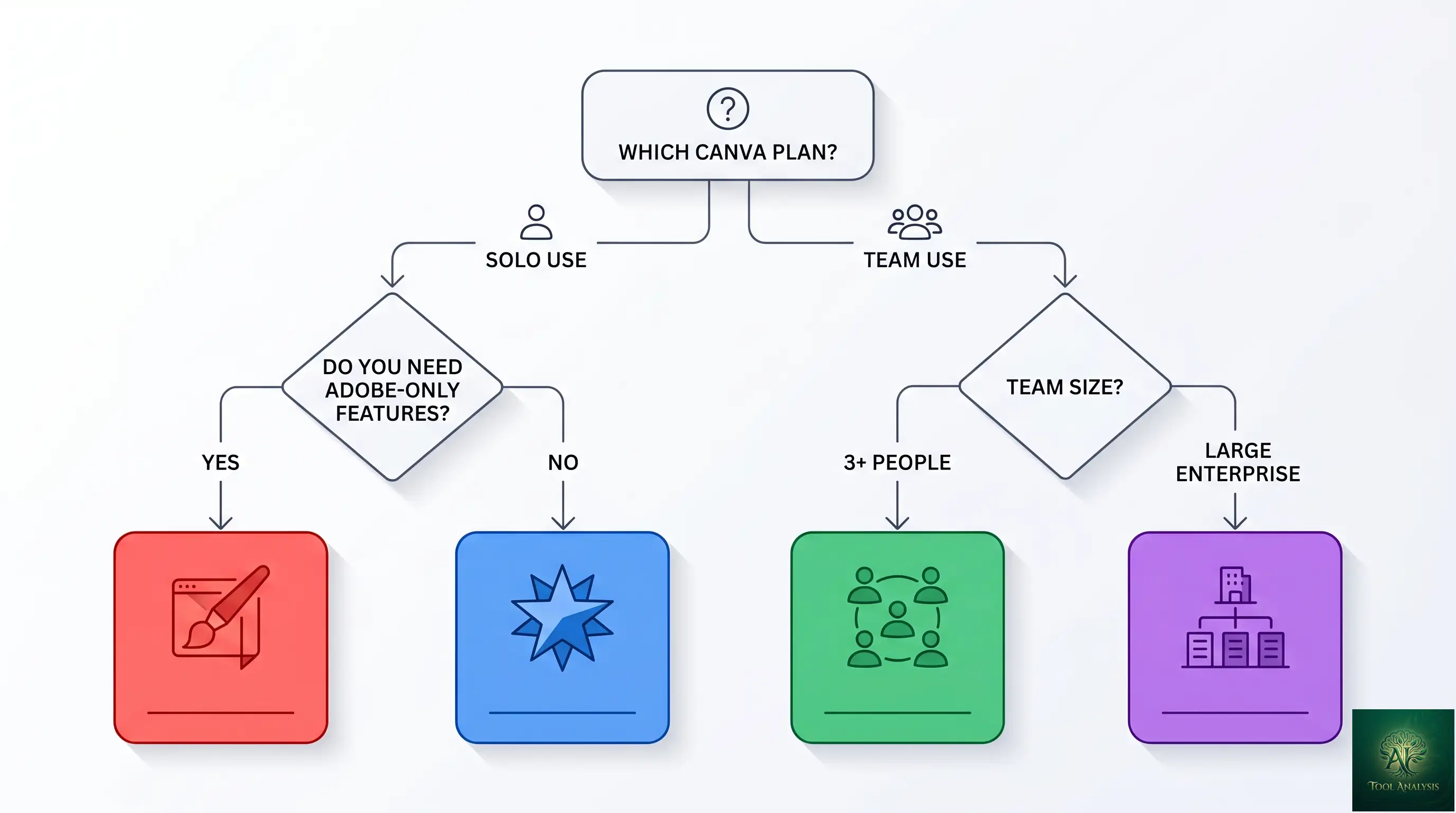
Who Should Use Canva Magic Studio
- Casual / personal use: Canva Free. The 5 Dream Lab generations and limited Magic Write cover one-off birthday cards, occasional social posts, and casual flyer needs.
- Solo creators / freelancers / SMB owners: Canva Pro at $15/month. The math is decisive — Magic Studio + Affinity AI bundled at this price beats every comparable Adobe-stack offering for non-pro-designer use.
- Marketing teams (3-10 people): Canva Teams at $10/seat (3-seat min). Brand Hub, template locking, approval workflows, and shared assets are worth the upgrade over Pro for any team where multiple people make brand-aware content.
- Large enterprise: Canva Enterprise. Custom pricing, but the SSO + governance features are needed at any company over ~50 users producing branded content.
- Don’t use Canva if: you’re a professional designer doing color-managed print prepress, complex motion graphics for broadcast, advanced typesetting for book publishing, or any work that absolutely requires Adobe-native source files for client handoff.
🔍 REALITY CHECK
Marketing Claims: “Canva’s Conversational AI replaces hours of design work” (the marketing pitch around the new 2026 feature).
Actual Experience: True for the first draft. False for the final output. Conversational AI produces excellent starting points (typically 70-80% of a finished design), but production-quality output still requires manual refinement: real headline copy that matches your brand voice, real product photography rather than generic stock placeholders, real spacing and typography decisions. The time savings are real and meaningful — generating 12 social posts in 30 minutes instead of 4 hours — but “replaces design work” overstates what’s happening. It accelerates design work; it doesn’t eliminate it.
Verdict: Use Conversational AI for the starting point. Plan to spend 15-30% of the original time on refinement. Treat it as a productivity tool, not a replacement for design judgment.
Troubleshooting & Pro Tips
Dream Lab faces look distorted
When using Canva Magic Studio’s Dream Lab, add explicit prompts: “professional headshot, studio lighting, sharp focus on the face, no distortion.” Generate 4-6 variations and pick the cleanest. For close-up portraits where this remains weak, swap to Nano Banana Pro inside the Gemini app and bring the result into Canva via upload.
Canva Magic Switch messed up fonts
Ensure Brand Kit is configured before running Magic Switch. The feature respects Brand Kit fonts when present and falls back to Canva defaults when not. If Brand Kit is configured and you still see font issues, the source design likely has manually-overridden fonts that Magic Switch doesn’t preserve cleanly — fix the source design’s font setup before re-running.
Video export is blurry
Increase export resolution to 1080p (Canva Pro) or 4K (Teams/Enterprise). The default 720p is fine for social-media playback but visibly soft on larger screens. For YouTube uploads specifically, set the export to MP4 / 1080p / 60fps for the best quality-to-file-size ratio.
Canva Magic Conversational AI gave me a generic design
Add specifics to your prompt: brand name, color palette, any specific copy, target audience, the “feel” you want. Vague prompts (“make a flyer”) get vague outputs. Specific prompts (“make a flyer for Tony’s Pizza, red and white color scheme, family-friendly tone, listing three menu items: Margherita, Pepperoni, Hawaiian, with a coupon for 15% off first order”) get usable first drafts.
FAQs
Is Dream Lab included in the free plan?
Yes, but heavily limited — 5 Dream Lab generations per month on the free tier. Canva Pro at $15/month gets you 500 generations per month. For comparison, Midjourney Basic ($10/month) gives roughly 200 images, and Nano Banana Pro on Google AI Pro ($19.99/month) gives unlimited generations.
What’s the difference between Canva Teams and Canva Business?
“Teams” is the legacy plan name; “Business” is the current name for new sign-ups (same plan, $10/seat/month annually with a 3-seat minimum). Existing Teams subscribers keep grandfathered terms. The plan adds Brand Hub, template locking, approval workflows, team folders, and shared asset libraries on top of Pro features.
Can I copyright images created in Dream Lab?
Canva grants commercial use rights for Dream Lab outputs on Pro and higher tiers. The legal status of AI-generated image copyright remains contested in many jurisdictions — current US Copyright Office guidance is that AI-generated images don’t qualify for copyright protection on their own, but human-modified compositions do. For commercial work, treat Dream Lab outputs as starting points and add human-modified elements before claiming copyright.
Does Canva Code write actual JavaScript or Python?
Yes, behind the scenes — but you don’t see or edit the code. Canva Code generates working web widgets (HTML + CSS + JavaScript) but presents them as visual elements. You describe what you want; Canva builds it; you embed the result. For developers who want to see and modify the source code, Replit Agent or v0 (Vercel) are better fits.
Is Canva AI better than Midjourney?
For different things. Midjourney v7 is better for the absolute best aesthetic ceiling on stylized work and for serious AI image hobbyists who want maximum control. Canva’s Dream Lab (Phoenix model) is better for fast workflow integration — you stay inside Canva, the output is editable as Canva elements, and the price is bundled with everything else. Most casual users will be happier with Canva Pro than with Midjourney Basic.
Can I use Magic Switch to translate documents?
Yes — Magic Switch supports translation alongside format conversion. Convert an English flyer to Spanish, German, French, or 30+ other languages. The translation quality is solid for European languages, weaker for Asian and right-to-left scripts. For professional translation work, treat Magic Switch’s output as a first draft to review.
How does Style Reference in the Canva Magic Studio Dream Lab work?
Upload a reference image (a brand asset, an existing photo) and Dream Lab uses its color palette, composition, and lighting style as constraints when generating new images. Available on Pro and higher tiers. Best results come from reference images with a single clear aesthetic; mixed-style references produce inconsistent outputs.
Is there a student discount?
Yes — Canva for Education is free for students and teachers in verified educational institutions. Includes most Pro features at no charge. Apply through the Canva for Education portal with proof of enrollment or employment.
✅ What We Liked
- ✓ Best price-per-capability bundle in consumer design ($15/mo)
- ✓ Conversational AI produces real editable designs, not flat images
- ✓ Magic Charts + Insights make Sheets a credible viz tool
- ✓ Affinity v3 free for everyone (AI features behind Pro)
- ✓ Dream Lab Style Transfer for brand-consistent image series
❌ What Fell Short
- ✗ Dream Lab faces still distort more than Midjourney v7
- ✗ Teams 3-seat minimum punishes 2-person teams
- ✗ Conversational AI needs specific prompts to avoid generic output
- ✗ Pro designers still hit ceilings on color-managed prepress + broadcast specs
The best price-per-capability bundle in consumer design tools, with the new 2026 Conversational AI, Magic Charts, and free Affinity making the value proposition meaningfully stronger than a year ago. Half a star off because pro designers still hit specific ceilings.
💡 Key Takeaway: Canva Magic Studio’s biggest 2026 advantage is integration breadth: AI image generation, AI design generation, AI data viz, AI app building, AI video, AND a free desktop suite (Affinity) all live in one $15/month subscription. No competitor matches that breadth at any price point. The trade-off is depth — pro designers still hit ceilings on color management and broadcast specs.
The Final Verdict
Canva Magic Studio earned its “Creative OS” framing in 2026. The product is meaningfully more capable than it was twelve months ago, the $15/month Canva Magic Studio Pro tier is the best price-per-capability deal in the consumer-design tools category, and the Affinity-went-free story makes the Canva Magic Studio bundled value proposition harder for Adobe to compete with at the non-professional tier. For most users — solo creators, small business owners, marketing teams, content makers — Canva Pro is now the right default rather than a reasonable alternative.
The honest weaknesses still exist. Dream Lab faces lag Midjourney v7 on portraits. The Conversational AI requires specific prompts to produce non-generic outputs. Canva Code is great for widgets but not real apps. The Teams 3-seat minimum punishes small teams. None of these are dealbreakers for the target user; they’re trade-offs in a category where every tool has trade-offs. The right question for most users of Canva Magic Studio in April 2026 isn’t “Canva or not?” but “Canva Pro or Teams?” The answer depends on whether you’re a soloist or running a brand-aware team.
Related Reading
- Best AI Image Editing Tools — broader category review covering Nano Banana Pro, Adobe, Luminar, and 8 more tools
- Nano Banana 2 Review — Google’s free image generator (alternative to Dream Lab)
- Nano Banana Pro — the Gemini 3 Pro Image upgrade
- The Complete AI Tools Guide — buyer’s guide for picking the right tool from 200+ tested
- Best AI Image Generators — generators-only comparison (separate from editing tools)
- Lovable Review — direct competitor to Canva Code in the no-code app builder space
- Google Vids Review — Google’s video tool (alternative to Canva Video 2.0)
- Pomelli Review — Google’s free AI marketing tool (alternative for the marketer use case)
Founder of AI Tool Analysis. Tests every tool personally so you don’t have to. Covering AI tools for 10,000+ professionals since 2025. See how we test →
Stay Updated on Canva & Creative AI Tools
The creative-AI category shifts every month. Subscribe for honest reviews of new releases, Canva feature launches, Adobe news, and pricing changes — delivered every Thursday at 9 AM EST.
- ✅ Honest Reviews: We actually test these tools, not rewrite press releases
- ✅ Feature Launches: Major Canva and Adobe updates covered within days
- ✅ Pricing Changes: Know when tools drop prices or add free tiers
- ✅ Comparison Updates: Side-by-side benchmarks as the market shifts
- ✅ No Hype: Just the AI design news that matters for your work
Free, unsubscribe anytime. 10,000+ professionals trust us.

Last Updated: April 28, 2026
Tools Tested: Canva Free, Pro, Teams (Business), Enterprise — all 4 tiers across Magic Studio (Dream Lab, Magic Write, Magic Design, Conversational AI, Magic Switch/Grab/Morph/Animate), Canva Sheets + Magic Charts + Magic Insights, Canva Code, Canva Video 2.0, and Affinity v3
Next Review Update: July 2026 (or sooner when Canva ships major Magic Studio additions)
Have a tool you want us to review? Suggest it here | Questions? Contact us