
🆕 Latest Update (April 25, 2026): Runway Gen-4.5 launched in early December 2025 and now holds the #1 spot on the Video Arena leaderboard. Pricing held steady at $15/$35/$95 per month for Standard/Pro/Unlimited (20% off annual). Critically, OpenAI is discontinuing Sora’s web and app on April 26, 2026 (today) — Sora’s API continues until September. Runway’s edge in professional video editing workflows remains uncontested, and the new GWM-1 (General World Model) family extends the platform into avatars, robotics simulation, and interactive worlds.
The Bottom Line
This Runway review covers the platform’s state in April 2026: Runway Gen-4.5 is the current flagship video generation model (released early December 2025), holding the #1 spot on the independent Video Arena leaderboard. Pricing runs from a free trial through $95/month Unlimited, with the most popular Pro tier at $35/month. The platform is built explicitly for professional video editors and post-production workflows — not for the highest raw generation quality (where Veo 3.1 leads on physics and Sora 2 led on cinematic quality before its consumer-app shutdown).
The verdict in the post-Sora-shutdown landscape: Runway is the right tool when video generation is one step in a larger production workflow. Reference image control, character consistency across shots, multi-shot editing, and integration with professional editing tools are what set it apart. If you’re a creator who just wants the prettiest single clip from a text prompt, Kling 3.0 at lower cost or Veo 3.1 for physics realism may serve you better. If you’re a video editor working on commercial projects where consistency across shots matters, the platform has no real peer.
The big April 2026 context: OpenAI announced in March that the Sora web and app experiences are being discontinued on April 26, 2026 (today). The Sora API continues until September 24, 2026. This shifts the competitive landscape — many casual Sora users will move to Runway, Kling, or Veo, and Runway’s positioning as the professional-workflow tool becomes more valuable as the consumer-creator market consolidates around fewer platforms.
Best for: Professional video editors, indie filmmakers, post-production workflows, marketing teams producing branded video content where character consistency and reference image control matter. The Pro plan at $35/month ($28 annual) is the right entry point for serious users.
Skip if: You want the highest raw generation quality (Veo 3.1 or Sora 2 lead there), you generate occasional social clips and want predictable cost per video (Kling 3.0 at lower per-video cost wins), or you need free-tier video generation with no setup (Runway’s free trial is limited).
⚡ TL;DR – The Bottom Line
What It Is: Professional AI video generation platform built for editors and post-production. Gen-4.5 is the current flagship (#1 on Video Arena leaderboard).
Best For: Pro video editors, indie filmmakers, marketing post-production teams who need character consistency across shots and reference image control.
Price: Free trial (125 credits) → Standard $15/$12 → Pro $35/$28 → Unlimited $95/$76 (monthly/annual). Pro is the right entry tier.
Our Take: Strongest pro-workflow platform in 2026. Veo 3.1 wins on physics; Kling 3.0 wins on value; Runway wins on workflow. Sora’s April 26 shutdown reshapes the consumer market.
⚠️ The Catch: Credits don’t roll over on Standard/Pro. Heavy generators need Unlimited’s Relaxed Mode or face mid-month credit shortfalls.
📑 Quick Navigation
What Runway Actually Does
Runway is a professional AI video generation platform that combines text-to-video, image-to-video, video-to-video transformation, and a suite of specialized post-production tools (motion brush, camera controls, character consistency via reference images, multi-shot editing). Gen-4.5 is the current flagship model. Earlier Gen-4 outputs are still accessible but Gen-4.5 supersedes them on every benchmark.
The simplest way to understand Runway’s positioning: Veo 3.1 and Sora 2 compete on raw generation quality from a text prompt. The platform competes on what you do with that generation afterward — refining specific frames, applying consistent character appearance across shots, integrating outputs into professional editing pipelines. Per the 2026 competitive analyses, Runway is “the only major AI video tool designed explicitly for professional video editors and post-production workflows.”
Who It’s Actually Aimed At
Three user types map clearly to the platform:
- The professional video editor. Already works in Premiere Pro, DaVinci Resolve, or After Effects. Wants AI generation that integrates into existing workflows, not a standalone toy. Needs character consistency across shots, reference image control, and frame-level editing — features Runway built specifically for this audience.
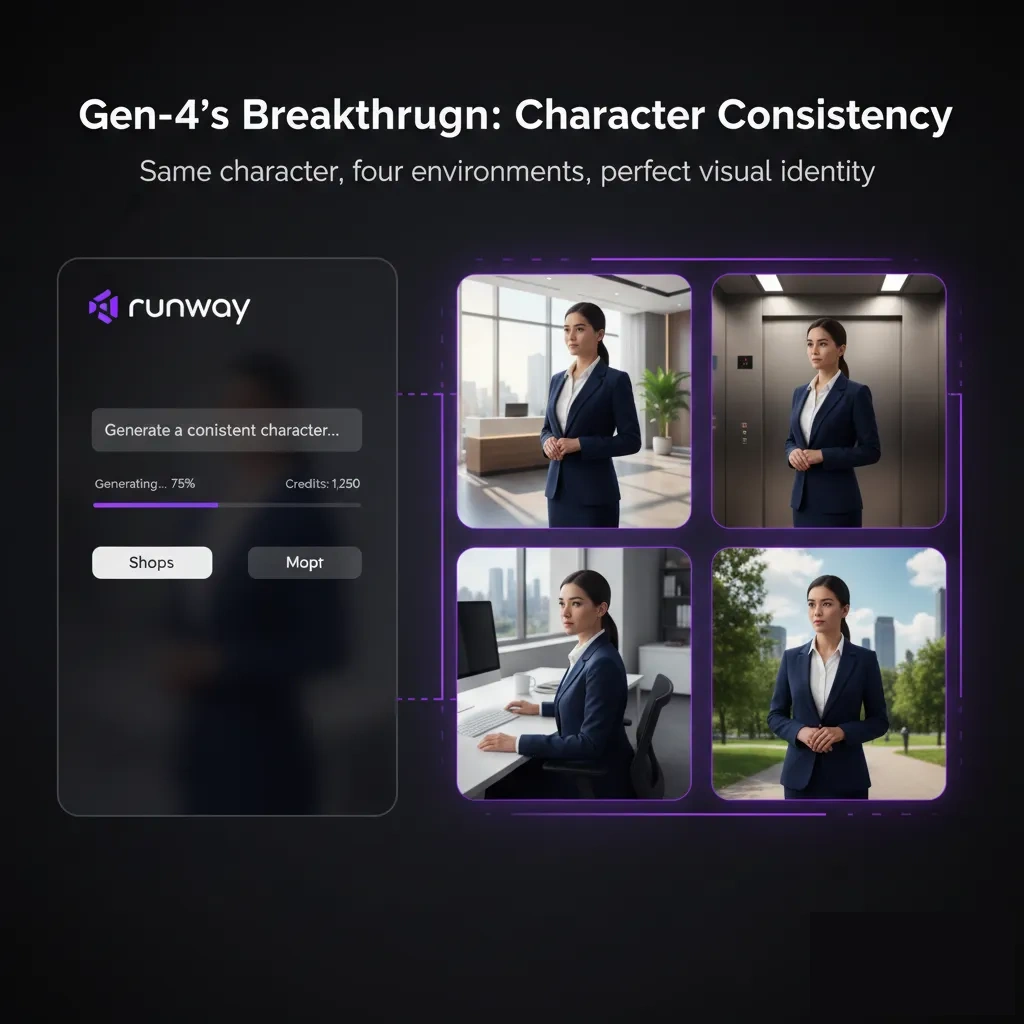
- The indie filmmaker. Producing short films, music videos, or branded content where every shot needs to feel like part of the same project. Gen-4.5’s character consistency is the genuine breakthrough for this user — same character, same visual identity, across multiple shots generated separately.
- The marketing post-production lead. Working with brand assets, product shots, and commercial footage. Reference image input lets them generate AI video that matches existing brand visuals (product colors, logo placement, environmental palette). Pro tier gives the credit headroom for client-quality output.
The Five-Minute Test
To see what Runway actually delivers on Day 1, here are three tasks most users would attempt as a first session:
- Text-to-video generation: “A medium shot of a woman walking through a Tokyo street market at golden hour, cinematic, shallow depth of field.” Gen-4.5 takes roughly 90-120 seconds for a 5-second clip. Quality is genuinely cinematic. Counted: 35 credits used (~$0.56 at Pro tier rates).
- Reference image input: Upload a product shot, prompt “this product on a marble countertop with morning light from the left.” Runway uses the reference image to maintain product identity. Same generation time. This is where Runway’s commercial workflow value shows up — the output looks like it could be from a commercial photoshoot. Counted: 35 credits.
- Character consistency across shots: Generate three separate clips of the “same character” (defined by reference image) doing three different actions in three different settings. Gen-4.5 maintains the character’s facial identity, clothing, and body type across all three generations. Counted: 105 credits (~$1.68 at Pro tier rates).
Five minutes in, you’ve used roughly $2.24 of credits and produced 5 cinematic-quality clips with consistent visual identity. Compare to traditional shoot costs (lighting setup, talent, location, post-production) where the same output runs 50-200x more expensive — and you start to understand why Runway exists in professional workflows despite competition from cheaper consumer-focused AI video tools.
🔍 REALITY CHECK
Marketing Claims: “Runway is the world’s leading AI video generation platform with cinematic quality, character consistency, and unprecedented creative control.”
Actual Experience: “World’s leading” requires a footnote. Gen-4.5 holds #1 on Video Arena (independent benchmark, real result). But for raw single-clip cinematic quality, Sora 2 and Veo 3.1 produce higher-quality outputs from scratch in side-by-side blind tests. The platform leads on workflow integration and character consistency, not pure pixel quality. The marketing collapses two different competitive dimensions.
Verdict: Runway is genuinely #1 for the use case it was designed for (professional video editing workflows). It’s not the highest raw quality. Both can be true.
Getting Started: Your First Hour
Sign up at runwayml.com. The free trial gives you 125 credits — roughly 3-4 video generations — to evaluate before committing. No credit card required for the trial. The dashboard splits into Generate (text-to-video, image-to-video, video-to-video), Edit (motion brush, frame interpolation, masking), and Library (your generations and reference assets).
Three things to do in your first hour:
- Burn through the free 125 credits on your real use case. Don’t generate generic test prompts. Use prompts and reference images from a project you’re actually working on. The free trial exists to validate fit, not for entertainment.
- Test character consistency. This is Runway’s killer differentiator. Upload one reference image (a person, product, or character), generate two or three clips in different settings using the same reference. Compare visual identity across clips. If consistency matters to your workflow, this is what you’re buying.
- Try the motion brush and camera controls. Generate a base clip, then use the editing tools to refine specific elements — make a particular object move differently, change camera direction mid-clip, mask out elements for re-generation. These are post-production capabilities the consumer-focused competitors don’t have.
The single biggest “wait, what?” moment for new users coming from Kling or Sora: Runway’s interface is dense and editor-focused, not consumer-friendly. There are dozens of controls, panels, and modes. This is by design — professional editors want every dial — but the learning curve is real. Plan 4-6 hours of focused use to internalize the toolkit before deciding whether Runway fits your workflow.
💡 Key Takeaway: Don’t evaluate Runway on Day 1 with generic prompts. Use the 125 free credits on YOUR actual project — same prompts, same reference images, same workflow you’d use post-purchase. The trial exists to validate fit, not for entertainment.

Features That Actually Matter
Gen-4.5 Video Generation (#1 on Video Arena) ⭐⭐⭐⭐⭐
Gen-4.5 is Runway’s current flagship, released early December 2025. It holds the top spot on the Video Arena leaderboard maintained by Artificial Analysis. The improvements over Gen-4: noticeably better motion coherence, more realistic physics for everyday scenes, dramatically improved face/character consistency across the same generation, and substantially better prompt adherence (the output more reliably matches what you asked for).
Gen-4.5 is now the default model on all paid tiers. Earlier Gen-4 outputs remain accessible if you have older projects to reference, but new generations should default to Gen-4.5.
Character Consistency Across Shots ⭐⭐⭐⭐⭐
This is Runway’s genuine differentiator. Upload a reference image of a person or character, then generate multiple separate clips that maintain that character’s facial identity, body type, clothing, and overall visual identity. Veo 3.1 and Sora 2 can produce higher-quality individual clips, but only Runway gives you the same character across an entire scene reliably enough for narrative work.
For indie filmmakers and short-form content creators, this single feature justifies the platform. A 2-minute short film might use 15-20 separate AI-generated clips; without character consistency, the audience perceives 15-20 different characters and the narrative breaks. It’s currently the only major platform that solves this reliably.
Reference Image Input + Multi-Shot Editing ⭐⭐⭐⭐½
Beyond character consistency, Runway accepts reference images for anything visual: product appearance, environment palette, lighting direction, color grading targets. The model uses references to constrain generation rather than generating from scratch — critical for branded content where outputs need to match existing visual identity.
Multi-shot editing (Gen-4.5 era) extends this to entire scenes: define a sequence of shots with individual prompts, link them via shared character or environmental references, generate the full sequence with consistent visual continuity. This is approaching storyboard-level production capability in the AI generation space.
GWM-1 General World Model Family (NEW 2026) ⭐⭐⭐⭐
Runway introduced GWM-1 in 2026 — a real-time, interactive General World Model family built on Gen-4.5 for Worlds, Avatars, and Robotics. It includes a robotics SDK, avatars with natural motion, and native audio plus multi-shot video editing. This extends Runway from “AI video generation” into “AI world simulation,” opening use cases like training robotics agents in virtual environments and generating interactive avatar experiences.
For most video creators, GWM-1 is forward-looking — its primary applications are robotics R&D and interactive media development, not video production. But it signals Runway’s strategic direction beyond text-to-video toward broader simulation and embodied AI.
Professional Editing Tools (Motion Brush, Camera Controls) ⭐⭐⭐⭐
Motion Brush lets you paint specific areas of a video frame to control how those elements move (or don’t). Camera controls let you specify pan, zoom, and rotation as part of generation. Frame interpolation, masking, and inpainting round out the editing toolkit. These are post-production capabilities built specifically for video editors — they don’t exist in consumer-focused video generators.
🔍 REALITY CHECK
Marketing Claims: “100+ creative tools” and “the most comprehensive AI video platform.”
Actual Experience: The “100+” framing is true if you count every minor variation as a distinct tool. In practice, most users cycle through 8-12 tools regularly: text-to-video, image-to-video, motion brush, camera controls, character reference, frame interpolation, basic masking, and the export/format tools. The other 90+ are domain-specific and most users never touch them.
Verdict: The 8-12 tools that matter are genuinely better than competitors’ equivalents. Don’t pay extra for the 90+ you won’t use, but the core toolkit is best-in-class for professional video work.
Pricing Breakdown: What You’ll Actually Pay
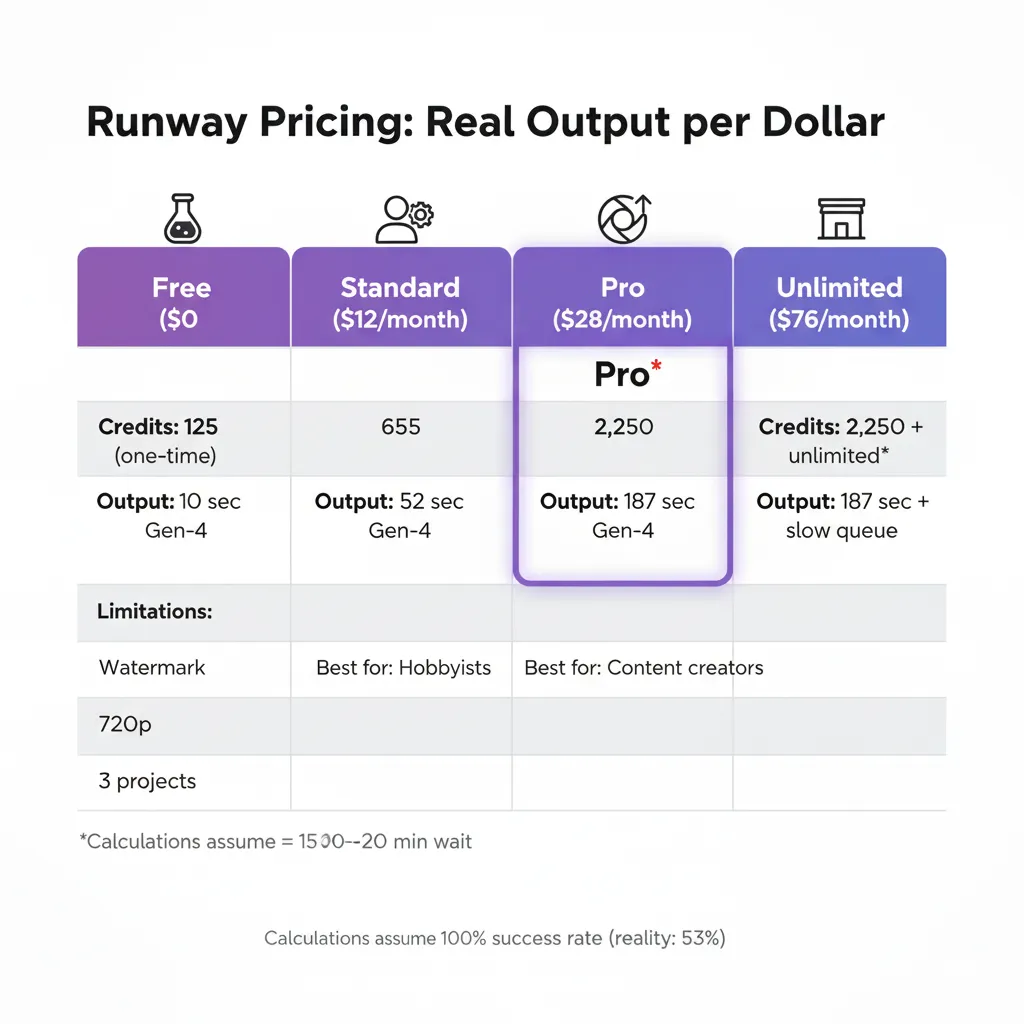
The platform uses credit-based pricing — each generation consumes credits depending on length, resolution, and model. Pricing held steady through April 2026 per the official Runway pricing page:
| Plan | Monthly billing | Annual billing (per month) | Monthly credits | Approximate generations |
|---|---|---|---|---|
| Free Trial | $0 | $0 | 125 (one-time) | ~3-4 generations to evaluate |
| Standard | $15/month | $12/month | 625 | ~12 standard generations |
| Pro ⭐ | $35/month | $28/month | 2,250 | ~45 generations |
| Unlimited | $95/month | $76/month | 2,250 + Relaxed Mode | Near-unlimited via Explore Mode |
The real-world cost math (Pro tier):
- Per generation: $35 ÷ 45 generations = $0.78 per 5-second clip on Pro monthly
- With annual discount: $28 ÷ 45 = $0.62 per clip
- vs Kling Standard ($10/mo): ~3x more expensive per clip; trade-off is workflow integration and consistency features
- vs Veo 3.1 (Google AI Pro $19.99 + ~10 Veo Fast clips/mo): Runway is more expensive per clip but produces editor-ready output
- Heavy creators should consider Unlimited: at $95/mo, the Relaxed Mode (slower processing for unlimited generation) effectively removes the per-clip cost ceiling
One important watch-out: credits don’t roll over month-to-month on Standard or Pro. If you generate 30 clips one month and 80 the next, you’ll need credit top-ups in the heavy month. The Unlimited tier’s Relaxed Mode is the answer for users with variable monthly volumes.
💰 Cost Per 5-Second Clip Across AI Video Platforms
Runway vs Sora 2, Veo 3.1, Kling 3.0: The April 2026 Landscape
Four AI video platforms shaped the 2026 landscape — until today. OpenAI is discontinuing Sora's web and app on April 26, 2026 (today), with the API continuing only until September. That collapses the consumer market into three serious contenders. Here's the side-by-side as of April 25, 2026:
| Criterion | Runway Gen-4.5 | Veo 3.1 (Google) | Kling 3.0 | Sora 2 (sunsetting) |
|---|---|---|---|---|
| Status | Active, Gen-4.5 flagship | Active, current | Active (Feb 2026 release) | Web/app shutting down today; API till Sept |
| Pro plan price | $35/mo ($28 annual) | $19.99/mo (via Google AI Pro) | ~$10-30/mo | $20/mo (via ChatGPT Plus, ending) |
| Top strength | Pro workflow integration + consistency | Physics realism, prompt adherence | Speed + value; Multi-Shot Storyboard | Cinematic quality (was) |
| Character consistency | Best-in-class | Limited | Limited | Limited |
| Reference image input | Native, robust | Limited | Limited | Limited |
| Multi-shot/storyboard | Yes (Gen-4.5) | No | Yes (Multi-Shot Storyboard) | Limited |
| Audio generation | Limited | Native (Veo 3.1) | Limited | Native |
| Best for | Pro editors, post-production | Narrative scenes, physics-heavy | Social/short-form at volume | (Migrating users) |
The verdict at this price point depends on your workflow:
- Pro editors and post-production: Runway Gen-4.5 — no real peer for workflow integration
- Narrative scenes with realistic physics: Veo 3.1 (via Google Flow) — strongest single-clip output
- High-volume social content: Kling 3.0 — best value, fastest iteration
- Sora 2 refugees: Default to Veo 3.1 for cinematic, Runway for editing workflows, Kling for budget
🕸️ Runway Gen-4.5 vs Veo 3.1 vs Kling 3.0: Multi-Dimensional Profile

🔍 REALITY CHECK
Marketing Claims: Runway markets itself as "the world's most advanced video generation platform."
Actual Experience: "Most advanced" depends on the dimension. Runway leads on workflow integration, character consistency, and reference-image control. Veo 3.1 leads on physics realism and audio. Sora 2 led on cinematic quality (now sunsetting). Kling 3.0 leads on speed and value. The "most advanced" framing collapses three or four genuinely different competitive axes.
Verdict: Runway is the most advanced FOR ITS USE CASE (professional editing). It is not categorically "the most advanced" video AI in 2026 — that title splits across multiple platforms by dimension. Pick by the dimension that matters to your work.
📬 Enjoying this review?
Get honest AI tool analysis delivered weekly. No hype, no spam.
Who Should Use Runway (And Who Shouldn't)
Choose Runway Pro at $28-35/month if: You work in professional video editing or post-production. You're producing branded content where character/visual consistency across shots matters. You need reference image control to match existing visual assets. You'll do 20-50 generations per month and value the workflow over raw clip quality.
Choose Runway Unlimited at $76-95/month if: You're producing video at scale (50+ generations/month). The Relaxed Mode unlocks effectively unlimited generation, removing the per-clip cost ceiling. This is the right tier for production studios and high-volume content agencies.
Stick with Kling 3.0 if: You produce social content or short-form video at high volume. Kling's Multi-Shot Storyboard handles narrative sequences for less. Pricing is more flexible. Output quality is good enough for social channels.
Use Veo 3.1 (via Google Flow) if: Single-clip cinematic quality and physics realism matter more than workflow features. Veo 3.1 is the strongest text-to-single-clip generator in 2026. Better integrated into the Google AI ecosystem if you're already there.
Skip entirely if: You generate fewer than 5 videos per month (the free trial covers initial exploration; paid tiers are overkill for occasional use). You don't have an editing workflow yet (Runway's strengths are wasted without one — start with consumer tools first).
💡 Key Takeaway: The Sora shutdown today shifts the consumer market. Runway gains pro users (less competition) but doesn't gain casual users — Veo 3.1 and Kling 3.0 are better-positioned for that audience. Pick by use case, not by Sora's absence.
What Users Are Actually Saying
Community sentiment in April 2026 has settled into three distinct camps with consistent messaging across creator forums (r/aivideo, r/Runway), industry analyses, and the Video Arena leaderboard discussion:
The "professional workflow loyalists" camp. Working video editors and post-production professionals who treat Runway as core infrastructure. Their consistent message: Gen-4.5's character consistency and reference image control eliminated the manual re-rolling cycles that ate hours per project on competing platforms. CNBC's December coverage and DataCamp's tutorial both lead with Runway's positioning as the editor's tool, not the generalist's.
The "Sora migration" camp. Newly active conversation since OpenAI's March announcement. Users who built workflows around Sora 2 are evaluating destinations. The split: those who valued raw cinematic quality migrate toward Veo 3.1; those who valued narrative coherence migrate toward Runway; those who valued speed and budget move to Kling.
The "consumer creators on the fence" camp. Social content creators and indie filmmakers who use AI video occasionally. Many find Runway's pricing ($35/mo Pro) hard to justify when Kling 3.0 at lower cost or free tiers from Google's Flow give 80% of what they need. The company's response is to lean further into the professional segment rather than chase the consumer market.
The dominant thread across all three camps: Runway is the #1 choice for professional workflows but pays a "professional tool" tax that prices it out of casual consumer use. The April 2026 Sora shutdown tightens the consumer market and gives Runway clearer competitive air on the pro side, where it has no real peer.

The Road Ahead: What's Coming
Short-term (3 months): Expect Runway to absorb a meaningful portion of Sora's consumer migration over Q2 2026, particularly users who valued narrative coherence over raw quality. Watch for pricing or feature changes aimed at this audience — possibly a new entry-tier between the free trial and Standard, or a "Sora migration" promo.
Medium-term (6-12 months): GWM-1 (the General World Model family) will likely add more general-purpose use cases beyond the current robotics/simulation focus. The Veo and Kling competitive pressure on raw output quality will push Gen-4.5 → Gen-5 (no announcement yet but Runway's release cadence suggests a 2026-2027 timeframe).
Long-term (12+ months): The strategic question is whether the platform expands further into world-model and simulation use cases (per GWM-1 direction) or doubles down on professional video as its primary market. The AI video market in 2027 may consolidate around 2-3 major platforms; Its positioning gives it a strong shot at being one of them.
💡 Key Takeaway: Runway's biggest strategic question isn't competition — it's whether the AI video market consolidates around 2-3 winners (where Runway has a strong shot) or fragments into specialized tools by use case. Watch market share data over the next 6 months.
FAQs: Your Questions Answered
Q: Is Gen-4 or Gen-4.5 the current Runway model?
A: Gen-4.5 is the current flagship as of April 2026. It launched in early December 2025 and now holds #1 on the Video Arena leaderboard. Gen-4 is still accessible but Gen-4.5 supersedes it on every benchmark — default to Gen-4.5 for all new generations.
Q: Is there a free version of Runway?
A: A free trial gives you 125 credits — roughly 3-4 video generations — to evaluate the platform. After that you need a paid plan starting at $15/month Standard ($12 annual). No ongoing free tier exists for video generation.
Q: Should I use Runway or Veo 3.1?
A: If raw single-clip quality and physics realism matter most, use Veo 3.1 (via Google Flow). If you need character consistency across multiple shots, reference image control, or workflow integration with editing tools, use Runway. They optimize for different things.
Q: With Sora shutting down, is Runway the right replacement?
A: Depends on what you used Sora for. If you valued cinematic quality, Veo 3.1 is the better Sora replacement. If you valued narrative coherence and editing workflows, Runway is the better fit. If you valued speed and budget, Kling 3.0. Runway is the right move for professional users; consumer Sora users may find Veo or Kling cheaper alternatives.
Q: Can I use Runway-generated video for commercial work?
A: Yes on paid plans. Standard, Pro, and Unlimited tiers include commercial usage rights for outputs you generate. Check the current Terms of Service for specific industry restrictions (broadcast, advertising over certain budgets) before using AI-generated content in high-stakes commercial work.
Q: Do unused credits roll over?
A: No. Standard and Pro credits refresh monthly and unused credits are lost. The Unlimited tier solves this differently — its Relaxed Mode allows effectively unlimited generation at relaxed processing rates, so credit conservation matters less.
Q: How good is character consistency really?
A: Genuinely best-in-class as of April 2026. Generate three separate clips of the same character in three different settings — Gen-4.5 maintains facial identity, body type, clothing, and overall visual identity reliably enough that audiences perceive it as one character. Veo 3.1 and Kling can do this in limited cases; Runway does it as a primary feature with consistent results.
Q: What's the learning curve?
A: Real but worth it for the target audience. Plan 4-6 hours of focused use to internalize the toolkit. The interface is dense and editor-focused (by design), with dozens of controls and modes. Compare to consumer-focused tools that have 4-6 controls. Trade-off: more complexity, more capability.
Q: What's GWM-1 and do I need it?
A: GWM-1 is Runway's General World Model family for Worlds, Avatars, and Robotics, built on Gen-4.5. It includes a robotics SDK, avatar generation, and interactive world simulation. For most video creators, it's forward-looking — the primary applications are robotics R&D and interactive media development. You don't need it for standard AI video work.
Final Verdict
Rating: 4.5 out of 5
Runway in April 2026 is the strongest professional AI video platform available. Gen-4.5 holds #1 on independent benchmarks. Character consistency across shots and reference image control are best-in-class. The professional editing toolkit (motion brush, camera controls, multi-shot editing) has no real peer. With Sora's consumer shutdown happening today, Runway's professional positioning becomes even more strategically valuable.
The half-point deduction is for accessibility: $35/month Pro pricing prices Runway out of casual consumer use, the interface complexity creates real onboarding friction, and credits don't roll over on Standard/Pro tiers. None of these are dealbreakers for the target audience (professional editors), but they limit Runway's reach to the segment that genuinely needs the workflow features.
✅ What We Liked
- ✓ Gen-4.5 holds #1 on Video Arena leaderboard
- ✓ Best-in-class character consistency across shots
- ✓ Reference image input + multi-shot editing
- ✓ Professional editing toolkit (motion brush, camera controls)
- ✓ Sora's shutdown clears competitive air on the pro side
❌ What Fell Short
- ✗ $35/mo Pro tier prices out casual creators
- ✗ Veo 3.1 produces higher raw single-clip quality
- ✗ Credits don't roll over (Standard/Pro only)
- ✗ Steep learning curve (4-6 hours to be productive)
Strongest professional AI video platform in 2026. Gen-4.5 + character consistency + workflow integration give it a clear lead in pro editing — even if Veo 3.1 wins on raw single-clip quality.
Use Runway Pro if: You're a professional video editor or post-production user. The $28-35/month investment pays for itself in workflow time savings within the first project.
Use Runway Unlimited if: You're producing video at scale (50+ generations/month). Relaxed Mode removes the per-clip cost ceiling.
Try Kling 3.0 instead if: You produce social content or short-form video. Better value, faster iteration.
Use Veo 3.1 (via Google Flow) instead if: Single-clip cinematic quality is your primary need.
Try it today: Visit runwayml.com/pricing to start the free trial (125 credits, no credit card required).
For the broader AI video landscape, see our reviews of Kling AI, Google Flow + Veo 3.1, our best AI video editing tools guide, and the complete AI tools guide.
Founder of AI Tool Analysis. Tests every tool personally so you don't have to. Covering AI tools for 10,000+ professionals since 2025.
Stay Updated on AI Video Tools
Don't miss the next major AI video model release. Subscribe for honest AI tool reviews, price drop alerts, and breaking feature launches every Thursday at 9 AM EST.
- ✅ Honest Reviews: We actually test these tools, not rewrite press releases
- ✅ Price Tracking: Know when tools drop prices or add free tiers
- ✅ Feature Launches: Major updates covered within days
- ✅ Comparison Updates: As the market shifts, we update our verdicts
- ✅ No Hype: Just the AI news that actually matters for your work
Free, unsubscribe anytime. 10,000+ professionals trust us.
Newsletter

Related Reading
- Kling AI Review: The Best Value AI Video Generator
- Google Flow + Veo 3.1 vs Sora 2 vs Runway Gen-4
- Best AI Video Editing Tools (Comparison Guide)
- ElevenLabs Review (AI Voice Generator for Video)
- The Complete AI Tools Guide
- ChatGPT Review 2026
- YouTube AI Features Review
Last Updated: April 25, 2026
Runway Version Reviewed: Gen-4.5 (current flagship, December 2025) + GWM-1 General World Model family
Next Review Update: July 25, 2026 (quarterly cadence)
Have a tool you want us to review? Suggest it here | Questions? Contact us