
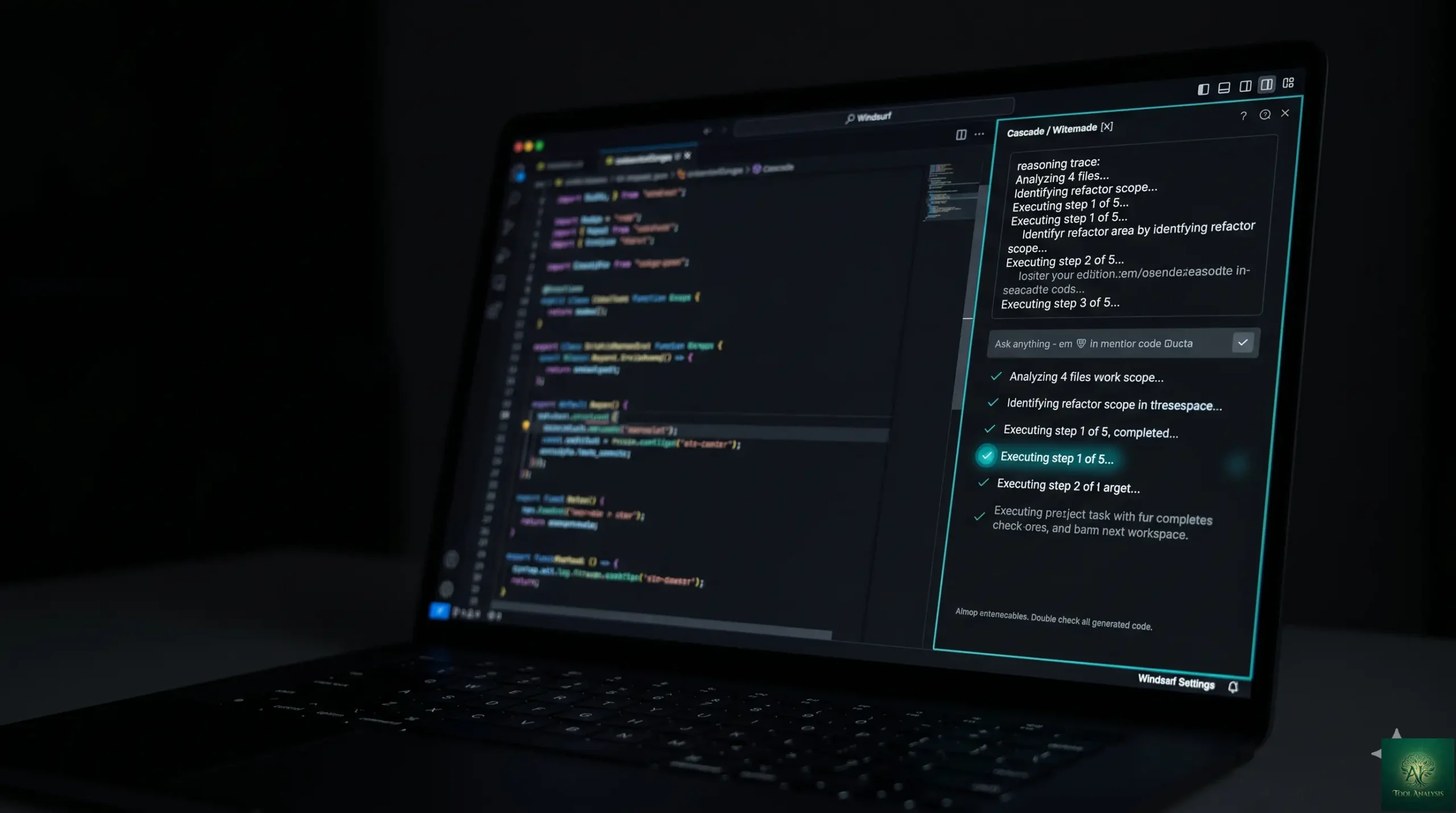
This Windsurf review tests the May 2026 product — Codeium’s AI-first IDE that positions itself as the cost-conscious alternative to Cursor 2. The headline question for buyers in 2026 isn’t “does Windsurf work” — it does — but “is the price advantage still worth the polish gap versus Cursor, and how does it stack against the newer entrants like Google Antigravity?” This windsurf review answers that across the dimensions that matter for IDE buyers: Cascade agent capability, SWE-1.5 model quality, real-world coding workflow, free-tier generosity, pricing per outcome, and honest verdicts for the personas reaching for AI-first IDEs (cost-conscious solo developers, mid-size engineering teams, students learning by building, developers who care about model choice). Spoilers: yes for value-per-dollar, mixed for premium polish, no if you need the absolute latest features the day they ship.
⚡ TL;DR – The Bottom Line
What This Is: Honest Windsurf review of the May 2026 product — Codeium’s AI-first IDE with Cascade agent and SWE-1.5 in-house model.
Best For: Cost-conscious solo developers, mid-size engineering teams, students learning by building, devs who want AI-first IDE features without Cursor’s price premium.
Pricing: Generous free tier, Pro ~$15/mo, Teams custom. Verify current pricing on codeium.com — Windsurf adjusts tiers each Wave release.
Our Take: Still a credible Cursor alternative — closes ~80-90% of Cursor’s capability gap at a meaningfully lower price. SWE-1.5 model handles routine work well; Claude Opus 4.7 + Gemini 3.1 Pro available for harder tasks via model choice.
⚠️ The Catch: Polish and bleeding-edge feature releases lag Cursor 2. If you want the latest IDE feature the day it ships, Cursor is still the leader.
📑 Quick Navigation
Windsurf Review — The Bottom Line
- You’re a cost-conscious solo developer wanting AI-first IDE features: Yes, this Windsurf review unambiguously recommends it. The free tier is meaningfully more generous than Cursor’s, the Pro tier at ~$15/mo undercuts Cursor’s $20/mo, and Cascade + SWE-1.5 cover 80-90% of what you’d want from a paid Cursor subscription.
- You’re a mid-size engineering team standardizing on an AI IDE: Yes for cost-conscious teams; consider Cursor 2 if budget allows for the polish premium. Windsurf’s per-seat economics work meaningfully better at 10+ developers.
- You’re a student learning by building: Yes — the generous free tier removes the “do I pay for AI tooling while learning?” friction. Windsurf is the right entry point into AI-first IDE workflows.
- You want bleeding-edge IDE features the day they ship: Skip Windsurf, use Cursor 2. Cursor ships new features faster; Windsurf’s Wave cadence is more measured.
- You’re in the Google ecosystem: Try Google Antigravity (free during early access) — same IDE category, native Gemini integration. Pick by ecosystem fit rather than budget alone.
- You want fully autonomous coding (multi-hour agent runs): Use Claude Code alongside Windsurf — Cascade is competent for in-editor agent work but Claude Code’s autonomy depth is meaningfully better for long autonomous sessions.
What It Actually Does
Windsurf is Codeium’s AI-first IDE — a VS Code fork built around AI assistance from the ground up, similar in category to Cursor 2 and Google Antigravity. The defining design choice: assume AI is central to the development workflow and design the IDE around that assumption, rather than bolting AI onto a traditional editor as a plugin. The result is a more integrated AI experience for codebase-wide refactors, multi-file edits, autonomous agent tasks, and intelligent context retrieval — features that work but feel additional in VS Code with Copilot, and work natively in Windsurf.
The two features that differentiate Windsurf in May 2026: Cascade (the agent mode that handles multi-step autonomous tasks inside the IDE) and SWE-1.5 (Codeium’s in-house code-specific model that powers most routine completions and analysis at no per-call charge to the user). Model choice for harder tasks routes through Claude Opus 4.7, Gemini 3.1 Pro, or GPT-5.4 — same multi-model story as Cursor and the latest GitHub Copilot Pro+.
What Changed Since Late 2025
- Wave cadence continued. Codeium maintained its Wave release rhythm through 2026 — periodic major feature drops rather than continuous shipping. By May 2026 the IDE moved past Wave 13 into newer iterations; the feature set has matured but the cadence philosophy hasn’t changed.
- Cascade matured into production-grade agent mode. The autonomous in-editor agent that was promising-but-rough in late 2025 became reliable for routine multi-step tasks through 2026. Multi-file refactors, test generation, and bug-fix loops work consistently. Long-form autonomous sessions still trail Claude Code’s depth.
- Model choice expanded. SWE-1.5 (Codeium’s in-house code model) handles the majority of routine work at no per-call cost. For harder tasks, route through Claude Opus 4.7, Gemini 3.1 Pro, or GPT-5.4 — same multi-model story as Cursor 2 and GitHub Copilot Pro+.
- Competitive landscape sharpened. Cursor 2 retained AI-first IDE leadership; Google Antigravity entered as a credible Gemini-stack option; GitHub Copilot Pro+ added Plan Mode + model choice inside VS Code. Windsurf’s positioning narrowed to “cost-conscious AI-first IDE” — still defensible, no longer differentiating on capability alone.
- Pricing structure intact. Free tier remained more generous than Cursor’s; Pro held at ~$15/mo. Verify current pricing on codeium.com — Windsurf adjusts tiers each Wave release.
Getting Started in 15 Minutes
The first-experience workflow is fast for anyone coming from VS Code. Download Windsurf from codeium.com, sign in with a Codeium account (free), open a project folder — Windsurf works as a VS Code drop-in with the AI features layered on top. First useful interaction: open Cascade, describe a task (“refactor this function to use async/await throughout”), watch the agent execute multi-step changes. First useful chat interaction: ask SWE-1.5 to explain a confusing function. Both within the first 15 minutes.

The genuinely useful onboarding pattern: import a real project you’re working on (not a hello-world example), give Cascade one concrete refactor task that touches 3-5 files, and review what it produces. The 30-minute investment exposes you to the IDE’s actual workflow rather than the demo experience.
Cascade: Windsurf Review’s Look at Agent Mode
Cascade is Windsurf’s agent mode — the feature that turns “describe a task → AI executes multi-step changes” workflows into a first-class IDE experience. By May 2026, Cascade handles multi-file refactors, test generation, bug-fix loops, and routine implementation tasks consistently. The “give it a one-paragraph description, get working code 5 minutes later” workflow is reliable for routine tasks.
Where Cascade hits limits: long-form autonomous sessions (multi-hour runs with many tool calls), complex architectural changes that span major reorganizations, and tasks requiring deep cross-codebase reasoning. For those, Claude Code’s standalone autonomy depth is meaningfully better — many developers use Cascade for in-editor agent work and Claude Code for “fire-and-forget” overnight autonomous tasks.
SWE-1.5 + Model Choice
SWE-1.5 is Codeium’s in-house code-specific model — fine-tuned for routine coding tasks, fast inference, and meaningfully cheaper to run than routing every query through a flagship LLM. Practical implication: most of your Windsurf interactions hit SWE-1.5 (completions, simple Q&A, routine refactors) at no per-call cost, which is what enables the generous free tier and the lower Pro price relative to Cursor.

For harder tasks where SWE-1.5 isn’t enough, model choice routes through Claude Opus 4.7, Gemini 3.1 Pro, or GPT-5.4. Same flagship-LLM access as Cursor — Windsurf isn’t behind on the model-choice axis. The difference is that Windsurf’s default routing is more economy-friendly because SWE-1.5 handles the common case at zero marginal cost.
🔍 REALITY CHECK
Marketing Claims: “Why Pay $20 For Cursor When This AI IDE Is Free For 3 Months?” (the source-post-era pitch around Windsurf’s free-trial framing).
Actual Experience: Half-true. Windsurf is genuinely cheaper than Cursor — that part holds. But “free for 3 months” was a launch-window promo; the May 2026 reality is that Windsurf has a generous free tier (more generous than Cursor) and a $15/mo Pro tier that’s ~25% cheaper than Cursor’s $20/mo. The pitch isn’t “free forever” — it’s “value-per-dollar leader in the AI-first IDE category.” Set expectations to that and the math holds. Note that the “Pay $20 for Cursor when this is free?” framing was clickbait even in late 2025; the substantive question is “do you want Cursor’s polish + bleeding-edge feature pace, or Windsurf’s value + measured release rhythm?”
Verdict: “Free trial” framing was promotional; the durable advantage is value-per-dollar + free-tier generosity. Pick on that, not on the clickbait.
Pricing Reality
| Tier | Price (verify current) | What You Get | Best For |
|---|---|---|---|
| FreeFREE | $0 | Generous SWE-1.5 quota, Cascade basic, limited flagship-model credits | Solo / casual / learning |
| ProSWEET SPOT | ~$15/mo | Higher SWE-1.5 limits, full Cascade, ~500 flagship-model credits, all features | Active developers |
| Teams | ~$30/mo per user | Pro features + team workspaces, admin controls, shared settings | Small teams 5-25 devs |
| Enterprise | Custom | SSO, on-prem option, audit logs, dedicated support | Large orgs, regulated industries |
Pricing tip: most paying users land on Pro at $15/mo — covers active development comfortably. The free tier is generous enough to evaluate the IDE seriously over a month before committing. Teams tier matters when you want shared workspaces and admin controls; Enterprise only if SSO / on-prem / audit are required.
📬 Find this Windsurf review useful?
Get our weekly AI dev tool reviews — Windsurf Wave releases, Cursor updates, Claude Code launches, and pricing changes.
Windsurf vs Cursor vs Antigravity
| Dimension | Windsurf | Cursor 2 | Google Antigravity |
|---|---|---|---|
| Free tier generosity | Best in classWIN | Limited | Free during early access |
| Entry paid tier | ~$15/mo Pro | $20/mo Pro | Bundled with Google AI Pro $19.99 |
| Agent capability (in-editor) | Strong (Cascade) | Best (Composer) | Strong (agentic IDE design) |
| Model choice | Yes (SWE-1.5 + flagships) | Yes (broad multi-model) | Yes (Gemini 3.1 Pro default) |
| In-house model | Yes (SWE-1.5 — cost advantage) | No | No (uses Gemini) |
| Polish + feature pace | Good (Wave cadence) | Best in class (rapid shipping) | Maturing |
| Ecosystem fit | Vendor-neutral | Vendor-neutral | Google Workspace / Vertex AI |
| Best for | Cost-conscious + free-tier users | Premium / bleeding-edge users | Google ecosystem teams |

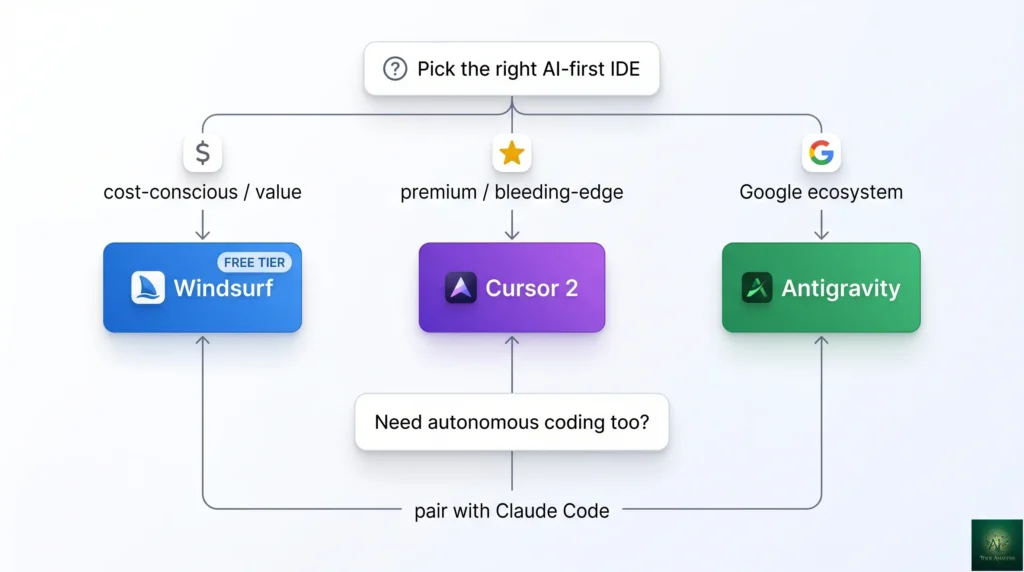
The honest verdict: Windsurf wins on value per dollar + free-tier generosity. Cursor 2 wins on polish + feature pace. Antigravity wins for Google-stack teams. Pick by what matters most to your workflow — there’s no single “best” AI-first IDE in May 2026, just different value propositions in the same category. Most professional developers pick one IDE and pair it with an autonomous coding agent (Claude Code typically) — the IDE + agent stack covers the full workflow.
Who Should Use It
- Cost-conscious solo developers: Yes. $15/mo Pro vs Cursor’s $20/mo is meaningful when you’re paying out of pocket. The capability gap closed enough that the savings are pure win.
- Students learning by building: Yes. Free tier removes the friction of paying for AI tooling while learning. Pick Windsurf as your entry point into AI-first IDEs.
- Mid-size engineering teams (10-25 devs): Yes, with caveat — calculate the per-seat economics carefully. Windsurf Teams at $30/user vs Cursor Business at $40/user adds up; the polish premium needs to justify $10/dev/month.
- Developers who want model choice + a working in-house model: Yes. SWE-1.5 handles 80%+ of routine work at zero marginal cost; flagship-model routing covers harder tasks. Cleaner cost structure than pure-flagship-routing competitors.
- Developers who want bleeding-edge features: Skip Windsurf, use Cursor 2. Cursor ships new features faster — Windsurf’s Wave cadence is more measured.
- Teams locked into the Google ecosystem: Try Google Antigravity instead. Free during early access + native Gemini integration + Vertex AI compatibility makes it the natural fit. Windsurf is vendor-neutral; Antigravity is Google-first.
- Anyone doing heavy autonomous coding (multi-hour agent runs): Pair Windsurf with Claude Code for fire-and-forget autonomous work. Windsurf’s Cascade is good for in-editor agent tasks; Claude Code is better for standalone long-running autonomy.

💡 Key Takeaway: Windsurf’s defensible moat is the value-per-dollar combination — generous free tier + $15/mo Pro + SWE-1.5 in-house model that handles routine work at zero marginal cost. Cursor’s premium polish is real but not worth the price premium for cost-conscious users or teams. Pick Windsurf for value; pick Cursor 2 for the latest features.
FAQs
Is Windsurf actually cheaper than Cursor?
Yes — meaningfully. Windsurf Pro at ~$15/mo undercuts Cursor Pro’s $20/mo by 25%, and Windsurf’s free tier is more generous than Cursor’s. For solo developers paying out of pocket or teams scaling per-seat licensing, the savings compound. The “free for 3 months” framing from launch promos isn’t durable; the value-per-dollar advantage is.
What is SWE-1.5?
Codeium’s in-house code-specific model — fine-tuned for routine coding tasks (completions, simple refactors, Q&A) with fast inference and meaningfully cheaper to run than flagship LLMs. Powers most Windsurf interactions at zero per-call cost, which is what enables the generous free tier and lower Pro price. For harder tasks, model choice routes through Claude Opus 4.7, Gemini 3.1 Pro, or GPT-5.4.
What is Cascade?
Windsurf’s agent mode — the feature that turns “describe a task → AI executes multi-step changes” workflows into a first-class IDE experience. Handles multi-file refactors, test generation, bug-fix loops, and routine implementation tasks reliably. Comparable to Cursor’s Composer + Agent mode; lighter weight than Claude Code’s standalone autonomy.
Is Windsurf better than Cursor 2?
Different value propositions in the same category. Windsurf wins on value per dollar + free-tier generosity + in-house SWE-1.5 cost advantage. Cursor 2 wins on polish + bleeding-edge feature pace + broader model choice. Pick by what matters most: value (Windsurf) or feature velocity (Cursor).
Does Windsurf work like VS Code?
Yes — Windsurf is a VS Code fork with AI features built in. Most VS Code keyboard shortcuts, settings patterns, and extension compatibility work in Windsurf. Coming from VS Code, the learning curve is shallow; the AI features are additive rather than disruptive.
Can Windsurf run autonomous coding tasks?
Yes for in-editor agent work via Cascade — multi-step refactors, test generation, bug-fix loops. For fire-and-forget multi-hour autonomous sessions, Claude Code is meaningfully better. Many developers use both — Windsurf for in-editor agent + Claude Code for overnight autonomous tasks.
Does Windsurf support model choice?
Yes — SWE-1.5 (in-house) for routine work, plus Claude Opus 4.7, Gemini 3.1 Pro, and GPT-5.4 available for harder tasks. Pick per-query or let Windsurf route automatically. Same multi-model story as Cursor 2 and GitHub Copilot Pro+.
Is my code private with Windsurf?
For paid Pro and Teams tiers, yes — Codeium offers privacy controls comparable to industry standards. Enterprise tier adds SSO, on-prem deployment options, and audit logging for regulated industries. Free tier has more permissive data usage; check current terms on codeium.com before committing for sensitive work.
✅ What Windsurf Wins At
- ✓ Most generous free tier in AI-first IDE category
- ✓ $15/mo Pro undercuts Cursor’s $20/mo by 25%
- ✓ SWE-1.5 in-house model = cost advantage on routine work
- ✓ Cascade agent mode reliable for in-editor multi-step tasks
- ✓ VS Code drop-in — shallow learning curve
❌ Where Windsurf Falls Short
- ✗ Wave cadence ships features slower than Cursor
- ✗ Polish gap vs Cursor 2 remains real
- ✗ Cascade autonomy depth trails Claude Code standalone
- ✗ Not the right fit for Google-ecosystem teams (Antigravity wins there)
The value-per-dollar leader in the AI-first IDE category in May 2026 — generous free tier, $15/mo Pro, SWE-1.5 in-house model, capable Cascade agent. Half a star off because feature pace + polish trail Cursor 2; the gap on bleeding-edge releases is real for users who want every new feature immediately.
The Final Verdict
Windsurf in May 2026 is the right answer for cost-conscious developers and teams who want AI-first IDE features without paying Cursor’s price premium. The combination of generous free tier + $15/mo Pro + SWE-1.5 in-house model (cost-free for routine work) + capable Cascade agent + VS Code drop-in compatibility is meaningfully differentiated from competitors in the same category. For solo developers paying out of pocket, students learning by building, and mid-size teams calculating per-seat economics, this Windsurf review unambiguously recommends it.
Final Windsurf review verdict: pick Windsurf if value per dollar matters more than bleeding-edge feature releases. Pick Cursor 2 if polish + feature pace matter more than savings. Pick Google Antigravity if you’re in the Google ecosystem. Pair whichever IDE you choose with Claude Code for fire-and-forget autonomous work where Cascade hits its depth limits. The 2026 AI dev stack is rarely one tool; pick the IDE and agent combination that fits your workflow + budget.
Related Reading
- Cursor 2 Review — the AI-first IDE leader Windsurf positions against
- Claude Code Review — pair with Windsurf for fire-and-forget autonomous coding
- Best AI Developer Tools 2026 — broader roundup placing Windsurf in context
- GitHub Copilot Pro Review — for the in-editor coding-assistant tier
- Google Gemini Review — Gemini 3.1 Pro (one of the models powering Windsurf)
- Genspark AI Review — for adjacent AI productivity tooling
- The Complete AI Tools Guide — buyer’s guide for picking the right tool from 200+ tested
Founder of AI Tool Analysis. Reads every pricing page, help article and footnote so you don’t have to. Covering AI tools since 2025. See how we research →
Stay Updated on AI Developer Tools
The AI developer tools landscape shifts quarterly. Subscribe for honest reviews of new Windsurf / Cursor / Claude Code / Antigravity releases, pricing changes, and feature drops — delivered every Thursday at 9 AM EST.
- ✅ Sourced Reviews: Every price and limit checked against the vendor’s own pages, not rewritten from press releases
- ✅ New Releases: Windsurf Waves / Cursor updates / Claude Code drops covered within days
- ✅ Pricing Changes: Know when subscription tiers shift
- ✅ Stack Recommendations: Real-world AI dev stacks as the field evolves
- ✅ No Hype: Just the AI dev news that matters for your work
Free, unsubscribe anytime.

Last Updated: May 1, 2026
Tool Tested: Windsurf (Codeium, May 2026 product — current Wave + Cascade + SWE-1.5), with comparison context to Cursor 2, Google Antigravity, GitHub Copilot Pro+, Claude Code. Verify current pricing on codeium.com before publish — Windsurf adjusts subscription tiers each Wave release.
Slug Note: Renamed from /windsurf-review-wave-13/ to /windsurf-review/ on May 1, 2026 for evergreen URL. 301 redirect in place. Under the no-version-or-year-in-slugs standing policy.
Next Review Update: August 2026 (or sooner when Codeium ships a major Wave release)
Have a tool you want us to review? Suggest it here | Questions? Contact us