
This Kling AI complete guide covers everything you need before you spend a credit: what Kling makes, how long its videos can be, how the credit meter works, what each plan really costs, which features are worth your time, and how it stacks up against Runway now that Sora is gone. Every Kling number comes from Kling’s own user guides, plans page and developer pricing page; Runway and Sora facts come from Runway’s and OpenAI’s own pages, as they read on October 4, 2026. For the deep dives, see our Kling AI pricing breakdown and Kling AI video length guide.
⚡ TL;DR: The Bottom Line
What It Is: An AI video generator that turns text or images into 3 to 15 second clips with native audio, at 720p, 1080p or 4K.
Best For: Social clips, product shots and short scenes. Pro ($32.56 a month, or $24.42 a month yearly) suits weekly creators.
Price: Free Basic plan; Standard and Pro $6.99 / $25.99 for the first month, then $8.80 / $32.56 a month; Premier $80.96 to $376.99 a month by credit size; Ultra+ $544.99 a month after a $432.99 first month.
Our Take: A deep feature set (multi-shot, elements, motion control, 4K) at per-second prices that match or beat Runway. Budget carefully: every second costs credits.
⚠️ The Catch: Monthly credits expire after 31 days, the bold price lasts one month, and credits alone don’t unlock watermark removal or 4K.
📑 Quick Navigation
🎬 1. What Kling AI Actually Does (2026 Edition)
Kling AI turns a text prompt or a still image into a short video. Type “a pianist plays on a ship amid towering waves” or upload a product photo, and Kling generates the clip, with sound if you want it. The current model family is Kling 3.0, which Kling’s guides split into VIDEO 3.0 and VIDEO 3.0 Omni. Omni takes richer input: up to seven reference images or elements (saved characters), four if you also add a video, and one reference video of 3 to 10 seconds.
Here is what changed since our January guide, in Kling’s own words and dates:
- Kling 3.0: single generations of up to 15 seconds (VIDEO O1 managed 10), native audio with character-specific dialogue, and custom multi-shot storyboards.
- Native 4K: Kling says it launched native 4K generation for the 3.0 models on April 23, 2026.
- Kling 4.0: Kling’s plans page describes it as supporting native 30-second generation; the limited-time 10% Kling 4.0 discount it showed in mid-October was gone on October 29. Early access to Kling 4.0 Flash comes with the yearly Ultra+ plan ($4,902.99 a year). The plans page shows no Kling 4.0 credit rate yet, but Kling’s developer API now sells Kling 4.0 at $0.235 a second for 1080p video without an input video.
🔍 REALITY CHECK
Marketing Claims: “Film-grade visual quality built for commercial production”, on Kling’s plans page.
What It Really Means: The tools are there: 4K, multi-shot, elements for consistent characters. But every second is billed, clips cap at 15 seconds per generation, and Kling’s own extension guide says longer clips may take several tries.
Verdict: Strong for short, planned shots. Budget credits for retries before you promise a client a long take.
📏 2. Video Length Limits: Free vs Paid
One Kling 3.0 generation runs 3 to 15 seconds, and Kling’s plan table doesn’t list a shorter length for the free Basic plan. Kling’s Extend with Prompts guide says you can extend a generated clip 4 to 5 seconds at a time, up to 3 minutes in total (the guide predates Kling 3.0 and doesn’t list which models support it), and Kling’s plan table marks video extension as a paid-plan feature. Kling’s Avatar 2.0 is a separate tool for talking-character videos, and Kling says it covers content up to 5 minutes long.
| What | Length | Free (Basic) | Paid Plans |
|---|---|---|---|
| One Kling 3.0 generation | 3 to 15 seconds | No shorter limit listed | Yes |
| Extend with Prompts | +4 to 5 s per step, up to 3 minutes | Not included | Yes |
| Videos per generation | Up to 4 outputs | 1 | 4 |
| 1080p / 4K video | Resolution | Not included | Yes |
| Avatar 2.0 (talking characters) | Up to 5 minutes of content | Separate tool; see Kling’s Avatar 2.0 guide | |
The full breakdown, including how many minutes each plan’s credits buy, is in our Kling AI video length limits guide.
💳 3. The Credit System Explained
Credits are Kling’s currency. Its FAQ says they are deducted by the number of outputs, model, length and resolution. On Kling 3.0 that works out to a per-second meter:
| Mode | 720p | 1080p | 10-Second Clip (1080p) |
|---|---|---|---|
| No native audio | 6 credits/sec | 8 credits/sec | 80 credits |
| Native audio | 9 credits/sec | 12 credits/sec | 120 credits |
| Voice tone control add-on | +2 credits/sec | +2 credits/sec | +20 credits |
| 3.0 Omni with a video input (no audio) | 12 credits/sec | 16 credits/sec | 160 credits |
Four rules from Kling’s FAQ decide how far your credits go. Monthly credits are valid for 31 days. Credits you buy separately last two years, and Kling spends whatever expires soonest first. When a subscription ends, unused monthly credits expire. And owning credits doesn’t give you subscription features: watermark removal and 4K need an active plan.
💡 Key Takeaway: Budget 120 credits for every 10-second 1080p clip with sound, and more if you need retakes. Draft at 720p without audio (6 credits a second), then make the keeper at full quality.
💰 4. Pricing Breakdown: What You’ll Actually Pay
Each paid plan shows a crossed-out list price, a first-month price and the “then” price you pay from month two. Yearly billing is cheaper again. Here is the plans page on October 29, 2026:
| Plan | First Month | Then (Monthly) | Yearly (Per Month, or First Year) | Credits/Month | 10s 1080p Clips With Sound |
|---|---|---|---|---|---|
| Basic | $0 | $0 | No yearly plan | Monthly free credits (amount not listed) | Not applicable |
| Standard | $6.99 | $8.80 | $79.20 ($6.60) | 660 | 5 |
| Pro | $25.99 | $32.56 | $293.04 ($24.42) | 3,000 | 25 |
| Premier 8K | $64.99 | $80.96 | $728.64 ($60.72) | 8,000 | 66 |
| Premier 18K (default) | $144.99 | $181.99 | $1,639.99 ($136.67) | 18,000 | 150 |
| Premier 28K | $225.99 | $283.99 | $2,550.99 ($212.58) | 28,000 | 233 |
| Premier 38K | $299.99 | $376.99 | $3,389.99 ($282.50) | 38,000 | 316 |
| Ultra+ | $432.99 | $544.99 | $4,902.99 ($408.58) | 57,000 | 475 |
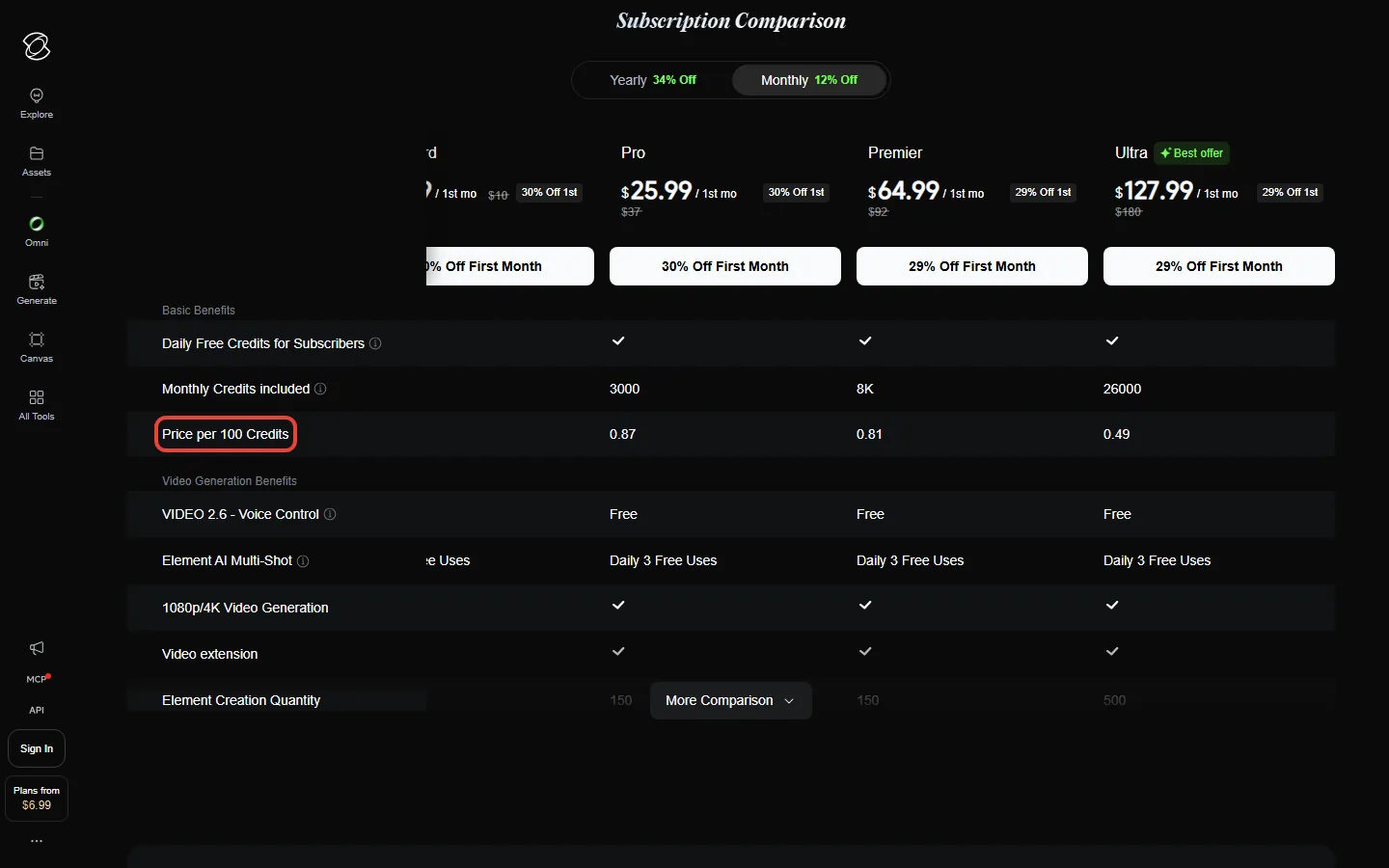
Two things to know before you pay. The bold first-month price is a “first-purchase offer available once”, so budget with the month-two price. And yearly billing saves about 25% against that month-two price; the “34% Off” label is measured against the crossed-out list prices. Clip counts in the table assume every take is a keeper. Our Kling AI pricing guide has the full per-credit and per-clip maths.
📊 Monthly Price From Month Two vs Yearly Price (Per Month)
🔊 5. Native Audio: From Kling 2.6 to 3.0
Kling 2.6 was the model that ended “silent films” on Kling. Its user guide (December 16, 2025) says it “generates visuals, natural voiceovers, matching sound effects, and ambient atmosphere in a single pass”. Kling 3.0 builds on that. Its guide says native audio can now tie dialogue to a specific character in multi-character scenes, and an element’s voice tone can be bound when you create it, so a character keeps the same voice across clips.
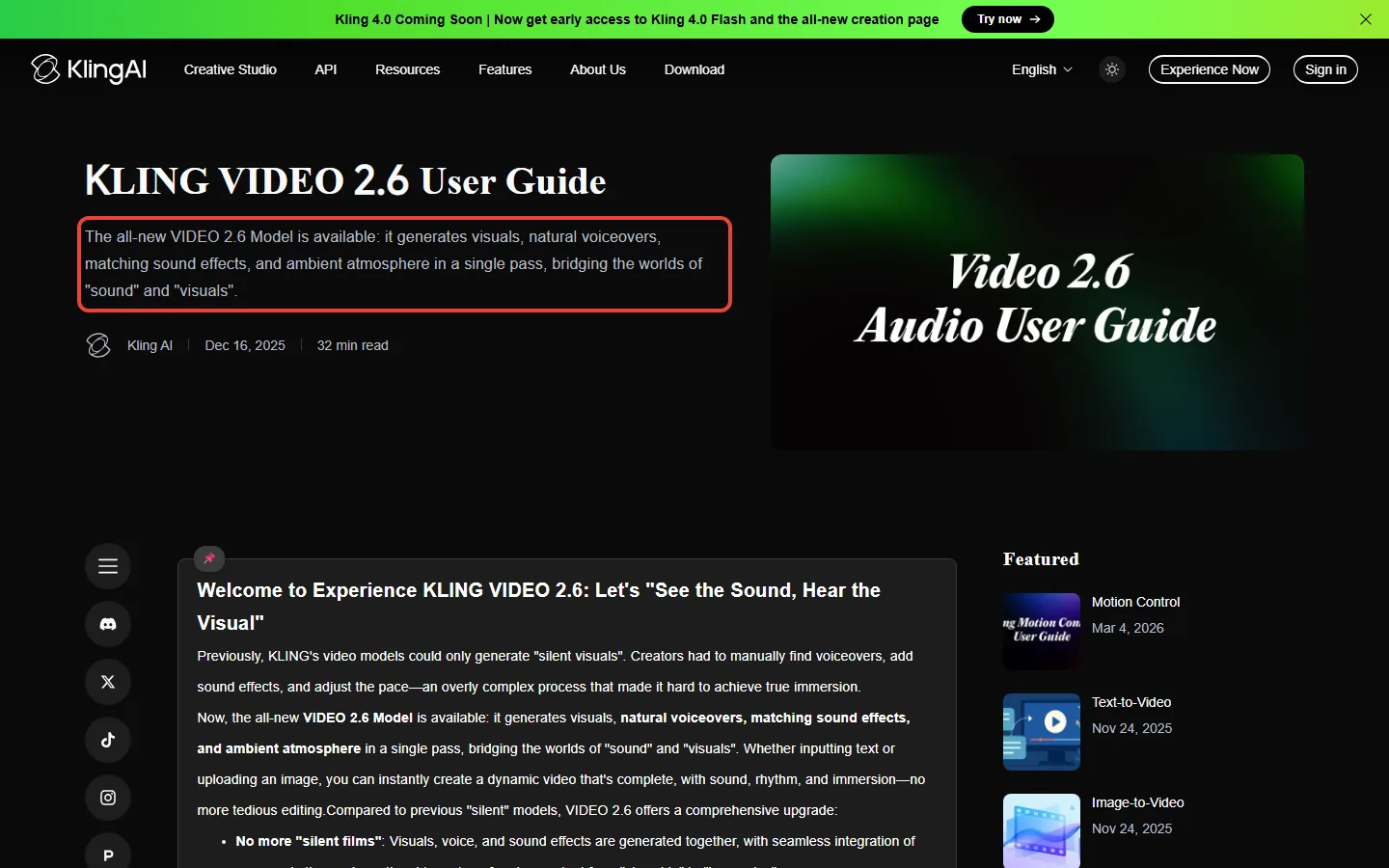
Sound costs extra credits. At 1080p, native audio raises the rate from 8 to 12 credits a second, and voice tone control adds 2 more. Kling’s 2.6 guide prices voice control at 2 credits a second but “free and unlimited for subscribers”, and every paid plan card lists it as “Free”. The 3.0 voice tone add-on has no such note, so check which model you have selected. One limit to know: in 3.0 Omni, native audio is “Not Supported Yet” when you give the model a reference video.
✨ 6. Features That Actually Matter
Kling’s quickstart lists a long menu of tools. These are the ones that change what you can make, with what Kling’s own guides say about each:
1. Custom multi-shot.
In 3.0 and 3.0 Omni you can split one 15-second generation into several shots and set the number of shots and each shot’s duration and content. It’s the closest thing to a storyboard inside the generator. Paid plan cards also list “Element AI Multi-Shot” with “Daily 3 Free Uses”.
2. Elements for consistent characters.
The Element Library lets you upload multi-angle reference images so Kling “will remember your characters, items, and scenes”. Kling 3.0 can bind up to three elements in start-frame generation, and 3.0 Omni adds voice binding.
3. Motion Control.
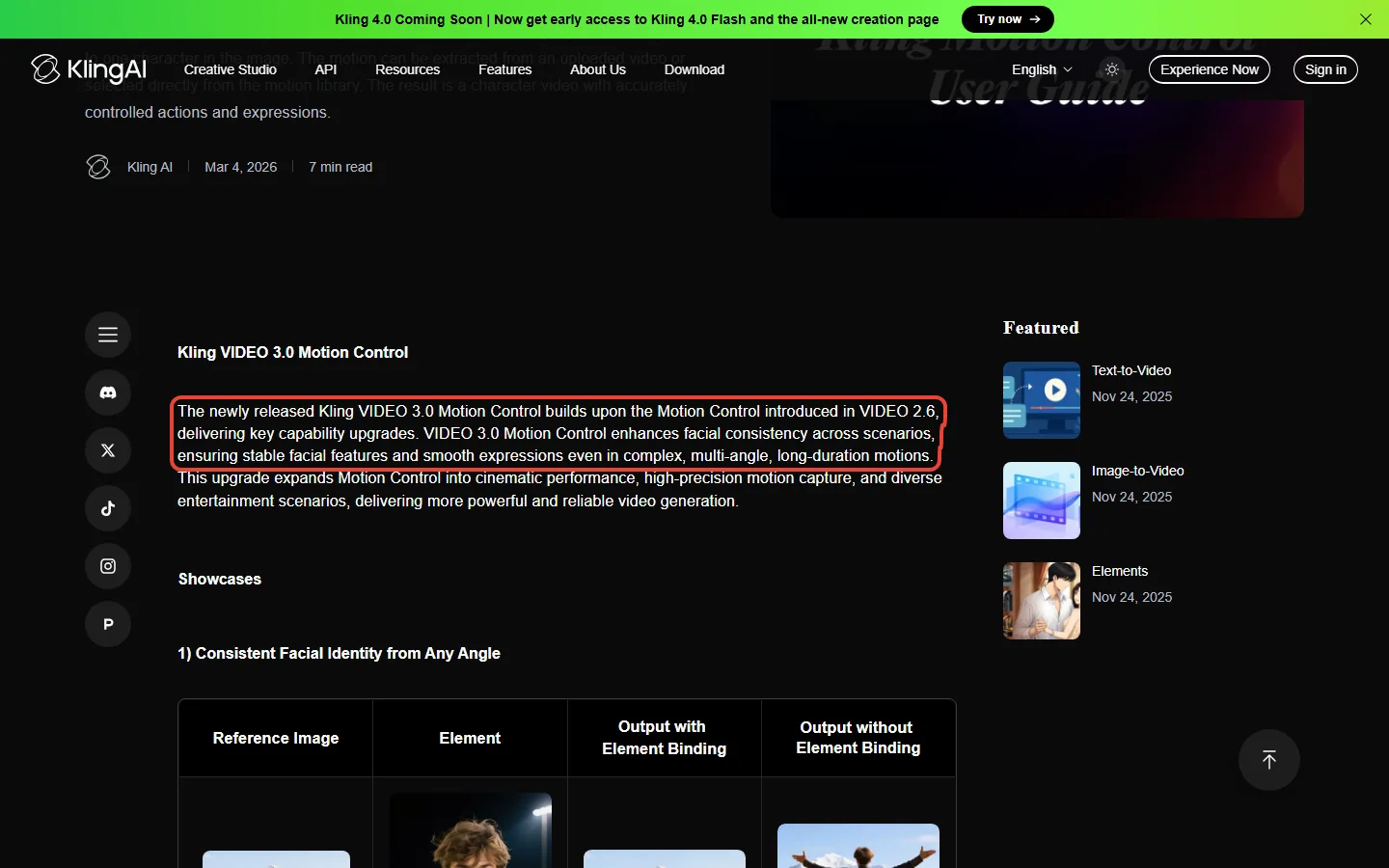
Give Kling a still image of a character and a motion, taken from a video you upload or from a motion library, and it animates that character with the motion. Kling says the 3.0 version improves facial consistency.
4. Start and end frames, camera movement and Motion Brush.
Kling has separate guides for each: set the first and last frame of a clip, direct the camera, or paint which part of an image should move.
5. Native 4K.
Generated at 4K rather than upscaled; Kling says this avoids the face and detail changes that upscaling can cause. Kling’s FAQ lists 4K generation as a subscription feature.
6. Extend with Prompts.
Useful, but not a shortcut to long films. Kling’s guide says extending “has a certain degree of probability involved” and may take several attempts, and that prompts unrelated to the subject can cause a cut.
⚔️ 7. Kling vs Runway (and What Happened to Sora)
Our January guide compared Kling with Runway, Sora and Veo on star ratings. We have replaced those ratings with facts from each vendor’s own pages, and removed Sora: OpenAI’s help center says the Sora web and app experiences were discontinued on April 26, 2026, and the Sora API on September 24, 2026.
| Criteria | Kling 3.0 | Runway (Gen-4.5) |
|---|---|---|
| Length per generation | 3 to 15 seconds | 2 to 10 seconds |
| Longer clips | Kling’s Extend feature, up to 3 minutes (paid; its guide doesn’t list models) | No extension listed on the Gen-4.5 help page |
| Output resolution | 720p, 1080p, native 4K | 720p (Gen-4.5 help page); 4K upscaling on paid plans |
| Credit rate | 6 to 12 credits/sec | 12 credits/sec |
| Entry plan | $8.80/mo after a $6.99 first month, 660 credits | $15/mo ($12 billed yearly), 625 credits |
| Top solo plan | Ultra+ $544.99/mo, 57,000 credits (Premier from $80.96/mo for 8,000) | Max $95/mo, 9,500 credits, roll over 1 month |
| Unlimited generation | None | Only for eligible legacy Unlimited subscribers, extended through November 30, 2026; not one of Runway’s current plans |
Per second of video at today’s prices, Kling costs less than Runway or about the same at every tier we compared; our Kling vs Runway cost comparison shows the maths. Runway’s own plans now list Kling 4.0 (not Kling 3.0) as one of the models you can use inside Runway. Runway’s help center says its old Unlimited plan is being replaced by Max, with Unlimited access extended for eligible legacy subscribers through November 30, 2026. For the quality side, see our Runway review and Google Flow review.
📏 Longest Single Generation (Seconds)
📬 Enjoying this guide?
Get honest AI tool analysis delivered weekly. No hype, no spam.
🎯 8. Best Use Cases: Who Should Actually Use This
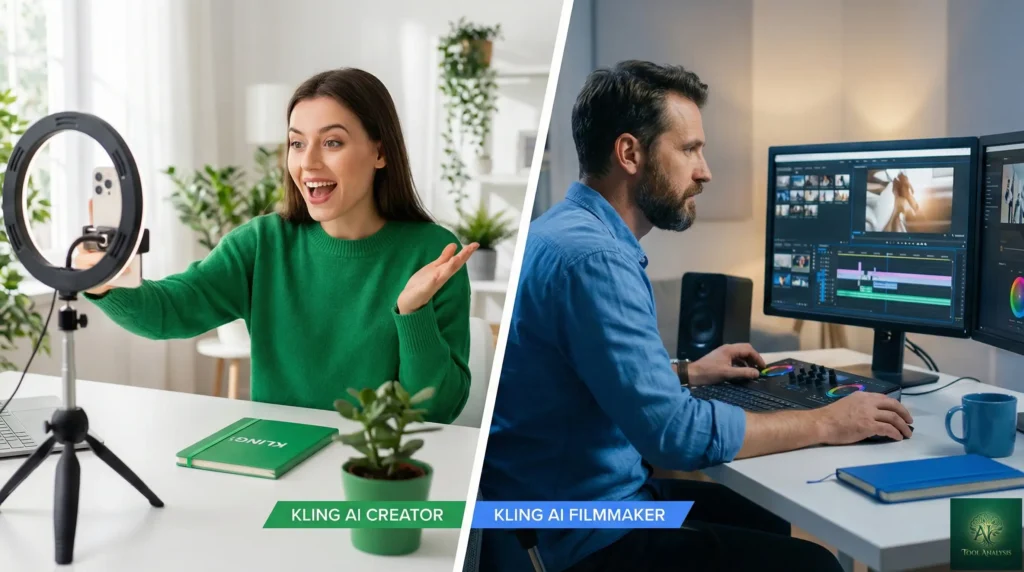
✅ Kling fits well for:
- Social video: 15-second generations with sound are a natural fit for Shorts, Reels and TikTok.
- Product shots: image-to-video and start and end frames turn a product photo into a moving ad.
- Recurring characters: elements keep a character’s look, and in 3.0 Omni their voice, across clips.
- Planned short scenes: multi-shot storyboards let you direct several shots in one generation.
⚠️ Think twice for:
- Long continuous takes: extensions add 4 to 5 seconds at a time and may need several tries.
- Tight budgets with lots of retries: every generated second is billed, kept or not.
- Presenter videos: Kling’s Avatar 2.0 handles talking characters, but dedicated tools like HeyGen and Synthesia are built for that job.
🚀 9. Getting Started: Your First 10 Minutes
Step 1: Sign up.
Create an account on kling.ai. Non-subscribers can claim monthly free credits on login, valid for 31 days.
Step 2: Run a cheap first test.
Pick text-to-video or image-to-video, set 5 seconds at 720p without audio, and generate. At Kling 3.0 rates that costs 30 credits.
Step 3: Read one guide before you spend more.
Kling’s text-to-video prompt guide and VIDEO 3.0 guide show the prompt patterns that work, including how to describe each shot.
Step 4: Decide on a plan with the maths.
Count the clips you want each month, multiply by 120 credits for 10 seconds of 1080p with sound, add retries, and pick the plan that covers it. The first month is discounted, so it doubles as a low-cost trial.
💬 10. The Fine Print Kling Itself Points Out
The January version of this section summarised Reddit opinion. Forum posts can’t stand on their own as sources, so we replaced it with the caveats Kling writes into its own pages:
- The first-month price is a one-time offer. Month two bills at $8.80 on Standard, $32.56 on Pro, $80.96 to $376.99 on Premier depending on the credit size, or $544.99 on Ultra+.
- Monthly credits expire after 31 days, and unused monthly credits disappear when a subscription ends.
- Credits don’t buy features. Watermark removal and 4K need an active subscription.
- Extending involves chance. Kling says it “may require multiple extending process” to get a result you want.
- Omni can’t add native audio to video-input generations yet. The 3.0 Omni pricing table marks that combination “Not Supported Yet”.
- Yearly plans auto-renew. Cancel from Profile, then Manage Plan, on the web.
❓ 11. FAQs: Your Questions Answered
Q: Is there a free version of Kling AI?
A: Yes. The Basic plan costs $0, and non-subscribers can claim monthly free credits on login, valid for 31 days. Kling doesn’t publish how many. Watermark removal, 4K, video extension and commercial use need a paid plan.
Q: Does Kling AI give free credits for image to video?
A: Yes. Kling’s FAQ calls credits "the universal virtual currency" for generating images and videos, so free credits can go toward image to video like any other generation. Non-subscribers can claim monthly free credits on login, valid for 31 days, and subscribers get daily bonus credits that expire at midnight local time. Kling doesn’t publish how many free credits either group gets.
Q: What is Kling AI’s maximum video length?
A: One Kling 3.0 generation runs 3 to 15 seconds. Kling’s Extend with Prompts guide (November 2025, written before Kling 3.0 and naming no models) says a clip can be extended 4 to 5 seconds at a time, up to 3 minutes in total; the plan table lists extension as a paid feature.
Q: How much does a 1-minute Kling AI video cost?
A: A minute of 1080p with native audio uses 720 credits at Kling 3.0 rates: $7.81 on Pro monthly or $5.86 on Pro yearly, if every take works. At 720p without audio it is 360 credits, or $3.91 on Pro monthly.
Q: How much does Kling AI cost per month?
A: After a discounted first month ($6.99 or $25.99), Standard is $8.80 and Pro $32.56 a month. Premier costs $80.96 to $376.99 a month depending on the credit size (8,000 to 38,000), and Ultra+ is $544.99 for 57,000 credits after a $432.99 first month. Yearly billing is $79.20 for Standard, $293.04 for Pro, $728.64 for Premier 8K and $4,902.99 for Ultra+.
Q: How does Kling AI compare to Runway?
A: Kling 3.0 makes up to 15 seconds per generation at up to 4K; Runway’s Gen-4.5 help page lists 2 to 10 seconds at 720p, with 4K upscaling on Runway’s paid plans. Per second of video, Kling costs less than Runway or about the same at every tier we compared.
Q: Is Sora still an alternative to Kling?
A: No. OpenAI’s help center says the Sora web and app experiences were discontinued on April 26, 2026, and the Sora API on September 24, 2026.
Q: What is Kling 4.0?
A: Kling’s newest model. Kling’s plans page describes it as supporting native 30-second generation but, as of October 29, 2026, shows no Kling 4.0 credit rate, and the limited-time 10% Kling 4.0 discount listed earlier in October is gone. Early access to Kling 4.0 Flash comes with the yearly Ultra+ plan ($4,902.99 a year), and Kling’s developer API now sells Kling 4.0 at $0.235 a second for 1080p video.
Q: Does Kling AI have an API?
A: Yes, sold separately on Kling’s developer site in 180-day prepaid packages from $700 (5,000 units) to $7,560 (60,000 units). Kling 3.0 at 1080p with native audio costs $0.168 a second there. Those packages don’t cover Kling 4.0: it is sold in separate Flagship packages from $500 for 3,250 units, at $0.235 a second for 1080p video without an input video.
🏆 12. Final Verdict: Should You Subscribe?
Kling AI in October 2026 is one of the most complete consumer video generators you can buy: 15-second clips with native audio, multi-shot storyboards, consistent characters, motion control and native 4K, at per-second prices that match or beat Runway. What holds it back is the meter. Every second is billed, monthly credits expire after 31 days, and the price you see first only lasts a month.
Use Kling AI if: you publish short video every week and can plan it in 15-second shots. Try the discounted first month on Pro ($25.99), then switch to Pro yearly ($24.42 a month) if it fits.
Stick with alternatives if: you need presenter videos (HeyGen, Synthesia), want unused credits to roll over (Runway Max carries them for a month), or already pay for a Google AI plan and want to try Google Flow first.
Try it today: start on the free Basic plan at kling.ai, and read our Kling AI pricing guide before you press the yearly button.

Founder of AI Tool Analysis. Reads every pricing page, help article and footnote so you don’t have to. Covering AI tools since 2025. See how we research →
Stay Updated on AI Video Tools
Don’t miss the next video generation change. Weekly pricing changes, new limits and plain-English breakdowns of AI video tools, straight from the vendors’ own pages.
- ✅ Weekly breakdowns from vendor pages, not press releases
- ✅ Price drop alerts when AI tools get cheaper
- ✅ Feature launches covered within days
- ✅ No spam, just useful AI insights
Free forever. Unsubscribe anytime.

Related Reading
- Kling AI Pricing 2026: Every Plan and What a Video Really Costs
- Kling AI Maximum Video Length: 15-Second Clips, 3-Minute Extends
- Kling AI Review
- Runway Review
- Google Flow Review
- ElevenLabs Review
- DaVinci Resolve 20 Review: AI Video Editing
- Best AI Video Editing Tools
- AI Tools Guide
Last Updated: October 29, 2026
Kling AI Version Covered: Kling 3.0 (VIDEO 3.0 / 3.0 Omni); Kling 4.0 Flash in early access on yearly Ultra+
Next Review Update: November 28, 2026