
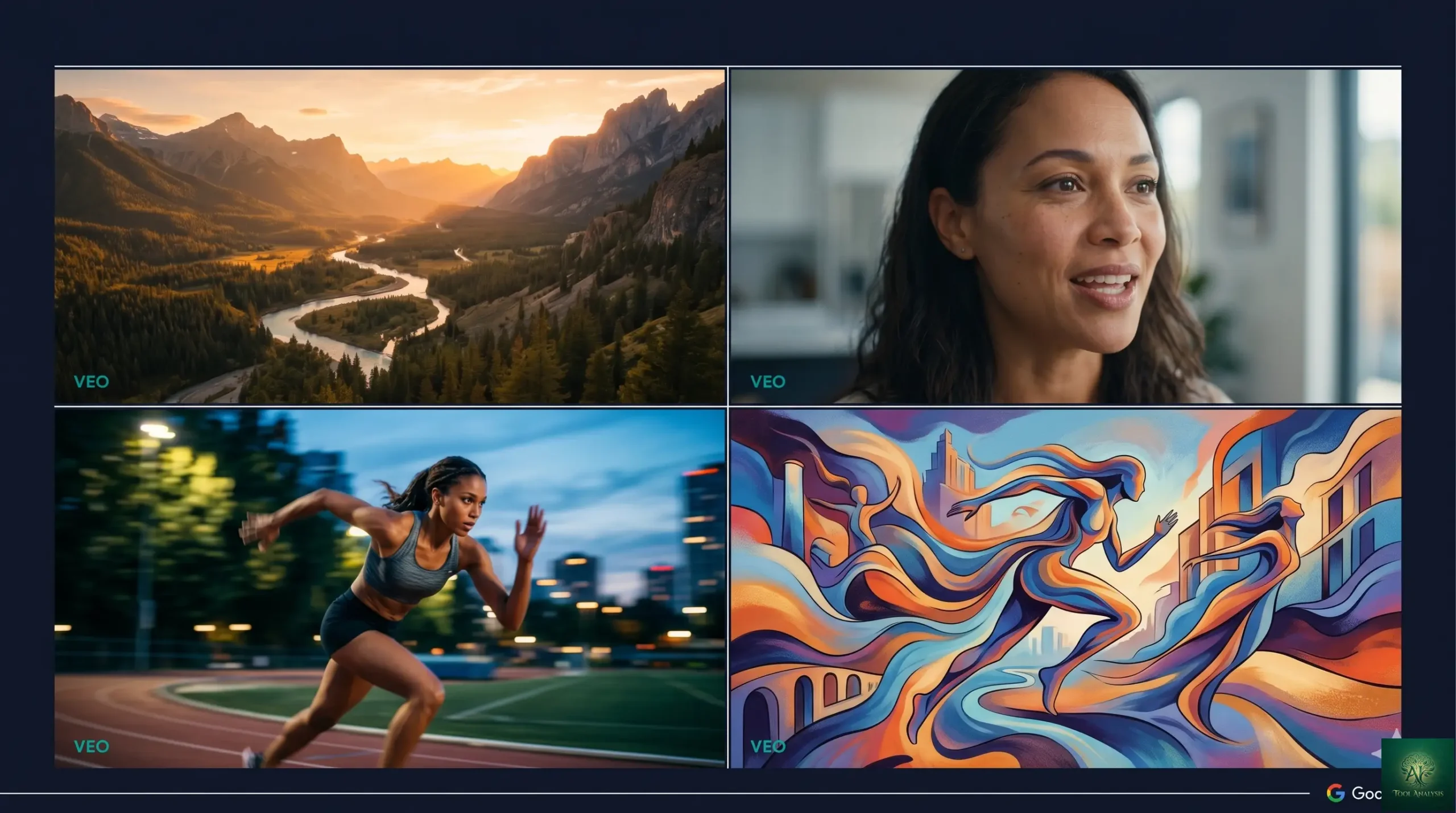
This Google Flow review tests the May 2026 product — the primary interface for VEO video generation, complete with the Director’s Toolkit, native audio synchronization, and scene extension features that distinguished it from Sora and Runway through 2026. The “Sora killer” framing that launched alongside VEO 3.1 in late 2025 became more nuanced through the year. Honest answer: Google Flow won meaningful ground on native audio and narrative video workflows, ceded ground on absolute photoreal quality to Sora’s next generation, and split the cinematic-control category with Runway Gen-5. This Google Flow review covers what Flow + VEO does best in May 2026, the head-to-head reality against current Sora and Runway versions, pricing realities, and honest verdicts for the personas reaching for AI video tools — content creators, narrative filmmakers, marketing teams, and Google ecosystem users.
Watch: Google Flow + VEO Hands-On Demo
See the Director’s Toolkit and native audio in action
⚡ TL;DR – The Bottom Line
What This Is: Honest Google Flow review of the May 2026 product — the VEO video generation interface with Director’s Toolkit, native audio, and scene extension.
Best For: Narrative video creators (story-driven content), marketing teams (high-volume social video), Google ecosystem users (Workspace, Vertex AI integrations), creators who need native audio without separate dubbing.
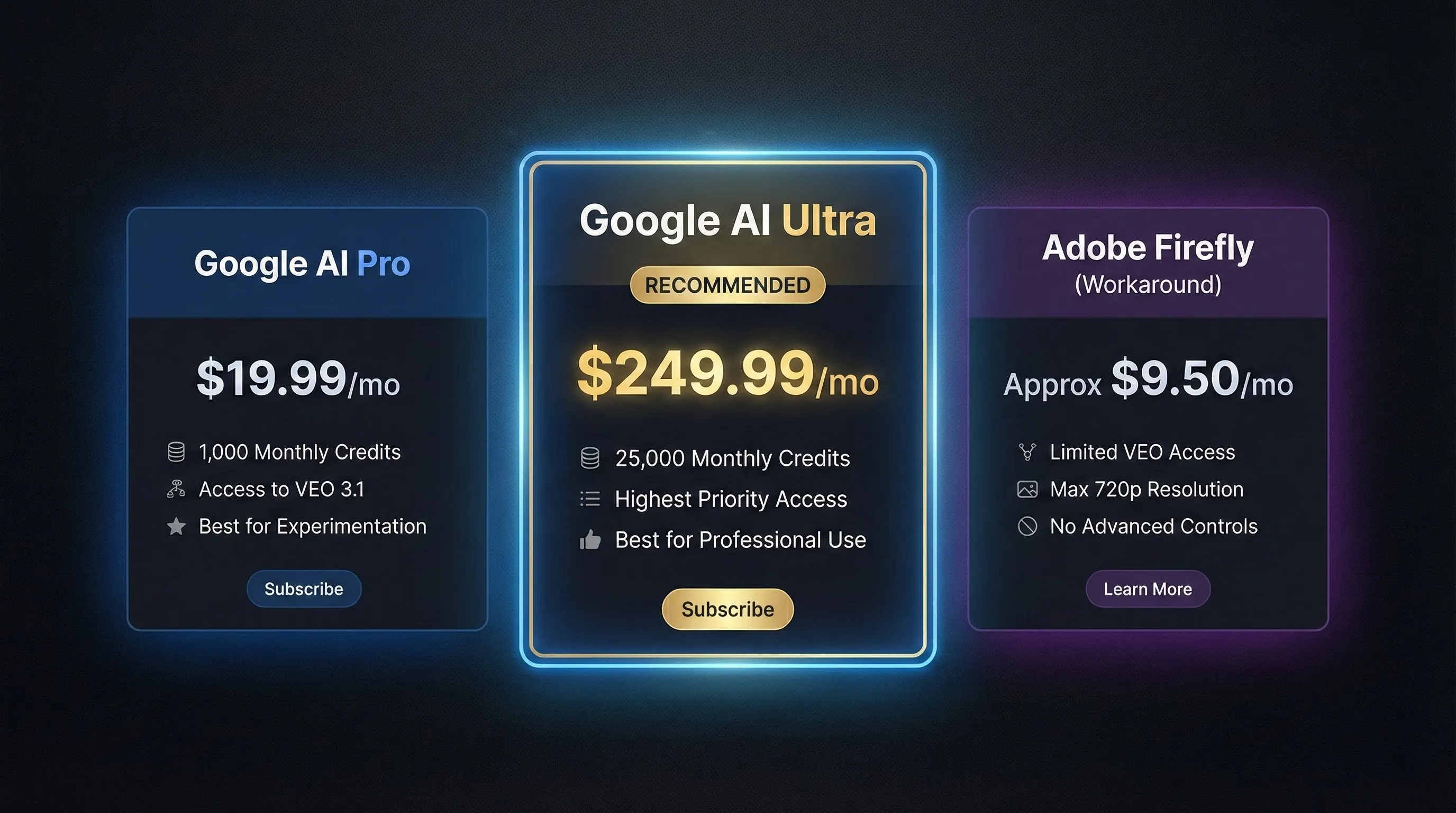
Pricing: Bundled in Google AI Pro ($19.99/mo) and Ultra ($249.99/mo) consumer subscriptions. Vertex AI / API for enterprise. Verify current pricing on labs.google/flow — Google adjusts AI subscription tiers periodically.
Our Take: Genuinely competitive in May 2026 — wins native audio and narrative video, ties on cinematic control, loses on absolute photoreal quality to Sora’s latest generation. “Sora killer” framing from launch was overstated; “credible alternative with distinct strengths” is the honest read.
⚠️ The Catch: The competitive landscape shifts every quarter — Sora, Runway, and Kling all released major versions through 2026. Pick by your specific need, not by “category leader” claims that don’t survive contact with the latest releases.
📑 Quick Navigation
The Bottom Line
- You’re a narrative video creator (story-driven content, short films, vlogs with consistent characters): Yes. Google Flow’s Director’s Toolkit + native audio sync + scene extension all serve narrative video workflows better than Sora or Runway alone. The “consistent character across multi-scene continuity” story is genuinely best-in-class in May 2026.
- You’re a marketing team producing high-volume social video: Yes. Bundled in Google AI Pro ($19.99/mo) means per-video cost is effectively zero for typical marketing throughput. The 8-15 second clip range maps perfectly to TikTok/Reels/Shorts formats.
- You’re a Google ecosystem user (Workspace, Vertex AI, Antigravity): Yes. Native integration with Workspace tools, Vertex AI for enterprise, and inheritance of Google’s IAM/audit controls means deployment friction is meaningfully lower than standing up a third-party video tool.
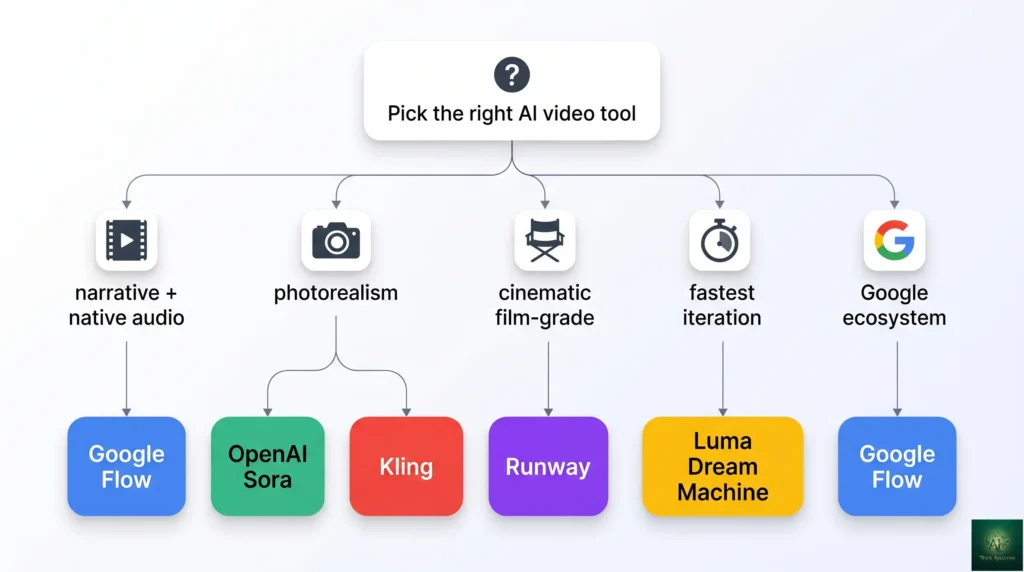
- You want absolute photoreal quality: Skip Flow, use OpenAI Sora (current version). Sora’s latest generation widened its photoreal lead through 2026 — for hyperrealistic human characters or product visualization, Sora wins.
- You want cinematic ceiling for film-grade work: Use Runway (current generation). Runway’s Director Mode and longer-form capabilities remain class-leading for serious filmmaking workflows.
- You want fastest prompt-to-video iteration: Use Luma Dream Machine. Luma’s generation speed remained the fastest in the category through 2026 — for rapid experimentation, it wins on iteration velocity even if final quality trails Flow/Sora/Runway.
What Google Flow Actually Does
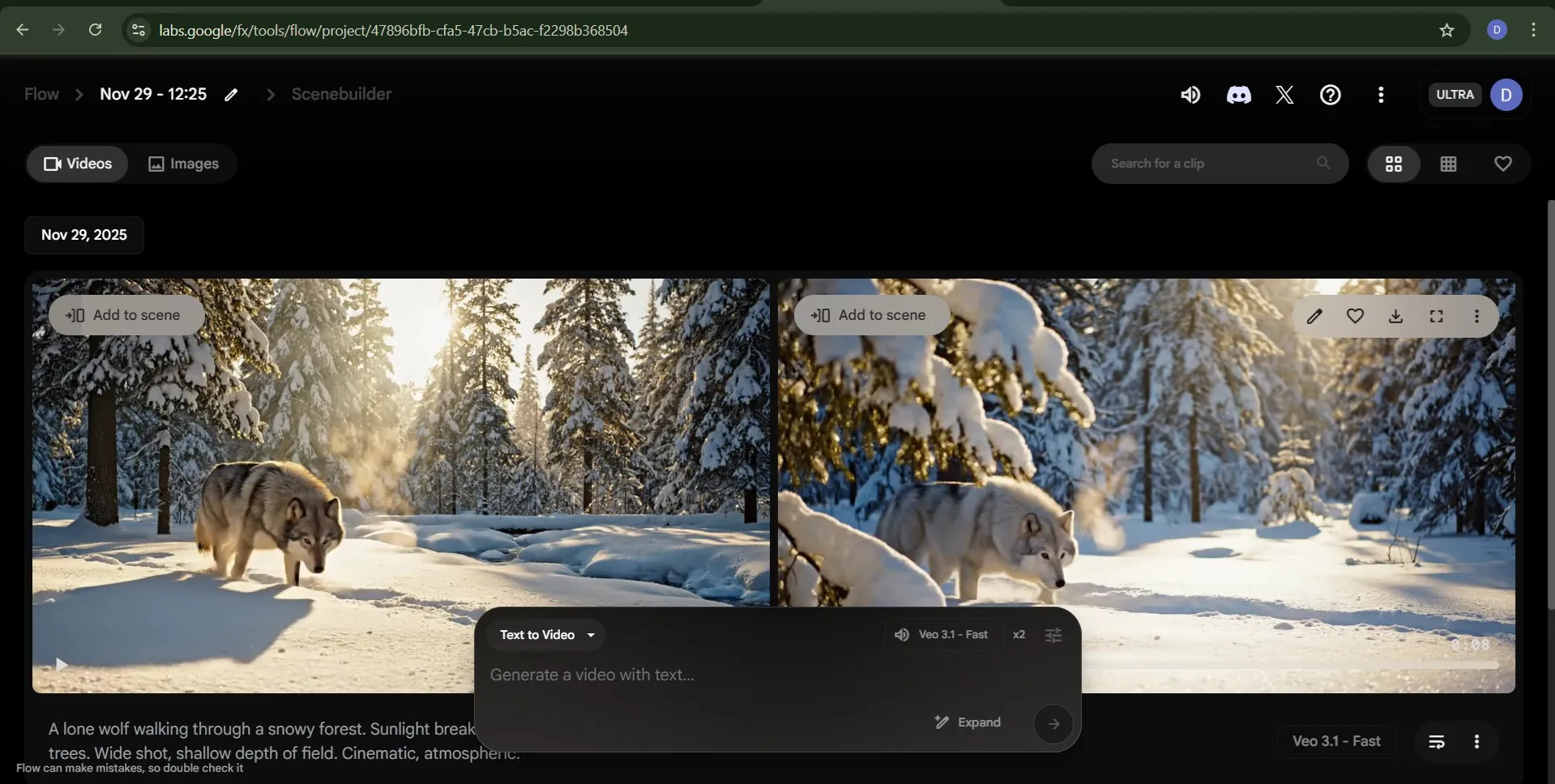
Google Flow is Google’s consumer-facing interface for VEO, the underlying video generation model. The product separation matters: VEO is the model (the inference engine that produces video from prompts); Flow is the interface (the workflow tooling that turns prompts into finished projects). Flow’s design philosophy through 2025-2026 has been “treat AI video creation as a directorial workflow, not a single-shot generation” — hence the Director’s Toolkit, scene extension, and native audio synchronization features that wrap the underlying VEO inference in a creation-oriented UX.
The May 2026 Flow product wraps several capabilities that competitors handle separately or not at all: text-to-video generation (the obvious core), image-to-video animation, scene extension (extending existing clips coherently), Director’s Toolkit (camera controls, motion direction, character continuity), native audio synchronization (lip-sync, ambient sound, music — without a separate dubbing pass), and project management for multi-scene narrative work. Most competitors handle 2-3 of these well; Flow handles all of them at “good enough for production” quality in May 2026.
What Changed Since Late 2025
- VEO version progressed. The VEO 3.1 baseline that launched alongside Flow in late 2025 received progressive updates through 2026 — better motion coherence, tighter audio sync, longer maximum clip lengths. Verify current VEO version number on labs.google/flow before publish.
- Director’s Toolkit matured. Camera controls, motion direction parameters, and character continuity features that were rough in late 2025 became reliable through 2026. The “consistent character across 4+ scenes” workflow now produces production-quality output for narrative video.
- Native audio synchronization tightened. Lip-sync accuracy improved meaningfully — short dialogue clips (under 10 seconds) now pass casual-viewer scrutiny; longer dialogue scenes still surface tells but are usable for non-broadcast content.
- Scene extension reached production-grade. Extending an existing Flow-generated clip with coherent character and environment continuity became reliable in early 2026 — meaningful workflow win for narrative creators who previously had to regenerate full scenes.
- Competitive landscape moved. OpenAI Sora shipped its next major version with widened photoreal lead. Runway Gen-5 entered GA with improved cinematic depth. Kling 2.0 held strong photoreal niche. Luma Dream Machine remained fastest. Flow’s “Sora killer” framing from launch became outdated — settled-state reality is “credible alternative with distinct strengths” not “category dominance.”
- Pricing structure intact. Bundled in Google AI Pro ($19.99/mo) and Ultra ($249.99/mo). Vertex AI / API for enterprise. Verify current pricing on Google AI subscription pages.
The Director’s Toolkit: Flow’s Defining Feature Set
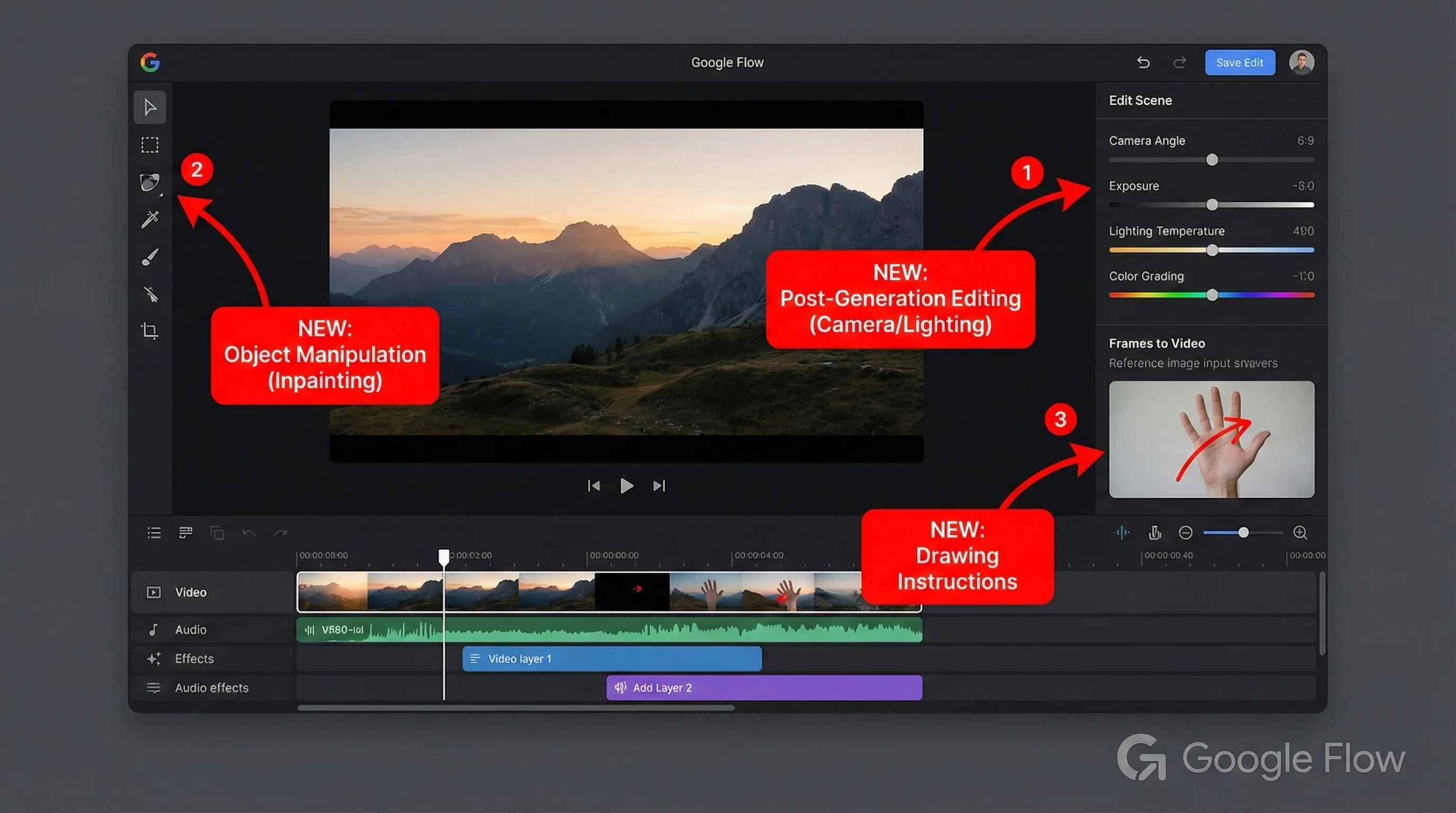
The Director’s Toolkit is what separates Google Flow from “generate a clip from a prompt” alternatives. It’s a collection of features that map to traditional filmmaking workflow concepts: camera control (angle, movement type, focal length), motion direction (subject and scene motion intentions), character ingredients (define a character once, reuse across scenes), and scene extension (continue an existing clip with coherent state). For creators thinking in directorial terms — not just “generate a clip” but “build a story across multiple connected clips” — this is the differentiating capability.

Character continuity via Ingredients
The “Ingredients” system lets you define a character once (face, costume, key features) and reference it across multiple generations. By May 2026, character consistency across 4-8 scenes is reliable for non-broadcast use. Broadcast-grade consistency (perfect frame-to-frame face stability) still requires manual review; production-grade is real.
Native audio synchronization
Flow generates audio synchronized with the video in a single pass — lip-sync for dialogue, ambient sound matched to scene context, optional music. Most competing tools require generating video first, then dubbing audio separately. The integrated approach saves meaningful production time for narrative work.
Scene extension
Generate an 8-second clip, then extend it coherently to 15-30 seconds while maintaining character state, environment, and narrative momentum. Production-grade reliability for typical scenes; complex action sequences sometimes break continuity and need re-shoots.
Camera and motion control
Pan, tilt, dolly, focal-length control, motion intent for subjects in the scene. Less granular than dedicated cinematography software but meaningfully more controllable than pure prompt-only generation. The right level of control for short-form creative work, not the right level for shot-perfect filmmaking.
Your First Hour in Flow
The first-experience workflow is straightforward. Sign in with a Google AI Pro account (or use the free trial credits), open Flow at labs.google/flow, describe what you want, optionally upload reference images for character or style, configure camera and motion, click Generate. First short clip (8-12 seconds) lands in 3-6 minutes depending on complexity and queue. The full Director’s Toolkit workflow (defining ingredients, planning multi-scene continuity) takes longer to internalize but pays back across narrative projects.
The genuinely useful onboarding pattern: pick a 3-scene short story idea (introduce a character, place them in a setting, end with a moment). Define the character as an Ingredient, generate scene 1, use scene extension to build scene 2, generate scene 3 with the same Ingredient. The 30-45 minute investment exposes you to all four Director’s Toolkit pillars (Ingredients, scene extension, motion control, native audio) and produces a usable artifact you can iterate on.
🔍 REALITY CHECK
Marketing Claims: “Sora killer” (the framing that launched alongside VEO 3.1 in late 2025).
Actual Experience: Overstated then, more overstated now. OpenAI Sora’s latest generation widened its photoreal lead through 2026 — for hyperrealistic content, Sora wins. Flow’s actual defensible position is “best-in-class for narrative video workflows + native audio + Google ecosystem integration.” That’s a real, defensible value prop. “Sora killer” is marketing fiction that doesn’t survive contact with the latest Sora release; the honest framing is “credible alternative with distinct strengths” — which is enough reason to use Flow for the right use cases without needing the inflated claim.
Verdict: Pick Flow for narrative video + native audio + Google ecosystem fit. Don’t pick it because of “Sora killer” claims — those don’t hold against the current Sora generation.
Google Flow vs Sora vs Runway vs Kling
| Dimension | Google Flow (VEO) | OpenAI Sora | Runway | Kling |
|---|---|---|---|---|
| Photorealism ceiling | Strong | Best in classWIN | Strong | Strong (photoreal niche) |
| Cinematic depth / film-grade | Strong | Strong | Best in classWIN | Good |
| Native audio synchronization | Best in classUNIQUE | Limited (separate) | Limited (separate) | Limited |
| Character continuity (multi-scene) | Best in class (Ingredients)WIN | Strong | Strong | Good |
| Scene extension | Best in class | Strong | Strong | Limited |
| Generation speed | Moderate | Moderate | Moderate | Fast |
| Ecosystem integration | Google Workspace + Vertex AI | Microsoft 365 (via Azure) | Standalone | Standalone |
| Pricing (consumer) | $19.99/mo (Google AI Pro) | $20/mo (ChatGPT Plus) | $15-$95/mo tiers | $10-$50/mo tiers |
| Best for | Narrative video + native audio | Photoreal hyperrealism | Cinematic / film work | Speed + photoreal niche |
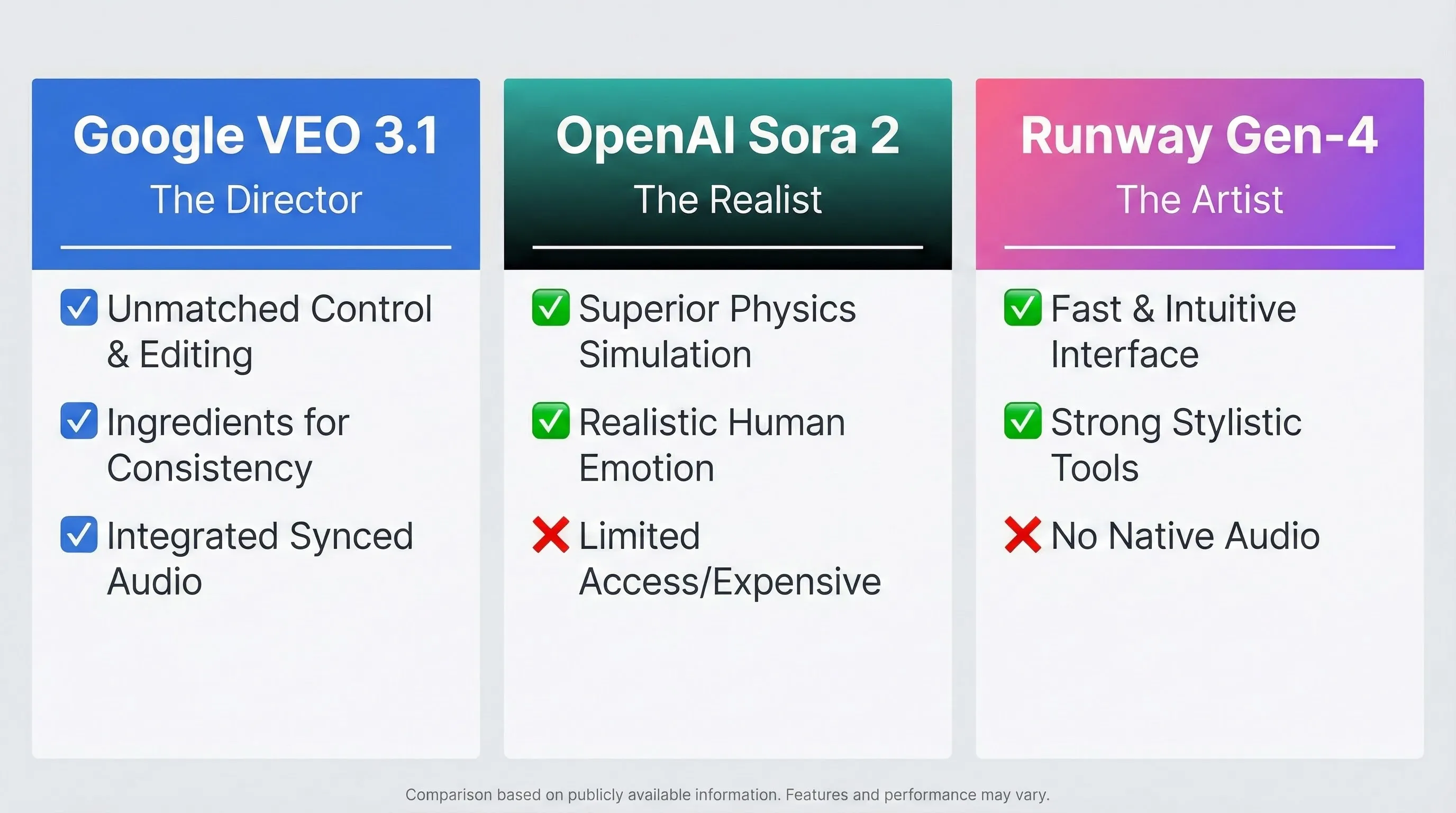
The honest verdict: pick by use case, not by “best video AI” claims. Flow for narrative + native audio + Google ecosystem. Sora for photoreal hyperrealism. Runway for cinematic film-grade work. Kling for speed + photoreal niche. Most professional creators in 2026 use 2-3 of these depending on the specific project — there’s no single winner, just specialists serving different lanes.
📬 Find this Google Flow review useful?
Get our weekly AI video tool reviews — Flow / Sora / Runway / Kling releases, pricing changes, and quality benchmarks.
Pricing Reality
| Tier | Price (verify current) | What You Get | Best For |
|---|---|---|---|
| Free trial | ~$0 (limited credits) | Trial credits to test Flow + VEO before subscribing | Initial evaluation |
| Google AI ProSWEET SPOT | ~$19.99/mo | Generous Flow credits, VEO access, native audio, Director’s Toolkit, Workspace bundling | Active creators, marketing teams |
| Google AI Ultra | ~$249.99/mo | Highest Flow credits, priority generation queue, longer clip lengths, all premium features | Heavy production users, content studios |
| Vertex AI / API | Pay-per-generation custom | Programmatic VEO access, enterprise governance, custom data residency | Enterprise, agencies, app developers |
Pricing tip: Google AI Pro at ~$19.99/mo is the value sweet spot for most paying users — covers active creative workflow comfortably and includes Gemini 3.1 Pro, Nano Banana Pro, and other Google AI products in the same subscription. Skip Ultra unless you’re producing video at studio-level volume; the Pro tier handles typical creator needs. Vertex AI / API only matters if you’re integrating Flow into a custom application.
Who Should Use Google Flow
- Narrative video creators (short films, vlogs with characters, story-driven content): Yes. The Director’s Toolkit + Ingredients + scene extension combination is genuinely best-in-class for narrative workflows in May 2026.
- Marketing teams producing high-volume social video: Yes. Bundled in Google AI Pro at $19.99/mo means per-video cost is effectively zero for typical throughput. Native audio sync removes the dubbing step.
- Google ecosystem users (Workspace, Vertex AI, Antigravity): Yes. Native integration removes deployment friction; inheritance of Google IAM/audit controls makes IT approval easier.
- Solo creators wanting a single bundled tool: Yes. Google AI Pro combines Flow + Gemini 3.1 Pro + Nano Banana Pro + other Google AI products in one $19.99/mo subscription. Strong value for cross-tool creative workflows.
- Cinematic filmmakers wanting absolute film-grade quality: Use Runway instead. Runway’s longer-form capabilities and Director Mode remain best for serious cinematic work.
- Creators chasing absolute photoreal quality: Use OpenAI Sora’s latest. Sora widened its photoreal lead through 2026 — for hyperrealistic content, it wins.
- Developers needing fastest prompt-to-video iteration: Use Luma Dream Machine. Speed-to-output is its defining advantage; final quality is good but not category-leading.
- Anyone needing on-prem or fully private video generation: Skip all consumer AI video tools. Enterprise tools with on-prem options serve regulated workflows better.
💡 Key Takeaway: Flow’s defensible moat in May 2026 is the combination of native audio + character continuity (Ingredients) + scene extension + Google ecosystem bundling. No competitor matches all four for narrative video workflows. Where Flow loses is photorealism (Sora) and cinematic ceiling (Runway) — pick by what your work needs most.
FAQs
Is Google Flow really a Sora killer in 2026?
No, that framing was overstated at launch and more overstated now. OpenAI Sora’s latest generation widened its photoreal lead through 2026. Flow’s actual defensible position is “best for narrative video + native audio + Google ecosystem fit” — not “absolute video quality leader.” Use Flow for what it’s genuinely good at; use Sora when photoreal hyperrealism matters most.
How much does Google Flow cost?
Bundled in Google AI Pro at ~$19.99/mo (the value sweet spot for most users) and Google AI Ultra at ~$249.99/mo for heavy production. Vertex AI / API for enterprise. Free trial credits available before subscribing. Verify current pricing on Google AI subscription pages.
What’s the difference between Google Flow and VEO?
VEO is the underlying video generation model (the inference engine that produces video from prompts). Flow is the consumer-facing interface that wraps VEO with workflow tooling — Director’s Toolkit, scene extension, Ingredients character system, native audio sync, multi-scene project management. You use Flow to access VEO; the model and the interface are separate products.
Can Google Flow generate videos with sound?
Yes — native audio synchronization is one of Flow’s defining features. Lip-sync for dialogue, ambient sound matched to scene context, optional music — all generated in a single pass with the video. Most competing tools require generating video first then dubbing audio separately; Flow handles both natively.
How long can Flow videos be?
Single-clip generation is typically 8-15 seconds. Scene extension allows building longer sequences by extending existing clips coherently — practical maximum for production-quality work is around 30-60 seconds of continuous narrative. For longer-form content, Flow’s multi-scene project workflow handles assembly via the Director’s Toolkit.
Does Flow support character consistency?
Yes — the Ingredients system lets you define a character once (face, costume, key features) and reference it across multiple generations. By May 2026, character consistency across 4-8 scenes is reliable for non-broadcast use. Best-in-class compared to Sora and Runway for multi-scene narrative continuity.
Can I use Google Flow commercially?
Yes, with paid Google AI Pro or Ultra subscriptions, Flow content can be used commercially. Check current Google terms of service for specific commercial use rights — Google’s policies have been creator-friendly through 2025-2026 but may shift. Enterprise users on Vertex AI get explicit commercial rights as part of contract terms.
Is Flow available outside the US?
Yes — Google rolled out Flow internationally through 2025-2026 in stages. Most major markets have full access by May 2026; some regions still see staggered availability. Check labs.google/flow for current regional availability.
✅ What Google Flow Wins At
- ✓ Native audio synchronization (unique in the category)
- ✓ Character continuity via Ingredients system
- ✓ Scene extension for narrative video workflows
- ✓ Bundled in Google AI Pro ($19.99/mo) — strong value
- ✓ Deep Google ecosystem integration (Workspace, Vertex AI)
❌ Where Google Flow Falls Short
- ✗ Photoreal ceiling trails OpenAI Sora’s latest generation
- ✗ Cinematic depth trails Runway for film-grade work
- ✗ Generation speed slower than Luma Dream Machine
- ✗ “Sora killer” launch framing was overstated and aged poorly
Defensible niche leader for narrative video + native audio + Google ecosystem workflows. Half a star off because the launch-era “Sora killer” framing was overstated and the photoreal ceiling trails Sora’s latest generation. Pick Flow for what it’s genuinely best at, not for inflated category-leadership claims.
The Final Verdict
Google Flow in May 2026 is the right answer for narrative video creators, marketing teams producing high-volume social video, and Google ecosystem users who value workflow integration. The combination of Director’s Toolkit + Ingredients character continuity + scene extension + native audio sync is genuinely best-in-class for the workflows it serves. Bundled in Google AI Pro at $19.99/mo, the value-per-dollar story is strong — particularly for creators already paying for Gemini 3.1 Pro and other Google AI products in the same subscription.
Final verdict: pick Google Flow if narrative video, native audio, or Google ecosystem fit matters most. Use OpenAI Sora’s latest if absolute photoreal quality is the priority. Use Runway for cinematic film-grade work. Use Kling for speed + photoreal niche. Use Luma Dream Machine for fastest iteration. The 2026 reality this Google Flow review reaches: no single AI video tool wins all categories — pick by your specific need, and for many creators the right answer is using 2-3 of these tools across different project types.
Related Reading
- Runway Review — for cinematic film-grade AI video work
- Kling AI Review — for fast photoreal AI video generation
- Google Gemini Review — Gemini 3.1 Pro flagship LLM (bundled with Flow in Google AI Pro)
- Nano Banana Pro Review — Google’s image generator (also bundled in Google AI Pro)
- Google AI Pro & Ultra Review — the consumer subscription bundling Flow + Gemini + Nano Banana
- ElevenLabs Review — best-in-class voice generation for AI video workflows
- Best AI Image Generators 2026 — for visuals to pair with Flow video output
- The Complete AI Tools Guide — buyer’s guide for picking the right tool from 200+ tested
Founder of AI Tool Analysis. Reads every pricing page, help article and footnote so you don’t have to. Covering AI tools since 2025. See how we research →
Stay Updated on AI Video Tools
The AI video tools landscape shifts every quarter. Subscribe for honest reviews of new Google Flow / Sora / Runway / Kling releases, pricing changes, and quality benchmarks — delivered every Thursday at 9 AM EST.
- ✅ Sourced Reviews: Every price and limit checked against the vendor’s own pages, not rewritten from press releases
- ✅ New Releases: Flow VEO updates / Sora drops / Runway versions covered within days
- ✅ Pricing Changes: Know when subscription tiers shift
- ✅ Quality Benchmarks: Side-by-side video comparisons as the field evolves
- ✅ No Hype: Just the AI video news that matters for your work
Free, unsubscribe anytime.

Last Updated: May 1, 2026
Tool Tested: Google Flow (May 2026 product, current VEO version) with comparison context to OpenAI Sora (latest generation), Runway, Kling, Luma Dream Machine. Verify current VEO version number and Google AI Pro/Ultra pricing on labs.google/flow before publish — Google rolls VEO updates and adjusts subscription tiers periodically.
Slug Note: Renamed from /google-flow-veo-3-1-sora-2-runway-gen-4/ to /google-flow-review/ on May 1, 2026 for evergreen URL. 301 redirect in place. Original triple-version-locked slug retired under the no-version-or-year-in-slugs standing policy.
Next Review Update: August 2026 (or sooner when Google ships a major Flow / VEO release)
Have a tool you want us to review? Suggest it here | Questions? Contact us