
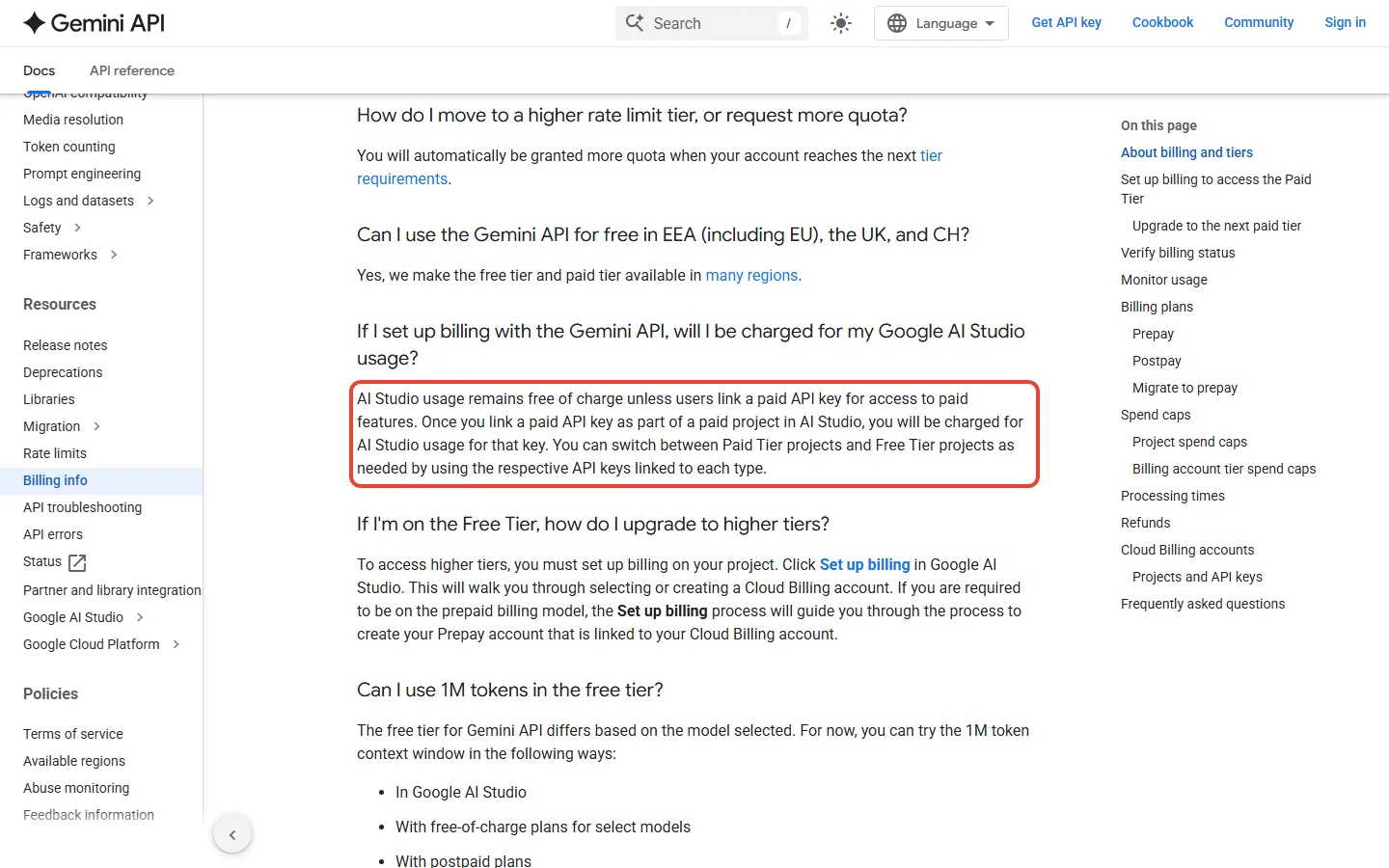
Is Google AI Studio free? Yes: Google’s billing page says AI Studio usage “remains free of charge unless users link a paid API key for access to paid features.” What that sentence leaves out is which models are free, what the paid Gemini API costs once you cross over, and what the free tier does with your prompts. This Google AI Studio review answers those three questions from Google’s own pages, all read on October 11, 2026. It replaces our May version, which was built around a free Gemini 3.5 Flash that Google has since deprecated.
⚡ TL;DR: The Bottom Line
What It Is: Google AI Studio is a browser workspace at aistudio.google.com for trying Gemini models, writing system instructions, exporting code for the Gemini API and, in Build mode, vibe coding small apps.
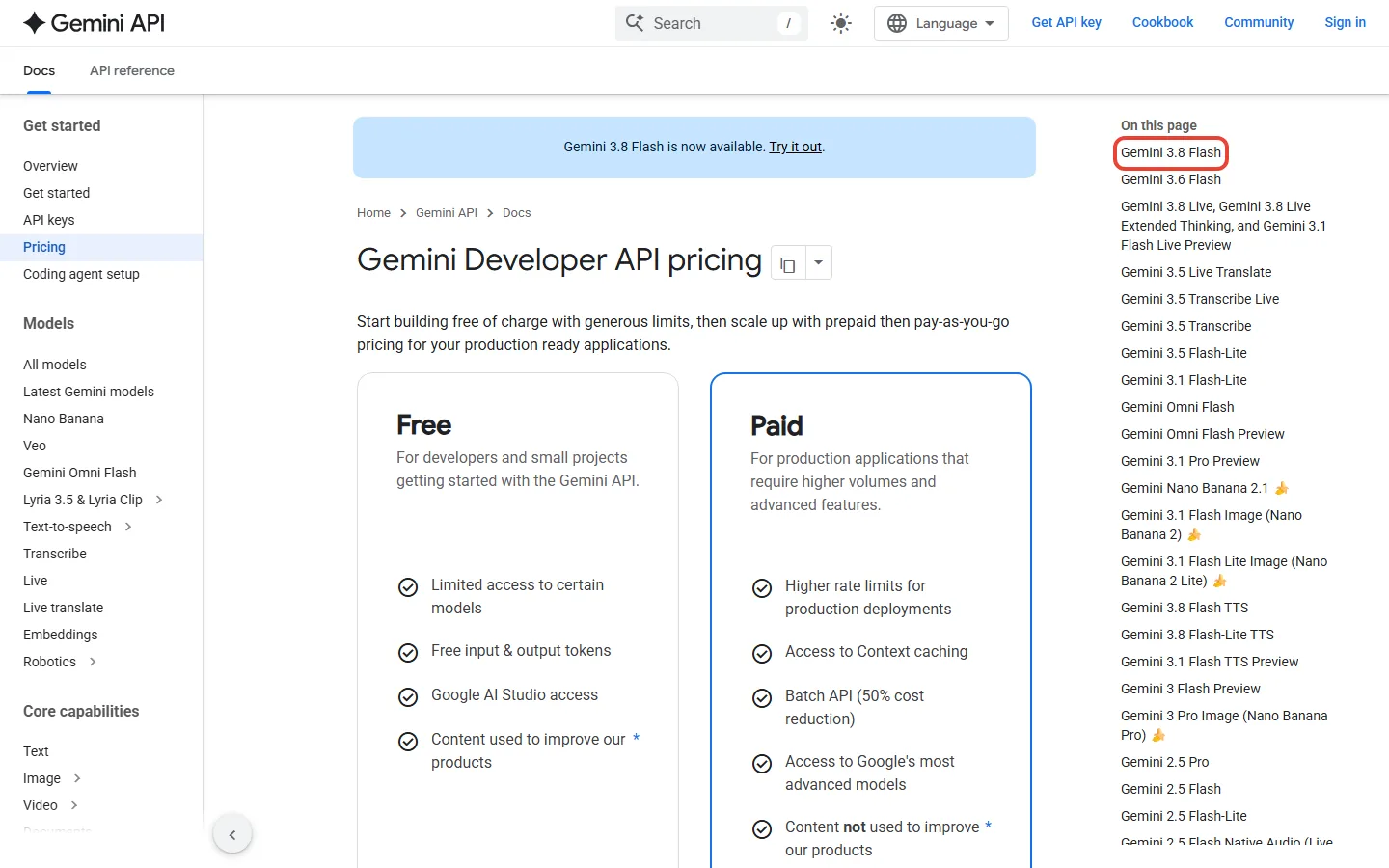
What It Costs: Nothing to use. The free tier lists Gemini 3.8 Flash, 3.6 Flash and the Flash-Lite models, while Gemini 3.1 Pro Preview is paid only ($2.00 per million input tokens). Paying means linking a billing account and prepaying at least $5.
Our Take: A free way to try Google’s models, and a fair first stop for beginners. Treat the free tier as a practice space, not a place for private work.
⚠️ The Catch: Google’s pricing page says free-tier content is used to improve its products, and the model list moves fast: Gemini 3.5 Flash was deprecated on October 8, with requests routed to 3.6 Flash.
📑 Quick Navigation
🆕 What Changed in Google AI Studio in 2026
Google AI Studio is the front end for the Gemini API, so its model list follows the API changelog. These are the entries since our May review that change what you can use or pay for, from Google’s changelog (the new AI Studio features in 2026 are mostly new models and Build mode, covered below):
- August 13: Gemini 3.7 Flash became generally available, with introductory pricing through December 31, 2026.
- August 27: Gemini Omni Flash became generally available.
- September 2: Gemini 3.8 Flash became generally available. Google’s models page calls it “our most intelligent Flash model, engineered for long-horizon software engineering.”
- September 3: Lyria 3.5, Google’s music model, became generally available.
- September 18: Google limited access to the Gemini 2.5 models to users who have actively used them in the past. They are not deprecated.
- October 6: Nano Banana 2.1 became generally available, and the older gemini-3.1-flash-image model was deprecated the same day.
- October 8: Requests to Gemini 3.7 Flash are routed to Gemini 3.8 Flash, and Gemini 3.5 Flash is deprecated with requests routed to Gemini 3.6 Flash. The deep-research-pro-preview-12-2025 agent is deprecated and shuts down on October 23, 2026.
The practical meaning: a prompt or app you built in May on Gemini 3.5 Flash is now served by Gemini 3.6 Flash, so re-run anything you depend on. Google’s changelog gives no shutdown date for Gemini 3.5 Flash; it says requests are routed to 3.6 Flash.
🔍 REALITY CHECK
Marketing Claims: AI Studio is “free of charge.”
What It Really Means: The free tier covers certain models, not everything in the product. Google’s pricing page lists no free tier for Gemini 3.1 Pro Preview, Nano Banana 2.1, Veo video or Lyria music, and it says free-tier content is used to improve Google’s products.
Verdict: Free for text experiments on the Flash models. Anything beyond that needs a paid key.
🎯 What Google AI Studio Is (and Isn’t)
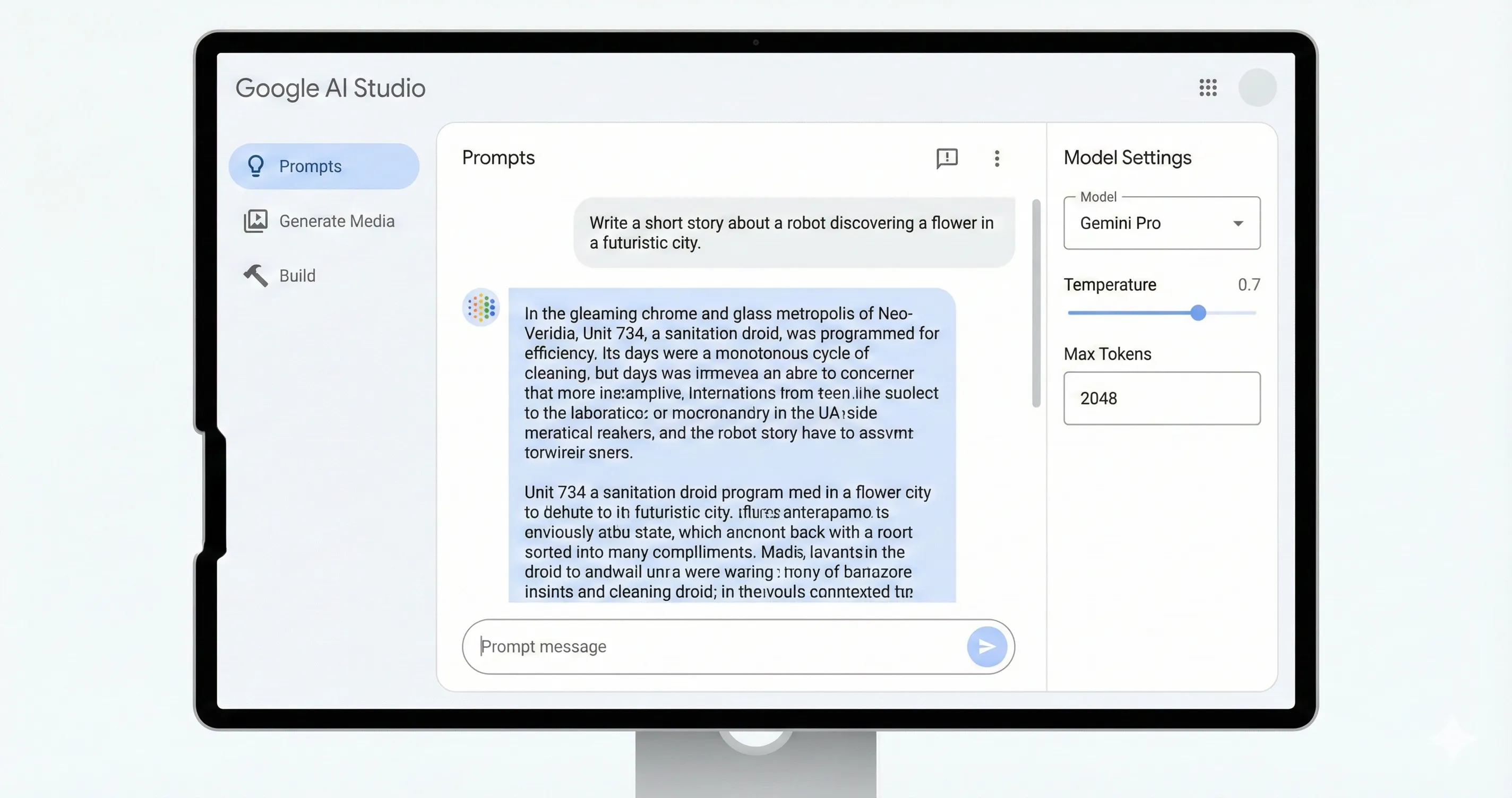
Google describes AI Studio as a browser-based environment for trying out models and testing prompts, with a way to export a working prompt as code for the Gemini API. In the Google AI Studio quickstart, the main example is a chat prompt, and the other prompt types it names are realtime streaming and video generation. Three parts do most of the work:
- System instructions and Run settings. You set the model’s persona in system instructions, and Run settings adjust model parameters and safety settings and switch tools such as structured output, function calling, code execution and grounding.
- Get code. Once a prompt works, Get code exports it in your preferred programming language. A Get API key link sits in the page header.
- Build mode. Google describes it as a way to “quickly build (or ‘vibe code’) and deploy apps” that test Gemini’s capabilities. Per Google’s Build mode page it creates web apps (a React frontend with a Node.js server) and native Android apps (Kotlin), can deploy to Cloud Run, sync with GitHub or export a ZIP, and keeps your Gemini API key as a server-side secret.
Build mode carries a cost warning worth reading. Google says that when you share an app, its API calls count toward your usage limits, “If you use paid models, costs may apply,” and Cloud Run pricing may apply to deployments. AI Studio is not a consumer chat app (that is the Gemini app, which has separate plans, covered below) and it is not an agent platform. For that, see our Google Antigravity review. For the speech models in particular, we have a separate Google AI Studio text to speech review.
🧠 Google AI Studio Free Models List (October 2026)
Google’s pricing page (last updated October 9, 2026) lists a free tier for most Flash models and none for the current Pro model. Here is the Google AI Studio free tier models list as that page reads, with the paid API price per million tokens for when you outgrow it:
| Model | Free tier | Paid price per 1M tokens (input / output) | Note |
|---|---|---|---|
| Gemini 3.8 Flash | Yes | $0.75 / $3.75 through Dec 31, 2026, then $1.50 / $7.50 | Stable; Google calls it its most intelligent Flash model |
| Gemini 3.6 Flash | Yes | $0.75 / $3.75 through Dec 31, 2026, then $1.50 / $7.50 | Requests to gemini-3.5-flash are routed here since Oct 8 |
| Gemini 3.5 Flash-Lite | Yes | $0.30 / $2.50 | Latest Flash-Lite on Google’s models page |
| Gemini 3.1 Flash-Lite | Yes | $0.25 / $1.50 | Text, image and video input |
| Gemini 3 Flash Preview | Yes | $0.50 / $3.00 | Preview |
| Gemini 3.1 Pro Preview | No | $2.00 / $12.00 (prompts up to 200k tokens) | The only current Pro model on Google’s models page |
| Gemini 2.5 Pro, Flash, Flash-Lite | Yes | $1.25 / $10.00 (up to 200k tokens), $0.30 / $2.50, $0.10 / $0.40 | Access limited to past users since Sep 18 |
| Gemini Omni Flash | No | $1.50 / $9.00 (text output) | Generally available Aug 27 |
| Gemma 4 (open model) | Yes | Not available | Not a Gemini model |
Two cautions. First, Google’s rate-limit page does not publish free-tier limits per model. It says limits can be viewed in Google AI Studio and are more restricted for experimental and preview models, so the number you get is the one AI Studio shows for your project. Second, limits are applied per project, not per API key, and daily quotas reset at midnight Pacific time.
Is Gemini Pro free in Google AI Studio? Not the current one: Google lists Gemini 3.1 Pro Preview as not available on the free tier. Gemini 2.5 Pro is still listed as free, but only users who have actively used the 2.5 models keep access.
Image, Video and Music Models
The media models are where the free tier mostly stops. Google’s pricing page lists no free tier for the image, video and music models below, while text-to-speech does have one, and prices are per image, second or song rather than per token:
| Model | Free tier | Paid price |
|---|---|---|
| Nano Banana 2.1 (image) | No | About $0.0336 per 1K image, $0.0504 per 2K and $0.113 per 4K |
| Veo 3.1 Fast (video) | No | $0.10 per second at 720p, $0.12 at 1080p, $0.30 at 4k |
| Veo 3.1 Standard (video) | No | $0.40 per second at 720p and 1080p, $0.60 at 4k |
| Lyria 3.5 (music) | No | $0.08 per full song |
| Gemini 3.8 Flash TTS (speech) | Yes | $0.50 per 1M text tokens in, $9.00 per 1M audio tokens out through Dec 31, 2026, then $1.00 and $18.00 |
Can you generate images in Google AI Studio? Google’s quickstart names a video generation prompt type, but on Google’s own price list Nano Banana 2.1 has no free tier, so budget for a paid key before you plan an image workflow around it. For how that compares with ChatGPT’s image limits, see ChatGPT Images 2.5 vs Nano Banana 2.1.
💰 How Much Is Google AI Studio? Pricing in October 2026
Using AI Studio costs $0. The cost starts when you want a paid model or higher limits. Google’s billing page (updated September 28, 2026) describes the path:
- Free Tier. New accounts start here, with access to certain models in the Gemini API and AI Studio.
- Prepay. Upgrading means linking a billing account and prepaying a minimum of $5. The maximum you can prepay is $5,000, and auto-reload is optional. New users default to Prepay, and Google says unused credits expire after 12 months and are non-refundable, except after switching to a Postpay account.
- Postpay. Eligible accounts can instead accrue costs and be charged at the end of the month, or when costs reach a spend cap set by the account tier.
- Your key decides the bill. Google says that once you link a paid API key as part of a paid project in AI Studio, you are charged for AI Studio usage with that key, and that you can switch between Paid Tier and Free Tier projects by using the respective API keys.
- Positive balance required. Google says the Gemini API only serves requests with a positive Prepay balance, and at $0 all API keys on that billing account stop working.
- Spend tiers. Tier 1 needs a linked billing account and caps monthly spend at $250. Tier 2 needs $100 paid plus 3 days and caps at $2,000. Tier 3 needs $1,000 paid plus 30 days and caps at $20,000 to $100,000+. Tier 2 and 3 count your total Google Cloud spend.
- Your own caps. You can set project-level spend caps in AI Studio, a feature Google labels experimental.
📊 Gemini API List Price per 1M Tokens (USD, Input vs Output)
One date to plan around: Gemini 3.8 Flash and 3.6 Flash are priced at $0.75 / $3.75 per million tokens through December 31, 2026, and $1.50 / $7.50 from January 1, 2027. Google’s pricing page prints both, so a workload that costs $15.00 on 3.8 Flash in this example (10M input and 2M output tokens, our arithmetic) costs $30.00 after the step.
Google AI Plus, Pro and Ultra Are a Different Purchase
AI Studio and the Gemini API are paid through a billing account. The consumer plans are Gemini app subscriptions: in the US, Google lists AI Plus at $4.99 a month, AI Pro at $19.99, and AI Ultra at $99.99 or $199.99. The billing and rate-limit pages we read describe the API upgrade path above and do not describe those plans as a way to pay for the API or lift its limits, so do not buy a plan expecting it to change your API bill. Google also changed what the free Gemini app gets from October 9 (users without a plan get an Auto setting, with most prompts going to Flash-Lite), but that is the app, not AI Studio. Our guides cover the plans themselves: Google AI Plus, Google AI Pro free for students and Google AI Ultra vs Pro.
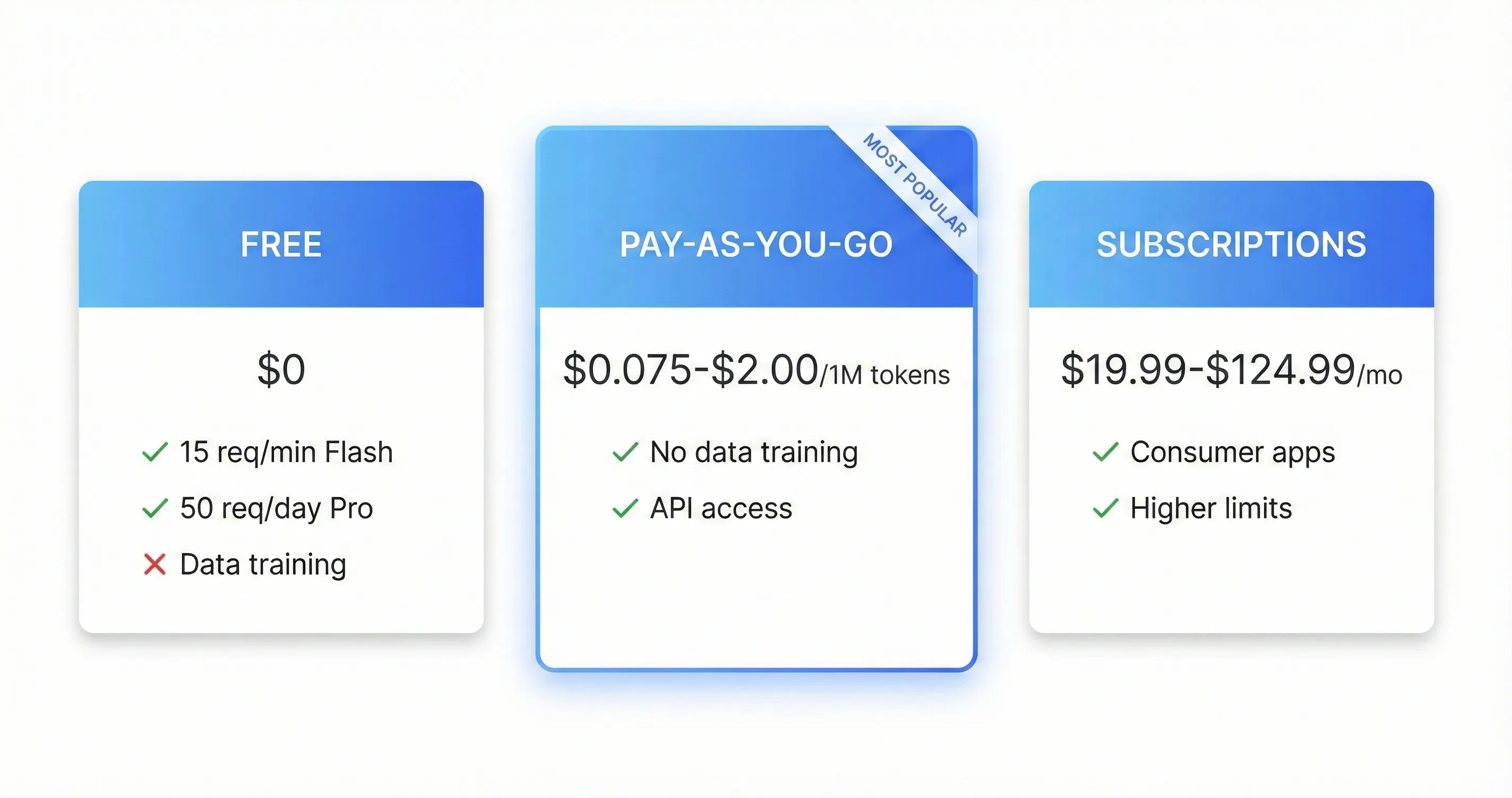
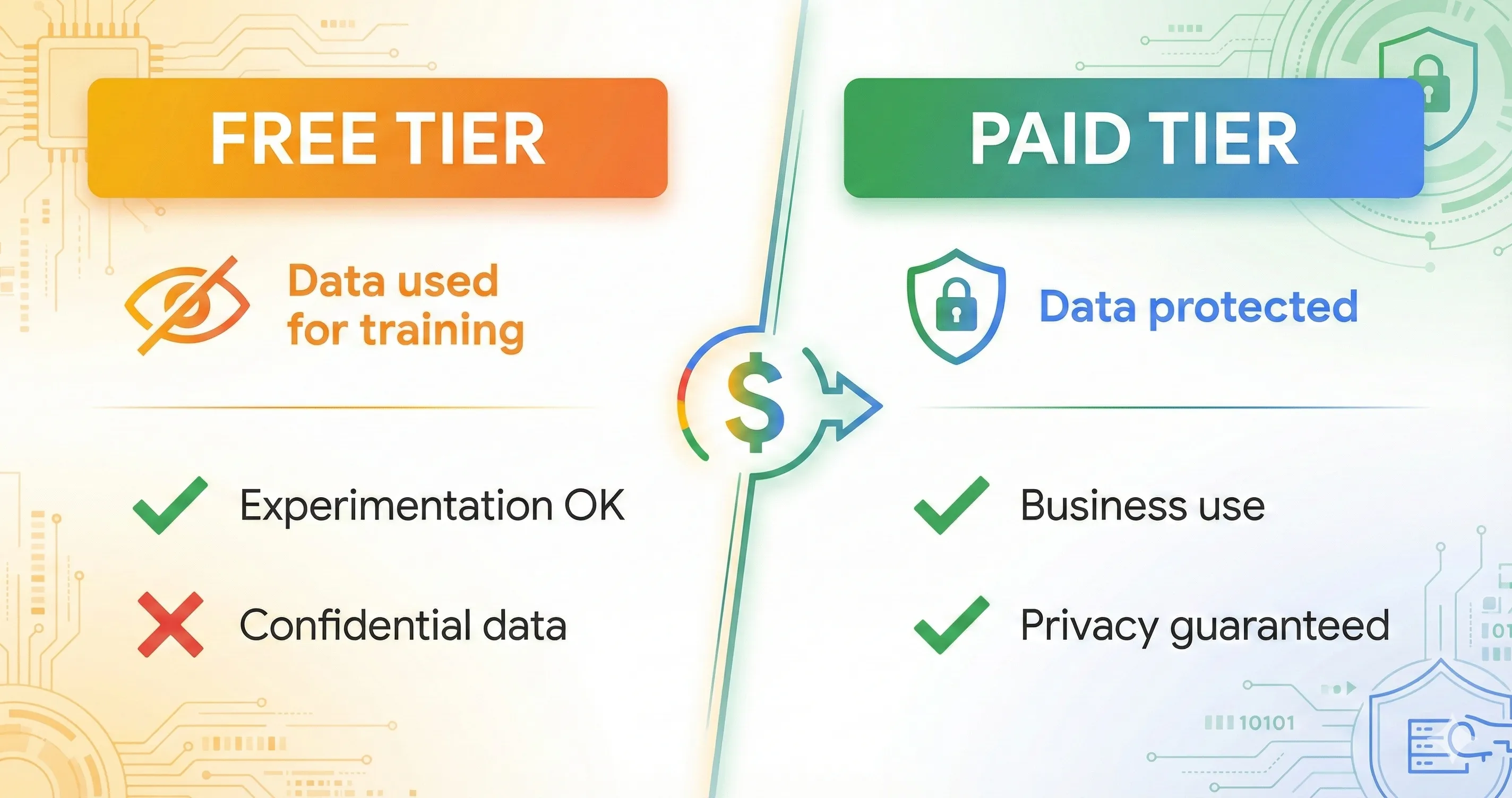
💡 Key Takeaway: Free means $0 for the Flash models and a $5 minimum to start paying. The step that matters is not the first dollar, it is the data terms: Google’s billing page says your prompts fall under the Paid Services terms once at least one of your API projects has billing enabled.
📬 Enjoying this breakdown?
Get honest AI tool analysis delivered weekly. No hype, no spam.
🔐 The Privacy Trade-Off: What Free Costs You
This is the real price of the free tier. Google’s pricing page lists “Content used to improve our products” under the Free plan and the opposite under the Paid plan. The Gemini API terms spell it out. For Unpaid Services, Google says it uses the content you submit and the generated responses “to provide, improve, and develop” its services, that human reviewers may read, annotate and process your input and output, and that you should not submit sensitive, confidential or personal information. For Paid Services, Google says it does not use your prompts or responses to improve its products, and logs them for a limited time to detect abuse and meet legal requirements.
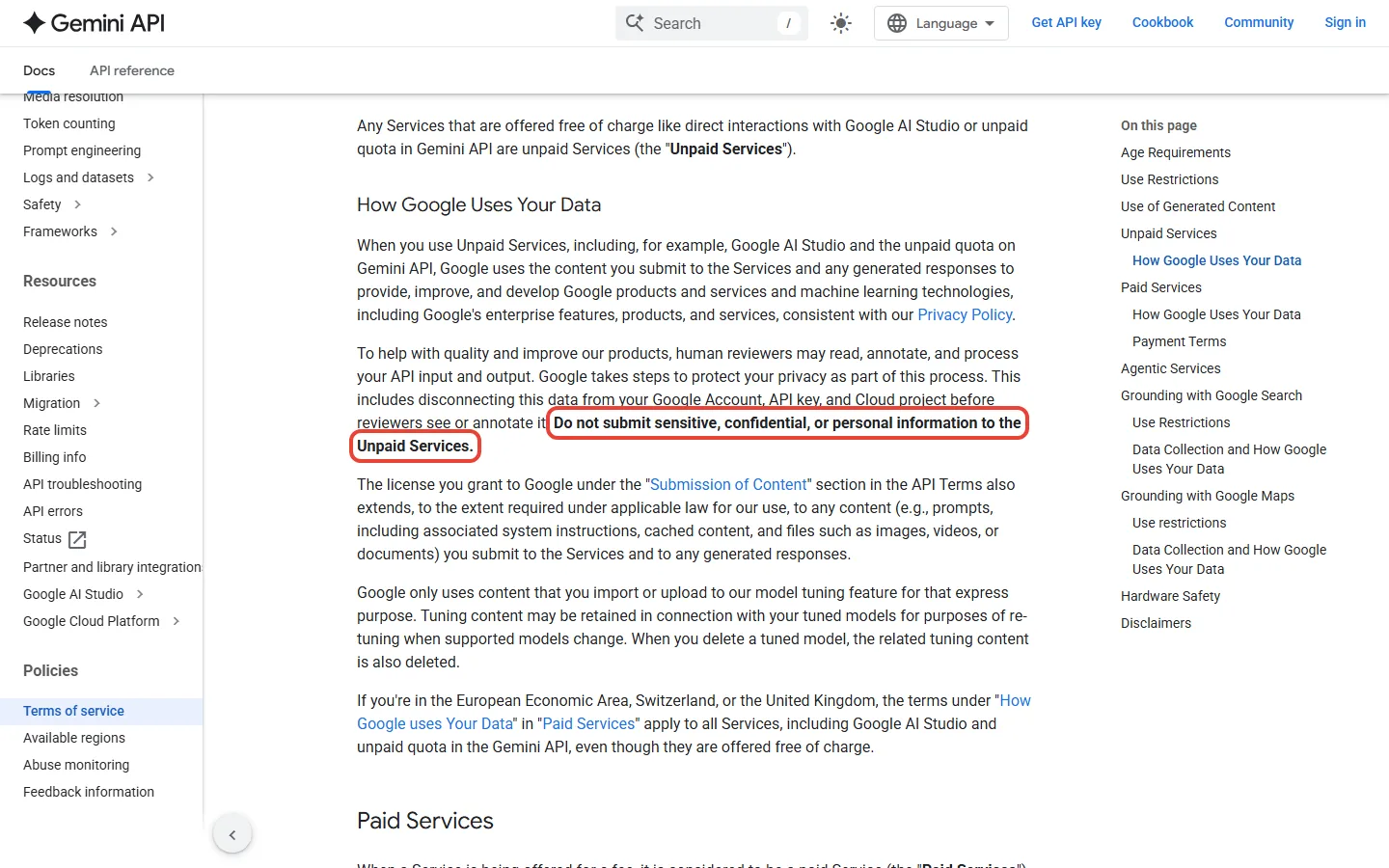
Two details change the picture for some readers. If you make an app available to users in the EEA, Switzerland or the UK, Google’s terms say you may use only Paid Services. And in those regions the Paid Services data terms apply to all services, including Google AI Studio and unpaid quota, even though they are free, so the trade-off above does not describe you. The terms also require you to be 18 or older to use the APIs. For everyone else the sensible rule is simple:
- Free tier: prompts you would be happy to see in a screenshot. Public text, practice data, learning projects.
- Anything with customer data, work documents or personal details: enable billing on a project first (Google says the Paid Services terms apply once at least one of your API projects has billing enabled), or do not use it.
- If you share a Build mode app, remember its calls use your key and your limits.
🔍 REALITY CHECK
Marketing Claims: “Free tier” suggests a lighter version of the same product.
What It Really Means: On Google’s terms it is a different data arrangement: the free tier trades prompts for access, and human reviewers may read them.
Verdict: Use it for practice and learning. Move to a paid key before real work.
⚖️ How Gemini API Prices Compare With Claude
If you are choosing an API rather than a playground, the useful comparison is price per million tokens. We compare list prices, not quality, and use Anthropic’s own pricing page: Claude Haiku 5.5 is $0.10 per million input tokens and $0.50 output for prompts up to 100,000 tokens, and Claude Sonnet 5.5 is $2 input and $10 output. On a made-up workload of 10 million input and 2 million output tokens, our arithmetic from those list prices gives:
| Model (list price) | Cost of 10M input + 2M output tokens |
|---|---|
| Claude Haiku 5.5 | $2.00 |
| Gemini 3.5 Flash-Lite | $8.00 |
| Gemini 3.8 Flash (through Dec 31, 2026) | $15.00 |
| Claude Sonnet 5.5 | $40.00 |
| Gemini 3.1 Pro Preview | $44.00 |
📈 Cost of 10M Input + 2M Output Tokens (USD, List Price)
The Gemini price you pay also depends on prompt size (Gemini 3.1 Pro Preview costs more above 200k tokens) and Claude Haiku 5.5 prices prompts over 100,000 tokens higher, so check each page before you commit. For the Claude side, see our Claude Haiku 5.5 guide.
🚀 Getting Started: Google AI Studio for Beginners (2026)
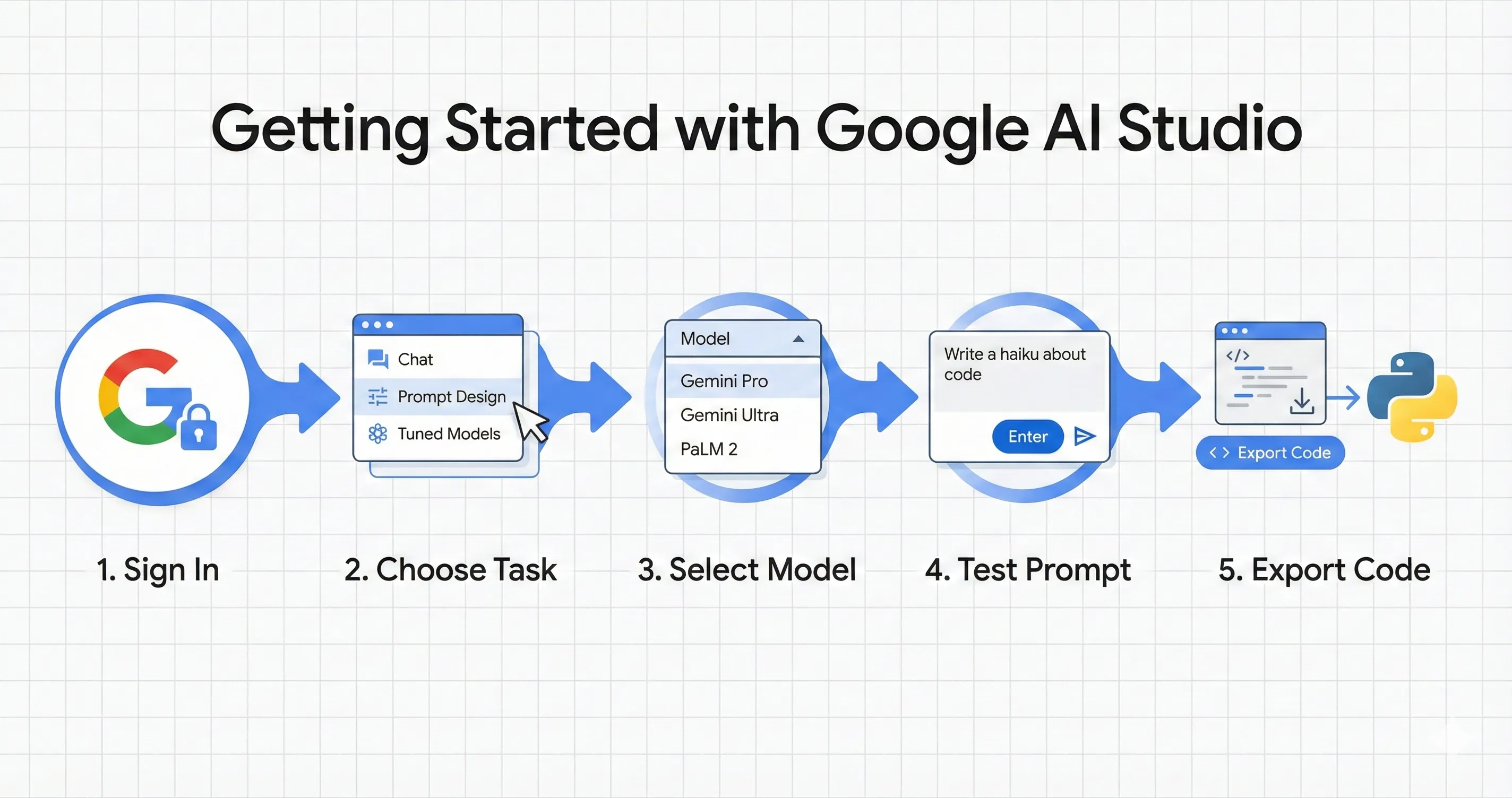
Google AI Studio for beginners follows the path in Google’s quickstart. On a free-tier project these steps cost nothing; if a project already has billing enabled and a paid key, Google says AI Studio usage on that key is billed:
- Open AI Studio. Go to aistudio.google.com and start a Chat prompt, the quickstart’s main example.
- Pick a free model. Check the pricing page for a Yes in the free tier column, such as Gemini 3.8 Flash or 3.6 Flash. Gemini 3.1 Pro Preview is not free, so skip it unless you intend to pay.
- Set system instructions. In the Run settings panel, tell the model who it is and how to answer. You can edit them after the chat has started.
- Switch tools on one at a time. Structured output, function calling, code execution and grounding are toggles in Run settings.
- Export it. Use Get code for a snippet, or the Get API key link when you are ready to call the API from your own app. Keep that key private.
If you want to build rather than prompt, Build mode (vibe coding) is the beginner-friendly route, with the cost caveat above. Google’s Build mode page does not mention a free quota for deployed apps, so check your limits before sharing one.
👤 Who Should Use Google AI Studio?
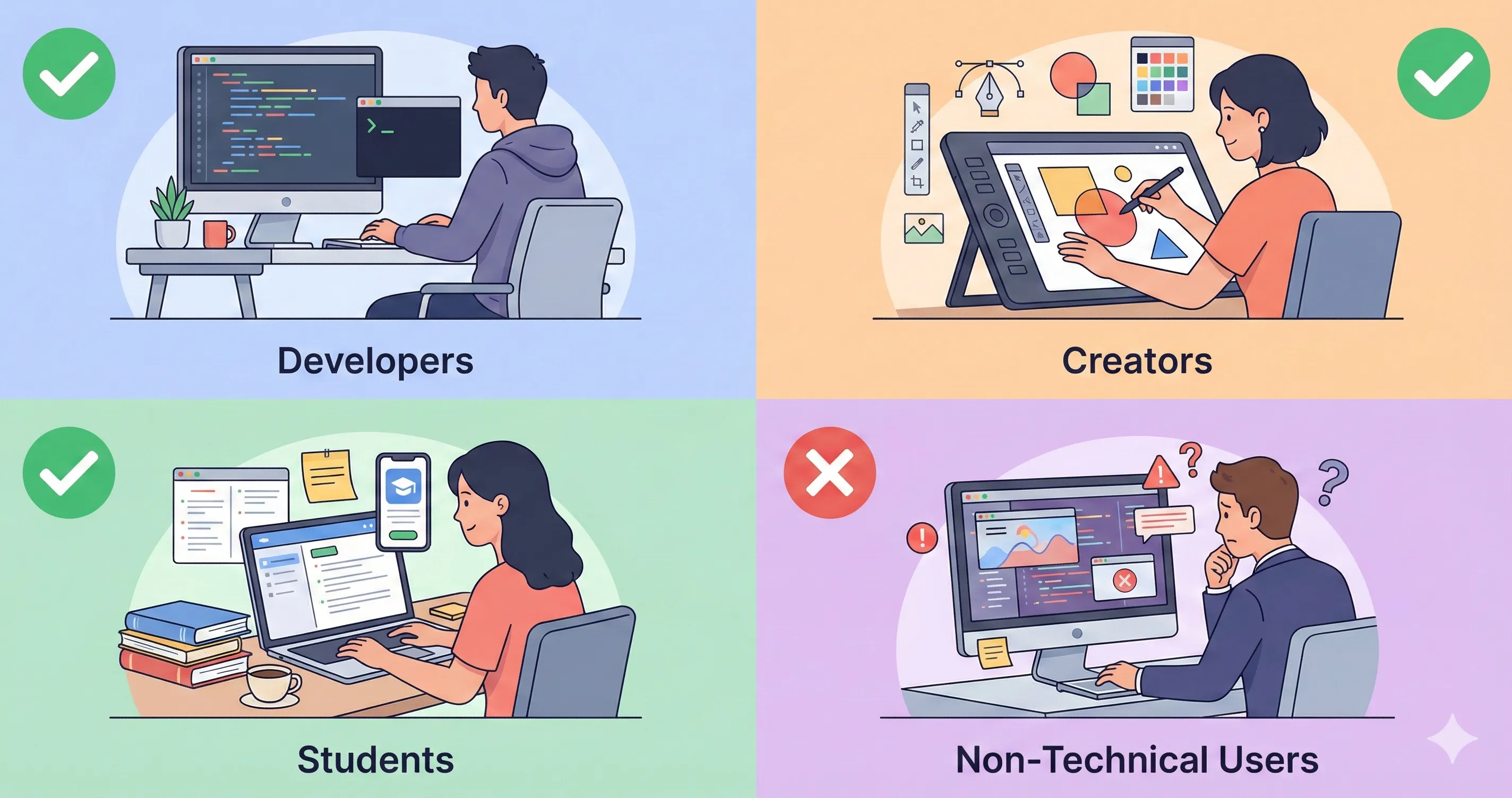
Use it if: you are learning prompts or the Gemini API, you want to compare Flash models at no cost, you are building a small app and happy to start on the free tier, or you want to try Build mode.
Pay (link a billing account) if: you handle customer or work data, you need Gemini 3.1 Pro Preview, image, video or music generation, or you need more than the free limits your project shows.
Skip it if: you only want a chat assistant. The Gemini app is the consumer product, and the plan price you see there ($19.99 a month for AI Pro) buys the app plan, while Google’s API billing pages describe a separate billing account.
❓ FAQs: Your Questions Answered
Q: How much is Google AI Studio?
A: Using it costs $0: Google says AI Studio usage is free unless you link a paid API key. Going paid means linking a billing account and prepaying at least $5. Gemini 3.8 Flash is $0.75 per 1M input tokens through December 31, 2026.
Q: Is Google AI Studio free?
A: Yes, for certain models. Google lists a free tier for Gemini 3.8 Flash, 3.6 Flash and the Flash-Lite models, but not for Gemini 3.1 Pro Preview, Nano Banana, Veo or Lyria. Free-tier content may be used to improve Google’s products.
Q: Which models are free in Google AI Studio (free tier models list 2026)?
A: As of October 11, 2026: Gemini 3.8 Flash, 3.6 Flash, 3.5 Flash-Lite, 3.1 Flash-Lite, 3 Flash Preview, Gemma 4, and 3.8 Flash TTS. Gemini 2.5 models are free but limited to past users.
Q: Is Gemini Pro free in Google AI Studio?
A: Not the current one. Google’s pricing page lists Gemini 3.1 Pro Preview as not available on the free tier. It costs $2.00 per 1M input tokens and $12.00 output for prompts up to 200k tokens.
Q: Does Google AI Studio use my prompts to train its models?
A: On the free tier, Google’s terms say it uses your content and responses to improve its services, and human reviewers may read them. With Paid Services, Google says it does not use them to improve its products.
Q: Can I generate images in Google AI Studio?
A: Google lists no free tier for Nano Banana 2.1, generally available October 6. It costs about $0.0336 per 1K image, so plan on a paid key.
Q: Is Google AI Studio good for beginners?
A: Yes. Google’s quickstart starts with a chat prompt, system instructions and Get code, and Build mode lets you vibe code small apps. Watch costs once you share an app, because its API calls count toward your limits.
Q: Is Google AI Pro the same as Google AI Studio?
A: No. AI Pro ($19.99 a month) is a Gemini app plan. AI Studio and the API use a billing account, and the Google billing pages we read do not describe the plans as a way to pay for the API.
Q: What are the new Google AI Studio features in 2026?
A: Mainly models: Gemini 3.8 Flash (September 2), Nano Banana 2.1 (October 6) and Lyria 3.5 (September 3), plus Build mode for vibe coding and Prepay billing from $5.
Final Verdict: A Fair Free Workbench, With the Fine Print Showing
In this Google AI Studio review, the verdict is simple: it remains a free way to try Google’s Flash models and to learn the Gemini API, and Build mode makes it more than a prompt box. The 2026 story is churn: Gemini 3.5 Flash, which we named as the free flagship in May, was deprecated on October 8 and replaced by 3.6 Flash, and 3.8 Flash is now Google’s most intelligent Flash model. The costs to watch are the data terms on the free tier, the lack of any free tier for Pro, images, video and music, and Gemini 3.8 and 3.6 Flash prices that double on January 1, 2027.
Verdict: GOOD FOR LEARNING AND PRACTICE. Use the free tier for practice and public text. Link a billing account (prepay from $5) before you touch anything private. Check the live prices on Google’s pricing page before you build on a model.
✅ What We Liked
- ✓ Free to use, with a free tier on the Flash models
- ✓ Get code turns a working prompt into API code
- ✓ Build mode for vibe coding web and Android apps
- ✓ Clear paid path: prepay from $5, with spend caps
- ✓ Google publishes prices and terms in plain pages
❌ What Fell Short
- ✗ Free-tier content may be used to improve Google’s products
- ✗ No free tier for Gemini 3.1 Pro Preview, images, video or music
- ✗ Per-model free limits are not on Google’s rate-limit page
- ✗ Models rotate fast: Gemini 3.5 Flash was deprecated on October 8

Founder of AI Tool Analysis. Reads every pricing page, help article and footnote so you don’t have to. Covering AI tools since 2025. See how we research →
Related Reading
- Google AI Studio Text to Speech Review
- Google Antigravity Review
- Gemini Omni Review
- Google Gemini Review
- Google AI Ultra vs Pro
- Google AI Plus Review
- Claude Haiku 5.5
- Free AI Tools Review
Stay Updated on AI Tool Prices and Limits
AI plans change every few weeks. Get the changes that affect what you pay, straight from the vendors’ own pages.
- ✅ Honest Breakdowns: We read the pricing pages and help centers, not press releases
- ✅ Price Tracking: Know when plans change price or limits
- ✅ Comparison Updates: As the market shifts, we update our verdicts
- ✅ No Hype: Just the AI news that matters for your wallet
Free, unsubscribe anytime.

Last Updated: October 11, 2026
Models Covered: Gemini 3.8 Flash, 3.6 Flash, 3.5 Flash-Lite, 3.1 Pro Preview, Nano Banana 2.1, Veo 3.1, Lyria 3.5 (US dollar prices)
Next Review Update: November 11, 2026 (model and price recheck)
Have a tool you want us to cover? Suggest it here | Questions? Contact us