
This Goose AI review answers one question: is Goose, the free open-source agent Block built and then gave to the Linux Foundation, a real alternative to a $20 to $200 Claude Code plan, or is “free” doing a lot of work in that sentence? It covers what Goose does today according to its own docs, what you actually pay once you pick a model, where it is weaker than Claude Code, and what the 2026 security record looks like.
The short version of this Goose AI agent review: the software costs nothing and works with a long list of models, including the Claude Code subscription you may already pay for. The catch is that Goose is a harness. The quality of the work, and the size of the bill, come from whichever model you plug in.
⚡ TL;DR: Goose AI Review (October 2026)
🔑 What it is: a free, open-source (Apache-2.0) AI agent with a desktop app and a CLI. You bring the model. Created by Block, now governed by the Agentic AI Foundation.
💰 Cost: $0 for Goose itself. Local models are $0 beyond your hardware, API keys bill per token (Sonnet 5.5 is $2 in and $10 out per million tokens), or you can run it on a Claude Code subscription at $20, $100 or $200 a month.
⚙️ Best for: developers who want to pick their own model, keep code local when they choose to, and share repeatable workflows as “recipes”.
💡 Our take: a popular free coding agent (55.0k GitHub stars) and a fair answer to “do I need a subscription tool?” if you are comfortable choosing and configuring a model.
⚠️ The catch: “free” covers the harness only. Goose’s docs say it works best with Claude models, it acts autonomously by default, and we found no independent benchmark comparing it with Claude Code.
📑 Quick Navigation
💡 The Bottom Line
Goose is a free, open-source AI agent that runs as a desktop app or a command-line tool and does the same kind of job as Claude Code: reading your project, running commands, editing files. It costs nothing to install and works with local models, API keys and, through a bridge, your existing Claude Code subscription. What it does not do is supply the intelligence. That comes from the model you choose, and you pay for it in dollars or in hardware.
Best for: developers who want to choose and swap models, keep code on their own machine, or share workflows across a team. Skip if: you want one subscription that works the moment you sign in. For that, compare it with Claude Code and Cursor first.
📅 What Changed Since Our February Review
Goose looks different from the project we first covered. Five things changed, all from the project’s own pages:
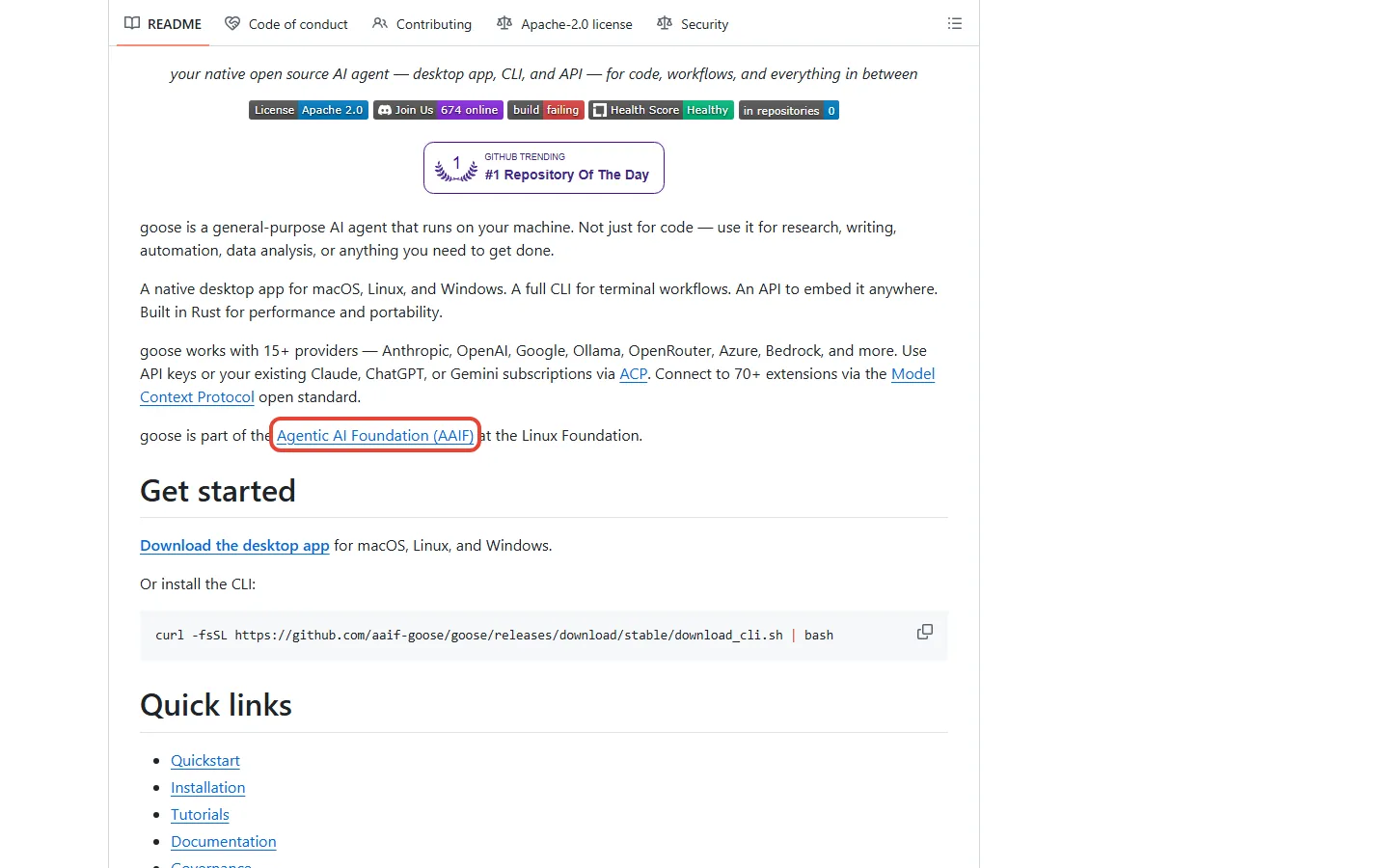
- New home. The repository moved from block/goose to github.com/aaif-goose/goose, and Goose’s install page says it moved to the Agentic AI Foundation (AAIF) in April 2026. The README says it is part of AAIF at the Linux Foundation.
- Bigger. The repository shows 55.0k stars and 6.4k forks. The February version of this review cited 27K+ stars.
- Faster releases. The releases page lists v1.50.0 on September 8 and v1.53.0 on October 2: five releases in under four weeks.
- New models. v1.53.0 adds support for Opus 5.5, GPT-6-sol and GPT-6-luna, plus a Meta Muse Code provider.
- Your subscription as the engine. Goose can now drive Claude Code or Codex through the Agent Client Protocol (ACP) using the plan you already pay for. More on that below.
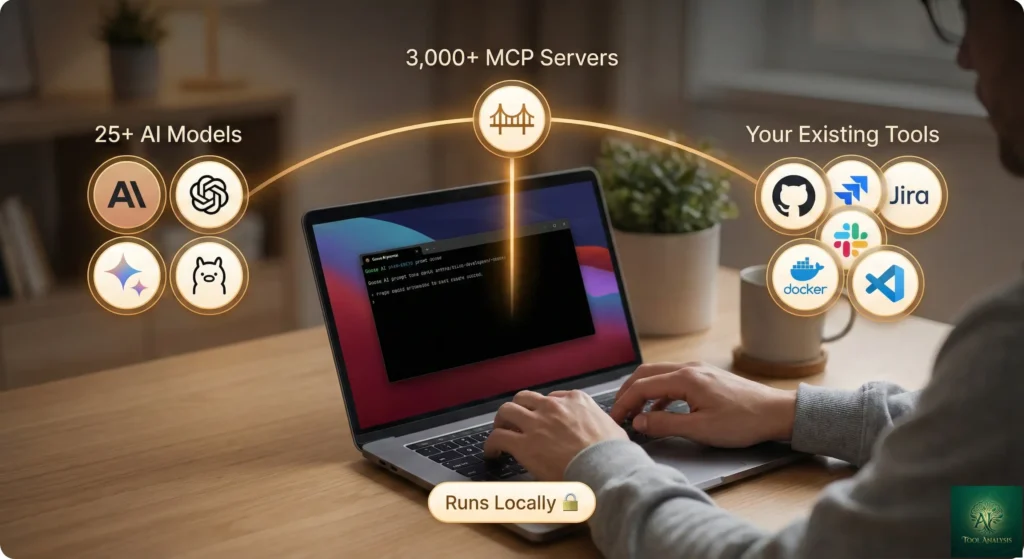
We also dropped two numbers from the February version, “3,000+ MCP servers” and “25+ providers”. Goose’s README today says 70+ extensions and 15+ LLM providers (the docs page counts 60+ providers once CLI, ACP and custom ones are included). Those are the figures we can source, so those are the ones we use.
🦆 What the Goose AI Agent Actually Does
Claude Code is a product with a model attached. Goose is the other half: an agent harness with the model left blank. It reads your project, plans steps, runs commands, edits files and calls outside tools, and you decide which model does the thinking. The README describes it as an agent for desktop, CLI and API, built in Rust, running on macOS, Linux and Windows. It also now calls Goose a general-purpose agent, “not just for code”, and names research, writing, automation and data analysis as uses.
The desktop app and the CLI share one set of configuration settings, so you can start in the terminal and switch to the app without redoing setup. The project is Apache-2.0 licensed, which means companies can use and modify it commercially.

🔍 REALITY CHECK
Marketing Claims: Goose will “install, execute, edit, and test with any LLM” (the repository description).
Actual Experience: “Any LLM” has a footnote. Goose’s own install page says it relies heavily on tool calling and currently works best with Claude 4 models. The Effloow review on DEV Community lists weaker local models on complex multi-step work among its main cons.
Verdict: You can connect almost any model. You will get the best results from one that is good at calling tools, and that is usually a paid one.
What Your First Five Minutes Look Like
Going by Goose’s install and provider docs, this is what the first five minutes on a fresh machine involve:
- Install it. On macOS the desktop app is
brew install --cask block-gooseand the CLI isbrew install block-goose-cli. The CLI also installs with a curl script from the project’s releases page. Linux offers DEB, RPM and Flatpak desktop packages. On Windows the desktop app is a zip download, and the CLI runs through Git Bash, PowerShell or WSL, with PATH set up by hand. - Pick a model provider. Nothing works until you configure one. The docs list 60+ providers, including local ones (Ollama, LM Studio, Docker Model Runner) and free routes (Groq’s free access to open-weight models, a Gemini free tier, and $10 in Tetrate credits the first time you sign in).
- Check the permission mode before the first task. By default Goose acts autonomously with its Developer extension, so it can run commands and edit files without asking. The docs describe four modes: auto, approve, smart_approve and chat. New users who want to see each step first can start in approve.
That is more steps than a subscription product that bundles its own model, and the second one is the real decision: it sets both your bill and your results.
⚙️ Features That Matter
Most coding agents share the same basics: chat, file edits, command execution. Three things set Goose apart, and each comes from its documentation.
Recipes: Saved Workflows ⭐⭐⭐⭐
A recipe packages extensions, a prompt and settings into one reusable workflow. The docs say recipes can call subrecipes (and run several at once), take parameters, be shared through a deeplink and be scheduled. Think of a recipe as a saved macro for an agent: a team writes the code-review routine once and everyone runs the same one. Our rating comes from the documented feature set, not from a benchmark.
Extensions Through MCP: 70+ Listed ⭐⭐⭐⭐
Goose extensions are built on the Model Context Protocol, the open standard for connecting agents to outside tools (our MCP explainer covers the basics). The README lists 70+ extensions, the docs include a central directory, and you can add any MCP server, including ones not in the directory. An Extension Manager lets the agent discover, enable and disable extensions during a session, and Goose checks external extensions for known malware before activating them.
Any Model, Including Your Subscription ⭐⭐⭐⭐⭐
This is the big one. Goose does not lock you to one vendor, and the newest route is the most interesting: ACP providers. The Claude ACP provider drives Claude Code with your own subscription (the docs ask for Node.js, npm, an active Claude Code subscription and Claude CLI sign-in), and the Codex ACP provider works with a ChatGPT Plus or Pro subscription or OpenAI API credits. Two limits are documented: ACP sessions cannot be forked or resumed, and their session IDs differ from Goose’s own. You get Goose’s recipes and extensions on top of the model access you already pay for. For what the Codex side offers, see our ChatGPT Codex review.

💡 Key Takeaway: If you already pay for Claude Code or ChatGPT Plus, Goose can sit on top of that plan at no extra cost. If you do not, the model is your cost: an API key bills per token, and a local model bills in RAM.
📬 Enjoying this review?
Get honest AI tool analysis delivered weekly. No hype, no spam.
⚖️ Goose vs Claude Code: The Same Thing for Free?
This is the comparison most people searched for, because of a January 2026 VentureBeat headline: “Claude Code costs up to $200 a month. Goose does the same thing for free.” The headline is half right. Here is how the two line up on what each project publishes:
| Criterion | Goose | Claude Code |
|---|---|---|
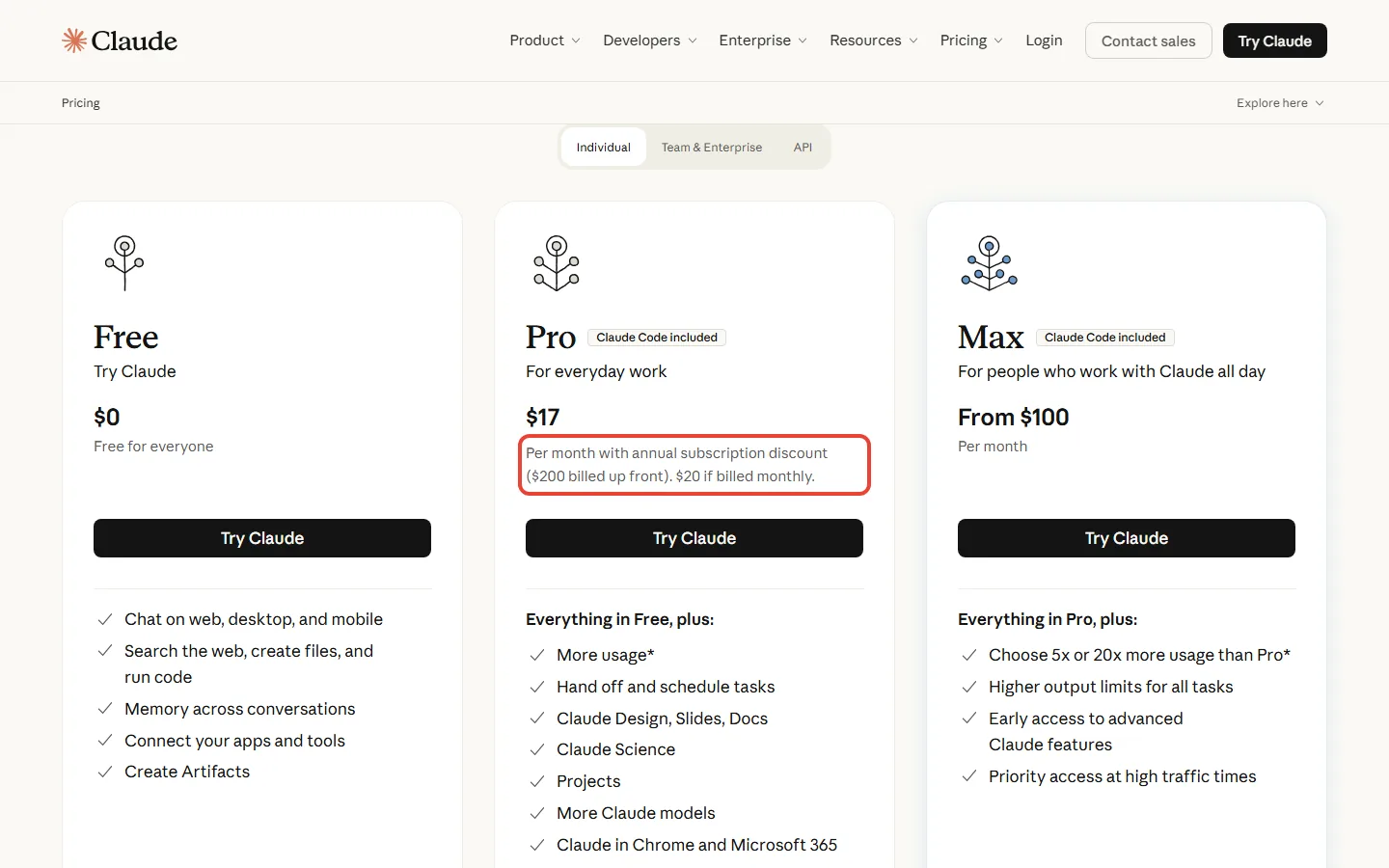
| Software price | $0 (Apache-2.0) | Included in Pro ($20, or $17 a month billed annually), Max ($100) and Ultra ($200); not on Free |
| Models | 60+ providers in the docs (15+ in the README), local or cloud | Anthropic’s Claude models on your plan |
| Interfaces | Desktop app, CLI and API | Terminal-based agent |
| Usage limits | None added by Goose; your provider’s limits apply | Shared with the rest of your plan, per Anthropic |
| Where your code goes | Stays on your machine with a local model; goes to the provider with a cloud model | To Anthropic, by design |
Two rows matter most. On price, “free” is true of the software and false of the work: the VentureBeat piece itself says Claude Code keeps the advantage on model quality and context window. On limits, Goose adds no caps of its own, but whatever model you connect still has them. Anthropic says Claude Code draws from the same pool as your chats. Run Goose on that subscription through ACP and it is the same subscription, so the same limits should apply.
💰 Monthly Price of the Plans Goose Can Run On (USD)
Claude Code is not the only comparison. If you are weighing other agents, our Claude Code vs Gemini CLI comparison, the GitHub Copilot Pro+ review and the Google Antigravity review cover the other big options, and the Claude Code Router review covers another way of pointing Claude Code at cheaper models.
🔍 REALITY CHECK
Marketing Claims: “Claude Code costs up to $200 a month. Goose does the same thing for free.” (VentureBeat, January 19, 2026)
Actual Experience: Goose does a similar job, not the same one. The software is free, but you still pay for the model or the machine. We found no independent benchmark comparing the two, and the Effloow review says there is no independent, reproducible benchmark for Goose.
Verdict: Goose gives you the same kind of infrastructure for free. Whether you get the same results depends on the model you attach.
💰 Goose AI Pricing: What You’ll Actually Pay
Is Goose free? Yes, the software is free and open source with no paid tier. Your real cost is whichever model route you pick:
| Route | What you pay | The limit that bites |
|---|---|---|
| Local model (Ollama, LM Studio and others) | $0 beyond your hardware | Block’s guidance: 32 GB of RAM is a solid baseline for larger models |
| Free provider tiers | $0 (Groq’s free open-weight access, a Gemini free tier, $10 Tetrate credits once) | The docs publish no rate limits for these |
| Claude API key | Per token: Sonnet 5.5 $2 in and $10 out per million, Opus 5.5 $4 in and $20 out | No cap, so the bill follows your usage |
| Claude Code subscription via ACP | Pro $20 ($17 a month billed annually), Max $100, Ultra $200 | The plan’s usage limits; sessions cannot be resumed |
The real-world cost math:
- At API list price, $20 buys 2 million Sonnet 5.5 output tokens ($20 ÷ $10 per million) or 10 million input tokens. On Opus 5.5 it buys 1 million output or 5 million input.
- Take a sample session we chose for illustration, not a measured one: 2 million tokens in and 200,000 out. That costs $6.00 on Sonnet 5.5 (2 × $2 plus 0.2 × $10) and $12.00 on Opus 5.5 (2 × $4 plus 0.2 × $20).
- By that sample, a $20 Pro month equals roughly three Sonnet sessions or fewer than two Opus sessions at API prices. Heavy daily use favours a flat plan; occasional use favours the API.
🧮 What Your Money Buys at API List Price (Million Output Tokens)
Two cautions apply. In agent loops the context is typically resent on each step, so input tokens usually outnumber output tokens by a wide margin. That is why Anthropic’s API lists a separate cache-hit price per million tokens: $0.10 for Sonnet 5.5 and $0.20 for Opus 5.5. And the monthly API estimate in our February version had no source, so we have removed it rather than guess. If you want a $0 start, the free AI tools review covers other zero-cost options, and our Claude AI review covers the plans behind the Claude rows above.
🎯 Who Should Use Goose (And Who Shouldn’t)
Choose Goose if: you want to switch models without switching tools, you already pay for Claude Code or ChatGPT Plus and want recipes and extensions on top, or your team wants to share one repeatable workflow. It also suits anyone who needs code to stay on their own machine, because a local model never sends it anywhere. Our roundup of AI agents for developers shows where it fits among the other options.
Stick with Claude Code if: you want one bill, a model tuned to the tool and no configuration. Goose’s own docs say it currently works best with Claude models, so the strongest results sit on the same models Claude Code already uses. See our Claude Code review for what that plan covers.
Skip Goose if: you are new to the terminal, you do not want to choose a provider, or you want a polished editor experience, which is the pitch of tools like Cursor (see Claude Code vs Cursor). Goose assumes you are comfortable with config and permissions.
🔒 Security: What Operation Pale Fire Revealed
On January 15, 2026, Block’s engineering blog published an account of how its own offensive security team attacked Goose. The red team found that Goose’s Google Calendar extension accepted outside invitations, hid prompt-injection instructions in zero-width Unicode characters, and used a poisoned recipe, delivered under the cover of a bug report, to get an employee to run an infostealer. The point of the exercise was to find the holes before attackers did, and Block published the result.
Block says it fixed what the exercise found: external calendar invites are limited to known senders, recipe instructions are now shown when a recipe loads, zero-width characters are stripped, and a first prompt-injection detector went into the codebase. Goose’s security docs today list Adversary Mode (a second agent that watches tool calls) and Prompt Injection Detection. The v1.53.0 release notes also list a fixed security advisory and a guard against server-side request forgery in MCP redirects.

The practical takeaways come from the docs. Goose acts autonomously by default, so consider approve or smart_approve mode when you run recipes from other people, and read what a recipe does before you run it. Telemetry is opt-in: the setting that enables anonymous usage data defaults to false.
🔍 REALITY CHECK
Marketing Claims: The pitch you will see repeated is that Goose runs locally, so your code stays private.
Actual Experience: Goose the software runs on your machine, and its telemetry is off by default. But the model sees whatever Goose sends it. With a cloud provider, that includes your code, sent to the provider under its own terms. Only a local model keeps everything on the device.
Verdict: Goose makes complete privacy possible, but you only get it by choosing a local model.
💬 What People Are Saying
Published commentary on Goose splits into three camps:
The “free is the point” camp. VentureBeat’s January 19, 2026 piece (by Michael Nuñez) argued that Goose challenges Claude Code’s pricing by offering a similar workflow with no subscription fee, and framed it against developers’ frustration with usage limits. It still conceded that Claude Code leads on model quality and context window.
The “prove it” camp. The Effloow review, dated July 12, 2026 on DEV Community, liked the price, the model choice and the privacy option, but declined to give a score because there is no independent, reproducible benchmark. Its listed cons were technical setup, risk if autonomous shell access is misconfigured, and weaker local models on complex chains.
The “show your work” camp. Block’s own engineering team published the Operation Pale Fire write-up, and the Agentic AI Foundation now describes Goose as a proving ground for new MCP ideas. Our reading: a project that publishes its own failed security exercise is easier to judge than one that does not, though the exploit itself was real.
The common thread: Goose is praised as infrastructure and questioned as a result. Everyone agrees the model you attach decides the outcome.
🗺️ The Road Ahead: What’s Next for Goose
Short term (next 3 months): expect more point releases and new model support. Based on the release cadence (five versions between September 8 and October 2, under four weeks) and v1.53.0’s addition of Opus 5.5 and the GPT-6 models, new models are likely to land in Goose quickly.
Medium term (6 to 12 months): likely more work on ACP and on the security features listed in the docs, since the v1.53.0 notes mention an agent loop that runs in the browser (wasm32) and a security fix. Treat this as a reading of the release notes, not a roadmap Goose has published.
Long term (12+ months): Goose now sits under foundation governance alongside other open agent standards, which reduces the risk that one company’s priorities decide its future. Whether it closes the quality gap with paid tools depends mostly on the models, not on Goose.
❓ Goose AI Review FAQs
Q: Is Goose AI free?
A: Yes, the software is free and open source under the Apache-2.0 license, with no paid tier. You pay for the model you connect: nothing with a local model, per token with an API key, or your existing Claude Code or ChatGPT plan through ACP.
Q: What is Goose AI?
A: Goose is an open-source AI agent with a desktop app, a CLI and an API. It can read a project, run commands, edit files and use outside tools through MCP extensions, with the model of your choice. Block created it, and it is now governed by the Agentic AI Foundation at the Linux Foundation.
Q: Is Goose still made by Block?
A: Block created it, but Goose moved to the Agentic AI Foundation in April 2026 and the repository is now at aaif-goose/goose. Block’s engineers still publish about it, and AAIF describes the project as governed by the foundation.
Q: Goose vs Claude Code: which is better?
A: Neither wins outright. Claude Code is one subscription ($20, $100 or $200 a month) with the model included. Goose is free software that works with many models, including Claude. We found no independent benchmark comparing the two, so the honest answer is to pick by how much configuration you want to handle.
Q: Can Goose use my Claude Code subscription?
A: Yes, through the Claude ACP provider, per Goose’s docs. It needs Node.js, npm, an active Claude Code subscription and Claude CLI sign-in. Sessions started this way cannot be forked or resumed.
Q: Can Goose work offline?
A: With a local model, yes. Goose supports Ollama, LM Studio and Docker Model Runner, and Block’s guidance is that 32 GB of RAM is a solid baseline for larger models. Cloud models need an internet connection.
Q: Is Goose safe to use?
A: It is safe if you use the controls. Goose acts autonomously by default, so approve mode is worth using at first. Block’s own red team showed a poisoned recipe could deliver an infostealer in January 2026, and the fixes it describes include showing recipe instructions on load and stripping hidden Unicode.
Q: What is a Goose recipe?
A: A recipe is a reusable workflow that packages extensions, a prompt and settings. Recipes can use subrecipes, take parameters, be shared by deeplink and be scheduled, according to the docs.
🏁 Final Verdict
Goose is the best-known free coding agent, and it has matured since February: foundation governance, 55.0k stars, frequent releases and a route that lets it run on the subscription you already have. If you want control over the model, the data and the workflow, we found no other free agent that combines this much model choice and extensibility.
What it does not give you is certainty. We found no independent benchmark against paid agents, the docs steer you toward Claude models for the best results, and the default permission mode is hands-off. For the right developer that is a fair trade. For anyone who wants a tool that just works, a subscription agent is still the simpler choice.
✅ What We Liked
- ✓ Free, Apache-2.0 software with a desktop app and CLI
- ✓ 60+ providers in the docs, local models included
- ✓ Can run on your existing Claude Code or ChatGPT plan through ACP
- ✓ Recipes and 70+ extensions for repeatable workflows
- ✓ Openly published security findings, with fixes
❌ What Fell Short
- ✗ “Free” excludes the model, which sets quality and cost
- ✗ No independent benchmark against paid agents that we could find
- ✗ Autonomous by default; needs deliberate permission settings
- ✗ ACP sessions cannot be resumed or forked
Use Goose if you want to choose your own model, keep code local when it matters or share recipes across a team. Stick with Claude Code if you want the least setup and are happy with one vendor. Download Goose from its GitHub page or read the install docs.


Founder of AI Tool Analysis. Reads every pricing page, help article and footnote so you don’t have to. Covering AI tools since 2025. See how we research →
📚 Related Reading
- Claude Code Review: the paid agent Goose is compared with
- Claude Code vs Cursor: which $20 coding tool fits you
- Claude AI Review: the plans behind Claude Code
- AI Agents for Developers 2026: the wider field
- ChatGPT Codex Review: the other subscription Goose can drive
- Claude Code vs Gemini CLI: another terminal agent
- GitHub Copilot Pro+ Review: the editor-first alternative
- Google Antigravity Review: Google’s agent platform
- Claude Code Router Review: cutting the model bill
- MCP Explained: the protocol behind Goose’s extensions
Stay Updated on AI Developer Tools
Don’t overpay for AI tools. Get weekly pricing updates, new tier alerts, and honest reviews delivered to your inbox. No hype, no spam.
- ✅ Price-change alerts for every major AI tool
- ✅ New tier announcements as they happen
- ✅ Honest comparisons that cut through marketing
- ✅ Safety updates on the tools you rely on
Free, unsubscribe anytime.

Last Updated: October 31, 2026 | Facts checked: October 31, 2026 (project facts against Goose’s GitHub page, release notes and docs; Claude prices against Anthropic’s pricing pages) | Next Review Update: November 30, 2026, or on the next Goose or Claude plan change.
Have a tool you want us to cover? Suggest it here | Questions? Contact us