
If you’ve heard that every ChatGPT plan gets a new usage limit in December, that’s not what OpenAI announced. The ChatGPT shared usage limit is named for three plans: Plus, Pro and Business. On those, ChatGPT and Codex, the coding assistant that does programming tasks for you, will draw from one allowance. Instant chat, ChatGPT’s fast-answer setting for everyday questions, won’t count against it.
Free and Go aren’t mentioned, which isn’t the same as saying they won’t change. Our advice is to sit tight. OpenAI hasn’t said how big the shared allowance will be on any plan, so nobody can tell you yet whether yours will feel smaller. Keep your plan, watch your own usage screen once December starts, and move up a step only if the same limit stops you twice in one week.
Your plan in December, at a glance
Free ($0) or Go ($8): not in the December note. Everyday text chat is unlimited today, within abuse-prevention safeguards.
Plus ($20): ChatGPT and Codex share one pool, minus Instant chat. Its size isn’t published.
Pro ($100, $200 or $500): named, but how each size maps onto the pool isn’t published.
Business (from $20 a user a month, paid a year up front): named, with no word yet on Standard versus Premium seats, the two kinds of per-person license.
Watch for: on Plus or Pro, once your allowance runs out in Work or Codex, credits, the top-ups you buy for extra usage, can be spent without ChatGPT asking you first.
Quick Navigation
What the ChatGPT shared usage limit changes
If you pay for Plus, Pro or Business, the chat you type into and the jobs you hand off will soon run on the same allowance. ChatGPT Work, the part of ChatGPT that carries out multi-step jobs for you, already shares one allowance with Codex. From December, ChatGPT itself joins them, as OpenAI brings Work’s agentic features into the main ChatGPT experience.
Think of it as moving from separate phone lines to a family plan. Today your chats and your coding jobs each have their own bucket; from December they pour into one pool. Instant chat is like a text message on that plan: it doesn’t come out of the data.
The comparison breaks in one place: on a phone plan every gigabyte is the same. This pool is counted in tokens, the small chunks of text the AI reads and writes. More advanced models, the AI engines behind each answer, and harder tasks generally burn through more of them. So if most of your day is quick questions on Instant, the note leaves your main habit out of the pool.
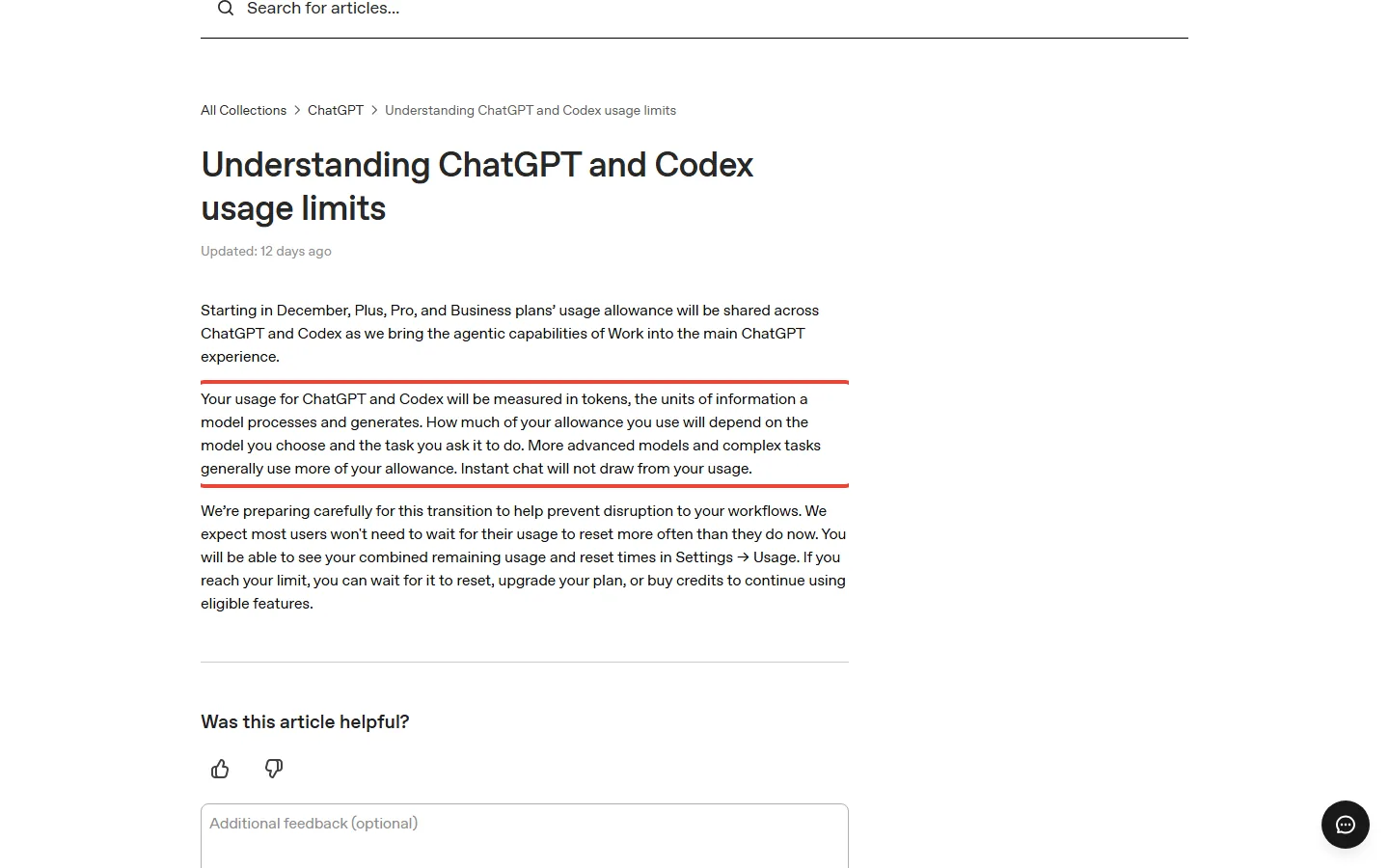
On Plus, the change looks like this. Before: your chats could hit their own message caps, while Work and Codex used a separate allowance with a five-hour window. After: one allowance for ChatGPT and Codex, Instant chat excepted, with your combined remaining usage and reset times on one screen, Settings > Usage.
If you’re on Free or Go, nothing in the note is addressed to you. Both plans have unlimited everyday text chats today, within OpenAI’s abuse-prevention safeguards. For coding, OpenAI pitches Free for quick coding tasks and Go for lightweight ones.
So on Free or Go, expect Codex for small jobs and not much more. OpenAI’s pricing guide includes Work and Codex on every plan, but the Work and Codex help article lists Plus, Pro and Business seats, with no Free or Go. A third article includes Codex on Free and Go, but not Codex Cloud, the version that runs tasks on OpenAI’s machines instead of your device.
What each ChatGPT plan costs and gets today
No price change came with the December note, so your decision is about limits, not money. The table shows the ChatGPT plans with the limit that matters most on each.
| Plan | Price (US) | In the December note? | The limit that matters today |
|---|---|---|---|
| Free | $0 | Not mentioned | Unlimited everyday text chats, within abuse safeguards |
| Go | $8 a month | Not mentioned | Same chat promise, with higher limits for images, file uploads and data analysis |
| Plus | $20 a month | Named | Medium and High thinking; a five-hour Work and Codex window, and weekly limits may also apply |
| Pro | $100, $200 or $500 a month | Named | No five-hour limit in Work and Codex, but still an included allowance |
| Business Standard | $25 a user a month, or $20 a month on a yearly plan; at least 2 seats | Named | The same five-hour estimates as Plus |
Go, Plus and Pro bill monthly only, with no yearly plan. These are US list prices; the full plan cards are in OpenAI’s pricing guide. For everything each plan includes, our ChatGPT review walks the whole ladder.
Plus: the $20 plan the change names
ChatGPT Plus limits in Work and Codex can run on two clocks today. A five-hour window starts with your first message after the previous window ends, and weekly limits may also apply on top. You can run out of the five-hour window before five hours pass.
Local messages are the ones Codex handles on your own device, through its desktop app, its command line (the terminal, the text window where you type commands) or a code editor. OpenAI estimates your Plus window holds 5 to 45 of them on GPT-6 Astra, its model for the hardest work. On GPT-6 Luna, built for focused, repeatable tasks, the estimate is 350 to 3,000. That makes Luna stretch roughly 70 times further for you.
In chat, Plus gets Medium and High thinking, the modes where ChatGPT thinks longer before it answers; Free and Go don’t. Plus chats may also hit message caps, especially when demand is high, with no published number. So if you pay $20 mainly for Thinking, that’s the part of your month the December note leaves unexplained.
Pro: no five-hour window, but not bottomless
On Pro, you have no five-hour limit in Work and Codex today, but each Pro plan still has an included allowance, larger at each step up. On October 29, Pro 100 and Pro 500 got twice their previous Work and Codex allowance. Pro 200 accounts still on a lower allowance had it doubled to match. That’s today’s allowance; it tells you nothing yet about the December pool.
GPT-6 Pro, ChatGPT’s Pro setting for difficult, longer-running work, has its own weekly message limits in chat today. Who gets it is muddled: one OpenAI article lists Pro $100 and Pro $200, while two others imply Pro 500 has it too. If GPT-6 Pro is why you’d pay $500, check the plan screen before you upgrade. Our October price changes roundup covers the October switch, and the dots pricing guide covers what the $100 plan adds.
Business: two seat types, and no December detail yet
If you run a team, a Business workspace needs at least 2 seats, Standard or Premium in any mix. Standard costs you $25 per user a month, or $20 a month on a yearly plan, so two people on yearly billing pay $480 a year.
Premium seats cost $125 per user a month, or $100 a month on a yearly plan, per OpenAI’s Business overview. They give you more Work and Codex usage than Standard and no five-hour limit. That’s $1,200 per user a year on yearly billing, against $1,500 paid monthly. Premium only pays off for the people on your team who live in Work or Codex.
What OpenAI hasn’t published yet
Most of what would decide your plan is still missing. Picture a family data plan announced without the gigabytes: you know everyone will share, but not how much there is. OpenAI hasn’t published:
- how big the shared allowance is on your plan, or any plan;
- which day in December it starts, or how often your allowance resets;
- whether your five-hour and weekly windows carry over;
- how the three Pro sizes map onto the pool, including Pro’s separate GPT-6 Pro chat limits;
- which of your chat uses beyond Instant count, such as Thinking, GPT-6 Pro chat, images, uploads and voice, and whether credits will cover chat;
- whether Free, Go, Enterprise or Edu change at all, or how it splits Business Standard from Premium seats;
- what one credit costs you in US dollars.
Today those chat extras run on their own meters: file uploads, image generation and voice each have separate limits that don’t touch Codex. If you lean on ChatGPT’s image limits or voice chats, that’s the line to watch. There’s no release-notes entry for the change yet either.
If you use ChatGPT in Excel, assume it already draws from the allowance you code from: three of OpenAI’s four pages on this say so. Work, Word and PowerPoint appear on fewer of them, so even today’s shared list is fuzzy.
“Most users” is a forecast, not a number
OpenAI’s expectation: “We expect most users won’t need to wait for their usage to reset more often than they do now.”
What OpenAI hasn’t published yet: how big the pool is, and how often it refills.
For you: take it as a reason not to panic-upgrade, not as a guarantee. Your first December weeks in Settings > Usage are the real answer.
If you’d rather keep chat and Codex apart, you’re not alone: Notebookcheck reports that an OpenAI forum thread asking for exactly that passed 100 posts. Since OpenAI hasn’t published the December numbers, treat any video or post that quotes you an exact message count with suspicion, and ask where the number came from.
What happens when you hit the limit
Running out won’t end your plan, but it can start spending your credits. When you hit your ChatGPT usage limit, you can wait for the reset, upgrade, or buy credits for eligible features. Support can’t reset a limit for you, and your subscription carries on. If a limit hits mid-task in Work or Codex, the AI can keep working on its current turn, the request it’s in the middle of, within fair-use limits.
Credits work like a prepaid card for the overflow: your plan’s included usage goes first, then the card. They cover Codex, Work, and ChatGPT in Word, Excel and PowerPoint, not every ChatGPT model or feature. The card is also a dated voucher. Credits expire 12 months after purchase, unused ones don’t roll over, and they’re non-refundable unless law, a contract or an approved exception says otherwise.
Telling ChatGPT to ask first doesn’t stop the spend
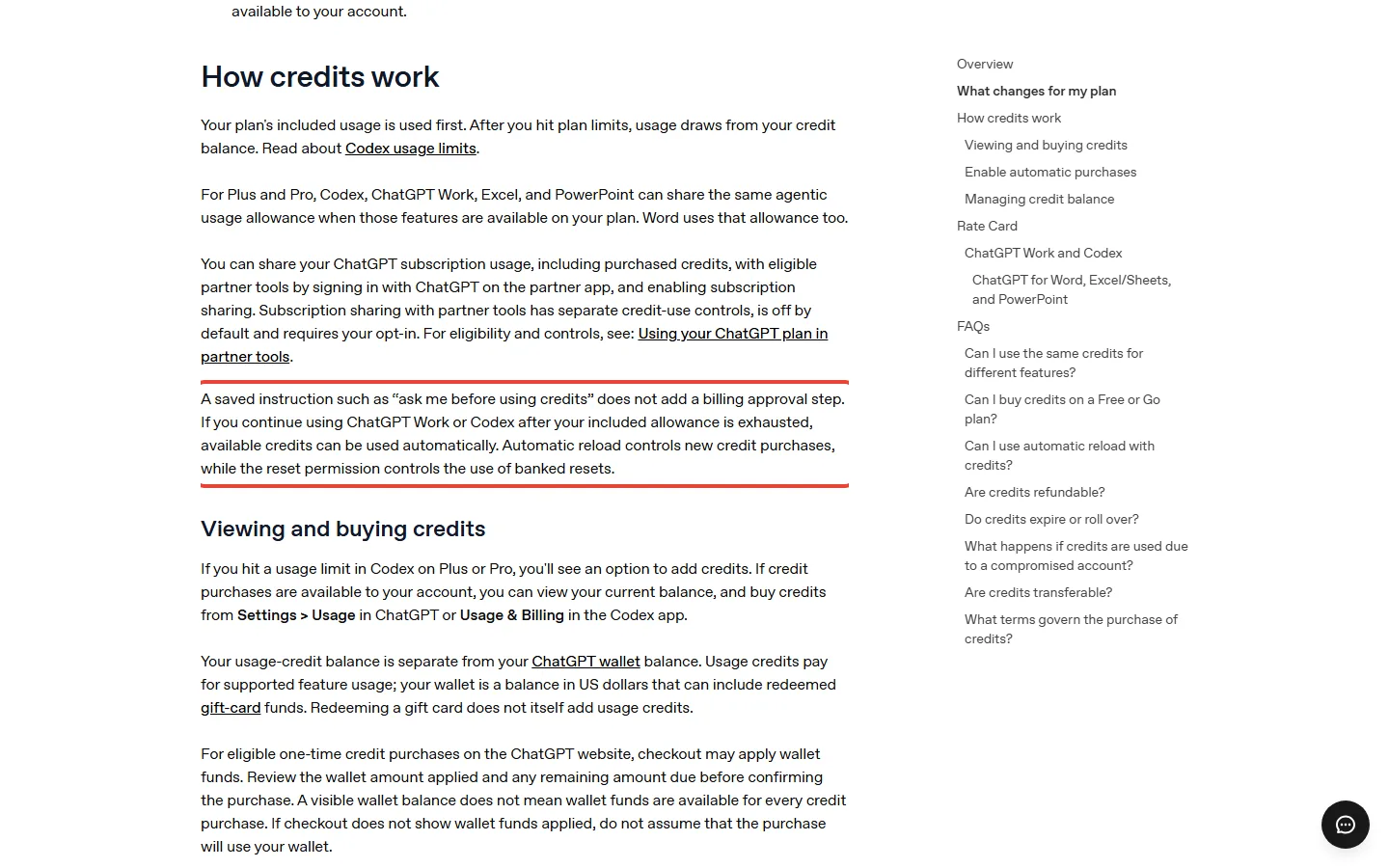
You might save an instruction like “ask me before using credits” and assume you’re covered. You aren’t. OpenAI’s credits article says plainly that such an instruction adds no billing approval step. Once your included allowance is used up in Work or Codex, available credits can be used automatically.
Automatic reload makes the card refill itself. In OpenAI’s own example, with a minimum of 100 credits, a target of 500 and a balance of 40, the gap when you switch it on is 460 credits. So if you’ve ever bought credits, check whether automatic reload is on before December.
On Free and Go, credit purchases are open only to a limited group, and buying them doesn’t raise your plan’s limit. Eligible personal Plus and Pro accounts can also buy an instant reset. It refills your five-hour and weekly Work and Codex allowance at checkout, can’t be saved for later, and has no published price. So treat it as a rescue for one deadline day, not as a plan.
Switching models won’t give you a fresh allowance in a shared pool. The Pro tiers article still suggests trying another model when you hit a cap, but that advice fits today’s per-model chat limits, where each model has its own. In one December pool, a lighter model makes what’s left last longer; it doesn’t refill what you’ve used.
Where to see how much you have left
Whether December hurts you will show up on one screen, so learn it now.
- Open Settings, then Usage: today it shows your remaining Work and Codex allowance, which isn’t a fixed number of messages or tasks, and when it resets.
- From December, the same screen is where your combined remaining usage and reset times will show.
- If you use Codex in the terminal, type /status during a session to see your remaining limits.
- If your account can buy credits, your balance and the option to buy more sit on the same Usage screen, or under Usage & Billing in the Codex app.
Every week or two is OpenAI’s suggested rhythm for checking your pace; in your first December week, check daily. Model choice is your biggest lever. Small scripts may use only a fraction of your allowance, while long sessions that hold more of a project in memory use much more per message.
Effort, the setting for how hard a model works on each reply, matters too. In OpenAI’s own example, Astra set to Low can do better than Sol set to High, and Sol is a step below Astra. The example names no test, so read it as a rule of thumb. So the highest setting isn’t always the better buy for you.
Which ChatGPT plan to keep in December: three kinds of month, worked out
You mostly chat, on Plus
Say you’re on Plus and send about 40 Instant chats and 5 Thinking chats a day. Over a 30-day month that’s about 1,200 Instant chats, which sit outside the shared pool, and about 150 Thinking chats, which the note doesn’t address. Your December risk is those 150 chats, and nobody can size it yet.
Keep Plus if you’d miss Medium and High thinking. If you wouldn’t, the real choice is Plus or a cheaper plan. Free and Go both give you unlimited everyday text chats within OpenAI’s abuse safeguards, and Go costs $12 a month less than Plus: $96 a year instead of $240. Our Go vs Plus comparison covers what else you’d give up.
You open Codex a few times a week, on Plus
Say you open Codex 3 times a week and send about 10 messages a session on GPT-6 Astra. That’s 30 Astra messages a week. One 10-message session sits inside OpenAI’s estimate of 5 to 45 per five-hour window, so it may or may not hit your limit. On GPT-6 Luna, the same 10 barely dent its 350 to 3,000 estimate.
Fast mode, which trades extra usage for speed, uses allowance 2.5 times as fast where your model offers it, which shrinks that Astra estimate to roughly 2 to 18. Past your allowance, the model also sets your bill. Take one big Codex turn that reads 200,000 tokens and writes 20,000. At Standard speed on Astra, that’s 0.2 million input tokens at 250 credits per million plus 0.02 million output tokens at 1,250 per million: about 75 credits.
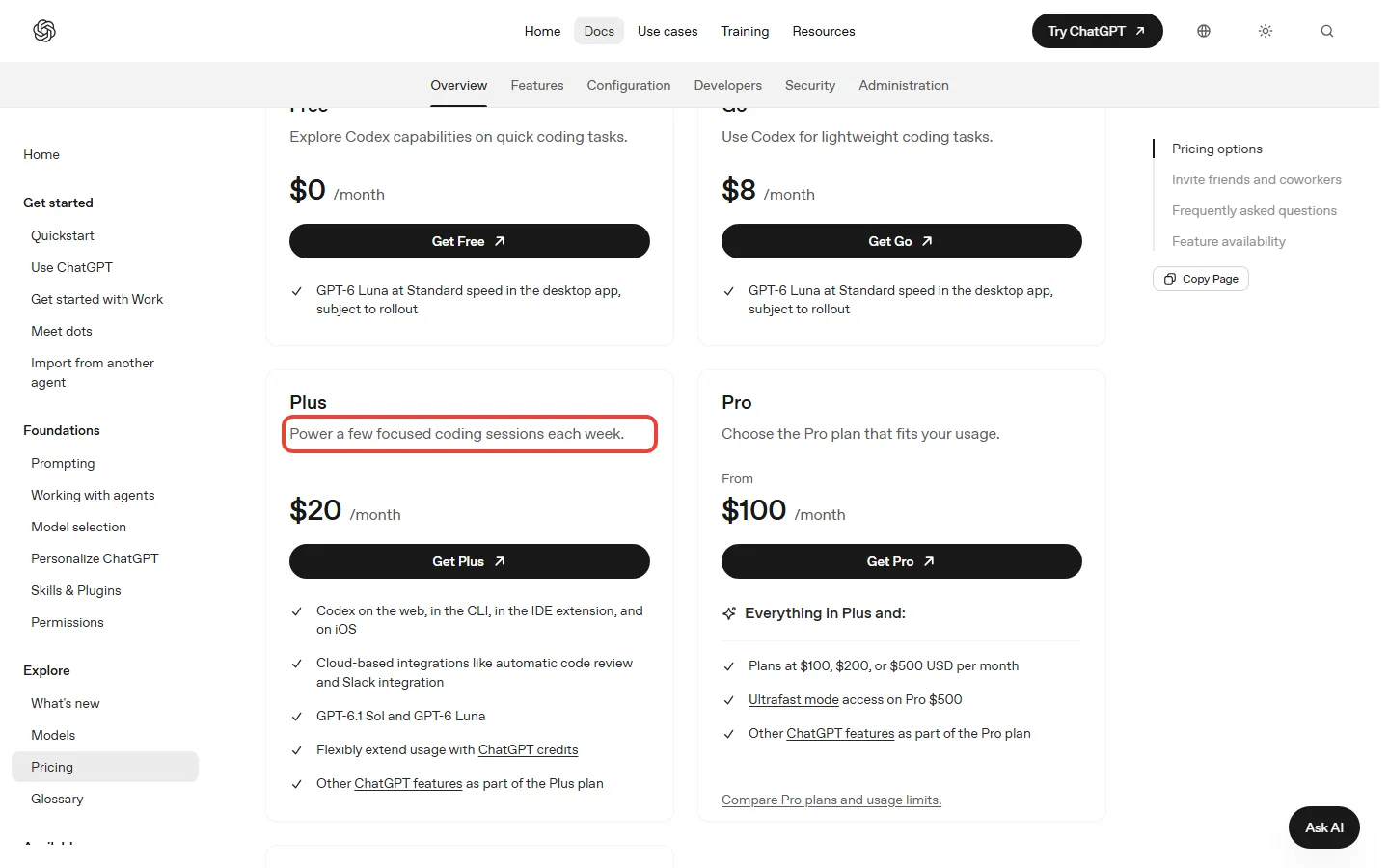
On Luna, the same turn costs about 0.75 credits, a hundredth of that. OpenAI doesn’t publish what a credit costs in dollars, so you can compare turns but not price them yet. This is the week OpenAI pitches Plus for: “a few focused coding sessions each week.” Keep Plus, and save Astra for the hard problems, since Plus includes only limited Astra usage.
Pro would cost you $80 more a month, $960 a year. Our Codex review covers what else Plus gets you in Codex.
You run Work and Codex all day, on Pro 100
If you’re on Pro 100 and one Work or Codex job uses about 4% of your included allowance, five jobs a day use 20%. At that pace the allowance runs out after 5 days of work. With Fast mode on, where your model offers it, each job costs 10%: 50% a day, gone in 2 days. Pro has no five-hour window today, so the included allowance is the wall you hit here.
Whether 5 days is plenty or a problem depends on when your allowance refills, and OpenAI mentions a weekly reset only in its note on buying a reset, so check the reset time on your Usage screen before you judge.
The next steps up are Pro 200, at $100 more a month, and then Pro 500, another $300 a month on top. Pro 500 adds Ultrafast, which makes Astra up to 8 times faster but uses your allowance 8 times as fast, and bills credits at 6 times the Standard credit rate after the allowance runs out. The 75-credit Astra turn above would cost about 450. Switch off Fast before you pay for a bigger plan: in this example, it’s 2 days versus 5.
How to cancel your ChatGPT subscription or step down
If December makes your plan feel wrong, moving down is easy, but timing decides whether you pay for another month. Cancel where you bought it: your ChatGPT account for web sign-ups, Apple or Google Play for app-store ones, and workspace billing settings for self-service Business. On the web, the steps are:
- Open your account menu and select Settings.
- Select Billing.
- Under Cancel plan, select Cancel.
The older Plus help article still points to Settings, then Account; the cancel article is newer, so try Billing first. To move between Pro sizes, use Settings, then My Plan. Cancel at least 24 hours before your billing date, or you pay for another period. You keep paid features until then, and on Pro you can undo a scheduled cancellation before it takes effect.
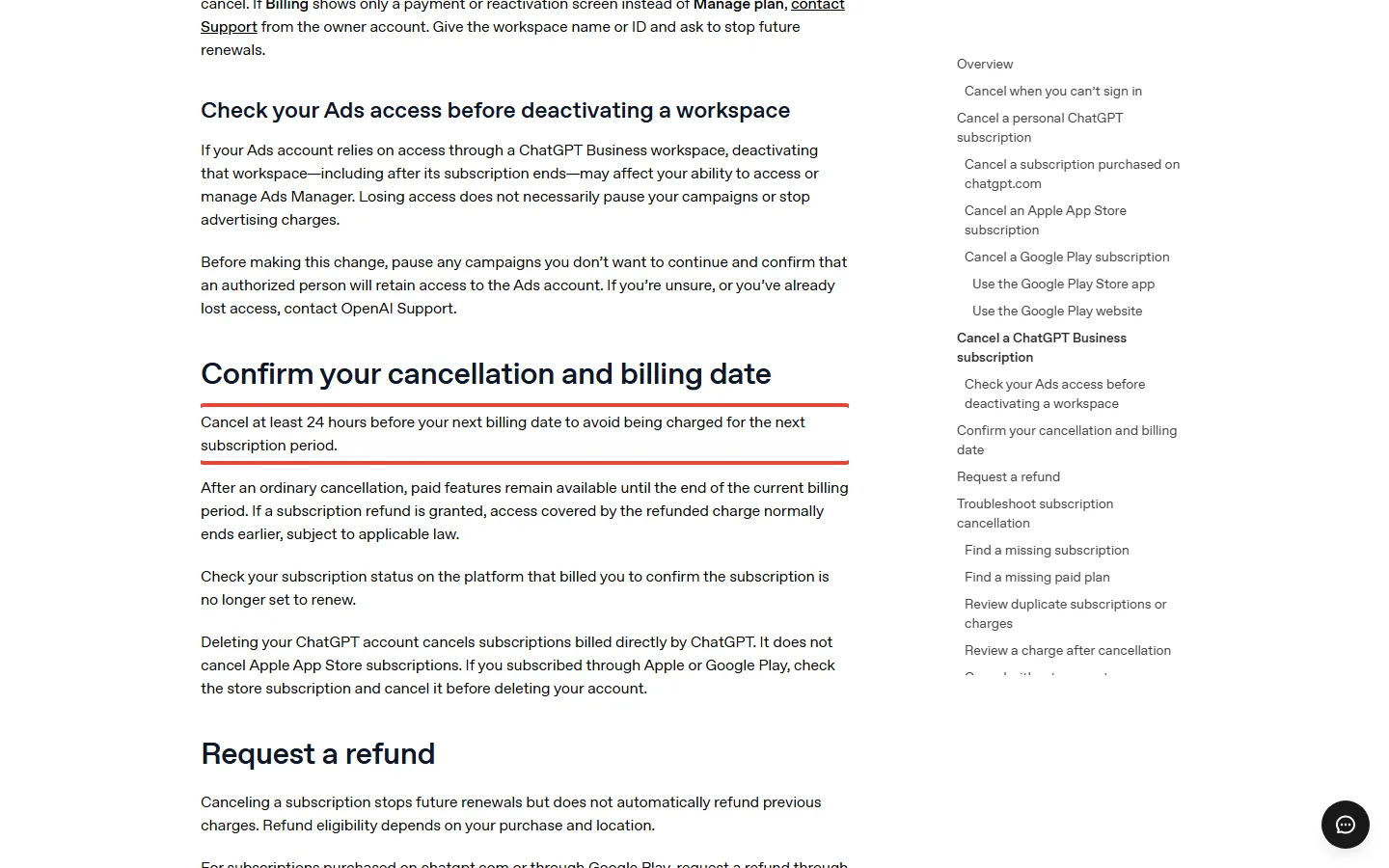
Deleting the app doesn’t cancel anything, and canceling doesn’t automatically refund earlier charges. Deleting your ChatGPT account cancels plans billed by ChatGPT, but not an Apple App Store subscription. If you qualify for a refund, ask OpenAI Support for web and Google Play purchases, or Apple for App Store ones. Refunds OpenAI approves typically take 5 to 10 business days.
Stepping down from Plus or Pro to Go gets you no refund. Your current plan runs to the end of the billing cycle, then Go’s $8 rate starts. OpenAI’s pages don’t spell out the terms for moving from Pro to Plus. So if December is your reason to downgrade, do it a day or more before renewal.
The rule we’d use in December
Don’t pay for a change you haven’t seen. Leave your plan alone until Settings > Usage has a couple of weeks of December on it. Then apply one rule: if the same limit stops you twice in a week, go up one step. If a month on Plus passes on Instant chat alone, step down to Go and keep $144 a year.
If you’re weighing a different assistant altogether, our Claude subscription guide lays out its plans and limits the same way.
Sources and how we checked: OpenAI’s December note on ChatGPT and Codex usage limits, last updated about November 2, and its pricing guide. We also used OpenAI’s help articles on Work and Codex usage, models, Pro tiers, Plus, Go, Business, credits, Codex usage, canceling and the release notes, its model and speed docs, plus Notebookcheck’s report on the note, all read on November 14, 2026. The pricing guide’s Plus estimates also list GPT-6.1 Terra at 35 to 285 local messages, which the Work and Codex help article leaves out. None of these pages gives the December allowance size, start day or reset cadence.

Founder of AI Tool Analysis. Every price and limit here is checked against the vendor’s own pages. How we research
Stay Updated on AI Plans and Prices
Get an email when a plan we cover changes its price or limits.
Free, unsubscribe anytime.
Related Reading
- ChatGPT Review 2026: Which Plan to Pay For, From Free to $500 a Month
- ChatGPT Go vs Plus: Is $8 Enough or Do You Need $20?
- ChatGPT Codex Review: What Plus Gets You vs Claude Code
- ChatGPT Dots Pricing: Is the $100 Pro Plan Worth It?
- AI Subscription Price Changes, October 2026
- Claude Subscription 2026: Which Plan?
Last Updated: November 14, 2026
Next Review Update: December 1, 2026 (December start, pool size per plan, Free/Go status, credits help)