
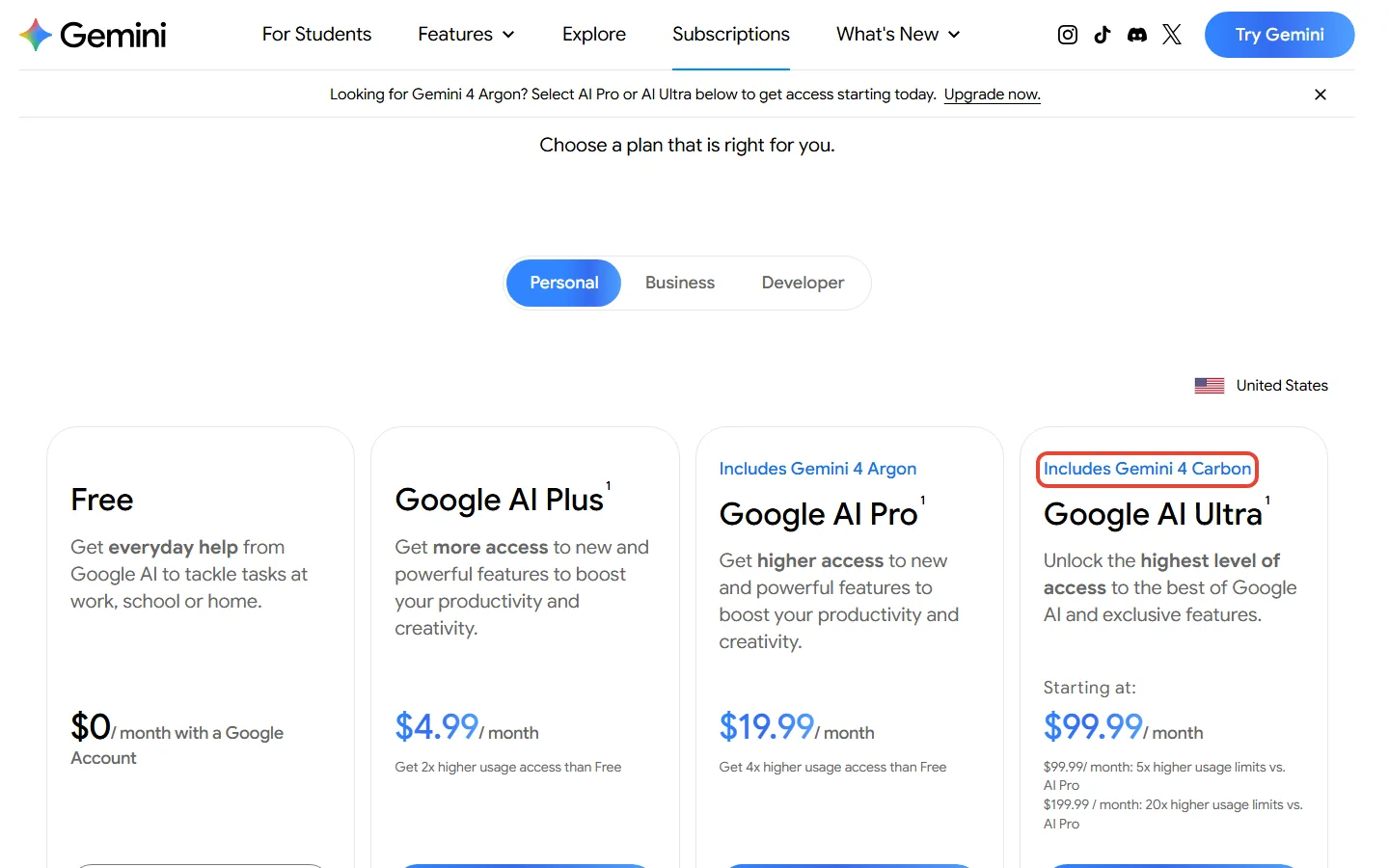
If you pay $19.99 a month for Google AI Pro, Gemini 4 Carbon isn’t on your plan: Pro keeps Gemini 4 Argon. Google has four consumer tiers: Free plus three paid Google AI plans, Plus, Pro and Ultra. Of those, only Google AI Ultra includes Gemini 4 Carbon, starting at $99.99 a month.
Our view: most Pro subscribers should stay put. A model is the AI engine that writes your answers. Google built Carbon for long, many-step coding and research jobs, and it still points most coding and knowledge work at Argon. Ultra makes sense when that heavy work is your daily job, or when Ultra’s other extras were already on your list.
Developers have a separate route, the paid Gemini API, which means software talks to Gemini directly; it’s covered near the end.
Quick Navigation
Which Google AI plan gets Gemini 4 Carbon?
Here is each plan and the Gemini 4 model it gets in the Gemini app:
| Plan | Price a month | Gemini 4 model in the Gemini app | Gemini 4 Carbon? |
|---|---|---|---|
| Free | $0 | None | No |
| Google AI Plus | $4.99 | None | No |
| Google AI Pro | $19.99 | Gemini 4 Argon | No |
| Google AI Ultra (5x) | $99.99 | Argon and Carbon | Yes |
| Google AI Ultra (20x) | $199.99 | Argon and Carbon | Yes |
Both Ultra tiers include Carbon. The $199.99 tier buys more usage (20 times Pro’s limits instead of 5) and bigger extras, not a different model.
Will Pro get Carbon later? Google hasn’t said whether or when, so treat any date you see elsewhere as a guess. Argon went differently: when it reached the Gemini app, Pro and Ultra subscribers got it on the same day. Among Google’s personal plans, Carbon went to Ultra alone.
So if you’re on Free, Plus or Pro, there’s nothing new to switch on. If Carbon shows in your model menu with a lock icon, that’s an upgrade prompt, not access. Plus subscribers can see what their plan does include in our Google AI Plus review, and Pro subscribers get the full Argon picture in which Google AI plan gets Gemini 4 Argon.
“Available to consumers” means Ultra subscribers
Google’s headline: “Today, we’re making Gemini 4 Carbon available to developers, enterprises, scientists, and consumers.”
Further down the same post: for everyday users it is rolling out to Google AI Ultra subscribers, and Google One adds that it is available to them in select countries.
For you: “consumers” in that headline means people paying $99.99 a month or more, in select countries, and Google hasn’t said whether lower plans will get it.
What Carbon is for, and who needs it
Think of Argon as the senior colleague you hand most jobs to, and Carbon as the specialist you book for a job that runs for hours. The specialist spends more effort on every task.
That’s a comparison, not how the models work inside. Carbon spends more tokens than Argon to explore, reason and check its own work. Tokens are the small chunks of text an AI reads and writes. For you, that extra effort only pays off on the hard jobs.
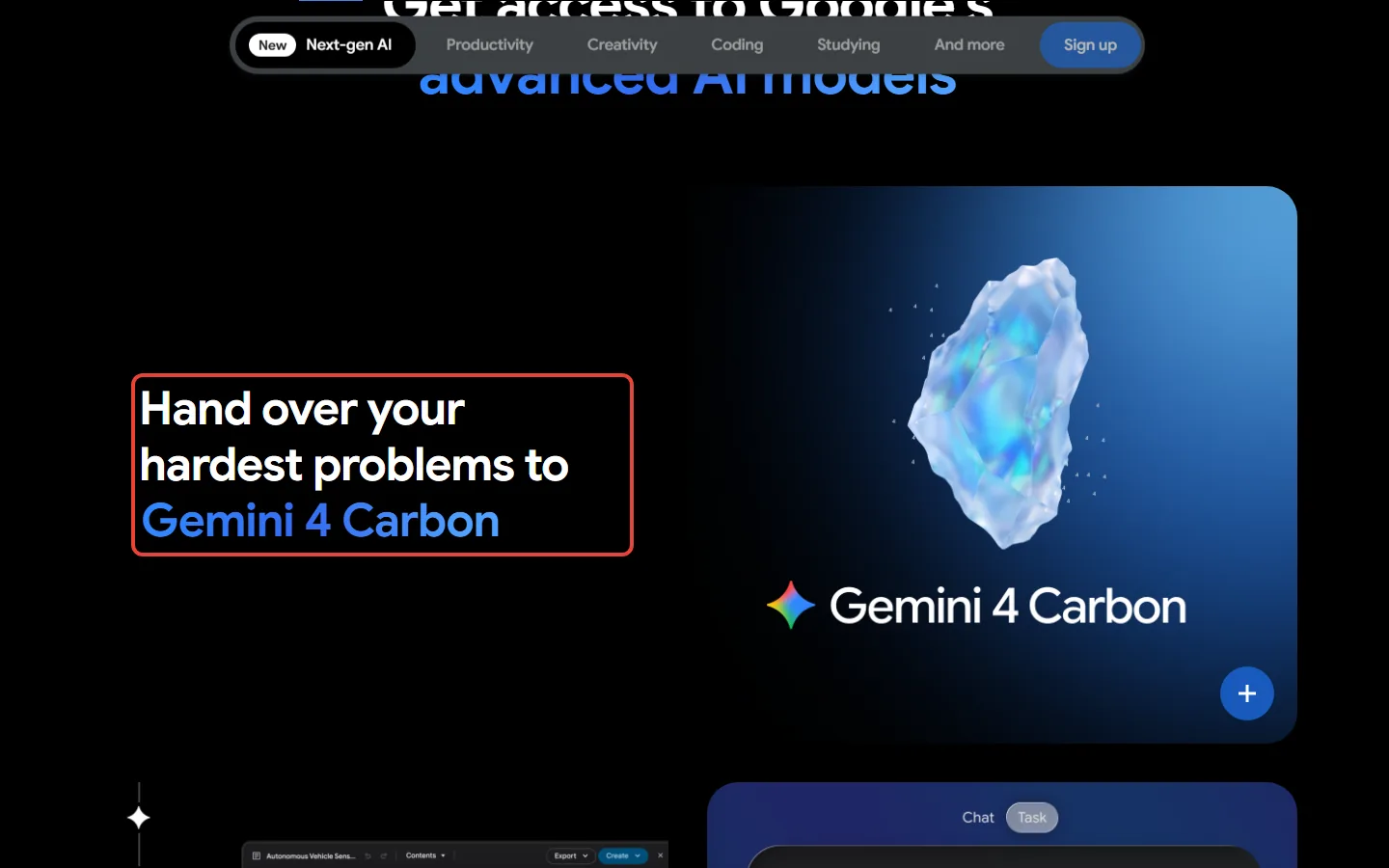
Google calls Carbon its strongest model, with state-of-the-art cybersecurity and long horizon capabilities. Long horizon, in plain words, means a task with many steps that keeps going for hours or longer: you’d hand it a bug hunt across a large codebase, not one question. At launch, Google said Carbon ranked first on version 5.0 of the Artificial Analysis Intelligence Index, a third-party ranking of AI models, with a score of 59. A ranking measures the model, not your inbox: it can’t tell you whether your everyday chats would get better.
Google’s own release post draws the line: “Argon remains the ideal choice for the majority of software engineering and knowledge work,” while Carbon is for complex, multi-step coding and debugging and open-ended scientific research. So unless your Gemini day includes that kind of work, Carbon was built for a different job than yours.
Where Ultra subscribers find Gemini 4 Carbon
Carbon is still rolling out to Ultra accounts, so it may not show up in your menu on day one. Once it does, you’ll find it in four places:
- The Gemini app: for chats and for tasks, next to Argon. On gemini.google.com, click the current model at the bottom of the chat box and pick Carbon.
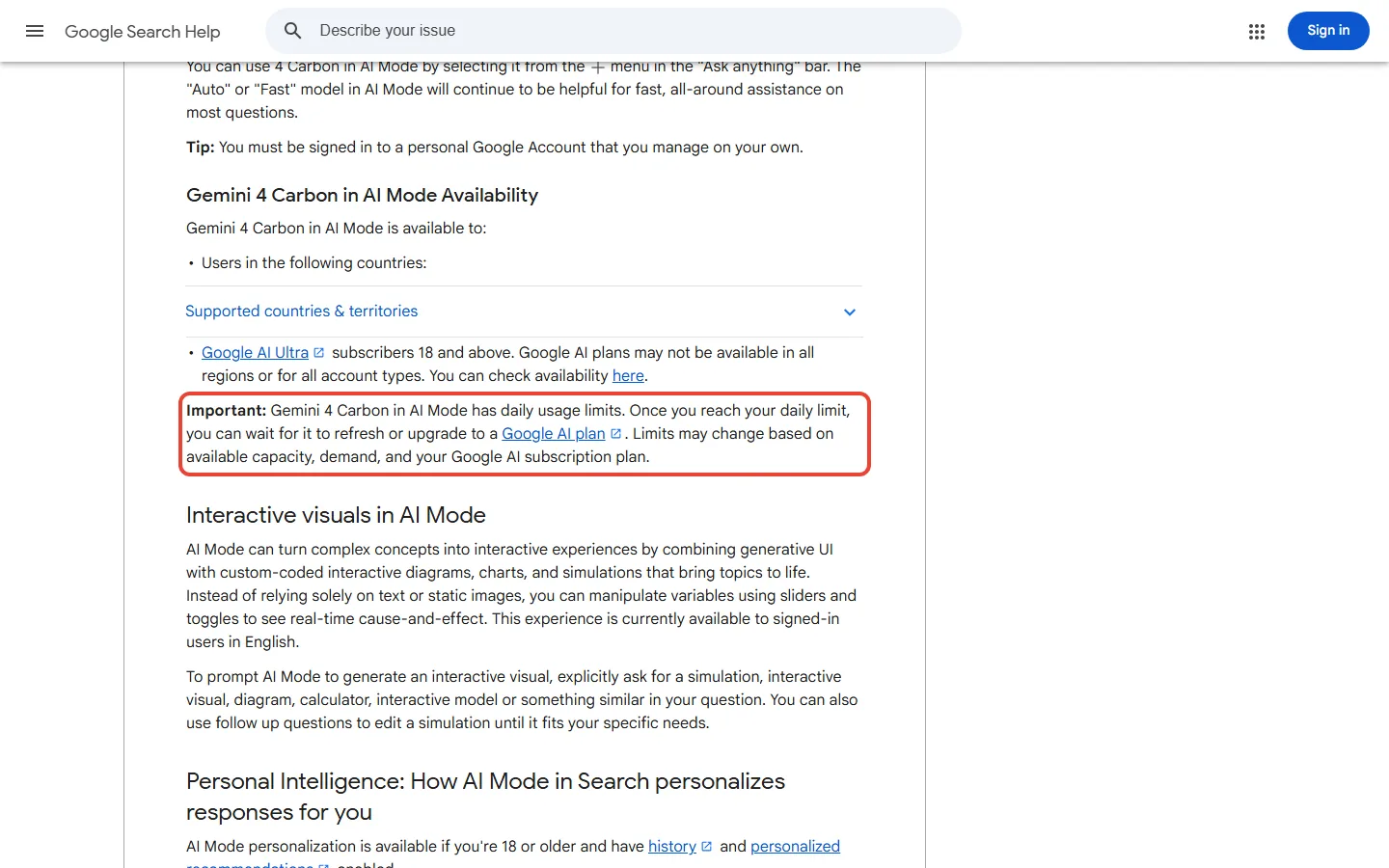
- AI Mode in Search: pick 4 Carbon from the menu in the “Ask anything” bar. You need to be 18 or older and signed in to a personal Google Account, and Carbon in AI Mode has a daily limit.
- Google Antigravity: Google’s coding tool, your own desk where the AI works inside your project files. Ultra gets Carbon in the Antigravity app, command-line tool and editor extensions; if you’re on a paid Pro plan, you get Argon there (see our Antigravity review).
- Google AI Studio: Google’s browser workbench for developers. Ultra subscribers can use Carbon there, as can developers on the paid API.
One catch for the European Union. The country list for Carbon in AI Mode has 122 countries and territories, including the US, the UK, Canada, India and Pakistan, and not one EU member state. If you live in the EU and want Carbon in Search, that list doesn’t cover you. Google doesn’t list which countries get Carbon in the Gemini app, only “select countries”, so check before you pay.
What changes the day you move from Pro to Ultra
If you pay for Pro monthly, moving up costs $80 more a month, $960 over a year. Ultra is billed monthly only, so there’s no yearly discount on that side. If you pay for Pro yearly ($199.99 on Google One’s calculator), the gap grows: twelve months of Ultra 5x come to $1,199.88, which is $999.89 more.
So Ultra 5x charges roughly five times Pro’s price for five times Pro’s Gemini app usage; Carbon and the extras come on top of that.
Google Flow is Google’s AI video studio; its credits work like a prepaid card you spend on clips. Antigravity’s agents are AIs that carry out a multi-step job for you. Their rate limits cap how much work they run before you have to wait.
| Google AI Pro (before) | Google AI Ultra 5x (after) | |
|---|---|---|
| Price a month | $19.99 | $99.99 |
| Gemini 4 models | Argon | Argon and Carbon |
| Gemini app usage | 4x the free plan | 5x Pro (20x on the $199.99 tier) |
| Google Flow credits | 1,000 | 10,000 (25,000 on 20x) |
| Antigravity limits | Entry rate limits | Higher (highest on 20x) |
| Storage | 5 TB | From 20 TB |
| YouTube | Premium Lite | Premium individual |
| Google Cloud credits a month | $10 | $40 ($100 on 20x) |
Project Genie, Google’s interactive-world tool, is listed on every Ultra plan on gemini.google, but a Google One footnote says Ultra 20x only, so confirm it before you pick the $99.99 tier for it. For the full plan comparison beyond Carbon, see Google AI Ultra vs Pro; our Google Flow review covers what the credits buy.
If you’d pay for YouTube Premium individual anyway, count it, but it’s a small part of the gap. Google One’s savings calculator values that plan at $15.99 a month and Pro’s Lite plan at $8.99, so the YouTube upgrade covers about $7 of the $80. Roughly $73 a month is left for Carbon, the higher limits and the rest. Unless you’d buy the extra storage or Flow credits anyway, the extras won’t cover the jump; Carbon and the limits have to.
Limits work like two clocks. Your Gemini allowance, the amount of work your plan lets you ask for, refills every five hours until you hit a weekly cap. Ultra raises both limits (5x or 20x Pro’s); the five-hour refill stays the same.
Carbon also uses up your allowance faster. More advanced models use more of your allowance, and so does a higher thinking level, which means the model reasons longer before it answers. When you reach a paid plan’s usage limit, the chat continues on Flash-Lite.
Google publishes no Carbon message count for either Ultra tier. The two plan pages don’t even agree on the wording: Google’s US plans page promises “Highest access” to Carbon, while the Google One page says “Higher access”. So you’re buying a bigger tank without a fuel gauge, and the only way to learn how far it goes is a month of your own work.
Is Ultra worth $80 more a month for Carbon?
For most people, no. A $99.99 plan is like renting a pickup truck by the month: brilliant on moving day, an expensive way to buy groceries.
Say you use Gemini for email drafts, trip plans and homework help. Pro already covers that, and Ultra would cost you $960 more a year (paying Pro monthly) for a model built for jobs you don’t do. Skip it.
Now say you run long, many-step coding jobs in Antigravity most days. Among Google’s personal plans, Ultra is the one that puts Carbon in Antigravity, with higher Antigravity limits on top. Mind the quota: on Antigravity’s own blog, parallel multi-agent runs, where several AI workers split one job, “consume quota much faster than a standard chat”. For you, $80 a month is a tool cost, and one month on Ultra is a fair way to see whether Carbon handles your hardest jobs better than Argon.
The better buy for almost everyone else is Pro. If you’re still choosing a coding tool, our comparison of Antigravity and Cursor, a rival AI code editor, sets out the prices.
Can you get Carbon for free?
Not on the free plan or any plan below Ultra, and not on the free tier of the Gemini API either. There are two narrow doors and one that looks like a door:
- Scientists and researchers can apply for six months of free access to Argon and Carbon in Antigravity’s highest usage tier, subject to eligibility, capacity and selection.
- Security teams can apply to Google’s Fairwind Program to get Carbon for cyber work.
- Eligible students can get Google AI Pro free for a year (availability varies by country), and Pro brings Argon, not Carbon. Details in who gets Google AI Pro free.
Google’s plan pages don’t say whether a trial includes Carbon. On Google’s personal plans, Carbon means paying for Ultra. Outside them, scientists and security teams can apply for free access, developers can pay by the token, and businesses get it through Gemini for business.
If you only need Carbon for the odd hard job and don’t mind setting up paid API access in a developer tool like AI Studio, paying by the token can cost a few dollars a job instead of $80 a month, as the worked example below shows.
Developers: what Carbon costs through the API
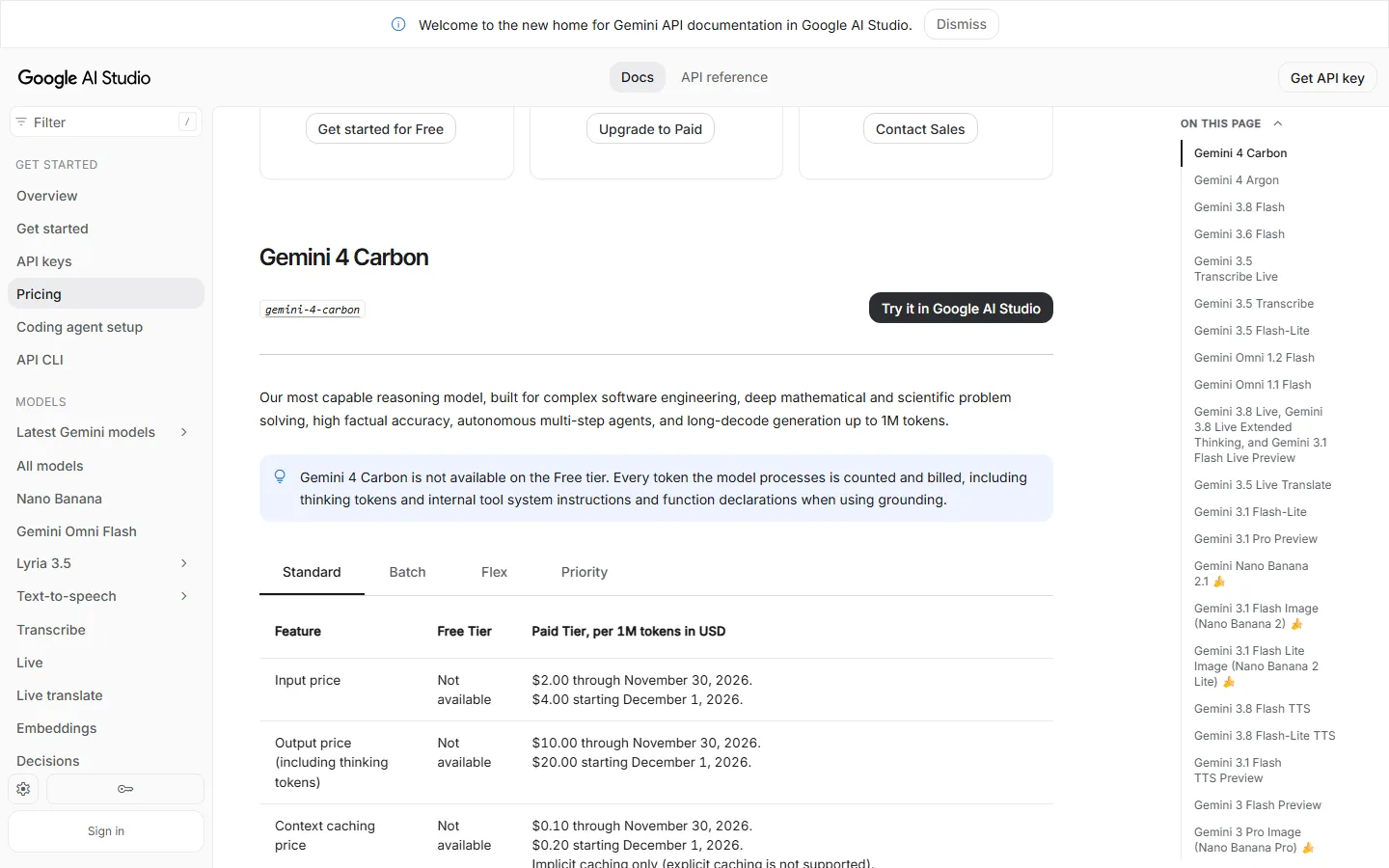
The API is the builders’ entrance round the back: instead of a monthly plan, your software pays for every token it sends and receives, and that includes Carbon’s thinking. On the paid tier you pay $2 per million input tokens and $10 per million output tokens until the end of November, then $4 and $20 from December 1.
Take a job that reads 1 million tokens and writes 100,000. At the introductory price that’s 1 x $2 + 0.1 x $10 = $3, and the same job costs $6 once the price doubles. If you’re building a product on Carbon, try it while the introductory price lasts. Our Google AI Studio review covers what the free tier still gives you.
What we’d do on each plan
- Free or Plus: nothing changes for you. If you want more than your plan gives, the next step is Pro and Argon, not Carbon.
- Pro: stay. You keep Argon, and Google hasn’t announced Carbon for Pro.
- Tempted by Ultra for Carbon: pay for one month and judge it on your own hardest job. You can cancel anytime, but Google gives no refunds for partial billing periods unless the law requires one.
- Already on Ultra: look for Carbon in the Gemini app’s model menu and the AI Mode menu; it’s still rolling out.
- Building on the API: try Carbon before the price doubles, and budget for the higher rate after that.
Sources and how we checked: Google’s US plans page and the Google One AI plans page, Gemini Apps Help on models and limits, the AI Mode help page, Google’s Carbon release post and its earlier launch post, the Antigravity models table and blog, and the Gemini API pricing page and release notes, all read on November 12, 2026 (Pakistan time). Prices are US dollars for personal accounts. Google publishes no Carbon message count for any plan. This guide is the written companion to our video near the top of this page.

Founder of AI Tool Analysis. Every price and limit here is checked against the vendor’s own pages. How we research
Stay Updated on AI Plans and Prices
Get an email when a plan we cover changes its price or limits.
Free, unsubscribe anytime.
Related Reading
- Is Gemini 4 Argon Free? Which Google AI Plan Gets It
- Google AI Ultra vs Pro: Is $99.99 Worth It Over $19.99?
- Is Google AI Plus Worth It? Google AI Plus Review
- Google Antigravity Pricing and Review: Plans and Limits
- Google AI Studio Review: What Is Still Free
- Google AI Pro Free for Students: Who Really Gets It
- Google Gemini Review 2026
Last Updated: November 12, 2026
Next Review Update: December 1, 2026 (API introductory price ends November 30)