

The AI developer tools landscape in May 2026 is genuinely mature — and that maturity makes choosing harder, not easier. The “one tool for everything” framing from 2024 doesn’t survive contact with how engineers actually work in 2026. Most professional stacks now run 2-3 specialized tools: an AI-first IDE (Cursor or Antigravity), an autonomous agent for long-running tasks (Claude Code or Replit Agent), and a coding assistant for in-editor completions (GitHub Copilot Pro+). This roundup tests 12 ai developer tools across 5 categories — IDEs, coding assistants, autonomous agents, testing/security, and specialized — with honest verdicts on which wins each category and where to skip.
⚡ TL;DR – The Bottom Line
What This Is: Honest roundup of 12 ai developer tools tested in May 2026, grouped into 5 categories with category winners called out.
Best For: Engineering teams choosing or revisiting their AI tool stack; individual developers picking a primary IDE + agent combo.
Pricing: Free (Continue.dev, free tiers of most) → $20/mo (Copilot, Cursor) → $39/mo (Copilot Pro+) → $200+/mo (Claude Max, Replit Teams) → enterprise tiers ($$$).
Our Take: Cursor wins IDE, Claude Code wins agentic, Copilot Pro+ wins value-per-dollar coding assistant, V0 wins prompt-to-UI, Antigravity wins for Google-stack teams.
⚠️ The Catch: Most professional stacks need 2-3 tools, not 1. The “single tool for everything” framing is a 2024 question; the 2026 answer is “compose a stack.”
📑 Quick Navigation
The Bottom Line: Compose a Stack, Don’t Pick One Tool
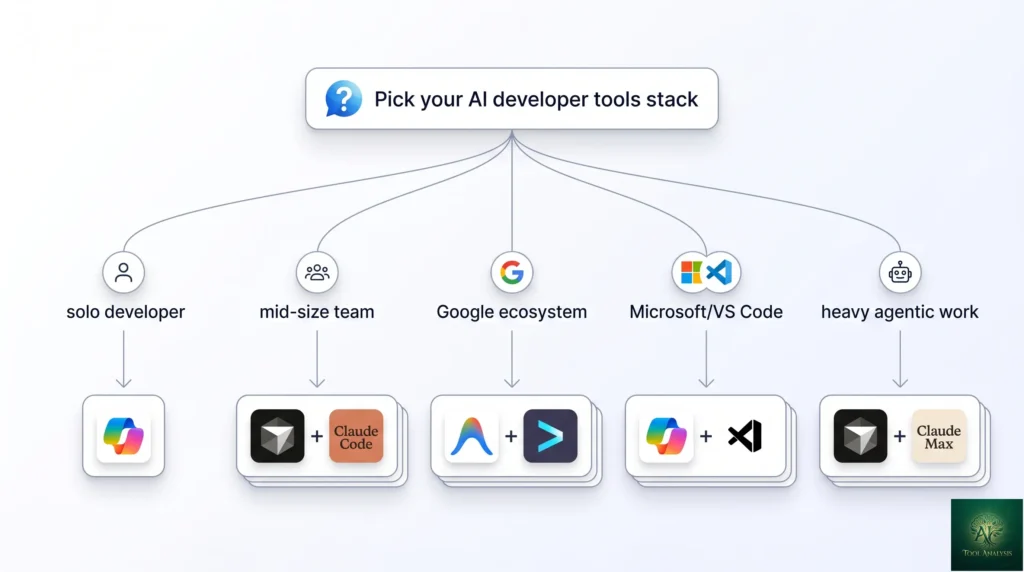
- Solo developer or small team on a tight budget: GitHub Copilot Pro ($10/mo) + Continue.dev (free) covers 80% of use cases. Add Claude.ai Pro ($20/mo) for harder reasoning when you need it.
- Mid-size engineering team optimizing for shipping speed: Cursor ($20/mo) as the IDE + Claude Code Pro ($20/mo bundled with Claude Pro) for autonomous tasks. The two-tool stack covers most professional workflows at $40/dev/month.
- Google ecosystem team: Antigravity (free during early access) + Gemini CLI (bundled with Google AI Pro $19.99/mo) covers IDE + terminal agent at low cost. Stays close to Gemini 3.1 Pro and Vertex AI integrations.
- OpenAI / Microsoft ecosystem team: GitHub Copilot Pro+ ($39/mo) with model-choice — pick GPT-5.4, Claude Opus 4.7, or Gemini 3.1 Pro per task. Single subscription, three flagships, deep VS Code integration.
- Heavy autonomous coding workloads (multi-hour agent runs): Claude Max ($100 or $200/mo) for the higher rate limits, plus a regular IDE (Cursor or VS Code with Copilot). The autonomous capability is where Claude Code’s lead matters most.
- Frontend / UI prototyping work: V0 (Vercel, free + paid tiers) or Lovable for prompt-to-UI generation. These are specialists, not general-purpose coding tools — pair with one of the above stacks for production work.
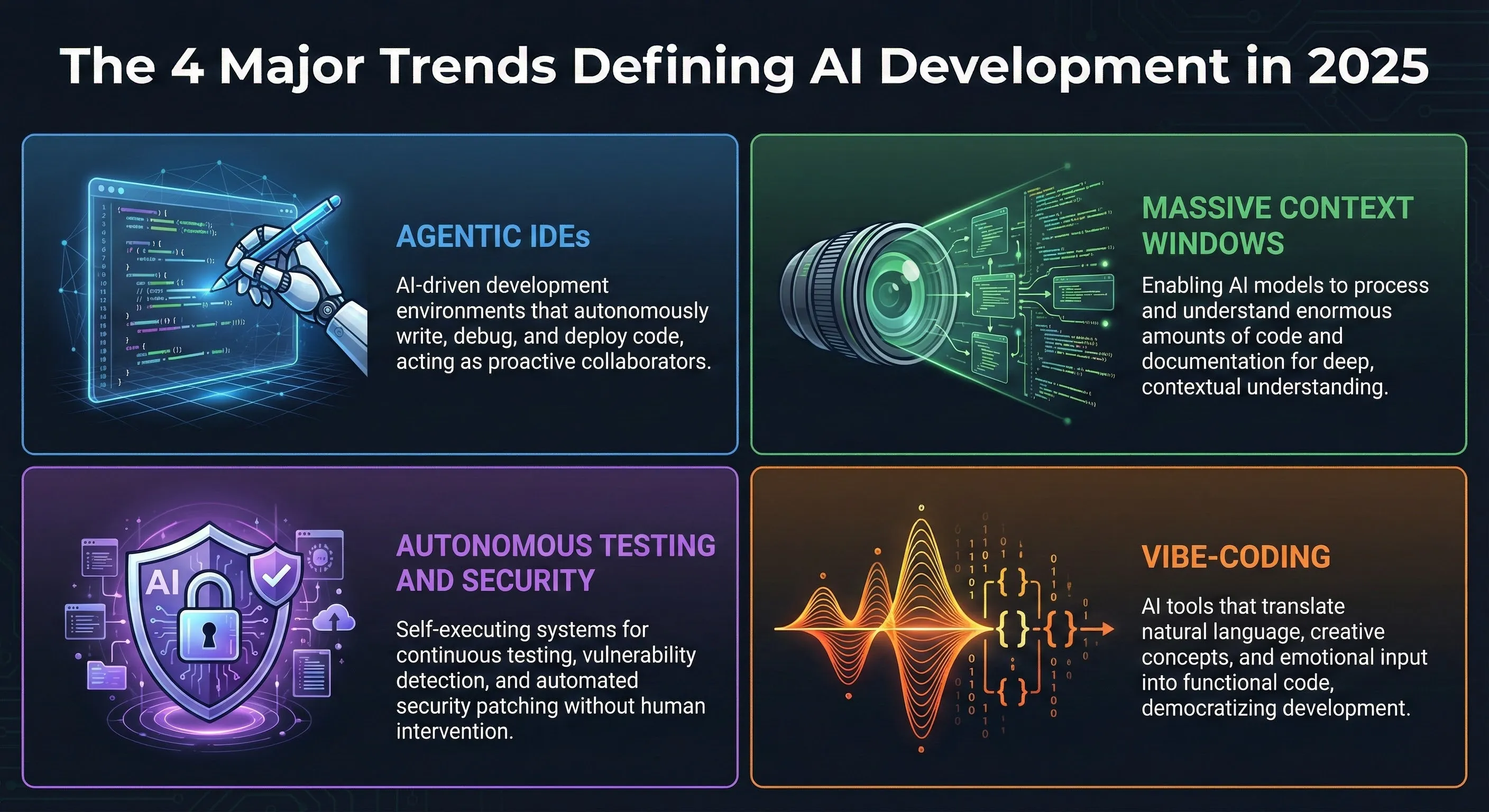
4 Trends Defining ai developer tools in 2026
- Agents went from demo to production. Claude Code, Replit Agent, Devin, and Gemini CLI all moved from “interesting demos” to “things engineering teams actually deploy.” Multi-hour autonomous coding sessions with task budgets are now table stakes.
- AI-first IDEs replaced the “AI plugin” model. Cursor, Antigravity, and Windsurf are full IDEs built around AI assistance — not VS Code with a Copilot plugin bolted on. The native model integration shows in agent loops, multi-file refactors, and contextual project understanding.
- Model-choice eats single-vendor lock-in. GitHub Copilot Pro+ shipping with Claude/GPT/Gemini choice, Cursor letting you pick model per query, Continue.dev’s open-router architecture — the “Copilot only uses GPT” era is over.
- Specialized tools beat generalists for narrow tasks. V0 for prompt-to-UI, Bolt for full-stack scaffolding, Lovable for app generation, Replit Agent for backend prototyping. None replace a general coding tool, but each wins decisively in its lane.
Category 1: AI-First IDEs (The New Command Centers)
Cursor 2 — the dominant AI-first IDE
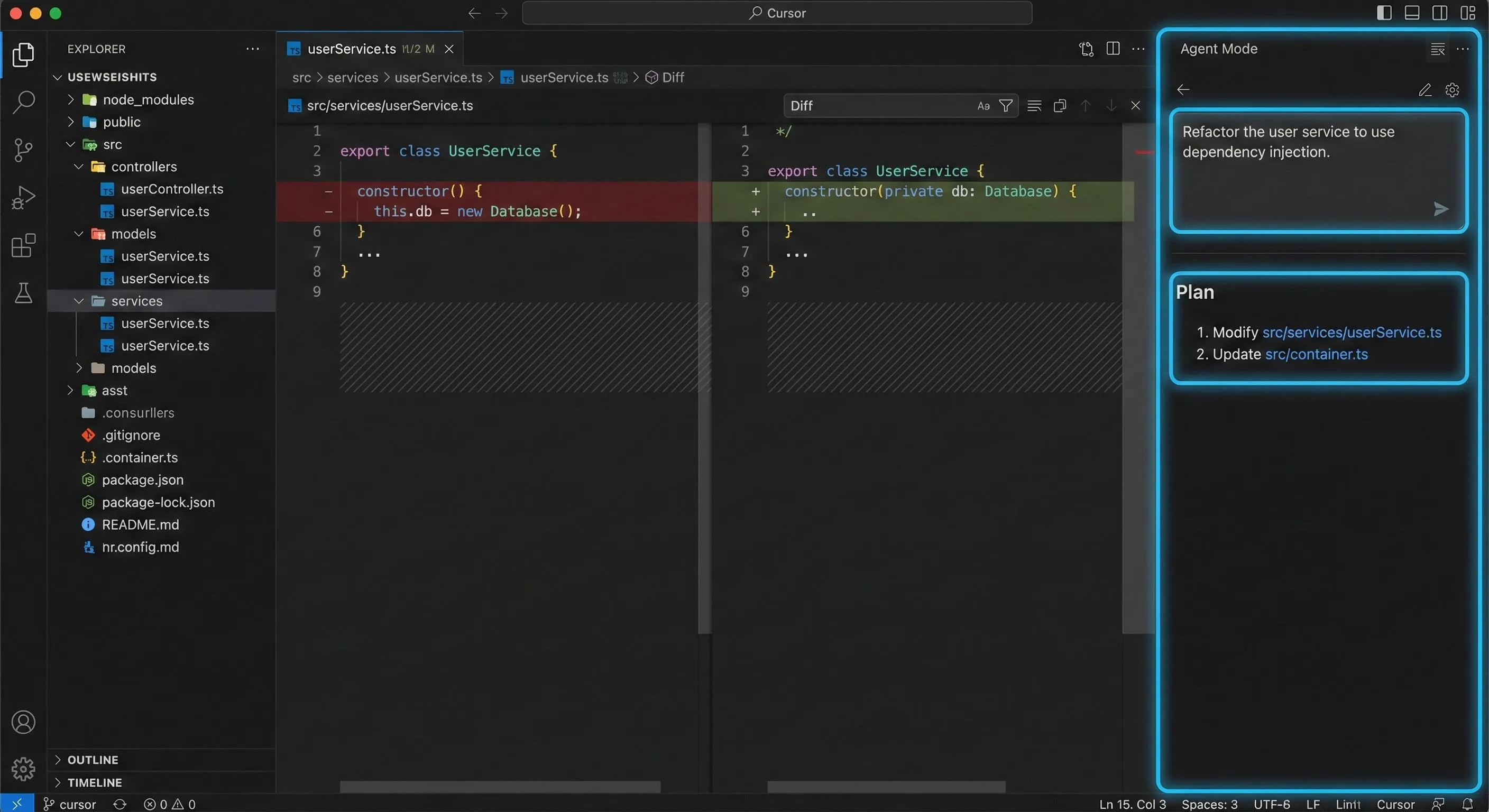
Cursor remains the category leader in May 2026 — the AI-first IDE that other tools get measured against. The 2.0 release added agent mode (multi-step autonomous tasks inside the IDE), composer view (multi-file refactor preview), and improved model-choice (Claude Opus 4.7, GPT-5.4, Gemini 3.1 Pro selectable per query). Strong cross-language support, polished UX, large active user base. Pricing: free tier, $20/mo Pro, $40/mo Business. Best for: developers who want one IDE that wraps everything. Skip if: you’re locked into VS Code’s extension ecosystem.
Google Antigravity — the Cursor competitor for Gemini stack
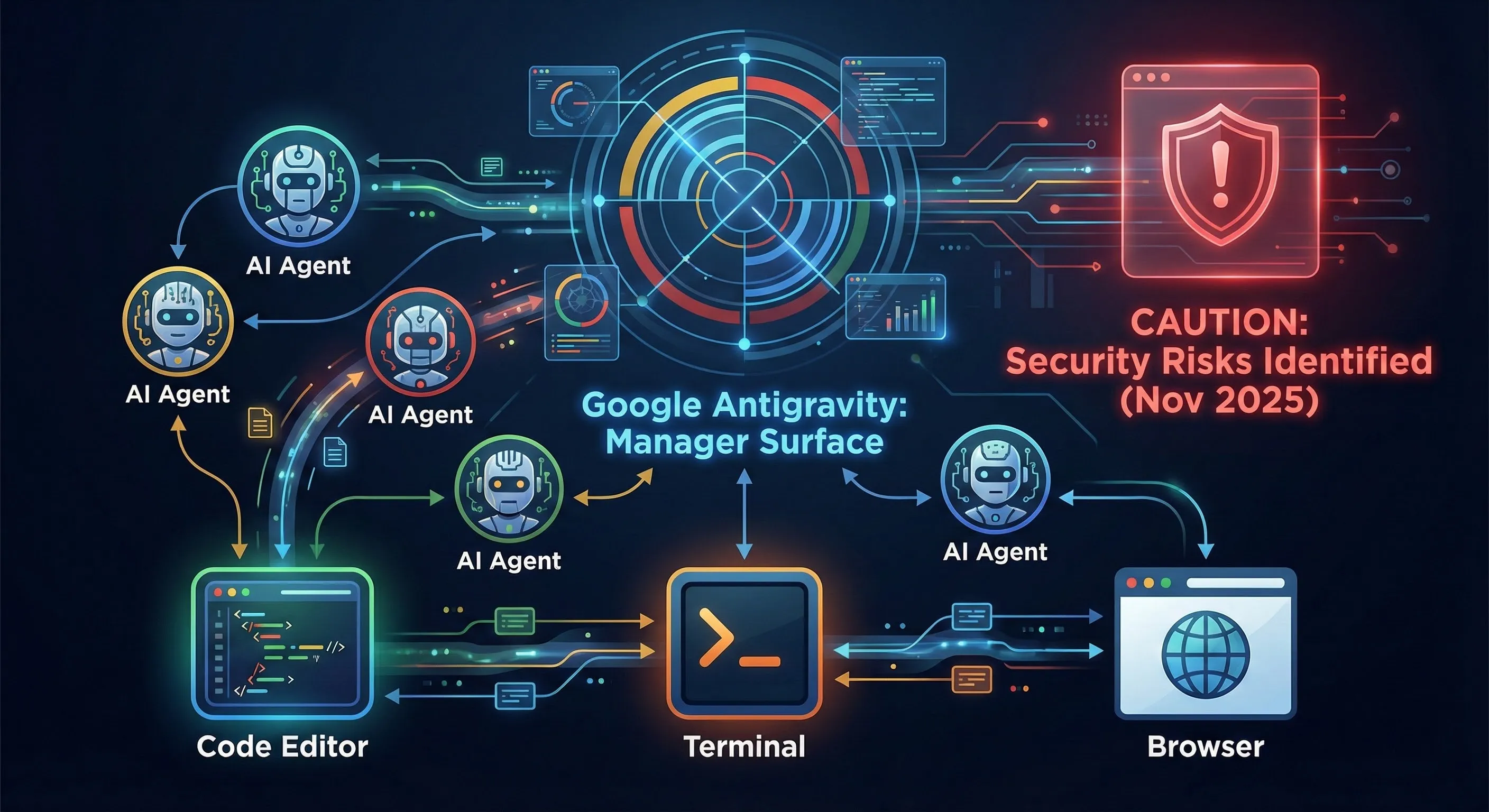
Google’s agentic IDE launched in early 2026 as the default coding interface for Gemini 3.1 Pro. Built around MCP tool integration and project-level context, it competes directly with Cursor for the Google-ecosystem developer. Currently free during early access; expected to convert to a Google AI Pro/Ultra perk by late 2026. Best for: teams already on Vertex AI, Workspace, and Gemini. Skip if: you’re not in the Google ecosystem — Cursor’s broader model choice serves you better.
Windsurf — the underdog with strong fundamentals
Codeium’s Windsurf IDE at Wave 13 ships solid agent capability, model choice, and a clean UX. Doesn’t quite match Cursor’s polish or Antigravity’s Google integration but undercuts both on price for power users. Strong free tier. Best for: cost-conscious developers who want AI-first IDE features without the price premium. Skip if: you need bleeding-edge features the day they ship.
Category 2: Established Coding Assistants
GitHub Copilot Pro+ — the value-per-dollar leader
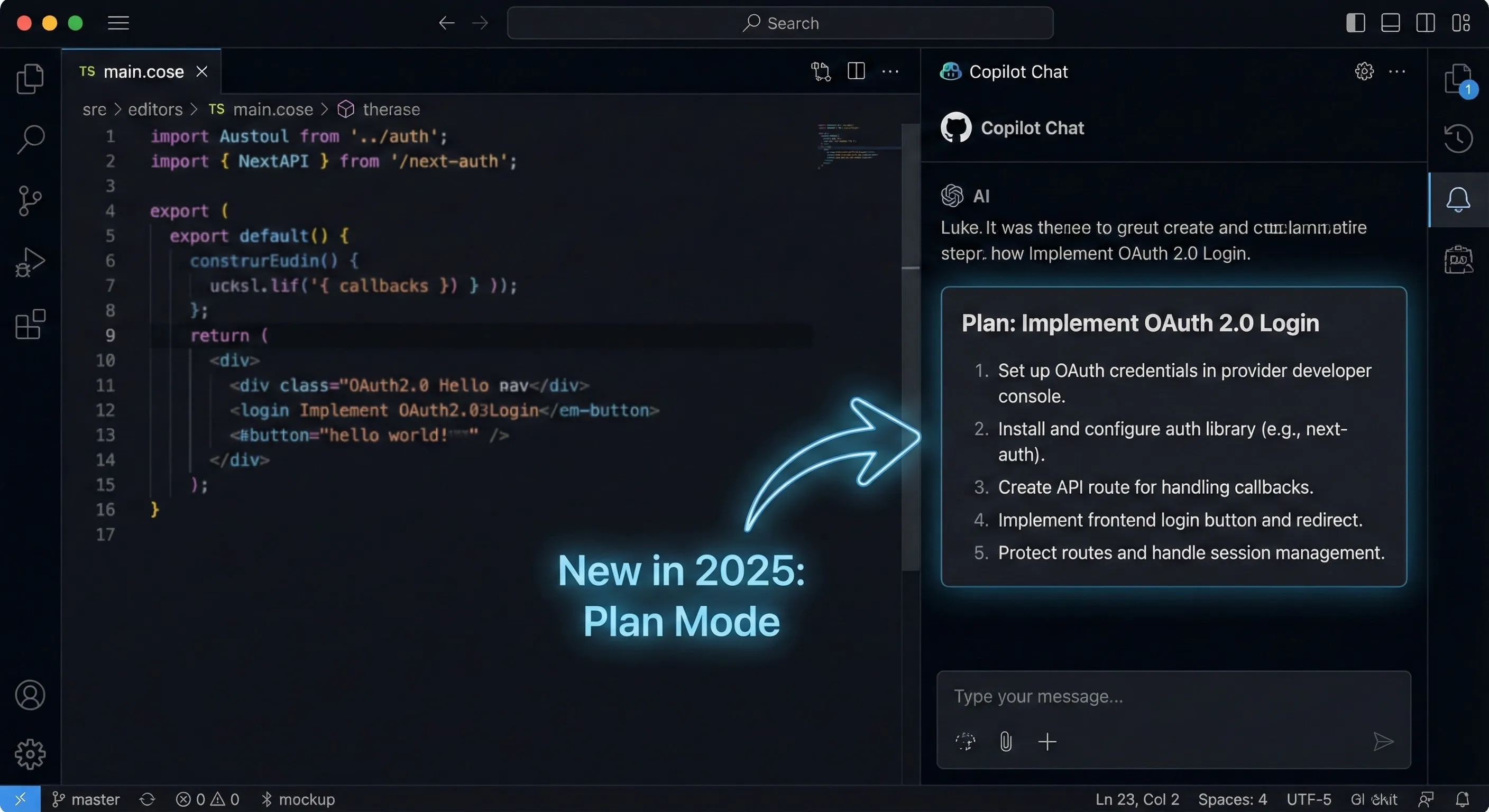
GitHub’s Copilot Pro+ at $39/month is the strongest single-subscription value in the coding-assistant tier in May 2026. Ships with model choice (GPT-5.4, Claude Opus 4.7, Gemini 3.1 Pro selectable per query), Plan Mode for autonomous multi-step tasks, deep VS Code integration, and Copilot Workspace for spec-driven development. Pricing: free (limited), $10/mo Pro, $19/mo Business, $39/mo Pro+, enterprise tiers above. Detailed coverage in our GitHub Copilot Pro review. Best for: VS Code users who want flagship-model access without managing three API keys. Skip if: you need the absolute best agentic capability (use Claude Code instead).
Continue.dev — the open-source alternative
Continue is the open-source coding assistant that runs in VS Code or JetBrains, plugs into any model (Claude, GPT, Gemini, local Ollama), and costs $0 if you bring your own API keys. Trades polish and out-of-the-box magic for full control and zero vendor lock-in. Best for: developers who want to route every query through their model of choice and don’t mind some setup. Skip if: you want plug-and-play.
Tabnine — the privacy-first option
Tabnine still leads the privacy-focused coding-assistant niche — on-prem deployment, customer-managed keys, no training on your code. Coding quality is competitive but not best-in-class. Best for: regulated industries (finance, healthcare, defense) where data sovereignty is non-negotiable. Skip if: privacy isn’t load-bearing — Copilot Pro+ at the same price tier delivers more.
Category 3: Autonomous Agents (The Next Frontier)
Claude Code — the autonomous coding leader
Anthropic’s CLI agent powered by Claude Opus 4.7 leads the autonomous-coding tier in May 2026. The 87.6% SWE-bench Verified score is the highest of any flagship, and the MCP-Atlas tool-use lead (77.3% vs 73.9% for Gemini) compounds across multi-step agent runs. Ships with task budgets, “/” commands, and a hook system for production-grade agent loops. Pricing: bundled with Claude Pro ($20/mo) and Max ($100/$200/mo for higher rate limits). Detailed comparison in our Claude Code vs Gemini CLI writeup. Best for: serious agentic coding workloads. Skip if: cost matters more than coding quality.
Replit Agent 3 — full-stack autonomous development
Replit’s Agent matured into a credible full-stack autonomous developer in May 2026 — describe an app, the agent scaffolds, codes, deploys, and iterates inside the Replit environment. Less about replacing the IDE; more about replacing the early prototyping phase. Pricing: $25/mo Replit Core, $35/mo Teams. Best for: rapid prototyping, MVP-to-production workflows, full-stack solo work. Skip if: your work is local-first or requires custom infrastructure.
Gemini CLI — Google’s terminal agent
Google’s terminal AI agent powered by Gemini 3.1 Pro. Bundled with Google AI Pro ($19.99/mo) — meaningful cost advantage vs Claude Code’s $20/mo Pro tier (which gives Opus 4.7 access). Coding quality 80.6% SWE-bench (vs Claude Code’s 87.6%) — the gap is real but not deal-breaking for routine tasks. See our head-to-head comparison for detail. Best for: cost-conscious teams already using Google AI Pro. Skip if: you need the absolute best coding agent (Claude Code wins).
Codex CLI — OpenAI’s terminal agent
OpenAI’s CLI agent powered by GPT-5.4. Available via ChatGPT Pro ($200/mo) and ChatGPT Plus ($20/mo with limits). Strong, polished, but consistently behind Claude Code on coding-specific benchmarks. Best for: teams locked into the OpenAI ecosystem. Skip if: you can route through Claude Code or Gemini CLI instead.
🔍 REALITY CHECK
Marketing Claims: “AI agents will replace your engineering team” (the breathless 2026 take from venture-backed agent vendors).
Actual Experience: Agents excel at well-scoped autonomous tasks (refactor this module, write tests for this function, debug this stack trace). They do NOT replace senior engineering judgment, architectural decisions, or the human review loop. Even Claude Code at 87.6% SWE-bench Verified means ~12% of agent runs need correction. For a team shipping 100 PRs/week, that’s 12 corrections per week — manageable, but real. The honest 2026 framing: agents are the new “junior engineer multiplier,” not the senior engineer replacement.
Verdict: Agents are excellent force-multipliers for well-scoped tasks. Trust them with the routine; keep humans in the loop for architecture and review.
Category 4: AI-Powered Testing & Security
Virtuoso QA — self-healing test automation
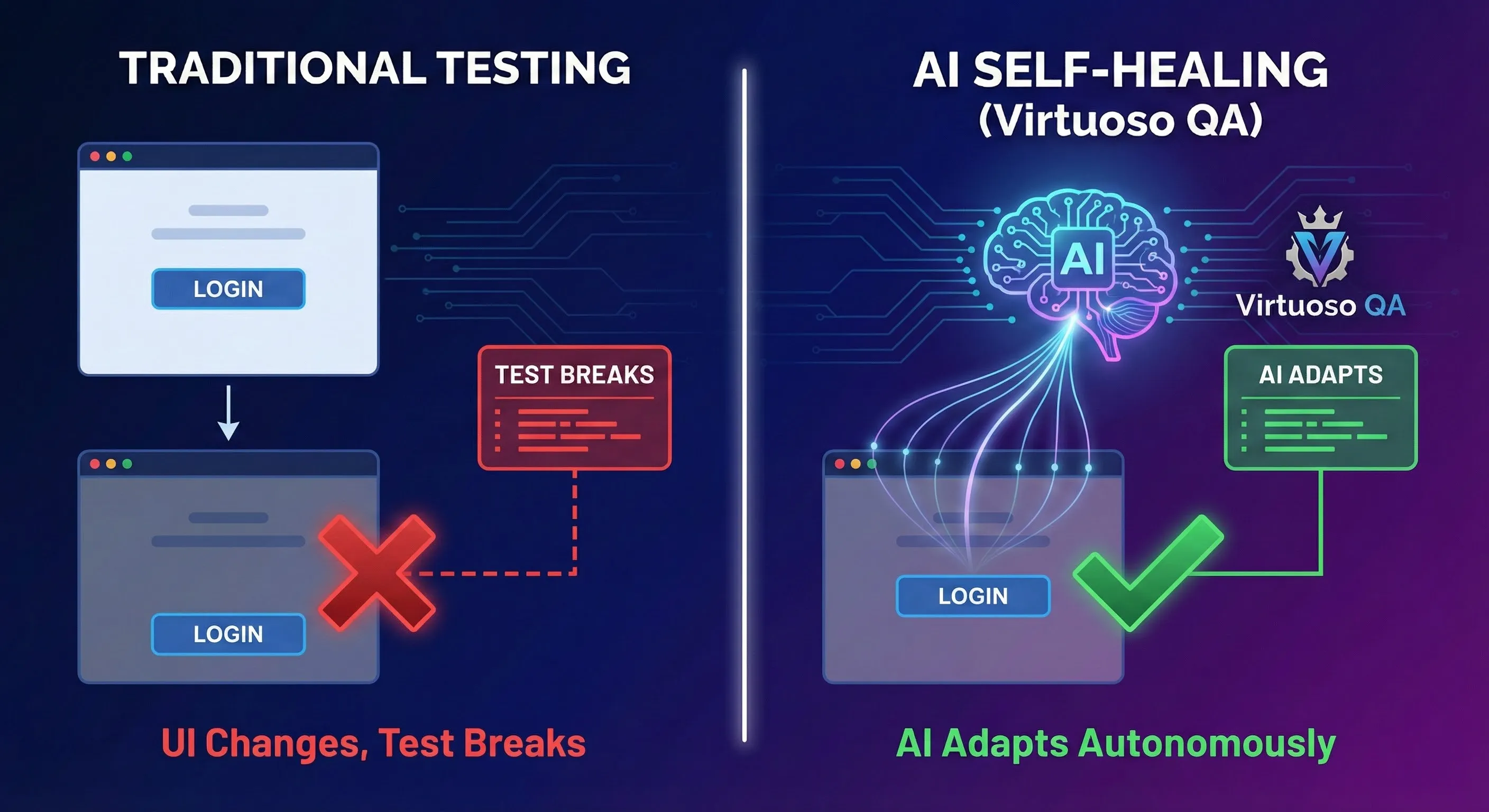
Virtuoso leads the AI-test-automation space in May 2026 with self-healing tests that adapt to UI changes automatically — reducing the test-maintenance overhead that crushes traditional Selenium-based suites. Best for: teams with extensive E2E test suites that break on every UI change. Skip if: you’re early stage and don’t have a maturity-of-test-suite problem yet.
Snyk — AI-augmented security scanning
Snyk continues to lead the AI-augmented security/dependency scanning category, with deep IDE integration and PR-level vulnerability detection. The 2026 differentiation is “fix this for me” — Snyk now generates remediation PRs automatically, not just flagging issues. Best for: any team shipping production code. Skip if: you’re using GitHub Advanced Security with similar coverage.
Category 5: Specialized Tools (UI, MLOps, Specific Workflows)
V0 by Vercel — prompt-to-UI specialist
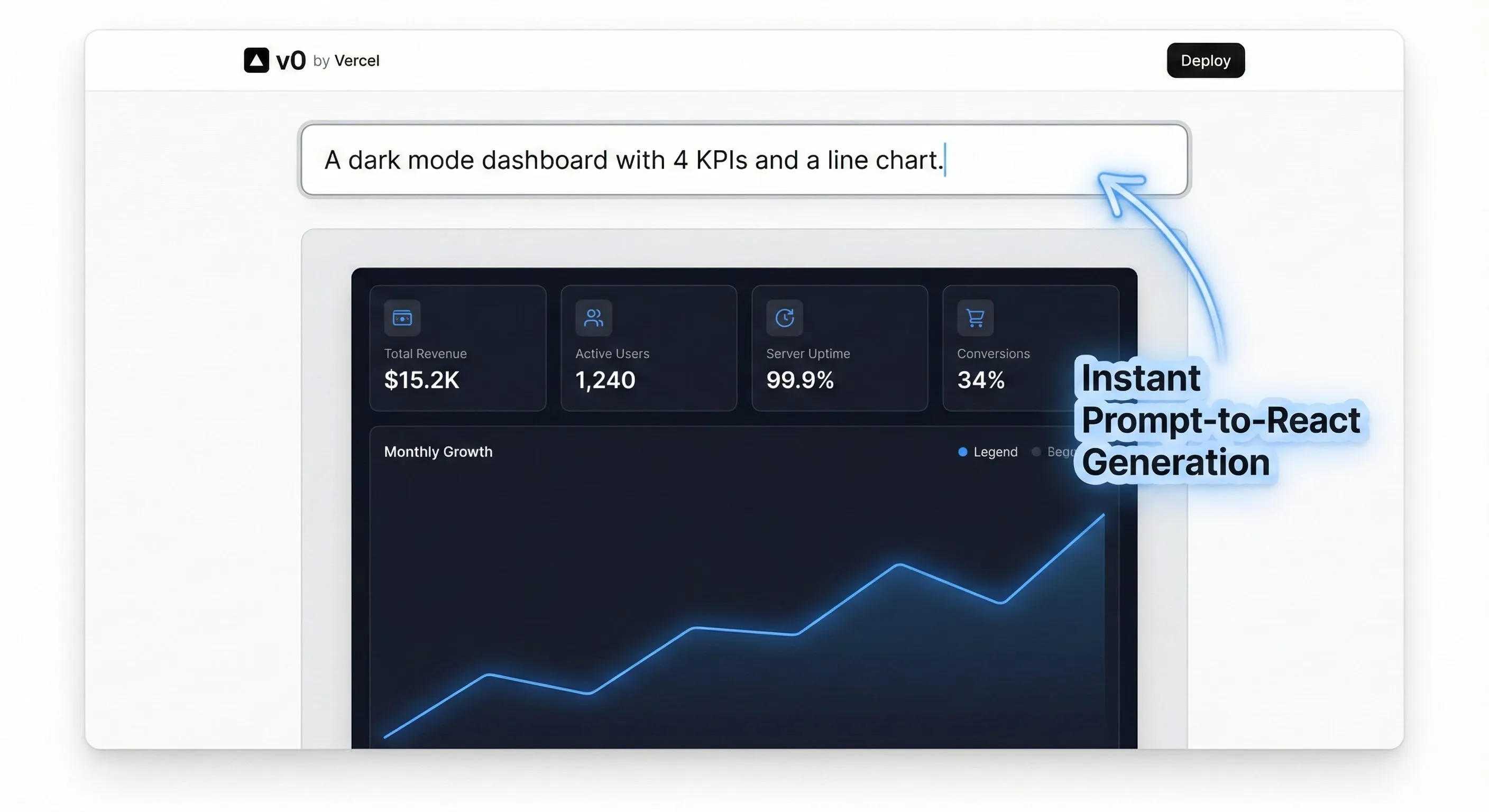
V0 dominates the prompt-to-UI niche in May 2026. Type a description, get back React + Tailwind components ready for production. Deep Vercel integration makes deploy-from-prompt workflows trivial. Pricing: free tier, $20/mo Premium, enterprise above. Best for: frontend prototyping, design-to-code workflows, anyone shipping React. Skip if: you’re not on the React/Next.js stack.
Lovable — prompt-to-app specialist
Lovable extends the prompt-to-UI concept to full-stack apps — describe what you want, the platform scaffolds frontend + backend + database. Less polished than V0 for components but covers more of the “MVP from a sentence” workflow. Best for: solo founders, hackathon work, rapid validation. Skip if: you need control over architectural decisions.
Bolt by StackBlitz — in-browser full-stack agent
Bolt runs the full development environment in your browser — agent codes, files exist in WebContainer, deployment is one click. The full-stack equivalent of V0 for non-React stacks. Best for: rapid prototyping when local environment setup is friction. Skip if: your work needs custom local infrastructure.
Category Winners: The Cheat Sheet
| Category | Winner | Runner-Up | Best Free Option |
|---|---|---|---|
| AI-First IDE | Cursor 2PICK | Antigravity (Google stack) | Windsurf free tier |
| Coding Assistant | GitHub Copilot Pro+PICK | Copilot Pro ($10) | Continue.dev (BYO key) |
| Autonomous Coding Agent | Claude Code (Opus 4.7)PICK | Replit Agent 3 | Gemini CLI (with Google AI Pro) |
| Test Automation | Virtuoso QA | Mabl, Testim | Playwright + AI extensions |
| Security Scanning | Snyk | GitHub Advanced Security | Snyk free tier |
| Prompt-to-UI | V0 by VercelPICK | Lovable | V0 free tier |
| Prompt-to-App | Lovable | Bolt by StackBlitz | Replit (free tier) |
| Privacy-First | Tabnine | Self-hosted Continue.dev | Self-hosted Continue.dev |
📊 Monthly Cost: Top Coding Tools (May 2026)
Entry paid tier per developer per month. Free tiers excluded.
📬 Find this developer-tools roundup useful?
Get our weekly AI dev tool reviews — Cursor updates, Claude Code releases, Copilot launches, and benchmark refreshes.
Building Your 2026 Stack
The realistic 2026 answer to “which ai developer tools should I use” is “compose a stack of 2-3.” Three reference stacks for the most common engineering personas:
- The Cost-Conscious Solo Dev Stack ($10/mo): Copilot Pro for in-editor completions + Continue.dev (free) for model-choice power-user tasks + Claude.ai Free for occasional reasoning. Total: $10/mo.
- The Mid-Size Team Sweet Spot ($40/dev/mo): Cursor 2 ($20) for the primary IDE + Claude Pro ($20) for Claude Code autonomous tasks. Two-tool stack covers IDE + agent + reasoning.
- The Heavy Agentic Stack ($120/dev/mo): Cursor 2 ($20) + Claude Max ($100) for higher rate limits on long Claude Code runs. Right when autonomous coding throughput matters more than dollar-per-developer.
- The Google Ecosystem Stack ($20/mo): Antigravity (free during early access) + Gemini CLI (bundled with Google AI Pro $19.99). Stays close to Vertex AI / Workspace integrations.
- The Microsoft / VS Code Stack ($39/mo): GitHub Copilot Pro+ alone — model choice (Claude/GPT/Gemini) + Plan Mode + Workspace specs. Single subscription handles three flagships.
💡 Key Takeaway: The single-tool era is over. The 2026 reality is composed stacks — IDE + autonomous agent + (optionally) specialized tools. Most professional teams land at $40-$60/dev/month total, picking by category rather than by vendor loyalty.
FAQs
What are the best ai developer tools for beginners?
For learning developers, GitHub Copilot Pro ($10/mo) or the Cursor free tier are the right entry points. Both give in-editor AI assistance without overwhelming complexity. Add Claude.ai Free for explanation-heavy queries. Skip the autonomous agents (Claude Code, Replit Agent) until you have enough programming foundation to review their output critically.
Is Cursor better than VS Code with Copilot?
For pure AI-first workflows, yes — Cursor’s agent mode and composer view are deeper than Copilot’s equivalents. For broader extension ecosystem and team standardization, VS Code + Copilot wins. Many teams now use both: Cursor for AI-heavy work, VS Code for everything else. The two tools coexist comfortably.
Can AI agents really write production code?
Yes, with caveats. Claude Code at 87.6% SWE-bench Verified writes correct code on most well-scoped tasks. The remaining ~12% needs human correction. For routine refactors, test generation, bug fixes, and many feature implementations, agents ship production-grade output. For architectural decisions, novel problem domains, or work requiring deep context, keep humans in the loop.
What’s the cheapest way to use AI for coding?
Continue.dev (free open-source) + your own API keys is the absolute cheapest. If you want hosted polish, Copilot Pro at $10/mo is the value-per-dollar leader. The Gemini app’s free tier with Gemini 3.1 Pro access (limited) is a solid free-only fallback for occasional coding help.
Should I use multiple AI coding tools?
For professional work, yes — most pro stacks now run 2-3 tools by category (IDE + autonomous agent + optionally specialized). The operational complexity is small; the per-task quality wins compound. The “single tool for everything” framing is a 2024 question with a 2026 answer that’s evolved past it.
Is GitHub Copilot still worth it in 2026?
Yes — Copilot Pro+ at $39/mo with model choice (Claude/GPT/Gemini) is one of the strongest single-subscription values in the category. The deep VS Code integration plus Plan Mode plus Workspace spec-driven coding makes it compelling even against newer competitors. See our full Copilot Pro review.
What’s the difference between coding assistants and autonomous agents?
Coding assistants (Copilot, Continue, Tabnine) help you write code in your editor — completions, suggestions, refactors. Autonomous agents (Claude Code, Replit Agent, Devin) take a high-level task description and run multi-step workflows that modify files, run tests, and iterate without per-step human input. Different categories, different use cases, increasingly used together in professional stacks.
Which AI coding tool has the best free tier?
Continue.dev is genuinely free (open source, BYO API key). Cursor’s free tier is generous for individual use. The Gemini app’s Gemini 3.1 Pro free access is the most generous flagship-model free tier. Copilot Free is limited but real. Pick based on what kind of free help you need.
✅ State of Category in 2026
- ✓ Clear category leaders in IDE / Agent / Assistant
- ✓ Model choice ended single-vendor lock-in
- ✓ Autonomous agents production-ready
- ✓ Free tiers competitive across the board
- ✓ Specialized tools win narrow lanes decisively
❌ What Still Falls Short
- ✗ Multi-tool stacks add subscription overhead
- ✗ ~12% agent error rate still requires human review
- ✗ Privacy-first options trail on coding quality
- ✗ Marketing still oversells “AI replaces engineers”
The strongest the ai developer tools market has ever been — clear category leaders, real competition on price + quality, autonomous agents finally production-ready. Half a star off because most pro stacks need 2-3 tools and the marketing-vs-reality gap on “AI replaces engineers” persists.
Final Verdict: Pick By Category, Not By Vendor
The best ai developer tools in May 2026 are the ones that compose into a stack matching how you actually work. The “one tool wins everything” framing dies on contact with the real workflow: an IDE for editor-time, an autonomous agent for multi-hour tasks, optionally a specialist for narrow workflows. Pick Cursor 2 for the IDE slot, Claude Code for the agent slot, and add V0 / Lovable / Bolt only if your work demands their specific narrow capability. Total cost lands at $40-$60/dev/month for the standard professional stack — well under what a single hour of senior engineer time costs, with order-of-magnitude productivity gains when used well.
Related Reading
- Claude Code Review — Anthropic’s CLI agent powered by Opus 4.7
- Claude Code vs Gemini CLI — terminal-agent head-to-head
- GitHub Copilot Pro Review — full review of the Copilot Pro / Pro+ tiers
- Cursor 2 Review — full review of the AI-first IDE leader
- Google Gemini Review — the Gemini Pro flagship review
- AI Agent Frameworks 2026 — frameworks for building agents on top of these models
- Antigravity vs Cursor — head-to-head between the two AI-first IDEs
- The Complete AI Tools Guide — buyer’s guide for picking the right tool from 200+ tested
Founder of AI Tool Analysis. Tests every tool personally so you don’t have to. Covering AI tools for 10,000+ professionals since 2025. See how we test →
Stay Updated on AI Developer Tools
The ai developer tools landscape shifts every month. Subscribe for honest reviews of new IDEs, autonomous agents, and coding assistants — delivered every Thursday at 9 AM EST.
- ✅ Honest Reviews: We actually test these tools, not rewrite press releases
- ✅ New Tool Launches: Cursor / Claude Code / Copilot / Antigravity releases covered within days
- ✅ Pricing Changes: Know when subscription tiers shift
- ✅ Stack Recommendations: Side-by-side guidance as the field evolves
- ✅ No Hype: Just the AI dev news that matters for your work
Free, unsubscribe anytime. 10,000+ professionals trust us.

Last Updated: May 1, 2026
Tools Tested: Cursor 2, Google Antigravity, Windsurf, GitHub Copilot Pro+, Continue.dev, Tabnine, Claude Code (Opus 4.7), Replit Agent 3, Gemini CLI, Codex CLI, Virtuoso QA, Snyk, V0 by Vercel, Lovable, Bolt by StackBlitz.
Slug Note: Renamed from /best-ai-developer-tools-2025/ to /best-ai-developer-tools/ on May 1, 2026 for evergreen URL. 301 redirect in place. Under the no-version-or-year-in-slugs standing policy.
Next Review Update: August 2026 (or sooner when a major tool ships a category-shifting update)
Have a tool you want us to review? Suggest it here | Questions? Contact us