This Google AI Studio review tests the May 2026 reality of Google’s developer-facing playground for the Gemini API — the place developers actually go to prototype, test prompts, generate API keys, and verify model behavior before integrating into their own applications. The headline question for developers in May 2026 isn’t “is AI Studio useful” (the answer has been yes since it launched) but “with Pro models now paywalled, Gemini 3.5 Flash newly launched on the free tier, and Antigravity 2.0 covering the agentic-platform use case, what’s the practical workflow fit for AI Studio specifically.” This review rebuilds the answer for the May 2026 reality.
I’ve used AI Studio continuously since the Gemini 1.5 era for prompt prototyping and API integration testing. This rebuild reflects May 30, 2026 product state — every model availability tested, every pricing tier verified, the new paywall reality unpacked honestly.
⚡ TL;DR – The Bottom Line
What This Is: May 30, 2026 review of Google AI Studio — Google’s free developer playground for the Gemini API. Web UI at aistudio.google.com, no credit card required for free tier.
Best For: Developers prototyping Gemini API integrations, anyone testing multimodal AI capabilities, students/hobbyists wanting free Gemini 3.5 Flash access, Google Cloud-bound applications using Vertex AI for production.
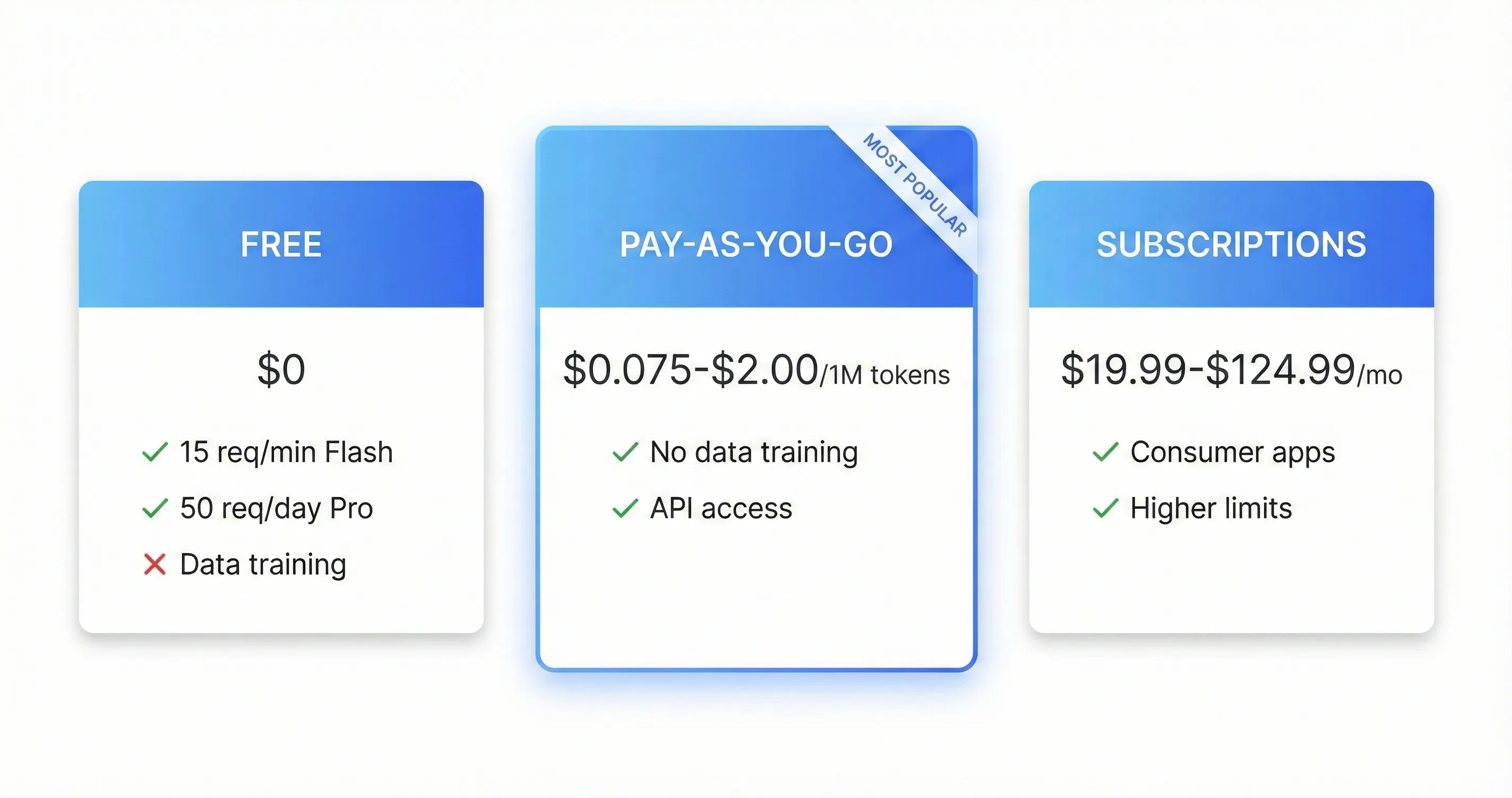
Pricing: Free tier (Flash + Flash-Lite, no credit card). Pro models paywalled April 1 — consumer Gemini AI Pro $19.99/mo for UI access, or paid Cloud Billing for API. Gemini 3.5 Flash $1.50/$9 per 1M tokens on paid API.
Our Take: The strongest free LLM developer playground available. Gemini 3.5 Flash on the free tier (launched May 19) made it meaningfully more valuable than February. April 1 Pro paywall is the real friction but workarounds are accessible. Multimodal handling and native code export are best-in-class.
💡 Heads-Up: Free tier prompts may be used for training. For sensitive business data, use paid Cloud Billing or Vertex AI for contractual data-handling guarantees.
📑 Quick Navigation
The Bottom Line (May 2026)
The honest Google AI Studio review verdict for May 2026: AI Studio remains the best free developer playground for testing Gemini API behavior. The May 19 Gemini 3.5 Flash launch made the free tier more valuable than it was in February — you get a meaningfully better model at $0 with no credit card required. The April 1 paywall on Pro models (Gemini 3.1 Pro and other Pro variants) is the most consequential change of 2026: developers who relied on free Pro access for prototyping now need either the consumer Gemini AI Pro subscription ($19.99/month, which doesn’t directly map to API access but unlocks Pro in the AI Studio UI) or paid Cloud Billing via the Gemini API. For pure prototyping and Flash-tier testing, AI Studio at $0 remains unbeatable. For production deployment, the paid path through Cloud Billing or Vertex AI is the natural progression.
⏱️ What Just Happened (March to May 2026)
The source post captured AI Studio at the Gemini 3.1 Pro / Nano Banana 2 / Lyria 3 moment in February-March 2026. The May 2026 picture shows meaningful pricing-tier restructuring plus a new flagship Flash model:
- Pro models moved off the free API on April 1, 2026. Gemini 3.1 Pro and other Pro variants are no longer accessible at $0 via the API. Only Flash and Flash-Lite variants retain free access (with reduced quotas). The most disruptive 2026 change for developers who prototyped on Pro for free.
- Gemini 3.5 Flash launched May 19, 2026 at Google I/O. Pricing: $1.50 per 1M input tokens, $9.00 per 1M output tokens — roughly 25% cheaper than Gemini 3.1 Pro on coding tasks while delivering comparable quality on most Flash-tier use cases. Available free in AI Studio with rate limits.
- Gemini 3.5 Pro remains in preview state. The I/O 2026 keynote teased the Pro upgrade but only Flash shipped. Pro tier upgrade timeline indeterminate as of late May 2026.
- Consumer pricing tiers reshuffled at I/O 2026. Google AI Plus tier launched at $7.99/month (NEW), AI Pro at $19.99/month (unchanged), AI Ultra cut to $99.99/month from $249.99 (60% reduction). All three tiers unlock Pro Gemini models in the AI Studio UI separately from API access.
- Compute-based usage limits replaced fixed daily caps on paid plans at I/O 2026 — short text prompts cost less of the allowance than long multimodal queries. AI Studio free tier still uses simple request rate limits.
- Computer Use API, Interactions API, Deep Research Agent all matured through Q1-Q2 2026 — the developer-facing surfaces that make AI Studio more than just a prompt playground.
- Google Flow consolidation (Feb 2026) merged three creative tools into one video-generation surface accessible through AI Studio’s media model section.
- Antigravity 2.0 launched May 19, 2026 as the agentic developer platform — overlaps with some AI Studio agentic features but covers different territory (Antigravity is full agentic workflow orchestration; AI Studio is API prototyping playground).
The single most important shift for the Google AI Studio review buying decision is the Pro model paywall on April 1. Developers who relied on free Pro access for prototyping and small-scale production need a new mental model: AI Studio at $0 is still the right playground for Flash-tier testing; serious Pro work now requires paid Cloud Billing or a consumer Gemini AI Pro subscription that unlocks Pro models in the AI Studio UI. The Gemini 3.5 Flash launch partially offsets the paywall pain — the new free Flash model is meaningfully better than the previous free options.
⚠️ Reality Check: The April 1 Pro Paywall Is The Real 2026 Friction
For developers who relied on free Pro access through 2025 and Q1 2026, the April 1, 2026 paywall on Gemini 3.1 Pro and other Pro variants is the most disruptive 2026 change. The workarounds are real but introduce friction: consumer Gemini AI Pro at $19.99/month unlocks Pro models in the AI Studio UI but doesn’t grant paid API limits, while paid Cloud Billing unlocks both UI and API access at per-token rates. For prototyping work that was previously free, you now need to make an explicit purchase decision. The partial offset: the new Gemini 3.5 Flash on the free tier is meaningfully better than the previous free options, so Flash-tier work got a quality bump in the same window.
🎯 What Google AI Studio Actually Is (May 2026)
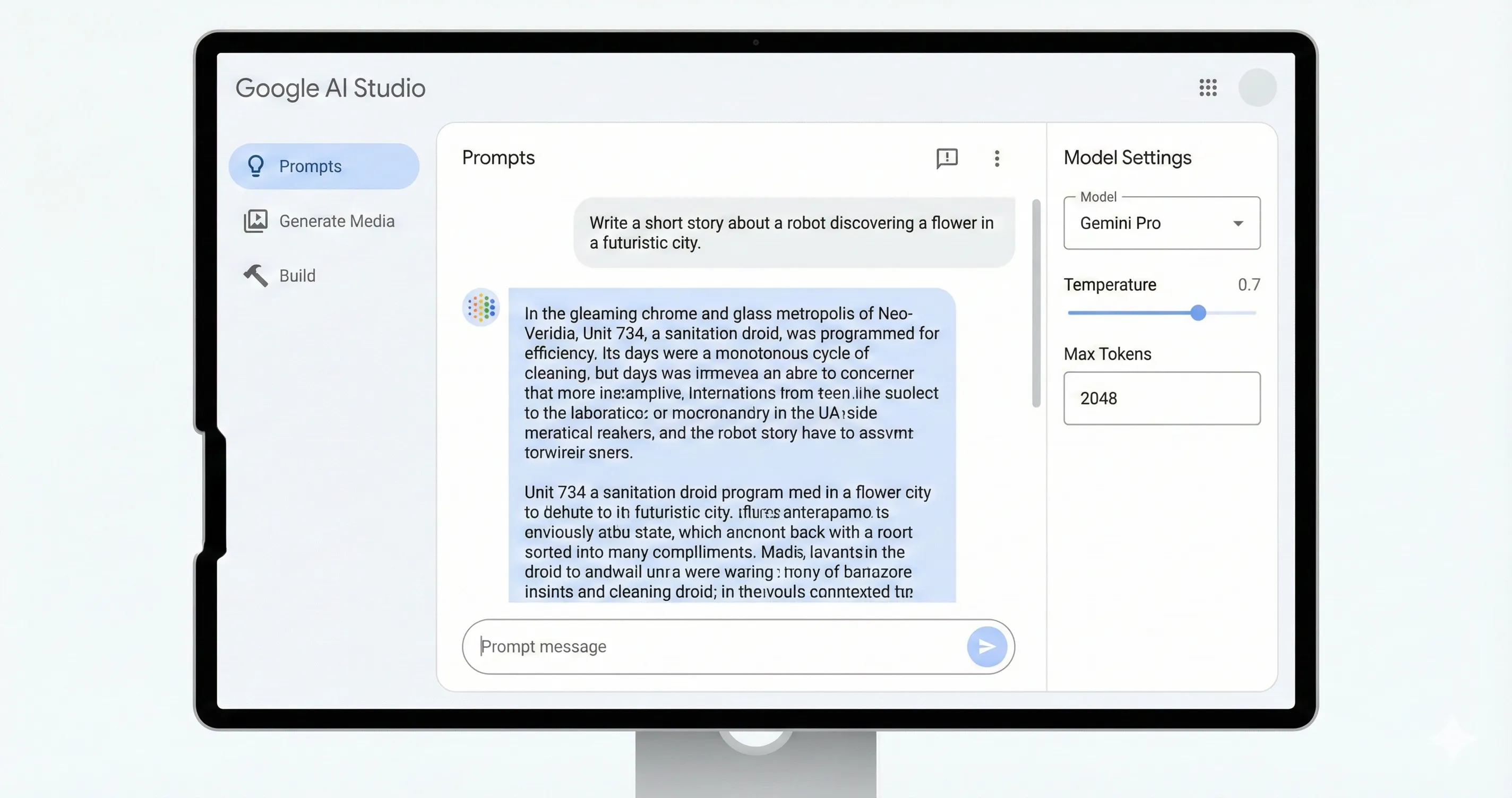
The Google AI Studio review starting point: Google AI Studio is Google’s free web-based playground for the Gemini API — accessible at aistudio.google.com with a Google account, no credit card required for free-tier access. Think of it as Google’s equivalent to OpenAI’s Playground or Anthropic’s Console: a web UI where developers can test prompts, configure model parameters, generate API keys, prototype function calling, and verify multimodal behavior before integrating into their own applications. AI Studio’s three core jobs:
- Prompt prototyping. Test how different prompts behave across Gemini models — Flash-tier (free) or Pro-tier (requires consumer Gemini subscription or paid Cloud Billing). Adjust temperature, top-K, top-P, safety settings, and output format inline. Save and revisit prompt sessions.
- API key management. Generate, rotate, and manage API keys for the Gemini API. The bridge from “I tested this in the playground” to “I’m integrating this into my application.”
- Multimodal testing. Upload images, video, audio, or documents to test Gemini’s multimodal capabilities directly in the UI. Includes Nano Banana 2 (image generation), Veo 3.1 / Flow (video), Lyria 3 (audio) — all the Gemini-family media models accessible from one playground.
What AI Studio is NOT: it’s not a production deployment platform (that’s Vertex AI), it’s not a consumer chat product (that’s Gemini at gemini.google.com), and it’s not an agentic platform (that’s Antigravity). AI Studio sits squarely in the developer-prototyping zone — the playground where prompts become API calls, then integrations, then products.
🧠 Available Models In AI Studio (May 2026)
Free Tier Models
After the April 1, 2026 paywall transition, only Flash and Flash-Lite variants remain free in AI Studio. The free model list as of May 2026:
- Gemini 3.5 Flash — launched May 19, 2026 at Google I/O. The current flagship free model. Faster and more capable than Gemini 3.1 Flash. Pricing on paid path: $1.50/$9 per 1M tokens.
- Gemini 3 Flash (Preview) — previous-generation Flash, still accessible during the 3.5 rollout window.
- Gemini 3.1 Flash-Lite — the smaller, faster, cheaper Flash variant. Useful for high-volume low-complexity workloads.
- Gemini 2.5 Pro / Flash / Flash-Lite — legacy 2.x models retained for backward compatibility. Lower quality than 3.x but unchanged free access.
- Gemini 2.0 Flash / Flash-Lite — older legacy models. Reserved for users with existing integrations they don’t want to disrupt.
Paywalled Models (Pro Tier, Requires Paid Access)
- Gemini 3.1 Pro — current production Pro model. The flagship reasoning/coding model. Available via consumer Gemini AI Pro subscription ($19.99/mo) for AI Studio UI access, or paid Cloud Billing for API access.
- Gemini 3.5 Pro (Preview) — teased at I/O 2026 but not yet GA. When it ships, expected to become the default Pro model.
- Older Pro variants — Gemini 2.5 Pro and other legacy Pro models also moved behind the paywall on April 1.
Media Models (Generation Surfaces)
AI Studio’s media model section gives developers UI-based access to Google’s generative media stack — useful for prototyping multimodal workflows before integrating via API:
- Nano Banana 2 (image generation) — Google’s flagship image model. Pricing varies by tier.
- Veo 3.1 / Google Flow (video generation) — the consolidated creative video tool merged in February 2026. Veo 3.1 powers the underlying generation.
- Lyria 3 (audio / music generation) — Google’s audio model. Recently expanded capability beyond music to general audio.
- Imagen 4 Fast (image generation, speed-optimized) — alternative to Nano Banana 2 for high-volume image generation.
💰 Pricing Breakdown (May 2026)
The Google AI Studio review pricing picture is meaningfully different from February 2026. The free tier is still real and valuable, but Pro model access now requires either paid Cloud Billing or a consumer Gemini subscription. The full pricing breakdown:
| Access Path | Cost | What You Get |
|---|---|---|
| AI Studio Free Tier | $0 (no credit card) | All Flash + Flash-Lite Gemini models (3.5 Flash NEW, 3 Flash Preview, 3.1 Flash-Lite, 2.5/2.0 variants), media models with rate limits, API key generation, full playground UISTRONGEST FREE |
| Consumer Gemini AI Plus | $7.99/month | Unlocks Pro models in AI Studio UI (UI access only — doesn’t grant paid API limits)UI ONLY |
| Consumer Gemini AI Pro | $19.99/month ($240/year) | Pro models with higher limits in AI Studio UI, full Gemini consumer features bundledSWEET SPOT |
| Consumer Gemini AI Ultra | $99.99/month (cut from $249.99) | Highest UI usage limits, Veo unlimited, deeper agent integration, early access to new features−60% AT I/O |
| Gemini API Flash 3.5 (Cloud Billing) | $1.50/$9 per 1M tokens | Paid API access — data not used for training by default~25% CHEAPER THAN 3.1 PRO |
| Gemini API 3.1 Pro (Cloud Billing) | $2/$12 per 1M tokens | Paid API access to Pro tier with paid limits |
| Vertex AI (Enterprise) | Custom enterprise pricing | Production deployment platform with SLAs, MLOps, data residency, fine-tuning, batch processing |
Three pricing observations matter most for the Google AI Studio review buying decision. First: the free tier remains the dominant entry point — Gemini 3.5 Flash at $0 with no credit card is the strongest free AI playground available, and it’s enough for most prototyping and small-scale work. Second: the April 1 Pro paywall is real friction for developers who relied on free Pro access — the workaround is either consumer Gemini AI Pro ($19.99/mo, gives UI access only, not paid API limits) or paid Cloud Billing (gives both). Third: the Gemini 3.5 Flash launch at $1.50/$9 per 1M tokens is meaningfully cheaper than Gemini 3.1 Pro ($2/$12) on coding tasks — for many production workloads, the cost-quality math now favors Flash 3.5 over older Pro variants.
📊 Gemini API Pricing — Flash vs Pro Per 1M Tokens (May 2026)
Gemini 3.5 Flash at $1.50/$9 is ~25% cheaper than Gemini 3.1 Pro on coding tasks. Lower is better.
⚖️ AI Studio vs OpenAI Playground vs Anthropic Console (May 2026)
The honest competitive frame for the Google AI Studio review: this is a three-way race between the major flagship LLM developer playgrounds. Each ships with structural advantages reflecting the parent company’s broader strategy.
| Dimension | Google AI Studio | OpenAI Playground | Anthropic Console |
|---|---|---|---|
| Free tier | Yes — generous, no credit cardPERMANENT FREE | Trial credits then paid | Trial credits then paid |
| Free model access | All Flash + Flash-Lite (Pro paywalled April 1) | Free GPT-5 trial limits | Free Claude trial limits |
| Default flagship in UI | Gemini 3.5 Flash (free) / 3.1 Pro (paid) | GPT-5.5 / GPT-5.5 Pro | Claude Sonnet 4.6 / Opus 4.8 |
| Multimodal in playground | Native (Nano Banana + Veo + Lyria)BEST INTEGRATION | Image, voice; Sora separate | Image; limited voice/video |
| Context window in playground | 1M tokens (Pro) | ~128K tokens | ~200K tokens |
| API key generation | One-click | One-click | One-click |
| Function calling test | Yes | Yes (Functions + Assistants) | Yes (tool use) |
| Path to production | Vertex AI (enterprise) or direct API | OpenAI API direct | Anthropic API direct or AWS Bedrock |
| Agentic platform sibling | Antigravity 2.0 (separate) | Codex / Operator (within ChatGPT) | Claude Code (separate) |
| Best for | Free Flash prototyping, multimodal testing, Google Cloud deployments | OpenAI ecosystem developers, broadest tooling | Anthropic ecosystem, careful reasoning |
The pattern: AI Studio wins decisively on free-tier generosity (no credit card, permanent free Flash access) and native multimodal integration. OpenAI Playground wins on tooling breadth and the broader ChatGPT ecosystem bridge. Anthropic Console wins on careful-reasoning workloads and Claude Code integration. Most serious developers carry accounts on all three for testing against different model families — the cost of an additional account is zero (just an email signup), and being able to A/B test prompts across model families is genuinely useful.
📊 Free Tier Comparison — Major Developer Playgrounds (May 2026)
Free tier generosity score (0-10). AI Studio’s permanent free tier with no credit card is the clear leader.
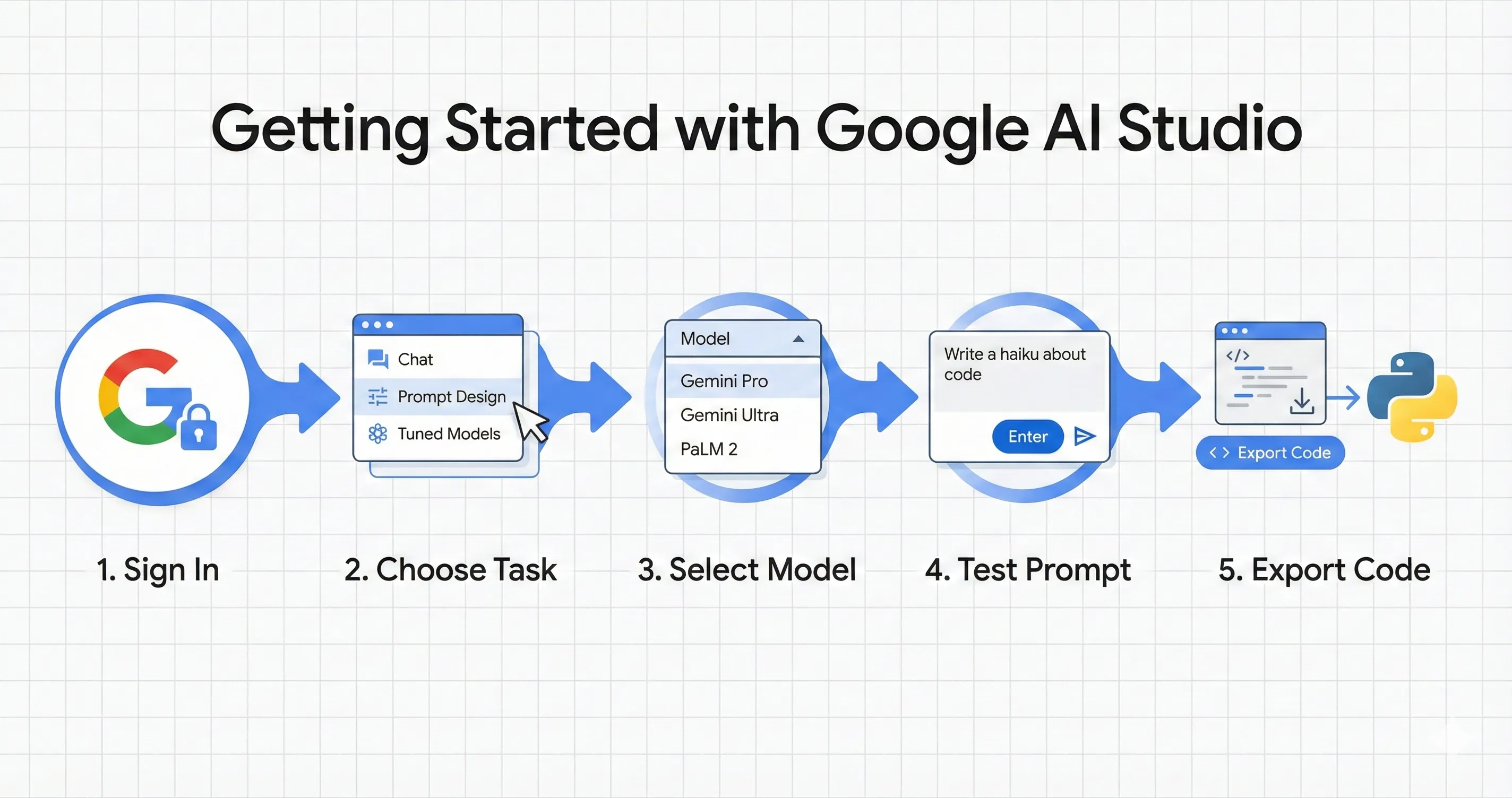
🚀 Getting Started With AI Studio (10 Minutes)
Step 1: Access AI Studio (30 Seconds)
Open aistudio.google.com, sign in with a Google account, accept the terms. No credit card required for free-tier access. You land in the playground with Gemini 3.5 Flash pre-selected as the default model.
Step 2: Test Your First Prompt (2 Minutes)
The default playground gives you a text input on the left, a chat-like output panel on the right, and a parameters panel on the far right (temperature, top-K, top-P, output format, safety settings, system instructions). Type a prompt, hit run, observe the output. For a useful first test, try a prompt that exercises Gemini 3.5 Flash’s strengths: “Read this 3-page technical spec [paste it] and produce a structured summary with: (1) one-sentence purpose, (2) three key constraints, (3) two open questions for clarification. Output as markdown.” Watch how Flash 3.5 handles a multi-section structured task — that’s a common production workload pattern.
Step 3: Switch Models To Compare (1 Minute)
Use the model selector dropdown to switch between Gemini 3.5 Flash (default), Gemini 3 Flash Preview, 3.1 Flash-Lite, and the 2.x legacy variants. Re-run the same prompt to compare outputs. This is the workflow where AI Studio earns its keep — model comparison at zero cost, no integration overhead.
Step 4: Test Multimodal Input (2 Minutes)
Click the attachment icon to upload an image, video, audio file, or document. Try uploading a screenshot and asking Gemini to describe what’s on it, or a long PDF and asking for a structured summary. Gemini’s multimodal handling is among the strongest in the flagship category — AI Studio is where you verify that strength against your specific input types.
Step 5: Generate API Key + Export Code (2 Minutes)
Click “Get API Key” in the sidebar to generate or retrieve your Gemini API key. Then in the playground, click the “Get code” button to export a working code snippet (Python, Node.js, REST) with your current prompt pre-filled. Copy-paste into your local environment, drop in the API key, and you’re running production-equivalent calls within minutes of your first playground prompt. This is the workflow that makes AI Studio meaningfully better than reading API docs cold.
🔑 Features That Actually Matter
Free Gemini 3.5 Flash Access
The single most consequential free-tier feature in 2026. Gemini 3.5 Flash (launched May 19) is meaningfully better than the previous free Flash options, and AI Studio is where you get it at $0 with no credit card. For prototyping, testing, sampling, and small-scale personal use, this is the strongest free LLM playground available anywhere.
Native Multimodal Testing
AI Studio’s multimodal handling is among the most polished in the flagship developer playgrounds. Upload images, video, audio, or PDFs directly into the prompt input — Gemini’s strong multimodal performance shows up most clearly here. The Nano Banana 2 (image), Veo 3.1 / Flow (video), and Lyria 3 (audio) media models are also accessible from the same interface for testing generation workflows.
One-Click Code Export
The “Get code” button exports your current playground configuration as runnable Python / Node.js / REST snippets with parameters pre-set. The friction from “I tested this in the playground” to “I’m calling the API from my application” is genuinely low. For developers prototyping integrations, this is one of the highest-leverage features in the product.
Vertex AI Bridge
For production deployment with enterprise SLAs, MLOps tooling, data residency controls, and fine-tuning, AI Studio is the prototyping front door to Vertex AI. The migration path is well-supported: prototype in AI Studio’s free tier, validate the model/prompt fit, then move to Vertex AI for production. For Google Cloud-bound applications, this is the natural progression.
⚠️ Two Features That Sound Better Than They Are
- Pro model access via consumer Gemini subscription. AI Plus, AI Pro, and AI Ultra all unlock Pro models in the AI Studio UI — but this UI-only access doesn’t grant paid API limits. For serious development work, you still need paid Cloud Billing for the API. The consumer subscription path is a partial workaround, not a full substitute.
- Computer Use API and Deep Research Agent. Both shipped to AI Studio in early 2026 but the reliability story isn’t fully there yet — capable on well-scoped tasks, uneven on open-ended work. The dedicated agentic platform (Antigravity 2.0) is the better surface for these workloads in production.
🔐 The Privacy Trade-Off
The Google AI Studio review privacy framing: the honest reality for the free AI Studio tier is that Google reserves the right to use prompts and outputs from the free tier to improve their models. This is consistent with most free-tier LLM playgrounds (OpenAI’s free tier has similar terms) but worth knowing if you’re working with sensitive data. The mitigations:
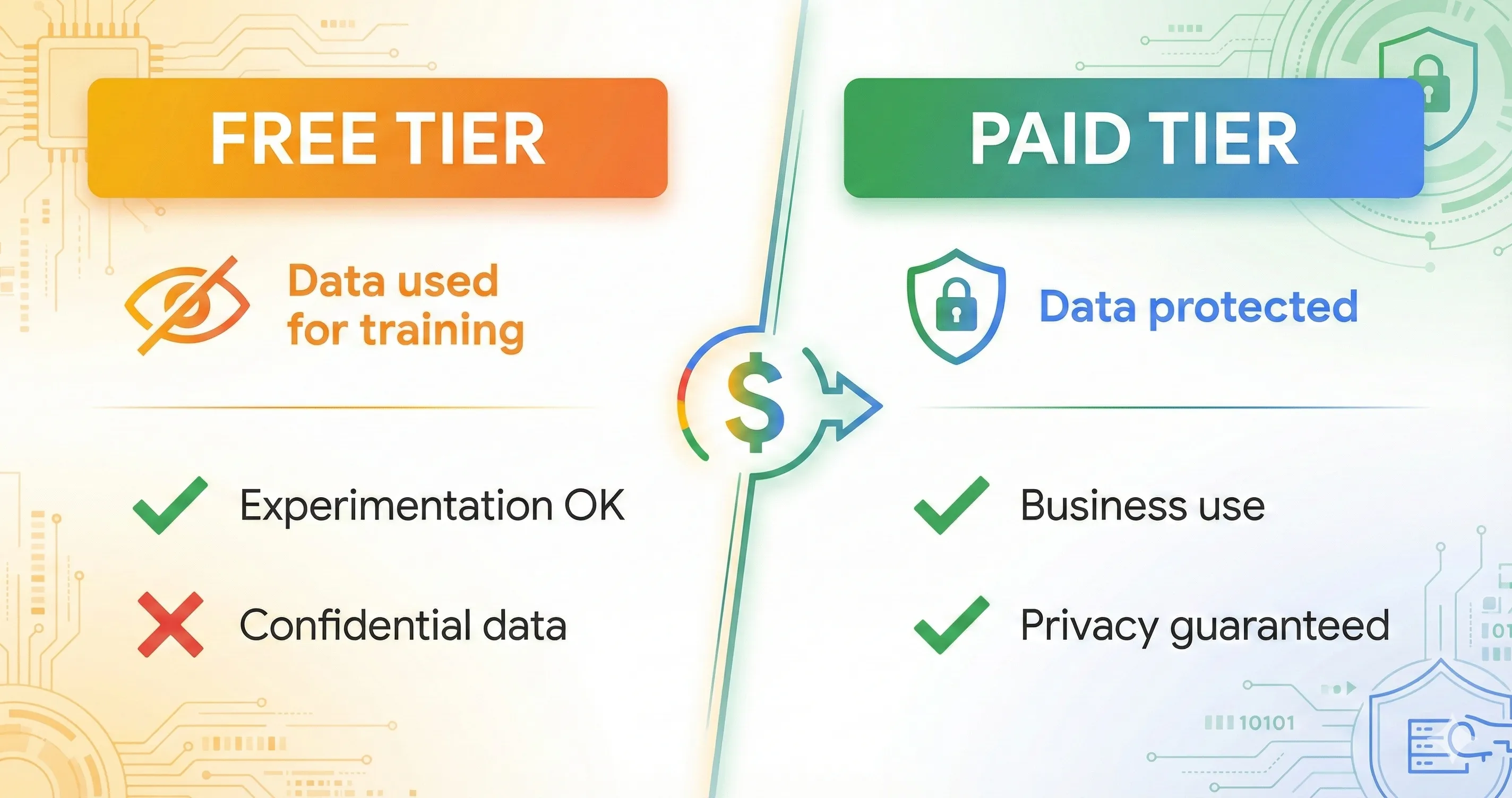
- Paid API access via Cloud Billing — by default, data isn’t used for training when you’re using the paid API tier.
- Vertex AI — enterprise tier with contractual data-handling guarantees, SOC 2 compliance, data residency options.
- Consumer Gemini AI Pro / Ultra — opt-out from training data collection available in account settings.
- Self-redact sensitive data before prompting — if you’re using the free tier for work that touches confidential information, redact identifying details first.
For personal use, hobbyist projects, and prototyping with non-sensitive data, the free tier privacy trade-off is acceptable. For commercial or regulated workloads, move to paid Cloud Billing or Vertex AI before processing real production data.
⚡ Reality Check: The Free Tier Still Wins Decisively For Prototyping
Despite the April 1 Pro paywall, AI Studio’s free tier remains the strongest developer prototyping playground available — no other major LLM developer surface offers permanent free access without a credit card. OpenAI Playground gives you trial credits then bills. Anthropic Console gives you trial credits then bills. Hugging Face Spaces is free but more limited on flagship-model access. AI Studio’s free Gemini 3.5 Flash access is structurally better for the “I want to test this prompt against a frontier model without paying” workflow that dominates developer prototyping. The Pro paywall changed Pro-access economics, not the broader free-tier value proposition.
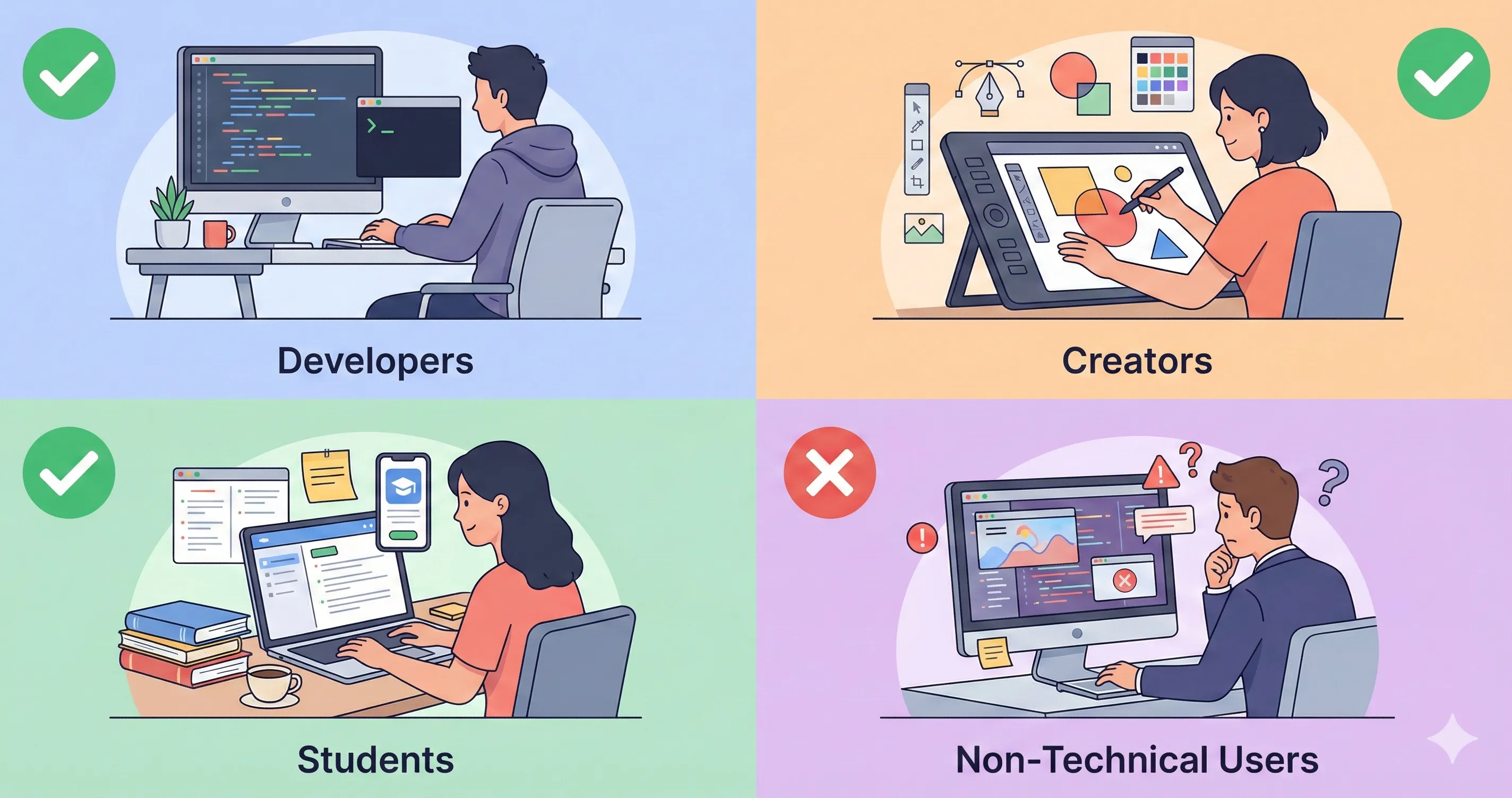
🎯 Who Should Use Google AI Studio
Perfect For:
- Developers prototyping Gemini API integrations — AI Studio is the natural front door to the Gemini API.
- Anyone testing multimodal AI capabilities — Gemini’s multimodal strength shows up most clearly in AI Studio’s playground.
- Students, hobbyists, and researchers wanting free access to Gemini 3.5 Flash with no credit card.
- Teams evaluating Gemini against other flagship LLMs — AI Studio is the cost-zero comparison surface.
- Google Cloud-bound developers using Vertex AI for production — AI Studio is the prototyping front door.
- Anyone wanting to test Nano Banana 2, Veo 3.1, Lyria 3 media models without committing to Cloud Billing.
Skip AI Studio (Or Pair With Other Tools) If:
- You need production deployment with enterprise SLAs and MLOps tooling — go straight to Vertex AI or your cloud provider’s equivalent.
- You’re building consumer-facing chat (not API integration) — the consumer Gemini product at gemini.google.com is the right surface.
- Your workload is dominated by agentic multi-step autonomous tasks — Antigravity 2.0 is the dedicated agentic platform.
- You’re working with regulated business data — paid Cloud Billing or Vertex AI is required for the contractual data handling guarantees.
- You’re committed to the OpenAI or Anthropic ecosystem — their respective Playground / Console environments are better-fit prototyping surfaces.
💡 Key Takeaway: AI Studio Is The Free Bridge From Idea To Production On Gemini
The honest mental model for AI Studio in May 2026: this is the free, no-credit-card bridge from “I have an idea I want to test on Gemini” to “I’m calling the Gemini API from production.” The playground lets you test prompts at $0, the “Get code” button exports working Python/Node/REST snippets, and the API key generator gives you the credentials to integrate. For developers who want Gemini in their stack, AI Studio is the path of least resistance. The April 1 Pro paywall means Pro work now requires a purchase decision, but for the Flash-tier prototyping that dominates developer playground use, the free tier remains genuinely best-in-class.
💬 Developer Sentiment (May 2026)
What Developers Praise
- The Gemini 3.5 Flash launch on May 19 was met with broad approval — the new model in the free tier meaningfully improved the playground value.
- No-credit-card free tier remains the single biggest accessibility win. Compared to OpenAI’s “free trial credits” and Anthropic’s similar model, AI Studio’s permanent free tier is a clear advantage.
- Native multimodal handling is consistently cited as the strongest AI Studio differentiator — uploading images, video, or audio directly into the prompt input is more polished than the competitors’ equivalents.
- The “Get code” button (one-click export to Python/Node/REST) is the most-praised UX feature for developers who use AI Studio as the bridge from playground to integration.
- Free Nano Banana 2 + Veo 3.1 + Lyria 3 access with rate limits is widely described as “the best free media model playground available.”
Common Complaints
- The April 1, 2026 Pro model paywall was the most-criticized 2026 change. Developers who relied on free Pro access for prototyping felt the friction immediately.
- The consumer Gemini subscription path (AI Plus / AI Pro / AI Ultra) for unlocking Pro models in the AI Studio UI is described as “confusing — you pay for one thing and get partial access to another.” UI access only, no paid API limits.
- Pricing structure complexity — the split between consumer Gemini subscriptions (which unlock UI) and Cloud Billing (which unlocks paid API) creates onboarding friction.
- Computer Use API and Deep Research Agent reliability is uneven on open-ended tasks — Antigravity remains the better surface for production agentic work.
- Documentation gaps between AI Studio and Vertex AI — the migration path is well-supported in theory, less smooth in practice for non-trivial deployments.
🎯 Get Honest AI Developer Tool Reviews — Free
AI Studio, Vertex AI, Antigravity, OpenAI Playground, Anthropic Console — the developer-platform space shifts every few weeks. Subscribe for honest reviews, pricing changes, and verdicts that actually matter for buying decisions.
Subscribe to the Weekly Brief →✅ Final Verdict
The honest Google AI Studio review verdict for May 2026: AI Studio remains the best free developer playground for testing Gemini API behavior, and the May 19 Gemini 3.5 Flash launch made the free tier meaningfully more valuable than it was in February. For prototyping, multimodal testing, and the bridge from “I tested this prompt” to “I’m calling the API from production,” AI Studio is the dominant choice. The April 1 Pro paywall is the real 2026 friction — developers who relied on free Pro access need a new mental model, but the workarounds (consumer Gemini AI Pro for UI access, paid Cloud Billing for API access) are clear and accessible.
For the broad ChatGPT-vs-Claude-vs-Gemini developer playground question, AI Studio earns its place on three dimensions no competitor matches: permanent free tier with no credit card required, native multimodal integration across Gemini’s media model family, and the bridge to Vertex AI for production deployment. For the workloads where these dimensions matter, AI Studio is the right pick. For workloads where they don’t — OpenAI ecosystem developers, Claude Code users, agentic platform needs — the competitors remain the right pick for their specific lanes.
Overall score: 4.5/5 ⭐⭐⭐⭐½ — holds steady from the February 2026 review. The May 2026 bump factors (Gemini 3.5 Flash on the free tier, refined multimodal UX, AI Plus/Ultra pricing improvements) balance the drag factors (April 1 Pro paywall, consumer-vs-API access confusion, Computer Use API uneven reliability). The free tier remains genuinely best-in-class for developer prototyping — that’s the score driver.
❓ Frequently Asked Questions
Is Google AI Studio completely free?
The Flash and Flash-Lite tier of Gemini models is free in AI Studio with no credit card required, including the new Gemini 3.5 Flash launched May 19, 2026. As of April 1, 2026, Pro tier Gemini models (Gemini 3.1 Pro, 3.5 Pro Preview, legacy 2.5 Pro) are no longer free — they require either a consumer Gemini AI Pro subscription ($19.99/month for UI access) or paid Cloud Billing for API access.
Does Google AI Studio use my data for training?
On the free tier, Google reserves the right to use prompts and outputs to improve their models. On paid Cloud Billing, data isn’t used for training by default. On Vertex AI enterprise tier, contractual data-handling guarantees apply including SOC 2 compliance and data residency options. For sensitive business data, paid tiers are the appropriate choice.
Why can’t I access Pro models for free anymore?
Google paywalled Pro models on April 1, 2026 — Gemini 3.1 Pro and other Pro variants are no longer accessible at $0 via the API. Only Flash and Flash-Lite variants retain free access. Workarounds: consumer Gemini AI Pro subscription ($19.99/month) unlocks Pro models in the AI Studio UI (UI access only, doesn’t grant paid API limits), or paid Cloud Billing grants both UI access and paid API limits.
What’s special about Gemini 3.5 Flash?
Gemini 3.5 Flash launched May 19, 2026 at Google I/O. Pricing: $1.50 per 1M input tokens, $9.00 per 1M output tokens — roughly 25% cheaper than Gemini 3.1 Pro on coding tasks while delivering comparable quality on most Flash-tier use cases. Available free in AI Studio with rate limits. It’s positioned for sub-agent deployment, multi-step workflows, long-horizon tasks, and coding cycles. For many production workloads, the cost-quality math now favors Flash 3.5 over older Pro variants.
How does AI Studio compare to OpenAI Playground?
AI Studio wins on free-tier generosity (no credit card, permanent free Flash access) and native multimodal integration (Nano Banana, Veo, Lyria all in one playground). OpenAI Playground wins on tooling breadth, Assistants framework, and the broader ChatGPT ecosystem bridge. Most developers carry accounts on both for testing — the cost of an additional account is zero. See our full ChatGPT review for OpenAI’s side.
What’s the difference between AI Studio, Vertex AI, and Antigravity?
AI Studio is the developer-facing prototyping playground (web UI at aistudio.google.com, free tier, API key generation). Vertex AI is the enterprise production deployment platform (MLOps tooling, fine-tuning, batch processing, contractual data guarantees). Antigravity 2.0 is the agentic developer platform (full agentic workflow orchestration, multi-agent coordination, sub-agent deployment). They sit in different parts of the development lifecycle — prototype in AI Studio, deploy at scale in Vertex AI, build agentic workflows in Antigravity.
Which Gemini model should I use in AI Studio?
For most prototyping and general-purpose tasks, Gemini 3.5 Flash is the new default — free in AI Studio, strong quality, ~25% cheaper than Pro on paid API path. For the hardest reasoning or coding problems where extended thinking helps, Gemini 3.1 Pro (paywalled) is the right call. For high-volume cost-sensitive workloads, Gemini 3.1 Flash-Lite is the cheapest path. For multimodal media generation, switch to the Nano Banana 2 / Veo 3.1 / Lyria 3 models depending on output type.
Does AI Studio have a CLI?
AI Studio itself is web-only, but the Gemini API has a separate Gemini CLI for terminal-based developer workflows — open-source MIT-licensed, free tier available. The CLI competes directly with Codex CLI and Claude Code in the terminal coding agent category. For terminal-first developers, Gemini CLI is the right tool; AI Studio is the web-based playground complement.
✅ Where AI Studio Wins
- ✓ Permanent free tier — no credit card required
- ✓ Free Gemini 3.5 Flash (NEW May 19, 2026)
- ✓ Native multimodal (Nano Banana, Veo, Lyria all integrated)
- ✓ One-click code export (Python / Node / REST)
- ✓ 1M token context window in Pro models
- ✓ Bridge to Vertex AI for production deployment
- ✓ Flash 3.5 ~25% cheaper than 3.1 Pro on coding ($1.50/$9 vs $2/$12)
- ✓ Strongest free LLM playground for developer prototyping
❌ Where AI Studio Falls Short
- ✗ Pro models paywalled April 1, 2026 — free Pro access ended
- ✗ Consumer subscription path (UI only, no paid API) creates confusion
- ✗ Free tier prompts may be used for training
- ✗ Computer Use API + Deep Research Agent reliability uneven
- ✗ Documentation gaps in the AI Studio → Vertex AI migration path
- ✗ Pricing structure complexity (consumer + Cloud Billing split)
- ✗ Not for production deployment (that’s Vertex AI’s job)
- ✗ Agentic workflows belong in Antigravity, not AI Studio
Bump factors: Gemini 3.5 Flash on the free tier, refined multimodal UX, AI Plus/Ultra pricing improvements. Drag factors: April 1 Pro paywall, consumer-vs-API access confusion, Computer Use API uneven reliability. The free tier remains genuinely best-in-class for developer prototyping — that’s the score driver.
📚 Related Reading
- Gemini Review — Google’s consumer Gemini product
- Google Antigravity Review — the agentic developer platform
- Claude Code vs Gemini CLI — terminal coding agent comparison
- ChatGPT Review — OpenAI’s flagship + ecosystem
- ChatGPT Codex Review — Codex coding agent + Codex CLI
- Claude AI Review — Anthropic’s flagship
- Gemini Gems Review — custom AI assistants on Gemini
- Best AI Developer Tools — the broader landscape
- The Complete AI Tools Guide — buyer’s guide for 200+ tools
Founder of AI Tool Analysis. Tests every tool personally so you don’t have to. Covering AI tools for 10,000+ professionals since 2025. See how we test →
Stay Updated on AI Developer Tools
The AI developer playground space shifts every few weeks. Subscribe for honest reviews of AI Studio updates, Vertex AI releases, Antigravity capability launches, OpenAI/Anthropic playground changes — delivered every Thursday at 9 AM EST.
- ✅ Honest Reviews: We actually test these tools, not rewrite press releases
- ✅ Pricing Changes: Tier restructures and API repricing tracked as they happen
- ✅ Model Launches: Gemini 3.5 Pro GA / GPT-6 / Claude Opus 5 covered within days
- ✅ Free Tier Tracking: When playgrounds change their free access policies
- ✅ No Hype: Just the AI developer news that matters for your work
Free, unsubscribe anytime. 10,000+ professionals trust us.

Last Updated: May 30, 2026
Tool Tested: Google AI Studio in May 2026 — free tier with Gemini 3.5 Flash (post-May 19 launch), consumer Gemini AI Pro UI access ($19.99/month), paid Cloud Billing for Gemini 3.1 Pro API access. Comparison testing against OpenAI Playground and Anthropic Console. All pricing verified against aistudio.google.com and the Gemini API documentation as of May 30, 2026.
Slug: /google-ai-studio-review/ — evergreen, unchanged. AI Studio is the product name (not a version), so the slug works as a long-term canonical for the Gemini API developer playground.
Next Review Update: When Gemini 3.5 Pro reaches GA (currently in preview, no firm date). Earlier updates if AI Studio shipping major UI/UX changes, API pricing shifts, or new Gemini model family member.
Have a tool you want us to review? Suggest it here | Questions? Contact us