


If you remember nothing else: Goose is like having a Swiss Army knife for AI coding, except every blade is one you chose yourself, and the whole thing is free. Built by Block (the company behind Square, Cash App, and Afterpay), this open-source AI agent runs locally on your machine with any language model you want. It connects to 3,000+ tools through MCP, automates entire workflows with “recipes,” and costs exactly $0 in subscription fees. The trade-off? You bring your own AI model (or use free local ones), and setup requires more effort than polished tools like Claude Code. Best for developers who want total control and extensibility. Skip if you need the absolute highest coding accuracy out of the box without configuration.
⚡ TL;DR – The Bottom Line
🔑 What it is: Free, open-source AI coding agent from Block (Square, Cash App) with 27K+ GitHub stars and 350+ contributors.
💰 Cost: $0 for Goose itself + free local models via Ollama, or pay-as-you-go API costs (~$10-50/month) for cloud models.
⚙️ Best for: Developers wanting total control, complete privacy, and repeatable team workflows via shareable “recipes.”
🔌 Key strength: 3,000+ MCP tool connections (GitHub, Slack, Jira, Docker) + works with any AI model (Claude, GPT, Gemini, local).
⚠️ The catch: Output quality depends entirely on the AI model you choose. Requires more setup than polished tools like Claude Code.
📑 Quick Navigation
🦆 1. What Goose Actually Does (Not Just Another Copilot)
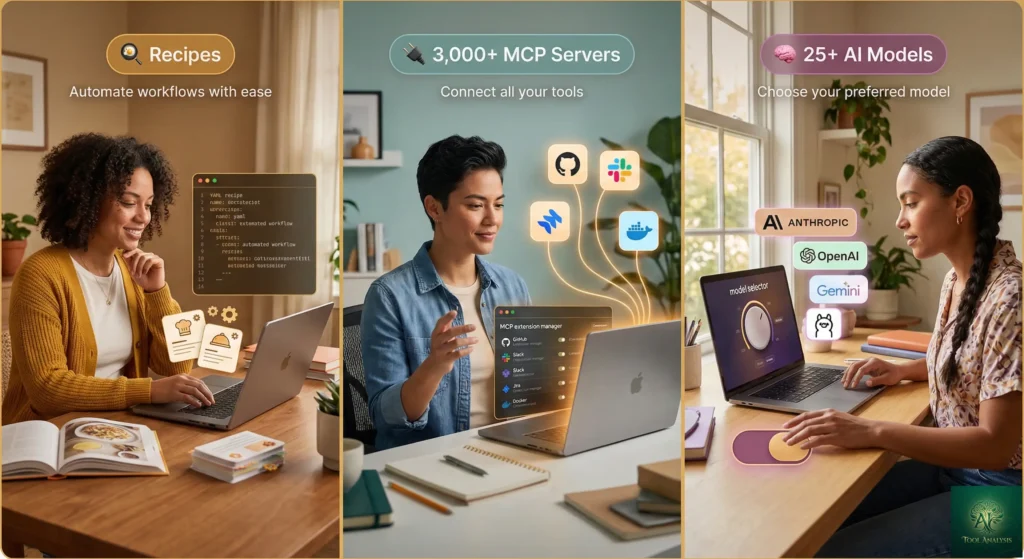
Forget the usual AI coding assistant that suggests the next line of code. In this Goose AI review, the first thing that stood out is that Goose is something different entirely. Think of it as a build system for AI agent behavior, not a smarter autocomplete.
Here’s the simplest way to understand it. Claude Code is a senior developer who lives in your terminal. Goose is an empty office you can staff with any developer you want, from any agency, with any tools, and teach them your exact workflow. The office is free. You just pay for the talent you bring in (or use free local talent).
Goose was released in January 2025 by Block’s Open Source Program Office under the Apache 2.0 license. In one year, it has exploded to 27,000+ GitHub stars, 350+ contributors, and over 100 releases. Block’s CTO Dhanji Prasanna put it bluntly when it launched: the goal is to create “a framework for new heights of invention and growth.”
What can Goose actually do? In practical terms, it can build entire projects from scratch, write and execute code, debug failures, run tests, install dependencies, orchestrate multi-step workflows, and interact with external APIs. It does this autonomously, meaning you describe what you want and Goose figures out the steps. One developer described the experience as “like having Maverick as copilot” after spending a day with it.
The critical difference from competitors is extensibility. Goose connects to 3,000+ MCP servers (GitHub, Google Drive, Jira, Slack, Docker, Kubernetes, databases, and more) through the Model Context Protocol, an open standard Block co-developed with Anthropic. This means Goose can pull your latest Jira ticket, read your Google Drive specs, check Slack messages, and start coding, all without you copying and pasting context between apps.
At Block itself, 60% of the company’s 12,000 employees use Goose weekly, with reported time savings of 50-75% on development tasks. Engineers use it for everything from code migrations (Ember to React, Ruby to Kotlin) to generating weekly status updates from Linear, GitHub, and Notion.
🔍 REALITY CHECK
Marketing Claims: “Your on-machine AI agent, automating engineering tasks seamlessly.”
Actual Experience: The “seamlessly” part depends heavily on which AI model you choose. With Claude Opus 4.5, Goose produces excellent results. With smaller open-source models running locally, output quality drops noticeably. Setup also requires more technical comfort than tools like Cursor or Claude Code.
✅ Verdict: Genuinely powerful for developers willing to invest 20-30 minutes in setup. Not a “click and go” experience like polished commercial tools.
🚀 2. Getting Started: Your First 10 Minutes
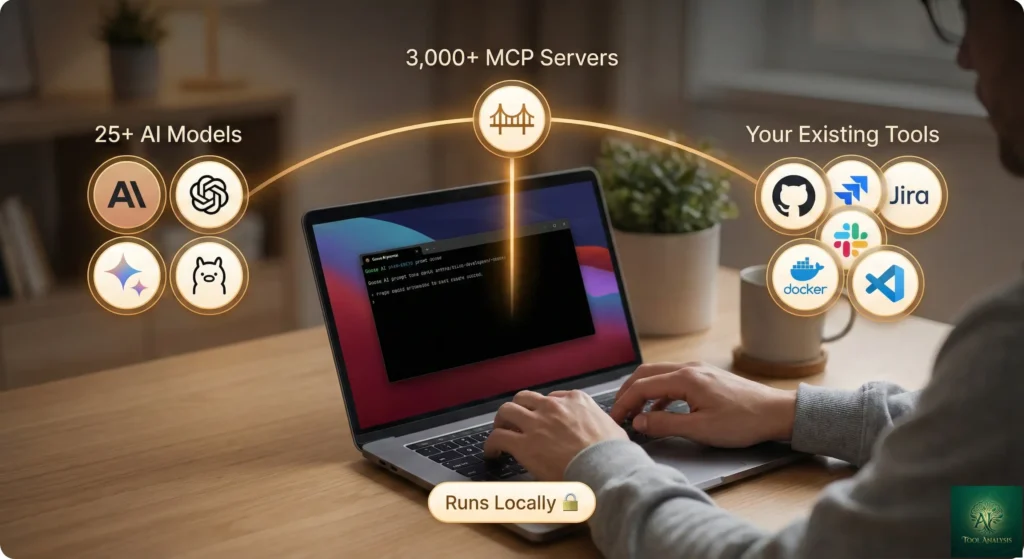
Getting Goose running is faster than you might expect for an open-source tool. In our Goose AI review testing, here’s exactly what happens:
Step 1: Install (2 minutes). On macOS, run brew install goose. On Linux, paste this
one-liner into your terminal:
curl -fsSL https://github.com/block/goose/releases/download/stable/download_cli.sh | bash. Windows
users can use Git Bash or the PowerShell installer. Desktop apps are also available if you prefer a GUI over the
terminal.
Step 2: Choose your AI model (3 minutes). Run goose configure and pick from 25+
providers. You can use Anthropic’s Claude (bring your API key), OpenAI’s GPT models, Google’s Gemini, or free local
models through Ollama. If you want zero cost, install Ollama, download a model like Qwen 2.5, and point Goose at it. Your data never
leaves your machine.
Step 3: Start a session (1 minute). Type goose in your terminal. Describe what you
want: “Build me a REST API with three endpoints for a todo app.” Goose reads your project directory, plans the
approach, writes the code, creates the files, installs dependencies, and runs the tests. You review the result.
Time to first useful output: About 8-10 minutes including installation. Faster if you already have an API key for a cloud model. The learning curve is moderate: the basics are simple, but mastering recipes and extensions takes a few days of exploration.
If you prefer graphical interfaces, Goose also offers a desktop app with a full chat UI. It’s built on Electron and provides the same capabilities as the CLI with a more approachable interface for developers who aren’t terminal-first.
⚙️ 3. Features That Actually Matter (And What Makes Goose Different)
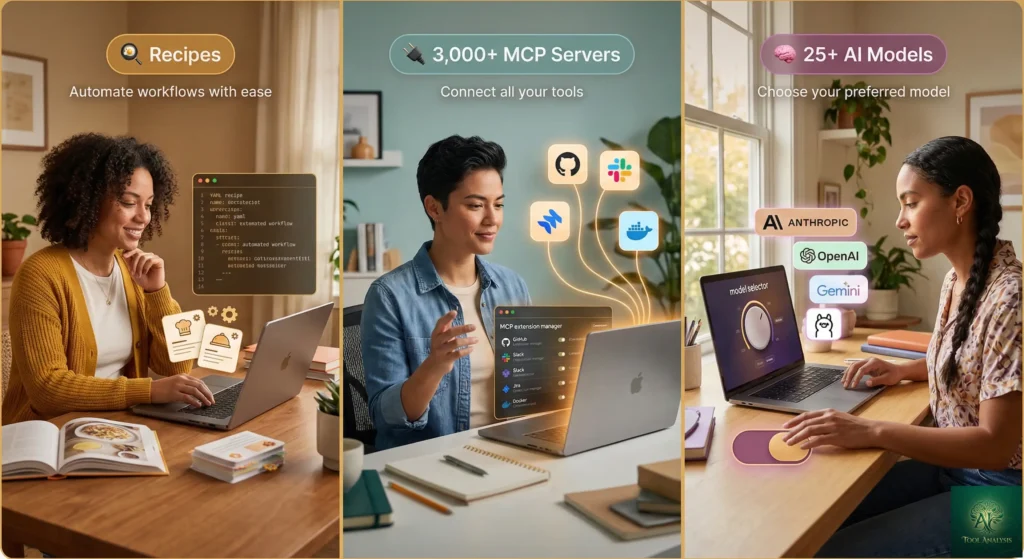
Most AI coding tools share the same basic capabilities: chat interface, file editing, code generation. After testing the top 8 AI agents for developers, I can tell you the baseline features are nearly identical across Goose, Claude Code, Cursor, and Copilot. What makes Goose different comes down to three things.
Recipes: Reusable Workflows That Actually Work ⭐⭐⭐⭐⭐
Think of recipes like saved macros, but for AI behavior. A recipe is a YAML file that packages an entire workflow:
the goal, required extensions, structured inputs, and even sub-recipes for complex tasks. One developer built a
recipe that generates weekly status updates by querying Linear, GitHub, and Notion. They run
/weekly-status and get a formatted report with links to issues and pull requests. Every team member
runs the same recipe and gets consistent results.
This matters because prompts are individual knowledge, but recipes can be institutional knowledge. When your senior developer writes a code review recipe and shares it with the team, everyone benefits from their expertise. No other AI coding agent offers this level of workflow automation with this degree of structure.
MCP Integration: 3,000+ Tool Connections ⭐⭐⭐⭐⭐
The Model Context Protocol is an open standard that works like a universal adapter for AI tools. Goose was built from the ground up around MCP, and Block co-developed the protocol with Anthropic. This means Goose can connect to GitHub for code, Slack for communication, Google Drive for documentation, Jira for tickets, Docker for containers, and thousands more, all through standardized connections.
Adding an extension is straightforward: run goose configure, select “Add Extension,” and enter the MCP
server details. The Goose desktop app even has a built-in Extensions Manager for discovering and enabling MCP
servers without touching configuration files.
Model Flexibility: Use Any AI, Switch Anytime ⭐⭐⭐⭐⭐
This is Goose’s biggest philosophical difference from Claude Code (locked to Anthropic models), Cursor (primarily its own Composer model), or GitHub Copilot (OpenAI models). With Goose, you can use Claude Opus 4.5 for complex architecture work, switch to a cheaper Gemini Flash model for routine refactoring, and use a local Ollama model for private code. All in the same day. No tool switching, no lost context.
You can even use Claude Code as a model provider inside Goose. With a Claude Max subscription ($100-200/month), you configure the Claude Code SDK as a provider and get flat-rate access to Sonnet and Opus models. This gives you Goose’s extensibility with Claude’s intelligence.
Other Notable Features
Subagents allow parallel task execution with isolated workspaces, meaning Goose can work on multiple
parts of your project simultaneously. Terminal integration offers two modes: the full REPL for
back-and-forth chat, and ambient @goose "do this" commands for quick tasks without leaving your normal
workflow. MCP Apps render interactive UI components directly in the chat, replacing text dumps with
visualizations, forms, and configuration wizards. Skills let you add custom automations that
hot-reload without restarting your session.
The desktop app and CLI also support session management with named sessions, chat history, and session teleportation to resume work across devices. An iOS mobile app is now production-ready for monitoring long-running tasks on the go.
⚖️ 4. Goose AI Review: Head-to-Head vs Claude Code (Real Comparison)
This is the comparison everyone asks about. VentureBeat recently headlined that “Claude Code costs up to $200 a month. Goose does the same thing for free.” That’s a catchy headline, but the reality is more nuanced. Let’s break down what actually differs.
| Feature | Goose (Block) | Claude Code (Anthropic) |
|---|---|---|
| 💰 Price | Free (+ API costs for cloud models) | $20-$200/month |
| 🤖 AI Models | Any (25+ providers, local models) | Claude only (Sonnet/Opus) |
| 📊 Best Accuracy | Depends on model chosen | 80.9% SWE-bench (Opus 4.5) |
| 🔌 Extensibility | 3,000+ MCP servers, recipes, skills | MCP support, CLAUDE.md, hooks |
| 🔒 Privacy | Fully local option (Ollama) | Data sent to Anthropic servers |
| 📱 Interfaces | CLI + Desktop + iOS app | CLI + VS Code extension |
| 🔄 Workflow Automation | Recipes (shareable YAML) | Custom slash commands |
| 👥 Community | 27K stars, 350+ contributors | Proprietary, Anthropic-maintained |
| 📜 License | Apache 2.0 (commercial use OK) | Proprietary |
| 💻 IDE Support | VS Code, Cursor, Windsurf, JetBrains (via ACP) | VS Code, JetBrains |
💡 Swipe left to see all features →
🎯 Goose vs Claude Code: Feature Comparison
When Goose wins: You want total control over your AI stack. You want to run models locally for privacy. You need shareable, repeatable workflows (recipes). You’re budget-conscious or working on a team where everyone needs consistent agent behavior. You want to connect to tools that Claude Code doesn’t natively support.
When Claude Code wins: You need the highest possible coding accuracy right now. Opus 4.5’s 80.9% SWE-bench score is the best available, and Claude Code is optimized specifically for that model. The setup experience is more polished. You don’t want to think about model selection or extension configuration.
🔍 REALITY CHECK
Marketing Claims: “Goose does the same thing for free.”
Actual Experience: Goose’s output quality depends entirely on the AI model you connect. With Claude Opus 4.5 (via API key), results are comparable to Claude Code. With free local models, there’s a noticeable quality gap on complex tasks. “Free” also means you manage updates, configuration, and troubleshooting yourself.
✅ Verdict: More accurately, Goose gives you the same infrastructure for free. The intelligence is up to you.
💰 5. Pricing Breakdown: What You’ll Actually Pay
Goose itself is completely free and open source. No subscription, no usage caps, no premium tiers. The cost comes from the AI model you choose to power it. Here’s what realistic monthly costs look like:
$0/month (completely free): Use local models through Ollama. Install Ollama, download a model like Qwen 2.5 or Llama 3, and run Goose entirely on your machine. No internet required. No data leaves your computer. The trade-off, and a consistent finding across every Goose AI review, is lower quality on complex tasks compared to frontier models, and you need a capable machine (16GB+ RAM recommended).
$5-20/month (light API usage): Use a cloud provider’s API key. Anthropic’s Claude, OpenAI’s GPT, or Google’s Gemini models are all available. For light usage (a few hours of coding per day), API costs typically stay under $20/month. This gets you frontier model quality without the $100+ subscription fees of Claude Max.
$0 with limitations (Tetrate Agent Router): First-time users get $10 in free credits through the Tetrate Agent Router integration, which provides access to multiple models without managing individual API keys.
For context, here’s how Goose’s total cost compares to competitors for a developer coding 20 hours per week:
| Tool | Monthly Cost | Usage Limits | Best Model |
|---|---|---|---|
| Goose + Local Models | $0 | None | Qwen 2.5/Llama 3 |
| Goose + Claude API | ~$10-50 (usage-based) | API rate limits | Claude Opus 4.5 |
| Claude Code | $20-$200 | 45-900 msg/5hr | Opus 4.5 (Max only) |
| Cursor | $20-$200 | Credit-based | Composer + GPT-5 |
| GitHub Copilot | $10-$39 | 300-1,500 requests | Claude Opus 4.5 (Pro+) |
| Google Antigravity | Free (preview) | Weekly rate limits | Claude Opus 4.5 |
💡 Swipe left to see all features →
📊 AI Coding Tool Monthly Costs Compared
🎯 6. Goose AI Review: Who Should Use This (And Who Shouldn’t)
✅ Use Goose if:
You want infrastructure for repeatable workflows. If your team runs the same coding patterns daily (code reviews, status updates, migrations, test generation), Goose’s recipes system is unmatched. Write the workflow once, share it with the team, and get consistent results every time.
Privacy is non-negotiable. Running completely local with Ollama means your code never touches an external server. For regulated industries, government work, or proprietary codebases, this matters. As Block’s AI lead emphasized: “We do not have anything in the middle of Goose usage. No calls to our servers.”
You’re budget-conscious. Getting 80% of Claude Code’s capability at 0% of the cost is compelling. For freelancers, students, and open-source contributors, Goose removes the barrier to entry for AI-assisted development.
You want to avoid vendor lock-in. Goose works with any model. If Claude raises prices, switch to Gemini. If a new open-source model drops, try it immediately. You’re never locked into one company’s ecosystem.
❌ Skip Goose if:
You want the highest accuracy with zero configuration. Claude Code with Opus 4.5 achieves 80.9% on SWE-bench out of the box. Goose requires you to choose and configure a model, and the result depends on your choice. If you just want the best results and don’t mind paying, Claude Code Max is simpler.
You prefer polished GUI experiences. While Goose has a desktop app, Cursor’s interface is significantly more refined. If you want to highlight code and chat in a sidebar, Goose isn’t the right fit.
You’re a complete beginner. Goose assumes comfort with terminals, configuration files, and developer tooling. For someone learning to code, more beginner-friendly tools like ChatGPT or Replit provide a gentler learning curve.
🔒 7. Security: What Operation Pale Fire Revealed

In January 2026, Block published something unusual and important for this Goose AI review: a detailed account of how their own security team successfully hacked Goose. Code-named “Operation Pale Fire,” the red team exercise deliberately tried to compromise Block employees using Goose, and they succeeded.
The attack used a combination of phishing and prompt injection. The red team crafted a poisoned recipe with malicious instructions hidden in invisible Unicode characters. Disguised as debugging help, the recipe tricked both the developer and the AI agent into downloading and running an infostealer. Block’s CISO James Nettesheim compared the security challenge to self-driving cars: “It’s not enough for self-driving cars to be just as good as humans. They have to be safer and better than humans.”
What happened next matters more than the vulnerability itself. Block’s Detection and Response Team identified the attack quickly, and the development team implemented fixes in both the internal and open-source versions: recipe visualization so users can see what a recipe actually does before running it, Unicode character stripping to prevent hidden instructions, improved permission confirmations, MCP server malware checking, and adversarial AI monitoring (using another AI to check for malicious prompts).
The practical takeaway: Never enable “auto-approve” mode in critical environments. Always review what Goose is doing, especially when loading recipes from external sources. The security model is improving rapidly, but AI agent security is a fundamentally new challenge for the entire industry.
🔍 REALITY CHECK
Marketing Claims: “Your data stays with you, period.”
Actual Experience: True for the Goose software itself. No data goes to Block’s servers. However, if you use a cloud AI model (Claude, GPT, Gemini), your code is sent to that provider’s servers for processing. Only local models via Ollama keep everything truly on-device.
✅ Verdict: Goose gives you the option for complete privacy, but you have to actively choose it by using local models.
💬 8. What Developers Are Actually Saying
Community sentiment around Goose is strongly positive, and a key finding of any Goose AI review is that most criticism focuses on rough edges rather than fundamental issues. Here’s what emerged from scanning Reddit, GitHub discussions, Hacker News, and developer blogs:
The enthusiasts: One developer who completed Goose’s “Advent of AI” challenge (building a different project every day for 25 days) concluded: “If you want infrastructure for repeatable workflows, go with Goose.” They used it as their primary development environment, shifting from GUI to CLI over the course of the challenge. Multiple users praise the recipes system as the feature that separates Goose from everything else.
The comparison shoppers: A common Reddit thread pattern goes like this: “I was paying $200/month for Claude Code Max, tried Goose with Claude API, and my bills dropped to $30.” Others note that switching from Claude Code to Goose was painless because you can literally use Claude as a provider inside Goose.
The skeptics: Some developers found the setup too fiddly compared to “just running
claude in terminal.” Others note that the quality gap between frontier models and free local models is
significant: “When I say ‘make this look modern,’ Opus knows what I mean. Other models give me Bootstrap circa
2015.” IDE integration, while functional, isn’t as seamless as Cursor’s native experience.
The power users: Non-technical builders at PulseMCP wrote an entire handbook on using Goose for workflow automation without writing code, describing it as “a personal agent where all your stuff is, securely.” Block engineering teams use it for everything from CI/CD automation to generating weekly status reports.
🗺️ 9. The Road Ahead: What’s Next for Goose
No Goose AI review would be complete without looking at what’s coming. Block has shared a clear development roadmap through blog posts, grant announcements, and Linux Foundation commitments.
Short-term (next 3 months): Android client app, improved MCP Apps support with richer interactive widgets, continued parallel session improvements, and enhanced security features including adversarial AI monitoring in the open-source version.
Medium-term (6-12 months): The goose grant program (launched July 2025) is funding external developers building extensions, security audits, and new integrations. Block envisions Goose expanding beyond engineering to support creative workflows (music composition through TIDAL integration), personalized commerce (Cash App and Square integrations), and enterprise automation.
Long-term (12+ months): Goose was contributed to the Linux Foundation’s Agentic AI Foundation in December 2025, alongside Anthropic’s MCP and OpenAI’s AGENTS.md. This positions Goose as infrastructure for the emerging standard in AI agent interoperability, not a proprietary product competing for subscriptions.
❓ FAQs: Your Questions Answered
Q: Is Goose AI really free?
A: Yes. Goose itself is completely free and open source under the Apache 2.0 license. You can run it with free local AI models through Ollama at zero cost. If you use cloud AI providers like Anthropic or OpenAI, you pay their API fees, but Goose charges nothing.
Q: How does Goose compare to Claude Code?
A: Claude Code offers higher out-of-the-box accuracy (80.9% SWE-bench with Opus 4.5) and a more polished experience, but costs $20-200/month. Goose is free, works with any AI model, and offers superior extensibility through recipes and 3,000+ MCP connections. You can even use Claude’s models inside Goose via API key. For more details, see our full Claude Code review.
Q: Can Goose work completely offline?
A: Yes. Using local models through Ollama, Goose runs entirely on your machine with no internet required. Your code never leaves your computer, which is ideal for privacy-sensitive or regulated environments.
Q: What AI models work best with Goose?
A: Claude Opus 4.5 and Sonnet 4.5 perform best for tool calling and coding tasks. For free local models, Qwen 2.5 and Meta’s Llama series offer the best quality-to-resource balance. Google’s Gemini models provide a strong middle ground on cost and quality.
Q: Is my data safe with Goose?
A: Goose sends no data to Block’s servers. With local models via Ollama, everything stays on-device. With cloud providers, your code is sent to that provider’s servers per their policies. Block’s red team exercise found and fixed prompt injection vulnerabilities in early 2026.
Q: What is a Goose recipe?
A: A recipe is a reusable YAML workflow definition that packages a complete task with goals, required extensions, structured inputs, and sub-recipes. Teams share recipes for consistent automated workflows. Think of them as saved macros for AI agent behavior.
Q: Can beginners use Goose?
A: Goose requires comfort with terminals and developer tooling. Complete beginners should start with more approachable tools like ChatGPT, Replit, or Cursor. Goose is best for developers who already code regularly.
Q: Does Goose work with VS Code and other IDEs?
A: Yes. Goose integrates with VS Code, Cursor, Windsurf, and JetBrains IDEs through the Agent Client Protocol (ACP). The desktop app also provides a standalone GUI alternative.
🏁 Final Verdict
After thorough research into Goose’s capabilities, community reception, and competitive positioning, this Goose AI review comes down to one question: what do you value more, polish or freedom? Every Goose AI review ultimately circles back to this trade-off.
Goose won’t beat Claude Code on raw accuracy if you compare Opus 4.5 to a free local model. It won’t match Cursor’s refined GUI experience. And it requires more setup than any commercial alternative.
But no other tool gives you this combination: free, open source, model-agnostic, extensible through 3,000+ MCP servers, with shareable workflow recipes, running locally with complete privacy. For developers who want to build their AI coding workflow like they build their development environment, choosing every tool and configuration, Goose is the clear winner in its class.
The fact that Block uses it internally with 12,000 employees, contributed it to the Linux Foundation, and actively funds external development through grants tells you this isn’t a side project that will be abandoned next quarter.
Use Goose if you want total control over your AI-assisted development, need repeatable workflows for your team, care about privacy and vendor independence, or simply refuse to pay $200/month for AI coding tools.
Stick with Claude Code if you need the highest possible accuracy out of the box, prefer minimal configuration, and the $100-200/month cost is justified by your time savings.
Try it today: Install Goose in under 5 minutes at github.com/block/goose or download the desktop app from block.github.io/goose.
Stay Updated on AI Developer Tools
The AI coding landscape changes weekly. Don’t miss the next tool launch, price drop, or benchmark breakthrough that could transform your workflow.
- ✅ Weekly reviews of coding assistants, agents, and dev platforms
- ✅ Price drop alerts when tools get cheaper or free
- ✅ Breaking feature launches before everyone else
- ✅ Honest assessments before you invest your time and money
- ✅ No sponsored content, ever
→ Subscribe to AI Tool Analysis Weekly
Free, unsubscribe anytime
📚 Related Reading
- Claude Code Review 2026: The Reality After Opus 4.5
- Top AI Agents For Developers 2026: 8 Tools Tested
- Google Antigravity Review: Free Opus 4.5 Access
- Cursor 2.0 Review: Parallel Agents and Composer Model
- GitHub Copilot Pro+ Review: Is The $39/Month Tier Worth It?
- Gemini 3 CLI vs Claude Code: Real Comparison
- AI Agent Frameworks: LangChain, AutoGen, CrewAI Compared
- Best AI Developer Tools 2025
- Kimi K2.5 Review: 100 Free AI Agents
- The Complete AI Tools Guide 2025
Last Updated: February 2, 2026 | Goose Version: Latest stable (v1.x) | Next Review Update: March 2, 2026