

The Bottom Line
After spending 8 hours setting up and testing Moltbot (formerly Clawdbot) this week, here’s what you need to know: this open-source AI assistant genuinely delivers on the “Jarvis” promise of managing your emails, calendar, and tasks through WhatsApp or Telegram. It remembered my preferences across sessions, proactively reminded me of deadlines, and even booked a restaurant reservation autonomously.
But “free and open-source” doesn’t mean free to run. My actual monthly cost: $47 (a $6 VPS plus roughly $41 in Claude API usage during heavy testing). Security researchers have already found over 780 misconfigured Moltbot servers exposing API keys and private conversations to the internet. This is genuinely powerful technology, but it’s not ready for non-technical users.
Best for: Developers and technically savvy users who understand server security, want full control over their AI assistant, and can afford $25-75/month in running costs. Skip if: You’ve never SSH’d into a server, don’t know what an API key is, or expect a polished consumer experience like Siri or Google Assistant. If you want AI coding assistance without the infrastructure overhead, check out our Claude Code review instead.
⚡ TL;DR – The Bottom Line
🦞 What it is: Open-source, self-hosted AI assistant that lives in WhatsApp/Telegram and actually executes tasks (emails, calendar, automation) – not just chat.
💰 True cost: Software is free, but expect $25-75/month for VPS hosting + Claude API usage. Author spent $47/month during testing.
✅ Best for: Developers who want full control, persistent memory across sessions, and proactive AI that reaches out to you.
🎯 Killer feature: Actually does things autonomously – processed 47 unsubscribe requests, books reservations, sends morning briefings without prompting.
⚠️ The catch: 780+ misconfigured servers found exposing API keys and conversations. Only install if you understand server security. Non-technical users should wait 6-12 months.
📑 Quick Navigation
🦞 What Is Moltbot (Formerly Clawdbot)?
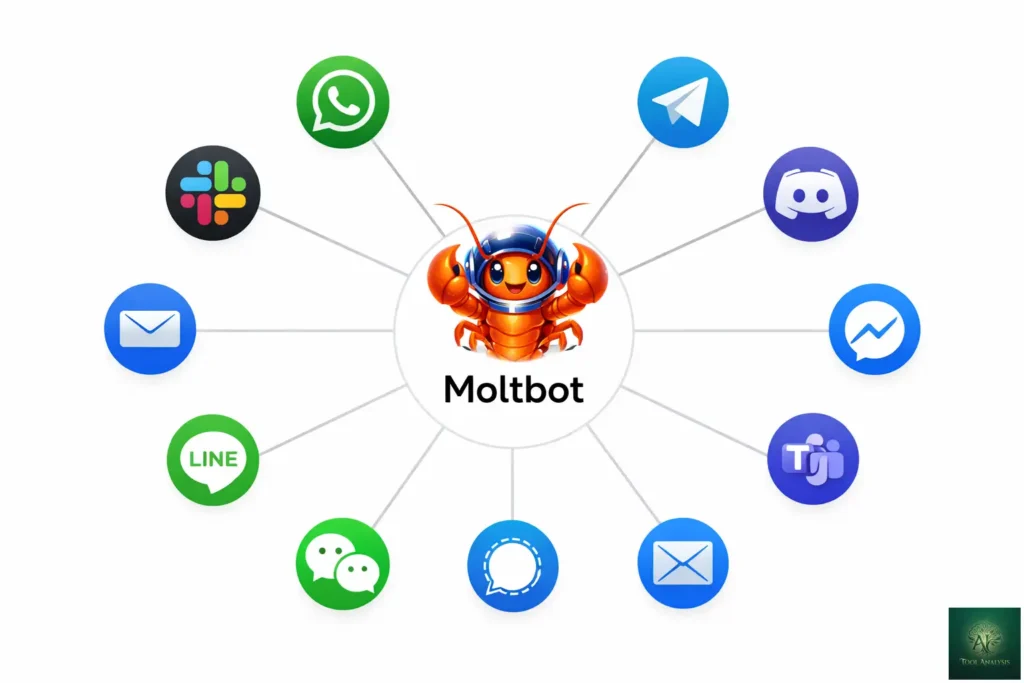
Moltbot is an open-source, self-hosted AI assistant that runs on your own hardware and connects to messaging apps you already use. Unlike ChatGPT or Claude that live in a browser tab waiting for your questions, Moltbot lives in WhatsApp, Telegram, Slack, Discord, or iMessage and can actually do things for you: send emails, manage your calendar, control smart home devices, run terminal commands, and browse the web autonomously.
Think of it like this: ChatGPT is a brilliant consultant you visit for advice. Moltbot is a personal assistant who lives with you 24/7, remembers everything about your life, and can take action without you asking. The tagline “the AI that actually does things” isn’t marketing fluff. It genuinely executes tasks while you sleep.
The project was created by Peter Steinberger, an Austrian developer who founded PSPDFKit (now Nutrient). After selling his company and taking a three-year break from coding, he built Moltbot to manage his own digital life. It exploded to 60,000+ GitHub stars in weeks, making it one of the fastest-growing open-source projects in recent memory. The viral growth even moved markets: Cloudflare’s stock surged 14% as developers rushed to deploy Moltbot on their infrastructure.
🔍 REALITY CHECK
Marketing Claims: “The AI that actually does things” and “24/7 Jarvis”
Actual Experience: It genuinely does execute tasks autonomously. I asked it to “unsubscribe me from marketing emails” and it processed 47 newsletters in my inbox, clicking unsubscribe links and reporting back. But setup took 2 hours, not 10 minutes. And “24/7” requires a server running constantly.
Verdict: The capabilities are real. The “easy setup” claims are not.
📰 The Rebrand Drama: Why Clawdbot Became Moltbot
On January 27, 2026, everything changed in a chaotic 72-hour period. Anthropic contacted Steinberger about trademark concerns regarding the similarity between “Clawdbot” and their flagship product “Claude.” The original name was a playful reference since Moltbot primarily uses Claude as its AI brain.
Steinberger made the call at 6:14 AM: “fuck it, let’s go with moltbot.” The lobster mascot “molted” its shell, and the project was reborn. But within seconds of the Twitter rename, automated bots sniped the old @clawdbot handle. Crypto scammers immediately posted wallet addresses, created fake GitHub profiles claiming to be “Head of Engineering at Clawdbot,” and launched pump-and-dump tokens using Steinberger’s name.
Meanwhile, security researchers were discovering actual vulnerabilities. SlowMist found that hundreds of users had their control servers exposed to the internet, leaking API keys, Telegram tokens, Slack credentials, and months of private conversation history. One researcher demonstrated sending a malicious email that tricked Moltbot into forwarding a user’s last five emails to an attacker address in just five minutes.
The lesson here: brilliant technology can still have growing pains. The rebrand chaos doesn’t diminish Moltbot’s capabilities, but it highlights why you need to approach this tool with caution. For more context on Anthropic’s recent moves, see our Claude Opus 4.5 vs Gemini 3.0 comparison.
🚀 Getting Started: Your First 30 Minutes
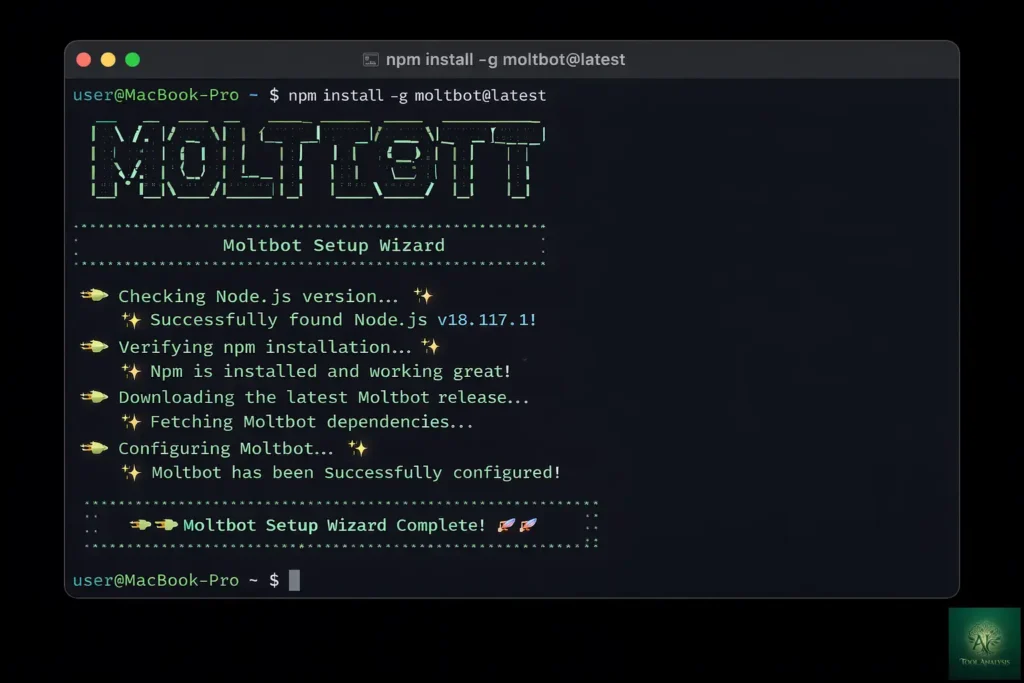
Despite the drama, setting up Moltbot is genuinely straightforward if you have basic terminal experience. Here’s exactly what I did:
Step 1: Install (2 minutes)
npm install -g moltbot@latest
moltbot onboard --install-daemon
This one-liner detects your OS, installs dependencies, and launches an interactive wizard. On my MacBook Pro M3, installation completed in 90 seconds.
Step 2: Configure your AI provider (5 minutes)
The wizard asks which AI model to use. Options include Claude (recommended), OpenAI, or local models via Ollama. I chose Claude Sonnet 4.5 for the best balance of intelligence and cost. You’ll need an API key from Anthropic’s console.
Step 3: Connect a messaging channel (10 minutes)
I connected WhatsApp by scanning a QR code through the “Linked Devices” feature. Telegram is even easier since you just need a bot token from @BotFather. Within 10 minutes, I was chatting with my Moltbot instance through WhatsApp on my phone.
Step 4: First conversation (2 minutes)
I typed “Hello, what can you do?” and received a detailed capabilities list. Then I asked “What’s on my calendar today?” and after connecting Google Calendar, it gave me my schedule. The persistent memory worked immediately since when I asked “remind me about that 3pm meeting” later, it knew exactly which meeting I meant.
Total time to first useful interaction: 22 minutes. Not the “5 minutes” some guides claim, but reasonable for self-hosted software.
⚡ Features That Actually Matter (And What’s Overhyped)
Features that genuinely impressed me:
Persistent Memory: Unlike ChatGPT that forgets between sessions, Moltbot remembered that I prefer morning meetings, that my project deadline is February 15th, and that I’m allergic to shellfish (ironic given the lobster mascot). This context accumulates in a USER.md file I can edit manually.
Proactive Notifications: I set up a cron job for morning briefings. At 8 AM, Moltbot messages me with my calendar, top emails, and any task deadlines. This “AI that reaches out to you” behavior is genuinely novel compared to chatbots that wait for your questions.
Multi-Channel Consistency: Same conversation, same memory, whether I’m on WhatsApp, Telegram, or the web dashboard. I started a task planning conversation on my phone during commute and continued it from my desktop seamlessly.
Skills Extensibility: The plugin architecture lets you add capabilities. I installed a “web search” skill using Brave Search API (2,000 free queries monthly) and a “Gmail” skill for email management. The community has built skills for everything from flight tracking to smart home control.
Features that are overhyped:
“Easy setup”: Marketing materials suggest 10-minute installation. Reality is 30-60 minutes for first-timers, and that’s before security hardening.
“Replaces virtual assistants”: Moltbot excels at digital tasks (emails, calendar, files) but can’t book a dentist appointment by phone or negotiate with your landlord. It’s a digital assistant, not a human replacement.
“No coding required”: While the wizard is user-friendly, you’ll inevitably hit configuration issues that require terminal commands to debug. This is developer tooling marketed to consumers.
💰 Pricing Breakdown: What You’ll Actually Pay
Moltbot itself is 100% free under the MIT License. You’ll never pay for the software. But running it costs money:
| Cost Component | Light User | Moderate User | Heavy User |
|---|---|---|---|
| Moltbot Software | $0 | $0 | $0 |
| Server/VPS | $0 (old laptop) | $6/month (Hetzner) | $12/month (DigitalOcean) |
| AI Model API (Claude) | $10-15/month | $25-40/month | $75-150/month |
| Optional: Web Search API | $0 (free tier) | $0 (free tier) | $5/month |
| Total Monthly Cost | $10-15 | $31-46 | $92-167 |
💡 Swipe left to see all columns →
📊 Moltbot True Monthly Cost by User Type
My actual costs during testing: $6 Hetzner VPS + $41 Claude API usage = $47 for the month. I was testing extensively though. Realistic moderate usage is $25-50/month.
Cost reduction strategies:
Use local models via Ollama ($0 API costs) if you have a powerful machine. GLM-4.7-Flash works well for tool calling. Repurpose old hardware instead of renting a VPS. Configure response length limits to reduce token usage. Use Claude Haiku ($0.25/million tokens) for simple tasks instead of Opus ($15/million).
For comparison: hiring a human virtual assistant costs $500-2,000/month. ChatGPT Plus is $20/month but can’t execute tasks autonomously. Claude Pro is $20/month but lacks persistent memory and proactive features. Our Complete AI Tools Guide has more pricing comparisons.
🔒 Security Reality Check: The Risks Nobody Mentions
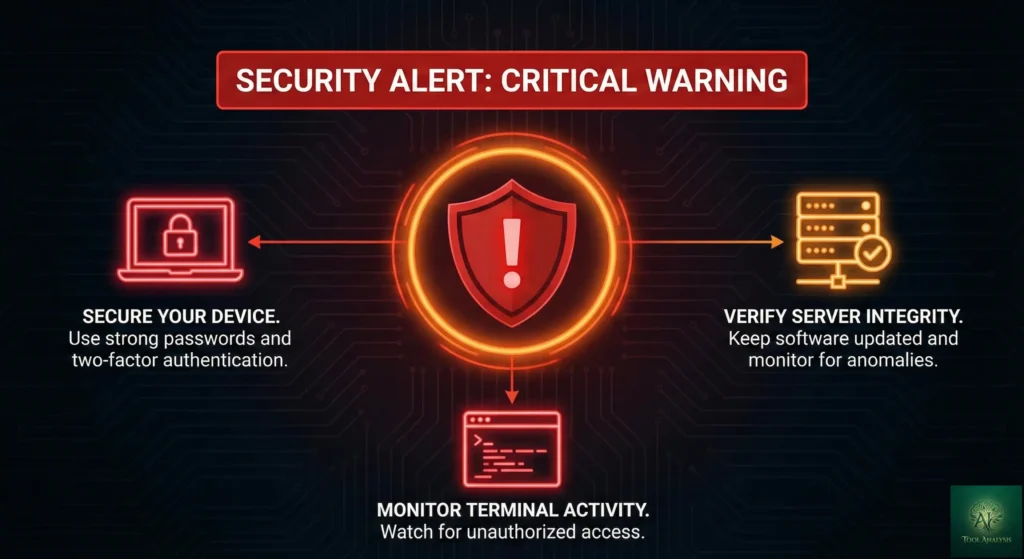
This is where I need to be brutally honest. Moltbot’s architecture is inherently risky. You’re giving an AI full access to your terminal, files, browser, and connected services. If misconfigured, attackers can:
Read all your messages and files. Steal API keys and credentials. Execute commands on your computer. Send messages as you. Access connected services like email and calendar.
Security researcher Jamieson O’Reilly documented finding over 780 exposed Moltbot servers using Shodan. These weren’t edge cases but users who followed default installation guides without understanding the implications. Google’s VP of Security Engineering, Heather Adkins, publicly warned: “Don’t run Clawdbot.”
🔍 SECURITY REALITY CHECK
Marketing Claims: “Local-first architecture prioritizes privacy”
Actual Risk: If you expose the gateway to the internet (common misconfiguration), you’ve created “an infostealer malware disguised as an AI personal assistant” according to one security researcher.
Verdict: Secure by design, insecure by common misconfiguration. Only install if you understand server security.
Essential security configuration:
Run on isolated hardware (not your main laptop with SSH keys and crypto wallets). Use a dedicated server or VM with
throwaway credentials. Never expose the gateway to public internet since keep it on localhost (127.0.0.1). Use SSH
tunnels for remote access: ssh -L 18789:127.0.0.1:18789 user@server. Enable sandbox mode for non-main
sessions. Whitelist specific contacts who can message your bot. Regularly rotate API keys and audit access logs.
The security challenges aren’t unique to Moltbot. They’re fundamental to autonomous AI agents. As we covered in our Best AI Developer Tools 2025 guide, any tool with system access requires careful deployment.
👤 Who Should Use This (And Who Shouldn’t based on our Moltbot Review)
Install Moltbot if you:
Have experience running servers and understand basic security. Want full control and privacy since no data goes to third-party servers except AI API calls. Are comfortable with $25-75/month ongoing costs. Have specific automation needs like inbox management, calendar coordination, or research tasks. Enjoy tinkering with cutting-edge technology. Want to build custom skills and integrations.
Skip Moltbot (for now) if you:
Have never used a terminal or SSH. Expect a polished, “just works” consumer experience. Don’t want to manage server infrastructure. Have sensitive data you can’t risk exposing through misconfiguration. Need immediate production reliability. Want plug-and-play setup with zero maintenance.
Wait 6-12 months if you:
Are interested but not technically confident. Want the technology but need more mature security tooling. Prefer to let early adopters find the bugs first.
🔄 Moltbot vs Claude Code vs Siri: How It Compares
| Feature | Moltbot | Claude Code | Apple Siri | ChatGPT Plus |
|---|---|---|---|---|
| Monthly Cost | $25-75 (varies) | $20-200 | $0 (built-in) | $20 |
| Persistent Memory | ✅ Unlimited | ✅ Session-based | ❌ Minimal | ⚠️ Limited |
| Task Execution | ✅ Full system | ✅ Terminal/code | ⚠️ Limited apps | ❌ Suggestions only |
| Proactive Outreach | ✅ Yes | ❌ No | ⚠️ Basic | ❌ No |
| Multi-Platform | ✅ 10+ channels | ❌ Terminal only | ⚠️ Apple only | ⚠️ Web/app |
| Privacy | ✅ Self-hosted | ⚠️ Cloud-based | ⚠️ Apple servers | ❌ OpenAI servers |
| Setup Difficulty | Hard | Medium | Easy | Easy |
💡 Swipe left to see all features →
🎯 AI Assistant Capability Comparison
Choose Moltbot if you want maximum capability and control, and have the technical skills to manage it. Choose Claude Code if you primarily need coding assistance without infrastructure overhead. Stick with Siri/Google Assistant if you want zero-config convenience and don’t need advanced automation. See our Google Antigravity review for another powerful AI coding option.
💬 What Developers Are Actually Saying
Community sentiment is enthusiastic but increasingly security-conscious:
David Morin, former Facebook VP: “At this point I don’t even know what to call Moltbot. It is something new. After a few weeks in with it, this is the first time I have felt like I am living in the future since the launch of ChatGPT.”
A developer on X: “It will actually be the thing that nukes a ton of startups, not ChatGPT as people meme about. The fact that it’s hackable and hostable on-prem will make sure tech like this DOMINATES conventional SaaS.”
DHH (Rails creator): Called Anthropic’s trademark enforcement “customer hostile.”
Rahul Sood (entrepreneur): Warning that “‘actually doing things’ means ‘can execute arbitrary commands on your computer.'” He recommends running it “not on the laptop with your SSH keys, API credentials, and password manager.”
The Discord community has grown to 8,900+ members providing near-instant troubleshooting help. The vibe is genuinely helpful rather than gatekeeping, which is refreshing for open-source projects.
✅ Final Verdict: Is Moltbot Worth It?
Moltbot represents the most ambitious vision for personal AI assistants I’ve tested. It’s not just another chatbot. It’s a genuine attempt at building JARVIS: an AI that knows your life, takes action on your behalf, and lives where you already communicate.
The capabilities are real. The persistent memory, proactive outreach, and cross-platform consistency genuinely work. For technically skilled users willing to invest in proper setup and security, it can transform daily productivity.
But the risks are equally real. This is cutting-edge technology with rough edges. The security model requires expertise to configure correctly. The true cost ($25-75/month) is hidden behind “free and open-source” marketing. And the recent chaos around the rebrand shows how quickly things can go wrong.
My recommendation: If you’re a developer or technically proficient user who’s been waiting for a self-hosted AI assistant that actually works, Moltbot is worth the investment of time and money to set up properly. Start with an isolated test server, follow security best practices, and gradually expand its capabilities.
For everyone else: wait 6-12 months. Let the security tooling mature, let the community document the edge cases, and let managed hosting options emerge. The future of personal AI is coming. Moltbot shows us what it looks like. But most people aren’t ready to run it safely today.
Try Moltbot: molt.bot | GitHub | Documentation
Stay Updated on AI Assistant Tools
The AI assistant landscape is evolving weekly. Moltbot launched and went viral in under a month. Don’t miss the next breakthrough.
Related Reading
- Claude Code Review 2026: The Terminal-First AI Coding Assistant
- Google Antigravity Review: Free Claude Opus 4.5 Access
- Best AI Developer Tools 2025
- Claude Opus 4.5 vs Gemini 3.0: Which AI Model Wins?
- Cursor 2.0 Review: The $9.9B AI Code Editor
- GitHub Copilot Pro+ Review: Is $39/Month Worth It?
- The Complete AI Tools Guide 2025
- AI News Weekly: Stay Updated
❓ FAQs: Your Questions Answered
Q: Is Moltbot free to use?
A: Yes, Moltbot is open-source under MIT License and costs $0 to install. However, running it requires a server ($0-12/month) and AI model API costs ($10-150/month depending on usage). Typical total cost is $25-75/month for moderate users.
Q: What happened to Clawdbot? Why was it renamed to Moltbot?
A: On January 27, 2026, Anthropic requested a name change due to trademark concerns about the similarity between “Clawdbot” and their “Claude” AI model. Creator Peter Steinberger renamed it to Moltbot (lobsters molt their shells to grow). The functionality remains identical.
Q: Is Moltbot safe to use?
A: Moltbot is secure by design but risky if misconfigured. Security researchers found 780+ exposed servers with leaked credentials. It’s safe if you run it on isolated hardware, never expose the gateway to public internet, and follow security best practices. Not recommended for non-technical users.
Q: How does Moltbot compare to Claude Code?
A: Moltbot is a general-purpose AI assistant for life automation (emails, calendar, messaging). Claude Code is specialized for software development. Moltbot has persistent memory and proactive features; Claude Code excels at coding with 80.9% benchmark accuracy. Different tools for different needs.
Q: Can Moltbot replace Siri or Google Assistant?
A: For digital tasks like email, calendar, and file management, Moltbot is far more capable than Siri. However, it can’t make phone calls, play music through smart speakers, or integrate with car systems. It’s a powerful supplement, not a complete replacement for consumer voice assistants.
Q: What messaging apps does Moltbot support?
A: Moltbot supports WhatsApp, Telegram, Slack, Discord, Google Chat, Signal, iMessage, Microsoft Teams, Matrix, and WebChat. The same conversation and memory work across all connected channels, so you can start on WhatsApp and continue on Telegram seamlessly.
Q: How long does Moltbot take to set up?
A: First-time setup takes 30-60 minutes including installation, AI provider configuration, and channel connection. The installation wizard simplifies the process, but you’ll need terminal familiarity. Experienced developers can complete setup in 15-20 minutes.
Q: Can I run Moltbot without paying for cloud hosting?
A: Yes. You can run Moltbot on an old laptop, Raspberry Pi 4, or any computer with 2GB+ RAM. Many users repurpose old hardware instead of paying for VPS hosting. The tradeoff is that your device needs to stay powered on 24/7 for continuous availability.
Last Updated: January 28, 2026 | Moltbot Version Tested: Latest stable (January 2026) | Next Review Update: February 28, 2026