

🆕 Latest Update (February 2026): Lovable launched Lovable 2.0 with real-time collaboration for up to 20 users, Chat Mode Agent, Dev Mode for direct code editing, Visual Edits, and built-in Security Scan. Pricing simplified to Pro ($25/month) and Teams ($30/month). This Lovable review 2026 covers everything new.
The Bottom Line
Lovable review 2026: Lovable is like hiring a junior developer who works at superhuman speed but needs constant supervision. It turns your plain English descriptions into working web apps in minutes, not months. The free tier gives you 5 daily credits to test it, and paid plans start at $25/month for 100 credits. The catch? Those credits disappear faster than you expect, especially when the AI gets stuck in debugging loops. Best for founders validating ideas and non-coders who need functional prototypes fast. Skip it if you need production-grade software or predictable monthly costs.
Lovable just raised $330 million at a $6.6 billion valuation, making it the most valuable “vibe coding” startup in Europe. With over 25 million projects created and 100,000 new ones launching daily, this is clearly resonating with people. But a $6.6 billion valuation and actual usefulness are two very different things. Let’s find out which one applies here.
⚡ TL;DR – The Bottom Line
What It Is: An AI app builder that turns plain English prompts into full-stack web apps with React, Supabase, and one-click deployment.
Best For: Non-technical founders validating MVPs, product managers building prototypes, designers turning mockups into working apps.
Price: Free tier (5 credits/day) | Pro $25/mo (100 credits) | Business $50/mo | Enterprise custom.
Our Take: The fastest way to go from idea to working prototype in 2026, but the gap between “impressive demo” and “production-ready” is wider than the $6.6B valuation suggests.
⚠️ The Catch: Unpredictable credit consumption turns simple debugging into expensive loops — one session can drain your entire monthly allocation with no pay-as-you-go safety net.
📑 Quick Navigation
What Lovable Actually Does
Lovable is an AI-powered app builder that turns your words into working software. You describe what you want in plain English, like “build me a CRM app with a login page and a customer database,” and Lovable generates the complete codebase. We’re talking frontend, backend, database, and authentication, all from a single prompt.
Under the hood, it uses a professional tech stack: React and TypeScript for the frontend, Tailwind CSS for styling, and Supabase for the backend (PostgreSQL database, authentication, storage, and edge functions). This isn’t toy code. Developers who export Lovable projects to GitHub consistently report the output is clean, well-structured, and actually maintainable.
The term “vibe coding” was coined by AI researcher Andrej Karpathy in early 2025 to describe this new approach: instead of writing code line by line, you describe the vibe of what you want and let AI figure out the implementation. If you’re curious about other tools in this space, our Replit Agent 3 review covers another major player, and our top AI agents for developers guide compares eight options head to head.
Founded in 2023 by Anton Osika (a physics-trained engineer who worked at CERN) and Fabian Hedin, Lovable started as an open-source project called GPT Engineer that went viral on GitHub. It rebranded to Lovable in late 2024, and the growth since has been extraordinary: $400 million+ in annual recurring revenue, nearly 8 million users, and enterprise customers including Zendesk, Deutsche Telekom, Klarna, and Uber.
🔍 REALITY CHECK
Marketing Claims: “The world’s first AI Fullstack Engineer” that lets you “go from idea to app in minutes.”
Actual Experience: It does generate working apps remarkably fast from prompts. A basic prototype takes 10-30 minutes. But calling it a “Fullstack Engineer” is generous. It gets you about 70% of the way there. That last 30%, the debugging, the edge cases, the business logic, is where credits burn fast and frustration builds.
Verdict: Incredible for prototypes and MVPs. Not yet a replacement for actual engineering on complex projects.
Getting Started: Your First Hour
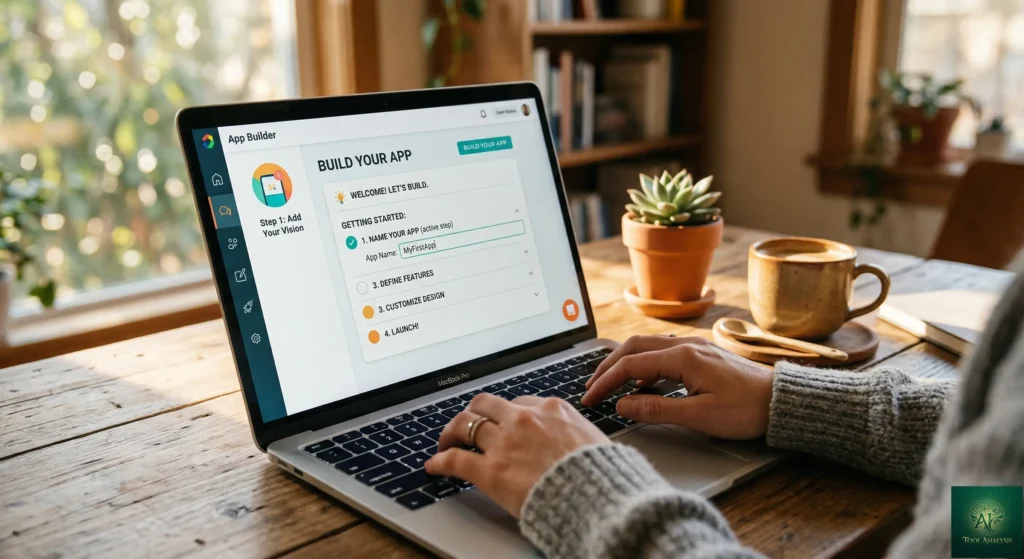
Signing up takes under a minute. No credit card required for the free tier. You land on a clean dashboard with a prompt box that asks what you want to build. Think of it as texting an instruction to a developer, except this one responds in seconds instead of days.
I typed: “Build me a loyalty points tracker for a coffee shop. Customers earn points per purchase, can see their balance, and redeem rewards. Include a login system and admin dashboard.”
Within 90 seconds, Lovable generated a complete application with a customer-facing interface showing point balances, a reward redemption system, an admin panel for managing customers, and a Supabase-powered login system. The design looked polished with clean typography, responsive layout, and a cohesive color scheme that would pass for a professional product.
The real test came when I started iterating. “Add a QR code scanner for check-ins” cost one credit and worked perfectly. “Change the color scheme to dark mode” used about half a credit. But “add a referral system where customers get bonus points for inviting friends” burned through three credits and still had a bug in the points calculation. Fixing that bug? Two more credits. This is where the credit math starts mattering.
💡 Key Takeaway: Simple changes (styling, basic features) are credit-efficient. Complex logic (referral systems, calculations) can cost 3-5x more and often need follow-up fixes. Plan your complex features outside Lovable first to minimize credit waste.
Lovable Review 2026: Features That Actually Matter
Prompt-to-App Generation ⭐⭐⭐⭐⭐
This is Lovable’s core magic and it genuinely delivers. Describe an app, get a working app. The quality of the initial output is consistently impressive. Landing pages come out looking like they were designed by a professional. CRUD applications (create, read, update, delete, which is basically any app that manages a list of things) work out of the box. I built a functional marketplace prototype with user profiles, listings, and a messaging system in about 6 hours. Coding that from scratch would take a week minimum.
Lovable 2.0 Collaboration ⭐⭐⭐⭐
The February 2026 update introduced real-time multi-user editing for up to 20 collaborators. This was Lovable’s biggest limitation before, as it was a single-player tool. Now your designer, product manager, and developer can all iterate together. Zendesk reported going from idea to working prototype in three hours instead of six weeks using this feature.
Chat Mode Agent ⭐⭐⭐⭐
New in Lovable 2.0, Chat Mode lets you talk through problems without the AI touching your code. Think of it as a consulting session before the surgery. It can search your files, inspect logs, and query your database to help you plan changes before committing credits. This alone can save significant credit waste by helping you write better prompts.
GitHub Sync ⭐⭐⭐⭐⭐
Bidirectional GitHub integration means you own your code completely. Export at any time, hand it to a developer, or continue building in a traditional IDE. This is a major differentiator from pure no-code tools that lock you in. When you outgrow Lovable (and for complex apps, you likely will), your code goes with you.
Visual Editor ⭐⭐⭐
Click any element and adjust colors, spacing, and sizing without writing prompts. It works like a simplified version of Figma. Useful for fine-tuning designs without burning credits, though it’s limited to CSS-level changes. You can’t restructure layouts or move components around visually yet.
Debugging ⭐⭐
This is where Lovable struggles most. When something breaks, you describe the problem and hope the AI finds the right fix. There are no breakpoints, no variable inspection, no call stack tracing. The new Chat Mode Agent helps with analysis, but you still can’t debug the way a developer would. Worse, the AI sometimes reports bugs as fixed when they aren’t, wasting credits on phantom repairs. Our Cursor AI review covers how traditional AI code editors handle debugging far more effectively.
🌐 Lovable Feature Strength Profile

🔍 REALITY CHECK
Marketing Claims: “Build and ship an app up to 20x faster than traditional development.”
Actual Experience: For simple prototypes and landing pages? Absolutely, maybe even faster. For anything with complex business logic, the “20x faster” claim falls apart when you factor in debugging loops that can eat 60-150 credits fixing AI-created issues. One G2 reviewer reported spending “hundreds of hours and thousands of dollars” on projects that never reached acceptance.
Verdict: 20x faster for the first 70%. The last 30% can take longer than coding it yourself.
📬 Enjoying this review?
Get honest AI tool analysis delivered weekly. No hype, no spam.
Pricing Breakdown: What You’ll Actually Pay
Lovable uses a credit-based system where every message to the AI costs credits. Simple styling tweaks cost about 0.5 credits, while complex features like adding authentication cost around 1.2 credits. Building a basic MVP typically uses 150-300 credits over a few weeks.
| Plan | Monthly Price | Credits | Key Features | Best For |
|---|---|---|---|---|
| Free | $0 | 5/day (30/month) | Public projects, 5 subdomains, unlimited collaborators | Testing and simple experiments |
| Pro | $25/month | 100/month + 5/day | Private projects, custom domains, code editing, GitHub sync | Solo founders and indie developers |
| Business | $50/month | 100/month + shared pool | SSO, design templates, role-based access, security center | Teams and startups |
| Enterprise | Custom | Custom | Dedicated support, SCIM, audit logs, publishing controls | Large organizations |
The credit trap nobody warns you about: Credit consumption is unpredictable. The interface doesn’t tell you how many credits an action will cost until after it’s done. Users on Lovable’s community forum report that tasks which previously cost one credit now consume over five after platform changes. A single debug session can drain your entire monthly allocation. And there’s no pay-as-you-go option, so if you run out mid-project, you either wait for the next billing cycle or upgrade to a higher tier.
Annual billing saves roughly 16%, and unused monthly credits roll over (capped at your plan limit). Pro plan credit top-ups are available for one-time purchases when you need a boost. Student discounts offer up to 50% off Pro plans with a valid .edu email.
For context, Cursor’s Pro plan costs $20/month for unlimited tab completions plus 500 premium requests, giving you significantly more iteration cycles. And Google Antigravity is free during its preview period with access to multiple AI models. The value equation depends entirely on whether you need Lovable’s specific no-code-to-full-stack capability.
💡 Key Takeaway: If you’re building a simple MVP, the Pro plan’s 100 credits should last a few weeks. But if your project has complex logic, budget for 200-300+ credits — which means either multiple months or credit top-ups on top of your subscription.
Head-to-Head: Lovable vs Bolt.new vs Replit vs Cursor
These four tools approach AI-powered development differently. Lovable and Bolt.new target non-coders who want complete apps from prompts. Replit sits in the middle with its autonomous agent plus full cloud IDE. Cursor is built for developers who want AI assistance inside a professional code editor. Here’s how they compare on the same task.
| Criteria | Lovable | Bolt.new | Replit | Cursor |
|---|---|---|---|---|
| Best For | Non-coders building MVPs | Fastest single-prompt prototypes | Beginners + rapid deployment | Developers on complex projects |
| Starting Price | Free / $25/mo | Free / $20/mo | Free / $25/mo | Free / $20/mo |
| Code Ownership | Full (GitHub export) | Full (StackBlitz) | Full (GitHub) | Full (local files) |
| Backend Support | Supabase built-in | Limited | Full cloud environment | Whatever you configure |
| Debugging | AI chat only | Minimal | Console + AI agent | Full DevTools + AI |
| Mobile Apps | Web only | Web only | Web + mobile | Any platform |
| Collaboration | Up to 20 users | Limited | Real-time multiplayer | Git-based |
| Learning Curve | Very low | Very low | Low-moderate | Moderate-high |
🔍 AI App Builder Head-to-Head: Scored by Category
The winner depends on who you are. If you’ve never written a line of code and want a working app by end of day, Lovable is the best option. Its Supabase integration handles the backend complexity that Bolt.new can’t match. If you’re a developer who wants AI acceleration without giving up control, Cursor or Claude Code will serve you better. For a deeper comparison of developer-focused AI tools, see our top AI agents for developers 2026 guide.
Who Should Use Lovable (And Who Shouldn’t)
Choose Lovable if: You’re a non-technical founder who needs an MVP to show investors. You’re a product manager who wants functional prototypes instead of static mockups. You’re a designer who wants to turn Figma designs into working apps. You’re a developer who hates boilerplate setup and wants to skip straight to the interesting parts. Or you’re a small business owner who needs a simple internal tool without hiring a dev team.
Stick with Cursor or Claude Code if: You’re building complex production software. You need fine-grained debugging control. You work on existing codebases. You need native mobile apps (iOS/Android). Or you want predictable monthly costs without credit anxiety.
Stick with Replit if: You want a complete cloud development environment. You need more autonomy from the AI agent with longer runtime. Or you want built-in deployment to mobile as well as web.
Skip Lovable entirely if: You handle sensitive data, payments processing, or regulated workloads. Your project requires server-side rendering for SEO (Lovable generates client-side single-page apps only). Or you need predictable, production-grade reliability where downtime costs real money.

What Users Are Actually Saying
Lovable has over 1,000 reviews on Trustpilot with a split that tells an interesting story: 64% five-star ratings alongside 17% one-star ratings, with very little in between. People either love it or feel burned by it. There’s almost no “it’s okay” middle ground.
The praise pattern: Speed is the most mentioned positive across Reddit, Product Hunt, G2, and Trustpilot. Users consistently call it the fastest way to go from idea to working prototype. The design quality of generated apps gets strong marks. And the GitHub export gives people confidence they aren’t locked in.
The complaint pattern: Credit burn is the number one frustration. Users report the AI getting stuck in debugging loops where it fixes one thing, breaks another, and consumes credits with each attempt. One G2 reviewer described the pattern as “start promising, devolve into non-functional messes.” Another noted that the AI sometimes gets “basic math wrong,” costing them over $1,000 in underestimated API costs. The lack of customer support on non-Enterprise plans adds to the frustration when things go sideways.
Enterprise sentiment: Zendesk, Deutsche Telekom, and McKinsey have all publicly shared positive results. Zendesk cut prototype time from six weeks to three hours. At McKinsey, engineers built in hours what they’d been waiting four to six months for internal dev teams to deliver. These enterprise endorsements are significant, but enterprise use cases (prototyping and demos) align perfectly with Lovable’s strengths.
🔍 REALITY CHECK
Marketing Claims: “Trusted by teams at Zendesk, McKinsey, and Deutsche Telekom.”
Actual Experience: These enterprise teams use Lovable for prototyping and internal demos — not shipping production software. The use case that gets the enterprise endorsement (rapid prototyping) is genuinely strong. But extrapolating “McKinsey uses it” to “it’s enterprise-grade” is a stretch.
Verdict: Enterprise adoption is real but narrowly scoped. Don’t confuse “enterprise teams prototype with it” with “enterprise-ready.”
FAQs: Your Questions Answered
Q: Is there a free version of Lovable?
A: Yes. The free plan gives you 5 credits per day (up to 30 per month), public project hosting, unlimited collaborators, and up to 5 lovable.app subdomains. No credit card required. It’s enough to build a simple prototype but you’ll hit the limit fast when iterating.
Q: Can Lovable replace hiring a developer?
A: For simple MVPs, prototypes, and internal tools, yes. Several founders have launched revenue-generating products without dedicated engineering teams. For complex production software with custom business logic, security requirements, and scalability needs, no. Think of Lovable as replacing the first two weeks of development, not the entire engineering team.
Q: Is my data safe with Lovable?
A: Lovable uses AI models from providers like OpenAI and Anthropic, which means your prompts are processed by third-party servers. Business plans include a data training opt-out. Enterprise plans add SSO, SCIM, and audit logs. For sensitive data or regulated industries, Enterprise is the minimum appropriate tier. Lovable 2.0 added a Security Scan feature that checks for vulnerabilities before you publish.
Q: How does Lovable compare to ChatGPT for building apps?
A: ChatGPT can write code, but you need to copy-paste it into files, set up a development environment, install dependencies, and deploy manually. Lovable handles all of that for you. The trade-off is credits and less control. For the difference between these AI approaches to coding, see our ChatGPT Codex review.
Q: What’s the learning curve like?
A: Near zero for getting started. You can build your first app within minutes of signing up. The real learning curve is prompt engineering: writing clear, specific descriptions that minimize credit waste. Experienced users recommend planning your app architecture with ChatGPT or Claude before entering prompts into Lovable.
Q: Can I build mobile apps with Lovable?
A: No. Lovable generates web applications only (React-based single-page apps). These are responsive and work on mobile browsers, but you can’t publish native iOS or Android apps. If you need native mobile, Replit or traditional development tools are better options.
Q: What happens to my credits if I don’t use them?
A: Monthly credits roll over to the next billing period as long as you keep an active subscription. On monthly plans, rolled-over credits are available for one additional month. On annual plans, they’re available for the rest of your subscription term. Daily credits (5 per day) do not roll over. If you cancel, all unused credits expire at the end of your current billing period.
Q: How do I avoid wasting credits on debugging?
A: Three tips from experienced users: First, write detailed prompts outside Lovable (using Claude or ChatGPT) before pasting them in. Second, use Chat Mode Agent to plan changes before committing credits. Third, if the AI gets stuck in a loop, duplicate your project and start fresh from the last working version rather than burning credits trying to fix a cascading failure.
💡 Key Takeaway: The single best credit-saving strategy is to plan your app architecture and write detailed prompts in a free AI chat (Claude or ChatGPT) before touching Lovable. The better your input, the fewer iterations you’ll burn credits on.
Final Verdict
The best AI app builder for non-coders in 2026 — if you can manage the credit system and keep your scope realistic.

Lovable is the most capable AI app builder for non-technical users in 2026. Nothing else combines this level of full-stack generation with clean code output and one-click deployment. The Lovable 2.0 update addressed real weaknesses with collaboration, visual editing, and security scanning. Enterprise adoption from companies like Zendesk and McKinsey validates the core value proposition.
But the credit system remains a genuine problem. Unpredictable consumption, debugging loops that drain monthly allocations, and no pay-as-you-go safety net create real frustration. The gap between “impressive prototype” and “production-ready product” is wider than the marketing suggests. And the lack of mobile app support, server-side rendering, and advanced debugging tools limits who should use this for serious projects.
✅ What We Liked
- ✓ Fastest idea-to-prototype experience we’ve tested
- ✓ Clean, maintainable code output (React + TypeScript)
- ✓ Full code ownership with GitHub export
- ✓ Built-in Supabase backend (auth, database, storage)
- ✓ Real-time collaboration for up to 20 users
❌ What Fell Short
- ✗ Unpredictable credit consumption with no cost preview
- ✗ Debugging loops that drain entire monthly allocation
- ✗ No mobile app support (web only)
- ✗ No pay-as-you-go option or customer support on lower tiers
Use Lovable if you need a functional prototype fast and understand that “fast” applies to the first 70% of your project. Stick with Cursor or Claude Code if you need developer-grade control and predictable costs. Consider the Replit + Lovable combo if you want to prototype in Lovable and graduate to Replit for more complex development.
Try it today: Sign up free at lovable.dev and build your first app in minutes. The free tier is enough to know if vibe coding is for you.
Founder of AI Tool Analysis. Tests every tool personally so you don’t have to. Covering AI tools for 10,000+ professionals since 2025. See how we test →
Stay Updated on AI Development Tools
Don’t miss the next major update. Subscribe for honest AI coding tool reviews, price drop alerts, and breaking feature launches every Thursday at 9 AM EST.
- ✅ Honest Reviews: We actually test these tools, not rewrite press releases
- ✅ Price Tracking: Know when tools drop prices or add free tiers
- ✅ Feature Launches: Major updates covered within days
- ✅ Comparison Updates: As the market shifts, we update our verdicts
- ✅ No Hype: Just the AI news that actually matters for your work
Free, unsubscribe anytime. 10,000+ professionals trust us.
Want AI insights? Sign up for the AI Tool Analysis weekly briefing.
Newsletter

Related Reading
Explore more AI development tool reviews and comparisons:
- Replit Agent 3 Review: The Non-Coder’s Guide to
Building Real Apps - Cursor AI Review 2026: $29.3B Code Editor With Background
Agents - Claude Code vs Cursor 2026: Opus 4.6 Just Changed
Everything - Top AI Agents for Developers 2026: 8 Tools
Tested - Google Antigravity Review: Why Pay $200 for
Claude Opus 4.6 When It’s Free Here? - Goose AI Review 2026: Block’s Free Agent Just Hit 27K
Stars - ChatGPT Codex Review 2026: OpenAI’s AI Coding
Agent - Windsurf Review: Why Pay $20 for Cursor When This
AI IDE Is Free?
Last Updated: March 23, 2026
Lovable Version Tested: Lovable 2.0 (February 2026)
Next Review Update: April 22, 2026
Have a tool you want us to review? Suggest it here | Questions? Contact us