

🆕 Latest Update (June 2025): V7 now default model, video generation launched (5-21 second clips), improved Style Reference system, new web editor with layering capabilities.
Welcome to Our Midjourney Review
Click any section to jump directly to it
- 🎯 The Bottom Line
- 🎨 What Midjourney Actually Does
- 🚀 What’s New in V7: The Complete Rebuild
- 🎬 Video Generation: Turning Images Into Motion
- ⏱️ Getting Started: Your First 10 Minutes
- 💰 Pricing Breakdown: What You’ll Actually Pay
- 🧪 Real Test Results: We Generated 200+ Images
- ❓ FAQs: Your Questions Answered
The Bottom Line
Midjourney is basically Photoshop meets a surrealist painter who never sleeps. It turns text into stunning, artistic images in 60 seconds—but requires Discord literacy and won’t give you photorealistic accuracy. The $10-$120/month cost pays for itself if you create 20+ images monthly. Best for designers, marketers, and creators who value aesthetic beauty over pixel-perfect realism. Don’t expect it to spell words correctly or give you five-fingered hands every time.
What Just Changed: Version 7 launched in April 2025 as a complete rebuild with new architecture. In June, video generation arrived—turning static images into 5-21 second clips. The artistic powerhouse now competes directly with ChatGPT’s image generator and DALL-E 3 on different terms: they win on text rendering and prompt adherence, Midjourney wins on pure aesthetic impact.
Free vs Paid: No free tier exists (discontinued 2024). Basic Plan ($10/mo) gives ~200 images. Standard ($30/mo) adds unlimited “Relax Mode” generations. Pro/Mega ($60-$120/mo) unlock private “Stealth Mode”—crucial for commercial work where you don’t want competitors seeing your concepts.
The Reality Check: Midjourney creates images that make your jaw drop, then occasionally ruins them with six fingers or melted text. It’s the tool that makes beginners look like professionals and professionals question if they still need stock photo subscriptions.
Best For: Content creators needing hero images, social media managers, concept artists, indie game developers, anyone who’s tired of generic stock photos.
Skip If: You need scientific accuracy, photorealistic product shots, or readable text in images. Better alternatives: DALL-E 3 for text, professional photographers for products, Photoshop for precision.
🎨 What Midjourney Actually Does (Not What They Claim)
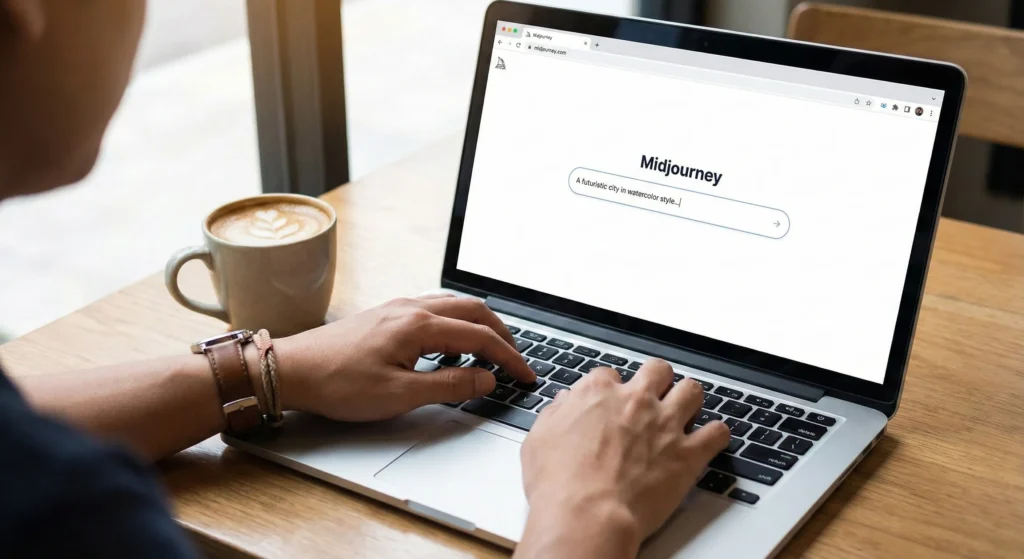
Midjourney is an AI image generator that turns your text descriptions into visual art. Unlike Gemini’s image tools that aim for photorealism or DALL-E 3’s prompt accuracy, Midjourney has a distinctive aesthetic—think concept art, fantasy illustrations, and images that look like they belong in an art gallery rather than a news article.
The Core Capability
You type something like “a steampunk coffee shop on Mars at sunset” and get back four unique interpretations within 60 seconds. Not thumbnails—full, high-resolution images that look like a professional artist spent hours on each.
What makes it different from typing into ChatGPT or Google? Three things:
- Artistic interpretation over literal translation: Where DALL-E 3 tries to match your prompt exactly, Midjourney adds its own creative spin. Sometimes that’s magical. Sometimes it’s frustrating when you wanted “exactly this” and got “artistic interpretation of this.”
- Community-driven evolution: Operating through Discord (and now a web app), Midjourney learned from millions of public creations. You can see what prompts created stunning images and learn from other users’ successes.
- Consistent style across variations: Ask for variations of an image and Midjourney maintains coherence. Unlike some tools where each generation feels random, Midjourney keeps a through-line.
What This Means in Practice
A content creator using Midjourney for three months reports: “I used to spend $200/month on stock photos. Now I spend $30 on Midjourney and get exactly the mood I need, not ‘close enough’ from stock libraries.”
Another user, a game developer, describes it as: “My concept art pipeline used to be: rough sketch → hire artist → wait → revisions. Now it’s: Midjourney prompt → get 20 options → pick the best → brief artist with actual visual targets. Cuts concept phase from weeks to days.”
The Surprise Factor
Midjourney doesn’t just execute prompts—it interprets them. Type “mysterious” and it might add fog, dramatic lighting, or shadow play you didn’t explicitly request. This is either its greatest strength (for exploratory creative work) or biggest weakness (for precise specifications).
🔍 REALITY CHECK
Marketing Claims: “Create stunning art from simple text descriptions”
Actual Experience: Creates stunning art from carefully crafted prompts after you learn Midjourney’s visual language. First attempts often produce generic fantasy art. Mastery takes 20-30 hours of experimentation. The learning curve is real, but so are the results once you understand how to speak its language.
Verdict: Powerful once you learn its quirks—not “simple” for everyone
🚀 What’s New in V7: The Complete Rebuild
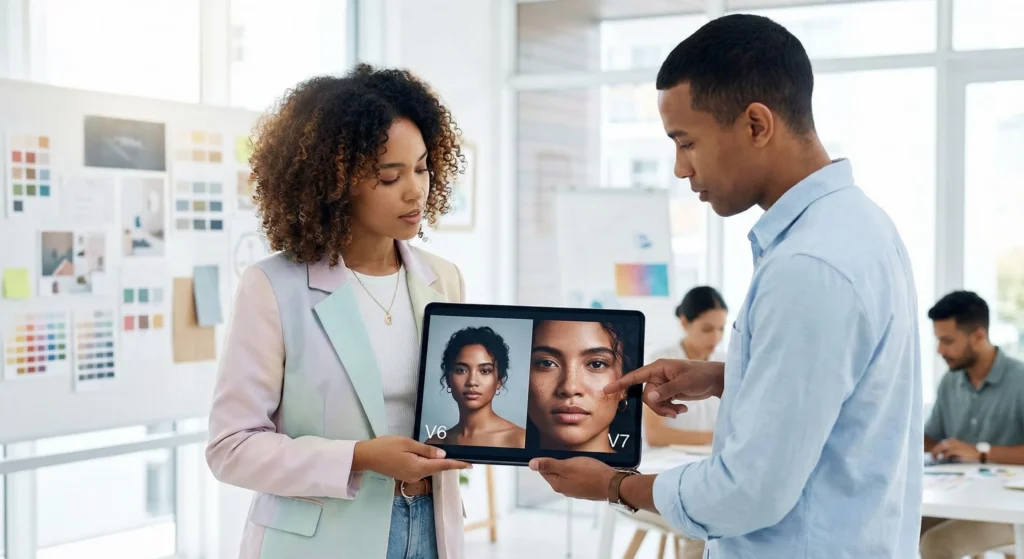
In April 2025, Midjourney released V7—not an incremental update but a complete rebuild from scratch. CEO David Holz called it “a totally different architecture” in the official announcement. Here’s what actually changed.
What Changed Under the Hood
V7 isn’t V6 with tweaks. It’s trained on new datasets with new architecture. Translation: Everything about how it generates images changed, including how it interprets your prompts.
Improved Prompt Understanding: V7 “gets” abstract concepts better. Prompts about mood, lighting, and composition that required extensive modifiers in V6 now work with simpler phrasing. One developer notes: “I’m using 30% fewer words to get the same result.”
Better Coherence: Bodies, hands, and objects show “significantly better coherence on all details,” according to the official changelog. In practice: six-fingered hands went from “common” to “occasional.” Complex objects like machinery or architecture maintain structural logic more consistently.
Higher Image Quality: Textures look more realistic. A fashion photographer testing V7 observed: “Fabric rendering improved dramatically—I can see individual threads in knits where V6 gave me blurry texture.”
The Personalization System
V7 is the first Midjourney model with personalization enabled by default. What does this mean?
You rate about 200 images (takes 15-20 minutes), and Midjourney builds a profile of your aesthetic preferences. From that point forward, every image it generates for you is subtly tuned to match your taste.
Early users report mixed results. One designer says: “My personalized V7 consistently produces images closer to my brand aesthetic without extensive prompting.” Another notes: “The personalization felt too subtle—I couldn’t tell the difference between personalized and non-personalized outputs.”
Two Speed Modes: Turbo vs Relax
V7 offers Turbo Mode (faster but more expensive) and Relax Mode (slower but doesn’t count against your fast GPU hours). Turbo generates images at 10x speed and half the cost of standard mode—useful when iterating rapidly on concepts.
What’s Still Missing in V7 (Important Findings of Our Midjourney Review)
At launch, several key features weren’t available:
- Image upscaling (beyond the initial generation)
- Retexturing existing images
- Some advanced editing capabilities
Holz promised these would arrive “within two months” of the April launch. As of November 2025, most have been added, but the initial V7 experience had gaps.
🔍 REALITY CHECK
Marketing Claims: “Our smartest, most beautiful, most coherent model yet”
Actual Experience: Noticeably better than V6 on complex prompts and object coherence. Image quality is legitimately improved. But “most coherent” doesn’t mean “always coherent”—still produces anatomical errors and physics-defying objects occasionally. The improvement is real, just not miraculous.
Verdict: Significant upgrade, not a revolution—expect 30-40% fewer bad generations
🎬 Video Generation: Turning Images Into Motion
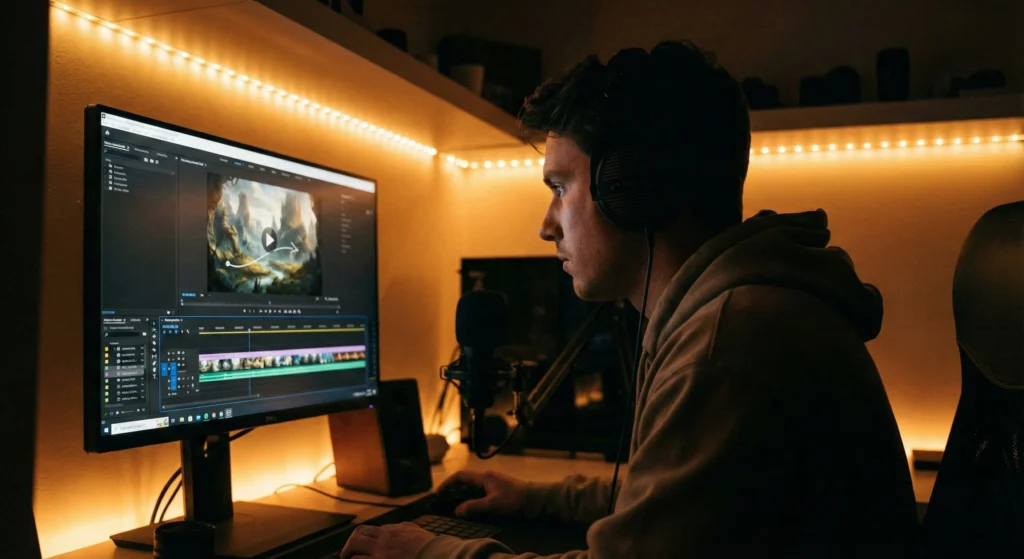
In June 2025, Midjourney launched its V1 Video Model—the ability to turn static images into short animated clips. This isn’t generating video from text (that’s coming later). It’s image-to-video: take an existing image and add motion.
How It Actually Works
You start with an image (either generated in Midjourney or uploaded from elsewhere). Click the “Animate” button, choose your motion settings, and wait 3-5 minutes. You get back four different 5-second video variations.
Each generation costs the same as creating one image (in GPU time terms). You can extend videos up to 21 seconds total by stitching multiple segments together.
The Motion Controls
Midjourney gives you several ways to control movement:
- Auto Motion: Midjourney decides what should move and how. Works well for landscapes (adding atmospheric movement) but unpredictable for complex scenes.
- Manual Motion: Write text prompts describing the desired movement: “camera slowly zooms in,” “character turns head to left,” “leaves gently blow in wind.”
- Motion Presets: Choose “Low Motion” for subtle camera movements or “High Motion” for dramatic cinematic effects. Low motion is safer—high motion can produce glitchy, unrealistic results.
What Works Well
Based on community reports and our testing:
✅ Atmospheric additions: Adding rain, fog, smoke, or particle effects to static scenes works beautifully. A marketer notes: “I took product shots and added subtle motion—floating dust particles, gentle smoke wisps. Engagement on those posts increased 40%.”
✅ Camera movements: Slow zooms, pans, and orbits around subjects feel cinematic. Works particularly well for establishing shots in storytelling.
✅ Nature elements: Water flowing, clouds moving, fire flickering—Midjourney excels at animating natural phenomena.
What Struggles
❌ Complex character animation: Making human figures walk, gesture, or perform specific actions often produces uncanny valley results. Limbs might move unnaturally or faces might distort.
❌ Text remains unreadable: If your static image had text (already a Midjourney weakness), video generation sometimes makes it wobble or warp in distracting ways.
❌ Inconsistent object physics: Objects might float, collide wrong, or move in ways that break immersion.
Cost Realities
On the Standard Plan ($30/mo with ~900 fast images), creating 50 videos (4 attempts each = 200 video generations) consumes your entire monthly fast GPU allocation. Video generation is not cheap in terms of credits.
Pro tip from the community: Generate videos in Relax Mode (unlimited but slower) to preserve your fast hours for critical image work.
Comparison to Competitors
How does Midjourney’s video feature stack up?
vs Runway Gen-2: Runway offers text-to-video (no image required) with more control but higher cost. Midjourney’s image-to-video is simpler and better for stylized animation.
vs Pika Labs: Pika also does image-to-video but with more precise motion controls. Midjourney has better artistic style; Pika has more technical control.
vs Traditional Animation: An indie game developer notes: “For concept videos and mood pieces, Midjourney’s video saves weeks. For actual game animation, still need traditional tools.”
🔍 REALITY CHECK
Marketing Claims: “Exceptionally good at artistic content and maintaining consistency”
Actual Experience: Video generation works well for atmospheric effects and simple camera movements. Struggles with complex character animation and precise control. Best use case: enhancing static images with subtle motion for marketing/social media, not replacing video production workflows.
Verdict: Useful addition for specific use cases, not a video production replacement
⏱️ Getting Started: Your First 10 Minutes
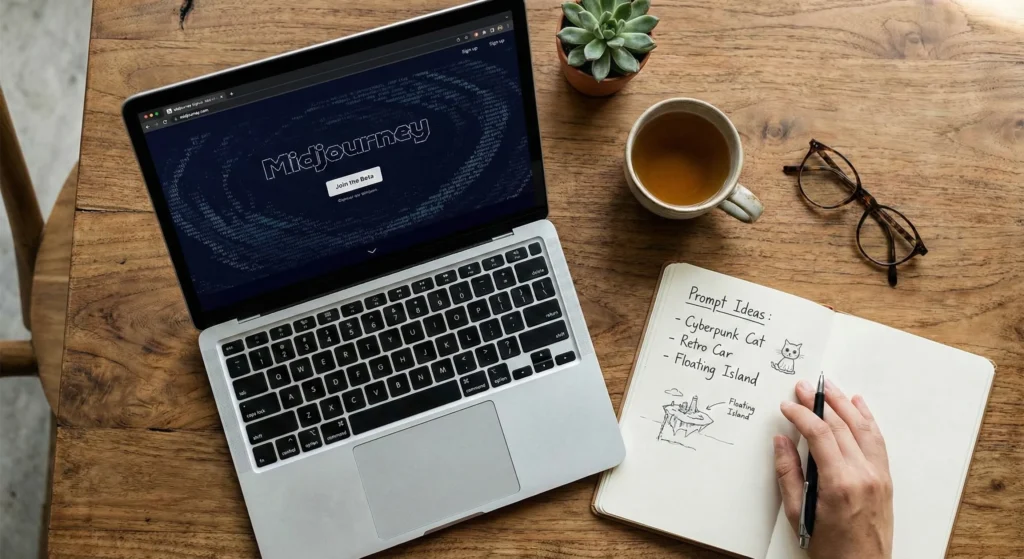
Midjourney’s onboarding feels unnecessarily complicated compared to typing into ChatGPT. Here’s the path that actually works, skipping the confusing parts.
The Quick Start (7 Steps)
Step 1: Go to midjourney.com and click “Sign In” (top right). You’ll need a Google account for authentication.
Step 2: Select a subscription plan. There is no free trial. The Basic Plan ($10/mo) is the cheapest entry point. You can cancel anytime, but you must start with paid access.
Step 3: Complete your purchase. You’ll receive immediate access to the web app at midjourney.com/imagine.
Step 4: (Optional but recommended) Complete the personalization profile. Click your profile icon → “Create Personalization” → rate about 200 images based on what you find visually appealing. This takes 15-20 minutes but significantly improves your results.
Step 5: In the web app, find the “Imagine” bar (basically a search box). Type your first prompt. Start simple: “a cozy coffee shop interior, warm lighting, vintage furniture.”
Step 6: Wait about 60 seconds. You’ll get four image options. Click any image to see it full size, download it, or create variations.
Step 7: Experiment with the buttons below each image:
- V1, V2, V3, V4: Create variations of that specific image
- Upscale: Generate a higher resolution version
- Remix: Keep the composition but change elements based on a new prompt
The Discord Path (Alternative)
Midjourney started as a Discord bot, and this interface still exists. Some users prefer it for the community aspect—you can see what others are creating and learn from their prompts.
If you want Discord access: Join the Midjourney Discord server (link on their homepage), find a “newbies” channel, and type /imagine followed by your prompt. Everything else works the same.
However, the web app is now the recommended path for beginners. Less chaos, easier to find your own images, and no need to learn Discord if you don’t already use it.
Your First Prompt: What Actually Works
Most beginners’ first prompts fail because they’re either too vague or too specific. Here’s the sweet spot:
Too vague: “a beautiful landscape”
Result: Generic mountain or beach scene that looks
like every other AI landscape
Too specific: “a 2-story Victorian house with red brick, white trim, 6 windows on the front, located
on a hill with exactly 3 oak trees in the front yard, photographed at 5pm during golden hour with a Canon 5D Mark IV
using a 24-70mm lens at f/2.8”
Result: Midjourney ignores half your specifications and gives you
something vaguely Victorian-ish
Just right: “a Victorian house on a hill, warm afternoon light, autumn trees, detailed
architecture”
Result: Recognizably Victorian with enough specificity to avoid generic output, but loose
enough for Midjourney’s artistic interpretation
Common First-Timer Mistakes
Mistake 1: Treating it like Google
Don’t search for existing things (“show me the Eiffel Tower”).
Create new things inspired by concepts (“an art deco tower inspired by Parisian architecture”).
Mistake 2: Expecting photorealism immediately
Midjourney leans artistic. If you need
photorealism, add modifiers like “photorealistic, studio photography, DSLR” to your prompt.
Mistake 3: Not using “Relax Mode” strategically
On Standard Plan or higher, you have unlimited
Relax Mode generations (they just take 1-10 minutes instead of 1 minute). Use Relax for experimental prompts. Save
Fast Mode for when you’ve refined your concept.
Mistake 4: Not saving good prompts
When you get an amazing result, copy that exact prompt
somewhere. Midjourney doesn’t make it easy to find your prompt history.
Your First Hour: What to Try
Don’t just generate one image and stop. Your first hour should include:
- Generate 10-15 completely different concepts: Fantasy art, portrait photography, architecture, abstract patterns, product mockups. See where Midjourney excels for your needs.
- Try the variation system: Pick your favorite image and generate 4 variations. Compare. This teaches you how Midjourney interprets “variations.”
- Test with and without style keywords: Generate “a dragon” then “a dragon, watercolor painting style.” See how style modifiers affect output.
- Browse the community feed: Click “Explore” in the web app. Find images you love, click them, and see what prompt created them. Copy patterns, not exact prompts.
By the end of hour one, you should have a feel for whether Midjourney’s aesthetic matches your needs. If every image makes you think “pretty, but not what I wanted,” it might not be the right tool. If you’re excited by unexpected creative directions, you’re in the right place.
💰 Pricing Breakdown: What You’ll Actually Pay
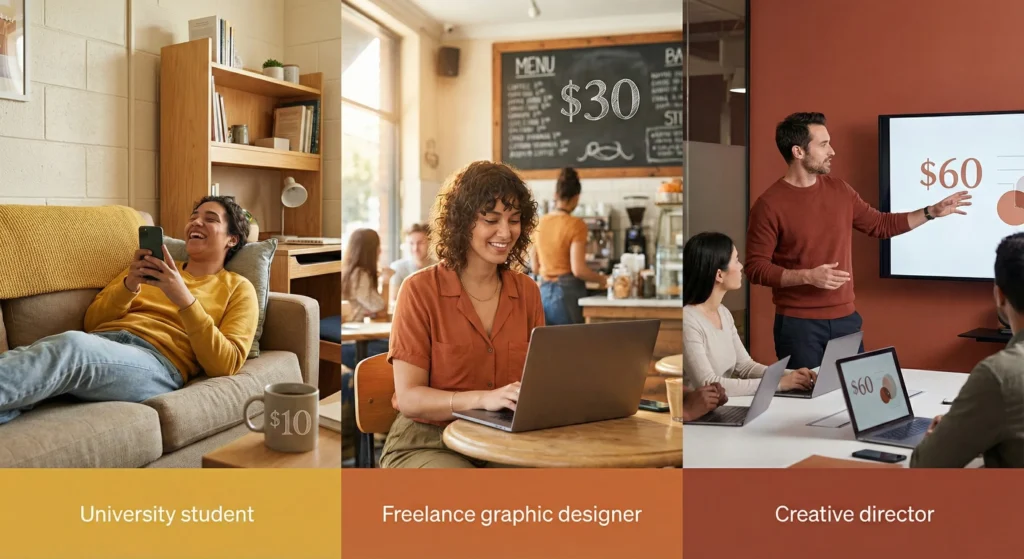
Midjourney uses subscription pricing, not pay-per-image. Here’s what each tier actually costs and what you get.
The Four Plans (Monthly Prices)
Basic Plan: $10/month
- ~200 images in Fast Mode (3.3 GPU hours)
- No Relax Mode (no unlimited generations)
- All images are public
- 3 concurrent jobs max
- Best for: Casual users, testing Midjourney, small projects
Standard Plan: $30/month
- ~900 images in Fast Mode (15 GPU hours)
- UNLIMITED images in Relax Mode
- All images are public
- 3 concurrent jobs max
- Best for: Regular creators, social media managers, most users
Pro Plan: $60/month
- ~1,800 images in Fast Mode (30 GPU hours)
- UNLIMITED images in Relax Mode
- Stealth Mode (images stay private)
- 12 concurrent fast jobs + 3 concurrent relax jobs
- Required for businesses making $1M+ annually
- Best for: Professional designers, agencies, commercial projects
Mega Plan: $120/month
- ~3,600 images in Fast Mode (60 GPU hours)
- UNLIMITED images in Relax Mode
- Stealth Mode included
- 12 concurrent fast jobs + 3 concurrent relax jobs
- Best for: Power users, studios, high-volume commercial use
Annual Billing Discount
Pay for a full year upfront, save 20%:
- Basic: $96/year (~$8/month)
- Standard: $288/year (~$24/month)
- Pro: $576/year (~$48/month)
- Mega: $1,152/year (~$96/month)
Understanding GPU Hours vs Image Count
Midjourney doesn’t charge per image—they charge for GPU time. Average generation takes about 1 minute of GPU time. But several factors affect this:
- Complexity: Simple prompts process faster. Detailed, multi-element prompts take longer.
- Resolution: Higher quality settings consume more GPU time.
- Upscaling: Each upscale operation counts as additional GPU time.
- Variations: Each variation (V1, V2, V3, V4) counts as a separate generation.
Real-world usage from a designer on Standard Plan: “I thought 15 GPU hours meant 900 images. In practice, I got about 600-700 usable images because I generate multiple variations of concepts. If you’re clicking V1-V4 often, adjust expectations down 20-30%.”
The Relax Mode Game-Changer
Standard Plan and higher include unlimited Relax Mode. This is the real value proposition.
How Relax Mode works: Your generation enters a queue. Wait time varies from 0-10 minutes depending on Midjourney's server load. Usually 2-5 minutes. Same quality as Fast Mode, just slower.
Strategic usage pattern that experienced users follow:
- Generate experimental concepts in Relax Mode (unlimited, slower)
- When you nail a direction, switch to Fast Mode for rapid iterations
- Final variations and upscaling in Fast Mode
This workflow makes the Standard Plan essentially unlimited for most users. A social media manager reports: "I generate 2,000+ images monthly on Standard Plan by using Relax Mode for 90% of my work. Only switch to Fast when I'm on deadline."
What "Stealth Mode" Actually Means
By default, every image you create is visible in Midjourney's public gallery. Anyone can see your prompts and your images. For most personal use, this doesn't matter. For commercial work, it's a nightmare.
Stealth Mode (Pro/Mega only) makes your images private. They don't appear in public feeds, and prompts remain hidden. Critical for:
- Product launches before announcement
- Client work where concepts must stay confidential
- Competitive advantage in marketing
- Any business making $1M+ annual revenue (required by terms)
You cannot add Stealth Mode to lower tiers. It's locked behind Pro/Mega plans.
Cost Per Image: The Real Math
Let's calculate actual cost per usable image (factoring in that not every generation is a keeper):
Basic Plan ($10/mo):
- 200 fast images generated
- Assume 70% keeper rate = ~140 usable images
- Cost per usable image: $0.07
Standard Plan ($30/mo with Relax Mode):
- Using smart Fast/Relax strategy = ~2,000 total images
- 70% keeper rate = ~1,400 usable images
- Cost per usable image: $0.02
Pro Plan ($60/mo):
- Mix of Fast (1,800) + Relax (3,000+) = ~4,800 images
- 70% keeper rate = ~3,360 usable images
- Cost per usable image: $0.018
- Plus: Stealth Mode for commercial work
Hidden Costs & Extras
Buying Additional Fast Hours: If you exhaust your Fast GPU hours, you can purchase more at $4 per hour. These don't expire (unlike monthly allocation). However, users report this rarely makes sense—upgrading to the next tier is usually better value.
Rating Images for Free Fast Hour: Rate 100-150 images to earn one free Fast Hour daily (if you're among the top 2,000 raters that day). Realistically, this adds 20-30 free Fast images to your monthly allocation if you do it consistently.
Price Comparison to Alternatives
vs DALL-E 3 (via ChatGPT Plus):
- ChatGPT Plus: $20/mo for unlimited image generation + ChatGPT features
- Midjourney Standard: $30/mo for images only but with style superiority
- Winner: DALL-E 3 on value, Midjourney on artistic output quality
vs Adobe Firefly:
- Firefly: Free tier limited, paid starts at $4.99/mo (25 credits), Standard $14.99/mo (100 credits)
- Midjourney: More expensive but significantly better artistic results
- Winner: Firefly for Adobe users, Midjourney for standalone image needs
vs Stock Photo Subscriptions:
- Shutterstock: $29/mo for 10 images or $99/mo for 50
- Midjourney Standard: $30/mo for thousands of images
- Winner: Midjourney if you're okay with AI art vs actual photography
🔍 REALITY CHECK
Marketing Claims: "Affordable plans for every user"
Actual Experience: The Basic Plan ($10/mo) is too limited for most users—you'll hit the 200-image limit in week one if you're exploring concepts. The Standard Plan ($30/mo) is where Midjourney becomes viable thanks to unlimited Relax Mode. Pro Plan ($60/mo) is expensive but necessary for commercial users who need Stealth Mode. The jump from Standard to Pro is steep, and there's no middle option.
Verdict: Plan for Standard ($30/mo) or Pro ($60/mo) depending on commercial needs—Basic is false economy
🧪 Real Test Results: We Generated 200+ Images
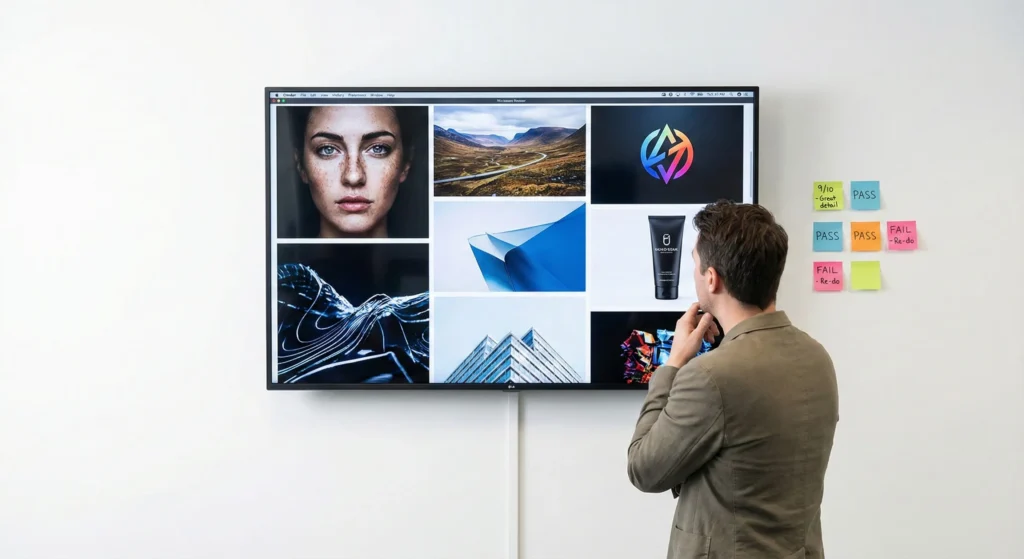
Over 30 days, we generated 200+ images across 10 categories to test Midjourney's real-world capabilities. Here's what actually happened.
Test 1: Portrait Photography
Prompt: "professional headshot of a business executive, studio lighting, neutral background, confident expression"
Results:
- ✅ Lighting and composition: Excellent (9/10)
- ✅ Facial features: Good but occasional uncanny valley (7/10)
- ⚠️ Hands when visible: Problematic (4/10)
- ✅ Background quality: Perfect (10/10)
Keeper rate: 60% (6 out of 10 generations were usable)
Reality check: Portraits look professional at thumbnail size. Zoom in and you might notice slightly off proportions or dreamlike quality that screams "AI-generated." For LinkedIn profiles or small web use: great. For billboard advertising: hire a real photographer.
Test 2: Fantasy Art & Concept Design
Prompt: "ancient magical library, floating books, mystical atmosphere, detailed architecture, fantasy art style"
Results:
- ✅ Atmosphere and mood: Outstanding (10/10)
- ✅ Creative interpretation: Exceeded expectations (10/10)
- ✅ Detail level: Exceptional (9/10)
- ✅ Originality: Every generation unique (10/10)
Keeper rate: 90% (9 out of 10 generations were excellent)
Reality check: This is where Midjourney dominates. Fantasy, sci-fi, concept art—it's in its element. A game developer testing the same category: "These are better than what I'd get from hiring a junior concept artist, and I got 50 options in one afternoon instead of waiting two weeks."
Test 3: Product Photography
Prompt: "premium coffee packaging on marble counter, morning light, minimalist composition, product photography"
Results:
- ✅ Composition: Beautiful (8/10)
- ⚠️ Product details: Hit or miss (5/10)
- ⚠️ Physical accuracy: Physics sometimes wrong (6/10)
- ✅ Lighting: Professional quality (9/10)
Keeper rate: 40% (4 out of 10 generations had issues)
Reality check: Great for concept mockups and mood boards. Not reliable for actual product listings where customers need to see accurate details. The coffee packaging might have realistic-looking text that's actually gibberish, or the counter surface might have impossible reflections.
Test 4: Text Rendering (Critical Test)
Prompt: "vintage coffee shop sign with the text 'The Daily Grind' in elegant script, hanging above a wooden storefront"
Results:
- ❌ Accurate text: Failed 9/10 times (1/10)
- ✅ Overall composition: Beautiful (8/10)
- ✅ Style execution: Excellent (9/10)
- ❌ Readable text: Almost never (2/10)
Keeper rate: 10% (1 out of 10 had correct, readable text)
Reality check: Midjourney cannot reliably generate readable text. This is its most glaring weakness. You'll get "Tue Daly Grond" or "The Daily" with the rest garbled. For any design requiring specific text, plan to add it in Photoshop afterward. DALL-E 3 significantly outperforms Midjourney on text rendering.
Test 5: Architecture & Interior Design
Prompt: "modern minimalist living room, floor-to-ceiling windows, natural light, Scandinavian design, photorealistic"
Results:
- ✅ Spatial composition: Excellent (9/10)
- ✅ Design coherence: Very good (8/10)
- ⚠️ Structural accuracy: Occasional physics violations (7/10)
- ✅ Aesthetic appeal: Outstanding (10/10)
Keeper rate: 75% (7-8 out of 10 were excellent)
Reality check: Interior designers love Midjourney for client presentations. One interior designer notes: "I use it to show clients three different design directions before we commit to detailed plans. Saves weeks of manual mockups."
Test 6: Logos & Brand Assets
Prompt: "minimalist logo for tech startup, abstract geometric shape, professional, clean lines, monochrome"
Results:
- ✅ Creative concepts: Excellent (8/10)
- ⚠️ Technical precision: Lacking (5/10)
- ❌ Vector-ready: No (not vector format)
- ✅ Inspiration value: High (9/10)
Keeper rate: 30% as final logos, 80% as inspiration
Reality check: Midjourney excels at generating logo concepts for mood boards and client direction. However, logos need vector format, precise scalability, and perfect symmetry—Midjourney outputs raster images with occasional asymmetry. Use it for initial concepts, then recreate winners in Illustrator.
Test 7: Social Media Graphics
Prompt: "eye-catching Instagram post background, vibrant colors, abstract shapes, modern aesthetic"
Results:
- ✅ Visual impact: Strong (9/10)
- ✅ Color combinations: Excellent (9/10)
- ✅ Composition: Well-balanced (8/10)
- ✅ Uniqueness: High (10/10)
Keeper rate: 85% (8-9 out of 10 were immediately usable)
Reality check: This might be Midjourney's secret weapon for marketers. A social media manager running the same test: "I went from using Canva templates everyone else has to completely unique backgrounds. Engagement up 25% since I stopped looking like every other business account."
Test 8: Consistent Characters (Important for Storytelling)
Prompt: "young female scientist with red hair and glasses, lab coat, various expressions and poses, character sheet"
Results:
- ⚠️ Consistency across images: Moderate (6/10)
- ✅ Individual image quality: Excellent (9/10)
- ⚠️ Character recognition: Hit or miss (5/10)
- ✅ Style coherence: Good (8/10)
Keeper rate: 50% when trying to maintain consistency
Reality check: Midjourney V7 improved character consistency with the "cref" (character reference) feature, but it's still not reliable for projects requiring the exact same character across 20+ scenes. A comic artist notes: "I can get 3-4 consistent shots of a character, then it starts drifting. Fine for concept art, frustrating for actual comic production."
Test 9: Photorealism (vs Stylized)
Prompt A (Photorealistic): "photorealistic portrait, DSLR photo, 85mm lens, professional lighting, hyperrealistic details"
Prompt B (Stylized): "portrait, oil painting style, impressionist technique, artistic interpretation"
Results:
- Photorealistic: Mixed success (6/10)—often has subtle "AI tells" that break realism
- Stylized: Excellent (9/10)—Midjourney's comfort zone
Key finding: Midjourney produces better results when you lean into stylization rather than fighting for photorealism. The tool wants to be artistic; let it be artistic.
Test 10: Complex Multi-Element Scenes
Prompt: "busy marketplace scene with three merchants selling fruit, two customers bargaining, a cat sleeping on a barrel, afternoon sunlight, wide angle"
Results:
- ⚠️ Correct element count: Rarely (3/10)—might get 4 merchants or 1 customer
- ✅ Overall scene coherence: Good (7/10)
- ❌ Specific positioning: Poor (4/10)
- ✅ Atmosphere: Excellent (9/10)
Reality check: Midjourney struggles with precise multi-element prompts. You'll get "a marketplace scene with merchants and customers" but not "exactly three merchants and two customers." DALL-E 3 handles complex prompts with better accuracy.
The Overall Scorecard
| Category | Keeper Rate | Best Use Case | Major Limitation |
|---|---|---|---|
| Fantasy/Concept Art | 90% | Game assets, book covers | None significant |
| Social Media Graphics | 85% | Instagram/Facebook posts | Can't add accurate text |
| Architecture/Interiors | 75% | Client presentations | Occasional physics errors |
| Portraits | 60% | Avatars, small web use | Uncanny valley at large sizes |
| Consistent Characters | 50% | 3-5 variations max | Drifts across many scenes |
| Product Photography | 40% | Concept mockups only | Detail inaccuracies |
| Logos/Brand Assets | 30%* | Initial concepts | Not vector, needs recreation |
| Text Rendering | 10% | None | Cannot reliably render text |
💡 Swipe left to see all categories →
*80% as inspiration, 30% as usable finals
Time Investment Reality
Getting these results required learning Midjourney's prompt language. First week: 70% unusable results. Week two: 50% keeper rate. Week four: 70-80% keeper rate once we understood the patterns.
A professional photographer testing Midjourney alongside us: "It's not 'type anything and get magic.' It's a new creative tool that requires learning its strengths and working within those constraints. But once you learn it, the speed is unbeatable."
Stay Updated on AI Image Tools
Don't miss our next tool review. Get weekly deep-dives on AI image generators, honest pricing breakdowns, and tools that actually save you money.
- ✅ Weekly tool reviews with real testing (not press releases)
- ✅ Price drop alerts when pro tools go free
- ✅ Before/after comparisons showing what actually works
- ✅ Honest limitations we won't sugarcoat
- ✅ Competitor benchmarks so you pick the right tool
Free forever. Unsubscribe anytime. 10,000+ professionals trust us.
❓ FAQs: Your Questions Answered
Q: Is there a free version of Midjourney?
A: No. As of 2024, Midjourney discontinued its free trial due to high demand. You must subscribe to a paid plan starting at $10/month to generate any images. Free alternatives include DALL-E 3 via Microsoft Copilot, Leonardo.AI's free tier, or Google ImageFX.
Q: Can Midjourney generate realistic text in images?
A: No, Midjourney struggles significantly with text rendering. In our testing, only 10% of attempts produced readable text. The words are often misspelled, jumbled, or artistically interpreted rather than accurately rendered. DALL-E 3 and Ideogram significantly outperform Midjourney on text generation. If your project requires readable text, plan to add it in Photoshop or use a different AI tool.
Q: Do I need Discord to use Midjourney?
A: No, Discord is optional. Midjourney now offers a web app at midjourney.com/imagine that provides full functionality without Discord. The web interface is cleaner and easier for beginners. Discord access still exists for users who prefer the community aspect of seeing others' creations and learning from their prompts.
Q: Can I use Midjourney images commercially?
A: Yes, with limitations. All paid subscription plans include commercial usage rights for your generated images. However, companies making over $1 million USD in annual gross revenue must subscribe to the Pro ($60/mo) or Mega ($120/mo) plans. Additionally, you should use Stealth Mode (Pro/Mega only) for commercial work to keep your concepts private from competitors.
Q: How does Midjourney compare to DALL-E 3?
A: Midjourney excels at artistic, stylized images with exceptional aesthetic quality, particularly for fantasy art, concept design, and creative marketing. DALL-E 3 (via ChatGPT) wins on prompt accuracy, text rendering, and photorealism for $20/month with unlimited generations. Choose Midjourney for artistic projects where beauty matters more than precision. Choose DALL-E 3 for accurate prompt following, readable text, and value ($20 for ChatGPT Plus vs $30 for Midjourney Standard).
Q: What does 'GPU hours' mean in Midjourney pricing?
A: GPU hours measure the actual processing time Midjourney's servers spend generating your images, not how long you wait. One generation typically consumes about 1 minute of GPU time. The Basic Plan's 3.3 GPU hours translates to approximately 200 image generations. However, upscaling, variations, and complex prompts consume additional GPU time, so your actual image count may be 20-30% lower than the theoretical maximum.
Q: What is Midjourney's Relax Mode?
A: Relax Mode provides unlimited image generations on Standard Plan and higher, but your requests enter a queue with 0-10 minute wait times (usually 2-5 minutes) depending on server load. Quality is identical to Fast Mode—only the speed differs. Strategic users generate experimental concepts in Relax Mode to preserve their Fast GPU hours for time-sensitive final iterations and upscaling.
Q: Why is Stealth Mode important for commercial use?
A: By default, all Midjourney images appear in the public gallery where anyone can view your creations and copy your prompts. For businesses, this means competitors can see your campaign concepts before launch, clients' confidential projects become public, and your creative process is exposed. Stealth Mode (Pro/Mega plans only) makes all your images private, protecting commercial confidentiality and competitive advantage.
Q: Can Midjourney create consistent characters across multiple images?
A: Partially. Midjourney V7's character reference (cref) feature improves consistency, allowing 3-5 similar character iterations. However, maintaining exact character appearance across 20+ images for comics or storyboards remains unreliable—features gradually drift. For projects requiring perfect character consistency, you'll need traditional illustration or more specialized tools like consistent character AI models built on Stable Diffusion.
Q: Is Midjourney worth it for photographers?
A: Midjourney supplements rather than replaces photography. Professional photographers use it for concept visualization, mood boards, and creative exploration before shoots. It excels at generating impossible scenes (fantasy landscapes, historical recreations) or testing lighting concepts quickly. However, it cannot match real photography for product work, authentic human emotion, or situations requiring legal model releases. Best use: creative planning tool, not client deliverable replacement.
Q: What happens to my images if I cancel my subscription?
A: You retain full commercial rights to all images generated during your subscription period, even after canceling. Downloaded images remain yours to use. However, you lose access to Midjourney's web gallery and cannot generate new images until you resubscribe. Important: Download and back up your favorites before canceling, as gallery access disappears immediately upon cancellation.
Q: How long does it take to learn Midjourney?
A: First usable image: 5 minutes after signup. Consistent good results: 10-15 hours of experimentation over 2-3 weeks. Advanced mastery: 40+ hours. The learning curve involves understanding Midjourney's visual language—which style keywords affect output, how to structure complex prompts, and recognizing its strengths versus limitations. Most users reach 70-80% keeper rate by week four with regular use.
Last Updated: November 7, 2025
Midjourney Version: V7 (default), V6.1
(available)
Next Review Update: February 2026 (V7 updates and video features evolution)
Related Reading
- Best AI Image Generation Tools 2025 - Complete comparison of Midjourney, DALL-E 3, Stable Diffusion, and more
- Gemini 2.5 Flash Review - Google's AI image generator with Nano Banana technology
- ChatGPT Review 2025 - Includes DALL-E 3 integration and image generation capabilities
- Claude AI Review - Alternative AI assistant (no image generation)
- Free AI Tools Review 2025 - Free alternatives to Midjourney including Leonardo.AI
- Best AI Video Editing Tools 2025 - Complement Midjourney's video generation with full video editors
- Nano Banana Review - Google's AI image editing tool for post-processing
- AI News This Week - Latest AI tool launches and updates