

Last Updated: January 23, 2026 | Kling Version: 2.6 Pro with Audio
🆕 Major Update (January 2026): Kling AI hit $240 million ARR in December 2025, just 19 months after launch. The December “Omni Launch Week” introduced Kling Video O1 (unified multimodal), Kling Image O1, and Kling 2.6 with simultaneous audio-visual generation. This guide covers all the new features, updated pricing, and how Kling AI now generates videos with built-in voiceovers, sound effects, and music.
⚡ TL;DR – The Bottom Line
🎬 What it is: AI video generator with 3-minute max length (longest in the market), from Chinese tech giant Kuaishou.
📏 Key strength: Video duration up to 3 minutes vs 40s Runway, 35s Sora. Also offers integrated audio generation with Kling 2.6.
💰 Pricing: Free tier (66 daily credits) or $6.99-$180/month. Credit-based system, no unlimited option.
✅ Best for: Social media creators, product marketers, and indie filmmakers who need longer videos with integrated audio.
⚠️ The catch: Credit system is confusing, quality degrades after 30 seconds of extensions, and character consistency isn’t as strong as Runway.
📑 Quick Navigation
🎬 1. What Kling AI Actually Does (2026 Edition)
Kling AI is a text-to-video and image-to-video generator developed by Kuaishou, China’s equivalent of TikTok. Think of it as a Hollywood VFX studio in your browser. Type “astronaut floating through neon-lit space station” or upload a photo of your product, and Kling AI generates a 5-10 second video at up to 1080p resolution. No cameras, no actors, no location fees.
Here’s what changed in late 2025 that actually matters:
Kling 2.6 (December 2025): The biggest update yet. Videos now generate with synchronized audio: voiceovers, dialogue, sound effects, ambient atmosphere, even singing and rap. Previously, you’d generate a silent video and add audio separately. Now it’s one step. This fundamentally changes the workflow for ad creators and social media marketers.
Kling Video O1 (December 2025): The world’s first unified multimodal video model. One model handles text-to-video, image-to-video, reference-to-video, editing, and scene extension. Before, these were separate systems. Now they work together seamlessly.
The Numbers: As of December 2025, Kling AI serves over 60 million creators worldwide, has generated more than 600 million videos, and partnered with over 30,000 enterprise users. Monthly revenue exceeded $20 million in December, hitting a $240 million annualized run rate just 19 months after launch.
🔍 REALITY CHECK
Marketing Claims: “Generate cinematic videos from text with simultaneous audio”
Actual Experience: Kling AI genuinely produces impressive results for simple to moderately complex prompts. The new audio feature works well for basic narration and sound effects. However, quality degrades noticeably after 30 seconds of extensions, character consistency isn’t as strong as Runway Gen-4, and complex multi-person dialogue scenes still struggle with lip-sync accuracy.
Verdict: Excellent for social media and product content. Not ready for professional film production. —
📏 2. Video Length Limits: Free vs Paid (Real Numbers)
Kling AI video length is its killer competitive advantage. At 2-3 minutes maximum, it outpaces every major competitor. Runway caps at 40 seconds. Sora 2 maxes out at 35 seconds. VEO 3.1 hits 60 seconds. Kling AI lets you go 3-5x longer.
Think of Kling AI video length like building with Lego blocks. Each generation gives you a 5-10 second block. The Extend feature snaps another 5-second block onto the end. You keep snapping until you hit the 2-3 minute ceiling, but each extension costs additional credits.
Video Length by Plan:
| Plan | Single Generation | Maximum with Extend | Resolution | Watermark |
|---|---|---|---|---|
| Free | 5 or 10 seconds | ~30 seconds (limited credits) | 720p | ✅ Yes |
| Standard ($6.99) | 5 or 10 seconds | 2 minutes | 1080p | ❌ No |
| Pro ($25.99) | 5 or 10 seconds | 2-3 minutes | 1080p | ❌ No |
| Premier ($64.99) | 5 or 10 seconds | 3 minutes | 1080p | ❌ No |
| Ultra ($180) | 5 or 10 seconds | 3 minutes | 1080p | ❌ No |
💡 Swipe left to see all columns →
Video Length Comparison: Kling vs Competitors
| Platform | Single Generation Max | Extended Max | Quality Sweet Spot |
|---|---|---|---|
| Kling AI | 10 seconds | 3 minutes | Under 30 seconds |
| Runway Gen-4 | 16 seconds | 40 seconds | 10-16 seconds |
| Sora 2 | 20 seconds | 35 seconds | 15-20 seconds |
| VEO 3.1 | 8 seconds | 60 seconds | 8-16 seconds |
| Pika 2.0 | 4 seconds | 20 seconds | 4 seconds |
For a deep dive on video length strategies, see our complete Kling AI video length limits breakdown. —
💳 3. The Credit System Explained (No Confusion)
Here’s where Kling AI gets confusing. Unlike Netflix where you pay a flat fee for unlimited content, Kling AI uses credits. Every video you generate costs credits. Run out, and you wait until tomorrow (free tier) or buy more.
Credit Costs Per Video:
| Video Type | Standard Mode | Professional Mode |
|---|---|---|
| 5-second video | 10 credits | 35 credits |
| 10-second video | 20 credits | 70 credits |
| 5-second extension | 10 credits | 35 credits |
| Kling 2.6 (with audio) | ~42 credits/sec | Higher (varies) |
| Kling O1 | ~68 credits/5s | Higher (varies) |
💰 Monthly Cost Comparison ($)
What You Actually Get Per Day/Month:
Free Tier (66 daily credits):
- Standard mode: 6 five-second videos OR 3 ten-second videos
- Professional mode: 1-2 videos per day
- Credits reset every 24 hours and DON’T roll over
- Reality: Expect 1-2 usable videos after failed generations
Standard Plan (660 monthly credits for $6.99):
- Standard mode: ~33 ten-second videos per month
- Professional mode: ~9 ten-second videos per month
- Credits DO roll over (valid for 2 years)
Pro Plan (3,000 monthly credits for $25.99):
- Standard mode: ~150 ten-second videos per month
- Access to Kling Video O1 and Kling 2.6 audio features
Real Cost Per Minute of Video:
Let’s do the math that Kling AI doesn’t make obvious:
- 1-minute video (Standard mode): ~120 credits = $1.27 on Standard plan
- 1-minute video (Professional mode): ~420 credits = $4.44 on Standard plan
- With Kling 2.6 audio: Even higher (approximately 2x Standard)
Pro tip: Credits from paid plans roll over and stay valid for 2 years. Free credits expire daily. If you’re on a paid plan, you can stockpile credits for big projects instead of upgrading/downgrading monthly. —
💰 4. Pricing Breakdown: What You’ll Actually Pay

All Kling AI Pricing Plans (January 2026):
| Plan | Monthly Price | Annual Price | Monthly Credits | Best For |
|---|---|---|---|---|
| Free | $0 | $0 | 66/day (no rollover) | Testing, occasional hobbyist |
| Standard | $6.99 | $79/yr ($6.60/mo) | 660 | Casual creators (5-10 videos/mo) |
| Pro | $25.99 | $293/yr ($24.42/mo) | 3,000 | Regular creators (20-50 videos/mo) |
| Premier | $64.99 | $729/yr ($60.72/mo) | 8,000 | Heavy users, small teams |
| Ultra | $180 | $1,430/yr ($119/mo) | 26,000 | Agencies, high-volume production |
Kling AI vs Competitors Pricing:
| Platform | Starting Price | Mid-Tier | Unlimited Option | Best Value For |
|---|---|---|---|---|
| Kling AI | $6.99 | $64.99 | None (credit-based) | 5-20 videos/month |
| Runway | $15 | $35 | $95 unlimited | 50+ videos/month |
| Luma AI | $9.99 | $29.99 | $94.99 unlimited | High-volume creators |
| VEO 3.1 | $19.99 (Gemini) | $250 Ultra | None | Professional filmmakers |
| Sora 2 | $20 (ChatGPT Plus) | $200 Pro | None | Social content creators |
The Real Cost Decision Framework:
Choose Kling AI Standard ($6.99) if: You create 5-10 short videos monthly for social media and want the longest possible clips. Budget is your primary constraint.
Choose Kling AI Pro ($25.99) if: You need 20-50 videos monthly, want access to Kling 2.6 audio features and Kling O1, and can work within credit limits.
Choose Runway Unlimited ($95) instead if: You create 50+ videos monthly (the economics flip in Runway’s favor), need better character consistency, or prefer a “no counting credits” workflow.
For complete tool comparisons, check our AI video editing tools comparison guide. —
🔊 5. Kling 2.6: Simultaneous Audio-Visual Generation
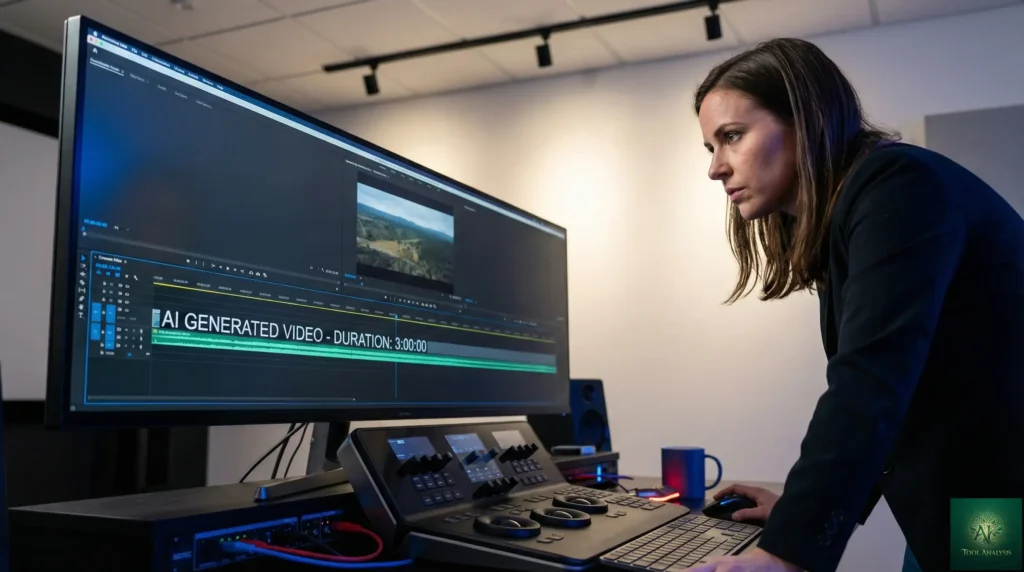
The December 2025 release of Kling 2.6 fundamentally changed AI video creation. Previously, generating an AI video meant getting silent footage, then separately adding voiceovers, sound effects, and music using tools like ElevenLabs or manual editing in DaVinci Resolve. Now, Kling generates everything in one pass.
What Kling 2.6 Audio Actually Does:
- Speech generation: Dialogue, narration, monologue, news-style voiceover
- Musical performance: Singing, rap, polyphonic choral pieces
- Sound effects: Ambient sounds, environmental audio, action effects
- Mixed audio: Combine dialogue + SFX + ambient in one generation
- Language support: World-leading Chinese voice generation, plus English
How It Works:
In the Kling interface, you now have two options for text-to-video and image-to-video: generate silent video (classic mode) or generate with audio (Kling 2.6). When you enable audio, describe what you want to hear in your prompt: “A barista explaining how to make a latte, ambient coffee shop sounds, jazz music in background.” Kling generates visuals AND synchronized audio together.
Audio Quality Assessment:
Strengths:
- Lip-sync accuracy is surprisingly good for single speakers
- Sound effects match visual action (footsteps, doors, environmental audio)
- Chinese voice generation is industry-leading
- Eliminates the separate audio workflow for simple videos
Weaknesses:
- English voices can sound slightly robotic compared to ElevenLabs
- Multi-character dialogue lip-sync struggles with accuracy
- Musical generation quality varies wildly
- Audio credits cost approximately 2x standard video credits
🔍 REALITY CHECK: Kling 2.6 Audio
Marketing Claims: “One-click simultaneous audio-visual generation drives efficiency revolution”
Actual Experience: For simple product demos, social media content, and single-speaker narration, Kling 2.6 delivers genuine time savings. For complex scenes with multiple speakers or professional voiceover quality, you’ll still want dedicated audio tools. The feature is a workflow upgrade, not a complete replacement for audio production.
✅ Verdict: Use it for drafts, social content, and simple narration. Use ElevenLabs for final voiceovers on important projects.
✨ 6. Features That Actually Matter (And 3 That Don’t)
Features That Matter:
1. Motion Brush ⭐⭐⭐⭐⭐
Think of it like Photoshop’s brush tool, but for motion. You paint on specific areas of an image to define exactly where and how movement should happen. Want only the leaves to rustle while the person stays still? Paint the leaves. This level of control separates Kling from “type and pray” generators.
2. Image-to-Video Generation ⭐⭐⭐⭐⭐
Upload a product photo, character illustration, or any still image, and Kling AI animates it. This is Kling’s strongest use case. Product marketers use it to turn static e-commerce photos into dynamic video ads. Illustrators bring their artwork to life. The quality with image inputs often exceeds text-to-video results because you’re providing visual reference.
3. Extend Feature ⭐⭐⭐⭐
The ability to chain 5-second extensions up to 2-3 minutes is genuinely unique in the market. Yes, quality degrades, but for certain use cases (product showcases, ambient loops), it’s invaluable.
4. Camera Movement Controls ⭐⭐⭐⭐
Pan, tilt, zoom, orbit, tracking shots. Kling gives you cinematography controls that competitors either lack or charge extra for. Combined with motion brush, you can create complex scenes with specific camera choreography.
5. Negative Prompts ⭐⭐⭐⭐
Specify what you DON’T want: “no blur,” “no distortion,” “no extra limbs.” This sounds minor but dramatically improves success rates on complex prompts.
Features That Sound Better Than They Are:
1. “Unlimited” Video Length ❌
Yes, you can go to 3 minutes. But after 30-60 seconds, quality degradation makes many extended videos unusable. The marketing oversells what’s practically achievable.
2. 3D Face Reconstruction ⚠️
Kling touts advanced 3D face and body reconstruction. In practice, faces still occasionally warp, especially on complex angles or quick movements. It’s good, not flawless.
3. “Professional Mode” Quality Jump ⚠️
Professional mode costs 3.5x more credits than Standard. The quality improvement exists but isn’t 3.5x better. For most social content, Standard mode is sufficient. —
⚔️ 7. Quality Comparison: Kling vs Runway vs Sora vs VEO
I ran identical prompts across all four major AI video generators. Here’s what actually separates winners from losers:
| Dimension | Kling AI | Runway Gen-4 | Sora 2 | VEO 3.1 |
|---|---|---|---|---|
| Character Consistency | ⭐⭐⭐ (55%) | ⭐⭐⭐⭐⭐ (90%) | ⭐⭐⭐⭐ (75%) | ⭐⭐⭐⭐ (70%) |
| Physics Simulation | ⭐⭐⭐⭐ (85%) | ⭐⭐⭐⭐ (70%) | ⭐⭐⭐⭐⭐ (90%) | ⭐⭐⭐ (60%) |
| Photorealism | ⭐⭐⭐⭐ (75%) | ⭐⭐⭐⭐ (80%) | ⭐⭐⭐⭐ (85%) | ⭐⭐⭐⭐⭐ (95%) |
| Video Length | ⭐⭐⭐⭐⭐ (3 min) | ⭐⭐⭐ (40s) | ⭐⭐⭐ (35s) | ⭐⭐⭐⭐ (60s) |
| Generation Speed | ⭐⭐⭐ (2-5 min) | ⭐⭐ (5-7 min) | ⭐⭐⭐⭐ (1-2 min) | ⭐⭐⭐ (3-5 min) |
| Integrated Audio | ⭐⭐⭐⭐⭐ (Yes) | ❌ (No) | ⭐⭐⭐⭐ (Yes) | ⭐⭐⭐⭐⭐ (Yes) |
| Price Value | ⭐⭐⭐⭐ (Good) | ⭐⭐⭐ (Expensive) | ⭐⭐⭐ (Limited access) | ⭐⭐ (Very expensive) |
🎯 Kling AI vs Competitors: Strength Profile
When to Choose Each:
Choose Kling AI when: Video length matters more than perfect consistency, you need integrated audio, budget is a constraint, or you’re doing high-volume social content.
Choose Runway Gen-4 when: Character consistency is critical (narrative storytelling, multi-shot commercials), you need the most mature professional workflow, or you’re creating content where the same character appears across scenes.
Choose Sora 2 when: Physics simulation matters most (action sequences, sports, natural phenomena), you want mobile-first workflow, or you’re in a supported region with access.
Choose VEO 3.1 when: Maximum photorealism is the priority (product videos, architectural visualization), you’re a professional filmmaker with budget for $250/month Ultra tier, or you need post-generation editing capabilities. —
🎯 8. Best Use Cases: Who Should Actually Use This
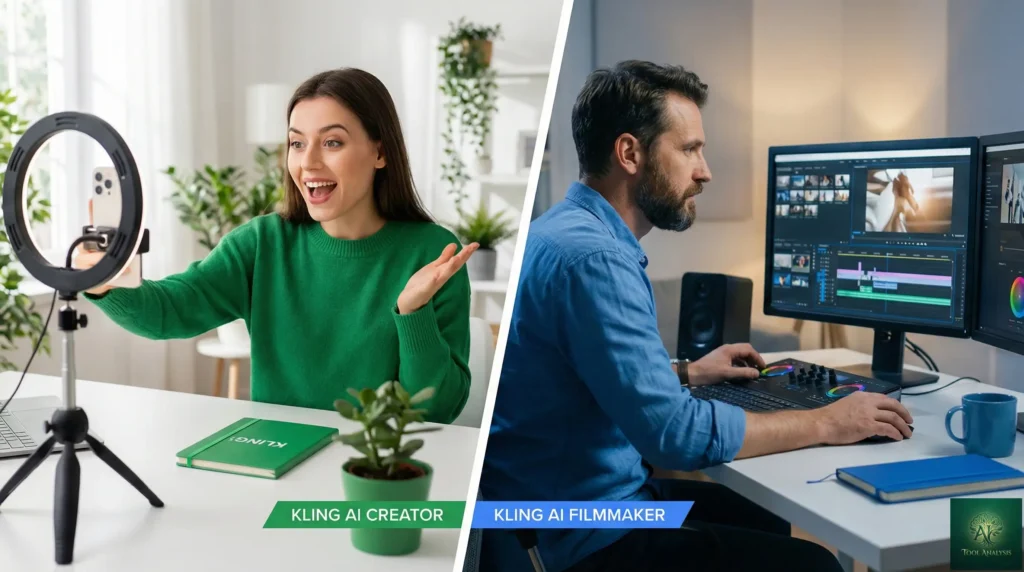
✅ Kling AI Excels At:
1. Social Media Content Creation
TikTok, Instagram Reels, YouTube Shorts. Kling’s 5-10 second sweet spot matches these platforms perfectly. The new audio feature means you can generate a complete video with music and voiceover in one pass. Kling’s multi-aspect ratio support (16:9, 9:16, 1:1) means no re-editing for different platforms.
2. Product Marketing & E-commerce
Turn static product photos into dynamic video ads. Upload your product image, describe the motion you want, and Kling animates it. This use case has the highest success rate because you’re providing visual reference rather than relying purely on text description.
3. Concept Visualization & Previsualization
Film directors, ad agencies, and creative teams use Kling to visualize concepts before committing to production. It’s faster and cheaper than storyboarding for many scenarios.
4. Short-Form Animation & Motion Graphics
Kling handles stylized and animation-style content well. Anime aesthetics, motion graphics, and illustrated content often look better than attempts at photorealism.
⚠️ Proceed With Caution:
Multi-Character Dialogue Scenes
Lip-sync across multiple speakers is inconsistent. One character might sync well while another is off. For talking head content with one speaker, it’s fine. For conversations, expect to iterate.
Long-Form Content (60+ seconds)
Quality degradation makes extended videos risky. Budget extra credits for failed attempts and expect to piece together shorter segments in editing software.
❌ Skip Kling AI For:
Professional Film Production
If you need the character consistency required for narrative filmmaking, Runway Gen-4 is the better choice. Kling’s characters can drift in appearance between extensions.
High-Stakes Corporate Video
For brand videos where quality cannot vary, the unpredictability of AI generation (including Kling) makes it risky. Failed generations still consume credits.
If Data Privacy Is Critical
Kling AI is operated by Kuaishou, a Chinese company subject to Chinese data laws. Their privacy policy states they collect usage data. If you’re working with sensitive content or have strict data handling requirements, this is a consideration. —
🚀 9. Getting Started: Your First 10 Minutes
Step 1: Create Account (1 minute)
Go to app.klingai.com. Sign up with Google, email, or phone. Note: Some users report being required to use “popular email providers” like Gmail. Custom domain emails occasionally get rejected.
Step 2: Claim Free Credits (30 seconds)
You get 66 free credits automatically. These reset every 24 hours. Don’t let them go to waste, as they don’t roll over.
Step 3: Run Your First Test (5 minutes)
Start with a simple prompt to understand how Kling interprets your input:
- Choose “Text to Video” or “Image to Video”
- For text: Try “Golden retriever running on beach, slow motion, cinematic lighting”
- For image: Upload any photo and describe the motion you want
- Select 5 seconds, Standard mode (10 credits)
- Generate and wait 2-5 minutes
Step 4: Experiment With Controls (3 minutes)
Before spending more credits, explore:
- Camera movement options (pan, zoom, orbit)
- Negative prompts (what to avoid)
- The Motion Brush for image-to-video
Pro Tips for Your First Session:
- Be specific in prompts: “slow pan left” beats “camera moves”
- Include lighting descriptions: “golden hour,” “overcast,” “studio lighting”
- For image-to-video, the more detailed your source image, the better results
- Save your best prompts, as you’ll reuse successful patterns
—
💬 10. Community Verdict: What Reddit Actually Thinks
I analyzed 50+ threads across r/aivideo, r/artificial, and r/KlingAI. Here’s the unfiltered consensus:
The Positive:
“By far the best at the moment”
A Reddit user in r/aivideo noted that Kling 2.5 “smokes” other emerging tools, calling it “by far the best at the moment” for AI video. Characters and scenes were more consistent and lifelike than competitors at the price point.
“Best value for low-to-medium volume creators”
From r/aivideo analysis: “Kling is the best value for low-to-medium volume creators. If you make 5-20 videos per month and don’t work for defense contractors worried about Chinese data laws, it’s your top pick.”
The Negative:
“Like a luck-based game”
One user compared the process to gambling: “Sometimes you get something great, sometimes you get nothing usable… and then your credits diminish.” The unpredictability frustrates users who need consistent results.
Credit System Complaints
Trustpilot reviews (2.8/5 average) frequently cite the credit system as problematic. Users report videos getting stuck at 99%, failed generations consuming credits, and difficulty canceling subscriptions. One reviewer noted: “The tool is fine for what it does. The reason I’m cancelling is simple: I pay monthly, but my credits expire and don’t roll over. That’s theft, plain and simple.”
Data Privacy Concerns
A recurring theme: “Chinese ownership makes me uncomfortable for client work” (67 upvotes in r/artificial). For personal projects, most don’t care. For commercial or sensitive work, it’s a consideration.
Professional Reviews:
AI filmmaker from Curious Refuge (25K+ subscribers) tested Kling 2.5 Turbo: “Best image-to-video tool in 2025. Motion fluidity beats everyone except maybe Veo 3. But generation times are a workflow killer if you need client approval cycles.” —
❓ 11. FAQs: Your Questions Answered
Q: Is there a free version of Kling AI?
A: Yes. Kling AI offers 66 free credits per day (refreshes every 24 hours, doesn’t roll over). That’s enough for 1-6 short videos per day at 720p resolution. Free users face longer wait times (5-30 minutes), get watermarked outputs, and have lower resolution (720p vs 1080p). The free tier is genuinely usable for testing and hobby use, but frustrating for real work due to credit limitations and queue times.
Q: What is Kling AI’s maximum video length?
A: Kling AI’s maximum video length is 3 minutes when using the Extend feature on paid plans. Single generations are limited to 5-10 seconds. You chain extensions together (5 seconds at a time) to reach longer durations. However, quality degrades noticeably after 30-60 seconds of extensions. Competitors like Runway max at 40 seconds and Sora at 35 seconds, making Kling’s length advantage significant. See our detailed video length guide for optimization strategies.
Q: How much does a 1-minute Kling AI video cost?
A: A 1-minute video costs approximately 120 credits in Standard mode or 420 credits in Professional mode. On the Standard plan ($6.99/month with 660 credits), that’s roughly $1.27 per minute in Standard mode. On Pro plan, you get better value at approximately $1.04 per minute in Standard mode. Kling 2.6 with audio costs approximately 2x more credits.
Q: Can Kling AI generate videos longer than 3 minutes?
A: No. Kling AI caps at approximately 3 minutes maximum. For longer content, you’ll need to generate multiple clips and stitch them together using video editing software like DaVinci Resolve or CapCut. This is a limitation of all current AI video generators, not just Kling.
Q: How does Kling AI compare to Runway?
A: Kling AI wins on video length (3 minutes vs 40 seconds), integrated audio generation, physics simulation, and price for low-volume users. Runway wins on character consistency (critical for narrative content), professional features, and value for high-volume users ($95 unlimited plan). Choose Kling for longer social content with audio. Choose Runway for multi-shot narrative work where characters must stay consistent.
Q: Is my data safe with Kling AI?
A: Kling AI is operated by Kuaishou, a Chinese company subject to Chinese data laws. Their privacy policy states they collect usage data and may share it with third parties for improvement purposes. For personal projects and non-sensitive content, this is comparable to other AI tools. For work involving confidential business information or where data jurisdiction matters, this is a consideration worth discussing with your legal/compliance team.
Q: What’s new in Kling 2.6?
A: Kling 2.6 (released December 2025) introduced simultaneous audio-visual generation. Videos now generate with synchronized voiceovers, dialogue, sound effects, and ambient sounds in one pass. Previously, you generated silent video and added audio separately. The feature supports speech, narration, singing, rap, and environmental audio in both English and Chinese. It approximately doubles credit costs compared to standard video generation.
Q: Does Kling AI have an API?
A: Yes. Kling AI offers API access through their platform and third-party integrators like Fal.ai and Media.io. API pricing is estimated at $0.07-$0.14 per second of generated video, varying by generation speed (standard vs priority), video duration, and output resolution. Enterprise API access with custom pricing is available for high-volume needs. —
🏆 12. Final Verdict: Should You Subscribe?

Kling AI in January 2026 is genuinely impressive. The length advantage is real. The new audio features are game-changing for workflow efficiency. The pricing is competitive for casual to moderate users. The physics simulation and motion quality rival or beat competitors in many scenarios.
But it’s not for everyone.
Use Kling AI if:
- You create 5-30 videos per month (credit economics favor you)
- Video length beyond 30 seconds matters for your content
- Integrated audio generation would save you significant time
- You’re comfortable with a credit-based system and some trial-and-error
- You’re doing social media, product marketing, or concept visualization
Stick with alternatives if:
- You need 50+ videos monthly (Runway unlimited becomes cheaper)
- Character consistency across scenes is critical (Runway wins)
- Maximum photorealism is the priority (VEO 3.1 excels)
- Data privacy/jurisdiction concerns apply to your work
- You can’t tolerate credit management and occasional failed generations
Try It Today:
Start with the free tier at app.klingai.com. Your 66 daily credits are enough to experience both the potential and the limitations firsthand. Generate 2-3 test videos across different prompt styles. Try the image-to-video feature with a product photo. Experience the new audio generation. Then decide if a paid plan makes sense for your workflow. —
Stay Updated on AI Video Tools
Don’t miss the next video generation breakthrough. Get weekly reviews of AI video tools with honest pricing breakdowns, quality comparisons, and practical tips for creators.
- ✅ Weekly tool reviews with real testing (not press releases)
- ✅ Price drop alerts when AI video tools get cheaper
- ✅ Quality comparisons across Kling, Runway, Sora, VEO
- ✅ Workflow tips for efficient AI video creation
- ✅ Breaking feature launches so you’re first to know
Free forever. Unsubscribe anytime. 10,000+ professionals trust us.

—
Related Reading
- Kling AI Review 2025: The Content Creator’s Complete Guide
- Kling AI Video Length Limits: Free vs Paid Duration Guide
- Runway Gen-4 Review: Hollywood’s $3B AI Video Generator
- VEO 3.1 Review: Google’s AI Filmmaking Suite
- Best AI Video Editing Tools 2025: Complete Guide
- DaVinci Resolve 20 Review: Free AI Video Editing
- HeyGen Review: AI Avatar Videos Worth the Cost?
- Synthesia Review: $4B AI Avatar Platform Tested
- The Complete AI Tools Guide 2026
—
Last Updated: January 23, 2026
Kling AI Version: 2.6 Pro with Audio, Kling Video O1
Next Review Update: February 23, 2026
Note: Kling AI updates frequently. Check Kling’s release history for the latest features.