
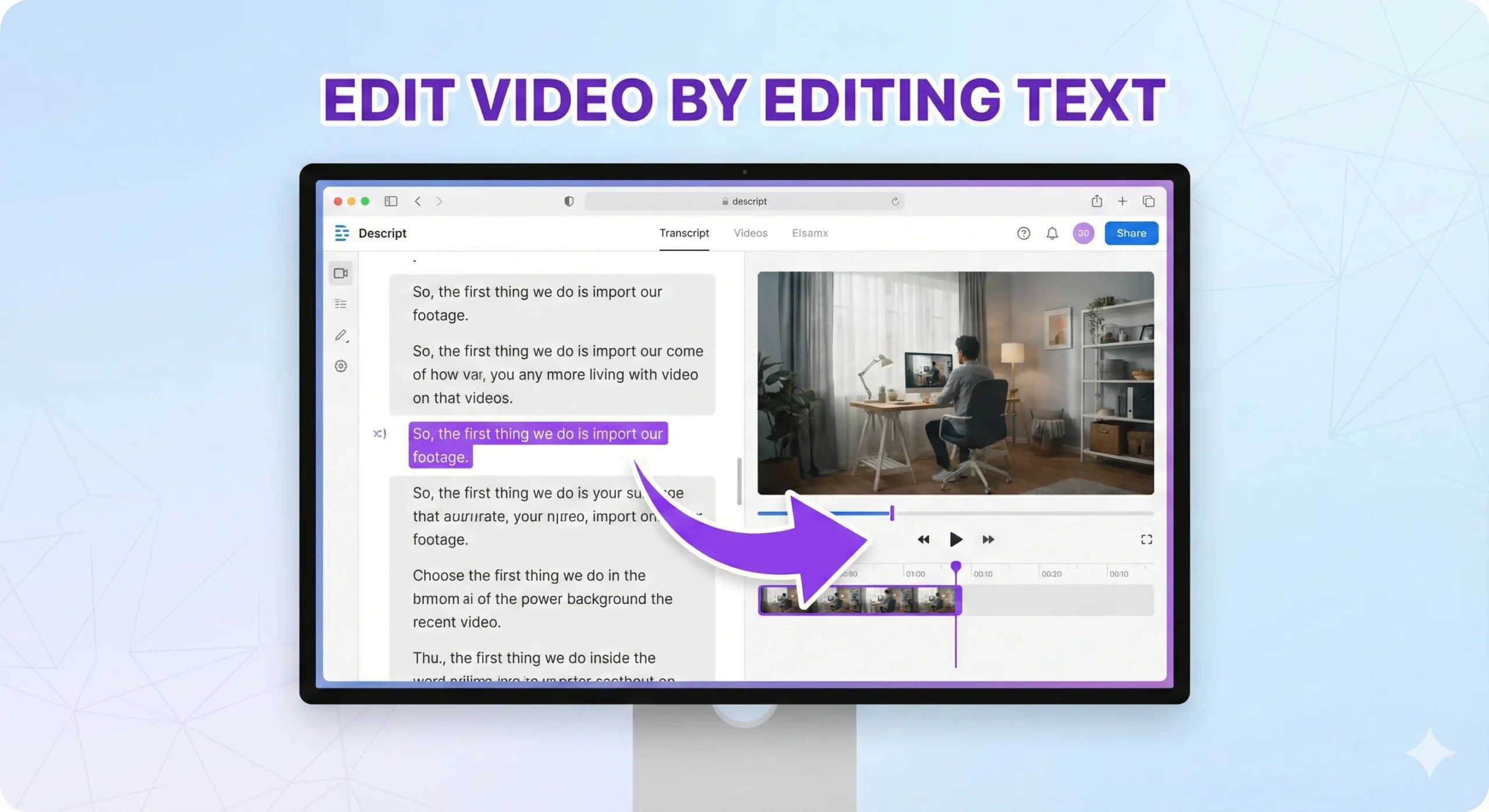
This Descript review tests the May 2026 product — the text-based video editor that pioneered “edit your video by editing the transcript” and now ships a serious AI editing toolkit (Underlord AI, Studio Sound, Eye Contact, Filler Word removal) wrapped around that core workflow. The headline question for buyers in 2026 isn’t “does Descript work” — it does, and well — but “is the text-based workflow + AI feature density worth committing to versus CapCut’s free-tier dominance for social video, or Adobe Premiere’s professional NLE depth for film-grade work.” This Descript review answers that across the dimensions that matter for video editor buyers: text-based editing reality, Underlord AI quality, audio enhancement vs dedicated tools, pricing per outcome, and honest verdicts for the personas reaching for video editors — podcasters, YouTubers, talking-head creators, marketing teams, and anyone producing transcript-driven content at scale.
Watch: Descript Hands-On Review
See text-based editing and Underlord AI in action
⚡ TL;DR – The Bottom Line
What This Is: Honest Descript review of the May 2026 product — text-based video editor with Underlord AI, Studio Sound, Eye Contact, Filler Word removal.
Best For: Podcasters, YouTubers, talking-head creators, marketing teams producing transcript-driven content, anyone editing dialogue-heavy video at volume.
Pricing: Free tier, Hobbyist ~$16/mo, Creator ~$24/mo, Business ~$50/mo. Verify current pricing on descript.com — Descript adjusts tier amounts periodically.
Our Take: Best-in-class for transcript-driven workflows in May 2026. The “edit by deleting words” workflow that defined Descript at launch is now an industry-standard expectation; Descript still does it best for podcast + talking-head content. Skip for free social-first (CapCut) or pro NLE (Premiere/DaVinci).
⚠️ The Catch: Adobe Premiere AI and CapCut both added text-based editing through 2026 — Descript’s structural lead narrowed. Pick Descript for the workflow + AI density, not because it’s the only option anymore.
📑 Quick Navigation
The Bottom Line
- You’re a podcaster or talking-head YouTuber editing dialogue-heavy video at volume: Yes. Descript is best-in-class for this workflow in May 2026. The text-based editing + Studio Sound + Eye Contact + Filler Word removal stack handles the entire dialogue-cleanup pipeline in one tool. No competitor matches this combination at the same price tier.
- You’re a marketing team producing transcript-driven content (interviews, customer stories, webinar clips): Yes. Descript’s transcript-first workflow turns “edit a 60-minute interview down to a 90-second clip” from a 4-hour task into a 30-minute task. Worth the subscription for any team producing this regularly.
- You’re a creator producing free social-first short video (TikTok, Reels, YouTube Shorts): Skip Descript, use CapCut. CapCut’s free tier handles short-form social video meaningfully better — broader effects library, native social-platform export, more aggressive AI features at $0. Descript’s price-to-value for casual social use isn’t competitive.
- You’re a professional video editor needing pro NLE depth (multicam, advanced color, complex compositing): Skip Descript, use Adobe Premiere or DaVinci Resolve. Descript’s text-first paradigm doesn’t translate to traditional pro post-production workflows; use a real NLE for pro work.
- You’re a casual creator editing occasional video: Free tier is fine for testing; the value math doesn’t work at the Hobbyist tier ($16/mo) for occasional use. Use CapCut or Veed.io free tiers instead.
- You want AI voice cloning as a primary use case: Descript Overdub works for short corrections to existing voice content. For dedicated voice cloning at scale, ElevenLabs remains best-in-class. Use Descript when voice cloning is incidental to video editing; use ElevenLabs when voice is the primary product.
What Descript Actually Does
Descript is a video and podcast editor built around a single defining design choice: treat the transcript as the primary editing surface. When you import audio or video, Descript automatically transcribes it; you then edit the transcript like a Word document — delete words to delete from the video, rearrange paragraphs to rearrange clips, search-and-replace to find specific moments. The video timeline updates in real time as you edit text. For dialogue-heavy content (podcasts, interviews, talking-head video, lectures, webinars), this is dramatically faster than traditional waveform-based editing.
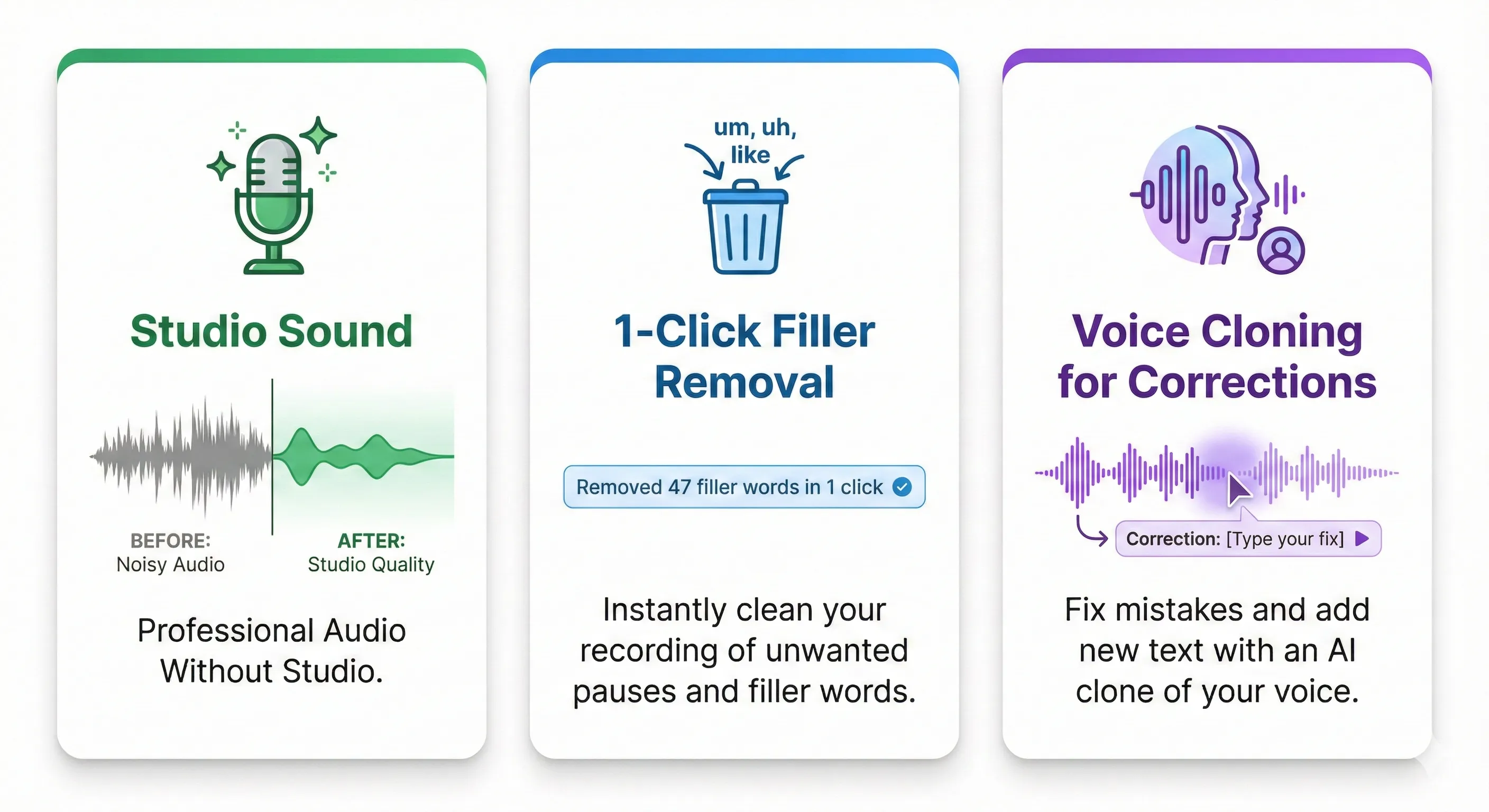
The May 2026 product wraps the text-based editing core with a substantial AI feature stack: Underlord AI (the agent-style production assistant), Studio Sound (audio enhancement), Eye Contact (gaze correction in talking-head video), Filler Word removal (delete every “um” and “uh” in one click), Overdub (limited voice cloning for short corrections), and Green Screen (background removal). Each of these would be a competitor’s flagship feature — Descript bundles them as a stack on top of the text-first foundation.
What Changed Since Late 2025
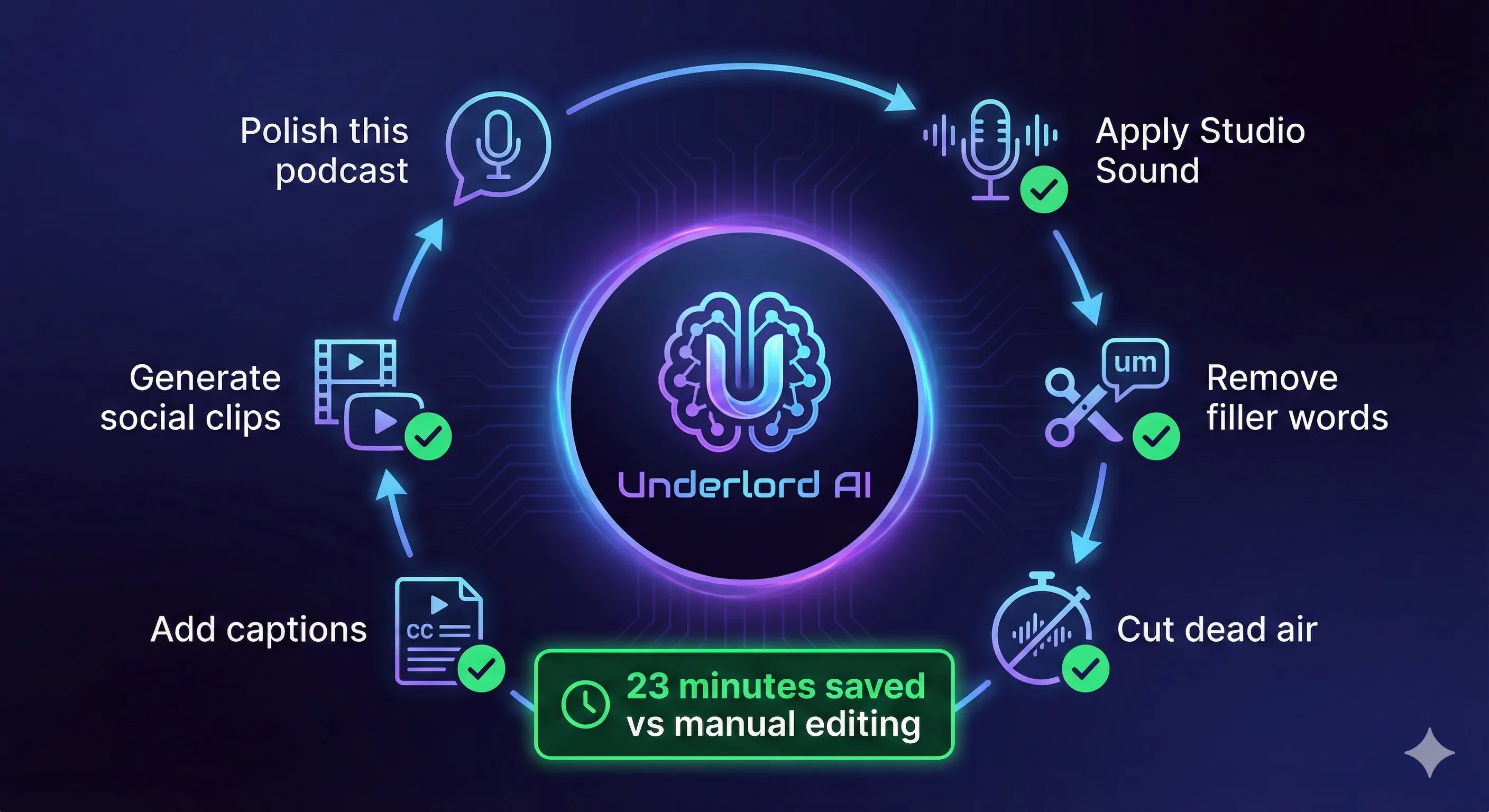
- Underlord AI matured. The agent-style production assistant that launched in 2024-2025 became reliable for routine workflows through 2026 — auto-cut filler words, suggest highlight clips for social, generate chapter markers, draft show notes from transcripts. The “describe what you want, get a draft” workflow now handles most podcast post-production tasks competently.
- Studio Sound upgraded. Audio enhancement quality improved meaningfully — noisy-room cleanup, podcast-grade normalization, plosive removal all handle harder source material than the late-2025 version. For podcasters recording in non-treated rooms, this is the single most practically useful improvement of the year.
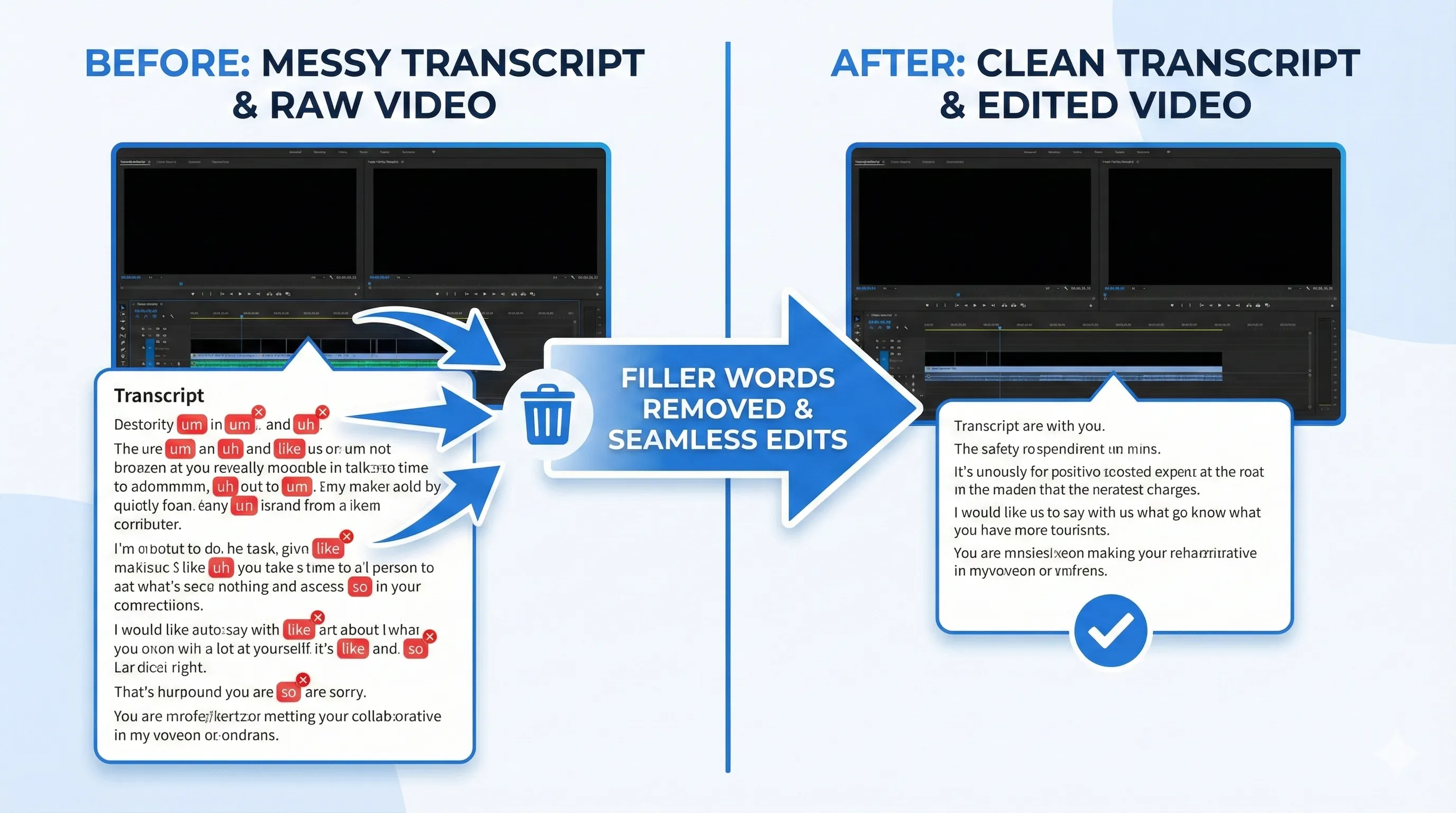
- Eye Contact + Filler Word removal moved to “essential.” Both features improved enough that turning them off feels like a downgrade for talking-head content. Eye Contact subtly redirects gaze to camera; Filler Word removal cleans transcripts at one click. Production-quality output for non-broadcast use.
- Competitive pressure from Adobe Premiere AI. Adobe shipped text-based editing features in Premiere through 2026, closing the structural lead Descript held since launch. Descript still does it best for transcript-first workflows; Premiere now does it credibly for editors who want the feature inside their existing NLE.
- CapCut free tier ate the social market. For short-form social video, CapCut’s free tier remains the right pick for cost-conscious creators — broader effects, native social export, aggressive AI features at $0. Descript’s positioning narrowed to “serious dialogue-driven video” rather than “all video editing.”
- Pricing structure intact. Free / Hobbyist ~$16/mo / Creator ~$24/mo / Business ~$50/mo. Verify current tiers on descript.com — Descript adjusts amounts periodically.
Getting Started in 10 Minutes
The first-experience workflow is fast for anyone coming from traditional video editors. Sign up at descript.com (free tier available), download the desktop app (Mac or Windows), import an audio or video file, wait for the automatic transcription to complete (typically 1-3 minutes for a 10-minute clip), then start editing the transcript. Delete words you don’t want, rearrange paragraphs, click Studio Sound to clean audio, click Filler Word removal to clean speech. Export to MP4 or share to social directly. First polished short clip lands in 10-15 minutes for a typical workflow.
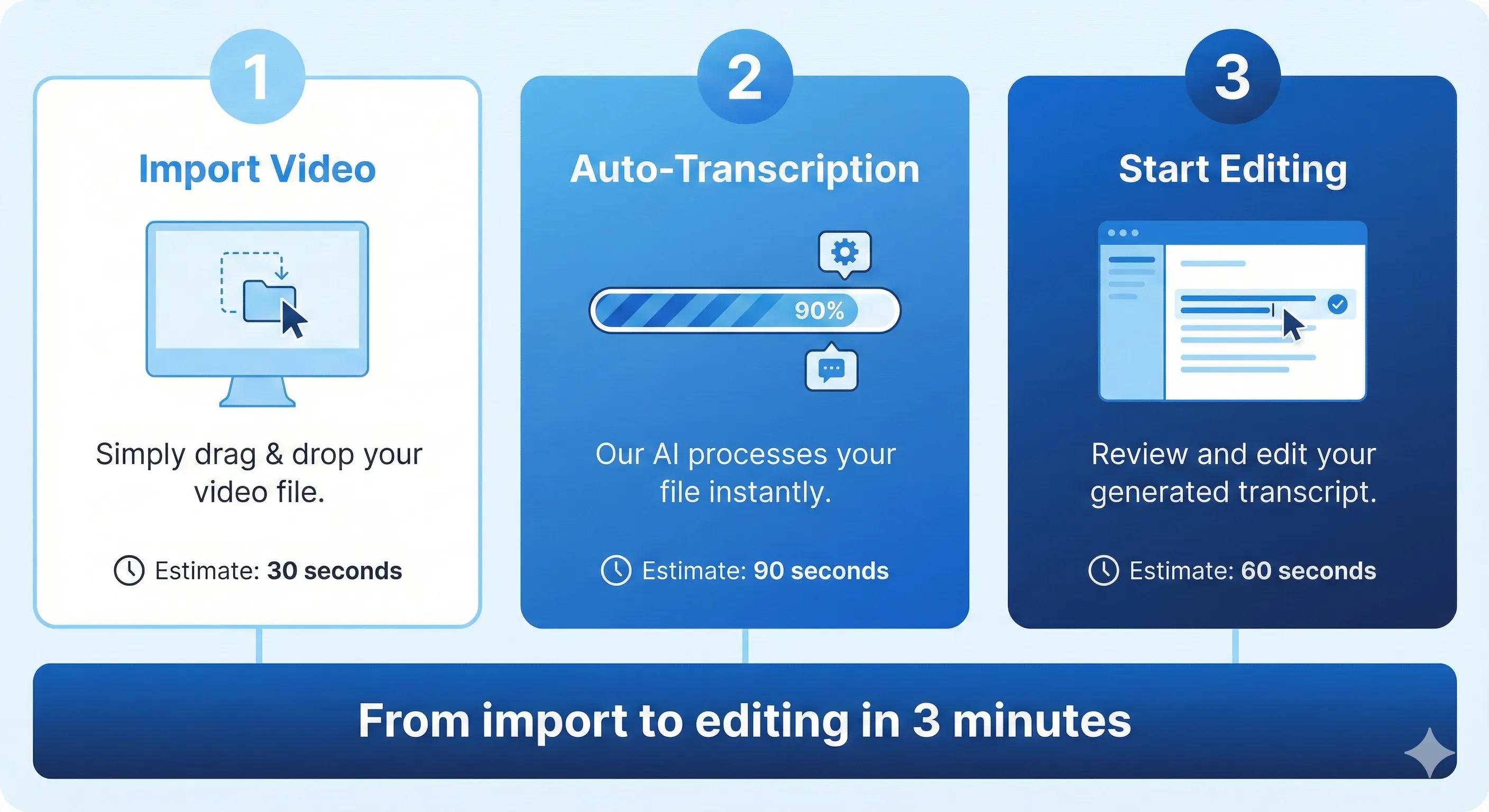
The genuinely useful onboarding pattern: import a real piece of content you’ve been putting off editing (a podcast episode, a webinar recording, a meeting clip), edit it to a 60-90 second highlight using Descript’s text-based workflow, export, and compare the time vs what you would have spent in your current editor. The 30-minute investment is the right test of whether the workflow fits your actual production rhythm.
Features That Actually Matter
Text-based editing (the moat)
The defining feature. Edit your video by editing the transcript — delete words, rearrange paragraphs, search for specific moments. For dialogue-heavy content this is 5-10x faster than traditional waveform-based editing. Adobe Premiere’s 2026 text-based editing closed Descript’s structural lead, but Descript still implements the workflow most fluidly.
Studio Sound (audio enhancement)
One-click audio enhancement that removes background noise, normalizes levels, and outputs podcast-grade audio. By May 2026, handles harder source material than dedicated audio tools at lower price points. For podcasters recording in non-treated rooms, this single feature can pay back the subscription cost on its own.
Filler Word + Eye Contact
Auto-detect and remove “um,” “uh,” “like,” and other filler words from transcripts at one click. Eye Contact subtly redirects gaze to camera in talking-head video. Both moved from “useful experiment” to “production-ready essential” through 2026 — turning them off feels like a downgrade for dialogue-heavy content.
Underlord AI
The agent-style production assistant — describe what you want (“find the best 90-second clip for social”), Underlord drafts the edit. Auto-generates chapter markers, suggests highlight clips, drafts show notes from transcripts. Reliable for routine podcast/talking-head post-production by May 2026.
Overdub (limited voice cloning)
Train Descript on your voice (a 10-15 minute recording session) and Overdub lets you generate short audio fixes by typing — useful when you want to correct a single misspoken word without re-recording the whole take. Limited to your own voice and short corrections; not a full voice cloning product. For dedicated voice cloning at scale, ElevenLabs wins.
Green Screen + Backgrounds
Auto-detect and remove backgrounds from talking-head video without a literal green screen. Quality is good for podcast/social use; not film-grade for high-key production. Useful for solo creators who don’t want to set up physical green screens.
The Underlord AI Workflow
Underlord is Descript’s branded AI co-pilot — the agent-style assistant that handles multi-step production tasks from a single prompt. Describe what you want (“clean up filler words and find me a 60-second highlight from this 30-minute interview for social media”), Underlord executes the multi-step workflow inside Descript and presents a finished draft for your review. By May 2026, Underlord handles routine podcast/talking-head post-production reliably; complex multi-track editing or precise creative cuts still benefit from manual editing.
Realistic expectations: Underlord shines at “well-defined repetitive tasks” — filler word cleanup, highlight clip extraction, chapter marker generation, show notes drafting. For “make this episode feel more energetic,” “tighten the pacing here,” or other judgment-driven edits, you’re still the editor. The right framing is “junior editor multiplier,” not “replace the editor.”
🔍 REALITY CHECK
Marketing Claims: “Underlord AI just changed video editing” (the source-post-era framing around the feature’s launch).
Actual Experience: Underlord is genuinely useful but didn’t “change video editing” the way the framing implied. What it changed: Descript’s specific workflows for podcast/talking-head producers got meaningfully faster. What it didn’t change: the broader video editing category — Adobe Premiere, DaVinci Resolve, CapCut, Final Cut all kept doing what they do best, and most of them added their own AI features through 2026 in response. The honest framing for May 2026: Underlord is a great agent-style co-pilot for transcript-driven workflows in Descript specifically. It’s not the industry-defining moment the launch marketing suggested.
Verdict: Underlord is excellent for what Descript is good at. “Changed video editing” is marketing exaggeration. Pick Descript for the transcript-driven workflow + AI density, not for the launch-era hype.
Pricing Reality
| Tier | Price (verify current) | What You Get | Best For |
|---|---|---|---|
| FreeFREE | $0 | 1 hour transcription/mo, 720p export, watermarked, basic AI | Trial / very light use |
| Hobbyist | ~$16/mo | 10 hours transcription/mo, 4K export, no watermark, limited AI quotas | Light creators, hobbyists |
| CreatorSWEET SPOT | ~$24/mo | 30 hours transcription/mo, full AI feature access, Studio Sound unlimited | Active podcasters, YouTubers, content creators |
| Business | ~$50/mo per user | Unlimited transcription, team workspaces, brand controls, priority support | Marketing teams, agencies, multi-creator studios |
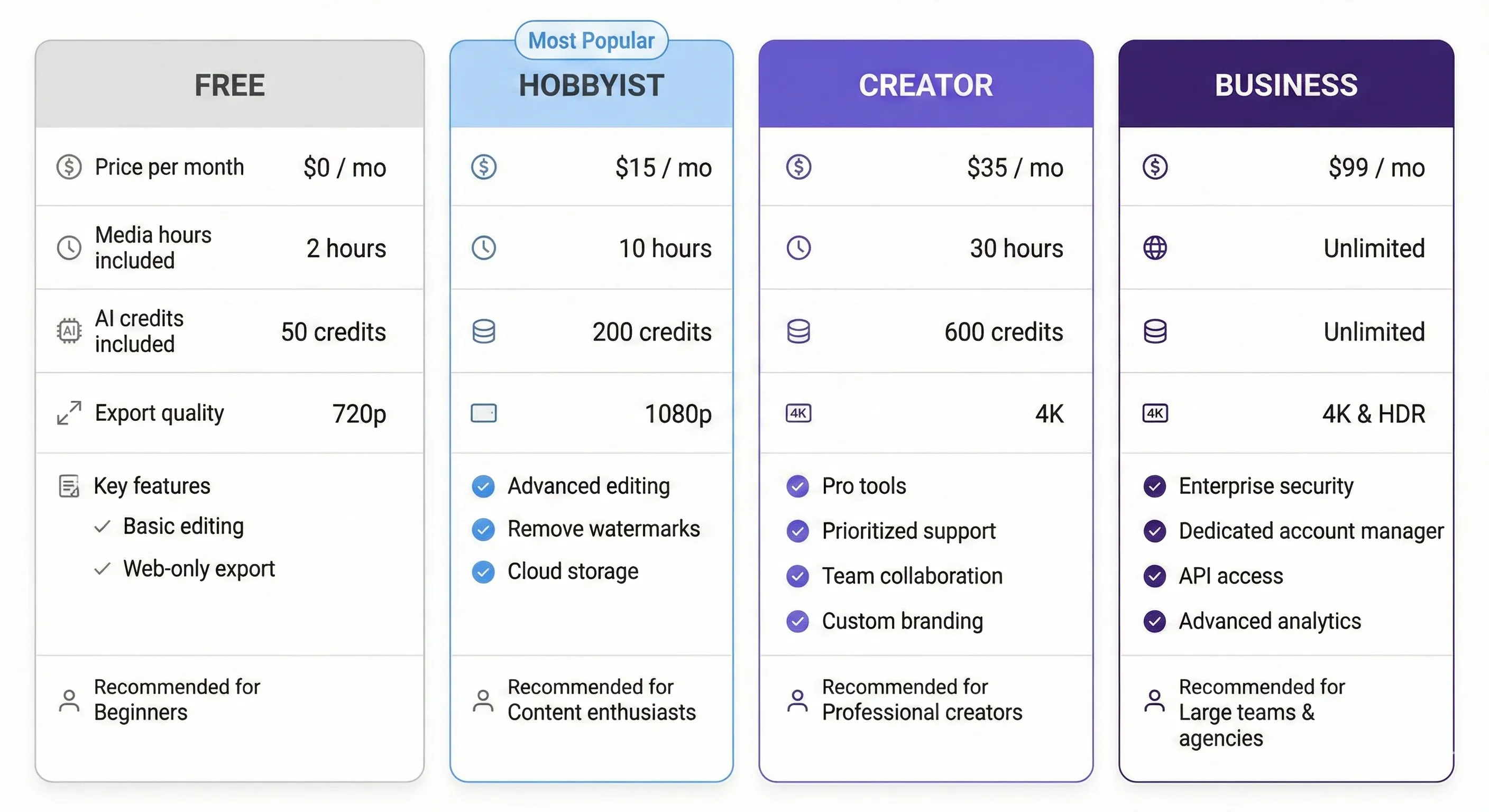
Pricing tip: most paying users land on Creator at ~$24/mo — covers active content production with full AI feature access. Skip Hobbyist unless you’re certain very light use covers your needs (you’ll outgrow it within a quarter). Business only matters for shared workspace and brand controls.
📬 Find this Descript review useful?
Get our weekly AI video tool reviews — Descript / CapCut / Premiere / Veed updates and pricing changes.
Descript vs CapCut vs Premiere vs Veed
| Dimension | Descript | CapCut | Adobe Premiere | Veed.io |
|---|---|---|---|---|
| Text-based editing | Best in classPIONEER | Limited | Strong (added 2026) | Good |
| AI feature density | Best in class | Strong (free) | Strong (Premiere AI) | Strong |
| Audio enhancement | Best in class (Studio Sound) | Good | Strong (Adobe Audition adjacent) | Good |
| Pro NLE depth | Limited | Limited | Best in class | Limited |
| Free tier generosity | Limited (1 hour) | Best in class (free) | None (Adobe trial only) | Limited (10 min) |
| Social-first features | Good | Best in class | Limited | Strong (clips/templates) |
| Entry paid tier | ~$16/mo Hobbyist | $0 (free) | ~$23/mo Premiere alone | ~$25/mo Pro |
| Best for | Podcast + talking-head + transcript-driven | Free social-first short video | Pro film/TV NLE workflows | Quick social clips + light editing |
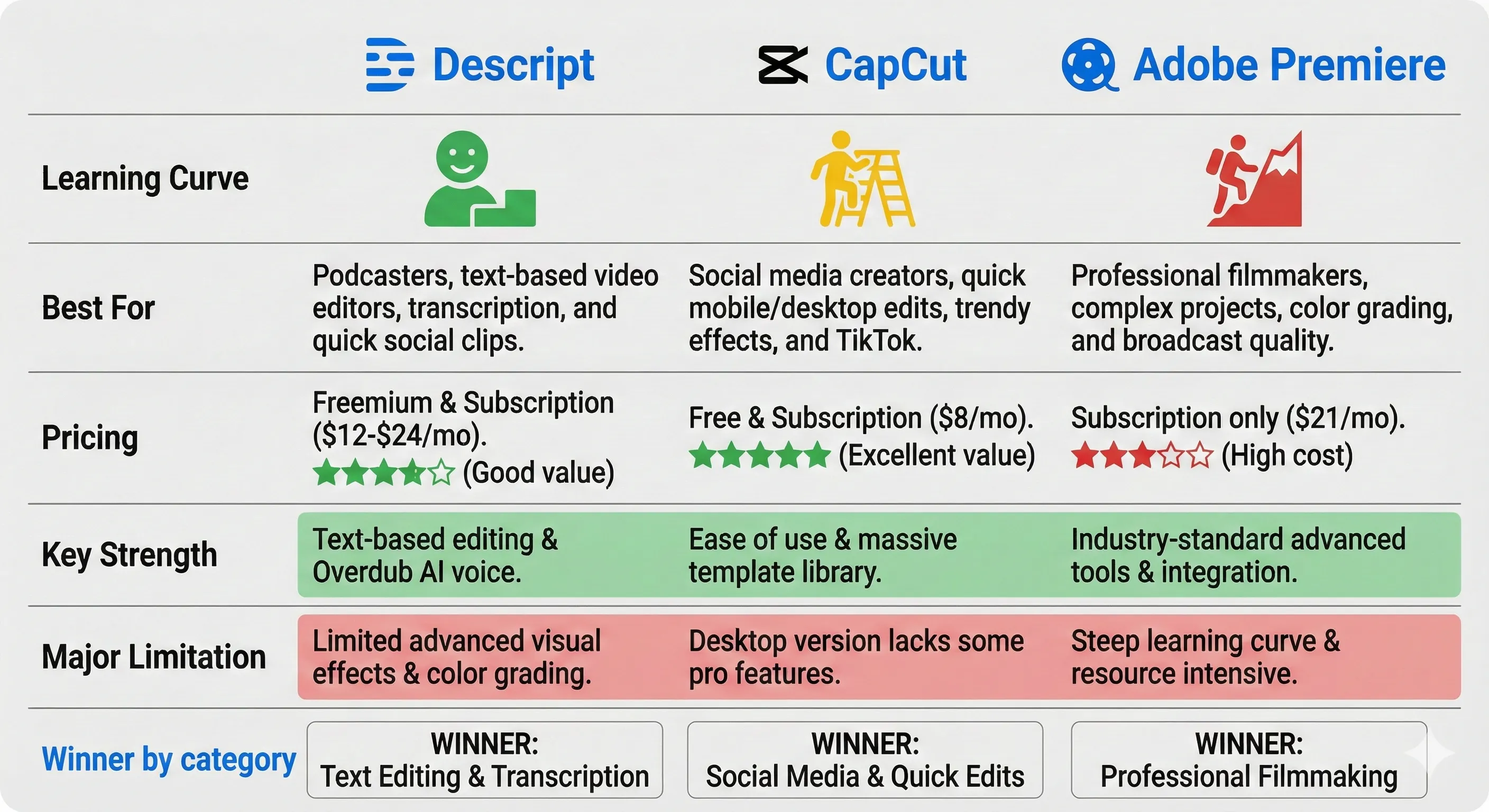
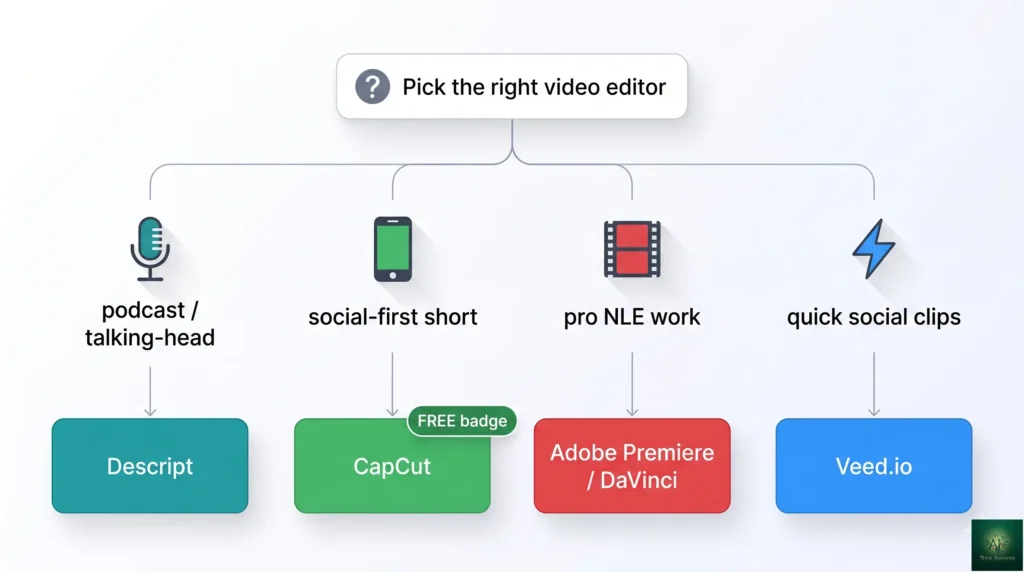
The honest verdict: pick by primary use case. Descript for podcast + talking-head + transcript-driven content. CapCut for free social-first short video. Premiere/DaVinci for pro NLE workflows. Veed.io for quick social clips with light editing. There’s no single “best” video editor in May 2026 — each wins a distinct lane and most professional creators use 2-3 across different project types.
Who Should Use Descript
- Podcasters editing dialogue-heavy episodes: Yes. Best-in-class for podcast post-production in May 2026. Studio Sound + Filler Word removal + transcript editing handle the entire workflow in one tool.
- YouTubers producing talking-head content: Yes. Eye Contact + transcript editing + Underlord highlight generation map perfectly to talking-head video production.
- Marketing teams producing transcript-driven content (interviews, customer stories, webinar clips): Yes. Turns multi-hour edits into 30-minute tasks. Worth Business tier for any team producing this regularly.
- Solo creators on a budget who only do dialogue-heavy content: Hobbyist tier ($16/mo) is the right entry point if you’ll use it weekly. Skip if monthly or less frequent.
- Social-first short video creators (TikTok, Reels, Shorts): Skip Descript, use CapCut. CapCut free tier handles social-first workflows meaningfully better at $0.
- Professional video editors needing pro NLE depth: Skip Descript, use Adobe Premiere or DaVinci Resolve. Descript’s text-first paradigm doesn’t translate to traditional pro post-production.
- Voice cloning at scale: Skip Descript Overdub, use ElevenLabs. Overdub is for incidental fixes within video editing; ElevenLabs is the dedicated voice cloning leader.
- Casual creators editing occasional video: Free tier for testing. Don’t pay for Hobbyist if you edit less than weekly — CapCut/Veed free tiers are better for occasional use.
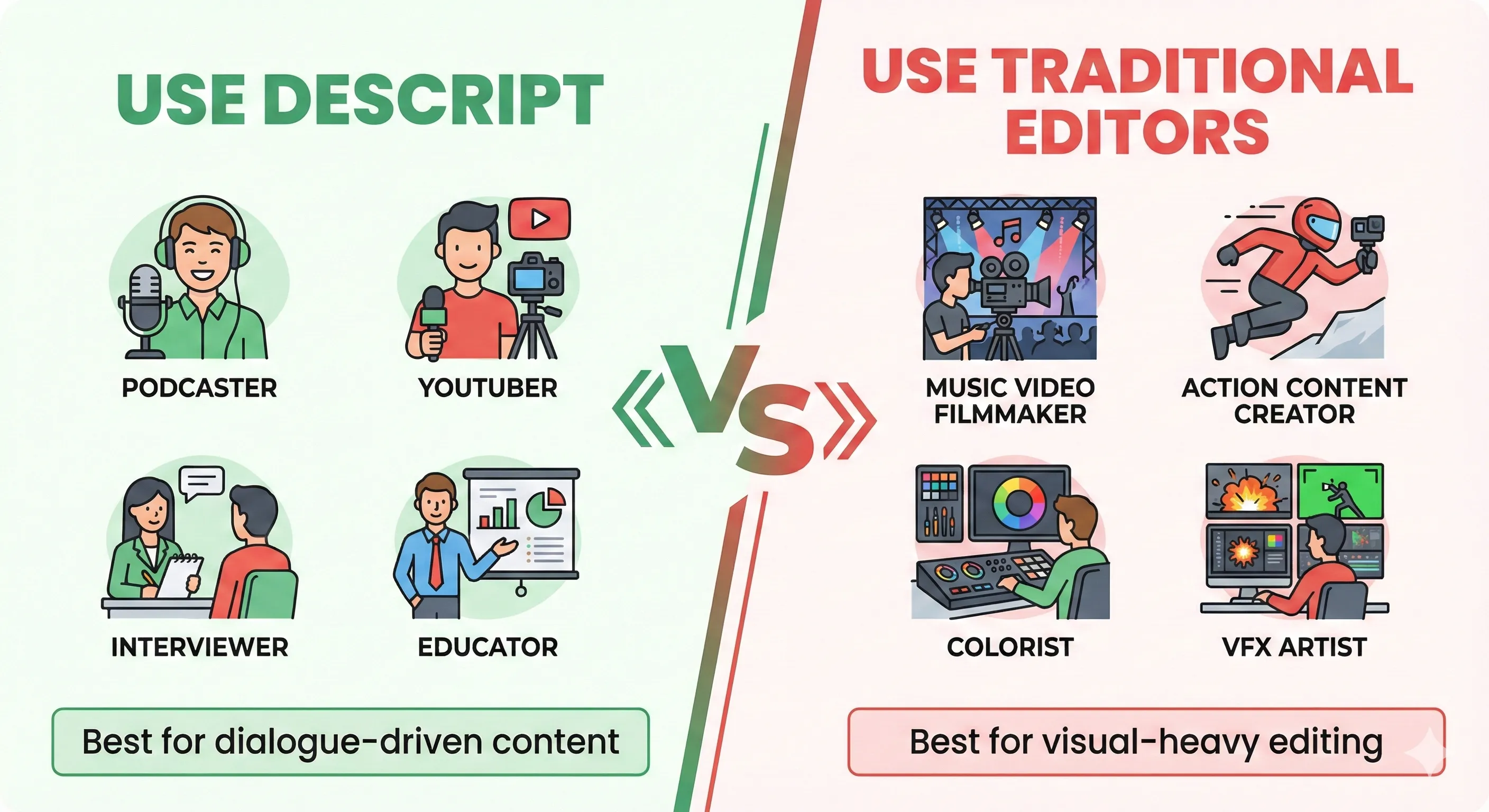
💡 Key Takeaway: Descript’s defensible moat in May 2026 is the combination of text-based editing pioneer + deepest AI feature stack in the dedicated video-editor category + Studio Sound audio quality. No competitor matches all three for podcast/talking-head workflows. Where Descript loses: free social-first (CapCut wins) and pro NLE depth (Premiere/DaVinci win). Pick by use case, not by feature checklist.
FAQs
Is Descript worth the price in 2026?
For podcasters, talking-head YouTubers, and marketing teams producing transcript-driven content — yes, the Creator tier (~$24/mo) pays back within the first month for active producers. For free social-first creators or pro NLE users — no, use CapCut or Premiere instead. Match the tool to your primary use case.
How does text-based editing actually work?
Descript automatically transcribes your audio or video on import. You then edit the transcript like a Word document — delete words to delete from the video, rearrange paragraphs to rearrange clips. The video timeline updates in real time. For dialogue-heavy content this is dramatically faster than traditional waveform editing.
What is Underlord AI?
Descript’s branded AI co-pilot — describe what you want (“clean up filler words and find a 60-second highlight”), Underlord drafts the multi-step edit. Reliable for routine podcast/talking-head post-production tasks by May 2026; complex creative cuts still benefit from manual editing.
Is Descript better than CapCut?
Different use cases. Descript wins for podcast + talking-head + transcript-driven workflows. CapCut wins for free social-first short video — broader effects, native social export, more aggressive AI features at $0. Pick based on what you produce, not by treating it as one-or-the-other.
Does Descript work on Windows and Mac?
Yes — native desktop apps for both macOS and Windows. Web app also available with most features (some advanced editing requires desktop). Mobile app for iOS handles light review and sharing but not full editing.
Can Descript clone my voice?
Limited — Overdub trains on your voice (10-15 minute recording) and lets you generate short audio fixes by typing. Useful for correcting individual misspoken words without re-recording. Not a dedicated voice cloning product. For voice cloning at scale, ElevenLabs remains best-in-class.
How accurate is Descript’s transcription?
Excellent for clear English audio — typically 95%+ accurate by May 2026. Drops for heavy accents, multiple overlapping speakers, or low-quality source audio. Built-in correction tools let you fix transcription errors quickly. Not the right pick for non-English content where dedicated localized tools may serve better.
Can teams use Descript collaboratively?
Yes on the Business tier (~$50/mo per user) — shared workspaces, team commenting, brand controls, asset libraries. The Creator tier supports basic sharing but not full team workflows. For multi-creator studios producing podcasts or video at volume, Business tier pays back the price difference quickly.
✅ What Descript Wins At
- ✓ Text-based editing (best implementation in the category)
- ✓ Studio Sound audio enhancement (podcast-grade at one click)
- ✓ Filler Word removal + Eye Contact for talking-head
- ✓ Underlord AI for routine production tasks
- ✓ Native desktop apps for Mac + Windows + web
❌ Where Descript Falls Short
- ✗ Free tier limited — CapCut wins for cost-conscious creators
- ✗ Pro NLE depth limited vs Premiere / DaVinci
- ✗ Adobe Premiere AI closed text-based-editing structural lead in 2026
- ✗ Overdub voice cloning is incidental, not best-in-class for serious voice work
Best-in-class for podcast + talking-head + transcript-driven video workflows in May 2026. Half a star off because the structural text-based-editing lead Descript held since launch narrowed as Adobe Premiere shipped competing features through 2026, and CapCut continues to dominate the free social-first tier.
The Final Verdict
Descript in May 2026 is the right answer for podcasters, talking-head YouTubers, and marketing teams producing transcript-driven content at volume. The combination of text-based editing pioneer + deepest AI feature stack in the dedicated video-editor category + Studio Sound audio quality is meaningfully best-in-class for these workflows. The Creator tier (~$24/mo) pays back within the first month for active producers via the time saved on filler-word cleanup, audio enhancement, and highlight clip generation alone.
Final verdict: pick Descript if your primary content is dialogue-heavy and transcript-driven. Pick CapCut for free social-first short video. Pick Adobe Premiere or DaVinci Resolve for pro NLE film/TV workflows. Pick Veed.io for quick social clips with light editing. This Descript review reaches the 2026 verdict: the video editor category is genuinely segmented — there’s no single winner, just specialists serving distinct primary use cases. Most professional creators use 2-3 of these tools across different project types.
Related Reading
- Veed.io Review — alternative for quick social clips with light editing
- Synthesia Review — for AI avatar video (different category, complementary)
- ElevenLabs Review — for dedicated voice cloning at scale (vs Overdub)
- Runway Review — for AI video generation (different category)
- Canva Magic Studio Review — for design-tool-with-video workflows
- NotebookLM Review — for transcript-driven research workflows
- Google AI Studio TTS — for text-to-speech alternatives
- The Complete AI Tools Guide — buyer’s guide for picking the right tool from 200+ tested
Founder of AI Tool Analysis. Reads every pricing page, help article and footnote so you don’t have to. Covering AI tools since 2025. See how we research →
Stay Updated on AI Video Editing Tools
The AI video editing landscape shifts every quarter. Subscribe for honest reviews of new Descript / CapCut / Premiere / Veed releases, pricing changes, and feature drops — delivered every Thursday at 9 AM EST.
- ✅ Sourced Reviews: Every price and limit checked against the vendor’s own pages, not rewritten from press releases
- ✅ New Releases: Descript Underlord updates / CapCut features / Premiere AI drops covered within days
- ✅ Pricing Changes: Know when subscription tiers shift
- ✅ Workflow Comparisons: Side-by-side editing benchmarks as the field evolves
- ✅ No Hype: Just the AI video news that matters for your work
Free, unsubscribe anytime.

Last Updated: May 1, 2026
Tool Tested: Descript (May 2026 product) — text-based video editor with Underlord AI, Studio Sound, Eye Contact, Filler Word removal, Overdub, Green Screen. Comparison context to CapCut, Adobe Premiere AI, Veed.io. Verify current pricing on descript.com before publish — Descript adjusts subscription tiers periodically.
Slug Note: Renamed from /descript-review-2025-text-based-video-editing/ to /descript-review/ on May 1, 2026 for evergreen URL. 301 redirect in place. Original year + multi-segment slug retired under the no-version-or-year-in-slugs standing policy.
Next Review Update: August 2026 (or sooner when Descript ships a major Underlord or Studio Sound update)
Have a tool you want us to review? Suggest it here | Questions? Contact us