
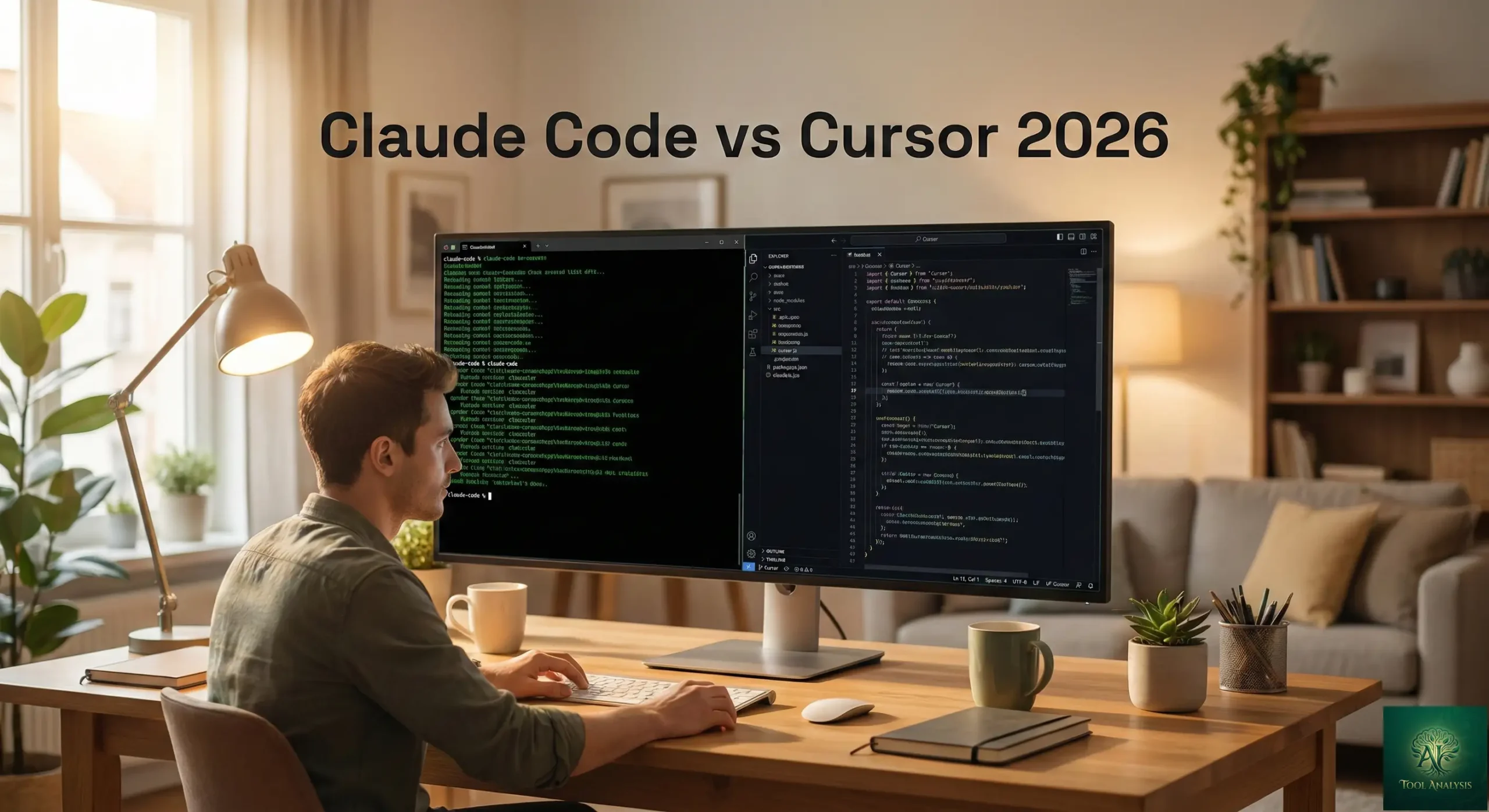
The Bottom Line
Claude Code vs Cursor, who is the most popular AI coding tools in 2026, answer is easy and complex at the same time because they’re not actually competing for the same job. Claude Code, freshly upgraded with Opus 4.6 (released February 5, 2026), is an agent-first tool that lives in your terminal and does work for you. Cursor is an IDE-first editor that helps you write code faster while you stay in the driver’s seat. After testing both tools extensively and digging through hundreds of Reddit threads and developer reports, here’s the verdict: Claude Code wins on accuracy and autonomous coding. Cursor wins on speed and interactive control. Many professional developers now use both.
Free vs. Paid: Cursor has a genuine free tier with limited requests. Claude Code requires a paid plan starting at $20/month. Major Limitation: Claude Code’s rate limits on the Pro tier frustrate heavy users; Cursor’s credit-based pricing confuses nearly everyone. Best for: Developers who want an autonomous coding partner (Claude Code) or a supercharged IDE with AI baked in (Cursor). Skip if: You’re a complete beginner who needs to understand every line being written. Both tools assume you know how to code. For a broader look at the landscape, check our top AI agents for developers 2026 guide.
⚡ TL;DR – The Bottom Line
What They Are: Claude Code is an agent-first terminal coding tool by Anthropic (now powered by Opus 4.6). Cursor is an AI-powered VS Code fork with inline completions and multi-model support.
Best For: Claude Code for complex, autonomous multi-file work and CI/CD integration. Cursor for fast, interactive IDE-first coding.
Price: Both start at $20/month. Serious use costs $60-200/month for either tool.
Our Take: Claude Code wins on accuracy and deep codebase understanding; Cursor wins on speed and in-editor experience. Many pros use both ($40/month combined).
⚠️ The Catch: Claude Code’s Pro tier runs out fast (~45 messages/5hr); Cursor’s credit system is confusing and heavy use can spike bills to $40-80/month unexpectedly.
📑 Quick Navigation
🤖 What Claude Code and Cursor Actually Do
Here’s the simplest way to understand these two tools. Cursor is like having a brilliant co-pilot sitting next to you in the cockpit. They suggest the next move, fill in code as you type, and help you debug when things break. You’re still flying the plane. Claude Code is like handing the flight plan to an experienced pilot. You tell them where you want to go, they figure out the route, and you review the landing. You’re managing, not flying.
Claude Code is Anthropic’s agentic coding assistant, now powered by Claude Opus 4.6 with a 1 million token context window (in beta). It runs in your terminal, VS Code, JetBrains, and even has a desktop app and browser-based IDE at claude.ai/code. You describe what you want in plain English, and Claude Code reads your entire codebase, creates a plan, writes the code, runs your tests, and presents you with changes to review. The February 2026 Opus 4.6 update added agent teams (multiple AI agents working in parallel), context compaction (so conversations don’t hit walls), and 128K max output tokens.
Cursor is a VS Code fork rebuilt around AI. It embeds intelligence directly into your editor with tab completions that predict your next move, multi-file editing through its Agent mode, and a proprietary “Composer” model optimized specifically for coding. Cursor supports multiple AI models including GPT-5.3, Claude Opus 4.5, and Gemini 3 Pro. In January 2026, Cursor shipped a CLI with agent modes and cloud handoff, pushing into Claude Code’s terminal territory.
The old “terminal vs IDE” distinction no longer holds perfectly. Both tools have expanded into each other’s territory. But their core philosophy remains different: Claude Code is agent-first (AI drives, you review), and Cursor is IDE-first (you drive, AI assists). For details on how Claude Code stacks up against other terminal tools, see our Claude Code review 2026.
💡 Key Takeaway: If you want AI to do the work while you review the results, choose Claude Code. If you want AI to assist while you stay in control, choose Cursor. They’re fundamentally different philosophies, not competing feature sets.
🚀 Getting Started: Your First 30 Minutes
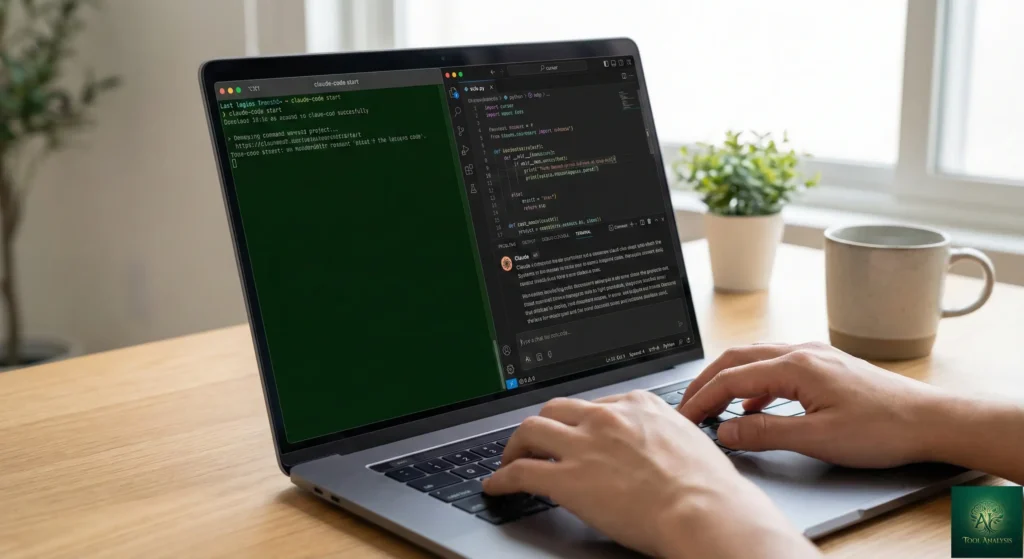
Setting Up Claude Code
Getting Claude Code running takes about five minutes. You need Node.js 18+ installed, then run
curl -fsSL https://claude.ai/install.sh | bash in your terminal. Navigate to your project folder, type
claude, and you’re in. The first thing Claude Code does is scan your project structure. If you have a
CLAUDE.md file (a plain text file with project context), it reads that first to understand your codebase
conventions.
In my first five minutes, I asked Claude Code to “add pagination to the user list API endpoint.” It read the relevant files, created a plan, wrote the code across three files, and ran my existing tests. The whole process took about 90 seconds, and the code worked on the first try. That’s the Claude Code experience at its best: describe what you want, watch it work, review the diff.
The learning curve isn’t in the tool itself; it’s in learning how to give good instructions. Vague prompts produce vague code, regardless of whether you’re using Claude Code or Cursor.
Setting Up Cursor
Cursor’s setup is even faster. Download the installer, and it offers to import your VS Code extensions, keybindings, and settings automatically. The migration took under 10 minutes in testing. The AI features appear immediately: tab completions show up as you type, and pressing Cmd+K opens the agent interface for natural language requests.
In my first five minutes with Cursor, I opened an existing React project and started typing a new component. Cursor predicted my import statements, suggested the component structure, and auto-completed the JSX. When I hit a bug, I highlighted the error, typed “fix this,” and Cursor proposed a fix inline. The whole experience felt like VS Code, just smarter. Getting comfortable with basic features takes minutes, but mastering Agent mode and the Plan/Debug modes takes 2 to 3 days of active use. For a deeper look at Cursor’s full capabilities, read our Cursor 2.0 review.
⚡ Claude Code vs Cursor: Features That Actually Matter

Context Window and Codebase Understanding
This is where Claude Code pulls ahead significantly. Claude Code with Opus 4.6 now offers a 1 million token context window in beta, with the standard 200K context consistently delivering its full capacity. When you’re working on a large codebase and need the AI to understand how your authentication system connects to your API routes and your database schema, that context matters enormously.
Cursor advertises a 200K token context window, and technically that’s accurate. But developers consistently report hitting effective limits at 70K to 120K tokens. The system applies internal truncation and performance safeguards that silently reduce your usable context. In Cursor’s Max Mode you get the full 200K, but in normal operation, the tool may shorten input or drop older context to keep responses fast.
Rating: Claude Code ⭐⭐⭐⭐⭐ | Cursor ⭐⭐⭐⭐
🔍 REALITY CHECK
Marketing Claims: “Cursor: 200K token context window. Claude Code: 200K tokens, 1M in beta.”
Actual Experience: Cursor’s usable context often falls between 70K and 120K tokens in practice due to internal truncation. Claude Code’s 200K context delivers consistently, and the 1M beta works for large codebase analysis. Multiple developer reports confirm this gap.
Verdict: Claude Code’s context window is more reliable for large projects. Cursor sacrifices some context depth for speed.
Code Quality and Accuracy
Independent testing found Claude Code uses 5.5x fewer tokens than Cursor for identical tasks, and it finished faster with fewer errors. One widely-cited comparison on X (191K views) built a Next.js app with Tailwind 4 and shadcn components using both tools. Claude Code (Opus) completed the benchmark with 33K tokens and no errors. Multiple developers report similar findings: Claude Code produces roughly 30% less code rework.
This surprised many observers because both tools can use Claude models. Same underlying intelligence, different results. The reason: Claude Code was built by Anthropic specifically for agentic coding. The prompts, tool integrations, and task decomposition are optimized end-to-end. Cursor supports multiple models and use cases, so it can’t specialize as deeply.
However, experienced engineers who use both tools daily note that code quality differences shrink as you get better at prompting. As one senior developer put it: once you reach a baseline skill level, the output quality is mostly determined by how clearly you describe the task, not which tool you use.
Rating: Claude Code ⭐⭐⭐⭐⭐ | Cursor ⭐⭐⭐⭐
Speed and Workflow Integration
Cursor dominates here. Its tab completion is lightning-fast, predicting your next lines with frightening accuracy. The proprietary Composer model processes most tasks in under 30 seconds, which is 4x faster than comparable models according to Cursor’s benchmarks. For flow-state coding where you know exactly what you’re building, Cursor is unmatched.
Claude Code’s strength is autonomy, not speed. It takes longer per task because it reads more context, plans more carefully, and executes more thoroughly. For quick inline edits, adding a function, or fixing a typo, Claude Code’s approach of scanning the codebase before acting feels like overkill. But for complex, multi-file refactoring or building new features from scratch, that thoroughness pays off with fewer iterations needed.
Rating: Claude Code ⭐⭐⭐⭐ | Cursor ⭐⭐⭐⭐⭐
Agent Capabilities (February 2026)

Both tools now offer background agents, but Claude Code’s agent capabilities are more mature. The Opus 4.6 update introduced agent teams, where multiple AI agents tackle different parts of a problem simultaneously. One agent reviews authentication code while another examines database queries and a third checks API endpoints. Rakuten, an early access partner, reported that Opus 4.6 autonomously closed 13 issues and assigned 12 to the right team members in a single day across 6 repositories.
Cursor offers parallel agent execution with up to 8 agents running simultaneously on different tasks. Its Background Agents can run multi-step tasks on their own: executing test suites, refactoring across files, or implementing features while you work on something else. Cursor also has Plan Mode (hit Shift+Tab twice) that creates a detailed plan before touching any code, which many developers swear by for complex features.
Claude Code also supports subagents (smaller agents handling specific tasks in their own context window), MCP (Model Context Protocol) integrations connecting to GitHub, Slack, Notion, and other services, and the CLAUDE.md system for persistent project context. These make Claude Code particularly powerful for CI/CD pipeline integration, something Cursor can’t match. Companies like ShopBack are already running Claude Code inside their CI/CD pipelines for automated tasks. For more on how different AI agents compare, see our best AI developer tools 2025 roundup.
Rating: Claude Code ⭐⭐⭐⭐⭐ | Cursor ⭐⭐⭐⭐
🔍 REALITY CHECK
Marketing Claims: “AI agents can work autonomously with minimal human intervention.”
Actual Experience: Even the best AI coding agents achieve only 60% overall accuracy on Terminal-Bench, dropping to just 16% on hard tasks. Claude Opus 4.6 leads at 80.8% on SWE-bench, but that still means roughly 1 in 5 tasks needs human intervention. Agent teams help, but you still need to review every change.
Verdict: Agent capabilities are impressive for routine and medium-complexity tasks, but “autonomous” is a stretch for anything mission-critical.
📊 Claude Code vs Cursor: Feature Ratings (Out of 5)
📬 Enjoying this comparison?
Get honest AI coding tool reviews delivered weekly. No hype, no spam.
💰 Pricing Breakdown: What You’ll Actually Pay
This is where both tools get complicated. Neither has simple, predictable pricing anymore.
| Plan | Claude Code | Cursor |
|---|---|---|
| Free | No Claude Code access (chat only) | Limited Agent requests, limited tab completions, 7-day Pro trial |
| Pro / Pro | $20/month ($17/mo annual). Sonnet 4.6 access, ~45 messages/5hr rolling limit | $20/month ($16/mo annual). $20 credit pool, unlimited tab completions, unlimited Auto mode |
| Mid-Tier | Max $100/month. 5x Pro usage, Opus 4.6 access, 1M context | Pro+ $60/month. 3x agent capacity, background agents |
| High-Tier | Max $200/month. 20x Pro usage, maximum priority | Ultra $200/month. 20x usage, early access to new features |
| Team | Standard $25/user/mo, Premium $150/user/mo (includes Claude Code) | $40/user/month. Centralized billing, analytics |
The Hidden Costs You Need to Know
Cursor’s credit trap: In June 2025, Cursor switched from request-based billing to a credit-based system. Your $20/month now includes $20 of model usage credits. Using Claude Opus through Cursor consumes credits 2.5x faster than cheaper models. Heavy users have reported monthly bills hitting $40 to $80, and one team’s $7,000 annual subscription reportedly depleted in a single day. The “Auto” model offers unlimited usage on certain features but the rules around what counts toward your credits changed in September 2025 and remain confusing. Cursor’s CEO publicly apologized for the poor communication around pricing changes.
Claude Code’s rate limit wall: The Pro tier at $20/month gives you roughly 45 messages every 5 hours, shared across ALL Claude apps (chat, Claude Code, etc.). That’s tight for all-day coding sessions. The Max $100/month tier provides 5x more capacity with Opus 4.6 access, which most serious developers say is the minimum for productive work. The Register reported developer complaints about opaque limits in January 2026.
The real cost calculation: At $20/month, both tools are roughly equivalent for light to moderate use. But for heavy professional use, Claude Code Max ($100-200/month) delivers higher accuracy and deeper context, while Cursor Pro+ ($60/month) offers a good balance of speed and capability. One developer on Reddit framed it this way: a software engineer costs $100/hour and spends 60 hours/month writing code. Cursor at $20 with 2x productivity creates $12K in value. Claude Code at $100 with 3-4x productivity on complex tasks creates even more. For a broader pricing perspective across the AI coding landscape, see our GitHub Copilot Pro+ review.
🔍 REALITY CHECK
Marketing Claims: “Cursor: $20/month for AI-powered coding. Claude Code: Starting at $20/month.”
Actual Experience: Cursor’s $20 is a credit pool that heavy users can burn through in a week. Claude Code’s $20 Pro tier gives ~45 messages every 5 hours, which runs out fast during intensive coding sessions. Both tools effectively cost $60-200/month for professional daily use.
Verdict: Budget $60-100/month minimum for serious professional use of either tool. The $20 tier is a test drive, not a daily driver.
💡 Key Takeaway: If you’re a heavy daily user, plan for $60-100/month on either tool. The $20 tiers are enough to evaluate, not enough to rely on. The “use both” approach at $40/month (Pro tiers) is surprisingly viable for developers who switch between interactive and autonomous modes.
🔄 Head-to-Head: Same Task, Two Tools
To make this comparison concrete, here’s how both tools perform on real developer tasks, drawn from community reports and independent testing.
| Task | Claude Code | Cursor | Winner |
|---|---|---|---|
| Build a React dashboard from scratch | ~5 min, fewer errors, worked first try | ~2.5 min, needed 1-2 fixes after | Tie (speed vs accuracy) |
| Refactor 500-line legacy Python script | Understood full context, clean refactor | Needed manual file selection, missed some connections | Claude Code |
| Quick inline bug fix | Overkill, scanned whole project first | Instant, highlighted error and fixed inline | Cursor |
| Multi-file API endpoint addition | Modified 3 files correctly, no tagging needed | Required manual file selection in some cases | Claude Code |
| Flow-state typing assistance | Not designed for this | Excellent tab completions, ghost text | Cursor |
| CI/CD pipeline integration | Native support via CLI scripting | Not supported | Claude Code |
| Token efficiency | 5.5x fewer tokens per task | Higher token consumption | Claude Code |
| Learning a new codebase | Can map and explain entire project | Good with indexed codebases | Claude Code |
🍩 Head-to-Head Results: Who Won More Tasks?
The pattern is clear: Claude Code excels at complex, autonomous, multi-file work. Cursor excels at fast, interactive, in-editor assistance. Neither is universally “better.” They’re optimized for different modes of development.
👤 Who Should Use This (And Who Shouldn’t)
Choose Claude Code if…
You work on large, complex codebases where deep context understanding matters. You prefer terminal-based workflows. You need to integrate AI into CI/CD pipelines or automated workflows. You value getting things right on the first iteration over raw speed. You need the highest accuracy available (Opus 4.6 at 80.8% on SWE-bench). You can budget $100-200/month for the Max tier. You want MCP integrations connecting to external services like GitHub, Slack, and databases.
Choose Cursor if…
You live in your IDE and want AI baked into every keystroke. You value speed and flow-state coding. You like seeing every change before it’s applied with visual diffs. You want multi-model access (GPT-5.3, Claude, Gemini) in one tool. You’re comfortable with VS Code and don’t want to change your workflow fundamentally. The $20-60/month price range fits your budget better. You work on smaller to medium projects where deep codebase context is less critical. For a comparison with other IDE-based tools, check our Antigravity vs Cursor review.
Use Both if…
This is what many professional developers actually do. Run Cursor for daily coding, tab completions, and quick edits. Use Claude Code for complex refactoring, building new features from scratch, and CI/CD automation. The “use both” workflow at $40/month (Cursor Pro + Claude Code Pro) gives you the best of both worlds. Many developers also use Claude Code’s VS Code extension inside Cursor itself, essentially getting Claude Code’s intelligence within Cursor’s interface.
Skip Both if…
You’re on a very tight budget. Google Antigravity offers free access to Claude Opus 4.5 during its public preview, including agent-first workflows. Windsurf at $15/month offers excellent value with its proprietary SWE-1.5 model. GitHub Copilot at $10/month covers basic autocomplete needs.
💡 Key Takeaway: The “use both at $40/month” strategy is the sweet spot for most professional developers. Use Cursor for your daily IDE workflow and Claude Code for the heavy lifting — complex refactors, new feature builds, and CI/CD automation.
💬 What Developers Are Actually Saying

Reddit and Community Sentiment
The developer community is vocal and divided. On Reddit’s r/cursor subreddit, one highly-upvoted post states that Cursor is, at best, 20-30% as effective as Claude Code for complex tasks. But context matters: Cursor users who stay within its sweet spot (interactive coding, quick edits, flow-state development) are very satisfied.
On the Claude Code side, multiple Reddit users describe switching from Cursor and not looking back, with one popular comment noting they would refuse a free Cursor subscription if they had to give up Claude Code. The phrase “completely different experience” comes up repeatedly when developers compare Claude models running inside Cursor versus running natively in Claude Code.
Product Hunt threads show a similar pattern. The loose consensus: Claude Code delivers higher-quality, first-try results, but Cursor excels at IDE-native control, visual diffs, and cost efficiency. Budget-minded developers mention alternatives like Cline + Gemini for even lower costs.
Enterprise Adoption
Claude Code’s enterprise momentum is staggering. Anthropic’s February 2026 Series G announcement revealed that Claude Code’s run-rate revenue exceeded $2.5 billion, more than doubling since the start of 2026. Business subscriptions have quadrupled, and enterprise use now represents over half of all Claude Code revenue. An estimated 4% of all GitHub public commits worldwide are now authored by Claude Code. Cursor, meanwhile, has raised at a $29.3 billion valuation and remains the most popular AI IDE. Both tools have massive enterprise adoption, but Claude Code’s growth rate is currently faster.
For broader context on how all the major AI coding agents compare including ChatGPT Codex, check our comprehensive roundup.
🔍 REALITY CHECK
Marketing Claims: “Claude Code’s revenue exceeded $2.5 billion run-rate.” “Cursor valued at $29.3 billion.”
Actual Experience: Both numbers are real. Claude Code’s $2.5B is specifically its product revenue (Anthropic’s total is $14B). Cursor’s $29.3B valuation came from its November 2025 Series D. The enterprise momentum is genuine on both sides — the market is big enough for both tools to thrive.
Verdict: Both tools have proven enterprise traction. Claude Code is growing faster; Cursor has broader adoption. Neither is going anywhere.
🛣️ The Road Ahead: What’s Coming
Claude Code (Short-term, next 3 months): Based on the Opus 4.6 roadmap, expect improvements to long-running task stability, expanded swarm capabilities for orchestrating multiple agents, and deeper IDE integrations. Anthropic is also investing in Cowork, which brings Claude Code’s agentic capabilities to knowledge work beyond coding.
Cursor (Short-term, next 3 months): Cursor continues expanding its proprietary Composer model and recently acquired Graphite for better code reviews. The January 2026 CLI release signals Cursor is pushing into terminal workflows. Expect continued improvements to Debug Mode, Visual Editor, and multi-agent judging.
Industry-wide (6-12 months): The “use both” pattern is becoming standard. Both tools support MCP (Model Context Protocol), and the convergence trend will continue. The pricing war is heating up as Google Antigravity offers free alternatives and Devin dropped from $500/month to $20/month. Expect both Claude Code and Cursor to adjust pricing and features in response.
❓ FAQs: Your Questions Answered
Q: Is there a free version of Claude Code or Cursor?
A: Cursor has a genuine free tier with limited Agent requests, limited tab completions, and a 7-day Pro trial. Claude Code has no free tier. You need at least a Claude Pro subscription ($20/month) or API credits to use Claude Code. If you want free AI coding with Claude models, Google Antigravity currently offers free access to Claude Opus 4.5 during its public preview.
Q: Can Claude Code or Cursor replace a human developer?
A: No. Even Claude Opus 4.6, the most accurate coding model available, achieves 80.8% on SWE-bench. That means roughly 1 in 5 professional-level tasks still need human intervention. These tools handle 25-50% of routine coding work (boilerplate, refactoring, documentation) while developers focus on architecture, design decisions, and complex problem-solving. They’re powerful assistants, not replacements.
Q: Is my code safe with these tools?
A: Both tools send your code to third-party APIs for processing. Claude Code connects to Anthropic’s servers. Cursor sends code to whichever model provider you’re using (OpenAI, Anthropic, or Google). Neither stores your code permanently, but sensitive enterprise code does leave your machine. For maximum security, some teams use self-hosted open-source alternatives like OpenCode or deploy models on private infrastructure.
Q: How does Claude Code compare to ChatGPT Codex?
A: GPT-5.3-Codex (released the same day as Opus 4.6, February 5, 2026) takes an interactive approach: you steer it mid-execution. Claude Code is more autonomous: you hand off tasks and review results. Codex is more token-efficient. Claude Code is more accurate on complex tasks. See our ChatGPT Codex review for the full comparison.
Q: Can I use Claude Code inside Cursor?
A: Yes. Claude Code has a VS Code extension that works inside Cursor (since Cursor is a VS Code fork). Many developers run Claude Code as an extension within Cursor, essentially getting the best of both worlds. You can also use Claude models through Cursor’s built-in model selector, though community consensus is that Claude performs better in its native Claude Code environment.
Q: What’s the learning curve for each tool?
A: Cursor’s basic features (tab completions, inline chat) are immediately usable if you know VS Code. Mastering Agent mode and model selection takes 2-3 days. Claude Code’s terminal interface is straightforward, but the real learning curve is in prompt engineering. Learning to decompose tasks effectively and write clear CLAUDE.md files takes about a week of active use to get productive.
Q: Which tool works better for specific programming languages?
A: Both tools work across all major programming languages. Cursor performs best with JavaScript/TypeScript, Python, and Go due to its VS Code heritage and codebase indexing. Claude Code is language-agnostic since it operates through the terminal and reads files directly. For compiled languages requiring build steps, Claude Code’s ability to run terminal commands gives it a slight edge.
Q: Will Cursor’s pricing get more predictable?
A: Cursor has improved documentation since the June 2025 pricing change, but the credit-based system remains complex. Heavy users should enable spend limits immediately and monitor usage weekly. The “Auto” model mode offers more predictable costs but with less control over which AI model you’re using. Cursor’s CEO acknowledged the communication failures publicly, so further improvements are likely.
🏁 Final Verdict
Claude Code: ⭐⭐⭐⭐½ (4.5/5)
Cursor: ⭐⭐⭐⭐ (4/5)

Claude Code edges ahead overall thanks to the Opus 4.6 upgrade, superior code accuracy, reliable context windows, and unmatched agent capabilities for complex tasks. But Cursor remains the better choice for developers who prioritize speed, visual control, and an IDE-first workflow.
🔵 Claude Code Strengths
- ✓ Best-in-class code accuracy (80.8% SWE-bench)
- ✓ 1M token context window (beta) for large codebases
- ✓ 5.5x more token-efficient than Cursor
- ✓ Native CI/CD pipeline integration
- ✓ Agent teams for parallel autonomous work
- ✗ Rate limits frustrating on Pro tier
🟢 Cursor Strengths
- ✓ Lightning-fast tab completions and ghost text
- ✓ Multi-model access (GPT-5.3, Claude, Gemini)
- ✓ Genuine free tier to get started
- ✓ Visual diffs and inline edit controls
- ✓ Seamless VS Code migration
- ✗ Credit-based pricing confusing and unpredictable
The smartest move? Start with Cursor Pro ($20/month) for daily coding, then add Claude Code Pro ($20/month) when you need autonomous coding power. At $40/month combined, you get the best of both worlds. If budget allows, upgrade Claude Code to Max ($100/month) for Opus 4.6 access and serious productivity gains on complex projects.
Use Claude Code if: You work on large codebases, need autonomous multi-file editing, want CI/CD integration, or value accuracy over speed.
Stick with Cursor if: You live in your IDE, want the fastest typing experience, prefer visual control over every change, or have a smaller budget.
Try Claude Code today: curl -fsSL https://claude.ai/install.sh | bash
Try Cursor today: Download at cursor.sh
Founder of AI Tool Analysis. Tests every tool personally so you don’t have to. Covering AI tools for 10,000+ professionals since 2025. See how we test →
Stay Updated on AI Coding Tools
Don’t miss the next major update. Subscribe for honest AI coding tool reviews, price drop alerts, and breaking feature launches every Thursday at 9 AM EST.
- ✅ Honest Reviews: We actually test these tools, not rewrite press releases
- ✅ Price Tracking: Know when tools drop prices or add free tiers
- ✅ Feature Launches: Major updates covered within days
- ✅ Comparison Updates: As the market shifts, we update our verdicts
- ✅ No Hype: Just the AI news that actually matters for your work
Free, unsubscribe anytime. 10,000+ professionals trust us.
Want AI insights? Sign up for the AI Tool Analysis weekly briefing.
Newsletter

📚 Related Reading
Explore more AI coding tool reviews and comparisons:
- Claude Code Review 2026: The Reality After Claude Opus 4.5 Release
- Cursor 2.0 Review: $9.9B AI Code Editor Now Runs 8 Agents At Once
- Top AI Agents For Developers 2026: 8 Tools Tested
- GitHub Copilot Pro+ Review: Is The New $39/Month Tier Worth It?
- Google Antigravity Review: Free Agent-First IDE
- Windsurf Review: Wave 13 Makes SWE-1.5 Free
- ChatGPT Codex Review 2026: OpenAI’s AI Coding Agent
- Best AI Developer Tools 2025: Complete Guide
- Antigravity vs Cursor: Which AI IDE Should You Choose?
- DeepSeek V3.2 vs ChatGPT-5: The $0.14 Model That Beat OpenAI?
Last Updated: February 23, 2026
Tools Tested: Claude Code (Opus 4.6, February 2026) | Cursor 2.0 (January 2026 build)
Next Review Update: March 25, 2026
Have a tool you want us to review? Suggest it here | Questions? Contact us