

Reading time: 11 minutes | Last Updated: January 7, 2026 | Version: July 2025 Launch + January 2026 Updates
The Bottom Line
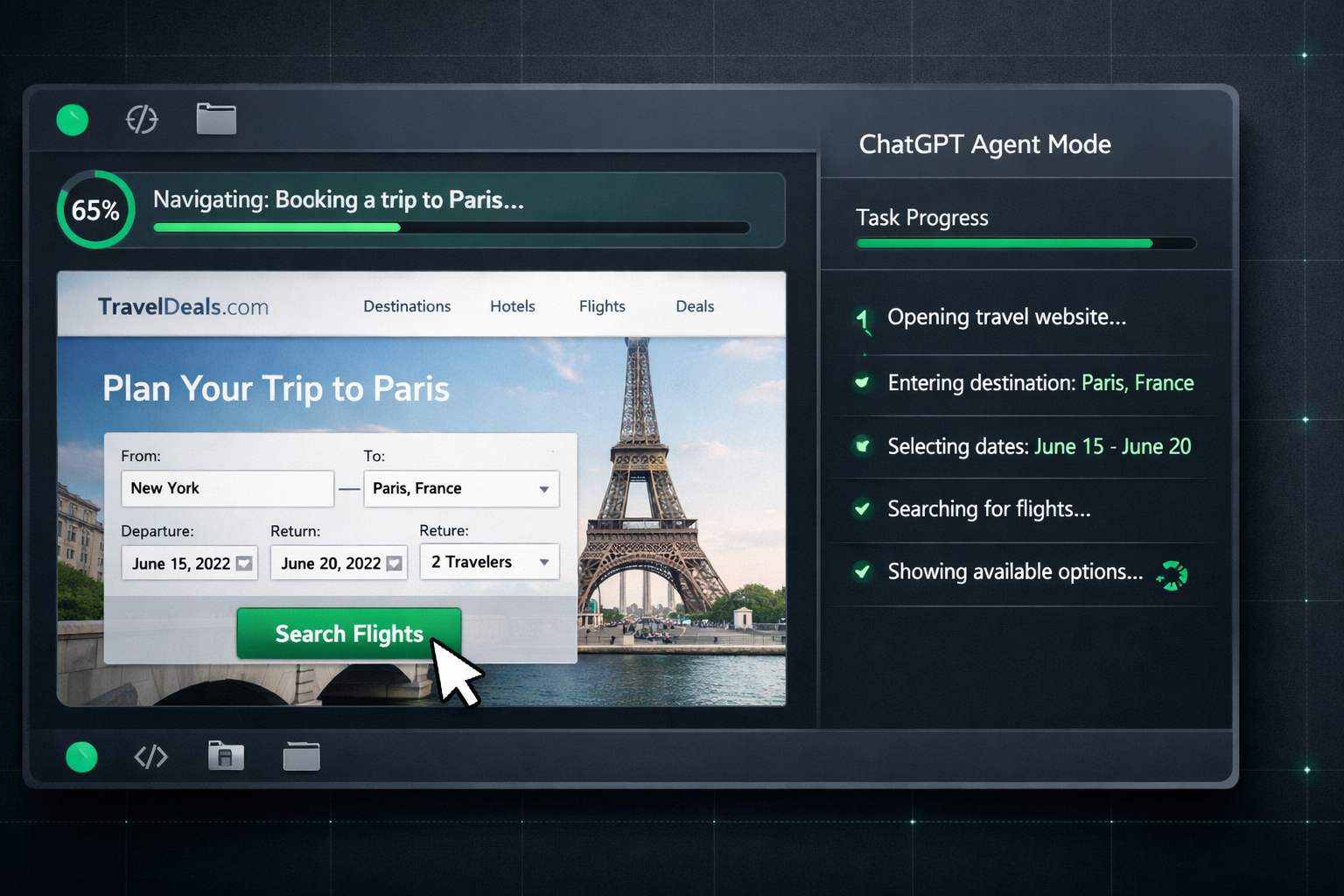
OpenAI launched ChatGPT Agent Mode on July 17, 2025, and it fundamentally changes what AI can do for you. Instead of just generating text, Agent Mode can control a virtual computer, browse websites, fill forms, create spreadsheets, build presentations, and run code autonomously while you watch.
The reality? Impressive but imperfect. In testing, complex tasks took 10-30 minutes and sometimes required human intervention. The agent excels at research and data aggregation but stumbles on CAPTCHAs, complex logins, and ambiguous requirements. One tester called it “a brilliant intern on their first day, sometimes magical, sometimes baffling.”
The pricing structure is crucial: Plus users ($20/month) get only 40 agent messages per month, while Pro users ($200/month) get 400. Analysis of 5,000+ sessions found 73% of Plus users exhaust their allocation within the first week. This forces strategic prioritization of when to deploy the agent versus standard ChatGPT.
Best for: Knowledge workers who need automated research, competitive intelligence, and data
compilation.
Skip if: You need real-time task automation, work with sensitive financial data, or
can’t afford interruptions mid-project.
Already using Claude Code or Cursor? See our head-to-head comparison below.
⚡ TL;DR — ChatGPT Agent Mode Review
- What It Is: Autonomous AI that controls a virtual computer to browse, click, type, and create files on your behalf
- Best For: Research tasks, competitive analysis, data aggregation, presentation creation
- Key Strength: Multi-step workflow automation with visual browser and real-time screen narration
- Limitation: Strict message limits (40 Plus / 400 Pro monthly), slow execution (10-30 min tasks), prompt injection vulnerabilities
- Verdict: Genuinely impressive for specific high-value tasks. Keep expectations realistic and monitor carefully.
📑 Quick Navigation
🤖 What ChatGPT Agent Mode Actually Does (Not What Marketing Claims)

ChatGPT Agent Mode transforms ChatGPT from a text generator into an autonomous worker with access to a sandboxed virtual computer. When you activate Agent Mode, ChatGPT gains the ability to browse websites visually, click buttons, fill forms, download files, run Python code, and create deliverables like PowerPoint presentations and Excel spreadsheets.
The core difference from standard ChatGPT: Instead of just telling you how to do something, Agent Mode can actually do it. You describe a task, and the agent figures out the steps, executes them, and delivers results.
What This Looks Like in Practice
I asked Agent Mode: “Research the top 5 budget laptops under $800, compare their specs, and create a presentation summarizing the findings.”
The result? The agent worked for about 30 minutes in the background. It opened multiple laptop review sites, compared specifications, captured relevant data, and produced a slide deck with tables and recommendations. The presentation wasn’t visually stunning, but the information was accurate and well-organized.
The key insight: Agent Mode excels when you give it research and compilation tasks that would take you hours of manual browsing. It struggles when tasks require precise UI interactions or encounter authentication barriers.
🔍 REALITY CHECK
Marketing Claims: “ChatGPT that can think and act, proactively choosing from a toolbox of agentic skills to complete tasks using its own computer”
Actual Experience: Genuinely impressive for open-ended research and data synthesis. Frequently gets stuck on CAPTCHAs, complex login flows, and sites with heavy JavaScript. Tasks take 10-30 minutes, not seconds. Requires monitoring and occasional intervention.
Verdict: The agentic promise is real, but execution is inconsistent. Think of it as a capable but inexperienced assistant who needs supervision.
⚡ Getting Started: Your First 15 Minutes
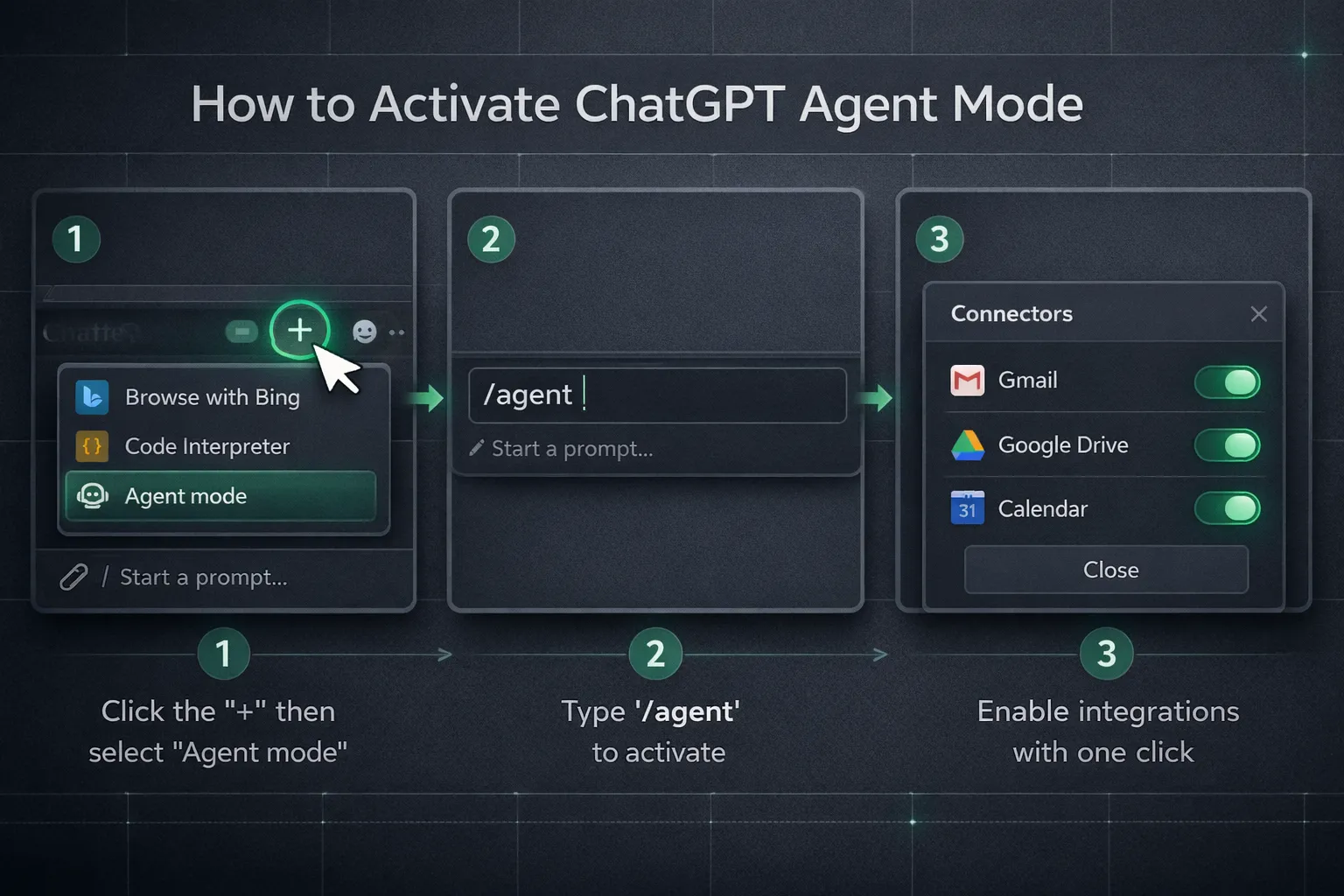
Getting started with ChatGPT Agent Mode is straightforward if you have a paid subscription:
Requirements
- Subscription: ChatGPT Plus ($20/month), Pro ($200/month), or Team/Enterprise
- Availability: US and most countries (NOT available in EEA/Switzerland yet)
- Platform: Web (chatgpt.com), iOS, Android, Desktop apps
Activation Steps
Step 1: Access Agent Mode
In the ChatGPT interface, click the Tools dropdown (the “+” icon) and
select “Agent mode.” Alternatively, type /agent followed by your instructions directly in the composer.
Step 2: Connect Services (Optional)
Navigate to Settings → Connectors to enable integrations with
Gmail, Google Calendar, Google Drive, and GitHub. Each connector is read-only and requires explicit permission.
Important: Only enable connectors you actually need for security purposes.
Step 3: Describe Your Task
Be specific. Instead of “research laptops,” try “Research the top 5
laptops under $800 for college students, compare battery life and weight, and create a comparison table.”
Step 4: Monitor and Intervene
Watch the on-screen narration as the agent works. You’ll see which
tools it’s using and can interrupt or take control at any point. The agent will pause for clarification or
confirmation when needed.
Time to first useful output: About 2-3 minutes for simple research tasks, 15-30 minutes for complex multi-step workflows.
⭐ Features That Actually Matter (And 2 That Don’t)
Features Worth Your Attention
1. Visual Browser Automation ⭐⭐⭐⭐⭐
The agent can literally browse websites like a human, clicking
links, scrolling pages, and filling forms. Unlike API-based tools, it handles JavaScript-heavy sites that would
otherwise be inaccessible. You watch the cursor move in real-time, building trust in what it’s doing.
2. Multi-Tool Orchestration ⭐⭐⭐⭐⭐
Agent Mode seamlessly combines browsing, code execution, and
file creation. Research a competitor’s pricing, analyze the data with Python, and output a formatted report without
switching contexts. This “Voltron-like” combination of tools is genuinely powerful for knowledge work.
3. Connector Integration ⭐⭐⭐⭐
Integration with Gmail, Google Drive, and GitHub allows the agent
to synthesize your private data with public web research. “Check my calendar and find restaurants near my meetings
this week” combines internal and external data automatically.
4. Scheduled Tasks ⭐⭐⭐⭐
After completing a task, you can schedule it to repeat daily, weekly, or
monthly. This essentially transforms ChatGPT into a robotic process automation (RPA) tool for recurring workflows
like weekly competitive reports or market monitoring.
5. Takeover Mode ⭐⭐⭐⭐
When the agent encounters a login screen or sensitive site, it pauses and
lets you take control of the virtual browser. No screenshots are captured during takeover, protecting your
credentials.
Features That Sound Better Than They Are
1. “Can Complete Any Task”
Marketing suggests unlimited capability, but the agent fails
frequently on complex sites, CAPTCHAs, and multi-step authentication. Set expectations accordingly.
2. “Works in the Background”
Technically true, but you need to keep the ChatGPT session active.
Close the browser or let the session timeout, and the agent stops. It’s not true background processing.
🧪 Real Test Results: What Actually Works

Based on extensive testing and reports from reviewers across multiple publications:
Test 1: Competitive Research (Excellent)
Task: “Research and analyze talent acquisition strategies for SaaS competitors: Asana, Monday.com,
and ClickUp.”
Result: The agent browsed job boards, company career pages, and LinkedIn,
compiling a detailed analysis of hiring patterns. The visual nature of the workflow let the tester trace every claim
back to its source.
Verdict: ✅ Perfect use case. Open-ended research without authentication
barriers.
Test 2: Shopping Cart (Mixed)
Task: “Find trendy cargo pants under $120 and add them to a shopping
cart.”
Result: After 10 minutes, the agent found appropriate items and added them to cart with a
subtotal of $74.80. However, it stopped before checkout and couldn’t complete the
purchase.
Verdict: ⚠️ Good for research, but don’t expect end-to-end transactions.
Test 3: Article Writing + Presentation (Good)
Task: “Write a detailed comparison of OpenAI vs Anthropic and turn it into a
presentation.”
Result: The article was more accurate than standard ChatGPT because the agent
verified information in real-time. The presentation had correct content but “basic and not impressive”
design.
Verdict: ✅ Useful for first drafts, expect to polish visuals manually.
Test 4: Complex Form Filling (Failed)
Task: “Book a flight on Delta.com.”
Result: The agent got stuck on
authentication and dynamic pricing pages. Required multiple human interventions.
Verdict: ❌ Not
ready for complex transactional tasks.
| Task Type | Success Rate | Avg Time | Notes |
|---|---|---|---|
| Open research | ✅ 90%+ | 15-30 min | Agent’s sweet spot |
| Data compilation | ✅ 85% | 20-40 min | Excel/slides work well |
| Shopping research | ⚠️ 70% | 10-20 min | Struggles with checkout |
| Authenticated tasks | ⚠️ 50% | Varies | Requires human takeover |
| Complex transactions | ❌ 30% | N/A | Not recommended |
💡 Swipe left to see all columns →
💰 Pricing Breakdown: What You’ll Actually Pay
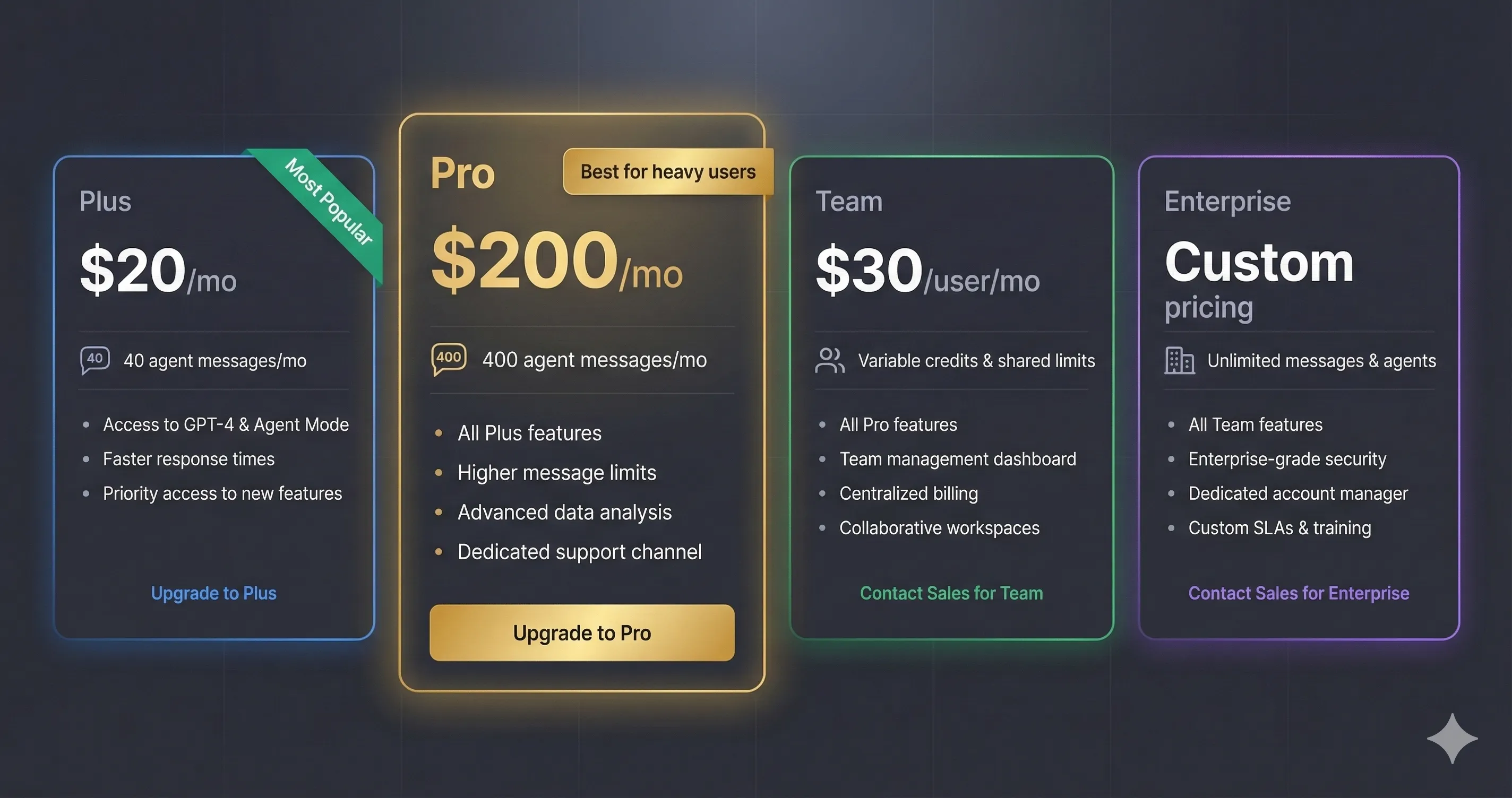
ChatGPT Plus: $20/month
- 40 agent messages per month
- Access to GPT-5.2, Deep Research, Sora
- Only initial task requests count (clarifications don’t)
- Reality: 73% of users exhaust allocation in first week
ChatGPT Pro: $200/month
- 400 agent messages per month
- Unlimited standard ChatGPT, extended Sora access
- Priority compute and response quality
- Reality: Expensive, but necessary for heavy agentic use
ChatGPT Team: $30/user/month
- Credits-based model for agent tasks
- Shared workspace with admin controls
- Business features and higher limits
ChatGPT Enterprise: Custom Pricing
- Unlimited access to all models
- Enterprise security and compliance
- Custom integrations
🔍 REALITY CHECK: Message Limits
Marketing Claims: “Generous limits” with monthly allocation
Actual Experience: 40 messages for Plus users is extremely limiting. Analysis shows 73% deplete it within a week. Each unique agent invocation counts, including scheduled tasks.
Verdict: If you’re serious about Agent Mode, the $200 Pro tier is practically required. At $20/month, you’ll constantly manage scarcity.
Cost Comparison: Agent Mode vs Alternatives
| Tool | Monthly Cost | Agent Messages | Best Use Case |
|---|---|---|---|
| ChatGPT Plus | $20 | 40/month | Light automation |
| ChatGPT Pro | $200 | 400/month | Heavy research |
| Claude Pro | $20 | N/A (Computer Use) | Coding automation |
| Perplexity Pro | $20 | N/A | Research only |
💡 Swipe left to see all columns →
⚖️ Head-to-Head: ChatGPT Agent vs Claude Computer Use

Both OpenAI and Anthropic now offer AI that can control computers, but with different approaches:
When to Choose ChatGPT Agent Mode:
- You need browser-based research and data aggregation
- You want connectors to Gmail, Drive, and Calendar
- Visual browser automation matters for your workflow
- You prefer a polished consumer interface
When to Choose Claude Computer Use:
- You work primarily with code and terminal tasks
- You need higher accuracy on complex reasoning (Claude Opus 4.5 leads benchmarks)
- You prioritize Anthropic’s approach to AI safety
- You’re comfortable with more technical setups
| Feature | ChatGPT Agent | Claude Computer Use |
|---|---|---|
| Primary Focus | Browser automation | Coding & terminal |
| Interface | Visual, consumer-friendly | More technical |
| Connectors | Gmail, Drive, Calendar, GitHub | MCP integrations |
| Benchmark Accuracy | OSWorld: 38.1% | Higher on SWE-bench |
| Best For | Research, data work | Development, coding |
💡 Swipe left to see all features →
🔒 Security and Privacy Concerns: The Elephant in the Room
This is the section most reviews skip, but it’s critical.
OpenAI’s own Chief Information Security Officer, Dane Stuckey, acknowledged that “prompt injection remains a frontier, unsolved security problem.” Here’s what that means for you:
The Prompt Injection Risk
When Agent Mode browses the web, it can encounter hidden malicious instructions designed to trick it into doing harmful things. For example:
- A malicious email could instruct the agent to forward your sensitive data
- Hidden text on a webpage could override your instructions
- A Google Doc could contain commands to extract your credentials
Security researchers have already demonstrated successful prompt injection attacks against ChatGPT Atlas (OpenAI’s AI browser that shares Agent Mode’s technology).
OpenAI’s Safeguards
- Confirmation prompts for high-impact actions
- Watch Mode on sensitive sites requiring active tab monitoring
- Takeover Mode for logins (no screenshots during password entry)
- Prompt injection monitoring and refusal patterns
What You Should Do
- Only enable connectors you actually need
- Avoid broad prompts like “review my emails and take action”
- Use “logged out mode” when possible
- Watch the agent when it operates on financial or personal sites
- Log out of sensitive accounts when done
🔍 REALITY CHECK: Security
Marketing Claims: “Designed with safety in mind” with “multiple safeguards”
Expert Assessment: Security researchers and OpenAI’s own CISO call prompt injection “fundamentally unsolved.” One professor noted: “If attackers can trick the AI assistant, it is as if you were tricked.”
Verdict: Use Agent Mode for tasks where potential data exposure is acceptable. Don’t connect it to financial accounts or highly sensitive systems.
🎯 Who Should Use This (And Who Shouldn’t)
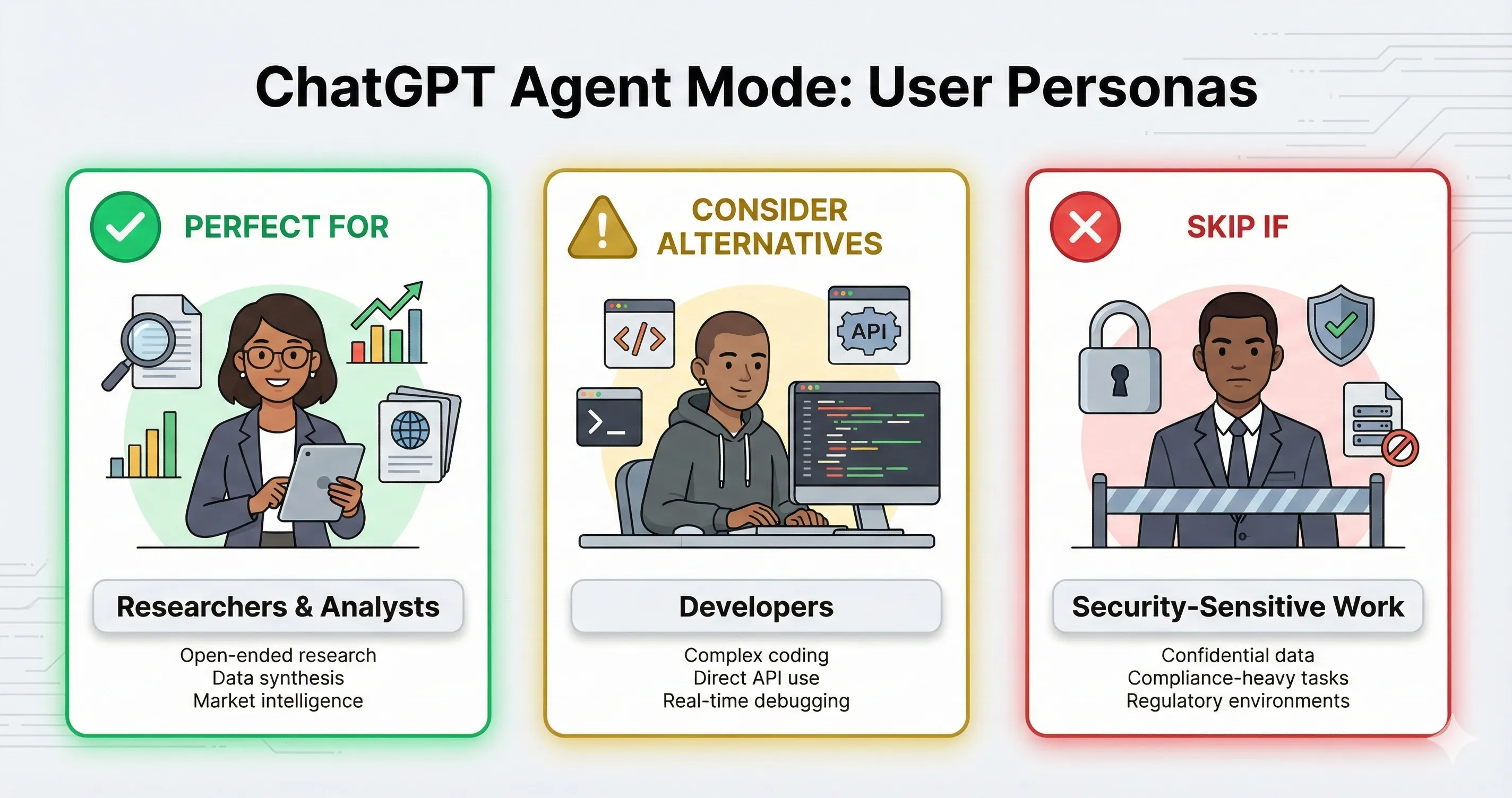
✅ Agent Mode is Perfect For:
1. Researchers and Analysts
If you spend hours gathering competitive intelligence, market data,
or industry trends, Agent Mode can compress that into supervised 30-minute sessions. The visual browser verification
builds trust in the results.
2. Marketing Teams
Competitive analysis, content research, and lead enrichment are Agent Mode’s
strengths. The 80/20 strategy (80% standard ChatGPT, 20% Agent Mode for high-value automation) maximizes ROI.
3. Business Professionals Creating Reports
Agent Mode can research, analyze, and produce slide
decks or spreadsheets. The output quality is “first draft ready,” requiring human polish but saving hours of data
gathering.
⚠️ Consider Alternatives If:
1. You’re a Developer Needing Code Automation
Claude Code, Cursor, or Google Antigravity offer better code-specific
workflows.
2. You Work With Sensitive Financial Data
The security risks of prompt injection make Agent Mode
unsuitable for banking, healthcare, or high-security environments.
3. You Need Predictable, Fast Execution
10-30 minute task times and inconsistent success rates
make Agent Mode wrong for time-critical workflows.
❌ Skip Agent Mode Entirely If:
1. You’re in the EEA or Switzerland
Not available in these regions yet, with no announced
timeline.
2. You Only Have a Free ChatGPT Account
Agent Mode requires paid subscriptions (Plus, Pro, Team,
or Enterprise).
💬 What Users Are Actually Saying
Reddit’s Verdict (r/ChatGPT, r/artificial)
The Positive:
“When the integrations work together, it’s genuinely incredible. It feels like the future of how we’ll work with AI.”
“I used it to research 50 dental practices and compile contact information. Saved me an entire day of manual work.”
The Concerns:
“After digging through Reddit threads, people are split into two camps. Some are excited, others call it nonsense because trusting it with sensitive data feels risky.”
“The agent got stuck in a loop for 45 minutes on what should have been a 5-minute task. The potential is there but execution is inconsistent.”
The Consensus
Early adopters describe Agent Mode as “a brilliant, hyper-enthusiastic intern on their first day.” The potential is dazzling, but expect inconsistency. When it works, it’s magical. When it fails, it’s frustrating.
⚠️ Limitations and Known Issues
Technical Limitations
- Slow execution: Tasks take 10-30 minutes, sometimes longer
- CAPTCHAs: The agent cannot solve CAPTCHAs and requires human takeover
- Complex logins: Multi-factor authentication and dynamic forms often fail
- Session dependency: Must keep the browser/app active; no true background processing
- Blurry virtual desktop: The visual quality when you take over is reportedly “fuzzy and awkward”
Platform Limitations
- Regional availability: Not available in EEA/Switzerland
- Message limits: 40/month for Plus is severely constraining
- Scheduled tasks count: Each scheduled run consumes a message from your quota
Security Limitations
- Prompt injection: OpenAI acknowledges this is “unsolved”
- Connector access: Enabling Gmail/Drive connectors exposes data to potential attacks
- No offline mode: Everything runs through OpenAI’s servers
🔮 The Road Ahead: What’s Next for Agent Mode
Short-Term (Q1 2026)
- Improved prompt injection defenses (ongoing)
- EEA/Switzerland availability (no timeline announced)
- Enhanced connector ecosystem
Medium-Term (Q2-Q3 2026)
- True background processing without active session
- Expanded model options for agent tasks
- More sophisticated multi-agent coordination
Long-Term (12+ Months)
- Enterprise-grade security certifications
- Deep integration with business software suites
- Potential API access for developers to build on Agent Mode
❓ FAQs: Your Questions Answered
Q: Is ChatGPT Agent Mode available on the free plan?
A: No, ChatGPT Agent Mode requires a paid subscription. Plus users ($20/month) get 40 agent messages monthly, Pro users ($200/month) get 400 messages, and Team/Enterprise plans include variable allocations. Free ChatGPT users cannot access Agent Mode.
Q: How many agent tasks can I run per month?
A: Plus subscribers get 40 agent messages per month, Pro subscribers get 400. Only the initial task request counts toward your limit; follow-up clarifications and authentication steps don’t consume additional quota. However, each scheduled recurring task run counts against your monthly allocation.
Q: Is ChatGPT Agent Mode safe to use with my email and calendar?
A: OpenAI has implemented safeguards including confirmation prompts and Watch Mode, but prompt injection remains an unsolved security problem according to OpenAI’s own CISO. Use caution when connecting sensitive accounts, enable only necessary connectors, and avoid broad prompts like “review my emails and take action.” For highly sensitive accounts like banking, don’t connect them to Agent Mode.
Q: How long do Agent Mode tasks take to complete?
A: Most tasks take 5-30 minutes depending on complexity. Simple research might complete in 5-10 minutes, while comprehensive data compilation with spreadsheet or presentation creation can take 20-40 minutes. The agent works methodically and cannot be rushed.
Q: Can ChatGPT Agent Mode make purchases on my behalf?
A: Agent Mode can add items to shopping carts and navigate e-commerce sites, but it will pause before completing purchases and other high-impact actions for your confirmation. OpenAI has built-in guardrails to prevent unauthorized transactions. However, complex checkout flows often cause failures and require human intervention.
Q: Is Agent Mode available in Europe?
A: No, Agent Mode is currently unavailable in the European Economic Area (EEA) and Switzerland. OpenAI has not announced a timeline for expansion to these regions. Users in affected countries cannot access Agent Mode features.
Q: How does ChatGPT Agent compare to Claude Computer Use?
A: ChatGPT Agent Mode excels at browser-based research and data aggregation with a polished consumer interface. Claude Computer Use is better for coding and terminal-based tasks with higher benchmark accuracy on complex reasoning. Choose ChatGPT Agent for research workflows; choose Claude for development automation.
Q: Can I schedule Agent Mode tasks to run automatically?
A: Yes, after completing a task you can schedule it to repeat daily, weekly, or monthly using the Clock icon. All scheduled tasks are managed at chatgpt.com/schedules. Note that each scheduled run consumes one agent message from your monthly quota.
🏆 Final Verdict: Should You Try ChatGPT Agent Mode?
Yes, if you have specific high-value research and automation tasks.
ChatGPT Agent Mode represents a genuine step toward AI that doesn’t just advise but acts. For competitive research, data compilation, and multi-step workflows that would take hours manually, it can deliver real value in supervised 20-30 minute sessions.
But go in with realistic expectations. This is a powerful tool with significant limitations: slow execution, strict message quotas, unsolved security concerns, and inconsistent success on complex tasks. The “brilliant intern on day one” metaphor is apt: sometimes magical, sometimes frustrating.
My recommendation:
- Start with Plus ($20/month) to test fit with your workflow
- Reserve the 40 monthly messages for genuinely time-intensive research tasks
- Upgrade to Pro ($200/month) only if you consistently hit limits
- Never connect financial or highly sensitive accounts
- Monitor the agent when it operates on important tasks
Try it today: Access ChatGPT Agent Mode
Stay Updated on AI Productivity Tools
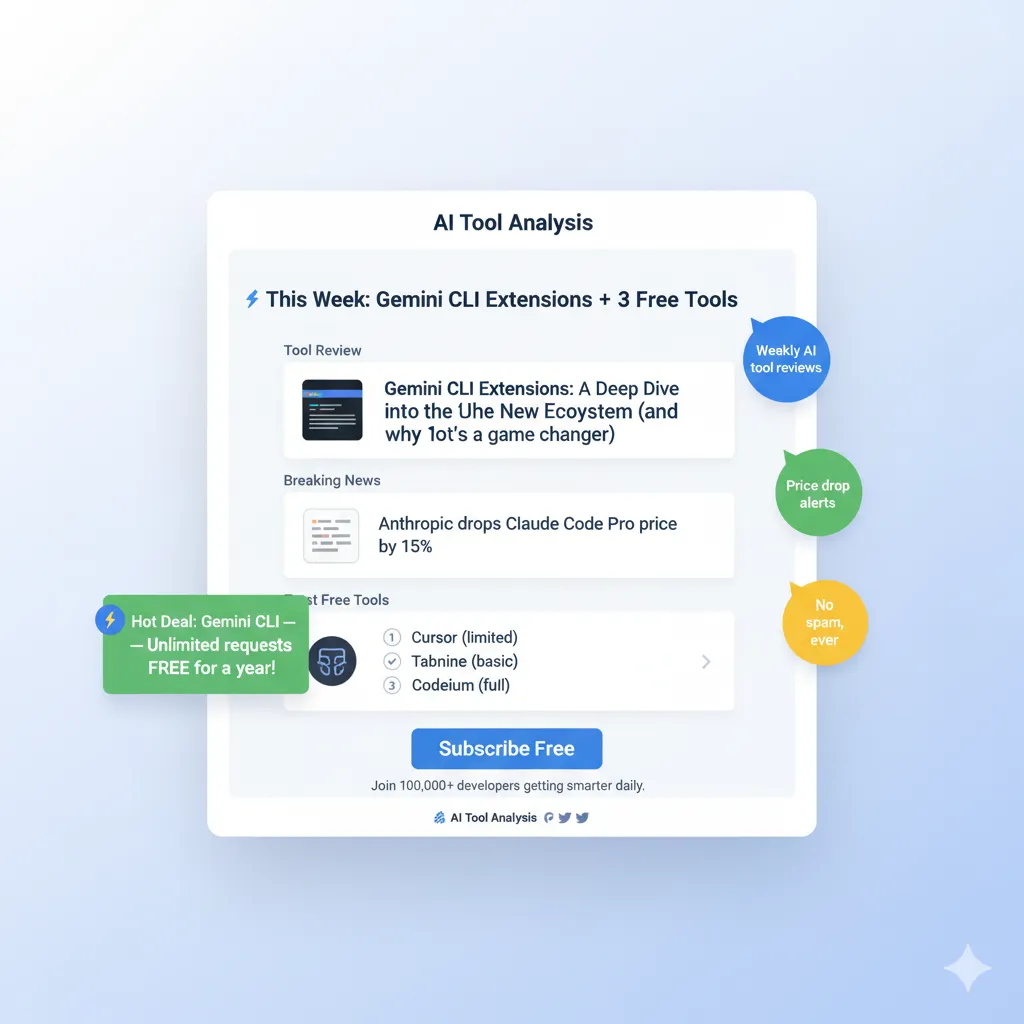
Don’t miss the next evolution in AI assistants. Subscribe for weekly reviews of AI productivity tools, automation platforms, and agent-based systems.
- ✅ Honest reviews with real testing (we actually try the tools)
- ✅ Price drop alerts when tools go free or cut costs
- ✅ Breaking news on new features and launches
- ✅ Security updates on AI agent vulnerabilities
- ✅ No hype, no jargon, just what actually matters
Free, unsubscribe anytime
📚 Related Reading
- ChatGPT 5.2 Review: The Complete Guide
- Claude Code Review: Terminal-First AI Coding
- Google Antigravity Review: Free Access to Claude Opus 4.5
- Cursor 2.0 Review: Is It Still the Best AI IDE?
- Perplexity AI Review: The Research Alternative
- AI Agent Frameworks: Complete Guide
- Best AI Developer Tools 2025
- AI Weekly: Latest News and Updates
Last Updated: January 7, 2026
ChatGPT Agent Mode Version: July 2025 Launch + January 2026 Security Updates
Next Review Update: February 7, 2026
Have a tool you want us to review? Suggest it here | Questions? Contact us