
By: AI Tool Analysis Team | Last Updated: November 30, 2025
🆕 November 2025 Update: This guide reflects major recent developments, including the controversial launch of Google’s agentic platform, Antigravity (Nov 18), the release of the OWASP AI Testing Guide v1 (Nov 26), and the impact of new models like Gemini 3 Pro and Claude 4.5 on coding workflows.
The Bottom Line: AI Is Now the Core Workflow
If you’re still using AI just for autocomplete in 2025, you’re falling behind. The conversation has fundamentally shifted. It’s no longer about if you use AI, but how deeply it’s integrated into your environment. The best AI developer tools 2025 are moving beyond assistance into “agentic” workflows—they reason, build, test, and refactor autonomously based on high-level instructions.
The market is polarizing between AI-First IDEs like Cursor, which offer deep codebase understanding, and powerful autonomous platforms like Google’s new (and controversial) Antigravity. While GitHub Copilot remains the industry standard for reliable pair programming, its limitations in whole-repository context are becoming more apparent. The real differentiator in 2025 is how effectively a tool utilizes the massive context windows of models like Gemini 3 Pro and Claude 4.5.
📈 The 4 Major Trends Defining AI Development in 2025
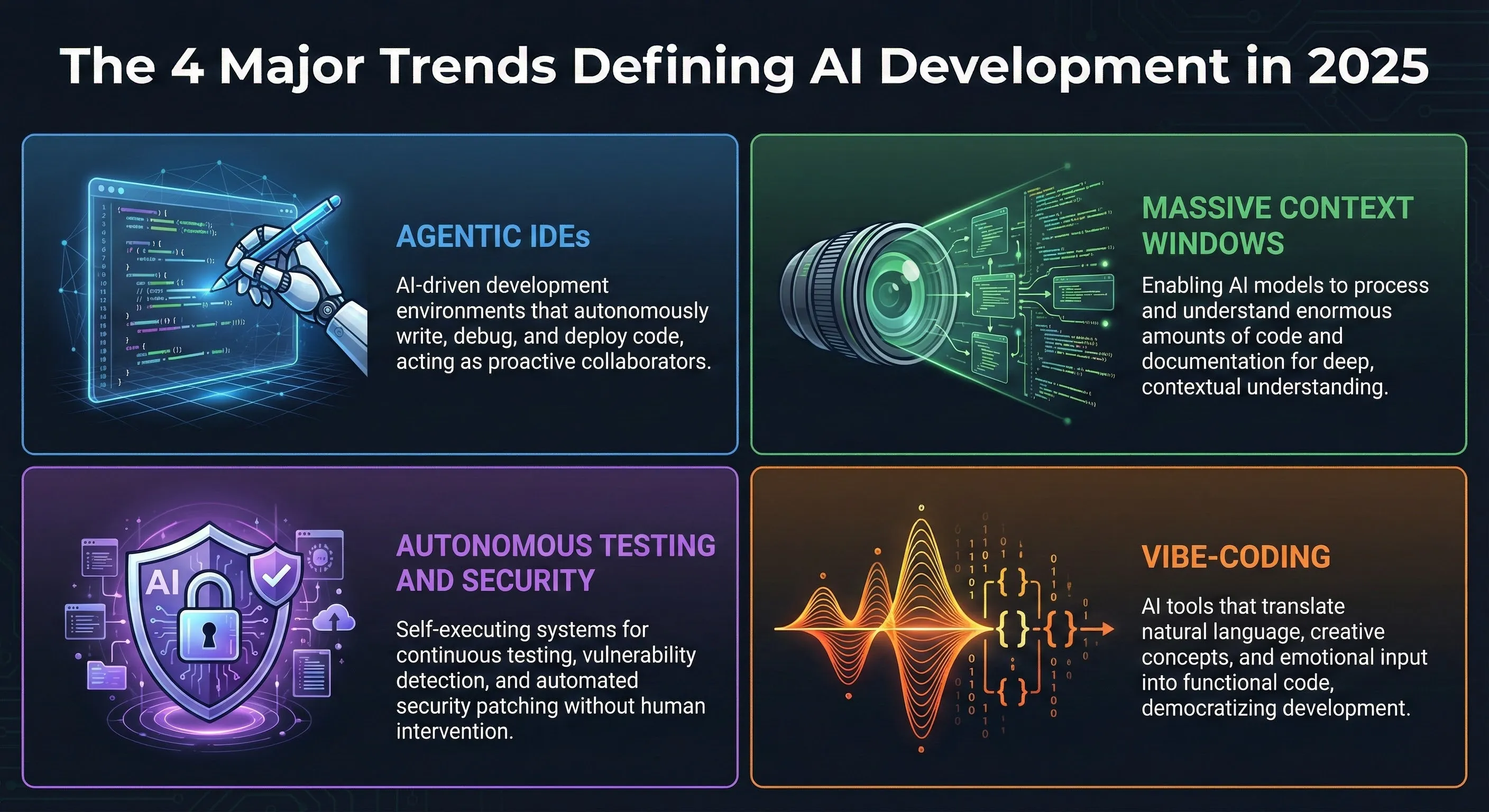
By 2025, AI integration is so pervasive it’s unremarkable. Industry data suggests nearly 90% of engineering teams use AI assistants daily, reporting task completion up to 50% faster. But the landscape is evolving rapidly, driven by four key trends:
1. The Rise of Agentic IDEs
We are moving beyond assistants to “agents.” An assistant suggests code; an agent takes a high-level goal, plans the steps, edits multiple files, runs tests, and iterates. Agentic IDEs (like Cursor and Windsurf) are built from the ground up for this workflow, turning coding into a higher-level design process.
2. Massive Context Windows
The biggest technical leap is the expansion of context windows. Models like Gemini 3 Pro and Claude 4.5 support up to 1 million tokens (roughly 500+ pages of code). This allows the AI to understand your entire repository, enabling accurate multi-file refactoring and deep architectural understanding.
3. Autonomous Testing and Security
AI is taking over repetitive testing tasks—writing unit, integration, and E2E tests. Furthermore, security is now integrated directly into the AI workflow, automatically flagging vulnerabilities, sanitizing inputs, and enforcing secure coding patterns during generation.
4. The “Vibe-Coding” Phenomenon
Popularized by AI researchers like Andrej Karpathy, “vibe-coding” is a hands-on, rapid-experimentation method where developers actively prompt, test, and refine AI outputs iteratively rather than writing code line-by-line. It significantly accelerates prototyping and exploration.
🔍 REALITY CHECK: Vibe-Coding vs. Disciplined Engineering
The Hype: “Vibe-coding is the future. Developers just need to prompt the AI and the software builds itself.”
Actual Experience: Vibe-coding is excellent for prototyping, generating boilerplate, and exploring new APIs rapidly. However, it does not replace fundamental engineering knowledge. Relying purely on vibe-coding for complex systems often leads to unstructured, unmaintainable codebases.
Verdict: It’s a powerful new workflow accelerator, but the best developers in 2025 combine vibe-coding for speed with traditional engineering discipline for architecture and reliability.
🖥️ Category 1: AI-First IDEs (The New Command Centers)
The most significant shift in the developer experience is the rise of IDEs built from the ground up with AI integration, rather than having AI bolted on as an extension.
1. Cursor
Best for: Developers who want an AI-native experience, seamless multi-file changes, and deep context awareness.
Cursor is the clear leader in the AI-first editor space. It’s a fork of VS Code, so it feels instantly familiar, but its AI features are integrated into the core experience, not just a sidebar.
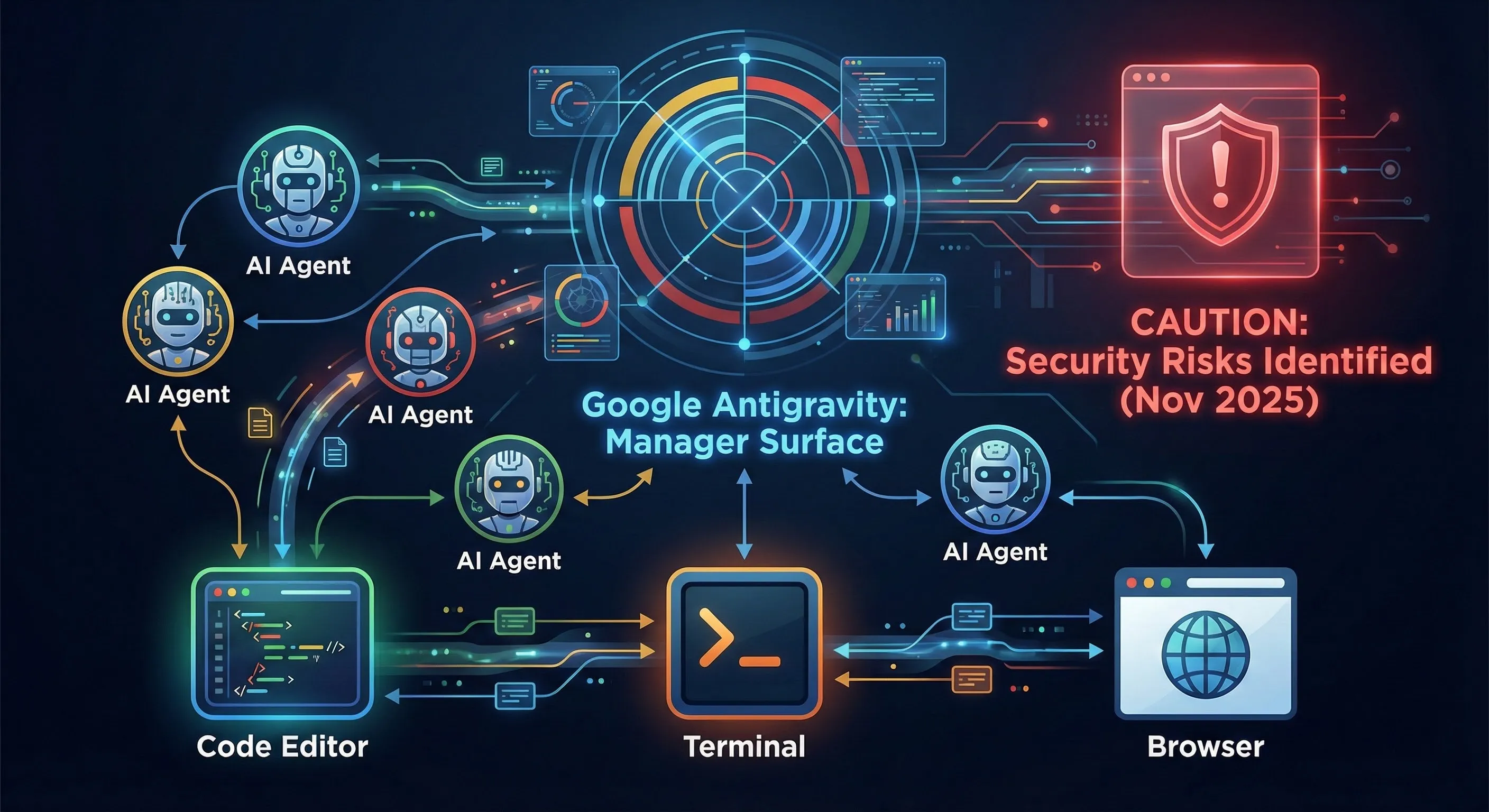
What sets Cursor apart is its ability to understand your entire codebase through intelligent indexing. This enables powerful features like “Agent Mode,” where you provide a high-level objective (e.g., “Refactor the authentication service”), and Cursor plans and executes the changes across multiple files, presenting a diff for review. The Inline AI Edits (Cmd+K) feature is also central to the rapid iteration workflow.
Key Features:
- Deep repository-level context awareness.
- Agent Mode for multi-file generation and refactoring.
- Support for multiple models (Claude 4.5, GPT-5, Gemini 3 Pro, local models).
Pricing: Free (limited usage); Pro at $20/month (access to premium models and unlimited standard usage).
2. Google Antigravity (The Controversial Newcomer)
Best for: Experimenting with fully autonomous, agent-driven development (with extreme caution).
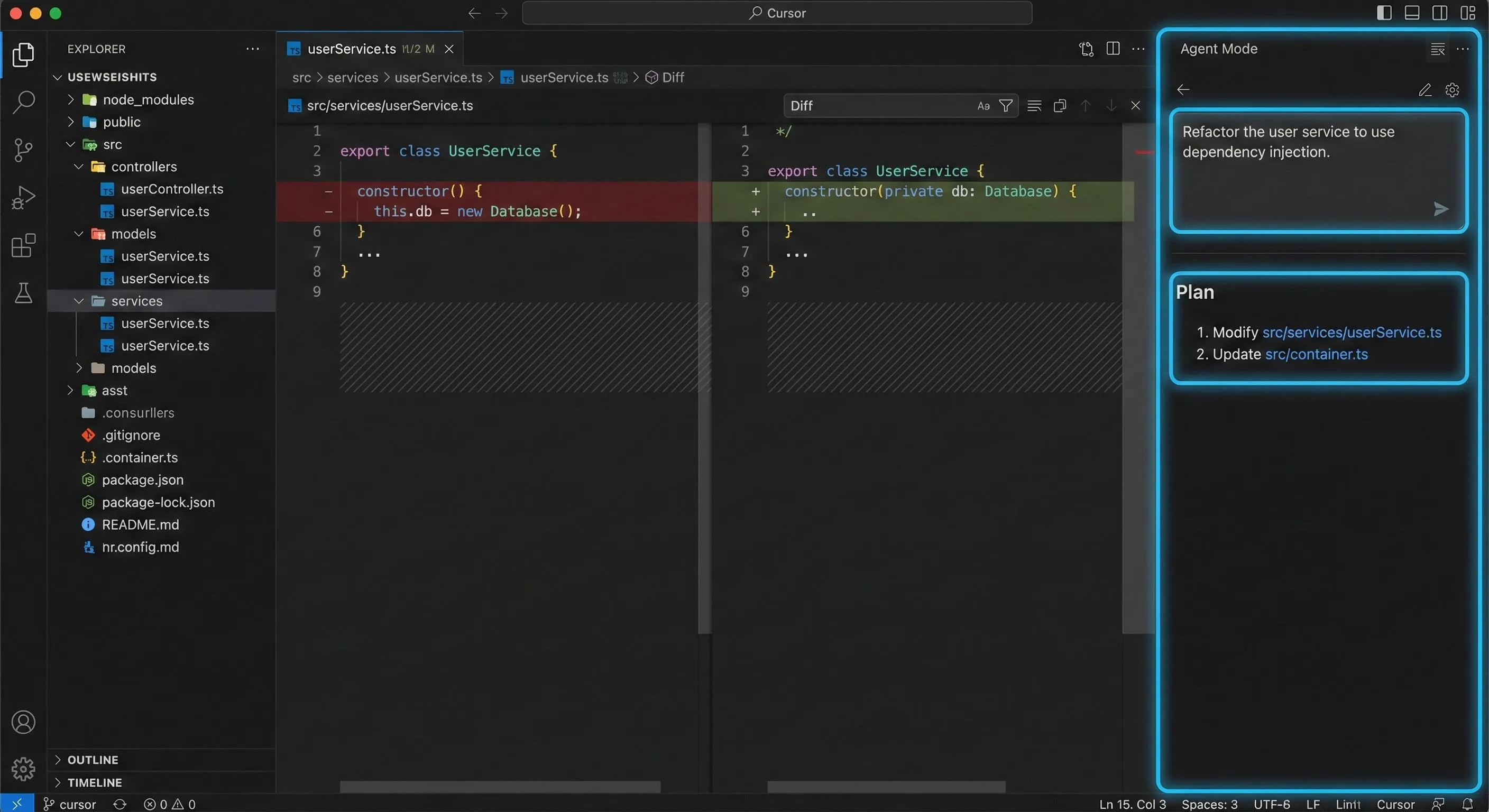
Launched in November 2025, Antigravity is Google’s ambitious new AI agent-driven platform, built on top of VS Code. It introduces a “Manager Surface” mode where users can deploy multiple agents to work autonomously across workspaces—generating code, running terminal commands, and even using the browser for testing.
The Controversy: Antigravity faced immediate backlash due to severe security vulnerabilities discovered within 24 hours of launch. Researchers demonstrated risks of backdoor attacks via compromised workspaces and indirect prompt injection attacks that could exfiltrate data or execute malicious code, as the agent has terminal access.
Status: Antigravity is a fascinating glimpse into the future, but its current security posture makes it risky for production environments. We analyze its approach further in our Antigravity vs Cursor comparison.
3. Windsurf
Best for: Fast, local-first development and intuitive UI previews.
Windsurf (built by the team behind Codeium) is a next-gen IDE designed with agent-first workflows in mind. It emphasizes speed and a minimal UI. A standout feature is its integrated live web preview; you can click on any element in the preview and have the AI agent (Cascade) reshape the code instantly. It also features automatic linter error-fixing and a strong local-first approach for better privacy.
💡 Category 2: Established Coding Assistants (The Workhorses)
These tools are the widely adopted plugins that provide excellent inline code completion and chat assistance within traditional IDEs (VS Code, JetBrains, Neovim).
4. GitHub Copilot
Best for: Seamless integration within the GitHub ecosystem, reliable real-time suggestions, and enterprise stability.
GitHub Copilot remains the most popular AI developer tool. Combining OpenAI’s advanced models with deep integration into the GitHub ecosystem, it delivers a mature and highly responsive experience.
Copilot excels at “ghost text”—predicting the next lines of code based on the current context. While newer tools offer better whole-repo context, Copilot’s speed for day-to-day autocomplete is still excellent.
2025 Updates:
- Auto Model Selection: Copilot Chat can now automatically select the best AI model based on the task, improving performance and reliability.
- Enhanced Security: Agent mode now requires explicit confirmation before editing sensitive files.
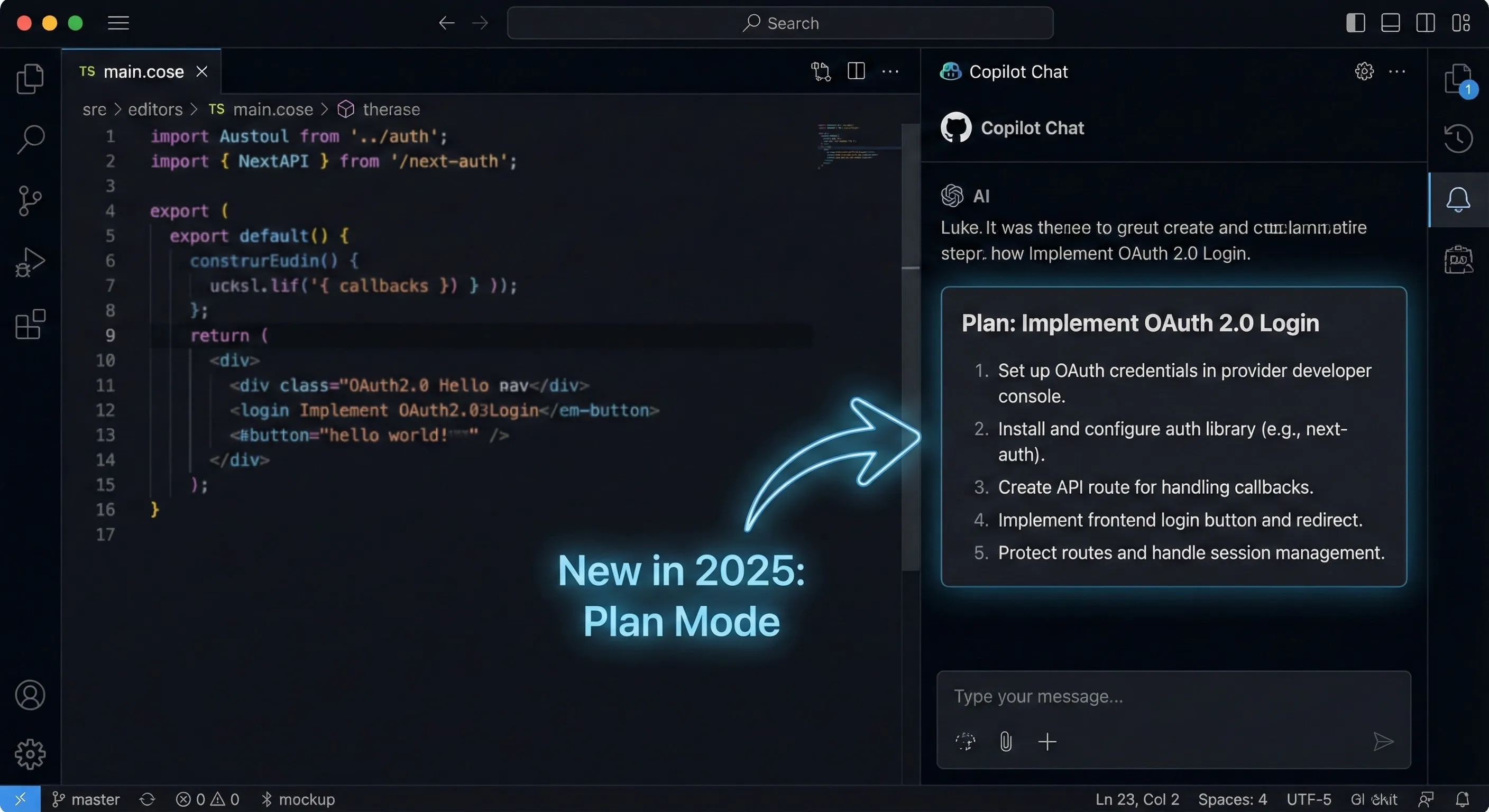
- Plan Mode and Sub-Agents: New features allowing for step-by-step implementation planning and delegating focused tasks to specialized sub-agents.
Pricing: $10/month (Individuals); $19/user/month (Business).
5. Tabnine
Best for: Privacy-conscious organizations, regulated industries, and air-gapped environments.
Tabnine differentiates itself with a strong focus on privacy and security. While many AI tools rely on sending code to cloud-based models, Tabnine offers robust self-hosted, VPC, and local model options, ensuring your code never leaves your environment (it can even be fully air-gapped).
Tabnine develops its own proprietary models, so there is zero risk of your code being shared with third-party APIs like OpenAI or Anthropic. They maintain a strict zero code retention policy.
Pricing: Free (basic local completion); Pro at $12/user/month; Enterprise (custom pricing for self-hosting).
🤖 Category 3: Autonomous Agents (The Next Frontier)
The cutting edge of AI development in 2025 is the move towards autonomous agents that can handle end-to-end tasks with minimal human intervention. These tools aim to function as “AI software engineers.”
6. Devin (Cognition)
Best for: Enterprise teams exploring large-scale agent-based workflows.
Positioned as the first “fully autonomous” software engineer, Devin can take entire tickets, plan complex engineering tasks requiring thousands of decisions, write code, run tests, and deploy. It operates within a sandboxed environment complete with a shell, editor, and browser.
Devin set the benchmark by correctly resolving 13.86% of real-world GitHub issues (SWE-bench) end-to-end, far exceeding previous models (1.96%).
🔍 REALITY CHECK: Autonomous AI Engineers
Marketing Claims: “Hire an AI software engineer to replace your junior developers and complete tasks autonomously 24/7.”
Actual Experience: The 13.86% success rate of Devin, while a massive leap forward, means it fails over 86% of the time on complex, unassisted, real-world tasks. These agents excel at well-defined, constrained tasks but struggle with ambiguity and novel problems.
Verdict: Autonomous agents are not replacing human engineers in 2025. They are powerful “super-assistants” but still require significant human oversight, planning, and review.
7. OpenHands (formerly OpenDevin)
Best for: Open-source enthusiasts and developers wanting to run agents locally.
OpenHands is one of the most ambitious open-source autonomous coding agents. It aims to be an open alternative to Devin, allowing the community to contribute to and run autonomous software engineers locally. It can read issues, plan changes, and execute complex workflows.
Pricing: Open source (you pay for API usage of the underlying LLM).
🧪 Category 4: AI-Powered Testing and Security
If AI is generating more code faster, we need better ways to ensure its quality and security. AI is revolutionizing the testing phase in 2025.
8. Virtuoso QA
Best for: AI-powered, no-code end-to-end test automation.
Virtuoso QA is an advanced platform designed for functional, regression, and visual testing. It combines natural language test authoring (writing tests in plain English) with intelligent execution.
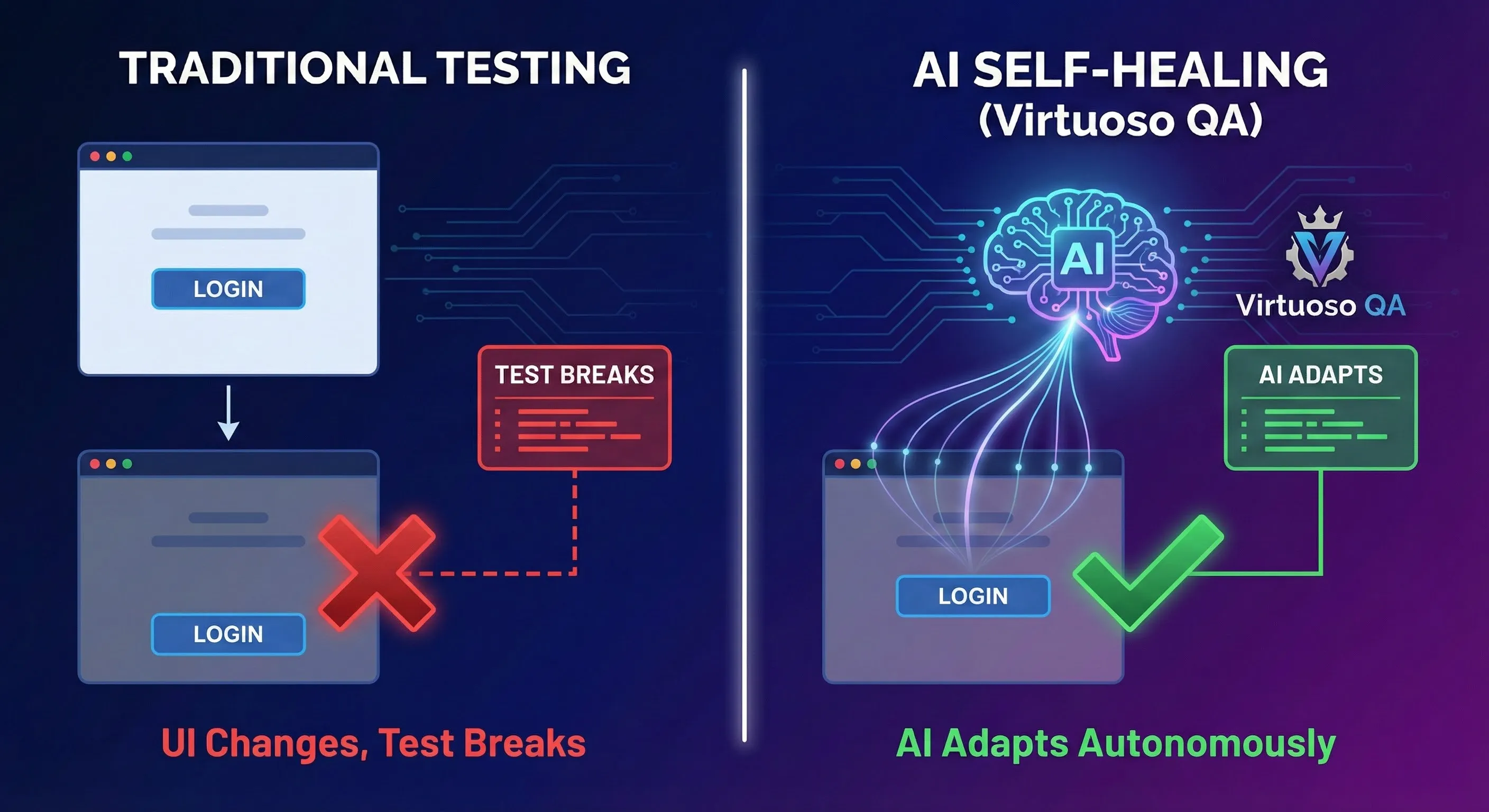
Its standout feature is Self-Healing Automation. Traditional automated tests break when the UI changes. Virtuoso uses ML-based object identification to adapt to UI changes autonomously, reportedly reducing test maintenance by 85%.
Key Features:
- True no-code interface with NLP test creation.
- Industry-leading self-healing capabilities.
- AI-powered root cause analysis for failed tests.
The OWASP AI Testing Guide
A major development in November 2025 was the release of the OWASP AI Testing Guide v1. This provides the first open, community-driven standard for the trustworthiness testing of AI systems. As AI models introduce new risks (like prompt injection or data poisoning), this guide offers a standardized methodology for evaluating security, ethics, and compliance across the AI application stack. It’s essential reading for any team deploying AI in 2025.
🔧 Category 5: Specialized Tools (UI, CLI, MLOps)
AI is also revolutionizing specific niches within the development lifecycle.
9. V0 by Vercel
Best for: Rapid UI generation for React, Next.js, and Tailwind CSS.
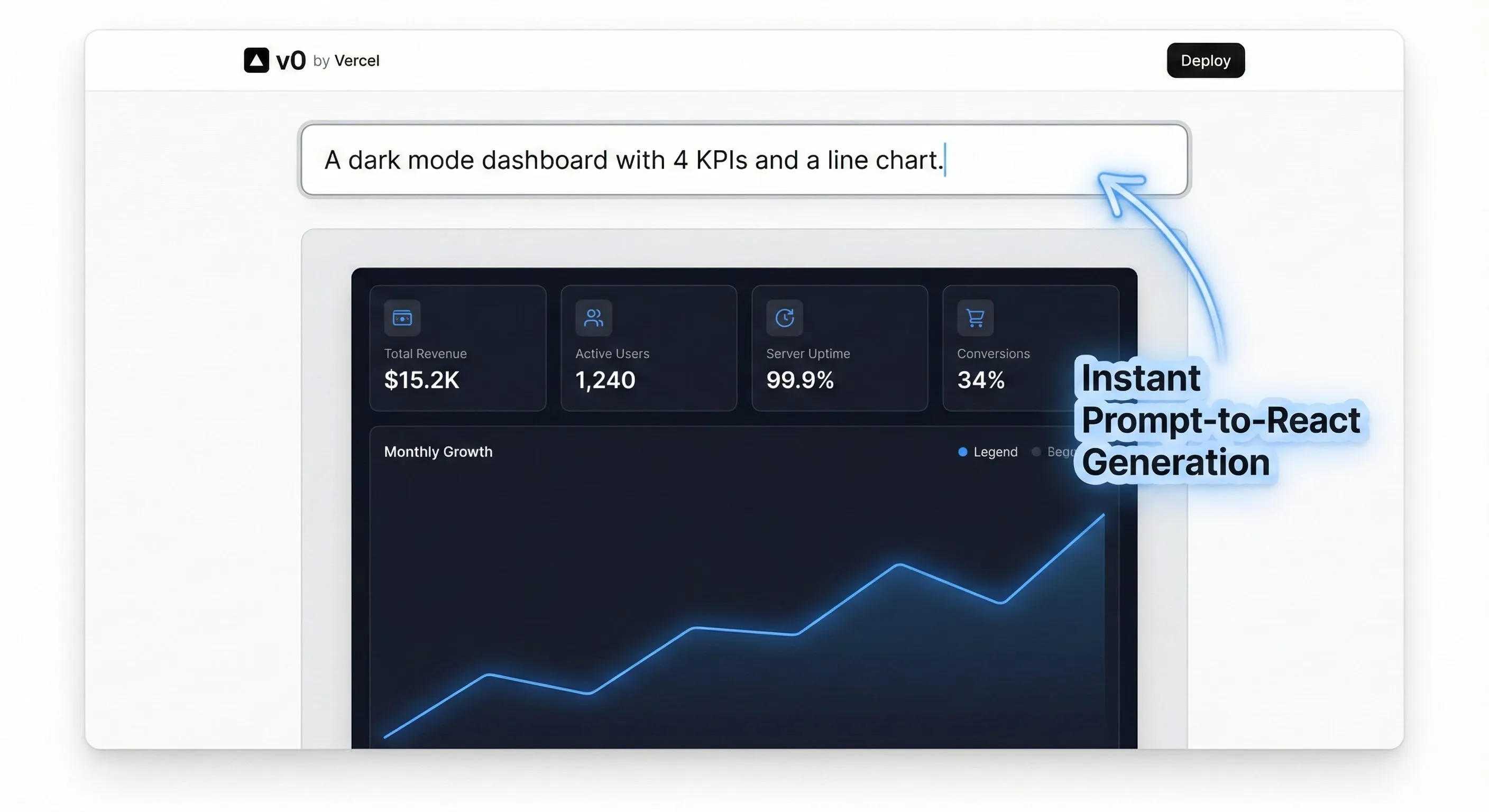
V0 is Vercel’s generative UI system. It allows developers to create polished React components using natural language prompts. You describe the interface (e.g., “A pricing page with three tiers”), and V0 generates the corresponding code using high-quality components (like shadcn/ui) and Tailwind CSS.
It excels at quickly translating design ideas (including Figma files) into working frontend code, significantly speeding up the iteration cycle between design and development.
10. Gemini CLI and Claude Code
Best for: Powerful AI assistance directly in the terminal.
CLI-based AI tools have become essential for managing infrastructure, debugging, and automating tasks without leaving the terminal. The two leaders are Google’s Gemini CLI and Anthropic’s Claude Code.
- Gemini 3 CLI: Excels at modularity and frontend workflows. It features Extensions, allowing users to bundle configs and commands for reusable workflows.
- Claude Code: Powered by Claude 4.5, it excels at complex reasoning, backend logic, and tasks requiring massive context windows (up to 1M tokens).
We compared these extensively in our Claude Code vs Gemini 3 CLI showdown.
11 & 12. The MLOps Stack (MLflow and LangChain)
Best for: Building, deploying, and managing AI-powered applications.
For developers building AI applications, the underlying infrastructure is crucial. The MLOps (Machine Learning Operations) stack ensures models are reproducible, scalable, and monitored.
- MLflow: The open-source standard for tracking experiments, managing the model registry, and ensuring reproducibility across the ML lifecycle.
- LangChain: The essential framework for developing applications powered by LLMs, simplifying the orchestration of prompts, data integration (RAG), and agentic workflows.
📊 Comparison: Choosing the Right Tool for Your Team
Selecting the right AI stack depends heavily on your team’s specific needs, codebase size, and security requirements.
| Scenario | Recommended Tool(s) | Reasoning |
|---|---|---|
| Rapid Prototyping / Startups | Cursor, V0 by Vercel | AI-Native IDEs accelerate development; V0 speeds up UI creation significantly. |
| Large Enterprise / Monorepos | GitHub Copilot Enterprise, Cursor | Requires tools with deep codebase context and enterprise-grade security/support. |
| Regulated Industries (Finance/Health) | Tabnine (Self-hosted), Windsurf | Maximum privacy, local execution, and air-gapped deployment options are essential. |
| Frontend/UI Focus | V0 by Vercel, Cursor | Generative UI tools dramatically reduce the time to implement designs in React/Tailwind. |
| QA/Testing Automation | Virtuoso QA | Self-healing automation drastically reduces test maintenance overhead. |
| Terminal-Heavy Workflows | Gemini CLI / Claude Code | Provides powerful AI assistance and automation directly in the command line. |
| Building AI Applications | MLflow, LangChain | Essential for managing the ML lifecycle and orchestrating LLM workflows. |
💡 Swipe left to see all scenarios →
❓ FAQs: Your Questions Answered
What is the biggest trend in AI developer tools in 2025?
The biggest trend is the shift towards “Agentic IDEs.” These tools move beyond simple autocomplete to autonomously reason, plan, build, and test features based on high-level instructions. Tools like Cursor and Google Antigravity exemplify this trend, turning the developer into an orchestrator rather than a line-by-line coder.
Is GitHub Copilot still the best AI coding assistant?
It remains the most popular and is excellent for reliable inline code completion and stability. However, AI-First IDEs like Cursor have surpassed Copilot in terms of whole-repository context awareness and multi-file editing capabilities. Copilot is evolving with features like Plan Mode to compete in the agentic space.
What is “vibe-coding”?
“Vibe-coding” is a term popularized by AI researchers like Andrej Karpathy. It describes a rapid-experimentation approach where developers actively prompt, test, and refine AI outputs iteratively, rather than meticulously writing code line-by-line. It emphasizes speed and prototyping over traditional implementation details.
Are autonomous agents like Devin ready for production use in 2025?
They are maturing rapidly but still require significant human oversight. Devin’s 13.86% success rate on the SWE-bench shows promise but indicates it fails over 86% of the time on complex, real-world tasks. They are excellent for well-defined tasks and automation but are not yet reliable enough to replace human engineers on mission-critical systems.
What is the best AI tool for privacy-conscious organizations?
Tabnine is the leading choice for privacy. It offers self-hosted, VPC, and fully air-gapped deployment options. It uses proprietary models (not third-party APIs) and guarantees zero code retention, ensuring your intellectual property never leaves your environment.
Is Google Antigravity safe to use?
As of November 2025, Google Antigravity has significant security vulnerabilities, including risks of backdoor attacks and prompt injection exploits that could allow unauthorized code execution or data exfiltration. We recommend extreme caution when using it, especially in production environments, until these issues are fully resolved.
Which AI model is best for coding in 2025: Gemini 3 Pro or Claude 4.5?
Both are top-tier. Claude 4.5 (Sonnet and Opus) nudges ahead on pure software engineering benchmarks and complex backend reasoning. Gemini 3 Pro is stronger in multimodal tasks (e.g., code + visuals), agentic workflows, and frontend UI generation.
What are the best AI tools for software testing?
Virtuoso QA is the leading platform for AI-powered testing in 2025. Its “Self-Healing Automation” feature automatically adapts tests when the UI changes, drastically reducing maintenance overhead. It also supports no-code test creation using natural language.
⚖️ Final Verdict: Building Your 2025 Stack
The landscape of the best AI developer tools 2025 is diverse, rapidly evolving, and centered around the shift to agentic workflows. The era of a single tool dominating the market is over. The modern developer stack is characterized by specialization and deep contextual awareness.
While the productivity gains are undeniable, choosing the right tools requires balancing speed and power with security and code quality. Here is our recommended stack for 2025:
The Recommended 2025 AI Developer Stack
- The Core IDE: Cursor. Its AI-native approach, deep context awareness, and Agent Mode provide the most seamless and powerful development experience.
- The Primary Assistant (if not using Cursor): GitHub Copilot for its maturity and integration, OR Tabnine if privacy is the paramount concern.
- The Frontend Accelerator: V0 by Vercel for rapid React/Tailwind UI generation.
- The Testing Platform: Virtuoso QA to manage the overhead of test maintenance with self-healing automation.
- The Terminal Tools: A combination of Gemini CLI (for modular workflows) and Claude Code (for complex reasoning).
- The MLOps Foundation: MLflow and LangChain for managing the AI lifecycle.
The integration of AI is no longer optional. By strategically adopting these tools, developers and engineering teams can significantly accelerate their workflows and focus on solving the problems that truly matter.
Stay Updated on Developer Tools
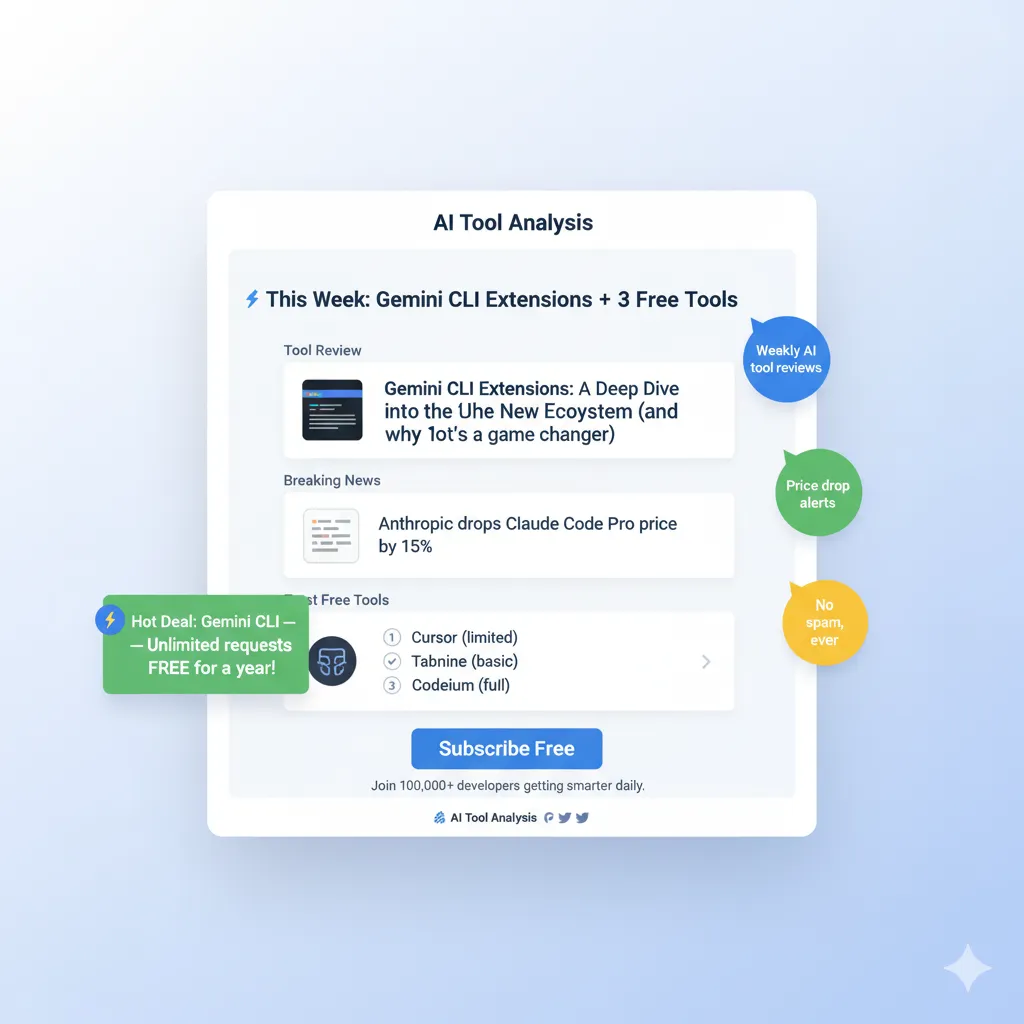
Don’t miss the next breakthrough in AI coding. The landscape changes weekly. Subscribe for honest reviews of the latest coding assistants, agentic IDEs, APIs, and dev platforms.
- ✅ Honest, hands-on reviews of new AI coding assistants.
- ✅ Comparisons of top tools (Copilot, Cursor, Antigravity).
- ✅ Alerts on major updates (Gemini 3, Claude 4.5).
- ✅ Analysis of AI trends like Agentic Workflows and Vibe-Coding.
- ✅ Guides on integrating AI securely into your workflow.
📚 Related Reading
- Cursor 2.0 Review 2025: The AI-First IDE Benchmark
- Antigravity vs Cursor: Google’s Controversial Agent vs. the Leading AI IDE
- Claude Code vs Gemini 3 CLI: Which Is Better for Terminal Tasks?
- Gemini 3 Review: Google’s Leap in Reasoning and Multimodality
- Gemini CLI Extensions 2025: Connecting Your Terminal to Everything
- AI News (Nov 20, 2025): Antigravity Launch and Gemini 3 Debut
- The Ultimate Guide to AI Tools
Last Updated: November 30, 2025
Models Referenced: Gemini 3 Pro, Claude 4.5, GPT-5/Codex
Next Review Update: January 30, 2026 (Due to the rapid pace of innovation in this category)