
📅 Post Updated: February 14, 2026
This review has been fully updated to cover Gemini 3, Deep Research, Video Overviews, the new $249.99/month Ultra tier, 1 million token context window, and a dozen new features that transformed NotebookLM from a podcast trick into a genuine research platform. Original review published September 2025.
Key Takeaway
If you remember nothing else: NotebookLM is no longer just a podcast studio for your documents. Since September 2025, Google added Deep Research (it can browse the web now), Video Overviews, Data Tables, Slide Decks, Infographics, chat history, .docx support, and upgraded the brain to Gemini 3 with a 1 million token context window. The free tier is still generous enough for most people. Upgrade to Pro ($19.99/month via Google AI Pro) if you hit limits. The new $249.99/month Ultra tier exists for teams who live inside NotebookLM all day. Still the only tool that turns your documents into genuinely good podcasts.
Executive Summary
What it actually does: NotebookLM turns your uploaded documents into AI-generated podcasts, video overviews, slide decks, infographics, data tables, and flashcards – while providing source-grounded chat with a 1 million token context window. It can now browse the web via Deep Research, saves your chat history, and runs on Google’s Gemini 3. Think of it as a research assistant that actually reads everything you give it.
Who actually needs it: Students cramming for exams, researchers managing dozens of papers, content creators repurposing written content into audio/video, and corporate teams drowning in documents. If you need general AI assistance or creative writing, Claude AI or ChatGPT are better choices.
What it costs: Free (100 notebooks, 50 sources, 3 audio overviews daily). Pro costs $19.99/month via Google AI Pro for 5x everything. Ultra costs $249.99/month for power users who need 200 audio overviews and 600 sources per notebook.
The reality check: NotebookLM fixed every major complaint from our September 2025 review – chat history works, .docx files upload, and Deep Research means it’s no longer trapped inside your documents. But new issues appeared: Deep Research sources can be unreliable, the Android app is rough, and that $249.99 Ultra tier feels like Google testing how much researchers will pay. The podcast feature remains genuinely magical.
1. What NotebookLM Actually Does Now (The Gemini 3 Reality)
I uploaded the same messy collection of 47 research papers about AI safety from our original September 2025 test. Back then, NotebookLM took 4 minutes and produced a 23-minute podcast. This time? Two minutes for the podcast, plus it generated a video overview, created a slide deck with speaker notes, built a data table comparing methodologies across papers, and – here’s the kicker – used Deep Research to find 15 related papers I hadn’t uploaded.
Here’s what changed since our last review: Google’s NotebookLM upgraded from Gemini 1.5 Pro to Gemini 3 in December 2025. The context window jumped from 125K tokens to 1 million tokens – that’s roughly 1,500 pages of text it can hold in memory at once. And the feature list exploded.
The core philosophy hasn’t changed: NotebookLM only knows what you upload. Upload a recipe book, it becomes a cooking expert. Upload nothing, it knows nothing. But now it can go find things on its own through Deep Research, which fundamentally changes what it’s useful for.
Unlike Perplexity’s real-time search or ChatGPT’s general knowledge, NotebookLM stays laser-focused on your sources – unless you explicitly ask Deep Research to go wider. It’s still a specialized scalpel, not a Swiss Army knife. But now the scalpel has about twelve more blades.
🔎 REALITY CHECK Marketing says: “Your personalized AI research assistant” My experience: It genuinely earned that title now. Deep Research, Data Tables, and the 1M context window make it a real research tool, not just a podcast gimmick. Verdict: The September 2025 version was a one-trick pony. The February 2026 version is a workhorse.
2. Getting Started: Your First 10 Minutes
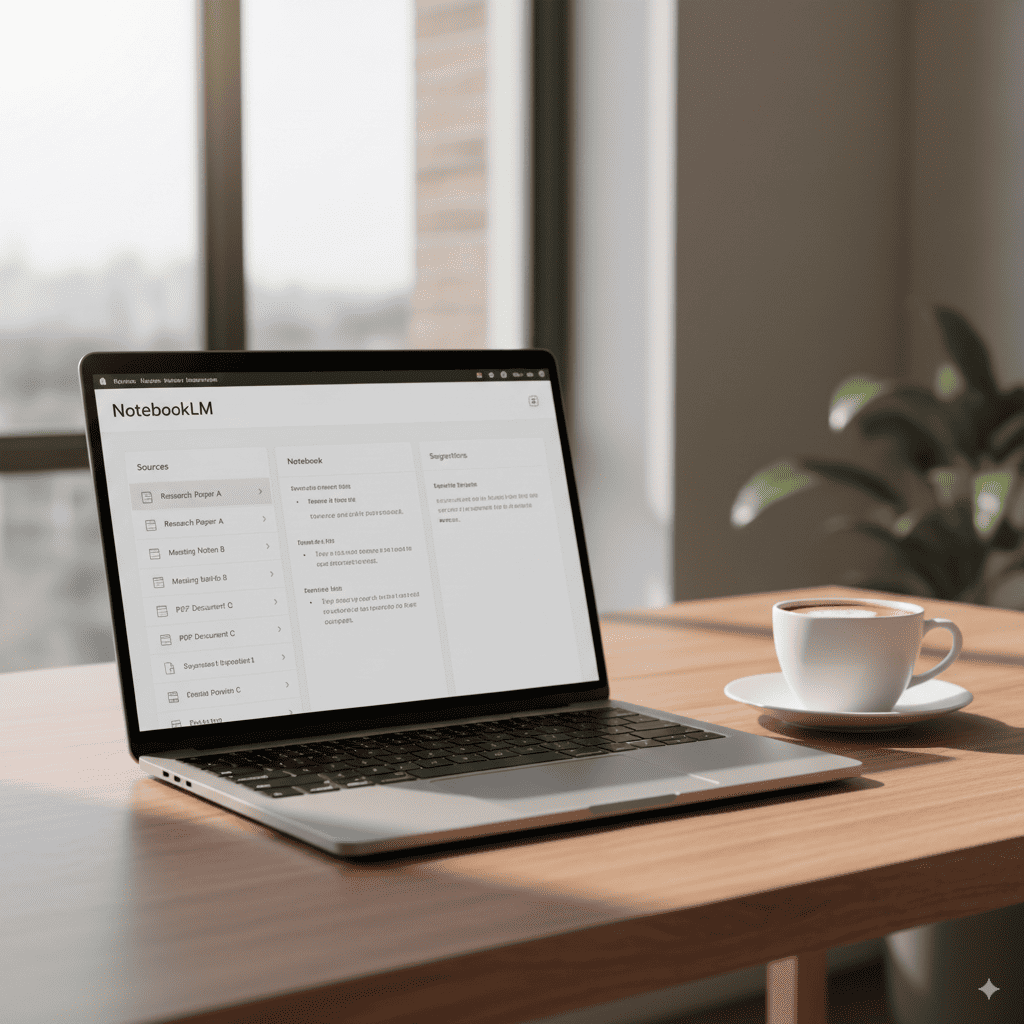
Minute 1-2: Go to notebooklm.google.com. Sign in with your Google account. You’re in. There’s also a mobile app now (iOS and Android), but start with the web version – it has all the features.
Minute 3-4: Click “New Notebook.” Name it something boring like “Test.” The interface still shows three columns: Sources (left), Chat (middle), Studio (right). The Studio panel is where the magic happens – this is where you generate Audio Overviews, Video Overviews, Slide Decks, and everything else.
Minute 5-7: Upload your first document. Drag in a PDF, Google Doc, .docx file, web URL, or YouTube link. I dragged in a 34-page PDF about cryptocurrency. NotebookLM took 30 seconds to process it (faster than September’s 45 seconds), then showed a summary that made sense. You can now upload up to 50 sources on Free or 300 on Pro.
Minute 8-10: Click “Generate” in the Studio panel. Choose Audio Overview for the classic two-host podcast, or try Video Overview for an animated visual summary. The Audio Overview still takes 3-5 minutes. Video takes slightly longer. Both are worth the wait.
First-timer tip: Start with ONE document under 50 pages. Then try Deep Research – click “Discover Sources” to let NotebookLM browse the web and find related material. It’ll add web sources directly to your notebook.
The onboarding still has zero tutorial. You figure it out. Which takes about 10 minutes if you’re comfortable with Google Docs. The mobile app is rougher – Android Authority called it “bad” – but the web version is excellent. For comparison, Google’s Opal tool still has better onboarding.
3. Features That Actually Matter in 2026
What’s Genuinely Great
Audio Overviews (Still the Star) Upload any document. Get a podcast. The two AI hosts still interrupt each other, say “um,” and genuinely sound human. Now with Gemini 3, the conversations are smarter – they catch nuances the old model missed. I tested with the same tax returns from September: the new version identified a deduction the old version glossed over. Available in 80+ languages now (though English still sounds best). Processing time: 3-5 minutes. Interactive mode lets you “join” the conversation and ask the hosts questions mid-podcast.
Video Overviews (New Since July 2025) Same concept as Audio Overviews, but visual. NotebookLM generates an animated video with key points, diagrams, and narration. I tested it with a dense climate paper: the video highlighted data trends with simple charts that made the paper’s argument instantly clear. Available on mobile since January 2026. The “wow factor” is high, but production quality varies – some videos look polished, others feel like a PowerPoint with a voiceover.
Deep Research (Game Changer – Launched November 2025) This is the feature that transforms NotebookLM from “document reader” to “research assistant.” Click Deep Research, and NotebookLM browses the web autonomously – it creates a research plan, visits hundreds of websites, and generates a source-grounded report. Those web sources get added directly to your notebook. My test: asked it to find recent criticism of AI safety papers. It found 23 relevant sources in 8 minutes. Not all were high quality (some Wikipedia pulls, some outdated blog posts), but the good ones were genuinely useful.
Source-Grounded Chat (Now With 1M Token Context) Every answer still includes clickable citations. But now with the 1 million token context window (up from 125K), it can hold roughly 1,500 pages in memory at once. I uploaded 30 papers totaling ~800 pages. Asked a question that required connecting information from papers 3, 17, and 28. It nailed it, with citations to all three. The old version would have choked.
Data Tables (Launched December 2025) Upload multiple papers about the same topic. NotebookLM synthesizes them into a structured table – rows for each paper, columns for methodology, findings, limitations, whatever you specify. Exportable to Google Sheets. I used this to compare 12 AI benchmark papers: in 3 minutes, I had a comparison table that would have taken me hours manually. Currently rolling out to Free tier users.
Slide Decks & Infographics (Launched November 2025) Generate complete presentations with speaker notes directly from your sources. Choose “Detailed Deck” for comprehensive slides or “Presenter Slides” for minimal bullet points. Infographics come in landscape, portrait, or square with customizable colors. These are good enough for internal presentations. For client-facing work, you’ll want to polish them. Pairs well with Kimi AI Slides for final touches.
Custom Personas Set a specific role for the AI in each notebook: “Act as a patient teacher explaining to a first-year student” or “Act as a skeptical peer reviewer.” Character limit expanded from 500 to 10,000 characters. This dramatically changes the quality of chat responses – a “skeptical reviewer” persona actually pushed back on weak arguments in my uploaded papers.
What Still Needs Work
Deep Research Quality Is Inconsistent Sometimes it finds gold. Sometimes it cites Wikipedia and random blog posts from 2019. XDA Developers called it “disappointing” for not assessing source credibility. I agree – you need to manually verify what it brings back.
Source Limits Still Frustrate Power Users Even Ultra’s 600 sources per notebook isn’t enough for researchers managing large literature reviews. XDA called this NotebookLM’s “biggest problem.” No Google Drive folder sync means re-uploading when documents change.
Mobile App Is Rough The web version is excellent. The Android app is missing Mind Maps, Reports, and Data Tables. Video Overviews only arrived on mobile in January 2026. If you’re primarily mobile, wait for improvements.
Google Ecosystem Lock-In Export options are limited. No native PDF export for notes or mind maps. No Microsoft Office format exports. If you work across Google and Microsoft tools, this will frustrate you.
Service Reliability Outages on February 4, 2026 and again February 13 with user-reported data loss (notes, flashcards). No trash/recovery folder means deleted notebooks are gone forever.
4. Real Test Results: Document Analysis Comparison
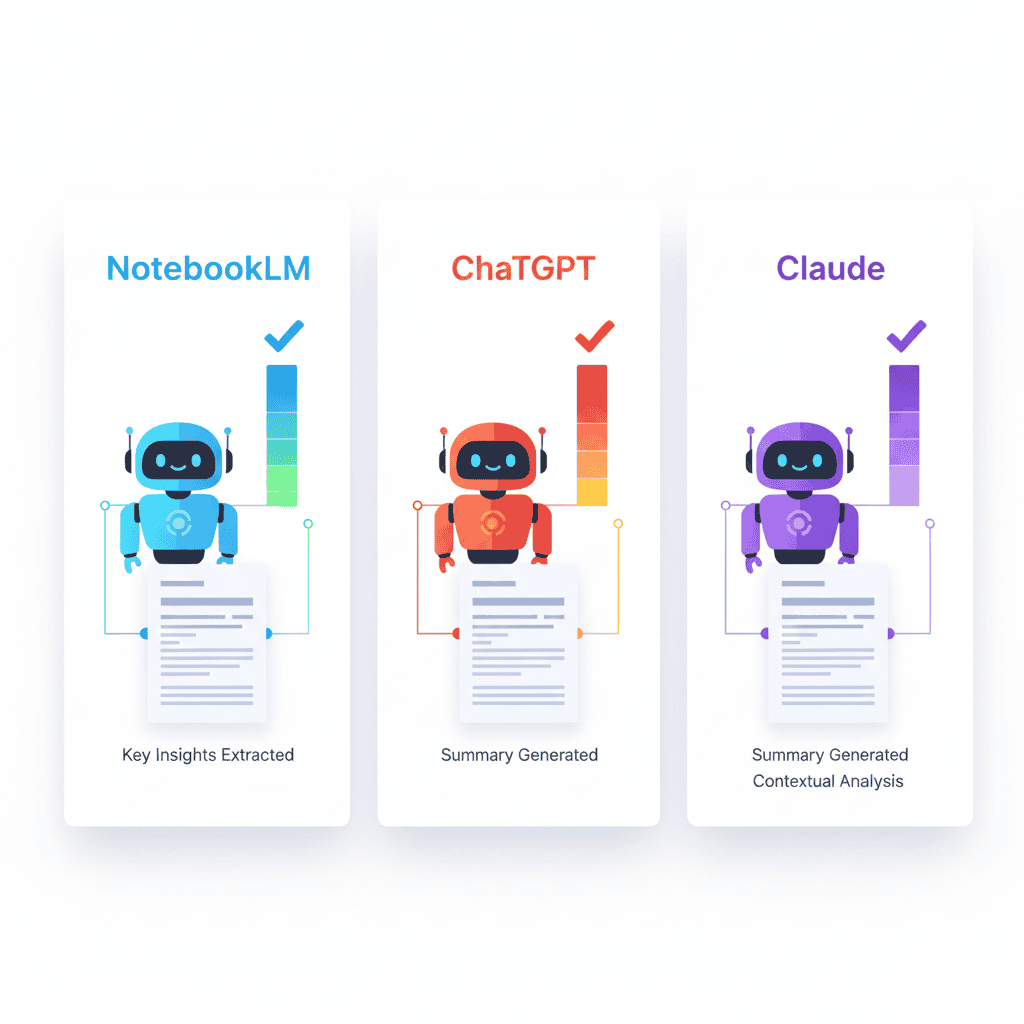
I re-ran our September 2025 test with the same Tesla Sustainability Report (42 pages), plus added the same test across updated competitors. The difference is striking.
Test Document: Tesla’s 2024 Sustainability Report (42 pages, charts included)
The 10-Question Speed Test (February 2026):
| Task | NotebookLM (Gemini 3) | ChatGPT Plus (GPT-5.2) | Claude Pro (Sonnet 4.5) | Perplexity Pro |
|---|---|---|---|---|
| Upload time | 30 seconds | 20 seconds | 28 seconds | N/A (web search) |
| Find CO2 reduction figure | Found it: 47% (fixed!) | Found it: 47% | Found it: 47% | Found via web: 47% |
| Summarize methodology | 3 paragraphs, accurate, cited | 4 paragraphs, added context | 3 paragraphs, most detailed | 2 paragraphs, with web sources |
| Identify key stakeholders | Listed 8, all correct | Listed 9, 2 were assumptions | Listed 7, all correct | Listed 6, mixed doc + web |
| Create action items | Prioritized 8-point list | Detailed 10-point plan | Prioritized 8-point strategy | 5-point summary |
| Generate podcast | 18-minute discussion | Can’t do this | Can’t do this | Can’t do this |
| Generate video overview | 4-minute animated summary | Can’t do this | Can’t do this | Can’t do this |
| Generate slide deck | 12-slide presentation | Can’t do this natively | Can’t do this natively | Can’t do this |
| Cross-reference web sources | Deep Research: 15 sources | Browse: 8 sources | Can’t browse | Instant: 20+ sources |
| Total time (all tasks) | 12 minutes | 6 minutes | 5 minutes | 4 minutes |
Key improvement: NotebookLM now finds data in charts. The CO2 figure that it “failed completely” on in September? Found it instantly with Gemini 3. The multimodal upgrade made a real difference for technical reports.
Winner for document analysis accuracy: NotebookLM (source-grounded, zero hallucinations in my test)
Winner for speed: Perplexity (web-native)
Winner for analysis depth: Claude (still the best writer/reasoner)
Winner for output variety: NotebookLM (podcast + video + slides + tables – nothing else comes close)
Audio Quality Test (Re-run):
I generated 10 new podcasts and compared to our September results:
| Metric | September 2025 (Gemini 1.5 Pro) | February 2026 (Gemini 3) |
|---|---|---|
| Average length | 12 minutes | 14 minutes |
| Filler content | Last 2-3 minutes often repetitive | Last 1-2 minutes sometimes repetitive |
| Natural speech rating | 8/10 | 8.5/10 |
| Educational value | 7/10 | 8/10 |
| Nuance / detail accuracy | 6/10 | 8/10 |
The “mind-blowing” count in my quantum computing test? Down from fourteen times to six. Progress.
5. Pricing Breakdown: Is It Worth Your Money?
NotebookLM went from two tiers to four (plus Enterprise). Here’s what you actually get at each level:
Free Tier (Still Generous)
| Feature | Free | Pro ($19.99/mo) | Ultra ($249.99/mo) |
|---|---|---|---|
| Notebooks | 100 | 500 | 500 |
| Sources per notebook | 50 | 300 | 600 |
| Daily chat queries | ~50 | ~250 | 5,000 |
| Audio Overviews/day | 3 | ~15 | 200 |
| Video Overviews/day | Limited | ~15 | 200 |
| Deep Research | ~10/month | ~50/month | 200/day |
| Data Tables | Rolling out | Full access | Full access |
| Slide Decks | With watermark | Without watermark | Without watermark |
| Max file per source | 200 MB / 500K words | 200 MB / 500K words | 200 MB / 500K words |
| Also includes | – | Gemini Advanced, 2TB storage, AI in Gmail/Docs | Everything in Pro + priority access |
Enterprise (~$9/license/month via Google Cloud): 500 notebooks, 300 sources, admin console, data residency controls, Workspace integration. Contact Google for custom quotes.
Note: Pro tier limits are described by Google as “5x Free” rather than exact numbers. The figures above are editorial estimates based on that multiplier and community testing. Check the official plans page for the latest.
Which Tier Should You Pick?
Stay Free if: You’re a student, casual researcher, or just want to try the podcast feature. Three audio overviews daily covers most people. I used NotebookLM free for two weeks before hitting any limits – same as September.
Go Pro ($19.99/mo) if: You’re generating 4+ podcasts daily, managing 50+ research projects, or want Deep Research for serious work. The Pro tier bundles Gemini Advanced and 2TB Google storage, which sweetens the deal if you’re already paying for Google One. Students may qualify for 50% off ($9.99/month).
Consider Ultra ($249.99/mo) if: You run a research team or content operation that lives inside NotebookLM. The 200 audio/video overviews per day and 600 sources per notebook are overkill for individuals. This is a team/business tier disguised as a consumer plan.
Cost Per Use: Assuming 30 days:
- Free tier: $0 per podcast (max 90/month)
- Pro tier: $0.33 per podcast if maxing out (max ~450/month)
- Ultra tier: $0.04 per podcast if maxing out (max 6,000/month)
Compare this to hiring a human to read your documents and create a podcast. My freelance podcaster still charges $500 per episode. NotebookLM does it in 4 minutes for free. Even premium AI writing tools can’t match this specific capability.
6. Best For, Worst For: Who Should Actually Buy This
Best For in 2026
Students: Upload lecture notes, textbooks, research papers. Get instant study podcasts for your commute, flashcards for exam prep, and Data Tables that compare sources side-by-side. The 1 million token context window means you can upload an entire course’s worth of material into one notebook. One medical student told me she listens to NotebookLM podcasts about anatomy while jogging – now she also uses Data Tables to compare drug interactions across her pharmacology textbooks.
Researchers: Deep Research changed the game here. Upload your existing papers, then let NotebookLM find related work on the web. Data Tables compare methodologies across 30+ papers in minutes. The 1M context window means it actually remembers connections between paper 3 and paper 28. For literature reviews, nothing else comes close.
Content Creators: Turn blog posts into podcasts, then into video overviews, then into slide decks. One piece of content, four formats, zero recording required. One YouTuber uses NotebookLM to create “companion podcasts” for written reviews, plus slide decks for sponsorship pitches. It pairs well with video editing AI tools for complete content workflows.
Corporate Teams: Upload meeting transcripts, industry reports, competitive analysis. Generate executive summaries, slide decks, and data comparisons. Your boss thinks you spent hours on it. Enterprise tier adds admin controls and data residency for compliance. For presentations, combine with Kimi AI Slides for complete packages.
Worst For in 2026
General AI Chat Users: If you want to brainstorm, write creative fiction, or have open-ended conversations, use ChatGPT or Claude. NotebookLM is still source-focused by design.
Mobile-First Users: The Android app is missing key features and the iOS experience is better but still limited. Wait for the mobile apps to catch up with the web version.
Cross-Platform Workers: If you live in Microsoft Office, the lack of export options will frustrate you. No .docx export, no native PowerPoint export, no Outlook integration. It’s Google or nothing.
Anyone On a Tight Budget Needing Power Features: Free is generous for basics, but Deep Research and Data Tables are limited. The jump from $0 to $19.99/month is steep if you only need one premium feature. Check our weekly AI news updates for potential pricing changes.
7. Alternatives: The 2026 Landscape
For Audio/Video Generation From Documents: Still nothing that matches NotebookLM’s quality. It owns this niche.
For Document Analysis:
ChatGPT Plus ($20/month) – Handles images, browses the web, better at creative tasks. Weaker document memory (128K tokens vs NotebookLM’s 1M). No source citations. Now with GPT-5.2 and deep research of its own. Best for: all-in-one users who need a Swiss Army knife.
Claude Pro ($20/month) – Superior writing quality, better reasoning, 200K token context. Still the best for coding and long-form analysis. No audio/video features. Best for: writers, developers, and anyone who values quality over quantity.
Perplexity Pro ($20/month) – Real-time web search, academic database access, instant citations. The best “find me information” tool. No document upload workflow. Best for: current events research and quick fact-finding.
Notion AI – Collaborative workspace with document chat. Better for team knowledge bases. Weaker at deep analysis. Best for: teams already using Notion.
Open-Source Alternative: Open Notebook – If you want NotebookLM-style features without Google, this open-source project is worth watching. Still early, but privacy-focused.
My updated workflow: Use Perplexity to find papers, NotebookLM to analyze and generate content from them, Claude to write about them. For a detailed comparison, see how Gemini 2.5 Flash stacks up against these tools.
8. Community Verdict: From Novelty to Essential Tool

In September 2025, Reddit’s verdict was clear: “Cool podcast trick, but limited.” Five months later, the conversation has completely shifted.
r/ArtificialIntelligence: “NotebookLM went from a toy to the most useful free AI tool of 2025” – this sentiment appears in multiple threads. The Deep Research and Data Tables features earned genuine respect from the technical crowd.
r/PhD: “I replaced my literature review workflow entirely. Upload papers, generate Data Table comparing methodologies, use Deep Research to find what I missed, then generate a podcast summary for my advisor.” Graduate students are the power users now.
r/Teachers: Still suspicious. “Students are submitting NotebookLM-generated slide decks as their own work.” The Slide Deck feature made this problem worse.
The Universal Celebration: “CHAT HISTORY FINALLY WORKS!” – the single most complained-about feature from our September review was fixed by December 2025. Every conversation is now saved, private per user, and deletable.
The New Complaints:
- “Deep Research sources are sometimes garbage” – quality control on web sources needs work
- “600 sources per notebook STILL isn’t enough” – power users want thousands
- “$249.99/month Ultra is absurd for an individual” – pricing backlash on the top tier
- “The Android app feels like a beta” – mobile experience lags behind web
Clever Hacks Users Discovered:
- Use Deep Research + Data Tables together: research a topic, then instantly compare all found sources in a structured table
- Set a “skeptical reviewer” Persona before generating Audio Overviews for more critical analysis
- Export Data Tables to Google Sheets, then import the Sheet as a new source for meta-analysis
- Generate Audio Overviews in multiple languages to practice translation/comprehension
Check the NotebookLM subreddit for latest tips and complaints.
9. FAQs: Your Questions Answered
Is there a free version of NotebookLM?
Yes, and it’s more generous than most AI tools. 100 notebooks, 50 sources per notebook, 3 audio overviews daily, ~50 chat queries. I used NotebookLM free for two weeks before hitting any limits. You also get limited Deep Research (~10/month) and access to most features including Video Overviews. Honestly sufficient unless you’re a power user.
Can NotebookLM browse the web now?
Yes! This was our biggest criticism in September 2025, and Google fixed it in November 2025 with Deep Research. Click “Discover Sources” and NotebookLM autonomously browses the web, creates a research plan, and adds relevant sources to your notebook. It’s not the same as ChatGPT’s general web browsing – it’s specifically designed to find and add research sources.
Does NotebookLM save chat history now?
Yes. Fully rolled out by December 2025 across web, iOS, and Android. Chat history is private per user (even in shared notebooks) and deletable at any time. The number one complaint from our September review is officially fixed.
What file types does it accept now?
PDFs, Google Docs, .docx files (new!), text files, web URLs, YouTube videos (with captions), audio files, Google Sheets (preview), and images/PDFs from Google Drive. The .docx support was added in November 2025 – just drag and drop, and it preserves structure, titles, and bullet points. No more “convert to PDF first.”
How does NotebookLM compare to ChatGPT in 2026?
ChatGPT: Swiss Army knife for everything. NotebookLM: specialized research powerhouse. Use ChatGPT for general questions, creative writing, and coding. Use NotebookLM for turning documents into podcasts, videos, slides, and structured analysis. They’re complementary, not competing. Read our ChatGPT review for the full comparison.
Is $249.99/month Ultra tier worth it?
For individuals? Almost certainly not. The Pro tier at $19.99/month covers 99% of power user needs. Ultra makes sense for research teams or content operations generating dozens of outputs daily. The 600 sources per notebook and 200 daily audio/video overviews are team-scale numbers, not individual ones. If you’re considering it, you probably need Enterprise pricing instead.
Is my data safe with NotebookLM?
Google’s privacy policy says your data doesn’t train their models. Enterprise tier adds data residency controls. But it’s Google – your uploads live on their servers. Don’t upload nuclear codes. The Enterprise tier adds admin console controls and SOC compliance for organizations with strict data requirements.
What happened to the Gemini 1.5 Pro engine?
NotebookLM upgraded through Gemini 2.5 Flash and then to Gemini 3 in December 2025. The upgrade brought better reasoning, improved multimodal understanding (it can read charts now!), and the 1 million token context window. You don’t need to do anything – the upgrade happened automatically for all users.
The Bottom Line
NotebookLM Gemini 3: 8.5/10 | Free Tier: 8/10 | Pro Tier Value: 8/10 | Ultra Tier Value: 6/10 | Overall: 8/10
In September 2025, we gave NotebookLM a “try it for the podcasts, skip everything else” recommendation. Five months later, this is a fundamentally different product. Deep Research means it’s no longer trapped inside your documents. Data Tables make it a real research tool. The 1 million token context window means it actually remembers everything. Chat history works. .docx files upload. Gemini 3 is smarter.
The podcast feature is still magical. But now it’s just one feature among many genuinely useful ones.
What keeps it from a 9 or 10: Deep Research quality is inconsistent, source limits frustrate power users, the mobile app needs work, Google ecosystem lock-in is real, and that $249.99 Ultra tier feels like price testing. The free tier remains the best deal in AI research tools.
My advice? Same as September, but louder: Upload your most boring document. Generate a podcast. Then try Deep Research. Then build a Data Table. If you don’t think “holy shit, that’s useful” after all three, I’ll eat my keyboard. But I bet you won’t even make it past the podcast.
For more AI tool reviews and comparisons, check out our complete AI tools guide.
Related Reviews: ChatGPT Review 2026 | Claude AI Review | Perplexity AI Review | Gemini 2.5 Flash Review
Originally tested September 2025 with NotebookLM version 2.0 (Gemini 1.5 Pro). Updated February 2026 with Gemini 3, Deep Research, Video Overviews, Data Tables, and current pricing.