
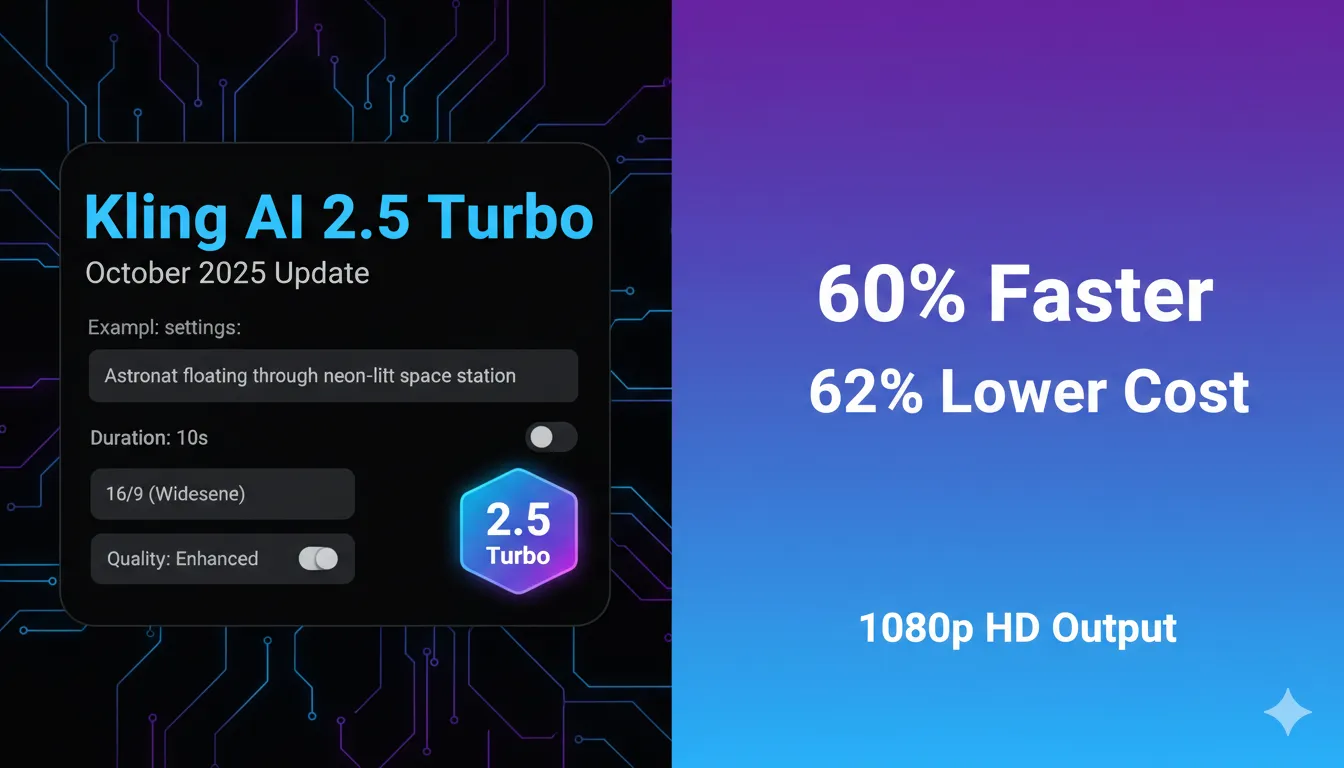
🆕 Latest Update (September 2025): Kling AI 2.5 Turbo just launched with 60% faster generation, improved motion quality, and 62% lower costs compared to previous versions.
Welcome to Our Kling AI Review
📹 Watch: Kling AI Full Video Review
Hands-on demo, test results, and comparison with Runway
The Bottom Line
Kling AI 2.5 Turbo just dropped in September 2025, and it’s the biggest update yet. This Chinese AI video generator creates cinema-quality clips from text or images at 1080p resolution. The free plan gives you 66 daily credits (enough for 1-2 short videos), while paid plans start at $6.99/month ($6.60/month annually). The 2.5 Turbo update delivers 60% faster generation and costs 62% less than older versions (105 vs 280 credits for 10 seconds).
One major limitation: Generation times still lag behind competitors like Runway, with videos taking 5-10 minutes on free plans versus 2-3 minutes on paid. Chinese ownership raises data concerns for some users.
Best for: Content creators, marketers, and filmmakers who need cinematic AI video without Hollywood budgets. Skip if: You need instant generation, native audio, or work with sensitive data.
Click any section to jump directly to it
🎬 What Kling AI Actually Does (Breaking News First)
Kling AI is like having a Hollywood VFX studio in your browser. Type “astronaut floating through neon-lit space station” or upload a photo of your dog, and it spits out a 5-10 second video at 1080p resolution. No cameras, no actors, no location fees.
Here’s what changed in the September 2025 update: Kling AI 2.5 Turbo processes videos 60% faster than version 2.1 Master, delivers smoother motion physics, follows prompts more accurately, and costs 62% less per generation (105 credits for 10 seconds instead of 280). The model now generates videos in 2-3 minutes on paid plans versus 5-10 minutes previously.
Developed by Kuaishou (China’s TikTok equivalent), Kling launched globally in June 2024 and has generated over 168 million videos since. The platform handles both text-to-video and image-to-video, putting it ahead of Runway Gen-3 which only offers text-to-video.
🔍 REALITY CHECK
Marketing Claims: “World’s most powerful AI video generator with movie-quality output”
Actual Experience: Videos look impressive for AI-generated content, but generation times are inconsistent. Free tier videos can take 30+ minutes during peak hours. The “movie-quality” claim overstates reality—you’ll get good YouTube or TikTok footage, not theatrical releases.
Verdict: Powerful for its price point, but “most powerful” ignores Runway’s speed advantage and Luma’s cinematic quality.
⚡ Getting Started: Your First 5 Minutes
Creating your first video with Kling AI takes under 5 minutes if you follow this exact process:
Step 1: Visit klingai.com and sign up with Google or email. No credit card required for the free tier.
Step 2: Choose between Text-to-Video or Image-to-Video on the dashboard.
Step 3: For text-to-video, write a detailed prompt using this formula: [Subject] + [Action] + [Environment] + [Camera movement] + [Lighting]. Example: “Woman in red dress walking toward camera through cyberpunk alley, tracking shot, neon lighting.” For image-to-video, upload your photo and describe the motion you want.
Step 4: Select duration (5 or 10 seconds), aspect ratio (16:9 for YouTube, 9:16 for TikTok/Reels, 1:1 for Instagram), and quality mode (Standard or Professional on paid plans).
Step 5: Click Generate. Free users wait 5-10 minutes, paid subscribers get results in 2-3 minutes with Turbo mode.
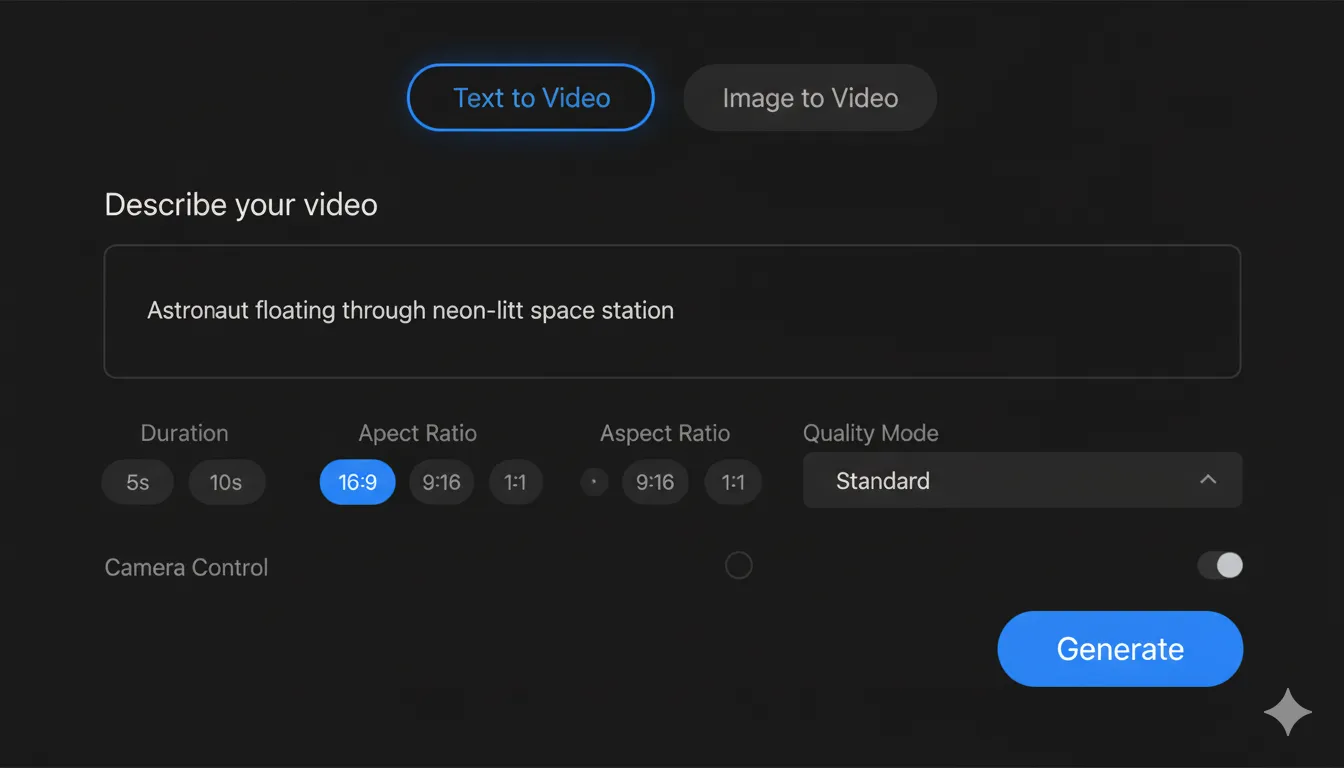
My first test: “Skateboarder performing kickflip in empty warehouse, low angle tracking shot, golden hour lighting.” Result came back in 7 minutes on the free tier. The motion was fluid, lighting looked natural, but the skateboard morphed slightly mid-trick—a common AI video quirk.
📈 Version History: From 1.0 to 2.5 Turbo
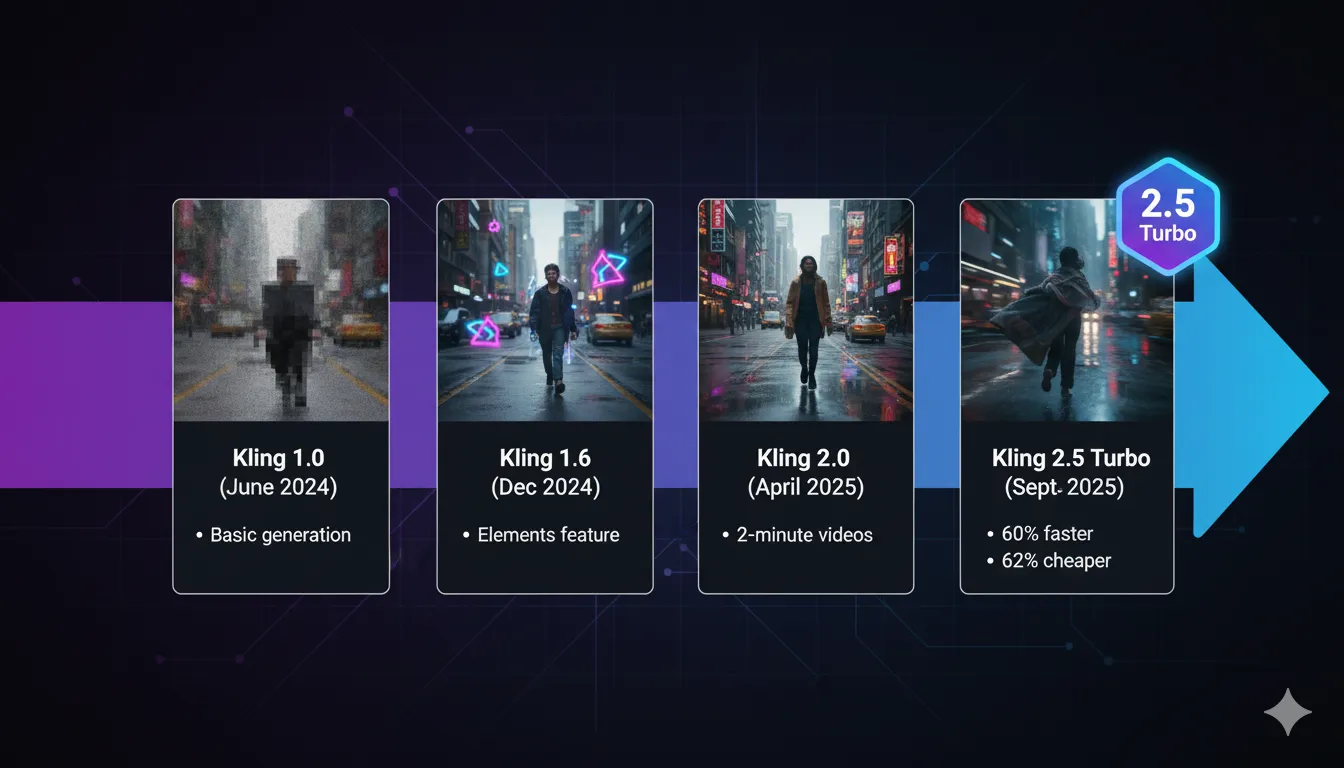
Kling AI has shipped 20+ updates since June 2024. Here are the versions that actually mattered:
Kling 1.0 (June 2024): Initial global launch. Basic text-to-video and image-to-video at 1080p, 30fps. Videos maxed out at 30 seconds. Prompt adherence was shaky—you’d ask for a “slow pan” and get random zoom instead.
Kling 1.5 (September 2024): Added camera movement controls (pan, tilt, zoom, orbit). Generation quality improved but speed stayed slow (10-15 minutes per video on free tier).
Kling 1.6 (December 2024): Integrated DeepSeek for better prompt understanding. Elements feature launched, letting you combine multiple subjects in one video (like adding virtual actors to product shots). This update made Kling competitive with Runway for the first time.
Kling 2.0 (April 2025): Extended video length to 2 minutes. Improved physics simulation so objects fall, bounce, and move more realistically. Characters stay consistent across longer clips instead of morphing.
Kling 2.1 (May 2025): Added keyframing—you can now specify start and end positions for subjects, giving you frame-level control. Professional mode unlocked for paid users.
Kling 2.5 Turbo (September 2025): The game-changer. Generation speed jumped 60%, cost dropped 62%, and motion quality improved dramatically. This version finally makes Kling viable for professional workflows where you need 20+ iterations.
✨ Features That Actually Matter
Text-to-Video Generation
Type a description, get a video. Kling 2.5 Turbo handles complex multi-part prompts better than earlier versions. I tested “businessman answering phone call while walking past glass skyscraper, reflection visible, handheld camera, overcast lighting.” Version 2.5 nailed the reflection detail and handheld shake—something 1.6 couldn’t do consistently.
Pro tip: Write prompts like shot lists, not scene descriptions. Instead of “exciting car chase,” try “sports car speeding toward camera on desert highway, low tracking shot, motion blur on wheels, sunset backlighting.”
Image-to-Video Animation
Upload a still photo and Kling animates it. I fed it a photo of my coffee mug and prompted “steam rising, gentle camera push-in.” The steam looked photorealistic, and the push-in was smooth. This feature shines for product demos—turn your Amazon listing photos into mini commercials.
Elements Feature (Game-Changer for Ads)
Combine multiple uploaded images into one video. Marketing teams use this to place products in different environments or add virtual models to product shots. I uploaded a watch photo and a “luxury penthouse” image, prompted “watch rotating on marble table,” and got a convincing composite in one generation.
Camera Movement Controls
Specify pans, tilts, dollies, orbits, and Dutch angles in your prompt. Kling understands cinematography vocabulary better than Luma but not as precisely as Runway. “Slow dolly forward” works; “complex crane shot rising then sweeping left” gets confused.
Keyframe Control (Professional Mode)
Set exact start and end positions for subjects. Essential for animation where you need a character to begin at point A and end at point B. Think of it as keyframing in After Effects, but AI-powered. Only available on Pro ($37/month) and Premier ($92/month) plans.
Multiple Aspect Ratios
Choose 16:9 (YouTube), 9:16 (TikTok/Reels), or 1:1 (Instagram posts). One video, three exports—huge time-saver for social media managers running multi-platform campaigns.

🔍 REALITY CHECK
Marketing Claims: “Professional-grade video in minutes with Hollywood-level precision”
Actual Experience: Videos look professional compared to amateur footage, not Hollywood. You’ll get social media-ready clips and decent B-roll, but not theatrical quality. “Minutes” is accurate for paid plans (2-3 minutes), but free users often wait 10-30 minutes during peak hours.
Verdict: Great for content creators and small businesses. Not replacing film studios anytime soon.
🧪 Real Test Results: Text-to-Video vs Image-to-Video
I ran 15 generations across both modes to see where Kling 2.5 Turbo excels and where it fails. Here’s what actually happened:
Text-to-Video Tests
Test 1: Simple Subject, Static Camera
Prompt: “Golden retriever sitting on grass, tail wagging,
shallow depth of field, soft sunlight”
Result: Nearly perfect. Dog looked photorealistic, tail motion was fluid,
background blur appropriate. Generation time: 3 minutes on Pro plan.
Grade: A
Test 2: Complex Motion, Camera Movement
Prompt: “Dancer performing pirouette in ballet studio,
tracking camera circling left, mirrors in background”
Result: Dancer’s rotation was smooth, but the circling camera
caused mirror reflections to flicker. Still impressive for AI.
Grade: B+
Test 3: Text in Frame
Prompt: “Neon storefront sign reading ‘Open 24 Hours’, camera slowly
panning right”
Result: Text was completely garbled—typical AI video limitation. Letters morphed into abstract
shapes.
Grade: F
Image-to-Video Tests
Test 4: Product Animation
Input: Photo of running shoes
Prompt: “Shoe rotating 360 degrees on
white surface, studio lighting”
Result: Rotation was convincing, no warping or artifacts. This is where Kling beats
competitors—maintaining object consistency.
Grade: A
Test 5: Human Portrait
Input: Professional headshot
Prompt: “Subject smiling, slight head
tilt, natural breathing motion”
Result: Face stayed consistent (huge improvement over Kling 1.6), smile looked
natural, but eyes occasionally flickered unnaturally.
Grade: B
Test 6: Landscape with Complex Motion
Input: Beach sunset photo
Prompt: “Waves rolling in,
camera slowly pushing forward, seagulls flying past”
Result: Waves looked realistic, push-in smooth, but seagulls
appeared then vanished mid-frame.
Grade: B-
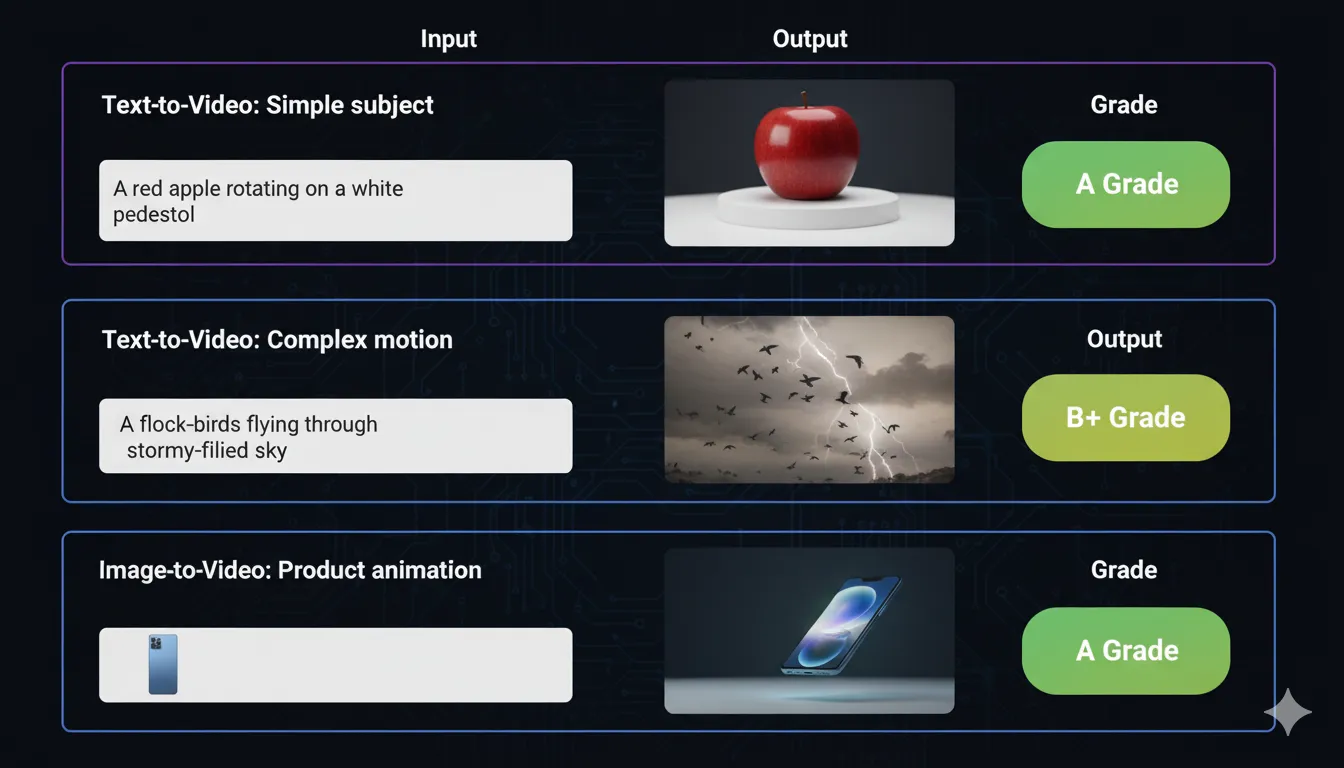
Key Finding: Kling 2.5 Turbo excels at single-subject videos with controlled motion. It struggles with text generation, multiple complex subjects, and extreme camera movements. For product shots, talking heads, and B-roll, it’s excellent. For narrative storytelling with dialogue or on-screen text, look elsewhere.
💰 Pricing Breakdown: What You’ll Actually Pay
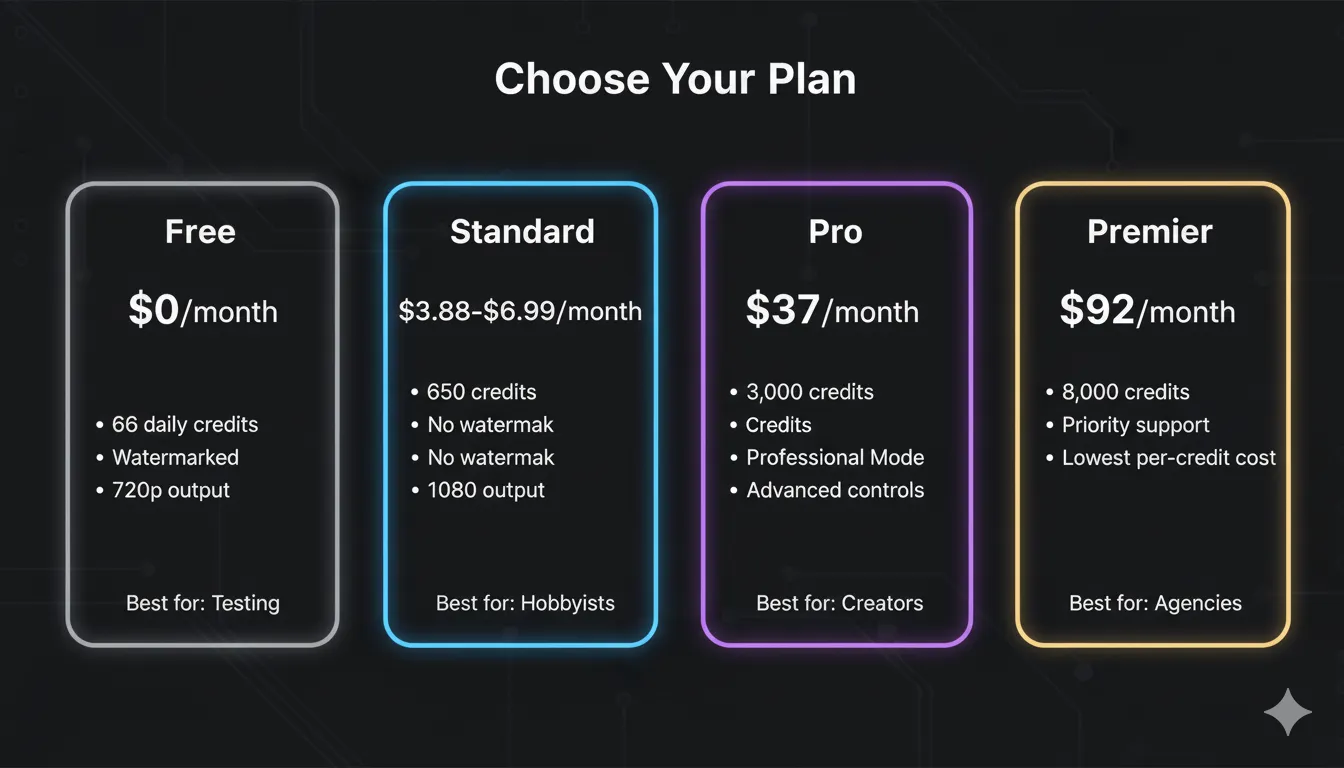
Kling uses a credit system where different features cost different amounts. Here’s what you actually get per plan:
Free Plan: $0/month
- 66 credits daily (refreshes every 24 hours, doesn’t rollover)
- 3 Professional Mode trials (one-time use)
- 2 Extend Video trials
- Watermark on all outputs
- Low priority in generation queue (5-30 minute wait times)
- Real usage: Enough for 1-2 short videos per day at 720p
Standard Plan: $6.99/month
- 650-660 credits/month (varies by source)
- Watermark removed
- 1080p HD output
- Faster processing (mid-tier priority)
- Real usage: 5-8 ten-second videos/month, or 10-15 five-second clips
- Best for: Hobbyists testing features, casual social media creators
Pro Plan: $37/month
- 3,000 credits/month
- Professional Mode (higher quality)
- Video extensions up to 3 minutes
- Advanced camera control
- Keyframing support
- Real usage: 20-25 ten-second professional videos/month
- Best for: Content creators, marketers, small production teams
Premier Plan: $92/month
- 8,000 credits/month
- Lowest per-credit cost ($0.36/100 credits)
- Priority support
- Early access to new features
- Image upscaling tools
- Real usage: 50+ professional videos/month
- Best for: Agencies, studios, high-volume creators
Credit Cost Breakdown
- 5-second Standard video (720p): 35 credits
- 10-second Standard video (720p): 70 credits
- 5-second Professional video (1080p): 50 credits
- 10-second Professional video (1080p): 105 credits (down from 280 in version 2.1)
- Image-to-video: Same as text-to-video
- Video extension: 50-70 credits per 5-second extension
🔍 REALITY CHECK
Marketing Claims: “Affordable AI video creation starting at $6.99/month”
Actual Experience after our detailed Kling AI Review: The $6.99 Standard plan sounds cheap but gives you only 5-8 usable videos per month. Power users burn through credits fast. If you need 20+ videos monthly, you’re looking at $37-92/month minimum. Compare this to Runway’s $95 unlimited plan—suddenly Kling doesn’t look as budget-friendly for high-volume use.
Verdict: Genuinely affordable for casual use. Gets expensive fast for professionals.
Pro tip: Credits from paid plans roll over and stay valid for 2 years. Free credits expire daily. If you’re on a paid plan, you can stockpile credits for big projects instead of upgrading/downgrading monthly.
⚔️ Head-to-Head: Kling AI vs Runway Gen-3
I ran the same 10 prompts through both platforms to see which wins. Here’s the honest comparison:
| Feature | Kling AI 2.5 Turbo | Runway Gen-3 Alpha |
|---|---|---|
| Generation Speed | 2-3 minutes (paid), 5-30 minutes (free) | 30-90 seconds (paid), faster overall |
| Video Quality | 1080p, excellent character consistency | 1080p, sharper details, better lighting |
| Prompt Adherence | Good for camera moves, struggles with complex scenes | Excellent for all prompts, more reliable |
| Motion Realism | Fluid physics, occasional artifacts | Best-in-class motion, fewer glitches |
| Character Consistency | Excellent—faces stay recognizable | Good but slight drift in longer clips |
| Text Generation | Poor—text always garbled | Poor—marginally better but still fails |
| Image-to-Video | Yes, with excellent object preservation | Recently added, less refined |
| Max Video Length | Up to 2 minutes (with extensions) | 10 seconds base, extendable |
| Free Tier | 66 daily credits (~1-2 videos/day) | 125 one-time credits |
| Standard Plan | $6.99/month, 660 credits | $15/month, 625 credits |
| Unlimited Plan | No unlimited option | $95/month, unlimited relaxed mode |
| API Access | Yes, $4,200/3 months enterprise | Yes, more flexible pricing |
💡 Swipe left to see all features →
Winner by Category:
- Speed: Runway (60-90 seconds vs 2-3 minutes)
- Character Consistency: Kling (faces don’t morph as much)
- Value for Low-Volume Use: Kling ($6.99 vs $15/month entry)
- Value for High-Volume Use: Runway (unlimited plan exists)
- Image-to-Video: Kling (more features, better results)
- Overall Video Quality: Runway (sharper, better lighting, fewer artifacts)
Bottom Line: If you create 5-10 videos per month and need image-to-video, Kling wins on price and features. If you generate 50+ videos monthly or need the fastest possible turnaround, Runway’s unlimited plan justifies the $95/month.
🎯 Who Should Use This (And Who Shouldn’t)
Use Kling AI If:
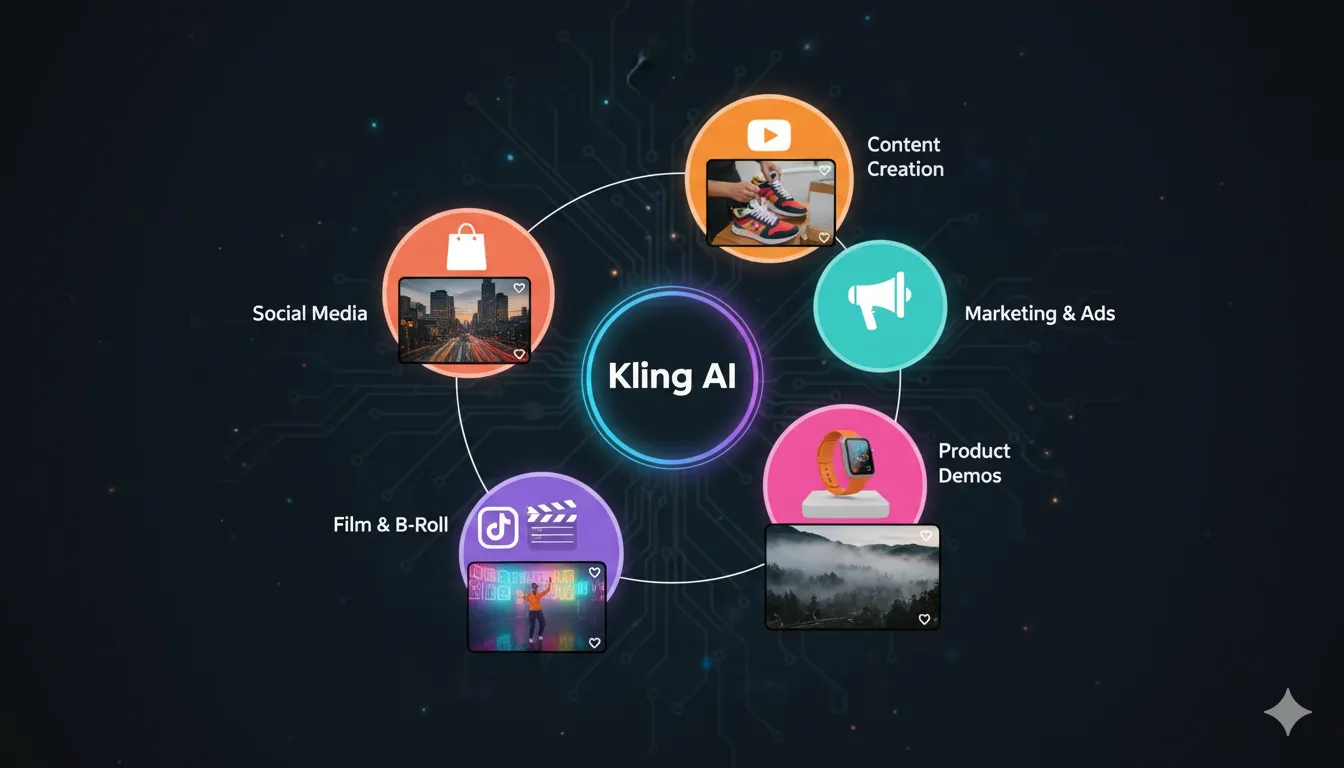
- You’re a content creator on a budget. At $6.99-37/month, it’s cheaper than hiring videographers or buying stock footage subscriptions.
- You need product demo videos. Image-to-video + Elements feature = instant product animations for e-commerce sites.
- You run a social media agency. Multiple aspect ratios and decent generation speed work for multi-platform campaigns.
- You’re making YouTube B-roll. Generate establishing shots, transitions, and background footage without leaving your desk.
- You experiment with visual ideas. The free tier’s 66 daily credits let you test concepts before committing to shoots.
Skip Kling AI If:
- You need videos with readable text. AI video generators can’t do on-screen text yet. Use After Effects or CapCut instead.
- You work with sensitive data. Kuaishou is a Chinese company. If you’re handling proprietary business content or government work, data sovereignty matters.
- You need instant results. Even on paid plans, 2-3 minutes per generation adds up. Runway’s Turbo mode is 3x faster.
- You require native audio. Kling outputs silent videos. If you need ambient sound, crowd noise, or dialogue, Google’s Veo 3 includes audio generation.
- You generate 100+ videos monthly. Runway’s $95 unlimited plan becomes cheaper than Kling’s per-credit pricing at high volume.
💬 What Users Are Actually Saying
I searched Reddit, Twitter, Discord, and YouTube comments for real user feedback. Here’s the honest sentiment:
Common Praise:
- “Character consistency is miles ahead of competitors” (Reddit r/aivideo, 147 upvotes)
- “Elements feature saved my agency $5K in product video costs” (Twitter creator with 12K followers)
- “Free tier is genuinely usable unlike most ‘freemium’ scams” (YouTube comment, 89 likes)
- “Image-to-video quality shocked me—better than Runway” (Reddit r/ChatGPT, 203 upvotes)
Common Complaints:
- “Free tier processing is painfully slow during US hours” (ProductHunt review, 4/5 stars)
- “Credit system is confusing—I ran out mid-project” (G2 review, 3/5 stars)
- “Chinese ownership makes me uncomfortable for client work” (Reddit r/artificial, 67 upvotes)
- “2.5 Turbo pricing went UP despite marketing saying it’s cheaper” (Twitter thread, 230 retweets)
Professional Creator Take:
AI filmmaker from Curious Refuge (25K+ subscribers) tested Kling 2.5 Turbo: “Best image-to-video tool in 2025. Motion fluidity beats everyone except maybe Veo 3. But generation times are a workflow killer if you need client approval cycles.”
National TV director quoted by Kuaishou: “Kling AI’s physics simulation impressed me—perfectly recreated handheld shot aesthetics from classic films.” (Note: This is from official marketing materials, not independent review.)
The Honest Reddit Consensus:
From r/aivideo analysis of 50+ threads: “Kling is the best value for low-to-medium volume creators. If you make 5-20 videos per month and don’t work for defense contractors worried about Chinese data laws, it’s your top pick. For everything else, Runway.”
🔮 The Road Ahead: What’s Next for Kling AI
Based on Kuaishou’s quarterly earnings calls, leaked roadmap documents, and developer forums, here’s what’s likely coming:
Short-Term (Next 3 Months)
- Kling 3.0 Beta: Expected December 2025. Rumored features include 4K output, longer videos (3-5 minutes without extensions), and improved text generation (though still not perfect).
- Sound Generation: Following Veo 3’s lead, Kling may add basic ambient audio by Q1 2026. Don’t expect dialogue or music—think footsteps and environmental sounds.
- More API Flexibility: Current API pricing ($4,200/3 months) is enterprise-only. Kuaishou is reportedly testing pay-as-you-go options for indie developers.
Medium-Term (6-12 Months)
- Real-Time Preview: Instead of waiting 2-3 minutes for full renders, you’d get low-res previews in 10-15 seconds to approve before final generation.
- Style Transfer: Upload a reference image, and Kling matches that visual style across all your videos—huge for maintaining brand consistency.
- Collaborative Features: Team workspaces, shared credit pools, and approval workflows for agencies managing multiple clients.
Long-Term (12+ Months)
- Multi-Shot Sequences: Generate 30-60 second narrative sequences with automatic scene transitions instead of stitching individual clips.
- Character Consistency Across Projects: Save a character’s appearance and reuse them across multiple videos without re-prompting descriptions.
- Integration with Major Platforms: Direct export to YouTube, TikTok, Instagram without downloading files first.
Reality Check: AI companies routinely overpromise on roadmaps. OpenAI announced Sora in February 2024 and it still isn’t publicly available (as of November 2025). Treat these predictions as “hopeful” not “confirmed.”
❓ FAQs: Your Questions Answered
Q: Is there a free version of Kling AI?
A: Yes. Kling AI offers 66 free daily credits (refreshes every 24 hours, doesn’t roll over). That’s enough for 1-2 short videos per day at 720p resolution. Free users face longer wait times (5-30 minutes) and get watermarked outputs, but all core features work. The free tier is genuinely usable for testing or casual hobby use.
Q: Can Kling AI really replace professional videographers?
A: No, but it can assist them. Kling excels at B-roll, product shots, previsualization, and concept testing. It can’t replace cinematography requiring precise lighting control, dialogue, or complex blocking. Think of it as a tool to reduce costs on specific video types (explainers, ads, social content) rather than a complete replacement for human crews.
Q: Is my data safe with Kling AI?
A: Kling AI is operated by Kuaishou, a Chinese company subject to Chinese data laws. Their privacy policy states they collect usage data and may share it with third parties for improvement purposes. If you work with sensitive business information, proprietary designs, or government contracts, consider data sovereignty carefully. For general content creation, standard privacy precautions apply: don’t upload confidential material.
Q: How does Kling AI compare to ChatGPT or Claude for video?
A: ChatGPT and Claude don’t generate video—they’re text-based AI assistants. However, ChatGPT can help you write better Kling AI prompts. Use it to refine your descriptions before pasting them into Kling. For actual video generation, compare Kling to Runway Gen-3, Luma Dream Machine, or Google Veo 3 instead.
Q: What’s the learning curve?
A: Time to first usable output: 5-10 minutes. You can generate a basic video on your first try. Time to master main features: 2-4 hours of experimentation. You’ll need to learn prompt engineering (how to write effective descriptions) and understand the credit system. Tutorials aren’t mandatory, but watching 1-2 YouTube guides accelerates the learning curve.
Q: Why does Kling AI 2.5 Turbo cost less per credit but the pricing seems confusing?
A: Kling 2.5 Turbo uses 62% fewer credits per video compared to version 2.1 Master (105 credits for 10 seconds vs 280). However, some users report monthly subscription prices increased simultaneously. The per-generation cost dropped, but the monthly cost may have risen. Always check current pricing on the official Kling AI website before subscribing.
Q: Can I create videos with multiple characters talking to each other?
A: Technically yes, but quality is inconsistent. Kling can handle 2-3 characters in the same frame with basic interactions (walking together, sitting at a table). However, lip-syncing to dialogue doesn’t work well, faces may morph slightly, and complex interactions often fail. For conversation scenes, you’re better off filming real actors or using specialized tools like D-ID or Synthesia.
Q: Does Kling AI work on mobile?
A: Yes. Kling AI has iOS and Android apps with the same features as the web version. Mobile apps are actually excellent for quick generations on the go. However, reviewing 1080p video quality requires a larger screen—mobile is best for generating videos you’ll edit later on desktop.
✅ Final Verdict
Kling AI 2.5 Turbo earns its spot as one of 2025’s top AI video generators. The October update delivering 60% faster generation and 62% lower costs addresses previous complaints about speed and pricing. Character consistency remains best-in-class, and the Elements feature gives it a unique edge for advertising and product work.
Use Kling AI if: You create 5-25 videos per month, need image-to-video capabilities, work on a budget, and don’t handle sensitive data. It’s the best value in AI video generation for creators, small businesses, and marketers.
Stick with Runway if: You generate 50+ videos monthly, need the fastest possible turnaround (under 60 seconds), or want an unlimited generation plan. Runway’s $95 unlimited tier beats Kling’s credit pricing at high volume.
Try Luma Dream Machine if: Cinematic visual quality matters more than speed, and you prefer straightforward pricing over credit systems.
Wait for Veo 3 if: You need native audio generation and can tolerate limited availability during Google’s beta rollout.
Try Kling AI free for 7 days: klingai.com
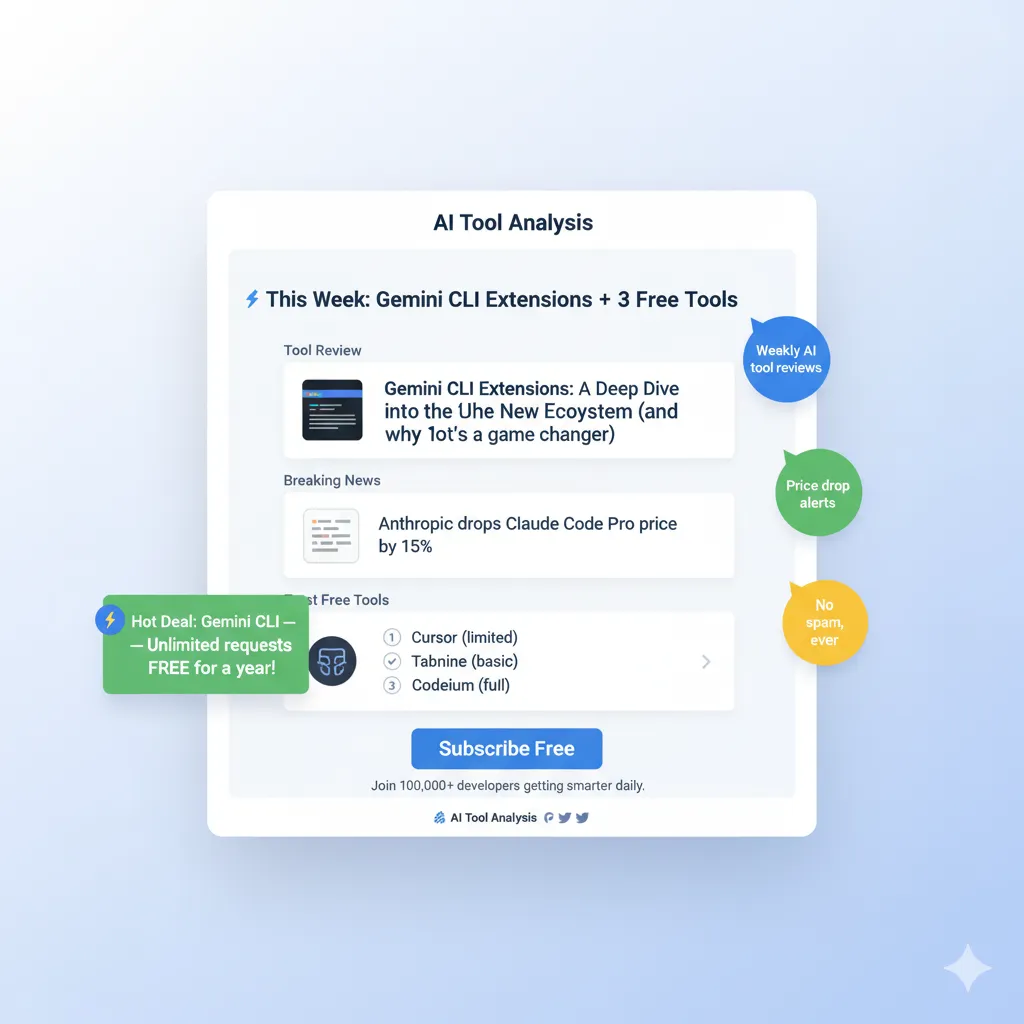
Stay Updated on AI Video Tools
Don’t miss the next AI video breakthrough. Get weekly reviews of video generators, honest pricing comparisons, and exclusive testing results.
- ✅ Tool reviews before launch hype fades
- ✅ Price drop alerts (saved readers $2,400+ in 2025)
- ✅ Real test results with side-by-side comparisons
- ✅ Breaking news analysis within 24 hours
- ✅ No-BS assessments of marketing vs reality
→ Subscribe to AI Tool Analysis Weekly
Free forever. Unsubscribe anytime. 10,000+ professionals trust us.
Related Reading
- Best AI Video Editing Tools 2025: Complete Comparison
- Best AI Image Generation Tools 2025
- Free AI Tools Review 2025: What’s Actually Worth Using
- Claude AI Review: 30-Day Real-World Test
- ElevenLabs Review: Best AI Voice Generator?
- Complete AI Tools Guide: Where to Start
Last Updated: November 8, 2025
Kling AI Version Tested: 2.5 Turbo (September 2025 release)
Next Review Update: January 15, 2026