
🆕 Latest Update (January 2025): Google’s A2UI protocol is generating significant developer activity, with 15+ open-source implementations now available on GitHub including React Native, Next.js, and Google Apps Script renderers.
Google A2UI Review |Reading time: 8 minutes | Last updated: January 11, 2025
The Bottom Line
Google A2UI (Agent-to-User Interface) flips traditional app development on its head. Instead of you designing buttons and forms, AI agents generate interfaces dynamically based on what you actually need at that moment. Think of it like having a UI designer who creates custom screens for every single task, in real-time. The protocol is completely free and open, already working with the Gemini API, and developers are building implementations for React Native, Next.js, and even Google Workspace. The catch? It’s still early days, with documentation scattered across GitHub repos rather than official Google channels. Best for developers wanting to build conversational, agent-driven apps. Skip if you need production-ready, battle-tested solutions today.
⚡ TL;DR — Google A2UI Review
- What It Is: Free, open protocol for AI agents to generate dynamic UIs on-demand
- Best For: Developers building conversational AI apps, chatbots, and internal tools
- Key Strength: Framework-agnostic with 15+ GitHub implementations (React Native, Next.js, Apps Script)
- Limitation: Early-stage ecosystem, scattered documentation, no official SDK yet
- Verdict: Innovative protocol worth exploring for agent-driven apps. Wait 6-12 months for production use.
📑 Quick Navigation
🤖 What Google A2UI Actually Does
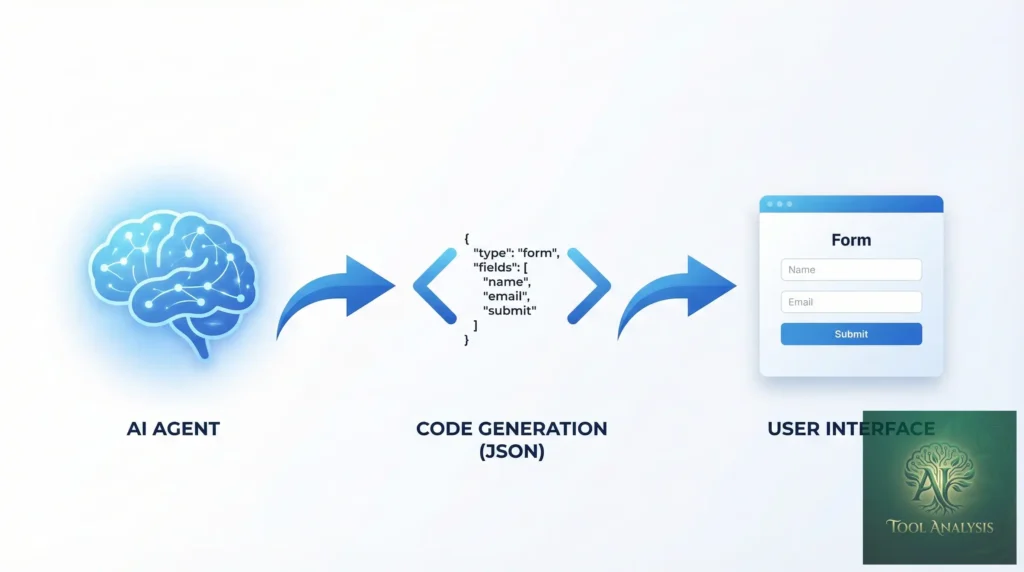
Imagine asking an AI assistant to help you book a flight. Instead of getting a text response with links, the AI actually builds a booking interface right there in your conversation. Date pickers, seat selection dropdowns, price comparisons, all generated on the fly based on exactly what you need.
That’s Google A2UI in action.
A2UI stands for “Agent-to-User Interface,” and it’s a protocol that lets AI agents (like those powered by Gemini) generate declarative UI specifications that get rendered as real, interactive components. The agent describes what interface it needs using a standardized JSON schema, and a renderer turns that into buttons, forms, tables, and more.
Here’s what makes this different from regular chatbots:
- Dynamic generation: UIs are created on-demand based on conversation context
- Declarative specification: Agents describe WHAT they need, renderers handle HOW
- Framework agnostic: Same A2UI output works in React, React Native, vanilla JS, and more
- Two-way communication: Users interact with generated UIs, and responses flow back to the agent
🔍 REALITY CHECK
Marketing Claims: “Revolutionary interface generation that transforms how humans interact with AI”
Actual Experience: It’s genuinely innovative for developer-facing applications, but currently requires significant implementation work. This isn’t a plug-and-play solution, it’s a protocol you build with.
Verdict: Impressive technology with real potential, but expect a learning curve
⚙️ How A2UI Works (Plain English Version)
Traditional apps work like a restaurant with a fixed menu. You get the same interface whether you’re ordering breakfast or dinner. A2UI is more like having a personal chef who creates a custom menu based on exactly what you’re hungry for.
Here’s the three-step process:
Step 1: The Agent Decides What You Need
When you interact with an A2UI-enabled application, the AI agent (powered by Gemini or another LLM) analyzes your request and determines what interface elements would be most helpful. Need to compare prices? It generates a comparison table. Need to pick a date? It creates a calendar picker.
Step 2: The Agent Outputs A2UI Specification
The agent produces a JSON object describing the interface. This might look something like:
{
  "type": "form",
  "title": "Book Your Flight",
  "fields": [
    {"type": "date", "label": "Departure", "id": "departure_date"},
    {"type": "select", "label": "Class", "options": ["Economy", "Business", "First"]}
  ],
  "actions": [
    {"type": "button", "label": "Search Flights", "action": "search"}
  ]
}
Step 3: The Renderer Displays It
A renderer (built for your specific platform, whether that’s React, React Native, Angular, or vanilla JavaScript) takes this specification and turns it into actual clickable, interactive components that match your app’s design system.

🚀 Getting Started: Your First 30 Minutes
Unlike polished consumer products, A2UI is currently a developer protocol. Here’s how to get hands-on experience:
Option 1: Try an Existing Implementation (Fastest)
Several open-source projects let you experiment without building from scratch:
- A2UI for Google Apps Script: If you use Google Workspace, this is your easiest entry point. Clone tanaikech/A2UI-for-Google-Apps-Script and deploy to your Google environment.
- A2UI React Native: For mobile developers, check sivamrudram-eng/a2ui-react-native which renders A2UI specifications in React Native apps.
- A2UI Bridge: For framework adapters, southleft/a2ui-bridge provides LLM-driven UI generation across multiple frameworks.
Option 2: Build Your Own Renderer
If you want deeper understanding, here’s the minimal setup:
- Set up a Gemini API key at ai.google.dev
- Create an agent that outputs A2UI-compatible JSON
- Build a renderer that parses the JSON and creates UI components
- Implement the callback loop so user interactions flow back to the agent
🔍 REALITY CHECK
Marketing Claims: “Easy integration with any application”
Actual Experience: Requires JavaScript/TypeScript proficiency and familiarity with your chosen framework. Plan for 2-4 hours minimum to get a basic demo working, longer for production implementations.
Verdict: Developer-focused tool, not a no-code solution
✨ Features That Actually Matter
1. Declarative UI Specification
The agent describes interfaces in a standardized format, meaning the same AI output can render differently on web, mobile, or desktop. This is huge for cross-platform development.
2. Integration with Google ADK
A2UI works seamlessly with Google’s Agent Development Kit (ADK), letting you build multi-agent systems where different agents handle different parts of your application.
3. MCP Compatibility
Several A2UI implementations support the Model Context Protocol (MCP), which is becoming the standard for tool use in AI applications. This means A2UI can work alongside other agentic capabilities. For more on MCP, check our guide to AI agent tools.
4. Framework Adapters
Community-built adapters exist for:
- React and React Native
- Next.js
- Angular
- Google Apps Script
- Adobe Experience Manager (AEM)
5. Gemini API Integration
Native support for Gemini means you get access to Google’s latest models for powering your agents. The Gemini API handles the intelligence, A2UI handles the interface.
💼 Real Use Cases (With Examples)
Customer Support Bots
Instead of text-only responses, support bots can generate forms for collecting issue details, show visual status updates, or present comparison tables when helping with purchase decisions.
Before A2UI: “Please provide your order number, product name, and describe the issue in detail.”
With A2UI: The bot generates a structured form with order lookup, dropdown for issue type, file upload for photos, and a submit button.
Internal Tools
Build conversational interfaces for enterprise tools. An employee asks “Show me Q4 sales by region” and gets an interactive chart with drill-down capabilities, not just a text summary.
Technical Interviews
One GitHub project (ai-interviewer-google-adk) uses A2UI to build an AI technical interviewer that adapts its interface based on candidate responses, generating code editors, multiple-choice questions, or whiteboard simulations as needed.
Content Authoring
The AEM integration demo shows how A2UI can enhance content management systems, generating custom authoring interfaces based on content type and user role.
💰 Pricing: What You’ll Actually Pay
Here’s the good news: A2UI itself is free and open.
The costs come from the infrastructure you use with it:
| Component | Cost | Notes |
|---|---|---|
| A2UI Protocol | ✅ Free | Open specification |
| Community Renderers | ✅ Free | MIT/Apache licensed |
| Gemini API (powering agents) | $0.075-$0.30 per 1M tokens | Pay per use |
| Google Apps Script | ✅ Free (with Workspace) | Included in Google Workspace |
| Hosting (your app) | Varies | Depends on platform choice |
For most developers experimenting, Gemini’s free tier (15 requests per minute) is sufficient to get started. Production applications will need paid API access.
⚠️ Current Limitations (Honest Assessment)
1. Documentation is Scattered
There’s no official Google documentation hub for A2UI. Information lives across GitHub READMEs, developer blogs, and community discussions. Expect to do some digging.
2. Early-Stage Ecosystem
Most implementations have low GitHub stars (0-4 stars) and are weeks old. This is cutting-edge, which means limited community support and potential breaking changes.
3. No Official SDK
Unlike more mature Google products, there’s no official npm package or SDK. You’re working with community implementations or building your own.
4. Renderer Quality Varies
Since anyone can build a renderer, quality and feature completeness varies significantly across implementations.
5. Limited Component Library
Current renderers support basic components (forms, buttons, tables, text). Complex visualizations like charts or maps require custom extension work.
🔍 REALITY CHECK
Marketing Claims: “Complete UI generation solution”
Actual Experience: Current implementations cover maybe 60-70% of common UI patterns. Expect to extend renderers for specialized needs.
Verdict: Great foundation, but not feature-complete
👤 Who Should Use This (And Who Shouldn’t)
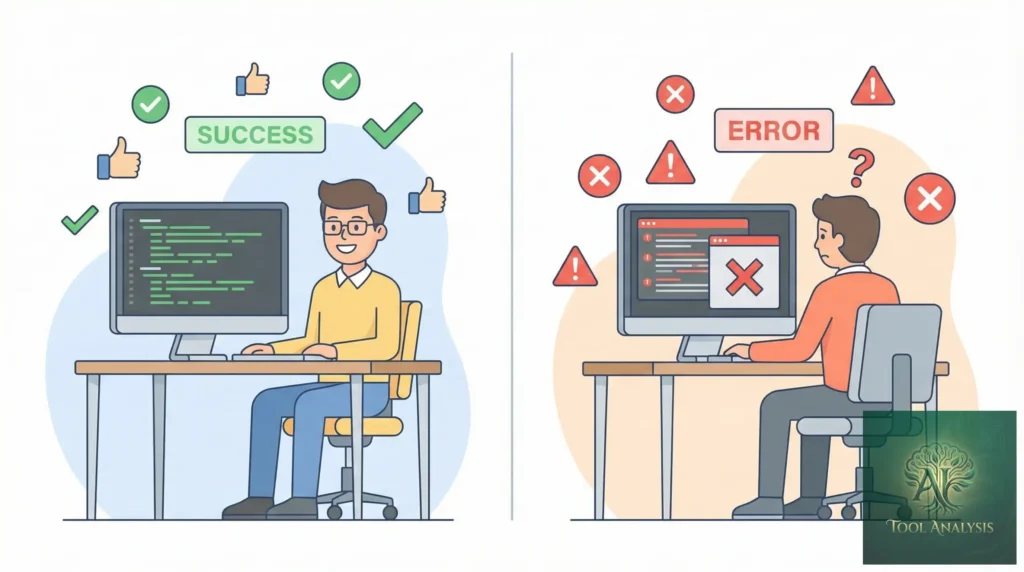
A2UI is Perfect For:
- Developers building conversational AI applications: If you’re creating chatbots or AI assistants that need to do more than text, A2UI is worth exploring
- Google Workspace power users: The Apps Script implementation makes it easy to add AI-driven interfaces to your workflows
- Early adopters comfortable with experimental tech: If you enjoy being on the bleeding edge and contributing to emerging projects, this is your territory
- Teams building internal tools: Lower stakes environments are perfect for testing innovative UI paradigms
Skip A2UI If:
- You need production-ready solutions today: Wait 6-12 months for the ecosystem to mature
- You’re not comfortable with JavaScript/TypeScript: This requires real development work
- You need extensive documentation and support: Community resources are still thin
- You’re building user-facing consumer apps: Too early for mission-critical, consumer-grade reliability

🗣️ What Developers Are Actually Saying
GitHub Activity
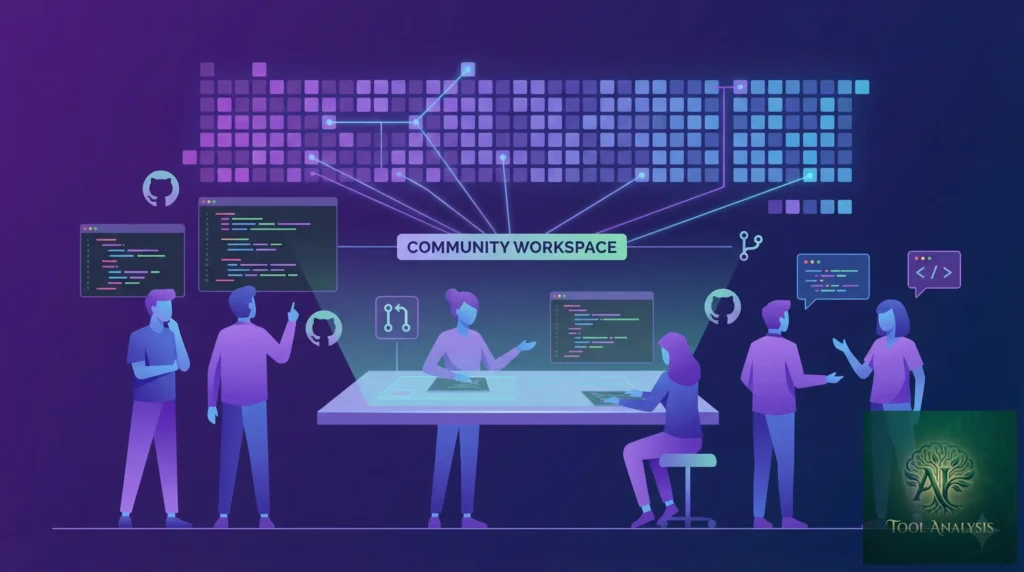
As of January 2025, there are 15+ A2UI-related repositories on GitHub. Most activity is in:
- React Native renderer: 4 stars, actively maintained
- Google Apps Script implementation: 2 stars, comprehensive documentation
- Framework bridge adapters: 2 stars, TypeScript-based
Developer Sentiment
Early adopters are enthusiastic but realistic. Common themes:
- “Finally, a standard way for agents to generate UIs”
- “Integration with Gemini and ADK is smooth”
- “Needs more documentation and examples”
- “Component library is limited but extensible”
The developer community is small but growing. Projects tagged with #a2ui on GitHub are increasing weekly.
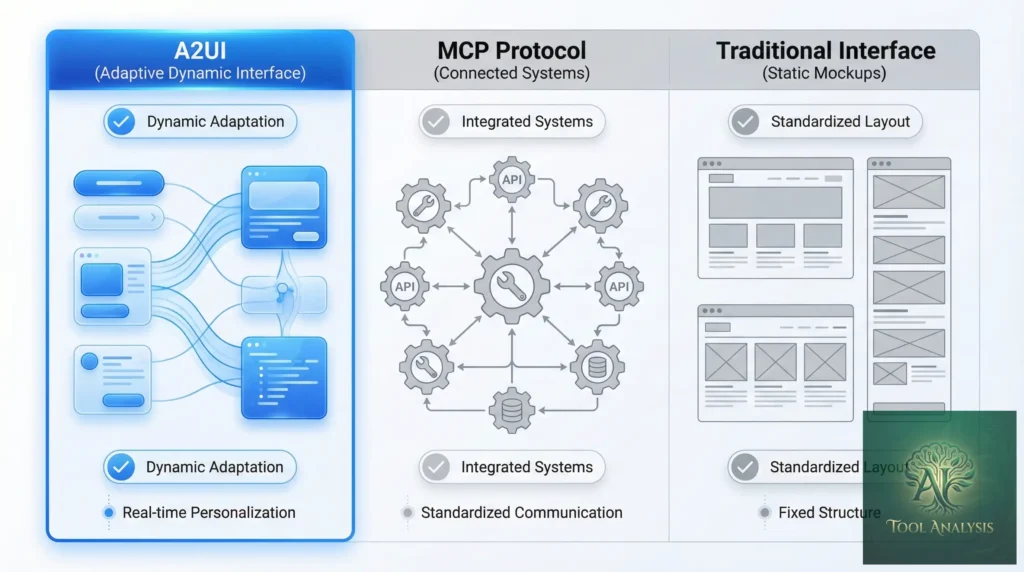
🔄 A2UI vs MCP vs Traditional UIs
| Feature | A2UI | MCP (Tool Use) | Traditional UI |
|---|---|---|---|
| UI Generation | ✨ Dynamic, agent-driven | ⚠️ No UI, just data | 📝 Static, pre-built |
| Flexibility | 🟢 High (context-aware) | 🟡 Medium (function-based) | 🔴 Low (fixed layouts) |
| Development Effort | Medium-High | Medium | Varies |
| Maturity | 🆕 Early (2024-2025) | 📈 Growing (2024+) | ✅ Mature |
| Best For | Conversational apps | Backend tool access | Standard web/mobile |
Key insight: A2UI and MCP are complementary, not competing. MCP gives agents access to tools and data; A2UI lets them present results visually. Many implementations use both together.
For a deeper dive into how AI agents use tools, see our Claude Code review which covers similar agentic concepts.
❓ FAQs: Your Questions Answered
Q: Is Google A2UI free to use?
A: Yes, the A2UI protocol itself is free and open. Costs come from the AI services you use to power your agents (like Gemini API) and your own hosting infrastructure.
Q: Do I need coding experience to use A2UI?
A: Yes, A2UI is a developer protocol requiring JavaScript/TypeScript proficiency and familiarity with your target framework (React, React Native, etc.). This is not a no-code tool.
Q: What’s the difference between A2UI and regular chatbots?
A: Regular chatbots return text responses. A2UI-enabled agents generate actual interactive UI components (forms, buttons, tables, etc.) that users can click and interact with, making conversations more like using an app than texting.
Q: Can A2UI work with AI models other than Gemini?
A: In theory, yes. A2UI is a protocol, so any AI model that can output the correct JSON specification can generate A2UI interfaces. However, current implementations are optimized for Gemini.
Q: Is A2UI production-ready?
A: Not yet. As of January 2025, A2UI implementations are experimental with limited documentation and community support. It’s better suited for internal tools and prototypes than mission-critical consumer applications.
Q: How does A2UI compare to MCP (Model Context Protocol)?
A: They’re complementary. MCP defines how AI models access tools and data; A2UI defines how they present information visually. Many applications use both together.
Q: What frameworks does A2UI support?
A: Community renderers exist for React, React Native, Next.js, Angular, Google Apps Script, and Adobe Experience Manager. You can also build custom renderers for any framework.
Q: Where can I find official A2UI documentation?
A: Currently, there’s no centralized official documentation. Information is spread across GitHub repositories, with the best resources being the README files in community implementation repos like tanaikech/A2UI-for-Google-Apps-Script.
🎯 Final Verdict
Google A2UI represents a genuinely innovative approach to human-AI interaction. Instead of AI assistants being limited to text conversations, A2UI lets them generate rich, interactive interfaces tailored to each specific moment and need.
Is it ready for everyone? No. This is developer tooling for people building the next generation of AI applications, not a consumer product you can use today.
But if you’re building conversational AI and frustrated by the limitations of text-only interfaces, A2UI deserves your attention. The protocol is sound, the Gemini integration is solid, and the community, though small, is actively building real solutions.
Use A2UI if:
- You’re building AI-powered tools and want richer interfaces than pure text
- You’re comfortable with JavaScript and experimental technologies
- You have the patience to work with emerging documentation
- You want to be ahead of the curve when this technology matures
Wait on A2UI if:
- You need production-ready, well-documented solutions
- You’re not a developer
- You need extensive support and community resources
Try it today: Start with the Google Apps Script implementation if you use Google Workspace, or explore the full GitHub repository list for your preferred framework.
Stay Updated on AI Developer Tools
Don’t miss the next developer tool launch. A2UI is just one example of how AI development is evolving rapidly. Get weekly reviews of coding assistants, APIs, and dev platforms delivered straight to your inbox.
- ✅ Honest reviews: We actually test everything we cover
- ✅ Developer-focused: Technical depth without unnecessary jargon
- ✅ Early access: Know about new tools before they go mainstream
- ✅ Price alerts: Get notified when tools drop prices or go free
- ✅ Weekly digest: One email, all the news that matters
Free, unsubscribe anytime

Related Reading
- Gemini Review: Google’s AI That Powers A2UI Agents
- Claude Code Review: Anthropic’s Agentic Coding Tool
- AI Agent Tools: The Complete Guide to MCP and Beyond
- Best AI Coding Assistants in 2025
- Google AI Studio Review: Building with Gemini
- AI Weekly News: Stay Updated on the Latest
Last Updated: January 11, 2025
A2UI Implementations Reviewed: tanaikech/A2UI-for-Google-Apps-Script, sivamrudram-eng/a2ui-react-native, southleft/a2ui-bridge
Next Review Update: February 11, 2025