
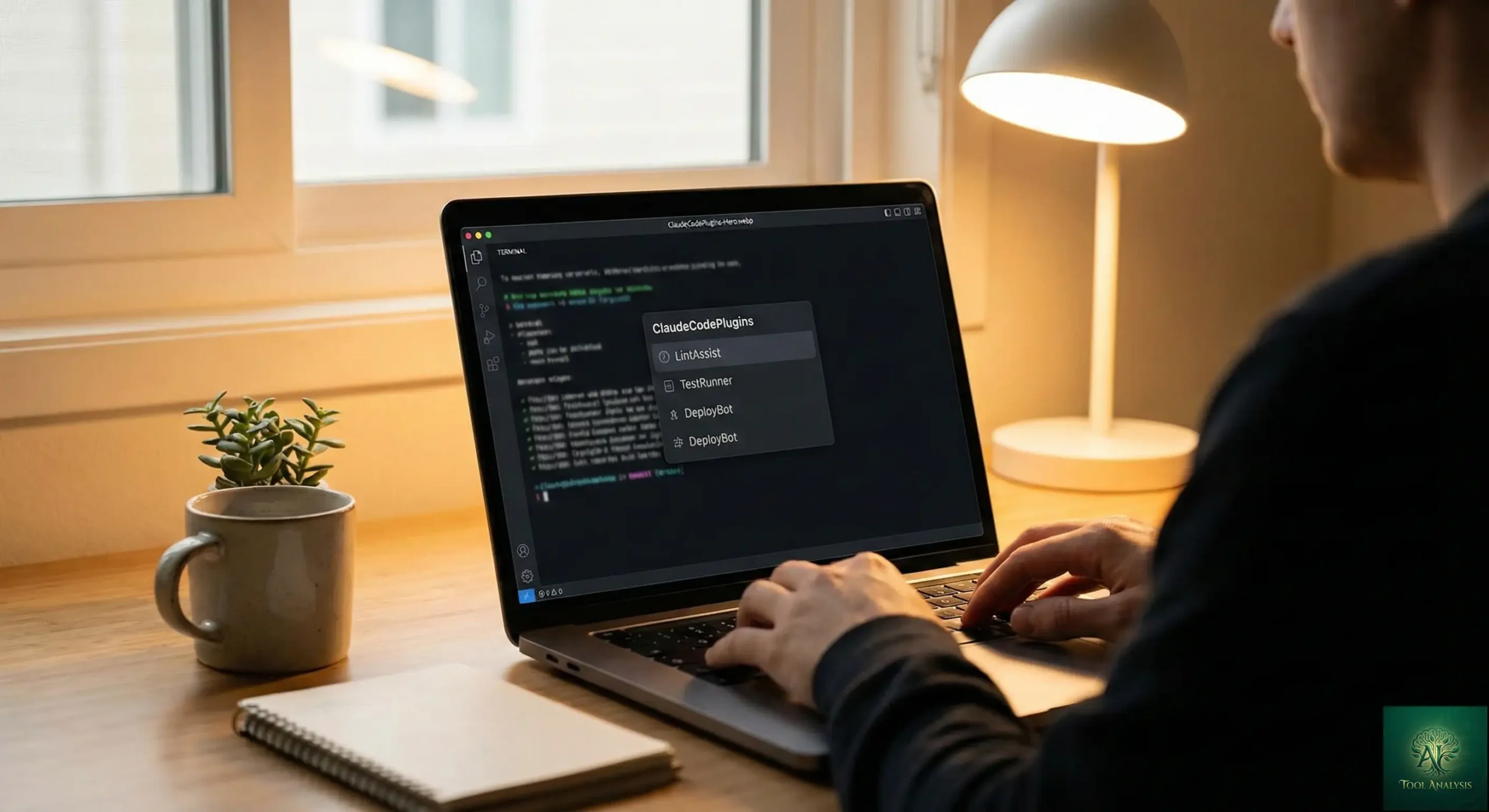

The Bottom Line
If you remember nothing else: Claude Code plugins are like apps for your AI coding assistant. Instead of manually configuring slash commands, agents, and MCP servers across every project, you install a plugin with one command and everything just works. The ecosystem exploded from zero to 9,000+ plugins in under five months, covering everything from automated code reviews to autonomous coding loops. The best part? The plugins themselves are completely free. The catch? You still need a Claude Code subscription ($20-$200/month) to use them. Best for developers who want to standardize team workflows, automate repetitive tasks, or supercharge their Claude Code setup without building everything from scratch. Skip if you’re not yet comfortable with Claude Code itself, since plugins add power on top of an already complex tool. For cost-conscious developers, our Claude Code Router review covers how to cut your AI coding bill by up to 80%.
TL;DR – The Bottom Line
What they are: Installable packages that add slash commands, subagents, MCP servers, and hooks to Claude Code with a single terminal command.
Ecosystem size: 9,000+ plugins in under five months, spanning the official Anthropic marketplace and community repositories.
Best for: Developers already using Claude Code daily who want automated code reviews, persistent memory, plan-first development, and standardized team workflows.
Top picks: Context7 (real-time docs), Code Review (multi-agent PR audits), Superpowers (structured TDD), and Deep Trilogy (idea-to-implementation pipeline).
Cost: All plugins are free. You need a Claude Code subscription ($20-$200/month) to run them.
The catch: Quality varies wildly across 9,000+ plugins (maybe 50-100 are production-ready). MCP-heavy plugins consume context tokens and can degrade Claude’s output. Start with 3-5 and expand carefully.
Quick Navigation
🔌 What Claude Code Plugins Actually Are (No Jargon)
Think of Claude Code like a smartphone. Out of the box, it makes calls and sends texts. But the real power comes from installing apps. Claude Code plugins work the same way: they’re packages that add specific capabilities to your AI coding assistant, and you install them with a single command.
Before plugins existed (pre-October 2025), customizing Claude Code meant manually creating skill files in hidden directories, writing hook configurations by hand, and somehow sharing all of that with your team. It was like distributing software via floppy disk in 2026. Plugins solved the distribution problem overnight.
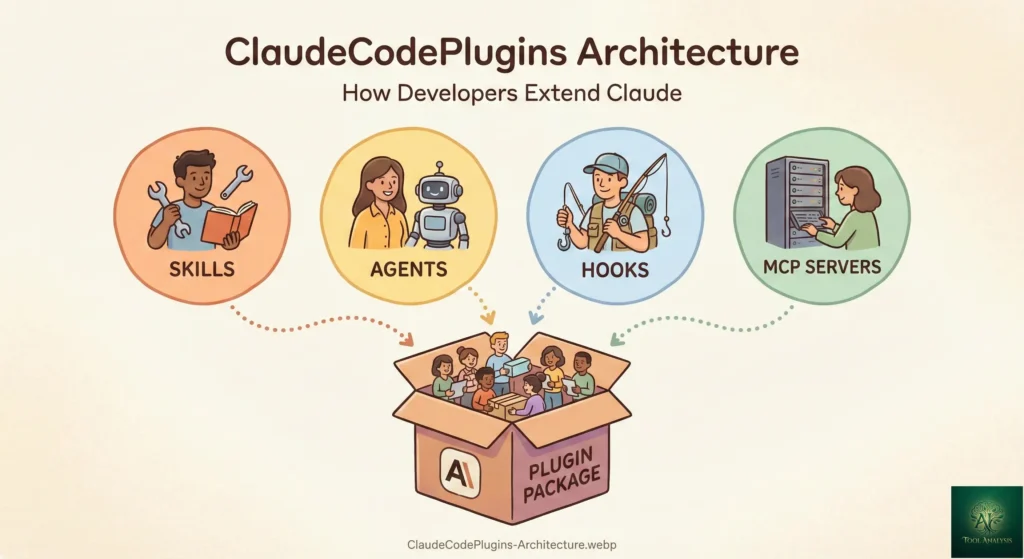
Each Claude Code plugin can bundle any combination of four things:
Slash commands are custom shortcuts you type to trigger specific actions. For example,
/code-review launches a multi-agent PR review, or /deep-plan creates detailed
implementation plans before writing a single line of code.
Subagents are specialized AI assistants that Claude delegates work to. A code review plugin might spawn five separate agents, each analyzing your pull request from a different angle (security, testing, type safety, code quality, simplification), then combine their findings.
MCP servers connect Claude to external tools and data sources through the Model Context Protocol. This is how plugins integrate with services like Linear, GitHub, Google Drive, and hundreds of other platforms.
Hooks are automation triggers that fire on specific events, like warning you about security issues before editing sensitive files, or running linting after every code change.
REALITY CHECK
Marketing Claims: “9,000+ plugins available across the ecosystem”
Actual Experience: The number is accurate, but quality varies wildly. The official Anthropic marketplace is curated and vetted. Community marketplaces range from genuinely brilliant to abandoned experiments. Maybe 50-100 plugins are truly production-ready and well-maintained.
Verdict: Start with official marketplace plugins. Branch out carefully.
🚀 Getting Started: Install Your First Plugin in 2 Minutes
Installing Claude Code plugins requires Claude Code version 1.0.33 or higher (current version as of February 2026 is well past this). If you already have Claude Code installed, you’re ready to go.
Here’s exactly what to type in your terminal:
Step 1: Browse available plugins
/pluginThis opens the plugin menu. Select “Discover” to browse the official marketplace.
Step 2: Add a marketplace (for community plugins)
/plugin marketplace add anthropics/claude-code-pluginsThis adds Anthropic’s official plugin repository. You only do this once.
Step 3: Install a specific plugin
/plugin install code-review@anthropics/claude-code-pluginsDone. The code review plugin is now active. Restart Claude Code to load it.
For even faster installation, the community-built CLI handles marketplace setup automatically:
npx claude-plugins install @anthropics/claude-code-plugins/code-reviewPlugins install at two scopes. User scope (default) applies across all your projects, like personal
preferences. Project scope (add --project flag) applies only to a specific codebase,
which is ideal for team-specific workflows.

🏆 The 10 Best Claude Code Plugins Worth Installing Right Now
After researching the ecosystem and analyzing developer adoption metrics, these are the Claude Code plugins that consistently deliver real value. Each one solves a specific problem that developers face daily.
1. Frontend Design (Official, by Anthropic)
Transforms Claude’s default UI output from generic templates into distinctive, production-grade interfaces. Instead of the standard blue-and-white components everyone recognizes as “AI-generated,” this plugin applies bold typography, unique color palettes, and creative layouts. If your React components all look the same, this is the fix.
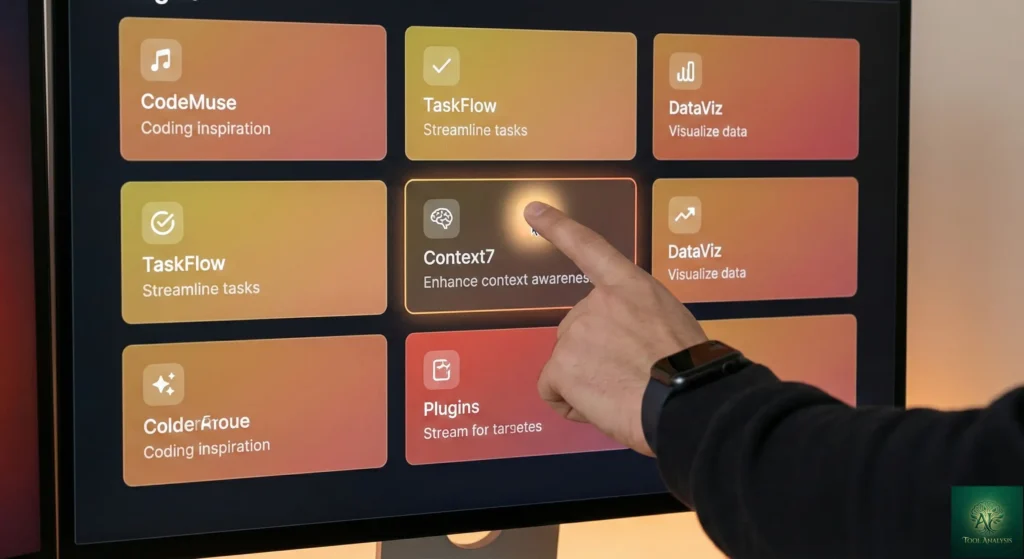
2. Context7 (Official Marketplace)
This is the plugin that stops Claude from hallucinating outdated APIs. Context7 injects real, current documentation for frameworks like Next.js 15, React 19, and Tailwind CSS 4 directly into Claude’s context. Instead of guessing based on training data from 2024, Claude reads the actual docs before writing code. Essential for anyone working with fast-moving frameworks.
3. Code Review (Official, by Anthropic)
Launches multiple specialized review agents in parallel to audit your pull requests. Each agent focuses on a different concern (CLAUDE.md compliance, bug detection, historical context, PR history, code comments), then assigns confidence scores to filter out noise. Only findings scoring above 80% confidence get reported, which dramatically reduces false positives.
4. Superpowers (Community, Anthropic Marketplace)
An open-source framework with 42,000+ GitHub stars that transforms Claude Code from a code generator into a structured development partner. It enforces Socratic brainstorming before coding, breaks work into 2-5 minute micro-tasks, and applies test-driven development throughout. Accepted into the official Anthropic marketplace in January 2026.
5. Ralph Wiggum Loop (Official, by Anthropic)
Named after the Simpsons character, this plugin enables long-running autonomous coding sessions by resetting Claude’s context between tasks. Set up a PRD with your requirements, run the loop, and Claude picks tasks one at a time, implementing each, committing, then starting fresh. Perfect for grunt work like CRUD operations, database migrations, or expanding test coverage.
6. Deep Trilogy (Community)
Three plugins (/deep-project, /deep-plan, /deep-implement) that turn vague
software ideas into working code through structured decomposition. First it breaks your idea into components, then
creates detailed implementation plans via research and multi-LLM review, then implements with TDD and code review at
each step.
7. Linear MCP (Community)
Connects Claude Code directly to Linear issue tracking. Pull an issue, plan the work, implement changes, and update Linear without ever breaking focus. Keeps tickets and code tightly connected, making the feedback loop between project management and actual development nearly instant.
8. PR Review Toolkit (Official, by Anthropic)
A more comprehensive alternative to the basic Code Review plugin. Includes specialized agents for comment analysis, test review, error handling detection, type design review, code quality assessment, and code simplification suggestions. Run the full suite or pick specific aspects with flags.
9. Claude-Mem (Community)
Adds persistent memory across Claude Code sessions. Captures and compresses Claude’s actions, then injects relevant context into future sessions. This means Claude remembers your codebase preferences, past decisions, and project-specific patterns without you explaining everything from scratch each time.
10. Feature Dev (Official, by Anthropic)
A guided feature development workflow with specialized agents for codebase exploration, architecture design, and code review. Instead of Claude diving straight into code, it first explores your existing codebase, proposes an architecture, gets your approval, then implements with continuous quality checks. Perfect for adding non-trivial features to established projects.
| Plugin | Type | Best For | Source | Key Feature |
|---|---|---|---|---|
| Frontend Design | Skill | UI developers | Official | Production-grade UI output |
| Context7 | MCP Server | All developers | Official Marketplace | Real-time docs injection |
| Code Review | Multi-Agent | Team leads | Official | Confidence-scored reviews |
| Superpowers | Framework | Solo developers | Community | TDD + micro-task planning |
| Ralph Wiggum Loop | Hook | Autonomous work | Official | Context-reset loops |
| Deep Trilogy | Commands | Complex projects | Community | Plan-first development |
| Linear MCP | MCP Server | PM integration | Community | Issue-to-code pipeline |
| PR Review Toolkit | Multi-Agent | Code quality | Official | 6 specialized reviewers |
| Claude-Mem | Hook + Skill | Long projects | Community | Cross-session memory |
| Feature Dev | Multi-Agent | Feature building | Official | Guided development flow |
💡 Swipe left to see all features →
Top Claude Code Plugins: Feature Comparison
🧩 Understanding Plugin Types: Skills, Agents, Hooks, and MCP Servers
Not all Claude Code plugins are created equal, and understanding the differences helps you choose wisely. Each type consumes resources differently, which matters because every plugin eats into Claude’s context window, the amount of information it can hold in its “working memory” at once.
Skills (Lightweight) are Markdown files with instructions that Claude activates based on conversation context. They’re the lightest option. A skill only loads when Claude determines it’s relevant to your current task. Think of skills as reference cards Claude pulls out when needed, then puts away. Best for: coding standards, framework-specific guidance, review checklists.
Agents (Medium Weight) are purpose-built AI assistants with their own system prompts, tool restrictions, and sometimes different models. When Claude delegates to a subagent, it’s like asking a specialist for help. Agents consume more context but deliver focused expertise. Best for: code review, security auditing, architecture design.
MCP Servers (Heavy) preload every tool definition into your context window at session start. This
means they’re always ready but always consuming tokens. If you have five MCP servers loaded, that’s five sets of
tool schemas Claude needs to understand before doing anything. Best for: integrations you use constantly (GitHub,
Linear, database access). Use /mcp to manage which servers are active.
Hooks (Minimal Overhead) are shell scripts that run on specific events. They don’t consume context at all, they just execute when triggered. A hook that runs ESLint after every file edit has essentially zero impact on Claude’s performance. Best for: automation, enforcement, notifications.
REALITY CHECK
Marketing Claims: “Install as many plugins as you want!”
Actual Experience: Developers on Reddit and Twitter are already warning about “plugin fatigue.” Each MCP server and agent consumes context tokens. Install ten MCP-heavy plugins and Claude’s effective working memory shrinks noticeably, leading to worse code output and more hallucinations. Quality over quantity wins here.
Verdict: Start with 3-5 plugins that match your daily workflow. Add more only when you’ve confirmed the existing ones deliver value.
🆕 Claude Cowork Plugins: The Non-Developer Expansion
On January 30, 2026, Anthropic launched 11 official plugins for Claude Cowork, extending the plugin system beyond developers. Anthropic described this as making Claude Code available “for the rest of your work.” This launch was significant enough to trigger a $285 billion market sell-off when the Legal plugin spooked legal software stocks.
The Cowork plugins cover specific professional domains: Legal (contract review with clause-by-clause flagging), Sales (CRM integration and prospect research), Marketing (campaign orchestration), Finance, and more. Each uses the same plugin architecture as Claude Code plugins but targets non-technical workflows.
For developers, the important takeaway is that the plugin ecosystem now extends well beyond coding. The same system that powers your code review agent also powers contract analysis and sales automation. This means the tooling will continue improving rapidly as investment flows into the broader plugin platform.
These Cowork plugins require a Claude Pro, Team, or Enterprise subscription to use, and they’re fully open-source on
GitHub under the anthropics/knowledge-work-plugins repository.
🛠️ Building Your Own Plugin: Easier Than You Think

Here’s something surprising about Claude Code plugins: they’re just directories with Markdown and JSON files. No compilation, no build step, no registry approval needed. If you can write a README, you can build a plugin.
The minimal plugin structure looks like this:
my-plugin/
├── .claude-plugin/
│   └── plugin.json    # Plugin metadata (required)
├── skills/            # Skill definitions (optional)
│   └── my-skill/
│       └── SKILL.md
├── commands/          # Slash commands (optional)
├── agents/            # Agent definitions (optional)
├── hooks/             # Event handlers (optional)
├── .mcp.json          # MCP server config (optional)
└── README.md          # Documentation
The plugin.json file contains your plugin’s name, description, and version. Each SKILL.md file needs
frontmatter with a name and description that tells Claude when to activate it, followed by instructions in plain
Markdown. That’s it.
You can test your plugin locally without publishing it anywhere:
claude --plugin-dir ./my-pluginWhen you’re ready to share, push it to a GitHub repository and others can install it directly. For wider distribution, you can submit to the official Anthropic marketplace or create your own marketplace that teams can subscribe to.
Anthropic also provides a Plugin Dev Toolkit (an official plugin itself) with an 8-phase guided
workflow for building plugins. Run /plugin-dev:create-plugin and it walks you through the entire
process with specialized agents for creation, validation, and skill review.
🔒 Security and Performance: What to Watch For
Claude Code plugins run with the same permissions as Claude Code itself, which means they can read files, execute commands, and modify your codebase. This power demands caution.
Stick with the official marketplace first. The Anthropic-curated marketplace vets plugins for quality and security. Community plugins are not vetted by anyone.
Read the source before installing. Since plugins are just directories with Markdown and JSON, you can read every file before installation. If a plugin includes compiled binaries or obfuscated code, that’s a red flag. Skip it.
Audit hooks carefully. Hook files in hooks.json run shell commands automatically. A
hook that runs eslint --fix after edits is fine. One that sends data to an external URL is not.
Check MCP server configurations. Review .mcp.json to see what external services a
plugin connects to and what permissions it requests. A documentation plugin shouldn’t need write access to your
GitHub repositories.
Watch your context budget. Every plugin consumes tokens from Claude’s working memory. Heavy MCP
plugins are the biggest offenders. Use /mcp to see active servers and disable any you’re not actively
using. Use /context to monitor how much of your context window is consumed.
REALITY CHECK
Marketing Claims: “Plugins are lightweight and easy to install”
Actual Experience: The architecture is genuinely lightweight (Markdown + JSON). But careless installation of multiple MCP-heavy plugins can degrade Claude’s performance significantly. The recent Anthropic security report about Claude Code being exploited in cyber espionage campaigns underscores that agentic tools need careful permission management. Never enable “auto-approve” mode with untrusted plugins.
Verdict: The plugin system itself is well-designed. The risk comes from user behavior, not architecture. Treat plugin permissions like app permissions on your phone: grant only what’s necessary.
💰 Pricing Breakdown: What You’ll Actually Pay
Claude Code plugins themselves are free. Every single one. The cost comes from the Claude Code subscription you need to run them.
| Plan | Monthly Cost | Claude Code Access | Model | Plugin Support |
|---|---|---|---|---|
| Free | $0 | ❌ No | Sonnet 4.5 (limited) | ❌ No |
| Pro | $20/mo ($17 annually) | ✅ Yes | Sonnet 4.5/4.6 | ✅ Full |
| Max 5x | $100/mo | ✅ Yes | Opus 4.6 + Sonnet | ✅ Full |
| Max 20x | $200/mo | ✅ Yes | Opus 4.6 + Sonnet | ✅ Full |
| Team (Premium) | $150/user/mo | ✅ Yes | Full access | ✅ Full + team sharing |
💡 Swipe left to see all features →
Claude Code Subscription Cost: Monthly Price by Plan
The real cost consideration isn’t the subscription, it’s the token consumption. Plugins that load MCP servers or run multiple subagents burn through your usage allocation faster. A heavy code review plugin that spawns five parallel agents uses roughly 5x the tokens of a simple slash command. On the Pro plan with its tighter limits, this matters.
For teams, the economics change. A team plugin marketplace lets engineering leads standardize workflows across developers. Instead of each person configuring their own setup, everyone installs the same plugin set. The $150/user premium team seat includes full Claude Code and plugin access, which pays for itself if it saves each developer even 2-3 hours monthly. For a deeper look at AI coding tools and their real costs, check our comprehensive developer tools comparison.
👤 Who Should Use Plugins (And Who Shouldn’t)
Use Claude Code plugins if:
You already use Claude Code daily and want to automate repetitive workflow steps. You lead a development team and need consistent tooling across engineers. You maintain open-source projects and want to ship setup instructions as installable packages. You spend time on code reviews, planning, or documentation that could be partially automated.
Skip Claude Code plugins if:
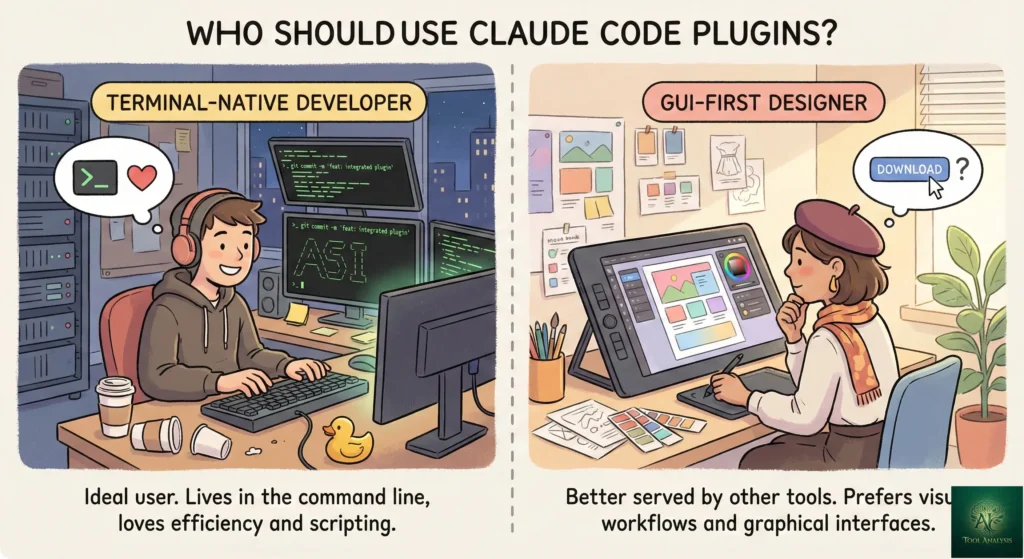
You’re still learning Claude Code basics, as plugins add complexity on top of a tool that already has a learning curve. You work primarily in GUI-based editors like Cursor (which has its own extension ecosystem). You’re on the free Claude plan, since plugins require at minimum a Pro subscription. Your projects are simple enough that vanilla Claude Code handles everything you need.
The sweet spot: Developers who’ve used Claude Code for at least a month, have established workflows they want to optimize, and are comfortable with terminal-based tools. If that describes you, start with the Code Review and Context7 plugins and expand from there.
💬 What Developers Are Actually Saying
The developer community response to Claude Code plugins has been overwhelmingly positive, with some important caveats.
The biggest praise centers on the simplicity of the architecture. Developers consistently highlight that plugins are “just directories with Markdown and JSON,” making them accessible to anyone regardless of plugin development experience. The file-based approach with no build step or registry approval means the barrier to contribution is essentially zero, which explains the explosive growth from 0 to 9,000+ plugins in five months.
The most common complaint is context window consumption. Developers report that loading multiple
MCP-heavy plugins noticeably degrades Claude’s output quality. The community consensus is to keep active plugins
minimal and use /mcp disable for servers you’re not currently using.
Several developers praise the Deep Trilogy and Superpowers plugins specifically for transforming how they approach complex projects. Rather than letting Claude jump straight into coding (and often producing mediocre architecture), these plugins enforce planning, decomposition, and testing first. One developer described it as “the difference between Claude acting as a junior developer versus a senior engineer.”
The competitive landscape discussion is active. Some developers note that Gemini CLI extensions offer a similar ecosystem with a free tier, while GitHub Copilot’s extension marketplace has broader IDE integration. Claude Code’s advantage, according to the community, is the quality of agentic workflows and the terminal-native experience.
🔮 The Road Ahead: What’s Next for Claude Code Plugins
Short-term (1-3 months): Based on the February 2026 release notes, expect continued refinement of
plugin scope detection, improved settings.json support for default configurations, and better integration with the
new --worktree mode for isolated git worktree workflows. Agent teams (released with Opus 4.6) will
likely drive a new wave of multi-agent plugins.
Medium-term (3-6 months): The Cowork plugin expansion suggests Anthropic is building plugins as a universal customization layer across all Claude products, not just the terminal. Expect tighter IDE integration, visual plugin management, and potentially a searchable plugin store similar to VS Code’s extension marketplace.
Long-term (6-12 months): With over 9,000 plugins already in the ecosystem and growing, curation and discovery will become the primary challenge. Expect quality scoring, verified publisher badges, and automated security scanning for community plugins. The plugin system will likely become the standard way Claude Code ships new capabilities, with features graduating from experimental plugins to core functionality.
❓ FAQs: Your Questions Answered
Q: Are Claude Code plugins free?
A: Yes, all Claude Code plugins are free to install and use. However, you need a Claude Code subscription (starting at $20/month for Pro) to run them. The plugins themselves cost nothing.
Q: How many Claude Code plugins are available?
A: Over 9,000 plugins are available across the official Anthropic marketplace, community sites like claude-plugins.dev, and individual GitHub repositories as of February 2026.
Q: Do Claude Code plugins work in VS Code?
A: Yes. Claude Code plugins work both in the terminal CLI and the VS Code extension. Install once and they’re available in both environments.
Q: Can I build my own Claude Code plugin?
A: Yes, and it’s surprisingly simple. Plugins are just directories with Markdown and JSON files. No
build step, no compilation, no registry approval required. Test locally with --plugin-dir and share via
GitHub.
Q: Will too many plugins slow down Claude Code?
A: Yes, particularly MCP server plugins which preload tool definitions into context. Keep 3-5 active
plugins and use /mcp disable for servers not in active use. Monitor with /context.
Q: What’s the difference between Claude Code plugins and Claude Cowork plugins?
A: Claude Code plugins target developers (code review, testing, deployment). Cowork plugins, launched January 30, 2026, target professionals (legal, sales, marketing). Same architecture, different audiences.
Q: Are Claude Code plugins safe to install?
A: Official marketplace plugins are vetted. Community plugins are not. Since they’re plain text files, read them before installing. Avoid plugins with binaries, and audit any hooks that run shell commands.
Q: What are the best Claude Code plugins for beginners?
A: Start with Context7 (current docs), Code Review (automated PR reviews), and Frontend Design (better UI output). These three cover the most common needs without complex setup.
Q: How do Claude Code plugins compare to Cursor or Copilot extensions?
A: Claude Code plugins focus on agentic workflows (multi-agent reviews, autonomous loops, plan-first development). Cursor and Copilot have IDE-centric extension ecosystems. Claude Code excels at complex, multi-step automation.
Q: Can I use plugins with the free Claude plan?
A: No. Free Claude doesn’t include Claude Code access. You need Pro ($20/month minimum) for Claude Code and its plugins.
🎯 Final Verdict
Claude Code plugins represent the most significant evolution of the Claude Code experience since launch. The file-based architecture (Markdown + JSON, no build step) lowered the contribution barrier to near-zero, which explains why the ecosystem grew from nothing to 9,000+ plugins in five months. The best plugins, like Code Review, Context7, Superpowers, and the Deep Trilogy, genuinely transform how developers approach complex projects by enforcing planning, testing, and quality review that most of us skip under deadline pressure.
Use Claude Code plugins if: You’re an active Claude Code user looking to automate repetitive workflows, standardize team tooling, or access specialized capabilities like multi-agent code reviews and persistent memory across sessions.
Stick with vanilla Claude Code if: You’re still building comfort with the base tool, your projects don’t require complex automation, or you’re budget-constrained and need to minimize token consumption.
Ready to get started? Open your terminal, type /plugin, and browse the official
marketplace. Start with Context7 and Code Review, then explore from there.
Stay Updated on Developer AI Tools
The AI coding landscape changes weekly. Don’t miss the next game-changing plugin, price drop, or tool launch that could transform your workflow.
- ✅ Weekly plugin picks curated from 9,000+ options
- ✅ Claude Code updates explained in plain English
- ✅ Cost-saving tips for AI coding subscriptions
- ✅ Head-to-head comparisons when new tools launch
- ✅ Community insights from Reddit, GitHub, and developer forums
Free, unsubscribe anytime

📚 Related Reading
- Claude Code Review 2026: The Complete Guide
- Claude Code Router: Cut Your AI Coding Bill by 80%
- Top AI Agents for Developers 2026: 8 Tools Tested
- Cursor 2.0 Review: The $9.9B AI Code Editor
- GitHub Copilot Pro+ Review: Is $39/Month Worth It?
- Claude Code vs Gemini CLI: Complete Comparison
- Gemini CLI Extensions: Google’s Free Alternative
- Google Antigravity: Free Claude Opus 4.5 Access
Last Updated: February 21, 2026 | Claude Code Plugin System Version: Public Beta (since v1.0.33) | Next Review Update: March 21, 2026