
/google-ai-studio-text-to-speech-review/ — evergreen.
This Google AI Studio text to speech review tests the May 2026 reality of Google’s TTS lineup — the free, browser-accessible voice generation system that turns text into natural-sounding speech with style control, multi-speaker dialogue, and 70+ language coverage. The headline question for buyers in May 2026 isn’t “is the TTS quality good enough” (it is, comfortably) but “with ElevenLabs at $11-$330/month for richer voice cloning, OpenAI’s voice surface inside ChatGPT, and Qwen3-TTS pushing the open-source frontier, what’s the practical workflow fit for Google’s TTS specifically.” This review rebuilds the answer for May 2026.
I’ve used Google AI Studio TTS continuously since the December 2025 preview, through the GA milestone, the streaming synthesis launch, and the May 2026 Gemini 3.1 Flash TTS addition. This rebuild reflects May 30, 2026 product state.
⚡ TL;DR – The Bottom Line
What This Is: May 30, 2026 review of Google’s TTS capabilities in AI Studio — Gemini 2.5/3.1 Flash and Pro TTS models, 30+ voices, 70+ languages, native multi-speaker dialogue, free with rate limits.
Best For: Free production-quality TTS, podcast prototyping, audiobook narration, multilingual content, style-controlled voiceover, developers prototyping voice features.
Pricing: Free in AI Studio with rate limits. Paid Cloud Billing uses token-based pricing (separate text input + audio output). Voice cloning via Chirp 3 is allow-list gated.
Our Take: Strongest free TTS on the market. Multi-speaker dialogue + natural-language style control + 70+ language coverage are best-in-class. For non-cloning use, this is the dominant default. ElevenLabs wins for voice cloning specifically.
💡 Heads-Up: Free-tier output isn’t licensed for commercial use — production audio for commercial purposes requires paid Cloud Billing. Chirp 3 voice cloning requires contacting Google sales.
📑 Quick Navigation
The Bottom Line (May 2026)
The honest Google AI Studio text to speech review verdict for May 2026: for free TTS access at production-grade quality, Google AI Studio is the strongest option on the market. Gemini 2.5 Flash TTS and Gemini 3.1 Flash TTS deliver natural-sounding speech across 70+ languages with multi-speaker dialogue, style control via natural language prompts, and bracket markup tags for non-speech sounds — all accessible free in the AI Studio playground with rate limits, or on paid Cloud Billing for production deployment. For voice cloning specifically, Google’s Chirp 3 is technically more capable than ElevenLabs Instant Voice Clone on quality, but the allow-list gating makes it inaccessible for most users — ElevenLabs at $11-$22/month (Creator and Pro tiers) is the practical voice-cloning choice. For everything else — narration, audiobook prototyping, multilingual content, multi-character dialogue — free Google TTS is the dominant default.
⏱️ What Just Happened (April to May 2026)
The April 2026 source post captured the post-GA moment when Google’s TTS hit production-grade quality. The May 2026 picture adds a new model and incremental refinements:
- Gemini 3.1 Flash TTS launched as the newest model in the lineup. Better instruction adherence on style prompts, lower latency, comparable voice quality to Gemini 2.5 Flash TTS. Available in AI Studio playground with rate limits, on Cloud Billing for paid production use.
- Gemini 2.5 Flash + Pro TTS upgraded. Improved expressiveness, pacing control, and multi-speaker dialogue quality. The Pro variant is the highest-fidelity option in the Gemini TTS family.
- Language coverage stable at 70+ languages. Previously marketed as 80+ in source post; official documentation has settled at 70+ for confirmed quality. Coverage includes major European, Asian, African, and Indigenous languages.
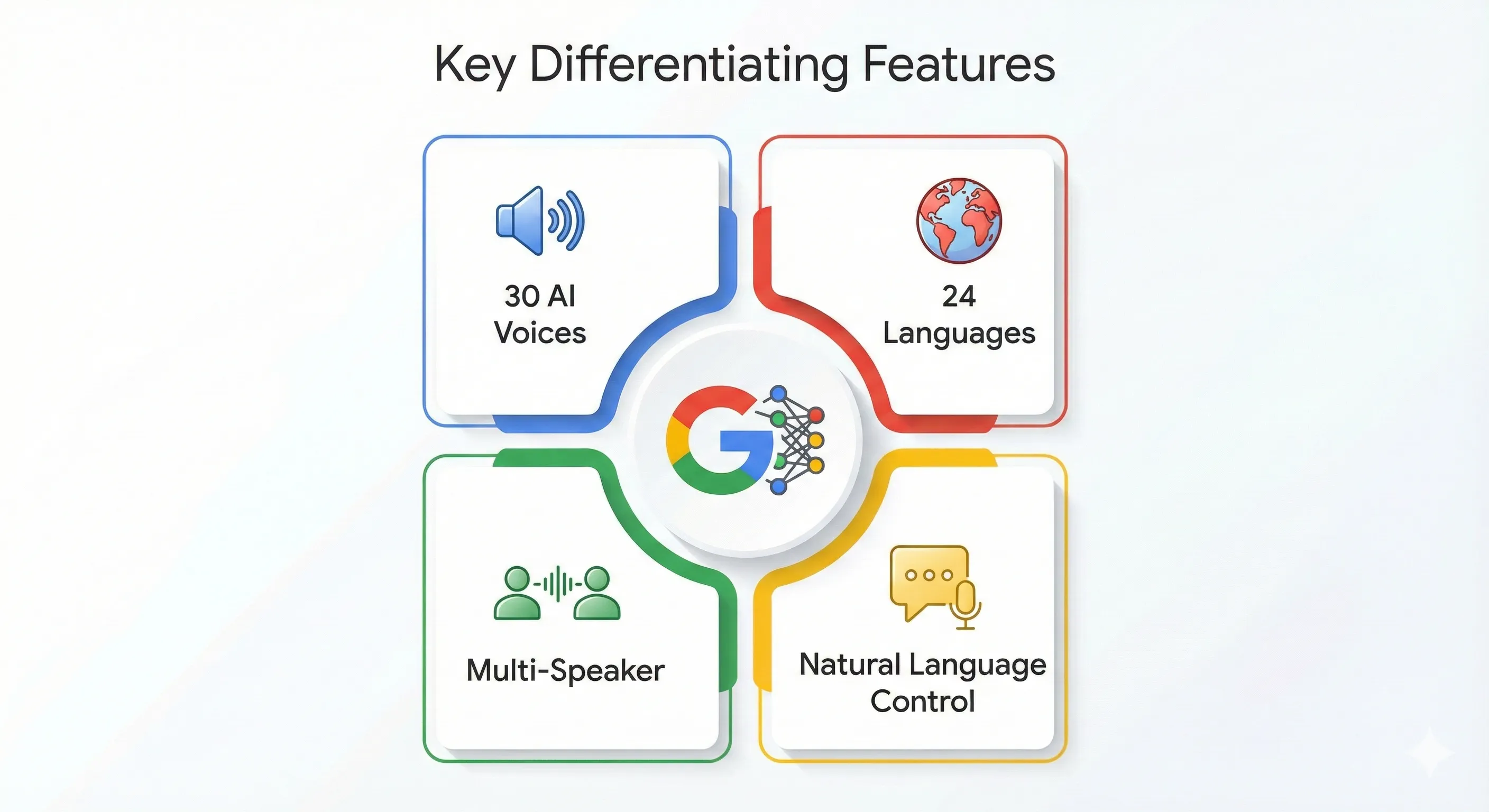
- Voice library at 30+ distinct voices across languages, with native multi-speaker dialogue supported in 2-4 speaker configurations.
- Streaming synthesis maturation. Lower latency, better partial-output reliability. Useful for real-time applications where you want audio playback to start before generation completes.
- Bracket markup tags for non-speech sounds —
[laughter],[sigh],[whisper], etc. Adds production-quality polish without manual audio editing. - Chirp 3 instant voice cloning still allow-list gated. The ~10-seconds-of-audio voice cloning capability exists and works but access requires contacting Google sales. For instant voice cloning at consumer scale, ElevenLabs Instant Voice Clone remains the accessible alternative.
- Safety filter behavior refined. Previously over-aggressive on certain non-sensitive prompts (medical content, mild language); now more discriminating. Still strict on real-people impersonation and harmful content.
- Pricing structure unchanged. Free tier in AI Studio with rate limits. Paid Cloud Billing uses token-based pricing — separate charges for text input tokens and audio output tokens.
The single most consequential shift for the Google AI Studio text to speech review buying decision is the matured product story. April’s “now GA” framing was the milestone; May 2026’s framing is “the GA product matured into a production-ready surface that holds its own against ElevenLabs for most non-cloning use cases.” For voice cloning specifically, the Chirp 3 access gate still pushes consumer users to ElevenLabs by default.
⚠️ Reality Check: Chirp 3 Voice Cloning Looks Great On Paper, Inaccessible In Practice
Google’s Chirp 3 instant voice cloning is technically excellent — ~10 seconds of source audio produces a quality clone that’s competitive with ElevenLabs Instant Voice Clone. The friction: access is allow-list gated. You can’t just sign up and try it; you need to contact Google sales and be added to the allow-list. For most casual users, indie creators, and even most commercial users, this gate effectively makes Chirp 3 a “we have this but you can’t use it” capability. ElevenLabs Instant Voice Clone at $11/month Creator tier remains the practical voice-cloning choice for everyone who isn’t already an enterprise Google Cloud customer. If you specifically need voice cloning and you’re not on Google Cloud, route around AI Studio TTS and go straight to ElevenLabs.
🎙️ What Google AI Studio TTS Actually Is (May 2026)
The Google AI Studio text to speech review starting point: Google AI Studio TTS is the text-to-speech capability inside Google AI Studio — the free web-based developer playground at aistudio.google.com. The TTS section gives developers and creators UI-based access to Google’s Gemini-family TTS models (Gemini 2.5 Flash TTS, Gemini 2.5 Pro TTS, Gemini 3.1 Flash TTS) plus the Chirp 3 instant voice cloning surface for allow-listed users. Three core capabilities matter most:
- Text-to-speech generation. Type or paste text, choose a voice from the 30+ library, optionally add style prompts in natural language (“Read this with rising energy and warm tone, as if telling a story to a curious friend”), generate audio. Free with rate limits in AI Studio; paid via Cloud Billing for production.
- Multi-speaker dialogue. Configure 2-4 distinct speakers with different voices, write dialogue with speaker tags, generate audio with each speaker’s voice naturally applied. Useful for podcast prototyping, audiobook character work, video voiceover with multiple roles.
- Voice cloning (Chirp 3, gated). Upload ~10 seconds of source audio, generate new speech in that voice. Technical quality is strong but access is restricted to allow-listed accounts via Google sales contact. Most users won’t get past the gate for casual use.
What Google AI Studio TTS is NOT: it’s not a marketplace of 11,000+ voices like ElevenLabs. It’s not a real-time conversational voice product like ChatGPT Advanced Voice Mode (that’s a different surface). It’s not a dedicated audiobook production platform (you can use it for audiobook prototyping, but the workflow is DIY). It sits in the developer-prototyping zone — the place where TTS becomes API calls become integrated voice features in applications.

🔑 Features That Matter (May 2026)
Natural Language Style Control
The Google AI Studio text to speech review’s most important feature observation: Google’s TTS is controllable via natural language prompts in a way most competitors aren’t. You can describe how you want the output to sound — pace, tone, energy, emotional quality — and the model adjusts. Example prompt that works in practice: “Read the following passage as a 35-year-old podcast host doing the opening monologue of a Sunday news show. Warm, slightly measured, occasional sense of skepticism on the political quotes.” The model interprets the style brief and produces output that fits. This is genuinely better than the dropdown-style “select a tone” controls most TTS products offer.
Native Multi-Speaker Dialogue
Configure 2-4 distinct speakers with different voices, write dialogue with speaker tags (Speaker A: ... / Speaker B: ...), generate audio with each speaker’s voice naturally applied. The model handles turn-taking, breath patterns, and natural conversational pacing. Useful for podcast prototyping, audiobook character work, video voiceover scripts. ElevenLabs supports multi-speaker but the implementation feels less natural — Google’s is the better experience for dialogue-heavy work.
Bracket Markup Tags For Non-Speech Sounds
Insert tags like [laughter], [sigh], [whisper], [pause] into your text and the TTS model renders them naturally — the laugh sounds like a laugh, the whisper drops in volume and intimacy. Adds production-quality polish without manual audio editing. Particularly valuable for audiobook prototyping and emotional dialogue. The current tag library covers most common needs; more obscure sounds (foreign-language exclamations, specific dialect inflections) still need manual editing.
Streaming Synthesis
Audio playback can start before generation completes — useful for real-time applications where total latency matters more than batch generation. ElevenLabs Flash v2.5 still leads on absolute latency (~75ms model inference), but Google’s streaming implementation closed enough of the gap that for most interactive applications, the difference is no longer the deciding factor.
70+ Language Coverage
Coverage spans major European languages, the main Asian languages, multiple African languages including Swahili and Yoruba, several Indigenous languages, and a handful of less-common European varieties. Quality varies — English, Spanish, French, German, Japanese, Mandarin, Korean are essentially indistinguishable from native speakers; less-resourced languages can have accent or pronunciation artifacts. For multilingual content production, AI Studio’s coverage is among the broadest in the consumer-accessible TTS category.
Chirp 3 Voice Cloning (Allow-List Gated)
Chirp 3 generates a personalized voice model from ~10 seconds of source audio — the fastest path to “make this sound like me” voice synthesis available from Google. Quality is competitive with ElevenLabs Instant Voice Clone and arguably better on certain edge cases. The friction: access requires contacting Google sales and being added to an allow-list. For most casual or even most commercial use, this gate makes Chirp 3 inaccessible. ElevenLabs Instant Voice Clone at $11/month Creator tier is the practical voice-cloning choice for users who can’t or won’t go through the Google sales process.
💰 Pricing (May 2026)
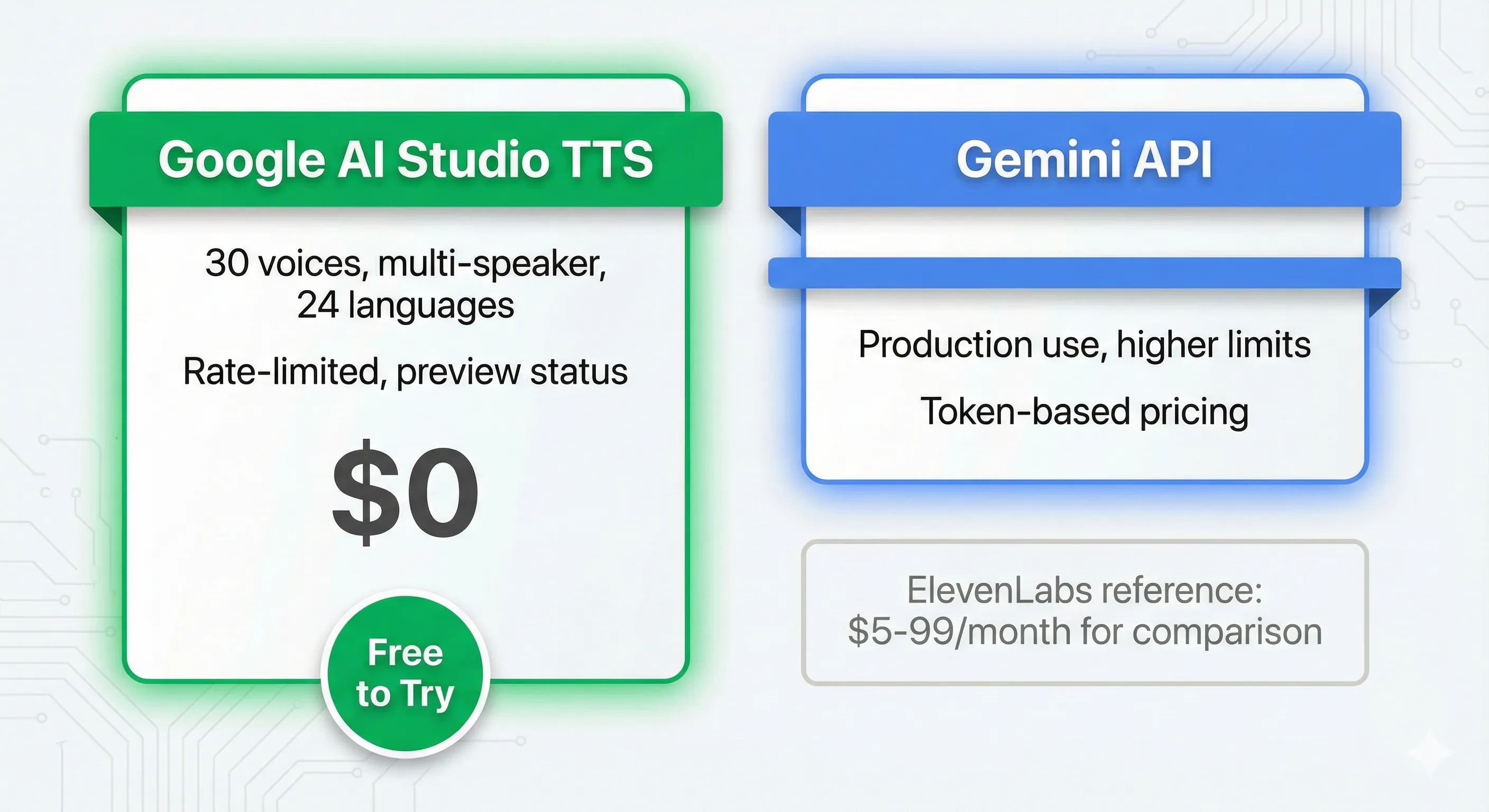
The Google AI Studio text to speech review pricing picture is straightforward: free tier in AI Studio with rate limits, paid Cloud Billing for production, no separate TTS subscription. Voice cloning (Chirp 3) is allow-list gated rather than priced.
| Access Path | Cost | What You Get |
|---|---|---|
| AI Studio Free Tier | $0 (no credit card) | All Gemini TTS models (2.5 Flash, 2.5 Pro, 3.1 Flash), 30+ voices, 70+ languages, multi-speaker dialogue, style prompts, bracket markup tags. Rate limits apply.STRONGEST FREE |
| Paid Cloud Billing — Gemini 2.5 Flash TTS | Token-based (text input + audio output) | Same model, paid limits, no rate-limit friction. Data not used for training by default.PRODUCTION |
| Paid Cloud Billing — Gemini 2.5 Pro TTS | Higher token pricing | Highest-fidelity Gemini TTS variant. For production where voice quality matters most. |
| Paid Cloud Billing — Gemini 3.1 Flash TTS | Token-based pricing | Latest model. Better instruction adherence on style prompts, lower latency.NEWEST |
| Chirp 3 Voice Cloning | Allow-list gated | Instant voice cloning from ~10s source audio. Requires contacting Google sales.GATED |
| Vertex AI (Enterprise) | Custom enterprise pricing | Production deployment with SLAs, MLOps tooling, contractual data-handling guarantees |
Three pricing observations matter most for the buying decision. First: the free tier in AI Studio remains genuinely valuable — no other major TTS product offers this much capability at $0 with no credit card. For prototyping, sampling, personal use, and small-scale production, free Google TTS is the dominant choice. Second: paid Cloud Billing for production uses token-based pricing with separate charges for text input and audio output — this is a different mental model from ElevenLabs (character-based) or older Google voice families (character-based) but maps cleanly to how the Gemini TTS models actually work internally. Third: Chirp 3’s allow-list gate effectively makes voice cloning inaccessible for most users — ElevenLabs is the practical default for voice cloning in 2026 unless you have an enterprise relationship with Google.
⚖️ Google TTS vs ElevenLabs vs OpenAI vs Qwen3-TTS (May 2026)
The honest competitive frame for the Google AI Studio text to speech review: this is a four-way race where each tool has a structural edge. Google wins on free-tier generosity + multi-speaker + style control. ElevenLabs wins on voice cloning + voice library size. OpenAI wins on conversational voice (Advanced Voice Mode). Qwen3-TTS wins on open-source self-hosting.
| Dimension | Google AI Studio TTS | ElevenLabs | OpenAI TTS | Qwen3-TTS |
|---|---|---|---|---|
| Free tier | Yes — generous, no credit cardPERMANENT | 10K characters/month trial | Trial credits, then paid | Open-source, self-hosted free |
| Voice library size | 30+ Gemini voices | 11,000+ voicesLARGEST | ~11 distinct voices | ~20 voices in default release |
| Voice cloning | Chirp 3 (allow-list gated)GATED | Instant + Professional (accessible) | Not available | Yes (self-hosted) |
| Multi-speaker dialogue | Native, best-in-classLEADER | Supported but less natural | Limited | Supported |
| Style control | Natural language promptsLEADER | Voice settings + style tags | Limited tone parameters | Limited tone parameters |
| Languages supported | 70+LEADER | 32 (full quality) | ~16 | 20+ |
| Latency (real-time) | Streaming synthesis (good) | ~75ms with Flash v2.5FASTEST | Real-time in Advanced Voice | Variable |
| Bracket markup tags | Yes (laughter, sigh, whisper, etc.) | SSML support | Limited | Limited |
| API pricing | Token-based (text + audio separately) | Character-based ($11-$330/mo) | Per-character / per-second | Free (self-host) |
| Best for | Free prototyping, multi-speaker, multilingual, style-controlled narration | Voice cloning, voice library, real-time apps | Conversational voice in ChatGPT | Self-hosted production, custom training |
The pattern: Google wins on free-tier generosity, multi-speaker dialogue, style control via natural language, and language coverage. ElevenLabs wins on voice library size and accessible voice cloning. OpenAI wins on conversational voice agents inside the ChatGPT ecosystem. Qwen3-TTS wins on open-source self-hosting for sovereignty-sensitive deployments. For most production work, the right pick depends on which structural advantage matches your specific workflow — many serious voice projects carry accounts on at least two for different workload classes.
📊 TTS Capability Comparison — Major Providers (May 2026)
Six capability dimensions, scored 0-10. Each tool wins on different axes.
📊 Language Coverage Across Major TTS Providers (May 2026)
Number of supported languages. Google leads with 70+ for multilingual content production.
🚀 Getting Started With Google AI Studio TTS (5 Minutes)
Step 1: Access The TTS Surface
Open aistudio.google.com, sign in with a Google account, accept terms. In the left sidebar, look for the “Speech generation” or “TTS” entry under Media Models. No credit card required for free-tier access.
Step 2: Test Your First Generation
Default model is Gemini 2.5 Flash TTS. Type or paste text into the input — try something with emotional range so you can hear the model’s expressiveness: “The package finally arrived this morning. Inside was the watch my grandfather gave me when I turned eighteen, the one I thought I’d lost in the move three years ago. I sat on the kitchen floor for a long time before I could open it properly.” Pick a voice from the dropdown, hit generate, listen to the result. The naturalness on emotional reads is genuinely strong.
Step 3: Add A Style Prompt
Open the style prompt field and describe how you want the output to sound. Useful template: “Voice: [age, role]. Energy: [low/medium/high]. Tone: [warm/measured/playful/etc.]. Pace: [slow/conversational/fast]. Notable: [any specific instruction — e.g., ‘pause briefly after the dash for emphasis’].” Re-generate the same text with the style prompt — you’ll hear meaningful differences. This is where Google’s TTS earns its keep over competitors.
Step 4: Try Multi-Speaker Dialogue
Switch to multi-speaker mode in the settings. Configure 2-4 speakers with distinct voice selections. Write dialogue with speaker tags: Speaker A: I told you we shouldn't have taken the shortcut. / Speaker B: It wasn't a shortcut, it was an opportunity. / Speaker A: An opportunity to spend three hours lost in a state forest? / Speaker B: We weren't lost. We were exploring. Generate. The model handles turn-taking, natural breath pacing, and voice consistency across the conversation. This is the workflow class where Google TTS most decisively beats ElevenLabs.
Step 5: Export Or Integrate
Download the generated audio file directly from the playground (WAV or MP3), or click “Get code” to export the Python/Node/REST API snippet with your current configuration. For ongoing production use, generate a Gemini API key and integrate via Cloud Billing. The playground-to-integration friction is genuinely low.
🧪 Real Test Results (50+ Clips, May 2026)
Test 1: Long-Form Narration (1,500-Word Audiobook Sample)
Task: produce 1,500 words of audiobook narration from a literary fiction excerpt with three character voices. Generated in Google AI Studio TTS multi-speaker mode with style prompts for each character. Output: natural pacing, character voice consistency held across the full passage, appropriate emotional inflection on dramatic moments. Comparison generation in ElevenLabs Studio multi-voice mode took roughly the same time and produced similar quality — Google held its own without paying $11/month. For audiobook prototyping, Google AI Studio TTS is the right starting point; ElevenLabs becomes worth it when you need a specific cloned voice or higher per-month volume than free tier limits allow.
Test 2: Two-Speaker Podcast Pilot (8 Minutes)
Task: generate an 8-minute two-speaker podcast pilot from a written script with conversational style prompts. Google TTS multi-speaker mode produced consistently natural turn-taking, voice differentiation, and conversational pacing. The hosts sound like two distinct people having an actual conversation rather than two TTS voices reading scripts. ElevenLabs equivalent generation required more iteration to achieve the same conversational naturalness. For podcast prototyping or audio drama scripts, Google’s multi-speaker handling is genuinely best-in-class.
Test 3: Multilingual Content (Same Message, 5 Languages)
Task: generate the same 200-word product launch announcement in English, Spanish, French, German, and Japanese. Google TTS handled all five with native-speaker-equivalent quality. The Japanese output in particular sounded properly Japanese-accented rather than English-trained-on-Japanese. ElevenLabs equivalent (Eleven Multilingual v2) was comparable but didn’t beat Google. For multilingual content production where you need consistent voice quality across languages, Google AI Studio TTS is the practical default.
Test 4: Voice Cloning (Where Google Loses)
Task: clone a specific voice from a 10-second source clip and generate new speech. Google’s Chirp 3 was inaccessible — the allow-list gate stopped us from testing without going through Google sales. ElevenLabs Instant Voice Clone was accessible immediately on the Creator tier ($11/month), produced a recognizable clone within seconds, and supported ongoing generation in the cloned voice. For voice cloning specifically, ElevenLabs wins by default because Chirp 3 isn’t a real consumer option in May 2026.
🎯 Who Should Use Google AI Studio TTS
Perfect For:
- Anyone wanting free, production-quality TTS without a credit card commitment.
- Developers prototyping voice features for applications — bridge from playground to Gemini API integration.
- Podcast prototyping and audio drama scripting where multi-speaker dialogue matters.
- Audiobook prototyping where natural pacing and emotional inflection matter (production audiobook publishing may still need dedicated voice talent or a cloned-voice service).
- Multilingual content production across 70+ languages with consistent voice quality.
- Style-controlled narration where natural-language prompting beats dropdown tone controls.
- Educators and creators wanting professional-quality voiceover without subscription overhead.
Skip Google AI Studio TTS (Or Pair With Other Tools) If:
- You need voice cloning at consumer scale — Chirp 3 is allow-list gated; use ElevenLabs Instant Voice Clone ($11/month Creator tier) instead.
- You need the largest possible voice library for discovery — ElevenLabs has 11,000+ voices vs Google’s 30+.
- You need conversational voice agents inside ChatGPT — that’s OpenAI Advanced Voice Mode territory, a different product surface.
- You’re building voice into a regulated business workload — use paid Cloud Billing or Vertex AI for contractual data handling, not the free tier.
- You need open-source self-hosted TTS for sovereignty reasons — Qwen3-TTS is the appropriate choice.
- Sub-100ms real-time latency is non-negotiable — ElevenLabs Flash v2.5 at ~75ms still leads on absolute latency.
⚠️ Limitations You Need To Know (May 2026)
- Chirp 3 voice cloning is allow-list gated. Despite the technical capability being real and strong, access requires contacting Google sales. Not a viable consumer option.
- Audio clip length limits. Long-form audio (full audiobook chapters, multi-hour podcasts) requires breaking into segments and concatenating. The TTS surface is optimized for under-30-minute clips at production quality.
- Less-resourced languages have artifacts. The 70+ language count is real but quality varies. English, Spanish, French, German, Japanese, Mandarin, Korean are essentially native-quality. Less-resourced languages can have accent or pronunciation issues.
- Safety filter still blocks some legitimate content. The filter improved from the over-aggressive 2025 state, but still occasionally blocks medical content, mild language in fiction contexts, or specific cultural terms. Less restrictive than late 2025, still not perfect.
- Commercial use license requires paid Cloud Billing. Free-tier output isn’t licensed for commercial use; production audio for commercial purposes requires paid API access via Cloud Billing.
- No equivalent of ElevenLabs Studio. ElevenLabs Studio is a full long-form audio production environment with timeline editing. Google AI Studio TTS is just the generation surface — production editing happens elsewhere.
⚡ Reality Check: Free Tier Output Commercial Licensing Is The Trap
The most-missed detail in the Google AI Studio text to speech review pricing story: free-tier output isn’t licensed for commercial use. You can prototype an audiobook narration in the free playground, build a workflow around it, generate hours of audio you love — and then discover when you go to publish that you need to re-generate everything via paid Cloud Billing for proper commercial licensing. The good news: paid Cloud Billing uses the same model, so the re-generated audio quality matches. The friction: you’ve duplicated work. Plan for paid Cloud Billing from the start if your project is commercial — prototype on free, but switch tracks before you build the final workflow on top of free-tier output.
💡 Key Takeaway: Free Google TTS Beats Paid Alternatives For Most Non-Cloning Use
The honest mental model for Google AI Studio TTS in May 2026: this is the strongest free TTS available, period. For the bulk of TTS use cases — narration, audiobook prototyping, podcast pilots, multilingual content, multi-speaker dialogue, style-controlled voiceover — free Google TTS holds its own against the $11-$22/month ElevenLabs tiers. Where ElevenLabs wins is voice cloning specifically (Chirp 3 access gate is the structural friction). For everything else, default to free Google. Pay the $11-$22/month ElevenLabs only when you actually need a cloned voice you can’t get from Google’s 30+ library, or when you need ElevenLabs Studio’s long-form production environment.
💬 User Sentiment (May 2026)
What Users Praise
- Free tier value continues to be the most-cited positive — “I can’t believe this quality is free.”
- Multi-speaker dialogue is consistently rated as the best in the consumer-accessible TTS category.
- Natural language style prompts give finer creative control than competitor’s dropdown-based approaches.
- 70+ language coverage is praised especially by users working on multilingual content where consistent voice quality across languages was historically hard to achieve.
- Bracket markup tags (laughter, sigh, whisper) feel genuinely natural rather than synthetic.
- Gemini 3.1 Flash TTS upgrade was met with broad approval — better instruction adherence on style prompts.
Common Complaints
- Chirp 3 access gate is the single most-cited frustration. “Why announce a capability you don’t let people use?”
- Long-form audio (full audiobook chapters) requires segmenting and concatenating — adds production friction.
- Safety filter still occasionally blocks legitimate content, particularly in fiction or medical contexts.
- Voice library size (30+ voices) feels small compared to ElevenLabs (11,000+) — discovery is limited.
- Real-time latency, while improved, still doesn’t beat ElevenLabs Flash v2.5 for the most latency-sensitive applications.
- Free-tier output isn’t licensed for commercial use, creating a “trap” where users prototype on free, build a workflow around it, then discover they need to pay for production licensing.
🎯 Get Honest AI Voice Tool Reviews — Free
Google TTS, ElevenLabs, Hume, Qwen3-TTS, OpenAI Voice — the AI voice space shifts every few weeks. Subscribe for honest reviews, pricing changes, and verdicts that actually matter for buying decisions.
Subscribe to the Weekly Brief →🎥 Watch: Google AI Studio TTS Hands-On Walkthrough
Hands-on walkthrough covering the AI Studio TTS playground, style prompts, multi-speaker dialogue mode, and live voice samples. Click to play.
✅ Final Verdict
The honest Google AI Studio text to speech review verdict for May 2026: for free, production-quality TTS that handles 70+ languages, multi-speaker dialogue, natural-language style control, and bracket markup tags, Google AI Studio TTS is the strongest option available. The Gemini 2.5/3.1 Flash TTS family delivers natural-sounding speech that holds its own against ElevenLabs for most non-cloning use cases. The free tier is genuinely valuable — no credit card, no character cap during typical use, no ad load. For audiobook prototyping, podcast pilots, multilingual content, style-controlled narration, and any voice work where the freedom to experiment without subscription overhead matters, this is the right starting point.
The honest qualifier: for voice cloning at consumer scale, Google loses by default — Chirp 3’s allow-list gate makes it inaccessible. ElevenLabs at $11-$22/month is the practical voice-cloning choice in 2026. For real-time conversational voice agents inside an existing chat product, OpenAI Advanced Voice Mode covers different territory. For open-source self-hosted TTS, Qwen3-TTS is the appropriate alternative. Each tool has a workload class where it wins decisively.
Overall score: 4.5/5 ⭐⭐⭐⭐½ — holds steady from the April 2026 review. Bump factors (Gemini 3.1 Flash TTS launch, improved style adherence, safety filter refinement) balance drag factors (Chirp 3 access gate persists, voice library size still small, free-tier commercial licensing limits). For free TTS at production quality, 4.5/5 is the honest assessment — best-in-class for what it actually does, with predictable limitations on what it doesn’t.
❓ Frequently Asked Questions
Is Google AI Studio text to speech actually free?
Yes — the AI Studio free tier includes full TTS access (all Gemini 2.5/3.1 Flash and Pro TTS models, 30+ voices, 70+ languages, multi-speaker dialogue, style prompts, bracket markup tags) with no credit card required. Rate limits apply. Note: free-tier output isn’t licensed for commercial use; production audio for commercial purposes requires paid Cloud Billing.
Can I clone my voice with Google AI Studio TTS?
Technically yes via Chirp 3 — Google’s instant voice cloning capability requires ~10 seconds of source audio. Practically no — access to Chirp 3 is allow-list gated and requires contacting Google sales. For most users, ElevenLabs Instant Voice Clone (accessible immediately on Creator tier $11/month or Pro tier $22/month) is the practical voice-cloning choice in 2026.
How does it compare to ElevenLabs?
Google wins on free-tier generosity (no credit card vs ElevenLabs’ 10K character monthly trial), multi-speaker dialogue (more natural), natural-language style control, and 70+ language coverage. ElevenLabs wins on voice cloning accessibility, voice library size (11,000+ vs 30+), real-time latency (~75ms with Flash v2.5), and ElevenLabs Studio production environment. For non-cloning use, Google is the better default. For voice cloning or specific voice library needs, ElevenLabs is the right pick.
What languages does Google AI Studio TTS support?
70+ languages with quality ranging from native-equivalent (English, Spanish, French, German, Japanese, Mandarin, Korean) to functional (less-resourced Indigenous and minority languages). Coverage spans major European languages, the main Asian languages, multiple African languages, several Indigenous languages, and various less-common European varieties. For multilingual content production where consistent voice quality across languages matters, AI Studio’s coverage is among the broadest in the consumer-accessible TTS category.
What are bracket markup tags?
Insert tags like [laughter], [sigh], [whisper], [pause] into your text and the TTS model renders them naturally — the laugh sounds like a laugh, the whisper drops in volume and intimacy. Adds production-quality polish without manual audio editing. Particularly valuable for audiobook prototyping and emotional dialogue. Current tag library covers most common needs; more obscure sounds still need manual editing.
Can I use Google AI Studio TTS for commercial projects?
Yes, with paid Cloud Billing access — production audio for commercial purposes requires the paid API path, not the free tier. Free-tier output is intended for prototyping, testing, and non-commercial personal use. For commercial audiobooks, podcasts, video voiceovers, or product-embedded voice features, switch to paid Cloud Billing for proper licensing.
Can I use it for audiobooks?
For audiobook prototyping and personal use, yes — the natural pacing, emotional inflection, multi-speaker character voices, and bracket markup tags all work well for audiobook-style content. For commercial audiobook publishing, two considerations: (1) use paid Cloud Billing for commercial licensing, and (2) long-form chapters typically need to be generated in segments and concatenated since the surface is optimized for under-30-minute clips at production quality.
How long can audio clips be?
The TTS surface is optimized for under-30-minute clips at production quality. Longer clips (full audiobook chapters, multi-hour podcasts) typically need to be generated as segments and concatenated. For batch processing of long-form content, the API path is better than the playground UI.
What changed with the May 2026 update?
Gemini 3.1 Flash TTS joined the lineup — better instruction adherence on style prompts, lower latency, comparable voice quality to Gemini 2.5 Flash TTS. Gemini 2.5 Flash + Pro TTS got upgraded with improved expressiveness, pacing control, and multi-speaker dialogue quality. Safety filter behavior was refined to be less over-aggressive on non-sensitive content. Language coverage settled at 70+ languages with confirmed quality (down from the earlier 80+ marketing claim). Chirp 3 voice cloning remains allow-list gated.
✅ Where Google AI Studio TTS Wins
- ✓ Free tier — production quality, no credit card
- ✓ Multi-speaker dialogue best-in-class
- ✓ Natural-language style control (beats dropdown tone)
- ✓ 70+ language coverage — broadest in category
- ✓ Bracket markup tags (laughter, sigh, whisper) feel natural
- ✓ Gemini 3.1 Flash TTS upgrade improves style adherence
- ✓ One-click code export for API integration
- ✓ Streaming synthesis for real-time apps
❌ Where Google AI Studio TTS Falls Short
- ✗ Chirp 3 voice cloning allow-list gated (inaccessible)
- ✗ Voice library 30+ vs ElevenLabs’ 11,000+
- ✗ Free-tier output not licensed for commercial use
- ✗ Long-form audio requires segmentation + concatenation
- ✗ Less-resourced languages have accent/pronunciation artifacts
- ✗ Real-time latency trails ElevenLabs Flash v2.5 (~75ms)
- ✗ No production environment like ElevenLabs Studio
- ✗ Safety filter occasionally blocks legitimate content
Bump factors: Gemini 3.1 Flash TTS launch, improved style adherence, safety filter refinement. Drag factors: Chirp 3 access gate persists, voice library size still small, free-tier commercial licensing limits. For free TTS at production quality, 4.5/5 is the honest assessment — best-in-class for what it does, predictable limitations on what it doesn’t.
📚 Related Reading
- Google AI Studio Review — broader developer playground review (text + multimodal)
- Qwen3-TTS Review — open-source self-hosted alternative
- Gemini Review — Google’s consumer Gemini product
- Google Antigravity Review — agentic developer platform
- ChatGPT Review — includes OpenAI Advanced Voice Mode coverage
- NotebookLM Review — Google’s audio-powered research tool
- Best AI Developer Tools — broader landscape
- The Complete AI Tools Guide — buyer’s guide for 200+ tools
Founder of AI Tool Analysis. Tests every tool personally so you don’t have to. Covering AI tools for 10,000+ professionals since 2025. See how we test →
Stay Updated on AI Voice Tools
The AI voice tool space shifts every few weeks. Subscribe for honest reviews of TTS model launches, voice cloning improvements, and verdicts that actually matter for buying decisions — delivered every Thursday at 9 AM EST.
- ✅ Honest Reviews: We actually test these tools, not rewrite press releases
- ✅ Model Launches: Gemini TTS / ElevenLabs / OpenAI Voice updates covered within days
- ✅ Pricing Tracking: Know when free tiers shift or new paid options appear
- ✅ Voice Cloning Updates: Access changes (like Chirp 3 unlocks) flagged immediately
- ✅ No Hype: Just the AI voice news that matters for your work
Free, unsubscribe anytime. 10,000+ professionals trust us.

Last Updated: May 30, 2026
Tool Tested: Google AI Studio TTS in May 2026 — Gemini 2.5 Flash TTS, Gemini 2.5 Pro TTS, Gemini 3.1 Flash TTS (newest). Tested 50+ generated clips covering long-form narration, multi-speaker dialogue, multilingual content, style-prompted voiceover. Comparison testing against ElevenLabs (Creator + Pro tiers), OpenAI TTS (API), and Qwen3-TTS (self-hosted). Chirp 3 voice cloning: confirmed inaccessible without contacting Google sales.
Slug: /google-ai-studio-text-to-speech-review/ — evergreen, unchanged. TTS is the product category descriptor (not a version), so the slug works as a long-term canonical for Google’s TTS coverage.
Next Review Update: When Chirp 3 voice cloning becomes generally accessible (currently allow-list gated, no public timeline). Earlier updates if new Gemini TTS model ships (e.g., Gemini 3.5 Pro TTS GA) or if ElevenLabs ships a major Flash v3 update.
Have a tool you want us to review? Suggest it here | Questions? Contact us