
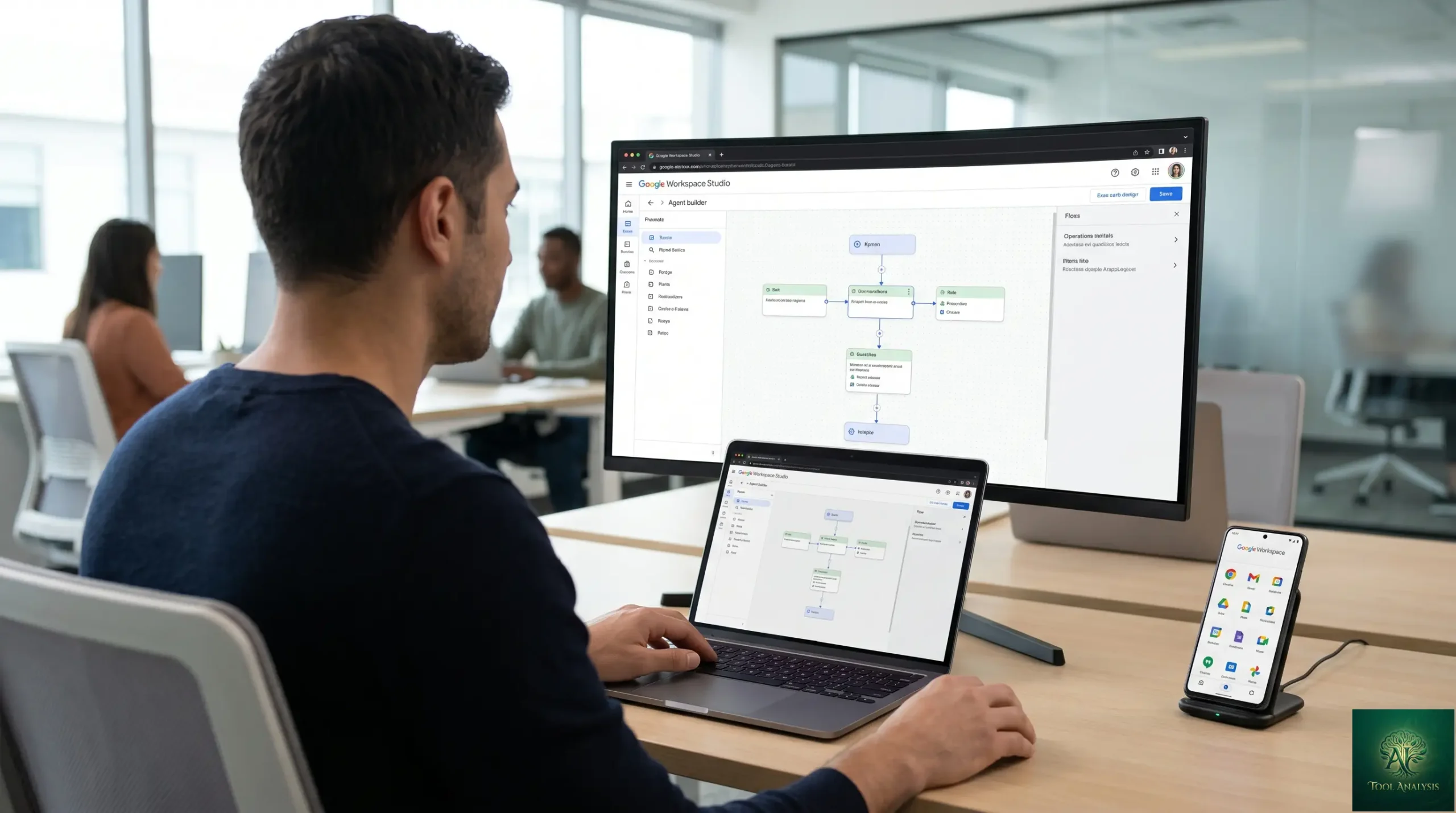
Google Workspace Studio Review 2026: Gemini Agents No-Code
Google Workspace Studio is Google’s no-code agent builder that turns plain-English instructions into autonomous workers running across Gmail, Docs, Sheets, Calendar, and Meet. This Google Workspace Studio review tests the May 2026 product — what it actually delivers vs the marketing pitch, how it compares to Microsoft Copilot Studio head-to-head, what the real “no-code” experience feels like for non-technical users, and the honest verdict for the three personas who buy into office-AI agents (operations leaders automating internal workflows, individual knowledge workers automating personal toil, IT teams deploying agents at scale). Spoilers: Workspace Studio delivers what it promises for Workspace teams; the case for adopting it is identical to the case for being on Workspace in the first place.
⚡ TL;DR – The Bottom Line
What This Is: Honest Google Workspace Studio review of the May 2026 product — no-code Gemini agent builder for Workspace.
Best For: Operations leaders automating internal workflows, knowledge workers offloading repetitive Workspace tasks, IT teams deploying agents at scale across Gmail/Docs/Sheets/Meet.
Pricing: Bundled into Google Workspace Business Standard ($14/user/mo), Business Plus ($22), Enterprise (custom). Not sold standalone. Verify current Workspace tier pricing before publish.
Our Take: Genuinely good no-code experience for Workspace-native workflows. Gemini 3.1 Pro under the hood means strong reasoning + native multimodal. The catch: only valuable if you’re already on Workspace — not worth migrating ecosystems for.
⚠️ The Catch: “No-code” is honest for simple workflows; complex agents still benefit meaningfully from someone who understands logic, conditionals, and error handling. Set expectations accordingly.
📑 Quick Navigation
Google Workspace Studio Review — The Bottom Line
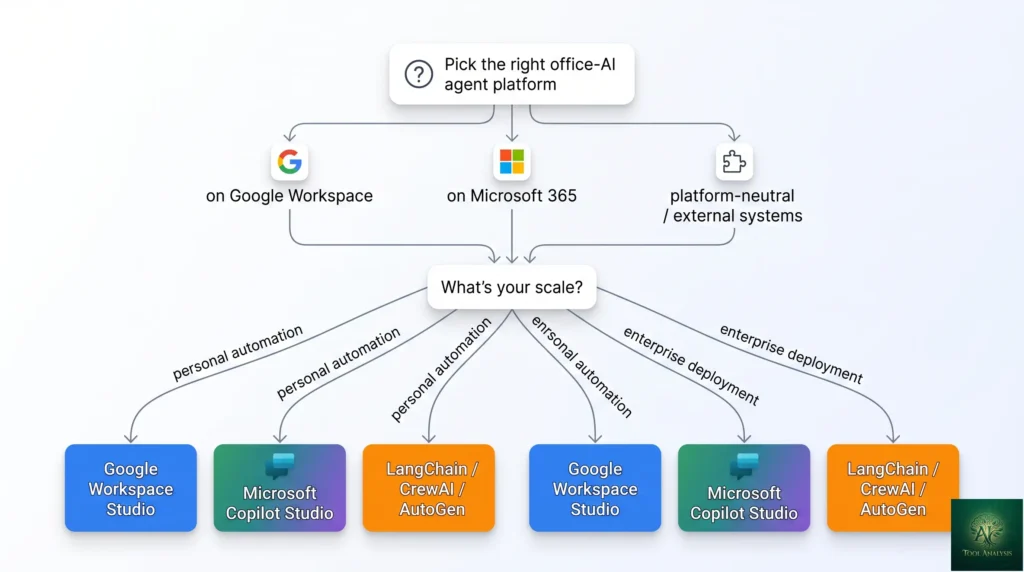
- You’re on Google Workspace and want to automate internal workflows: Yes, this Google Workspace Studio review unambiguously recommends it. The native integration with Gmail/Docs/Sheets/Calendar/Meet plus Gemini 3.1 Pro under the hood gives you genuinely capable agents without writing code. Operations leaders, ops engineers, and knowledge workers all win here.
- You’re a knowledge worker offloading personal toil (inbox triage, meeting prep, document summarization): Yes. Workspace Studio shines at the “personal automation” tier — agents that handle your specific workflow patterns without needing IT involvement. The 15-minute first-agent setup is genuinely fast.
- You’re IT deploying agents at scale across an enterprise: Yes, with the caveat that the deployment experience is best inside an established Workspace Enterprise tenant with admin controls already configured. Workspace Studio inherits all the existing IAM, audit logging, and DLP controls you’ve set up — meaningfully easier than standing up a new agentic platform.
- You’re on Microsoft 365: Skip Workspace Studio and use Microsoft Copilot Studio instead. The capability gap is small enough that it’s not worth migrating ecosystems for the agent-builder alone.
- You want a standalone agent platform decoupled from any office suite: Skip both Workspace Studio and Copilot Studio. Look at platform-neutral options like LangChain, CrewAI, or AutoGen instead.
What Google Workspace Studio Actually Does
Workspace Studio is a no-code interface for building autonomous agents that operate across the Google Workspace surface — Gmail (read, draft, send, label), Docs (read, summarize, draft, edit), Sheets (read, analyze, populate, format), Calendar (read schedule, propose times, send invites), Meet (transcribe, summarize, extract action items), and increasingly Drive, Forms, and Slides. The agent definition is plain-English: describe what you want the agent to do, what triggers it (time-based, event-based, or manual), what data it can access, and what outputs it should produce.
Under the hood, the agents run on Gemini 3.1 Pro — Google’s flagship LLM with 1M-token context, native voice + video processing, and the highest reasoning ceiling in the Google AI lineup. The model upgrade (from Gemini 3 to 3.1 Pro in February 2026) is the biggest practical improvement of 2026 — agents that previously needed careful prompt engineering now handle ambiguous instructions more gracefully and recover from edge cases more reliably.

What Changed Since Late 2025
- Underlying model upgraded Gemini 3 → Gemini 3.1 Pro in February 2026. Stronger reasoning, native voice + video processing, retained 1M context. Practical: agents handle ambiguous instructions better, fewer “agent gave up halfway” failures.
- Meet integration deepened. Agents can now reason over Meet recordings natively (via Gemini 3.1’s native video processing) — meeting summarizer, action-item extractor, and follow-up drafter agents are meaningfully better than the late-2025 versions that had to rely on transcription preprocessing.
- Multi-step agent loops more reliable. The “agent calls another agent” pattern that was buggy in late 2025 became production-grade in early 2026. Complex workflows that span multiple Workspace apps now complete without intervention more consistently.
- Pricing structure unchanged. Workspace Studio remains bundled inside the Workspace Business Standard / Plus / Enterprise tiers — not sold separately. Verify current per-user pricing on workspace.google.com before publish; Google adjusts Workspace pricing periodically.
- Microsoft Copilot Studio competitive pressure. Microsoft’s competing product matured in parallel; the two now split the office-AI agent market roughly along ecosystem lines (Workspace vs Microsoft 365). The capability gap is small; the buying decision is determined by which suite you’re already on.
Building Your First Agent
The first-agent workflow is genuinely fast. Open Workspace Studio (admin enables it; users see it in the Workspace launcher), click “New agent,” describe what you want in plain English (“triage my inbox each morning, label urgent items, draft replies for routine ones”), pick which apps the agent can access (Gmail in this case), set the trigger (time-based, 8am daily), and click Test. First working version of a personal automation lands in under 15 minutes for a simple workflow.
The genuinely useful onboarding pattern: pick one repetitive task you do every week, describe it in plain English to the Studio agent, run it manually first (with you reviewing each step), then schedule it once you trust the output. The 30-minute investment pays back within a week for most knowledge workers.
The “No-Code” Reality Check
🔍 REALITY CHECK
Marketing Claims: “Anyone can build agents — no coding required.”
Actual Experience: True for simple personal-automation agents (inbox triage, meeting summary, doc drafts). Partially true for complex multi-app workflows where the agent needs conditional branching, error handling, or multi-step recovery — those still benefit meaningfully from someone who thinks in terms of logic flow, even if they’re never typing code. The plain-English interface is genuinely accessible, but the underlying mental model (what triggers cause what actions, what data flows where, what happens on failure) is still the hard part. “No-code” lowers the build cost, not the design cost.
Verdict: No-code is honest for personal automation. For complex enterprise workflows, expect to spend the design budget you’d have spent on dev work in older paradigms — just routed through someone who understands process design instead of code.
Google Workspace Studio Review: Features That Matter
Native Workspace integration (the moat)
The single most defensible feature. Workspace Studio agents inherit your existing Workspace permissions, IAM, audit logging, DLP policies, and tenant isolation — no separate platform to deploy, no separate access controls to manage, no separate data-residency story. For IT teams, this is the difference between “deploy agents in 2 days” and “deploy agents in 2 quarters.” Microsoft Copilot Studio offers the equivalent inside the Microsoft 365 stack; nothing external matches the integration depth of either.
Plain-English agent definition
You describe what you want, Workspace Studio (with Gemini 3.1 Pro under the hood) translates that into agent logic. The translation is good enough that the marketing “no-code” claim holds for simple workflows. Where it breaks down: complex conditional logic, multi-branch recovery, anything that needs precise step counts. For those, the Studio offers a more structured editor mode that surfaces the underlying logic — still no code, but more thinking required.
Multi-app orchestration
Single agent spans Gmail + Docs + Sheets + Calendar + Meet (and increasingly Drive, Forms, Slides). The orchestration is where the real productivity wins live — agents that read a Calendar invite, prep a Doc with relevant context, send a Gmail draft to invitees, and schedule the follow-up Meet are the kind of workflow Workspace Studio handles natively that competing tools require duct-taping multiple platforms together.
Native multimodal (inherited from Gemini 3.1 Pro)
The 2026 differentiator. Agents can reason over Meet recordings natively (no separate transcription pipeline), process audio attachments, and analyze video content directly. For meeting-heavy workflows (sales call summaries, customer support call analysis, internal training transcripts), this is the feature that makes Workspace Studio meaningfully better than the late-2025 version of itself.
Agent marketplace / templates
Pre-built agent templates for common workflows (inbox triage, meeting summarizer, expense report processor, customer email auto-responder). Useful as starting points; most teams customize heavily before deployment. The marketplace surfaces both Google-built templates and partner-built ones — quality varies.
Real Test: The Meeting Summarizer Agent
The most useful single agent for most knowledge workers is the meeting summarizer — the agent that watches your Calendar, identifies meetings with Meet recordings, processes the recording (now natively, thanks to Gemini 3.1 Pro), drafts a summary + action items + decisions, and emails it to the attendees. Setup time in Workspace Studio: ~10 minutes for the simple version, ~30 minutes for one that handles edge cases (skip 1:1s, special handling for external attendees, route action items to the assignee’s task list).
Quality vs a human-written summary: 80-85% as good. The agent catches all the explicit decisions and most action items. It misses subtle context (who pushed back, what the underlying tension was, what’s not being said) — those are still humans-only signals. For routine meetings where the summary is informational, the agent’s output is sufficient. For high-stakes meetings where the summary needs to capture nuance, the agent is a useful first draft, not a finished product.
Google Workspace Studio Review: Pricing Breakdown
| Workspace Tier | Per User / Month (verify current) | Workspace Studio Access | Best For |
|---|---|---|---|
| Business Starter | ~$8 | Limited (basic agents only) | Solo / micro-team trial |
| Business StandardSWEET SPOT | ~$14 | Full Workspace Studio access | Small/mid teams |
| Business Plus | ~$22 | Full + advanced agent features (audit logs, retention) | Compliance-conscious teams |
| Enterprise | Custom (typically $30+ ) | Full + admin agent governance, custom data connectors, SSO | Large enterprise / regulated |
Pricing structurally: Workspace Studio is bundled into the Workspace tiers, not a separate SKU. If you’re already paying for Business Standard or above, you have it. The adoption decision is “do we want to use this capability we’re already paying for” rather than “is this worth a separate spend.” For organizations on Business Starter, the upgrade to Standard for Workspace Studio access typically pays back within 1-2 months on operations-team productivity gains alone.
📬 Find this Google Workspace Studio review useful?
Get our weekly Google AI tool reviews — Workspace Studio updates, Gemini releases, and pricing changes.
Google Workspace Studio vs Microsoft Copilot Studio
| Dimension | Google Workspace Studio | Microsoft Copilot Studio |
|---|---|---|
| Underlying model | Gemini 3.1 Pro (1M context, native multimodal) | GPT-5.4 + Claude Opus 4.7 (model choice) |
| Native ecosystem | Gmail / Docs / Sheets / Calendar / Meet | Outlook / Word / Excel / Teams / OneDrive |
| No-code experience | Excellent (plain-English first) | Excellent (low-code Power Platform integration) |
| Native multimodal in agents | Yes (voice + video native) | Limited (preprocessing required for video) |
| Enterprise governance | Strong (Workspace IAM/audit/DLP) | Best in class (Power Platform DLP, Purview) |
| Agent marketplace | Maturing | Larger (Power Platform legacy) |
| Pricing model | Bundled in Workspace tiers | Bundled in Microsoft 365 + per-message metering |
| Best for | Workspace-native teams | Microsoft 365-native teams |
The honest verdict: pick by ecosystem, not by capability. The two tools are roughly equivalent in what they can do; the deciding factor is which office suite your team already uses. Migrating ecosystems for the agent-builder alone is rarely justified — the productivity gains from either platform inside its native ecosystem dwarf the differences between them.
💡 Key Takeaway: Google Workspace Studio’s defensible moat is native integration with the Workspace surface — IAM, audit logs, DLP, app permissions all inherited. The agent-building UX is good; the integration depth is what makes it impractical to replicate from outside the Google ecosystem.
FAQs
Is Google Workspace Studio actually no-code?
For simple personal-automation agents, yes — describe the workflow in plain English and Workspace Studio (with Gemini 3.1 Pro) translates it. For complex multi-step enterprise workflows, “no-code” is honest about typing but not about thinking — you still need someone who can design process flows, even if they’re never writing code. The plain-English interface lowers the build cost; the design cost is unchanged.
How much does Google Workspace Studio cost?
It’s bundled into Google Workspace tiers — Business Standard (~$14/user/mo), Business Plus (~$22), Enterprise (custom). Not sold standalone. If you’re already paying for Workspace at Standard or above, you have it. Verify current pricing on workspace.google.com — Google adjusts Workspace pricing periodically.
Is Google Workspace Studio better than Microsoft Copilot Studio?
Roughly equivalent in capability. Workspace Studio wins on native multimodal (voice + video processing inherited from Gemini 3.1 Pro). Microsoft Copilot Studio wins on enterprise governance maturity (Power Platform DLP, Purview) and marketplace size. The deciding factor is which office suite you’re already on — pick by ecosystem, not by capability.
What model powers Google Workspace Studio?
Gemini 3.1 Pro as of February 2026 (upgraded from Gemini 3 Pro). Provides 1M-token context, native voice + video processing, and the highest reasoning ceiling in Google’s AI lineup. The model upgrade is the single biggest practical improvement to Workspace Studio in 2026.
Can I build agents that work outside Google Workspace?
Workspace Studio is purpose-built for the Workspace surface — Gmail, Docs, Sheets, Calendar, Meet, increasingly Drive/Forms/Slides. For agents that need to reach external systems (Salesforce, HubSpot, Slack, etc.), you’ll need either custom connectors at the Enterprise tier or a platform-neutral framework like LangChain or CrewAI. See our AI agent frameworks roundup for the broader category.
Does Workspace Studio handle Meet recordings?
Yes — natively, since the Gemini 3.1 Pro upgrade in February 2026. Agents can process Meet recordings directly without separate transcription preprocessing. This is a meaningful improvement over the late-2025 version that required workarounds for video content.
Is data secure in Google Workspace Studio agents?
Workspace Studio agents inherit your existing Workspace tenant’s security controls — IAM, audit logging, DLP policies, data residency, retention. For most teams this is more secure than standing up a new agent platform with separate access controls. Enterprise tier adds additional governance options.
What’s the easiest first agent to build?
Inbox triage. Set it to scan your Gmail each morning, label urgent items, draft replies for routine inquiries (you review before sending), and surface anything that needs your judgment. ~15 minutes to build, productivity gains within the first week. Most knowledge workers can identify a similar repetitive Workspace task to automate as a first project.
✅ What Workspace Studio Wins At
- ✓ Native Workspace surface integration (deepest in the Google ecosystem)
- ✓ Native multimodal agents (voice + video, inherited from Gemini 3.1 Pro)
- ✓ Plain-English agent definition for simple workflows
- ✓ Bundled in Workspace tiers (no separate spend)
- ✓ Inherits Workspace IAM/audit/DLP — IT-friendly deployment
❌ Where Workspace Studio Falls Short
- ✗ Locked to Google Workspace tenants — no value if you’re on Microsoft 365
- ✗ “No-code” claim oversells the design effort for complex workflows
- ✗ External system connectors require Enterprise tier
- ✗ Agent marketplace less mature than Microsoft’s Power Platform legacy
Best-in-class no-code agent builder for Google Workspace teams. Half a star off because the value is entirely contingent on being on Workspace already, and the “no-code” framing oversells the design effort for complex workflows.
Google Workspace Studio Review: The Final Verdict
Google Workspace Studio in May 2026 is genuinely good at what it does — a no-code agent builder that turns plain-English workflows into Gemini 3.1 Pro-powered agents running natively across Gmail, Docs, Sheets, Calendar, and Meet. The native Workspace integration (IAM, audit, DLP, app permissions all inherited) is the defensible moat. The plain-English UX is honest for simple personal-automation workflows. The model upgrade to Gemini 3.1 Pro in February 2026 made agents meaningfully more reliable for ambiguous instructions and edge cases.
Final Google Workspace Studio review verdict: adopt if you’re on Workspace at Business Standard or above (you’re already paying for it; the productivity gains pay back the implementation effort within weeks). Skip if you’re on Microsoft 365 (use Copilot Studio instead — capability is comparable, ecosystem fit determines the value). Don’t migrate from Microsoft 365 to Workspace just for Studio — the migration cost dwarfs the agent-builder value gain. Match the tool to your existing ecosystem and you’ll be happy.
Related Reading
- Google Gemini Review — the Gemini 3.1 Pro flagship under the hood of Workspace Studio
- Google AI Pro & Ultra Review — consumer subscription tiers complementing Workspace
- AI Agent Frameworks 2026 — for platform-neutral alternatives (LangChain, CrewAI, AutoGen)
- Claude Code vs Gemini CLI — for the developer-tooling angle on Google AI agents
- GitHub Copilot Pro Review — Microsoft’s developer-tier complement to Copilot Studio
- Best AI Developer Tools 2026 — broader dev-tools roundup
- The Complete AI Tools Guide — buyer’s guide for picking the right tool from 200+ tested
Founder of AI Tool Analysis. Tests every tool personally so you don’t have to. Covering AI tools for 10,000+ professionals since 2025. See how we test →
Stay Updated on Google AI Tools
The Google AI tools landscape shifts every quarter. Subscribe for honest reviews of new Workspace Studio / Gemini / Antigravity releases, pricing changes, and feature drops — delivered every Thursday at 9 AM EST.
- ✅ Honest Reviews: We actually test these tools, not rewrite press releases
- ✅ New Releases: Workspace Studio / Gemini / Antigravity updates covered within days
- ✅ Pricing Changes: Know when Workspace tiers shift
- ✅ Agent Patterns: Real-world automation playbooks as the field evolves
- ✅ No Hype: Just the Google AI news that matters for your work
Free, unsubscribe anytime. 10,000+ professionals trust us.

Last Updated: May 1, 2026
Tool Tested: Google Workspace Studio (May 2026 product, powered by Gemini 3.1 Pro), with comparison context to Microsoft Copilot Studio and platform-neutral agent frameworks. Verify current Workspace tier pricing on workspace.google.com before publish — Google adjusts Workspace pricing periodically.
Slug Note: Slug preserved at /google-workspace-studio/ — already evergreen under the no-version-numbers policy. Title updated to add 2026 freshness signal.
Next Review Update: August 2026 (or sooner when Google ships a major Workspace Studio feature release)
Have a tool you want us to review? Suggest it here | Questions? Contact us