

🆕 Major Update (January 27, 2026): Moonshot AI has released Kimi K2.5, a massive leap from the K2 Thinking model we originally reviewed. K2.5 is now a native multimodal model (text + images + video), introduces the revolutionary Agent Swarm that deploys up to 100 AI sub-agents in parallel, and is fully open-source with weights on HuggingFace. It scores 50.2% on Humanity’s Last Exam with tools, beating GPT-5.2. This review has been completely rewritten to reflect the K2.5 release.
The Bottom Line
After spending 20+ hours testing Kimi K2.5 across coding, research, document analysis, and the new Agent Swarm mode, here is what you need to know: Kimi K2.5 is the most powerful open-source AI model available today, and it is free to use.
The jump from K2 Thinking to K2.5 is not incremental. It is a generational leap. Where K2 was a strong text-based reasoning model, K2.5 is a native multimodal agentic system that can see images, understand video, write code from screenshots, and coordinate a swarm of 100 AI agents to tackle complex tasks in parallel. Moonshot AI claims this is a quality improvement similar to the jump from Gemini 2.5 Pro to Gemini 3 Pro.
While ChatGPT-5 remains the most polished all-rounder and Claude Opus 4.5 still leads in pure software engineering, Kimi K2.5 occupies a unique position: frontier-class performance at zero cost, with full open-source transparency.
The Catch: Phone number required for signup (tricky outside China), data stored on Chinese servers, and the Agent Swarm is still in beta with occasional instability. The model’s English creative writing, while improved, still trails Claude and ChatGPT.
Best For: Developers, researchers, students, anyone drowning in documents, and teams wanting to experiment with multi-agent AI workflows without spending $200/month.
Skip If: You work in a regulated industry handling sensitive data (defense, healthcare), need pixel-perfect English creative writing, or cannot get past the SMS verification.
Click to expand/collapse
- 🚀 What Changed: K2 vs K2.5
- 🧠 What Kimi K2.5 Actually Does
- 📱 Signup Survival Guide
- 🐝 Agent Swarm: 100 AI Workers at Once
- 🎨 Visual Coding: Screenshot to Website
- 💭 K2.5 Thinking Mode: Reasoning Upgraded
- 📊 Office Agent: Docs, Slides, Excel
- 💻 Kimi Code CLI for Developers
- ⚔️ Kimi K2.5 vs The Giants (Benchmarks)
- 💰 Pricing Breakdown
- 🔒 Privacy and Data Residency
- ⚠️ Honest Limitations
- 🏆 Final Verdict
- ❓ FAQs
🚀 What Changed: K2 Thinking vs K2.5

Before we dive deep, here is a quick snapshot of what changed in just three months. Moonshot AI did not simply tweak the old model. They rebuilt it from the ground up with 15 trillion additional tokens of mixed visual and text training data.
| Feature | Kimi K2 Thinking (Nov 2025) | Kimi K2.5 (Jan 2026) |
|---|---|---|
| Multimodal | Text only | Native text + image + video |
| Agent System | Single agent, sequential | Agent Swarm: 100 parallel sub-agents |
| Open Source | Open weights (K2 base) | Full open source (Modified MIT) |
| Visual Coding | Not supported | Screenshot/video to working code |
| HLE Score (with tools) | 44.9% | 50.2% |
| Office Agent | Slides only | Word, PDF, Excel, Slides, LaTeX |
| Kimi Code | Not available | Terminal CLI (VSCode, Cursor, Zed) |
| API Output Price | ~$0.60/M tokens | $3.00/M tokens (input still $0.60) |
💡 Swipe left to see all features →
🧠 What Kimi K2.5 Actually Does
To understand Kimi K2.5, you need to understand the company behind it. Moonshot AI is a Beijing-based unicorn founded by Yang Zhilin, a former Google and Meta researcher who helped develop the Transformer XL architecture. The company recently raised capital at a $4.8 billion valuation, with a separate $500 million round closing in December 2025.
Kimi K2.5 is a 1 trillion parameter Mixture-of-Experts (MoE) model that activates only 32 billion parameters per request. Think of it as a company with hundreds of specialist departments: for each question you ask, it assembles the perfect team of 8 experts out of 384 available. This makes it enormously powerful while remaining fast enough to use in real time.
The model now operates in four distinct modes through Kimi.com and the Kimi App:
- K2.5 Instant: Fast responses for quick questions. Think of this as the “texting a smart friend” mode.
- K2.5 Thinking: Deep reasoning with visible chain-of-thought. Like watching someone solve a math problem on a whiteboard, you see every step.
- K2.5 Agent: A single AI agent that can browse the web, run code, create documents, and use tools autonomously.
- K2.5 Agent Swarm (Beta): The headline feature. Deploy up to 100 specialized AI agents working in parallel on your task. More on this below.
🔍 REALITY CHECK
Marketing Claims: “State-of-the-art visual coding capability and a self-directed agent swarm paradigm.”
Actual Experience: The visual coding is genuinely impressive. I uploaded a screenshot of a dashboard design and K2.5 generated a working HTML/CSS layout that was about 85% accurate to the original. The Agent Swarm, however, is still in beta. It works brilliantly for research and data-gathering tasks but occasionally produces redundant outputs when agents step on each other’s work.
Verdict: The visual coding delivers. Agent Swarm is a promising preview of the future, not yet a production-ready tool.
📱 Getting Started: The Signup Survival Guide
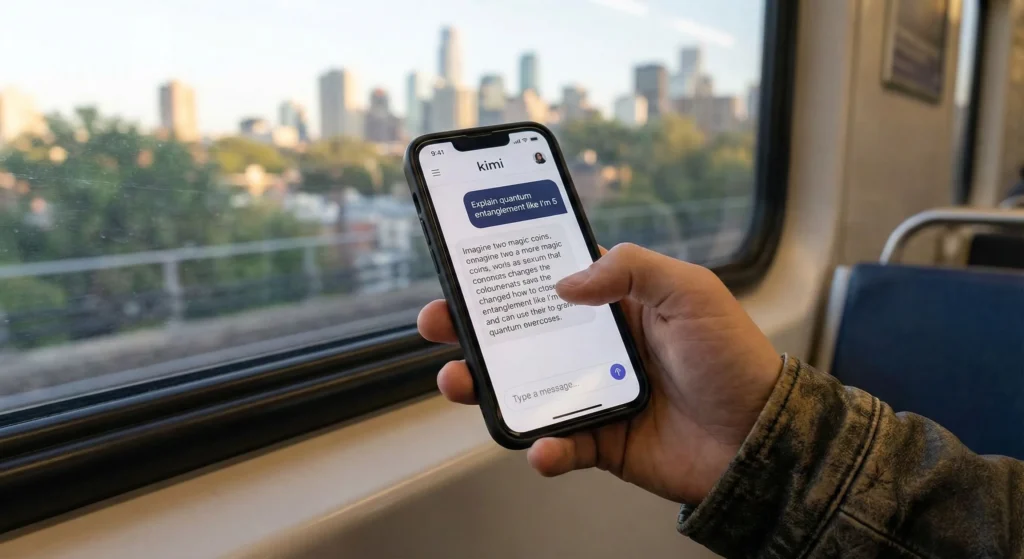
Before you get excited about the features, we need to address the biggest friction point for Western users: Access. The signup process has not changed significantly since the K2 days. Kimi AI is primarily designed for the Chinese market, which means it is not as seamless as “Sign in with Google.”
Method 1: The Web Route (Hit or Miss)
- Go to kimi.com (note: the URL has changed from kimi.ai to kimi.com).
- You will see a login prompt asking for a phone number.
- Select your country code (e.g., +1 for US/Canada, +44 for UK).
- The Issue: Many US carriers (especially VOIP numbers like Google Voice) block the SMS verification code as spam. If the code does not arrive in 60 seconds, do not keep clicking.
Method 2: The App Route (Recommended)
This remains the “cheat code” for international users. The mobile app uses a different SMS gateway that is much more reliable.
- Download the “Kimi” app from the Apple App Store or Google Play Store.
- Open the app and sign up using your mobile number. In our tests, the SMS arrived instantly on the app even when it failed on the website.
- Once logged into the app, go back to kimi.com on your desktop.
- Click the “QR Code” icon in the login box.
- Use the Kimi app to scan the QR code. You are now logged in on desktop without needing an SMS.
Pro Tip: If the interface loads in Chinese, look for the “Settings” gear icon, then Language, then English. The AI itself is fully bilingual and will reply in English if you speak English to it.
🐝 Agent Swarm: 100 AI Workers at Your Command

This is the headline feature of K2.5, and it genuinely feels like a preview of how AI will work in 2027. Instead of chatting with a single AI assistant, Agent Swarm lets Kimi automatically create a team of specialized AI agents that work on your task in parallel.
Think of it like this: Instead of asking one brilliant intern to research a topic, write a report, and fact-check everything sequentially, you are hiring a team. One agent searches for data, another analyzes sources, a third writes the summary, and a fourth fact-checks the output. All at the same time.
How Agent Swarm Works Under the Hood
The system uses something Moonshot calls Parallel-Agent Reinforcement Learning (PARL). A “trainable orchestrator” learns to break your task into parallelizable subtasks and spawns specialized sub-agents for each. These sub-agents have roles like “AI Researcher,” “Data Analyst,” or “Fact Checker,” and they work independently with their own tool access (web browsing, code execution, file creation).
The numbers are impressive: up to 100 sub-agents executing 1,500 tool calls in parallel, with Moonshot reporting up to 4.5x faster task completion compared to single-agent mode.
The Test: Deep Research on EV Battery Investments
I gave Agent Swarm a complex task: “Research the top 5 solid-state battery companies, compare their technology readiness levels, recent funding rounds, and patent portfolios. Create a comprehensive investment brief with risk assessments.”
What happened: Within seconds, Kimi spawned 8 agents. I could see their “ID cards” in the interface, each with a specialized role. One agent searched for funding data, another scanned patent databases, a third analyzed technology papers. They displayed real-time progress as they worked.
Result: In about 12 minutes, I received a structured report with data tables, risk ratings, and source citations. A task that would have taken me 3-4 hours of manual research. The content quality was about 80% of what a human analyst would produce, with some generic assessments in the risk section.
🔍 REALITY CHECK
Marketing Claims: “Up to 4.5x faster execution through parallel agent workflows.”
Actual Experience: The speed claims are real for “wide” research tasks where multiple independent queries can run simultaneously. For sequential tasks where Step 2 depends on Step 1’s output, the speedup is minimal. I also encountered two instances where agents produced overlapping content, wasting tokens. The orchestrator is still learning when to parallelize and when to serialize.
Verdict: Game-changing for research and data gathering. Not yet reliable for tasks requiring tight coordination between steps. Think of it as a beta preview of the future.
🎨 Visual Coding: From Screenshot to Working Website
This is where the “native multimodal” training pays off. Unlike K2 Thinking (which was text-only), K2.5 was trained on 15 trillion mixed visual and text tokens from the ground up. It can literally look at an image and write the code to recreate it.
The Test: UI Design to Working Code
I uploaded a screenshot of a popular SaaS dashboard (clean layout, sidebar navigation, data cards, a chart) and asked K2.5 to “recreate this as a responsive HTML page with Tailwind CSS.”
Result: K2.5 studied the screenshot for about 8 seconds (Thinking mode), then generated a complete HTML file with Tailwind classes. The layout was about 85% accurate. The sidebar, navigation items, and card components were near-perfect. The chart required manual adjustment, but the overall structure was immediately usable. For comparison, when I tried the same task with Cursor 2.0 (which does not natively accept image input in the same way), I had to describe the layout in text, which took longer and produced a less accurate result.
K2.5 also supports video input. You can record a screen recording of a user flow and ask it to build the interface. This lowers the barrier from “write a detailed specification document” to “just show me what you want.” Moonshot calls this “vibe coding,” and while the term is cringe-worthy, the capability is real.
Related: For a comprehensive look at coding tools, check our Top AI Agents for Developers 2026 guide.
💭 K2.5 Thinking Mode: Reasoning Upgraded
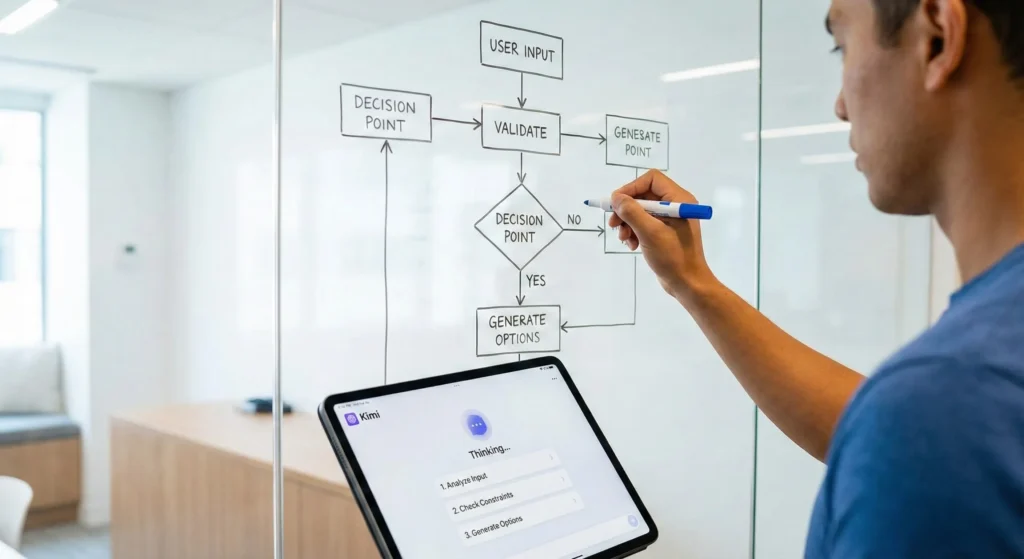
The Thinking mode that made K2 famous is still here, now significantly improved. K2.5 Thinking uses chain-of-thought processing, meaning it generates a visible internal reasoning trace before giving you an answer. You can expand this trace to see exactly how it solved a problem.
Test: The Classic Logic Puzzle (Upgraded)
I reused the age riddle from our original K2 review: “A princess is as old as the prince will be when the princess is twice as old as the prince was when the princess’s age was half the sum of their present ages.”
K2.5 Thinking Response: It entered Thinking Mode for 11 seconds (faster than K2’s 14 seconds). The reasoning trace was cleaner and more structured than before, with labeled steps. It correctly derived the 3:4 age ratio on the first attempt. The improvement over K2 is subtle here, but the thinking trace is noticeably more organized.
Test: Multi-Modal Reasoning
Where K2.5 Thinking truly differentiates is when you combine reasoning with visual input. I uploaded a photo of a complex circuit diagram and asked: “What is wrong with this circuit? Why would the LED not light up?”
Result: K2.5 spent 16 seconds in Thinking mode. Its reasoning trace showed it identifying each component in the image, tracing the current path, and pinpointing a missing ground connection. K2 Thinking could not have done this at all because it could not see images. This is the kind of capability that makes K2.5 genuinely useful for engineering and STEM education.
📊 Office Agent: Beyond Just Slides
The original K2’s “Agentic Slides” feature was a highlight of our previous review. K2.5 expands this into a full Office Agent that handles Word documents, PDFs with LaTeX equations, Excel spreadsheets with pivot tables, and presentation slides.
I tested the expanded capabilities by uploading a 40-page quarterly earnings transcript and asking: “Create an executive summary Word document with key metrics, generate a 10-slide investor deck, and build an Excel model showing revenue trends with a pivot table.”
Result: K2.5 Agent mode processed the transcript, extracted financial data, and generated all three deliverables. The Word document had proper formatting with inline comments highlighting areas needing human review. The slides maintained the professional “clean corporate” quality we noted in K2. The Excel file included working formulas and a basic pivot table. The pivot table was functional but not sophisticated. Anyone expecting Bloomberg-terminal-level financial modeling will be disappointed, but for first-draft document production, this saves hours.
For more on AI presentation tools, check our Kimi AI Slides deep dive.
💻 Kimi Code: The Developer’s CLI Companion
Kimi Code is a new terminal-based coding assistant, similar in concept to Claude Code. You install it via CLI, and it integrates with your existing IDE (VSCode, Cursor, and Zed are all supported).
The key differentiator from Claude Code? Image and video input. You can paste a screenshot of a bug, a design mockup, or even a screen recording of unexpected behavior, and Kimi Code will analyze the visual and suggest fixes. It also auto-discovers MCP tools and skills in your project.
Coding Face-Off: Kimi K2.5 vs DeepSeek V3.2
The Chinese AI coding race continues. I re-ran our original Snake game test (Python with Pygame, snake speeds up when eating apples) on both K2.5 and DeepSeek V3.2.
| Metric | Kimi K2.5 Thinking | DeepSeek V3.2 | Claude Code (Opus 4.5) |
|---|---|---|---|
| Speed | Thinking pause (~8s) | 🚀 Instant | Medium (~5s) |
| Code Quality | Highly commented, safe | Concise, “hacker” style | Production-grade |
| First Try Success | ✅ Yes | ✅ Yes | ✅ Yes |
| Visual Debugging | ✅ Screenshot input | ❌ Text only | ❌ Text only |
| SWE-bench Verified | ~72% | ~70% | 80.9% |
| Cost | Free / $0.60-$3/M | Free / $0.14/M | $200/month (Max) |
💡 Swipe left to see all features →
Winner? It depends on your needs. Use DeepSeek V3.2 for raw speed and dirt-cheap API costs. Use Kimi K2.5 for visual debugging (screenshot input), large codebase analysis (long context), and the Agent Swarm for parallelized refactoring. Use Claude Code when accuracy matters most and you can afford the $200/month Max tier. For a detailed comparison of all coding assistant options including GitHub Copilot Pro+, see our full guide.
⚔️ Head-to-Head: Kimi K2.5 vs The Giants
The AI landscape in January 2026 is no longer a US monopoly. Here is how Kimi K2.5 stacks up against the major players based on published benchmarks and our testing.
| Feature | Kimi K2.5 | GPT-5.2 | Claude Opus 4.5 | DeepSeek V3.2 |
|---|---|---|---|---|
| Superpower | Agent Swarm + Vision | General Reasoning | Software Engineering | Coding + Price |
| HLE (with tools) | 50.2% | ~45.5% | ~43% | ~42% |
| SWE-bench Verified | ~72% | ~75% | 80.9% | ~70% |
| Multimodal | Text + Image + Video | Text + Image + Audio | Text + Image | Text only |
| Open Source | ✅ Yes (MIT) | ❌ No | ❌ No | ✅ Yes |
| Agent System | 100 parallel agents | Sequential tools | Subagents | Basic tool use |
| Consumer Cost | Free | $20/month | $20-200/month | Free |
| API Input Cost | $0.60/M | ~$5/M | ~$15/M | $0.14/M |
💡 Swipe left to see all features →
The Verdict on Comparison
- Choose Kimi K2.5 if: You want frontier-class AI for free, need to process images/video alongside text, or want to experiment with multi-agent workflows.
- Choose GPT-5.2 if: You need the most polished all-in-one assistant with the deepest ecosystem integrations (Google Calendar, Notion, etc.).
- Choose Claude Opus 4.5 if: Software engineering accuracy is your top priority, and you can justify the $200/month Max tier.
- Choose DeepSeek V3.2 if: You need the absolute cheapest API for high-volume coding tasks and do not need vision capabilities.
💰 Pricing Breakdown: What You Will Actually Pay
Kimi K2.5’s pricing strategy remains aggressively growth-oriented. Moonshot AI is clearly burning venture capital to acquire users.
Consumer (Web and App)
- K2.5 Instant, Thinking, Agent: Free with usage limits. No strict message caps for standard use, though heavy Thinking mode usage may hit hourly limits during peak times.
- K2.5 Agent Swarm (Beta): Currently in beta. Free credits available for high-tier paid users. Paid plans offer higher quotas for agent workflows.
- Paid Plans: Paid tiers exist for higher usage, with Moonshot offering promotional credits and tiered access.
API Pricing (For Developers)
| Model | Input (per 1M tokens) | Cached Input | Output (per 1M tokens) |
|---|---|---|---|
| K2.5 (K2-0905) | $0.60 | $0.10 – $0.15 | $3.00 |
| K2 Turbo | $1.15 | N/A | $8.00 |
| kimi-latest (auto-tier) | $0.20 – $2.00 | Varies | $2.00 – $5.00 |
The automatic context caching is a standout feature. If you are building a chatbot that needs to reference the same company handbook with every message, you upload the handbook once. Subsequent queries cost only $0.10-$0.15 per million tokens instead of $0.60. That is a 75-85% cost reduction with zero configuration needed. The API is OpenAI-compatible, meaning if your code uses import openai, you can switch to Kimi by changing the base_url and api_key.
🔍 REALITY CHECK
Is the free tier sustainable? Probably not forever. Moonshot AI just raised at a $4.8 billion valuation and is burning venture capital to acquire users. Enjoy the generous free access while it lasts. A “Kimi Pro” subscription with premium Agent Swarm quotas is likely coming in 2026.
🔒 Privacy and Data Residency
We need to have an honest conversation about data. Kimi K2.5 is operated by Moonshot AI, a Chinese company. Your data is processed on servers subject to local regulations.
- Censorship: The model has safety filters aligned with Chinese regulations. Political questions sensitive to that region will receive standard compliant responses or refusals.
- Corporate Security: If you work for a Western government, defense contractor, or highly regulated industry (healthcare, finance), your compliance officer will likely block this tool. The data residency risks are real for sensitive IP.
- The Open-Source Escape Hatch: Unlike K2, K2.5 is fully open-source under a Modified MIT License. Enterprises with the hardware (realistically 8+ high-end GPUs) can run the model entirely on their own servers, eliminating the China data concern completely. This is the biggest privacy improvement from K2 to K2.5.
- For Everyone Else: If you are a student summarizing a biology textbook or a developer debugging open-source code, the risk is minimal. You are getting enterprise-grade AI for free in exchange for your data helping improve the model.
⚠️ Honest Limitations: What Kimi K2.5 Cannot Do
Every tool has weaknesses. Here is what we found during testing:
- English Creative Writing: Still trails Claude and ChatGPT for nuanced prose, idioms, and tone. Academic and technical writing is excellent. Fiction and marketing copy need significant human editing.
- Agent Swarm Stability: The beta tag is earned. Agents occasionally produce redundant or overlapping output. Complex sequential tasks sometimes fail when coordination breaks down. Expect this to improve rapidly.
- Model Size for Self-Hosting: The 1 trillion parameters compress to about 595GB in INT4 quantization. Running this locally requires enterprise hardware (multiple high-end GPUs). For most users, the API is the practical choice.
- Context Window: K2.5 supports 256K tokens, which is substantial but less than the 2M characters claimed for older Kimi versions. The tradeoff is better quality processing across the entire context.
- Health and Medical Benchmarks: K2.5 scores significantly lower on HealthBench (specialized medical reasoning) compared to GPT-5.2. Do not use it for medical advice or healthcare applications.
- Signup Friction: The phone number requirement and SMS verification issues for international users remain the biggest barrier to adoption.
🏆 Final Verdict
Kimi K2.5 is not just an update. It is a statement. The most capable open-source AI model in the world is now free to use, can see and understand images and video, and can coordinate a swarm of 100 AI agents to tackle complex tasks in parallel.
For the AI research community, this is a watershed moment. The best-performing model on Humanity’s Last Exam (with tools) is not a $200/month closed product. It is an open-source system accessible to anyone.
Use Kimi K2.5 if:
- ✅ You are a developer, researcher, or student who wants frontier AI at zero cost.
- ✅ You need to process images, screenshots, or video alongside text.
- ✅ You want to experiment with multi-agent AI workflows (Agent Swarm).
- ✅ You are a developer looking for a cheaper, vision-capable alternative to Claude Code.
- ✅ You want open-source transparency and the option to self-host.
Stick with Claude or ChatGPT if:
- ❌ You need polished English creative writing that captures nuance perfectly.
- ❌ You work with highly sensitive proprietary data in a regulated industry.
- ❌ You need deep ecosystem integrations (Google Calendar, Notion, Slack).
- ❌ You cannot pass the SMS verification hurdle.
Bottom Line: Kimi K2.5 is the most impressive free AI tool available in January 2026. It sees, thinks, codes, and coordinates a team of agents. The Agent Swarm alone makes it worth the signup friction. Try it at kimi.com.
Stay Ahead of the AI Curve
The AI landscape changes every week. Kimi K2.5 launched with zero warning. Do not miss the next breakthrough.
- ✅ Weekly Benchmarks of new models (Kimi, DeepSeek, OpenAI, Claude)
- ✅ Free Tool Alerts for students and professionals
- ✅ Developer Resources and API pricing comparisons
- ✅ No Hype, just real tests and honest verdicts
- ✅ Price Drop Alerts so you never overpay for AI tools
Free, unsubscribe anytime
FAQs: Your Questions Answered
Q: Is Kimi K2.5 free to use?
A: Yes, the consumer version of Kimi K2.5 is free on web and mobile for Instant, Thinking, and Agent modes. Agent Swarm (beta) is available with free credits for paid-tier users. The API costs $0.60 per million input tokens and $3.00 per million output tokens, with cached inputs dropping to $0.10.
Q: How much does Kimi K2.5 cost in 2026?
A: For consumers, Kimi K2.5 is free with usage limits. Paid plans exist for higher Agent Swarm quotas. For developers, API pricing starts at $0.60 per million input tokens. Context caching reduces this to $0.10-$0.15, making it one of the cheapest frontier-class APIs available.
Q: Is Kimi K2.5 better than ChatGPT-5?
A: It depends on the task. Kimi K2.5 scores higher on agentic benchmarks like Humanity’s Last Exam with tools (50.2% vs ~45.5%) and is free to use. ChatGPT-5.2 leads in general reasoning, creative writing, and ecosystem integrations. For research and coding with visual input, K2.5 is the stronger choice. For polished all-around assistance, ChatGPT remains ahead.
Q: What is Kimi K2.5 Agent Swarm?
A: Agent Swarm is K2.5’s multi-agent system that automatically creates a team of up to 100 specialized AI sub-agents working in parallel. Each agent has a defined role (researcher, analyst, fact-checker) and they coordinate to complete complex tasks up to 4.5 times faster than a single agent.
Q: Is Kimi K2.5 open source?
A: Yes. Kimi K2.5 is released under a Modified MIT License with weights available on HuggingFace. The 1 trillion parameter model requires significant hardware to self-host (approximately 595GB for INT4 weights), but enterprises can run it entirely on their own servers for full data privacy.
Q: Is Kimi K2.5 safe to use?
A: Kimi K2.5 is a legitimate product from Moonshot AI, a company valued at $4.8 billion. However, consumer data is processed on Chinese servers. For non-sensitive tasks (research, coding, document analysis), the risk is minimal. For classified or highly sensitive IP, consider the self-hosted option or use a US-based alternative.
Q: Can Kimi K2.5 understand images and video?
A: Yes. Unlike the previous K2 Thinking (text-only), K2.5 is natively multimodal. It can process images, screenshots, charts, UI mockups, and video frames. You can upload a screenshot of a website and ask it to recreate the code, or upload a circuit diagram and ask it to identify problems.
Q: How do I sign up for Kimi K2.5 outside China?
A: Download the “Kimi” app from the App Store or Google Play for more reliable SMS verification. Once logged in on the app, scan the QR code on kimi.com to access the desktop version. The website SMS gateway is less reliable for international phone numbers.
Q: Does Kimi K2.5 have an API?
A: Yes. Kimi K2.5 offers an OpenAI-compatible and Anthropic-compatible API through platform.moonshot.ai. It is also available through third-party providers including Together AI, OpenRouter, and NVIDIA NIM. The API supports Instant mode, Thinking mode, and tool calling.
Q: Is Kimi K2.5 worth it compared to Claude Opus 4.5?
A: For pure software engineering accuracy, Claude Opus 4.5 still leads (80.9% on SWE-bench vs K2.5’s ~72%). But Claude’s Max tier costs $200/month, while K2.5 is free. For multi-agent workflows, visual coding, and cost-conscious developers, K2.5 offers exceptional value. Many teams are using both: Claude for critical production code and K2.5 for research and prototyping.
Related Reading
If you found this Kimi K2.5 review helpful, explore our analysis of competing AI tools:
- ChatGPT-5.2 Review: Is the Upgrade Worth It?
- DeepSeek V3.2 vs ChatGPT-5: The $0.14 Model That Beat OpenAI?
- Top AI Agents for Developers 2026: 8 Tools Tested
- Kimi AI Slides: The Free Presentation Tool
- Claude Opus 4.5 Review: The Thoughtful Alternative
- Cursor 2.0 Review: The $9.9B AI Code Editor
- GitHub Copilot Pro+ Review: Is $39/Month Worth It?
- Google NotebookLM: The Research Giant
- Perplexity AI Review: The Free AI Search Engine
- n8n Review: Free AI Workflow Automation
Last Updated: February 1, 2026 | Model Version Tested: Kimi K2.5 (January 27, 2026 release) | Next Review Update: March 2026