
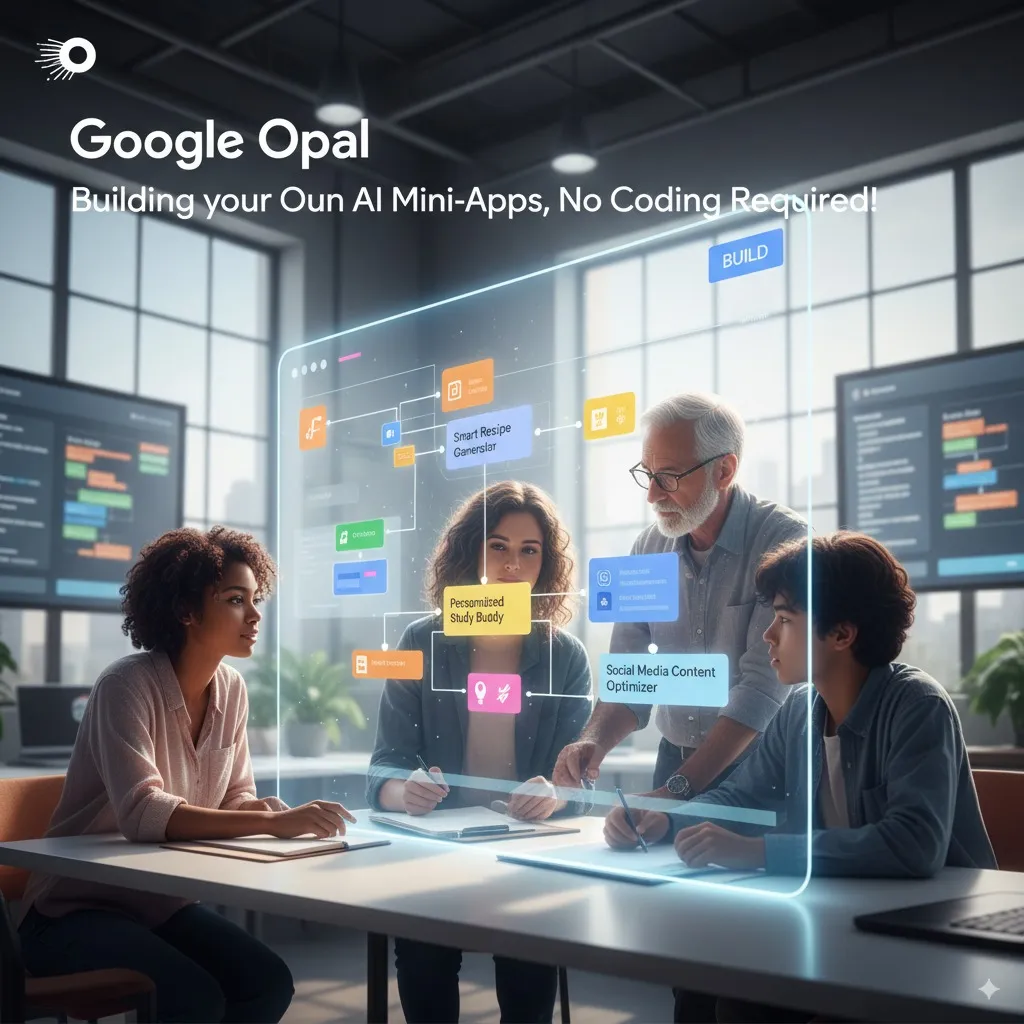
Last Updated: January 18, 2026
Google Opal Version: Public Beta (160+
Countries)
Next Review Update: February 2026
The Bottom Line
If you remember nothing else from this Google Opal review: Opal is Google’s free no-code AI app builder that turns plain English into working “mini-apps.” It launched in July 2025 and expanded globally in November 2025 to over 160 countries. The tool integrates Google’s Gemini, Imagen, and Veo AI models into visual workflows you can build and share without writing code.
The catch: These are “mini-apps,” not full applications. You cannot export code, cannot build complex backends, and cannot integrate with external APIs. Think of it as a creative playground for prototyping, not a replacement for actual development. Similar to how Perplexity AI democratized research, Opal aims to democratize basic app creation.
Best for: Marketers testing content workflows, educators creating interactive quizzes, and anyone who wants to experiment with AI without coding. Skip if: You need production-ready applications, external integrations, or enterprise-grade security.
⚡ TL;DR – The Bottom Line
🔮 What it is: Google’s free no-code AI builder that turns plain English into working “mini-apps” using Gemini, Imagen, and Veo models.
🌍 Availability: Now live in 160+ countries (expanded November 2025) with improved debugging tools.
💰 Pricing: Completely free during public beta – no subscription, no usage limits published.
✅ Best for: Marketers automating content, educators creating quizzes, entrepreneurs prototyping ideas.
⚠️ The catch: These are “mini-apps,” not full applications. No code export, no external APIs, no complex backends. If Google discontinues Opal, your apps disappear.
Table of Contents
🔮 What Is Google Opal Actually?
Google Opal is an experimental no-code AI application builder from Google Labs. Launched in public beta on July 24, 2025, it lets anyone create AI-powered “mini-apps” using natural language descriptions and visual workflows. Instead of writing code, you describe what you want in plain English, and Opal builds the logic for you.
The platform combines three of Google’s AI systems: Gemini for text and reasoning, Imagen for image generation, and Veo for video and audio creation. You chain these together into workflows that perform multi-step tasks automatically.
Here’s a concrete example: I asked Opal to “create an AI ad generator for my product.” Within seconds, it asked about my product details, followed up with smart questions about target audience, then used Veo to generate an actual video ad script. No coding required. The entire process took under 10 minutes.
The concept builds on what’s called “vibe coding,” where you express intent rather than syntax. This approach differs fundamentally from traditional no-code tools that still require understanding workflow logic and connections. If you’re interested in how this compares to AI-powered coding tools, check out our best AI developer tools guide.
🌍 November 2025: The Global Expansion
Google Opal’s journey from US-only experiment to global platform happened in two phases:
October 2025: First expansion to 15 countries including Canada, India, Japan, South Korea, Brazil, Pakistan, and several Latin American nations. Google also introduced advanced debugging tools and significant performance improvements.
November 2025: Massive expansion to 160+ countries. The platform moved from being a small experiment to a truly global tool. This expansion came with under-the-hood improvements that dramatically sped up app creation times.
The debugging improvements deserve special mention. You can now run workflows step-by-step in the visual editor, iterate on specific steps in a console panel, and see errors displayed in real-time. This addresses one of the biggest complaints from early users who struggled to understand why their workflows failed.
⚙️ How Google Opal Works (Visual Guide)
Every workflow in Google Opal follows a three-part pattern:
1. User Input: Collect information through text fields, numbers, file uploads, or dropdown selections. You can also incorporate web searches, map data, and weather information.
2. AI Processing: Send that input through Gemini AI or other built-in tools. This is where the “intelligence” happens. The AI can analyze text, generate content, create images, or combine multiple operations.
3. Output: Display results as text, images, tables, or export directly to Google Sheets. You can also generate documents or presentations.
The visual editor shows these steps as connected nodes. You can drag and rearrange them, edit prompts by clicking on any node, or describe changes in natural language and let Opal restructure the workflow for you.
What impressed me: I described a workflow for analyzing uploaded research papers, and Opal not only created the correct structure but also suggested improvements I hadn’t considered. The AI-assisted building process goes beyond simple template matching. This kind of intelligent assistance mirrors what we’ve seen in tools like Google Workspace Studio, though Opal focuses on consumer use cases.
✨ Features That Actually Matter
Natural Language Building: Describe your app idea in plain English. Opal translates this into a visual workflow without requiring any technical knowledge. You can iterate by typing changes like “add a step that summarizes the results” rather than manually editing nodes.
Multi-Model Integration: Access Gemini for text reasoning, Imagen for image generation, and Veo for video and audio. These work together seamlessly. Create a workflow that analyzes text, generates matching visuals, and produces a video summary without switching tools.
Instant Sharing: Once your app works, share it with a simple link. Recipients can use your app immediately with their own Google account. No installation, no setup, no hosting headaches.
Step-by-Step Debugging: The November 2025 update added real debugging capabilities. Run workflows one step at a time, see exactly where failures occur, and test individual components without running the entire flow.
Template Gallery: Google provides pre-built templates showcasing what’s possible: YouTube quiz generators, business profilers, SEO blog writers, and video ad creators. These serve as starting points for your own customizations.
💰 Pricing: Is It Really Free?
As of January 2026, Google Opal is completely free during its public beta. No subscription fees, no usage limits published, and no credit card required. You need only a Google account to access it.
But will it stay free? Almost certainly not. Running AI models like Gemini and Veo is expensive. Google’s pattern with other AI products suggests eventual monetization through one of these models:
- Bundled with Gemini: Opal could become a feature of Gemini Advanced or Google One AI Premium subscriptions
- Usage-based pricing: Pay per workflow execution, similar to Google Cloud AI products
- Freemium model: Free tier for basic use, paid tiers for higher volume or advanced features
Google has introduced a $24.99/month Google Developer Program that includes Cloud credits and access to various AI tools. Opal could eventually fit into this ecosystem.
My recommendation: Use Opal now while it’s free, but don’t build mission-critical workflows that would break if pricing changes. Treat it as an experimentation platform.
💰 Google AI Tools Pricing Comparison (Monthly)
🔍 Reality Check: Marketing vs Experience
🔍 REALITY CHECK #1
Marketing Claims: “Build AI-powered apps with no code”
Actual Experience: You build AI workflows, not traditional apps. There’s no database, no user authentication, no external API connections. What you create are “mini-apps” that perform specific AI-assisted tasks. They’re closer to enhanced prompts than actual applications.
✅ Verdict: Accurate for simple use cases, misleading if you expect full app development
🔍 REALITY CHECK #2
Marketing Claims: “No coding experience required”
Actual Experience: True for basic workflows, but complex logic still requires understanding how steps connect. Users report that even “no-code” requires grasping logical flow concepts. If you’ve never thought about inputs, processing, and outputs, expect a learning curve.
✅ Verdict: Lower barrier than traditional coding, but not zero barrier
🔍 REALITY CHECK #3
Marketing Claims: “Build sophisticated AI applications”
Actual Experience: I tested building a travel intelligence platform requiring semantic search, database integration, and PDF export. Opal created a basic input/output workflow instead. When I requested structured forms, it ignored the request entirely. Sophisticated features beyond text-in/text-out remain out of reach.
✅ Verdict: Best for simple workflows, struggles with complexity
👥 Who Should Use Google Opal (And Who Shouldn’t)
Ideal Users:
- Marketers and Content Creators: Generate marketing assets, blog outlines, social content, and video scripts from product descriptions. Chain multiple AI steps for consistent, scalable content creation.
- Educators and Trainers: Create interactive quizzes from YouTube videos, generate study guides, or build simple learning tools for students.
- Entrepreneurs Testing Ideas: Validate app concepts quickly without development costs. Build a working prototype in an afternoon.
- Non-Technical Teams: HR, operations, and support teams can build internal productivity tools without waiting for IT.
- AI Experimenters: Anyone curious about AI capabilities who wants to explore without technical barriers.
Who Should Skip It:
- Developers Needing Real Code: No code export means everything stays inside Google’s ecosystem. If you need deployable applications, look elsewhere.
- Enterprise Users: No governance features, no audit trails, no compliance tools. The “shadow IT” risk is real for organizations.
- Anyone Needing External Integrations: Cannot connect to Salesforce, Slack, HubSpot, or other business tools. Stays within Google’s garden.
- Users Expecting Consistency: AI outputs can vary between runs. Not suitable for workflows requiring predictable, repeatable results.
⚠️ Limitations You Must Know
Before investing time in Google Opal, understand these fundamental constraints:
No Code Export: Your creations live entirely within Google’s ecosystem. You cannot download the code, host it elsewhere, or integrate it into existing applications. If Google discontinues Opal, your apps disappear. This is a significant concern given Google’s history of sunsetting products.
No External APIs: Cannot connect to outside services. No Stripe for payments, no Airtable for databases, no Slack for notifications. Opal works with Google services (Sheets, Docs, Drive) and that’s it.
Mini-App Scope: These are not full applications. No user accounts, no persistent data storage, no complex backends. Don’t expect to build the next Instagram.
Inconsistent AI Output: Same prompts can produce different results across runs. Fine for creative work, problematic for business processes requiring reliability.
Desktop-Optimized Only: The editor works best on desktop browsers. Mobile users can run existing apps but building on phones is impractical.
Vendor Lock-In: Everything depends on Google maintaining this service. No backup, no export, no migration path.
🔄 Alternatives: How Opal Compares
Google Opal vs ChatGPT Custom GPTs: Custom GPTs are conversational AI assistants trained for specific tasks. Opal builds multi-step workflows with visual logic. GPTs excel at interactive conversation; Opal excels at automated processes. For a detailed comparison of AI assistants, see our ChatGPT 5.2 review.
Google Opal vs Zapier/Make: These automation platforms connect thousands of external apps through if/then logic. Opal focuses on AI-native workflows within Google’s ecosystem. Choose Zapier for integration breadth, Opal for AI-first simplicity.
Google Opal vs n8n: Our n8n review covers this open-source workflow automation tool in depth. N8n offers more power and flexibility but requires more technical knowledge. Opal trades capability for accessibility.
Google Opal vs Bubble/Adalo: These are full no-code application builders with databases, user authentication, and deployable apps. They’re more powerful but have steeper learning curves. Opal is simpler but more limited.
Google Opal vs Google Workspace Studio: Workspace Studio (covered in our dedicated review) is for Business/Enterprise users building agents within Gmail and Drive. Opal targets individual creators and consumers. Different audiences, complementary products.
🎯 Google Opal vs Alternatives Comparison
🔮 What’s Next for Google Opal
Based on Google’s roadmap hints and industry patterns, here’s what to expect:
Short-term (Next 3 Months): Continued performance improvements, more templates in the gallery, and expanded debugging tools. Google typically iterates rapidly during beta phases.
Medium-term (6-12 Months): Industry insiders expect Google I/O 2026 to announce deeper integrations with Gmail, Drive, and Calendar. The concept of an “Opal App Store” where creators can share (and potentially sell) their mini-apps has been floated.
Long-term (12+ Months): Enterprise administration features, more third-party integrations, and likely a transition from free beta to paid product. Google’s monetization typically follows user adoption.
For those tracking Google’s broader AI strategy, our Google AI Studio review provides context on how these tools fit together in the ecosystem.
❓ FAQs: Your Questions Answered
Q: What is Google Opal exactly?
A: Google Opal is an experimental no-code AI application builder from Google Labs. It lets you create “mini-apps” using natural language descriptions instead of code. You describe what you want, and Opal builds a visual workflow combining Google’s AI models (Gemini, Imagen, Veo) to accomplish the task.
Q: Do I need coding experience to use Google Opal?
A: No coding is required, but understanding basic logical flow helps for complex workflows. Simple apps can be built by complete beginners. More sophisticated workflows benefit from understanding how inputs, processing, and outputs connect.
Q: Is Google Opal free to use?
A: Yes, as of January 2026, Google Opal is completely free during its public beta. No subscription fees, no published usage limits. However, this is unlikely to remain permanent. Google hasn’t announced pricing for the full release.
Q: What can I actually build with Google Opal?
A: Content generators (blog posts, social media, ads), data analysis tools, educational quizzes, research assistants, productivity workflows, and simple internal tools. You cannot build full applications with databases, user accounts, or external integrations.
Q: How do I access Google Opal?
A: Visit opal.google or access through Google Labs. You need a Google account. As of November 2025, Opal is available in 160+ countries globally.
Q: Can I export the code from my Opal creations?
A: No. Google Opal does not generate exportable code. Your mini-apps exist only within Google’s ecosystem. You cannot host them elsewhere or integrate them into external applications.
Q: How does Google Opal compare to ChatGPT’s custom GPTs?
A: Custom GPTs are conversational assistants specialized for specific topics. Opal builds multi-step automated workflows with visual logic. GPTs are better for interactive conversations; Opal is better for automated processes that chain multiple AI operations.
Q: What happens if Google discontinues Opal?
A: Your creations would be lost. Since you cannot export code or data, everything depends on Google maintaining the service. Given Google’s history of discontinuing products, this is a legitimate concern for long-term investment.
Q: What AI models does Google Opal use?
A: Opal integrates three Google AI systems: Gemini for text processing and reasoning, Imagen for image generation, and Veo for video and audio creation. These can be combined in workflows.
Q: Is Google Opal suitable for business use?
A: For internal prototypes, content generation, and non-critical workflows, yes. For production systems, mission-critical processes, or anything requiring compliance and governance, no. Wait for enterprise features or use established no-code platforms instead.
Q: Is my data safe with Google Opal?
A: Google states they don’t use Opal data to train generative AI models. However, human reviewers may see prompts for troubleshooting. For sensitive data, review Google’s privacy policy carefully. Standard Google cloud security applies.
Q: Can I collaborate with others on Google Opal projects?
A: You can share completed apps via links, but collaborative editing features are limited. Google may introduce more collaboration features as the platform matures. Join the Discord community (#opal channel in Google Labs Discord) for current best practices.
✅ Final Verdict
Google Opal represents an interesting experiment in democratizing AI app creation. For the right use cases, it’s genuinely useful: marketers can automate content pipelines, educators can create interactive learning tools, and entrepreneurs can validate ideas quickly without development costs.
But temper expectations. These are “mini-apps,” not applications. The lack of code export, external integrations, and enterprise features means Opal works best as a playground for experimentation rather than a foundation for serious business processes.
Use Google Opal if:
- You want to experiment with AI-powered workflows without learning to code
- You need quick prototypes to validate ideas
- You create content and want to automate repetitive generation tasks
- You live within the Google ecosystem (Docs, Sheets, Drive)
Skip Google Opal if:
- You need production-ready applications with deployable code
- External service integrations (Stripe, Slack, CRMs) are essential
- You require enterprise governance and compliance features
- Consistent, predictable outputs are mandatory
Try it today: Visit opal.google to start building. The platform is free during beta, requires only a Google account, and offers templates to help you get started quickly.
Stay Updated on No-Code AI Tools
The no-code AI landscape changes weekly. New tools launch, pricing shifts, and features evolve constantly. Don’t build on outdated information.
Related Reading
- Google Workspace Studio Review – No-code agent builder for Business users
- Google AI Studio Review – Free access to Gemini 3 and multimodal AI
- n8n Review – Open-source workflow automation alternative
- Best AI Developer Tools 2025 – Complete comparison of AI coding assistants
- The Complete AI Tools Guide – Find the right AI tool for any task
- Perplexity AI Review – AI research assistant comparison
Last Updated: January 18, 2026
Google Opal Version: Public Beta (160+
Countries)
Next Review Update: February 2026
Disclosure: This review is based on extensive testing and analysis of community feedback. We are not affiliated with Google. Some links may be affiliate links.