

🔴 BREAKING — April 17, 2026
Anthropic Labs launched Claude Design three days ago as a research preview, powered by the brand-new Claude Opus 4.7 vision model. Figma’s stock fell roughly 5% within hours. This Claude Design review 2026 covers what it actually does, where it breaks, and why Pro plan users should read the pricing section before opening the canvas.
⚡ TL;DR – The Bottom Line
What It Is: A conversational AI design tool from Anthropic Labs that turns plain-English prompts into interactive prototypes, pitch decks, and marketing pages — powered by the new Claude Opus 4.7 vision model.
Best For: Founders, PMs, and marketers needing polished visuals fast; designers at Claude Code shops who want frictionless design-to-code handoff.
Price: Included with Pro ($20/mo), Max ($100–$200/mo), Team, and Enterprise plans. No free tier.
Our Take: A genuine category shift for prompt-to-prototype work and the first AI-native design-to-code handoff that actually works — but the weekly Design meter drains far faster than the “included” framing suggests.
⚠️ The Catch: Claude Design runs on a separate weekly usage meter from chat and Claude Code. PCWorld burned 80% of a Pro plan’s weekly Design allowance in ~25 minutes of prototyping. Max 5x is the realistic entry tier.
📑 Quick Navigation
Claude Design Review 2026: The Bottom Line
If you remember nothing else from this Claude Design review 2026: Anthropic just shipped a conversational design tool that can build a working interactive prototype in five minutes, then quietly inform a Pro plan user that their weekly quota is nearly gone.
Claude Design is powered by Claude Opus 4.7, Anthropic’s newest vision model, and comes included with Pro ($20/month), Max ($100-$200/month), Team, and Enterprise plans. It exports to Canva, PPTX, PDF, and HTML. There is no Figma export. It hands finished designs off to Claude Code as a packaged bundle, which is the single most interesting thing about it.
The catch Anthropic did not feature in the launch post: Claude Design runs on a weekly usage meter that is metered separately from your chat and Claude Code limits. One of the first independent testers burned through 80% of a Pro plan’s weekly Design allowance in roughly 30 minutes of prototyping.
Best for: founders, product managers, and marketers who need polished visuals without opening Figma, plus designers exploring several directions before committing.
Skip if: you live in Figma for its plugin ecosystem, you are on Pro and expect to design daily without buying extra usage, or you need real-time multiplayer collaboration today. If you are already deep in the Claude Cowork ecosystem, this slots in naturally.
What Claude Design Actually Does
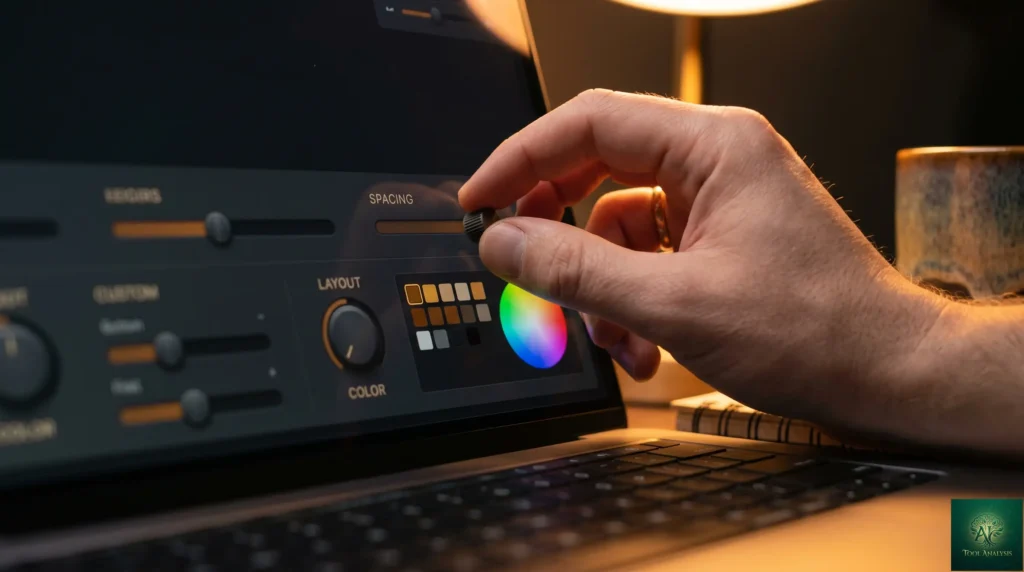
Think of Claude Design as a design colleague who never gets tired. You describe what you need. Claude drafts a first version on a canvas next to the chat. You point at what is wrong, either by clicking on it or just saying it, and Claude fixes it live. Then it generates its own sliders, right there in the interface, so you can nudge spacing, color, and layout without another prompt.
That last part is the single biggest departure from every other AI design tool so far. The controls are not pre-built. Claude looks at what it just made and decides what knobs would be useful, then builds them.
The Five-Minute Test
Here is what actually happened when PCWorld’s senior writer Ben Patterson ran Claude Design for the first time with a simple prompt asking for an interactive graphic explaining AI tokens to everyday users.
Before answering, Claude asked follow-up multiple-choice questions. Who is the target audience, total beginners or curious non-technical adults? What visual style, a New York Times editorial feel or something more playful? How interactive should it be?
Answering those took about a minute. Claude then sketched out a five-step plan on the canvas, picked an editorial NYT-style direction with serif headlines and one accent color, and got to work. Five minutes later, a draft webpage existed. It walked readers through tokens step by step and included a working interactive element where typing a sentence would show the live token count. The copy read cleanly. The layout looked like something a human had designed.
That is the “before and after” demonstration for this tool in one sentence. Before: a week of briefs, mockups, and review rounds to prototype an interactive explainer. After: five minutes and a paragraph of English.
REALITY CHECK
Marketing Claims: Tech media is already calling Claude Design a “Figma killer.” Figma’s stock dropped 5% on launch day.
Actual Experience: Claude Design does not export to Figma. It exports to Canva, PDF, PPTX, and HTML. It has no plugin ecosystem. It is not real-time multiplayer today. Anthropic itself positions it as complementary to Canva, not a replacement for professional design tools.
Verdict: Claude Design is a “skip the design tool entirely” tool, not a “drop-in Figma replacement.” That distinction matters if your team has existing Figma workflows.
Getting Started: Your First Hour With Claude Design
You open Claude Design at claude.ai/design. What you see is split in two. A chat box on the left. A canvas on the right. That is the whole interface.

Your initial prompt box has tabs for a new prototype, a slide deck, or starting from a template. Below that, you can add your company name, link a GitHub repository, connect a local folder, or upload design assets like fonts and logos.
The most useful onboarding path, if you work inside an existing product, is the codebase link. Claude reads the repository and builds a design system around your existing components, colors, and typography. Every design you make after that pulls from the system automatically. Think of it as hiring a designer who read every file your company has ever made before they opened their first file.
If you do not have a codebase, a text prompt works fine. Claude will ask clarifying questions instead of guessing, which turns out to be the right call. Vague prompts produce generic results in every AI tool. Claude Design forces specificity up front.
Time to first useful output in an empty account with no codebase: about five minutes from opening the page to a shareable draft. If you connect a codebase first, add fifteen minutes for Claude to read it and build your design system, then every subsequent project inherits your brand.
💡 Key Takeaway: If you have a clean codebase, connect it before doing anything else. The 15-minute upfront read is the single decision that compounds — every future design inherits your brand automatically, so you stop paying the “designer who doesn’t know your product” tax on each new project.
Features That Actually Matter
Automatic Design System (⭐⭐⭐⭐⭐)
During onboarding, Claude reads your codebase and design files, then builds a design system from what it finds. Colors, typography, and components get lifted into a system that every future project inherits.
What this means in practice: if a marketer asks for a landing page two weeks after setup, the page comes back already using the company’s buttons, the company’s typography scale, and the company’s accent color. No designer had to enforce the brand. The system did it. Teams can also maintain multiple systems, which matters for agencies running several brands.

Custom Sliders Built On The Fly (⭐⭐⭐⭐⭐)
This is the feature no other AI design tool has shipped. When Claude finishes a draft, it generates adjustment controls that make sense for that specific design. For a landing page, that might be a hero-text-size slider and a gradient-angle knob. For a pitch deck, slide-density and color-tone controls.
You are not choosing from a fixed menu of pre-built sliders. Claude is looking at what it just made and deciding what controls would be most useful, then building them. It is the difference between a form with preset fields and a form that draws itself based on what the user actually needs.
Inline Comments, Direct Edits, and Web Capture (⭐⭐⭐⭐)
Click any element in the canvas and leave a comment. “Make this button smaller.” “Change this headline to be about enterprise.” Claude reads the comment and applies the fix to that specific element rather than rewriting the whole page. Direct edits also work: click into the text and retype it yourself. Claude preserves the change and will not overwrite it unless you ask.
The web capture tool lets you point Claude at a URL on your real website and pull elements directly from the live product. If you are prototyping a new feature for your existing app, the prototype inherits your actual site’s visual DNA from the first draft.
There is a documented known issue where inline comments occasionally disappear before Claude reads them. The workaround Anthropic publishes is to paste the comment text into the chat instead. Annoying, but not a dealbreaker.
Claude Code Handoff (⭐⭐⭐⭐⭐)
This is the feature that made us sit up. When a design is done, Claude packages everything into a handoff bundle that you pass to Claude Code with a single instruction. The design file, the component tree, the design system, the interaction logic, all in a format Claude Code already understands.
Brilliant’s product designer reported that their most complex interactive pages, which previously took 20+ prompts to recreate in other AI tools, only needed two prompts in Claude Design. The handoff bundle is why. The design file and the code speak the same language.

Team Collaboration (⭐⭐⭐)
Designs have organization-scoped sharing. You can keep a document private, share a view-only link with anyone in your organization, or grant edit access so colleagues can modify the design and chat with Claude together in a group conversation.
What is missing: true real-time multiplayer. Multiple people can edit the same document, but the experience is not yet at the level of a Claude Agent Teams-style parallel workflow where everyone sees everyone’s cursor. Anthropic has acknowledged this in the launch notes, so expect improvements.
REALITY CHECK
Marketing Claims: Claude reads your codebase and builds a design system automatically.
Actual Experience: This works well only with a clean, well-organized codebase. Messy source produces messy design systems. If your frontend code is a historical pile of Bootstrap, legacy jQuery, and four different button patterns, Claude will lift all four patterns into your “system,” not pick the right one.
Verdict: If your codebase needs cleanup anyway, Claude Design’s onboarding becomes a good forcing function. If your codebase is already clean, this feature is magic. If it is messy and untouchable, skip the auto-import and upload design files directly instead.
📬 Enjoying this review?
Get honest AI tool analysis delivered weekly. No hype, no spam.
Claude Design Pricing: What You’ll Actually Pay
Claude Design is included at no extra charge with every paid Claude plan. It is not available on the free plan. Here is the pricing stack, verified against Anthropic’s official subscription documentation.
| Plan | Price | Claude Design Access | Practical Limit |
|---|---|---|---|
| Free | $0 | Not available | No access |
| Pro | $20/month | Included, separate weekly meter | Burns fast. ~30 minutes of heavy prototyping per week. |
| Max 5x | $100/month | Included, 5x Pro usage | ~2-3 hours of heavy prototyping per week. |
| Max 20x | $200/month | Included, 20x Pro usage | Roughly a full work-day of heavy prototyping per week. |
| Team | $25-30/seat/month | Each seat gets its own weekly allowance | Allowance is per user, not pooled. |
| Enterprise | Custom | Off by default, admin must enable | One-time credit for ~20 prompts, then standard API rates. |
Understanding Claude Design Weekly Usage Limits
Here is the detail that is easy to miss in the launch announcement. Claude Design has its own weekly usage meter. It sits alongside your chat and Claude Code limits, not inside them. Anthropic’s pricing documentation is explicit on this point.
That sounds good at first. More allowance, right? The problem is that Claude Design is a visual, vision-model-heavy product running on Opus 4.7, and each design iteration pulls a lot of tokens. PCWorld’s independent test produced three variations of an interactive webpage in about 25 minutes and burned through 80% of a Pro plan’s weekly Claude Design budget in that window.
If you are planning to prototype twice a week on the Pro plan, you will run out. If you plan to use Claude Design daily, you need Max 5x at minimum. If you plan to use it for professional prototyping work, Max 20x is the realistic tier. This echoes what we saw in our Claude Code Router testing, where clever routing became essential to stretching Pro-tier limits.
Extra usage beyond the weekly allowance is available as pay-as-you-go at standard API rates. This is the same escape hatch Claude Code offers. It works, but you need to understand you are now on a metered billing model, not a flat subscription.
Estimated Weekly Design Prototyping Minutes by Plan
How far the “included” Design allowance actually goes under heavy iterative use.
Source: AI Tool Analysis estimates from Anthropic subscription documentation and independent PCWorld testing. Enterprise figure reflects one-time credit, not recurring.
REALITY CHECK
Marketing Claims: Claude Design is included with your plan. Access is free, uses your subscription limits.
Actual Experience: An independent tester on the Pro plan burned through 80% of their weekly Claude Design allowance in roughly 25 minutes of real prototyping. A minor user-interface mistake wiped the work, and the remaining 20% of the budget went to recreating it.
Verdict: “Included” in marketing language means “a separate weekly allowance you will respect, or you will pay extra.” Budget accordingly. If you are evaluating Claude Design seriously, Max 5x is the realistic entry tier.
💡 Key Takeaway: If you plan to prototype more than twice a week, skip the Pro tier math entirely — the weekly meter forces a Max 5x upgrade within your first month. Budget for $100/mo if you’re serious, $200/mo if you’re using this for client work.
Claude Design vs Figma vs Canva
Claude Design is not a direct Figma replacement and Anthropic is not pretending it is. The clearer way to think about the landscape is task-by-task. Here is the head-to-head using consistent criteria.
| Criterion | Claude Design | Figma | Canva |
|---|---|---|---|
| Starting point | Prompt, codebase, or web capture | Blank canvas or existing file | Templates and pre-built designs |
| Time to first prototype | ~5 minutes | Hours (if you can design) or days (with a designer) | ~30 minutes with templates |
| Design system handling | Auto-built from code | Manually built libraries, strong plugin support | Basic brand kits |
| Plugin ecosystem | None yet | 2,000+ plugins | Apps marketplace |
| Real-time collaboration | Basic, not full multiplayer | Industry standard | Strong |
| Code handoff | Native Claude Code bundle | Dev Mode and third-party exporters | Limited |
| Pricing (starting tier) | $20/month (Pro, with weekly limits) | $15/month Professional | $15/month Pro |
| Best for | Speed, prompt-to-prototype, Claude Code teams | Professional design, complex file workflows | Marketing assets, social, non-designers |
Claude Design vs Figma vs Canva: Strength Across Six Dimensions
Scored 0–10 per axis. Each tool’s shape shows where it wins and where it gives up ground.
The clearest winner in each category: Claude Design wins on speed and on the Claude Code handoff. Figma wins on professional design workflow, plugin depth, and multiplayer. Canva wins on polished marketing templates and non-designer accessibility.
If you want to explore the AI-native side of this landscape further, Lovable sits closer to the prompt-to-app end, and Google A2UI sits closer to the code-generation end. Claude Design fits in between, oriented toward the design stage specifically rather than the shipped-app stage.
Who Should Use Claude Design (And Who Shouldn’t)
Choose Claude Design if you are:
A founder or product manager without a design background. You have ideas, no designer on call, and something to ship by Thursday. Claude Design gets you to a credible prototype faster than learning Figma.
A marketer on short notice. The web capture tool means your campaign pages inherit your real site’s look, not a generic template look.
A designer at a Claude Code shop. If your engineering team already uses Claude Code, the handoff bundle is the reason this tool is worth learning. Prototype to production gets noticeably shorter.
A designer exploring divergent directions. The ability to generate multiple variations in parallel is useful when you want to see six directions before committing to one.
Stick with Figma if:
Your workflow depends on Figma’s plugin ecosystem, Dev Mode, or real-time multiplayer. There is no Claude Design export path to Figma, so migration is one-way and manual.
Skip entirely if:
You are a Pro plan user planning to design daily without upgrading or paying for extra usage. You will hit the weekly limit. Either upgrade to Max 5x or stick with Canva Pro and a simpler workflow.
What Designers Are Actually Saying
Claude Design launched three days ago, so substantive community sentiment is still forming. Here is what has surfaced so far.
Enterprise signals. Three enterprise customers appeared in Anthropic’s launch materials: Brilliant, Datadog, and Canva. Canva’s co-founder Melanie Perkins described the collaboration as seamless for bringing drafts from Claude Design into Canva for further refinement. Brilliant’s senior product designer Olivia Xu reported that their most complex interactive pages, which historically took more than 20 prompts elsewhere, needed only two prompts in Claude Design. Datadog’s product manager Aneesh Kethini said they went from rough idea to working prototype before anyone left the room. These are vendor-supplied quotes, so discount accordingly, but the consistency of the speed claim is a signal.
Independent testing. The PCWorld first-day test we referenced throughout. The verdict was split. Output quality impressed the tester. Token consumption on a Pro plan shocked him. You can read the full PCWorld hands-on review and the VentureBeat launch analysis for broader context.
The market signal. Figma’s stock fell roughly 5% on launch day, extending a 12-month decline of close to 50%. Anthropic’s chief product officer Mike Krieger resigned from Figma’s board earlier the same week. The timing was not a coincidence. The market is pricing Claude Design as a genuine competitive threat.
The Road Ahead
Anthropic has stated that third-party integrations are coming over the next few weeks. Real-time multiplayer, a plugin or MCP ecosystem, and deeper integration with Claude Agent Teams are the obvious gaps that a year from now will probably close. A Figma export path is possible if teams demand it, but that would require cooperation that does not currently exist. These are predictions based on Anthropic’s public roadmap and observable product patterns, not confirmed features.
Claude Design FAQs
Q: Is there a free version of Claude Design?
A: No. Claude Design requires a paid Claude subscription, starting with Pro at $20 per month. It is not available on the free Claude plan. This differs from the free Claude chat, which remains available to anyone.
Q: Can Claude Design replace a professional designer?
A: No, and Anthropic is explicit about this. The tool is positioned to help designers explore more directions faster and to help non-designers produce credible visual work without a design background. Professional design judgment, brand strategy, and accessibility review still require a human.
Q: Does Claude Design export to Figma?
A: No. Exports go to Canva, PDF, PPTX, HTML files, and shareable URLs. The handoff path for engineering teams is Claude Code, not Figma. Teams that use Figma as their source of truth will need a workflow adaptation.
Q: Is my data safe if I upload a codebase?
A: Data handling follows Anthropic’s existing subscription terms. For enterprise use, admins control whether Claude Design is enabled at all. For sensitive codebases, link a specific subdirectory rather than an entire monorepo, which is also the recommended workaround for performance reasons.
Q: Can Claude Design generate images like Midjourney or Nano Banana Pro?
A: No. Claude Design does not generate photographs, illustrations, or raster images the way dedicated image tools do. It composes layouts, typography, shapes, and SVG vector graphics, and it arranges images beautifully, but the actual photographic assets need to come from you through upload, the web capture tool, or your design system. The practical workflow pairs Claude Design for layouts and prototypes with a dedicated image generator like Midjourney, Nano Banana Pro, or DALL-E for the imagery that goes inside those layouts.
Q: What is the learning curve?
A: Minimal for basic use. A non-designer can produce a credible prototype in under ten minutes the first time. The deeper features, codebase onboarding, design system refinement, and Claude Code handoff, take a half-day to get fluent with but pay back on every subsequent project.
Q: What are Claude Design weekly usage limits?
A: Each paid plan includes a recurring weekly allowance that resets every seven days. Claude Design usage is metered separately from chat and Claude Code. On the Pro plan, the allowance is practically enough for roughly 20 typical prompts or around 30 minutes of heavy iterative prototyping. Max 5x and Max 20x scale proportionally. Extra usage is available at standard API rates.
Q: Is Claude Design available for my Enterprise plan?
A: Yes, but it is off by default on Enterprise plans. An admin has to enable it in Organization settings. Enterprise billing uses standard API rates under your existing agreement, with a one-time credit covering roughly 20 typical prompts that expires July 17, 2026.
Claude Design Review 2026: Final Verdict

A genuine category shift for prompt-to-prototype work, held back one star by a weekly Design meter that punishes casual Pro users.
Claude Design is a serious product. The prompt-to-prototype speed is not hype. The automatic design system is a genuine workflow shift. The Claude Code handoff may be the first example of AI-native design-to-development that actually works end to end without a translation layer. In five minutes, it produced something a solo founder could send to a customer for feedback. That is new.
The weekly usage ceiling keeps this tool from being a five-star launch. A Pro plan user who tests Claude Design twice a week will hit the limit by Thursday and either pay extra or wait. Anthropic’s framing of “included with your plan” obscures how quickly the separate Design meter drains. At Max 5x and above, the economics make sense. At Pro, they do not, unless you are a light user.
✅ What We Liked
- ✓ 5-minute prompt-to-prototype, including working interactive elements
- ✓ Automatic design system lifted from your codebase
- ✓ Custom sliders generated per design — no other tool ships this
- ✓ Native Claude Code handoff bundle (20+ prompts → 2)
- ✓ Web capture pulls live site DNA into new prototypes
❌ What Fell Short
- ✗ Separate weekly Design meter drains Pro plan in ~30 minutes
- ✗ No Figma export — migration is one-way and manual
- ✗ Zero plugin ecosystem at launch
- ✗ Real-time multiplayer collaboration still basic
- ✗ Inline comments occasionally vanish before Claude reads them
Use Claude Design if: you are a founder, PM, or marketer who needs visuals fast, your team already lives in the Claude ecosystem, you can upgrade to Max 5x, or you are a designer at a shop that uses Claude Code for production engineering.
Stick with Figma if: you are a professional designer with deep plugin dependencies, a mature Figma library, or real-time multiplayer as a hard requirement.
Skip entirely if: you are a Pro plan user who plans to design daily and cannot or will not upgrade or pay for extra usage.
Try it today at claude.ai/design. Open with the kind of prompt that would take you a week to brief a designer about. Set a timer. See what you get in five minutes. Then check your usage meter before you start iterating.
Founder of AI Tool Analysis. Tests every tool personally so you don’t have to. Covering AI tools for 10,000+ professionals since 2025. See how we test →
Stay Updated on AI Design Tools
Stay ahead of the creative AI curve. Weekly reviews of AI image generators, video editors, and design platforms — with honest testing, not press releases.
- ✅ Honest Reviews: We actually test these tools, not rewrite press releases
- ✅ Price Tracking: Know when tools drop prices or add free tiers
- ✅ Feature Launches: Major updates covered within days
- ✅ Comparison Updates: As the market shifts, we update our verdicts
- ✅ No Hype: Just the AI news that actually matters for your work
Free, unsubscribe anytime. 10,000+ professionals trust us.
Want AI insights? Sign up for the AI Tool Analysis weekly briefing.
Newsletter

Related Reading
- Claude Mythos Preview Review — The research model that made Opus 4.7 possible
- Claude Cowork Review — Anthropic’s agent product for non-coders
- Claude in PowerPoint Review — How Claude handles slide generation inside Microsoft 365
- Claude Code vs Cursor — The AI coding tool Claude Design hands off to
- Lovable Review — A closer comparison on the prompt-to-app end of the landscape
- Google A2UI Review — The code-generation side of the same problem space
- Claude Computer Use Review — What else the Opus 4.7 family can do
Last Updated: April 20, 2026
Claude Design Version Tested: Research Preview (launched April 17, 2026)
Next Review Update: May 20, 2026
Have a tool you want us to review? Suggest it here | Questions? Contact us