


The Bottom Line
If you remember nothing else: Qwen3-TTS is the first free, open-source voice cloning tool that genuinely competes with paid services like ElevenLabs. Clone any voice from just 3 seconds of audio, design entirely new voices by describing them in plain English, and generate speech across 10 languages. The catch? You need an NVIDIA GPU to run it locally (or use Alibaba’s API at $0.013 per 1,000 characters). Best for developers, podcast producers, and content creators processing high volumes of audio. Skip if you want a simple drag-and-drop interface or need 20+ languages. For a simpler free option, check out Google AI Studio TTS, or if you prefer proven quality with minimal setup, ElevenLabs at $5/month remains the easiest path to professional AI voices.
TL;DR – The Bottom Line
What it is: Alibaba’s free, open-source text-to-speech system with voice cloning (3-second samples), voice design (describe a voice in plain English), and 49 preset voices across 10 languages.
Best for: Developers, podcast producers, and content creators processing high volumes of audio who want to eliminate per-character TTS fees.
Key strength: Clone any voice from 3 seconds of audio, completely free when self-hosted. Outperforms MiniMax and ElevenLabs Multilingual v2 on speaker similarity benchmarks (0.789 across 10 languages).
The proof: Trained on 5M+ hours of speech data, Apache 2.0 licensed, with 97ms first-packet latency for real-time applications.
The catch: Requires an NVIDIA GPU for local use (no Mac/AMD support). English voices have a subtle “anime-like” quality. Only 10 languages vs ElevenLabs’ 29 or OpenAI’s 57. Advanced features require Python coding.
Quick Navigation
🎙️ What Qwen3-TTS Actually Does (And Why It Matters)
Qwen3-TTS is Alibaba’s open-source text-to-speech system, fully released on January 22, 2026. In this Qwen3-TTS review, we’ll cover everything from voice cloning to pricing. Think of it as having a professional voice studio that lives on your computer. Instead of paying per character to services like ElevenLabs or OpenAI, you download the model, run it on your own GPU, and generate as much audio as you want for free.
But calling it “just another TTS model” misses the point. The Qwen3-TTS review reveals three distinct capabilities bundled into one system:
Voice Cloning: Record someone speaking for 3 seconds. Qwen3-TTS learns that voice and can generate new speech that sounds like the original speaker, in any of 10 supported languages. One developer recorded himself reading his about page, then had Qwen3-TTS generate audio of “him” reading an entirely different blog post. The result? Convincingly similar.
Voice Design: Instead of picking from a preset list, you describe the voice you want in natural language. Type “a calm middle-aged male announcer with a deep, magnetic voice, steady speaking speed” and the system creates that voice from scratch. No audio samples needed.
49 Preset Voices: If you don’t want to clone or design, there’s a library of 49 ready-to-use character voices. These aren’t generic “Male 1, Female 2” options. They’re fully-built personalities: a playful anime character, a strict teacher, a wise elder, a warm narrator. Each carries distinct emotional range and personality traits.
The system was trained on over 5 million hours of speech data and comes in two sizes: a 1.7B parameter model (the flagship for peak quality) and a 0.6B model (lighter, faster, good enough for many use cases). Both are released under the Apache 2.0 license, meaning you can use them commercially without restrictions. That’s a significant shift from services that charge per character and control how you use their voices.
🔍 REALITY CHECK
Marketing Claims: “Ultra-high-quality human-like speech generation with state-of-the-art performance across all metrics.”
Actual Experience: Quality is genuinely impressive for Chinese and English. Voice cloning is shockingly good for a free tool. However, some English voices have a subtle “anime-like” quality that may not suit professional narration. Long generations occasionally produce unexpected emotional outbursts (random laughing or moaning).
Verdict: Best open-source TTS available. Not quite ElevenLabs quality for English, but the gap is closing fast, and the price difference (free vs $5-99/month) makes it compelling for high-volume users.
🚀 Getting Started: Your First 15 Minutes
There are three ways to use Qwen3-TTS: through the free Qwen Chat app (easiest), locally on your own computer, or through Alibaba’s cloud API. Here’s what each path looks like.
Path 1: Qwen Chat App (Free, No Coding Required)
This is the easiest way to experience Qwen3-TTS right now, and it’s the option most people overlook. The Qwen Chat app is available on iOS (App Store), Android (Google Play), web, and macOS. It’s a full AI chatbot powered by Qwen3-32B, and here’s the relevant part for this Qwen3-TTS review: it has a built-in “Read aloud” feature powered by Qwen3-TTS voices.
Here’s how to try it in under 2 minutes: Open Qwen Chat, type any message, wait for the AI response, then click “Response → Read aloud.” The app reads the response back to you using Qwen3-TTS voices. You can also have full voice conversations directly in the app. The app includes features like Deep Research, MCP integration, and Artifacts, making it a surprisingly capable ChatGPT alternative with built-in voice.
The catch? You can’t do voice cloning or voice design through the app. It’s limited to the preset voices. But for anyone who just wants to hear what Qwen3-TTS sounds like, or wants a free AI assistant with natural voice output, this is the zero-friction starting point.

Path 2: Local Installation (Free, Requires NVIDIA GPU)
If you have an NVIDIA GPU with at least 8GB VRAM (the 0.6B model) or 16GB VRAM (the 1.7B model), you can run Qwen3-TTS entirely on your machine. The setup takes about 10 minutes:
conda create -n qwen3-tts python=3.12 -y
conda activate qwen3-tts
pip install -U qwen-tts
# Optional: Reduce GPU memory usage by ~40%
pip install -U flash-attn --no-build-isolation
Once installed, generating speech is straightforward:
from qwen_tts import Qwen3TTSModel

model = Qwen3TTSModel.from_pretrained(
    "Qwen/Qwen3-TTS-12Hz-1.7B-CustomVoice"
)
wavs, sr = model.generate(
    text="Hello, welcome to our podcast.",
    voice="Cherry",
    language="English"
)
First run downloads approximately 4.5GB of model files from Hugging Face. After that, generation is near-instant. The first audio packet arrives in about 97 milliseconds, fast enough for real-time conversation applications.
Path 3: Alibaba Cloud API (Pay-per-use, No GPU Needed)
If you don’t have a GPU, Alibaba offers the same models through their DashScope API. You get a free quota when you sign up (1 million characters for TTS), after which pricing is $0.013 per 1,000 characters. That’s roughly 18x cheaper than ElevenLabs at scale.
There’s also a free Hugging Face demo for quick testing. It won’t match the paid API’s quality, but it’s perfect for hearing what the voices sound like before committing to setup.
Time to first useful output: About 2 minutes via the Qwen Chat app (just download and chat), 15 minutes for the local path (including installation and model download), or 5 minutes for the API path (signup plus first API call). The learning curve ranges from zero (Qwen Chat app) to moderate (local installation requires Python comfort).
🎭 Voice Cloning: 3 Seconds Is All It Takes
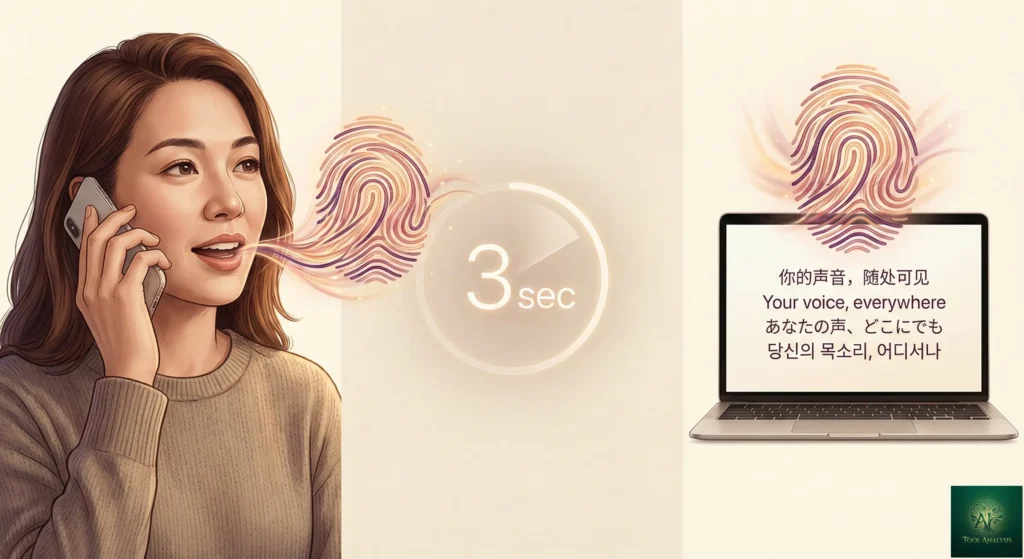
This is where the Qwen3-TTS review gets interesting. Voice cloning, the ability to replicate someone’s voice from a short audio sample, used to require expensive software or premium subscriptions. ElevenLabs charges at least $5/month for it. Qwen3-TTS does it for free.
Here’s how it works: you provide 3 seconds of clean audio (someone speaking clearly, minimal background noise), and the model learns the voice characteristics: pitch, tone, rhythm, accent. Then it can generate new speech in that voice saying anything you type.
The Qwen3-TTS review results from benchmarks back up the claims. On the Seed-tts-eval benchmark, Qwen3-TTS outperforms both MiniMax and SeedTTS in speech stability for Chinese and English cloning. Across 10 languages on the TTS multilingual test set, it achieves an average word error rate of 1.835% and speaker similarity of 0.789, beating both MiniMax and ElevenLabs Multilingual v2.
But benchmarks don’t tell the whole story. What matters is how it sounds in practice. Community feedback is largely positive: cloned voices maintain consistency across different sentences, and cross-lingual cloning (cloning a voice in one language and generating speech in another) works surprisingly well. The Chinese-to-Korean error rate drops to 4.82%, compared to 14.4% for CosyVoice3, about a 66% reduction.
The main caveat: voice cloning through the Alibaba Cloud API costs $0.01 per voice creation, with 1,000 free voice creations during your first 90 days. If you’re running locally, it’s completely free.

🎨 Voice Design: Describe A Voice, Get A Voice
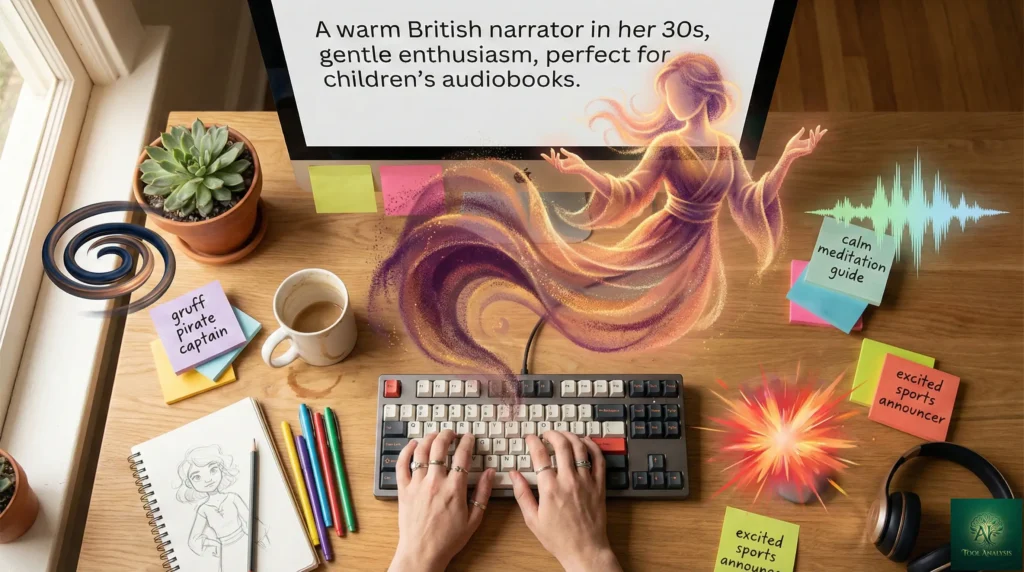
Voice design is the feature that separates Qwen3-TTS from most competitors. Instead of selecting from a preset library, you describe the voice you want in plain text, and the system creates it from scratch.
Here’s what that looks like in practice. You write a prompt like: “A warm female narrator in her 30s with a slight British accent, speaking at a measured pace with gentle enthusiasm, suitable for children’s audiobooks.” Qwen3-TTS synthesizes a brand-new voice matching that description. No audio samples, no training data, no extra cost.
On the InstructTTS-Eval benchmark, the Qwen3-TTS VoiceDesign model outperforms both the MiniMax closed-source model and GPT-4o-mini-tts in instruction-following capability. It even beats Gemini-2.5-pro-preview-tts in role-playing scenarios, meaning it understands contextual performance, not just pronunciation.
The practical applications are significant. Game developers can create unique NPC voices by describing characters. Podcast producers can design consistent narrator voices without hiring talent. E-learning platforms can create voices tailored to specific age groups and subjects. All without per-character fees.
Through the Alibaba Cloud API, designing a voice costs $0.20 per voice (with 10 free voice designs during your first 90 days). Locally, it’s free. Once designed, you can reuse the voice indefinitely.
🌍 10 Languages + Chinese Dialects: Real-World Quality

Qwen3-TTS supports 10 languages: Chinese, English, Japanese, Korean, German, French, Russian, Portuguese, Spanish, and Italian. It also handles Chinese regional dialects including Beijing, Sichuan, Cantonese, Minnan, Wu, Nanjing, Tianjin, and Shaanxi dialects.
Language quality varies. Based on community testing and benchmark results:
Chinese: Outstanding. This is the model’s strongest language. Dialect support is particularly impressive, accurately reproducing regional accents and linguistic nuances. If your primary audience is Chinese-speaking, Qwen3-TTS is the best option available, period.
English: Very good, with caveats. Quality is excellent for most use cases, but some users report a subtle “anime-like” quality in certain voices, likely from training data bias toward dubbed animation content. Using voice cloning with native English audio samples produces the best results.
Japanese and Korean: Very good quality. Some users prefer specialized TTS models for Japanese-specific content, but Qwen3-TTS holds its own.
European languages: Generally strong across German, French, Russian, Portuguese, Spanish, and Italian. Users note that Spanish defaults to Latin American rather than Castilian pronunciation, though this can be controlled with specific prompts.
For comparison, Google AI Studio TTS supports 24 languages, while ElevenLabs covers 29 and OpenAI TTS supports 57. If you need broad language coverage beyond these 10, the proprietary options still win. But for quality within the supported languages, this Qwen3-TTS review finds the open-source model is competitive with or better than paid alternatives.
⚔️ Qwen3-TTS Review: Head-to-Head vs ElevenLabs vs OpenAI TTS
The comparison everyone’s asking about. How does a free open-source model stack up against the industry leaders? Here’s what the benchmarks and real-world testing reveal.
| Feature | Qwen3-TTS | ElevenLabs | OpenAI TTS |
|---|---|---|---|
| Price | Free (local) / $0.013/1K chars (API) | $5-99/month | $15/1M chars |
| Voice Cloning | 3-second sample, free locally | 30 seconds+ sample, paid plans | Not available |
| Voice Design | Natural language descriptions | Not available | Style instructions only |
| Preset Voices | 49 character voices | 30+ voices | 6 voices |
| Languages | 10 | 29 | 57 |
| Streaming Latency | ~97ms first packet | 75-150ms | 200ms+ |
| Open Source | Yes (Apache 2.0) | No | No |
| Local Deployment | Yes (NVIDIA GPU required) | No | No |
| Long-Form (10+ min) | 2.36% WER (Chinese), 2.81% (English) | Good with chunking | Moderate quality |
| Data Privacy | Full control (local) | Cloud-only | Cloud-only |
| Best For | High volume, privacy-first, developers | Ease of use, emotional range | Simple integration, many languages |
💡 Swipe left to see all features →
Qwen3-TTS vs ElevenLabs vs OpenAI TTS: Feature Comparison
The honest take: For raw English voice quality and ease of use, ElevenLabs still has the edge. Their voices sound more consistently natural, their interface requires zero coding, and their emotional control is superior. But the cost equation flips dramatically at scale. At 500,000 characters monthly, you’re looking at $99/month for ElevenLabs versus $0 for Qwen3-TTS running locally. At 10 million characters (common for podcast networks), the savings are $1,800/month.
For Chinese content, Qwen3-TTS is the clear winner regardless of volume. The quality advantage combined with dialect support makes it the best choice available.
🔍 REALITY CHECK
Marketing Claims: “Average word error rate better than MiniMax and ElevenLabs with naturalness approaching real people.”
Actual Experience: WER benchmarks are genuinely strong, especially for Chinese. But “naturalness approaching real people” overstates it for English. The voices sound good, sometimes great, but a trained ear can still tell it’s AI-generated. ElevenLabs’ best voices are closer to human for English.
Verdict: The benchmarks are legitimate. The marketing interpretation is optimistic. Still the best free option by a wide margin.
💰 Pricing Breakdown: What You’ll Actually Pay
Qwen3-TTS has the simplest pricing in the AI voice space: it’s free if you run it yourself. But “free” comes with hardware costs, and the API has its own pricing. Here’s the full breakdown.
Option 1: Self-Hosted (Free After Hardware)
Run the models locally on your own GPU. Zero ongoing costs, unlimited generation. The trade-off is the upfront hardware investment:
- 0.6B model: Requires ~8GB VRAM. Runs on an RTX 3060 or better (~$300 used)
- 1.7B model: Requires ~16GB VRAM. Needs an RTX 3090 or better (~$800-1,500 used)
- Production recommendation: RTX 3090 or better for real-time performance
Option 2: Alibaba Cloud API (Pay-Per-Use)
- Speech synthesis: $0.013 per 1,000 characters (English letters count as 1 character; Chinese characters count as 2)
- Voice cloning: $0.01 per voice creation (1,000 free creations in first 90 days)
- Voice design: $0.20 per voice creation (10 free designs in first 90 days)
- Free quota: Available in Singapore region upon signup
Option 3: Third-Party APIs
Services like WaveSpeedAI and AI/ML API also offer Qwen3-TTS through their platforms, sometimes at different price points. Worth comparing if you’re already using one of these services.
Cost comparison at scale: A podcast producing 5 million characters of audio monthly would pay approximately $900/month with ElevenLabs, $75/month with OpenAI TTS, $65/month with Alibaba’s Qwen3-TTS API, or $0/month self-hosted. The self-hosted GPU investment pays for itself in 1-2 months at this volume. If you’re curious how AI tools stack up on value, our ChatGPT 5.2 review covers similar pricing analysis for text-based AI.
Monthly Cost at 5 Million Characters
👤 Who Should Use This (And Who Shouldn’t)
Use Qwen3-TTS if:
- You process 500K+ characters of audio monthly and want to eliminate per-character fees
- You need privacy-first deployment where voice data never leaves your servers (critical for GDPR, HIPAA compliance)
- Your primary audience speaks Chinese, and you need dialect support
- You’re building a product that needs voice cloning or custom voice design at scale
- You’re comfortable with Python and have access to an NVIDIA GPU
- You want to experiment with voice AI without financial commitment
Skip Qwen3-TTS if:
- You want a simple browser-based tool with no coding. ElevenLabs, Google AI Studio TTS, or even the Qwen Chat app (which uses Qwen3-TTS voices with zero setup) are better fits
- You need 20+ languages. OpenAI TTS (57 languages) or ElevenLabs (29 languages) cover more ground
- You’re on a Mac without an NVIDIA GPU. As of February 2026, CUDA is required for local deployment. Community MLX implementations exist but aren’t production-ready
- You process fewer than 50,000 characters monthly. At low volumes, ElevenLabs’ $5/month plan is simpler and the quality difference favors them for English
- You need maximum English voice quality with zero quirks. ElevenLabs still leads here
⚠️ Honest Limitations You Need To Know
No Qwen3-TTS review would be complete without addressing the real limitations. Here’s what the marketing materials won’t tell you:
1. English Voice Quality Has a “Tell”
Multiple users on Hacker News and Reddit report that certain English voices have a subtle anime-like quality. This appears to stem from training data that includes significant amounts of dubbed animation content. Using voice cloning with native English samples largely solves this, but the preset voices can sound slightly “off” for professional narration.
2. Long Generations Can Go Off-Script
Community reports mention “occasional random emotional outbursts” during extended generation, including unexpected laughing or moaning in long audio clips. This is a known issue with autoregressive TTS models and isn’t unique to Qwen3-TTS, but it means you’ll want to review long-form output before publishing.
3. NVIDIA GPU Required for Local Use
The models run on CUDA, which means NVIDIA GPUs only. Mac users and those with AMD GPUs are limited to the cloud API or experimental community ports. An MLX implementation exists thanks to developer Prince Canuma, but it’s early-stage.
4. Limited User Interface for Advanced Features
While the Qwen Chat app offers a simple “Read aloud” experience for preset voices, the advanced features (voice cloning, voice design, custom generation) require Python code or API calls. There’s no web-based studio equivalent to ElevenLabs’ polished interface for these power features. A Hugging Face demo exists for basic testing, and ComfyUI integration is available for those familiar with that workflow, but production use of cloning and design still requires programming knowledge.
5. Ethical Concerns Are Real
Voice cloning from 3 seconds of audio is powerful, and it’s now available to anyone with a GPU. There are no built-in safeguards against cloning someone’s voice without consent. This is the same concern that applies to all voice cloning tools, but the open-source and free nature of Qwen3-TTS makes it more accessible. Always obtain consent before cloning voices.
💬 What Developers Are Actually Saying

The developer community response to Qwen3-TTS has been overwhelmingly positive, with some important nuances. Here’s what real users report:
Praise:
- “Finally, a multilingual TTS that doesn’t sound robotic in non-English languages” is a recurring theme across forums
- Users report successfully generating multi-hour audiobooks, including complete novels and non-fiction works
- The voice cloning accuracy surprises most first-time users, particularly for Chinese content
- Developers appreciate the Apache 2.0 license, which removes commercial use concerns
Criticism:
- “Not as good as VibeVoice 7B for pure English quality” is a common comparison point
- Hardware requirements frustrate Mac users and those without dedicated GPUs
- Documentation is primarily in Chinese, with English documentation lagging behind
- Some users find the multi-model architecture confusing (you need different models for cloning, design, and preset voices)
The consensus is clear: Qwen3-TTS is the most capable open-source TTS system available, and the first that genuinely threatens commercial services for high-volume users. It’s not a full replacement for ElevenLabs if you prioritize English quality and ease of use, but for budget-conscious creators, developers building voice products, and anyone working with Chinese content, it’s a game-changer. For more context on how open-source AI tools are reshaping the landscape, see our Kimi K2.5 review, which covers a similar open-source disruption in the chatbot space.
🔮 The Road Ahead: What’s Coming Next
Short-term (Q1 2026): Alibaba has announced a “Dialect Voice Cloning” feature that will allow a 5-second audio clip to recreate regional accents. This targets niche content creators serving specific dialect communities. More models from the technical report are expected to be released as open-source.
Medium-term (Q2 2026): An Edge Box version is planned for offline local network deployment, targeting smart scenic spots, in-car voice systems, and other scenarios where internet connectivity is unreliable or prohibited. This could make Qwen3-TTS relevant for IoT and embedded systems.
Long-term: The broader trend is clear. Open-source TTS models like Qwen3-TTS, Fish Speech, IndexTTS-2, and CosyVoice2 are collectively matching or beating proprietary services. Commercial TTS providers will need to compete on convenience, quality, and features rather than relying on model access as a moat.
❓ FAQs: Your Questions Answered
Q: Is Qwen3-TTS really free?
A: Yes. All models use the Apache 2.0 license. Download from Hugging Face or ModelScope and run locally without fees. The only cost is GPU hardware. Alibaba’s Cloud API charges $0.013 per 1,000 characters after a free signup quota.
Q: Can Qwen3-TTS replace ElevenLabs?
A: For high-volume users (500K+ characters/month), the cost savings are dramatic and quality is competitive. For casual users wanting a simple web interface and premium English quality, ElevenLabs remains easier and slightly better.
Q: What hardware do I need to run Qwen3-TTS locally?
A: NVIDIA GPU with CUDA support. The 0.6B model needs ~8GB VRAM (RTX 3060+). The 1.7B model needs ~16GB VRAM (RTX 3090+). Mac and AMD GPU users should use the cloud API.
Q: How does Qwen3-TTS voice cloning work?
A: Provide 3 seconds of clean audio. The model learns voice characteristics and generates new speech in that voice across any supported language. Achieves 0.789 speaker similarity across 10 languages.
Q: Is my data safe with Qwen3-TTS?
A: Running locally keeps all data on your machine, ideal for regulated environments. The Alibaba Cloud API processes data on their servers in Singapore or Beijing.
Q: What languages does Qwen3-TTS support?
A: 10 languages: Chinese, English, Japanese, Korean, German, French, Russian, Portuguese, Spanish, and Italian. Plus Chinese regional dialects including Beijing, Sichuan, Cantonese, and more.
Q: Can I use Qwen3-TTS commercially?
A: Yes. Apache 2.0 license permits commercial use without restrictions, fees, or attribution requirements.
Q: How does Qwen3-TTS compare to Google AI Studio TTS?
A: Google AI Studio TTS is simpler (no coding needed) with 24 languages. Qwen3-TTS offers voice cloning, voice design, and local deployment. Google for simple tasks; Qwen3-TTS for custom voices and high-volume production.
Q: Does Qwen3-TTS work on Mac?
A: Limited support. Use the cloud API or Hugging Face demo. Experimental MLX ports exist but aren’t production-ready. NVIDIA CUDA is required for full local deployment.
Q: How long can Qwen3-TTS generate audio continuously?
A: Up to 10+ minutes of continuous audio per generation (32,768 tokens). WER stays low: 2.36% Chinese, 2.81% English. Multi-hour audiobooks possible by chaining generations.
Final Verdict
Qwen3-TTS represents a genuine inflection point for AI voice technology. After completing this Qwen3-TTS review, the conclusion is clear: for the first time, production-grade voice cloning, voice design, and multilingual speech synthesis are available as a free, open-source package. The quality isn’t perfect for every use case, but it’s good enough, and improving fast enough, to make commercial TTS providers nervous.
Use Qwen3-TTS if: You’re a developer building voice features, a content creator processing high volumes, or anyone who needs voice cloning with full data privacy. The $0 price tag at scale is hard to argue with.
Stick with ElevenLabs if: You want the best English voice quality with zero setup, need a polished web interface, or process fewer than 50,000 characters monthly where the $5/month plan is simpler than GPU management.
Try it today: The fastest way is the Qwen Chat app (iOS, Android, web, macOS), just chat and tap “Read aloud” to hear Qwen3-TTS voices instantly. For more control, try the Hugging Face demo to test voice cloning and design. If you’re ready for full power, follow the GitHub installation guide for local deployment, or sign up for the Alibaba Cloud API if you prefer not to manage hardware.
Stay Updated on AI Voice & Audio Tools
Don’t miss the next major TTS launch. AI voice technology is evolving weekly. Subscribe for honest reviews, price drop alerts, and feature comparisons so you always know which tools are worth your time.

Related Reading
- ElevenLabs Review 2025: I Cloned My Voice In 5 Minutes (Real Results)
- Google AI Studio Text To Speech Review: 30 Free AI Voices
- ChatGPT 5.2 Review: The ‘Code Red’ Response To Gemini 3
- Kimi K2.5 Review: 100 Free AI Agents Vs GPT-5.2
- NotebookLM Review: I Tested It For 30 Days
- Perplexity AI Review 2025: Complete Guide
- Claude Code Review 2026: The Reality After Opus 4.5
- Goose AI Review 2026: Block’s Free Agent
Last Updated: February 9, 2026 | Qwen3-TTS Version: January 2026 Release (12Hz Tokenizer) | Next Review Update: March 2026