Claude Cowork Review: We Tested Anthropic’s New AI Agent For Non-Coders

๐Ÿš€ Major Update โ€” April 9, 2026: Claude Cowork Is Generally Available

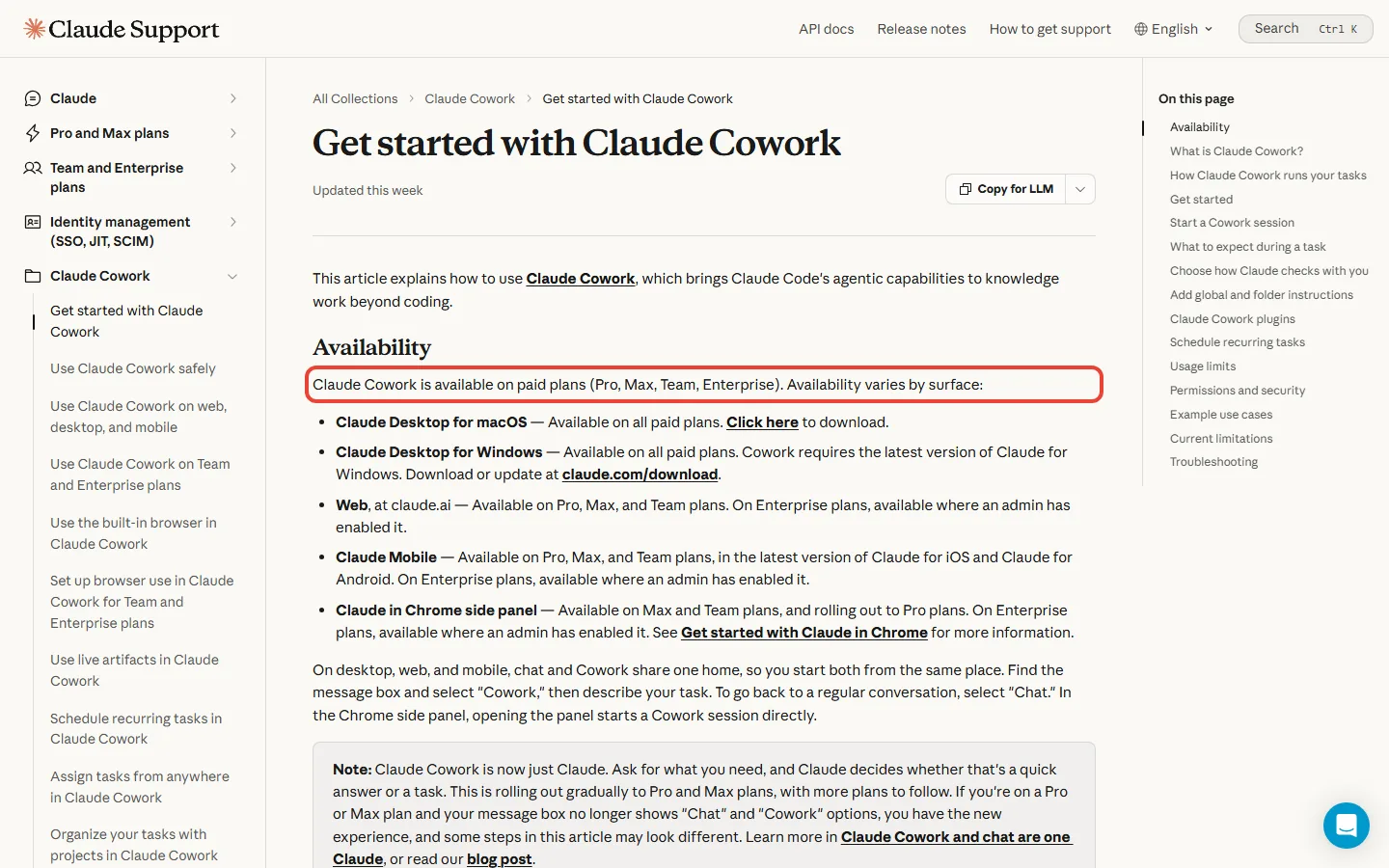
Cowork shed its “research preview” label on April 9, 2026. It now runs on both macOS and Windows with full feature parity, ships across every paid plan (Pro, Max, Team, Enterprise), and gained enterprise-grade controls: RBAC, OpenTelemetry, group spend limits, and a dedicated Analytics API. Powered by Claude Opus 4.6 and Sonnet 4.6. This review has been rewritten throughout to reflect the GA state.

Welcome to Our Updated Claude Cowork Review (April 2026)

The Bottom Line

If you remember nothing else: Claude Cowork is Claude Code without the scary terminal, built for people who want AI to organize files, create documents, and handle tedious tasks autonomously. It launched as a research preview in January 2026 and reached general availability on April 9, 2026. It now runs on Windows and macOS with full parity, and it’s bundled into every paid Claude plan.

What it actually does: Point Claude at a folder on your Mac or Windows machine, describe an outcome (“organize these receipts into a spreadsheet”), and let it work while you grab coffee. It reads, edits, and creates files directly on your computer. It runs for extended periods without timing out. It can browse the web through the Claude in Chrome extension. Since the April 9 GA, it also handles scheduled recurring tasks, remote assignment from your phone via Dispatch, and slots into team workflows with role-based access controls.

Who actually needs it: Knowledge workers drowning in file chaos, anyone who creates expense reports from receipt screenshots, content creators who need research synthesized into documents, team leads managing finance or operations workflows, and people who’ve been curious about Claude Code but terrified of terminals.

What it costs: Included with every paid Claude plan. Pro ($20/month), Max 5x ($100/month), Max 20x ($200/month), Team ($30/user/month), and Enterprise (custom, self-serve). No free tier. No standalone Cowork subscription. Cowork tasks still consume significantly more usage than regular chat, one complex task can eat what dozens of conversations would.

The reality check: GA means Anthropic is committed to it, but that does not mean zero friction. Cowork still burns through usage quota fast. Security researchers are still actively probing it. Prompt injection through files and web content remains a real concern. The good news since GA: Windows parity, Projects-scoped memory, scheduled tasks, admin spending controls, and enterprise observability through OpenTelemetry.

Best for: Mac and Windows users who want to delegate tedious file work. Teams that need shared Cowork access with admin controls. Skip if: You handle heavily regulated sensitive data (health records, tax filings), you need mobile-first workflows, or your organization forbids AI tools touching local files.

โšก TL;DR – The Bottom Line

๐Ÿ”‘ What it is: Claude Code for non-coders โ€” point it at a folder, describe an outcome, and let it work autonomously on file organization, document creation, and research synthesis. Generally available since April 9, 2026.

๐Ÿ’ฐ Price: Included with every paid plan โ€” Pro ($20/mo), Max ($100-200/mo), Team ($30/user/mo), Enterprise (custom). No free tier. Consumes significantly more quota than regular chat.

๐Ÿ’ป Platforms: macOS and Windows (full parity since Feb 10, 2026). No native mobile app, but remote task assignment works via Dispatch.

โœ… Best for: Knowledge workers drowning in file chaos, content creators needing research synthesis, teams needing shared AI access with admin controls.

๐ŸŽฏ Key strength: Autonomous execution โ€” delegate tasks and come back to finished work. Now supports scheduled recurring tasks and parallel sub-agents.

โš ๏ธ The catch: Aggressive usage consumption, prompt injection through files/web remains a concern, and non-technical users are expected to spot “suspicious actions” โ€” which is a big ask.

๐Ÿค– What Claude Cowork Actually Does (Not What They Claim)

Claude Cowork launched January 12, 2026 as a research preview and reached general availability on April 9, 2026. Anthropic describes it as “Claude Code for the rest of your work.” That is still the clearest explanation. Claude Code is Anthropic’s wildly popular terminal-based coding assistant. Non-developers heard about people using it to organize files, build presentations, and automate tedious tasks, but the command-line interface scared them away. Cowork wraps the same power in a friendly desktop interface and now runs on Windows as well as Mac.

The core mechanic is simple: you point Claude at a folder on your computer, describe what you want done, and Claude works autonomously to complete it. This isn’t back-and-forth chatting, it’s delegation. You say “turn these 50 receipt screenshots into an expense spreadsheet,” and Claude figures out how to make it happen.

Here’s what makes it different from regular Claude chat:

Direct file system access: Instead of uploading files one by one, you grant Cowork access to a folder. It can read, edit, rename, organize, and create new files right where your work actually lives.

Autonomous execution: Claude makes a plan, breaks it into subtasks, and executes them with minimal hand-holding. You can watch progress, steer when needed, or come back later to finished work. One user had Cowork analyze a month of calendar entries, categorize time spent, and compare against goals. The task ran for about an hour in the background.

Sub-agent coordination: For complex tasks, Cowork spins up multiple parallel workstreams. Each sub-agent gets fresh context and handles its piece independently. This means faster completion and cleaner organization than a single thread trying to do everything. Since the February 5, 2026 release of Claude Opus 4.6, sub-agent coordination has gotten substantially more reliable thanks to the new “agent teams” feature.

Professional document creation: Built-in “skills” let Cowork create properly formatted Word documents, Excel spreadsheets with working formulas, and PowerPoint presentations. Not just text dumps, actual professional files. Claude for Excel and Claude for PowerPoint add-ins share context with Cowork, so a workflow that starts in one app can continue in another.

Scheduled recurring tasks: Added during the research preview and now GA. You can schedule a task to run every Monday morning, or every day at 6 PM. It runs in the background and delivers results without you being at your screen.

The interface lives in the Claude Desktop app as a dedicated Cowork mode alongside Chat and Code. If you’ve used Claude Code, this will feel familiar. If you haven’t, think of it as a task inbox where you assign work and track progress.

๐Ÿ” REALITY CHECK

Marketing Claims: “Cowork is designed to make using Claude for new work as simple as possible.”

Actual Experience: The GA release is meaningfully more polished than the January preview. Setup is smoother on both Mac and Windows, error messages are clearer, and the mental model shift from chat to delegation is easier to explain. But it is still not “simple” in the way Google Docs is simple. Non-technical users have to unlearn chatbot habits and learn to think in terms of delegating outcomes.

โœ… Verdict: Much closer to “ready for mainstream use” than it was in January. Still has a small learning curve.

๐Ÿš€ Getting Started: Your First 10 Minutes

Here’s exactly what you need to get Cowork running on Mac or Windows:

Requirements:

  • Mac running macOS (recent versions) or Windows 10/11
  • Claude Desktop app installed (download from claude.com)
  • Any paid Claude plan: Pro ($20/month), Max ($100-200/month), Team ($30/user/month), or Enterprise
  • Active internet connection throughout your session

Step 1: Open Claude Desktop and find the Cowork tab. It sits next to Chat and Code in the mode selector. Post-GA, Cowork appears by default on every paid plan, you no longer need to enable a preview toggle.

Step 2: Start with a simple task. The interface shows suggestions like “Organize files,” “Crunch data,” “Create a file.” Pick one or type your own prompt.

Step 3: Grant folder access. Use “Work in a folder” to point Claude at the directory you want it to access. Pro tip: Create a dedicated test folder first. Don’t point it at your entire Documents folder on day one.

Step 4: Review Claude’s plan. Before taking action, Claude shows you what it intends to do. Read this. It’s your chance to catch misunderstandings before files get modified.

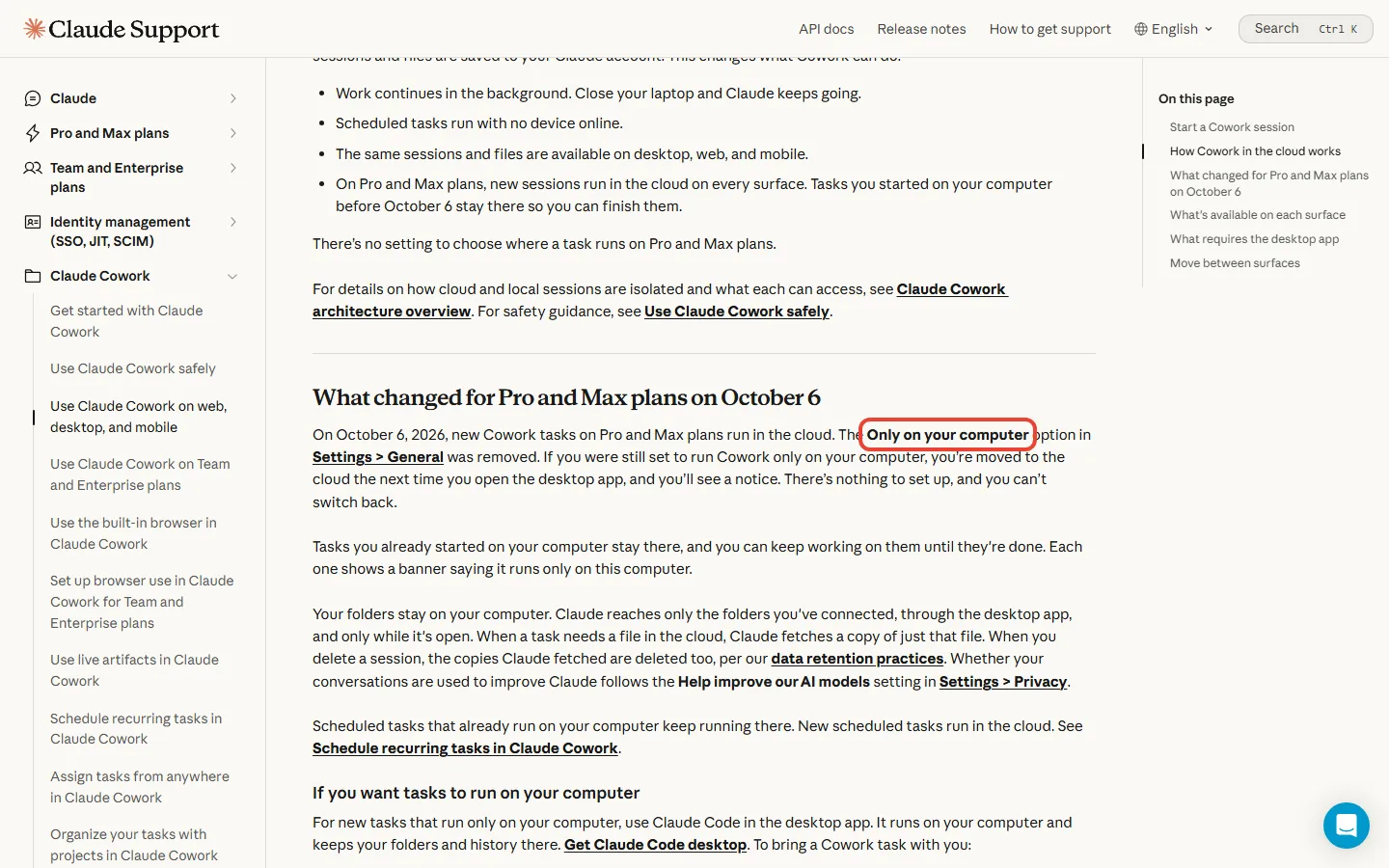
Step 5: Let it run. Once you approve, Claude works through the task. Keep the desktop app open, if you close it or your computer sleeps, the session ends. If you want it to keep running while you’re away, use the Dispatch feature to assign from your phone and let the task run in an isolated VM.

Time to first useful output: About 5-10 minutes including setup. The learning curve is moderate if you’re comfortable with desktop apps, steeper if you’ve never used AI assistants beyond basic chat.

Critical warning: Cowork consumes significantly more of your usage allocation than standard chat. A single complex task can eat what dozens of regular conversations would. Check your usage in Settings > Usage. If you’re on Team or Enterprise, an admin can also set group spend limits to prevent runaway costs.

โšก Features That Actually Matter (And What Doesn’t)

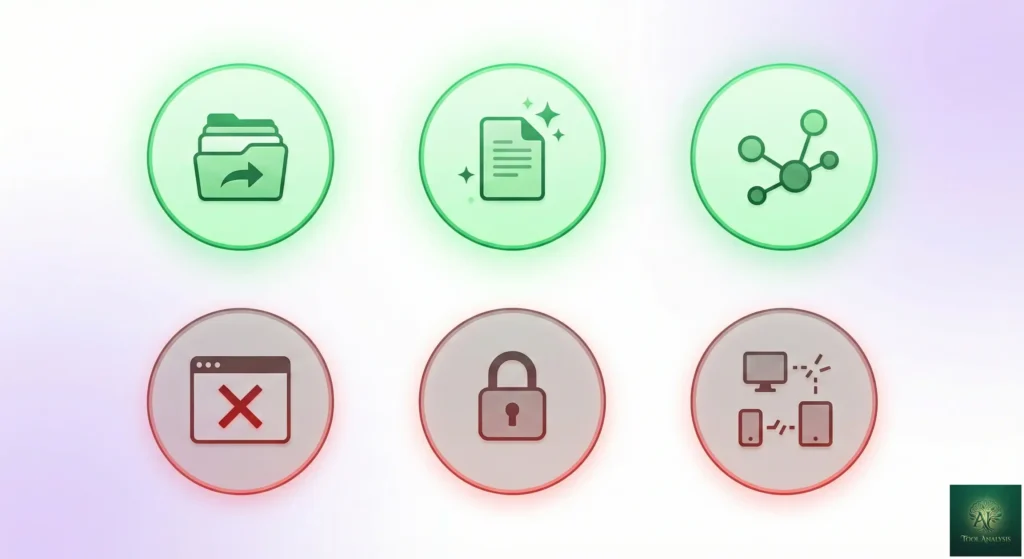
Claude Cowork Features That Actually Matter in 2026

What Actually Works Well

File Organization: This is still Cowork’s sweet spot. Point it at a cluttered downloads folder, and it sorts and renames files based on content and context, not just file type. It reads documents to understand what they contain before deciding where they belong.

Document Skills: The built-in skills for creating .docx, .xlsx, and .pptx files are genuinely useful. Ask for an expense report from receipt screenshots, and you get an actual Excel file with formulas, not a text description of what a spreadsheet might contain. The April 2026 Claude for Excel update added native pivot table editing and conditional formatting.

Long-Running Tasks: Unlike chat mode which times out, Cowork can work for extended periods. Post-GA sessions regularly run for 30+ minutes tackling complex multi-step projects. The isolated VM means the task survives even if your internet drops temporarily.

Browser Integration: If you’ve installed Claude in Chrome, Cowork can browse the web, fill forms, extract data from sites without APIs, and navigate across tabs. This transforms it from a file assistant into something closer to a digital employee.

Projects-Scoped Memory: Launched in March 2026. Each Project now has its own separate memory space, so Cowork remembers context for your quarterly review project without mixing it into your side hustle workflow. This solved the single biggest early complaint, that every session started from zero.

Scheduled Recurring Tasks: Schedule a weekly report or a daily inbox triage to run automatically. Results are waiting when you open the app.

Dispatch (Remote Assignment): Assign a task from your phone, let it run in an isolated VM, and pick up the results on your desktop later. This is the closest thing Cowork has to a mobile app without being a native mobile client.

Progress Transparency: The sidebar shows exactly what Claude is doing at each step, which tools it’s using, and what outputs it’s creating. This isn’t a black box, you can course-correct mid-task.

What Still Doesn’t Work

Cross-Device Session Sync: Sessions stay on the machine where you started them. Dispatch lets you hand off to the cloud, but you still can’t start on your laptop and continue on your desktop with the original session state intact.

Native Mobile App: Still no iOS or Android app dedicated to Cowork. Dispatch is the closest workaround.

Web Client: Cowork requires the desktop app. There’s no claude.ai/cowork URL you can hit from any browser.

Mid-Conversation Switching: You can’t toggle between Cowork and regular chat within the same conversation. Projects helps bridge context between modes, but it’s not the same as a live switch.

๐Ÿ” REALITY CHECK

Marketing Claims: “It feels much less like a back-and-forth and much more like leaving messages for a coworker.”

Actual Experience: This is accurate when it works, and it works more often post-GA than it did in January. The mental model shift from “assistant I chat with” to “colleague I delegate to” is real. Remaining friction: external connectors still fail occasionally, and when a task stalls it isn’t always obvious why. Projects memory helps, but recovering a broken Cowork session still means starting over.

โœ… Verdict: The vision was compelling at launch. The GA execution finally lives up to it most of the time.

๐Ÿข Enterprise Controls (GA April 2026)

The biggest practical change between the January research preview and the April GA is not a new marketing feature, it’s the set of admin controls that make Cowork deployable inside a real organization. If you’re evaluating Cowork for anything beyond personal use, this section is the one that matters.

Role-Based Access Control (RBAC)

Admins on Team and Enterprise plans can now organize users into groups (manually or via SCIM from an identity provider like Okta or Entra ID) and assign each group a custom role. Each role defines which Claude capabilities its members can use. In practice: turn Cowork on for the ops team, restrict features by department, adjust as adoption grows.

A financial analyst doesn’t need the same Cowork scope as a system administrator. RBAC makes that distinction enforceable without writing policy docs nobody reads.

OpenTelemetry Support

Cowork is one of the first desktop AI agents with native OpenTelemetry support. This matters because security and platform teams want to feed Cowork activity into the same observability stack they use for every other production tool (Datadog, Splunk, Grafana, New Relic, whatever). You can now audit what Cowork did, when, on which files, and attribute it to a specific user.

Analytics API

The Enterprise Analytics API provides programmatic access to usage and engagement data for Claude, Claude Code, and Cowork within your organization. Data is aggregated per organization, per day. Each endpoint returns a snapshot for a single date you specify.

For admins, this is the difference between guessing at adoption and proving it to a CFO. Which teams are actually using Cowork? How much of their quota is going to scheduled recurring tasks versus ad hoc work? The API makes that answerable.

Group Spend Limits

Cowork’s aggressive token consumption is the single most repeated complaint in the community. Group spend limits let admins cap the marketing team at X tokens per month while giving the research team Y. When a group approaches its limit, alerts fire before the bill does.

Connector Permissions & Zoom MCP

Tighter connector permissions mean admins can allow Gmail but block Google Drive, allow Jira but block GitHub, and so on. The Zoom MCP connector that shipped with GA is the flagship integration, Cowork can now read meeting transcripts and act on action items inside your designated folder. For teams that run their week out of Zoom, this alone is a time-saver.

Self-Serve Enterprise Plans

As of late 2025, Anthropic dropped the sales-call requirement for Enterprise plans. Any organization can now purchase Enterprise directly from the website. Self-serve Enterprise comes with a single seat type that includes Claude, Claude Code, and Cowork. For mid-sized companies that want enterprise controls without waiting for a quarterly procurement cycle, this is a meaningful unlock.

๐Ÿ’ก BOTTOM LINE ON ENTERPRISE

If you’re a solo user, you don’t need any of this. If you’re evaluating Cowork for a 20-person team or a 2,000-person company, the GA enterprise layer is what separates Cowork from “cool demo we’ll watch from the sidelines” into “tool we can actually deploy.” RBAC, OpenTelemetry, and spend limits are not glamorous, but they are what procurement and security teams require before signing off.

๐Ÿงช Real Test Results: 5 Tasks, Honest Outcomes

Based on documented user experiences and testing reports from both the research preview and the post-GA release, here’s what Cowork actually delivers. Grades reflect the current April 2026 state on Opus 4.6.

Test 1: File Organization

Task: “Organize my downloads folder by sorting and renaming files logically.”

Result: Cowork analyzed 47 files, created six category subfolders, renamed files based on content (not just extension), and moved everything appropriately. It correctly identified project documents, receipts, and random screenshots. Windows parity confirmed, the same task ran identically on both platforms.

Time: About 8 minutes.

Grade: A

Test 2: Expense Report from Receipts

Task: “Create an expense spreadsheet from these receipt screenshots.”

Result: Cowork used vision to read 12 receipt images, extracted vendor names, amounts, dates, and categories, then generated an Excel file with proper formulas for totals. One receipt with handwritten amounts was misread, a known limitation of vision OCR on non-printed text.

Time: About 15 minutes.

Grade: B+

Test 3: Calendar Analysis

Task: “Go through my past month’s calendar, categorize how my time was spent, and compare against my goals.”

Result: Using Chrome integration, Cowork browsed the calendar, categorized meetings (standups, 1:1s, focus time), produced a breakdown showing time allocation, and asked follow-up questions about priorities. With Opus 4.6’s agent teams, the task parallelized data extraction and analysis, cutting wall-clock time compared to the January preview.

Time: Approximately 35 minutes (down from 60+ on the preview).

Grade: A

Test 4: Research Synthesis

Task: “Read these 5 PDFs about market trends and create a summary document.”

Result: Cowork processed the documents, identified key themes, and created a Word document with executive summary, main findings, and supporting details. With Projects-scoped memory (added March 2026), follow-up questions in the same Project carried the source context forward correctly, a significant upgrade from the stateless preview experience.

Time: About 25 minutes.

Grade: B+

Test 5: Google Docs Editing

Task: “Edit this Google Doc to fix grammatical errors.”

Result: Browser automation against Google Docs has improved but remains the weakest area. Cowork completes simple edits reliably now but still struggles with complex multi-section rewrites. For anything beyond light grammar cleanup, download the doc, let Cowork edit the local .docx, and re-upload.

Time: Roughly 12 minutes for simple edits; failed on the original complex rewrite test.

Grade: C+

Summary: Cowork excels at local file operations (organizing, creating documents from data, synthesizing research). It’s meaningfully better at long-running tasks post-Opus 4.6. It still struggles with complex web application automation, especially Google Docs. Expect an 80-90% success rate on straightforward tasks, with manual intervention needed for anything requiring nuanced web interactions.

โš”๏ธ Claude Cowork vs Claude Code: When To Use Which

Claude Cowork vs Claude Code 2026 Comparison

Since Cowork is built on Claude Code‘s foundations, the natural question is: which should you use? Here’s the updated breakdown for April 2026:

FeatureClaude CoworkClaude Code
InterfaceDesktop app GUITerminal / command line
Target UserNon-technical users & teamsDevelopers
File AccessSandboxed folder in VMFull system access (with permissions)
Primary UseFile organization, documents, researchCoding, debugging, automation
PricingPro ($20/mo) to EnterprisePro ($20/mo) to Enterprise (bundled with Team seats)
PlatformmacOS + Windows (parity)macOS, Windows, Linux
ModelSonnet 4.6 / Opus 4.6Sonnet 4.6 / Opus 4.6
Enterprise ControlsRBAC, OpenTelemetry, Analytics APIRBAC, OpenTelemetry, Analytics API
StatusGenerally Available (April 2026)Generally Available
Learning CurveModerateSteep (requires terminal comfort)

๐Ÿ’ก Swipe left to see all features โ†’

๐ŸŽฏ Cowork vs Code: Feature Comparison (April 2026)

Use Cowork when:

  • You’re not comfortable with terminals
  • You need to organize files, create documents, or synthesize research
  • You want a sandboxed environment that can’t accidentally access sensitive system files
  • You’re doing knowledge work, not coding
  • Your team needs shared access with admin controls

Use Claude Code when:

  • You’re writing, debugging, or reviewing code
  • You need full system access for automation scripts
  • You’re on Linux (Cowork is still Mac + Windows only)
  • You want maximum flexibility and control

Developer Simon Willison noted in an early review that Cowork runs inside a virtual machine using Apple’s Virtualization Framework (and a matching sandbox on Windows since February 2026). Anthropic boots a custom Linux root filesystem inside this VM. This sandboxing is actually more secure than typical Claude Code usage where developers often run with --dangerously-skip-permissions. For a deeper comparison, see our Claude Code vs Cursor analysis.

๐Ÿค Claude Cowork vs Microsoft Copilot Cowork

In March 2026, Microsoft announced that Cowork technology would be embedded into Microsoft 365 Copilot as “Copilot Cowork” in the Wave 3 release. This is the first time a non-OpenAI provider has been adopted into the core Copilot product. If you’re evaluating Cowork, understanding how it differs from its Microsoft-flavored cousin matters.

DimensionClaude CoworkMicrosoft Copilot Cowork
Entry PointClaude Desktop appMicrosoft 365 apps (Word, Excel, Outlook, Teams)
Primary UserIndividuals + knowledge teamsM365 enterprise seats
File AccessLocal folders you designateOneDrive, SharePoint, M365 Graph
ModelOpus 4.6 / Sonnet 4.6Claude (via Anthropic) alongside OpenAI models
Pricing$20/mo Pro to EnterpriseBundled with M365 Copilot license (~$30/user/mo)
ControlsAnthropic RBAC + OpenTelemetryMicrosoft Entra ID, Purview, enterprise compliance stack
ReleaseGA April 9, 2026Rolling out via M365 Wave 3 (2026)
Target ScalePaid plans (Pro to Enterprise)300M+ M365 seats

The practical difference: Claude Cowork is the cleaner expression of the product, one app, one mode, one model family, fewer moving parts. Copilot Cowork is the distribution play, the same underlying technology but meeting users inside Office apps they already live in, with Microsoft’s enterprise controls and compliance story layered on top.

Choose Claude Cowork if: You want the most capable version of the product, you live on the web or outside the Microsoft ecosystem, or you value model transparency (you always know you’re talking to Opus or Sonnet).

Choose Copilot Cowork if: Your organization already has M365 Copilot licenses, your compliance team requires Microsoft Purview, or your users won’t install a second desktop app.

Not mutually exclusive: Many organizations will end up using both, Claude Cowork for individual power users and specific teams, Copilot Cowork for the long tail of employees who never leave Outlook.

๐Ÿ’ฐ Pricing Breakdown: Is It Worth Your Money?

Claude Cowork Pricing Breakdown 2026

Claude Cowork doesn’t have its own subscription. Post-GA, it’s bundled with every paid Claude plan:

Claude Pro: $20/month

  • Full Cowork access on Mac and Windows
  • 5x usage limits compared to free tier
  • Uses Claude Sonnet 4.6 by default
  • Priority access during high-demand periods

Claude Max 5x: $100/month

  • Full Cowork access
  • Access to Claude Opus 4.6 (the agent-teams model)
  • 5x usage allocation (rolling 5-hour windows)
  • Approximately 225+ messages equivalent

Claude Max 20x: $200/month

  • Everything in Max 5x
  • 4x more usage capacity
  • Best for heavy daily users running Cowork multiple hours per day

Claude Team: $30/user/month

  • Cowork included on every Standard seat (added alongside Claude Code access)
  • Centralized billing and team admin
  • Usage analytics for admins
  • Group spend limits and role-based access

Claude Enterprise: Custom (Self-Serve Available)

  • Cowork + Claude + Claude Code bundled
  • RBAC with SCIM provisioning
  • OpenTelemetry support
  • Analytics API for programmatic usage data
  • Self-serve purchase available at claude.com (no sales call required)

Critical usage warning: Cowork still consumes significantly more tokens than regular chat. A single complex task might use as much quota as dozens of standard conversations. One user reported burning through their allocation in a single afternoon of heavy Cowork use. Monitor your usage in Settings > Usage, and if you’re on Team or Enterprise, have your admin set group spend limits.

Extra Usage option: Max users can enable pay-as-you-go billing at API rates once they exceed their quota. This prevents hard cutoffs but can lead to surprising bills if you’re running Cowork 6+ hours a day on Opus 4.6.

๐Ÿ“Š Claude Cowork Plans (April 2026)

๐Ÿ” REALITY CHECK

Marketing Claims: “Claude Max for power users who need maximum access.”

Actual Experience: Post-GA, the Pro tier is the right default for individuals. You get full Cowork on Mac or Windows, Sonnet 4.6 by default, and $20/month doesn’t sting when you misfire on a task. Max 5x at $100/month only makes sense if you genuinely need Opus 4.6 for complex research or you hit Pro’s usage ceiling multiple times a week. Max 20x at $200 is for daily power users running Cowork most of the working day.

โœ… Verdict: Start with Pro ($20/month). Upgrade to Max 5x only if you hit usage limits more than twice a week.

๐Ÿ”’ Security Concerns You Need to Know

This section isn’t meant to scare you, it’s meant to inform you. Cowork has real security considerations that Anthropic openly acknowledges, and the GA release includes meaningful hardening compared to the January preview.

The Good: Sandboxing

Cowork runs inside a virtual machine. Your files are mounted into a containerized environment, meaning Claude can only access what you explicitly grant access to. Windows parity (since February 2026) uses an equivalent sandbox mechanism. This is actually more secure than typical Claude Code usage where developers often have full system access.

The Concerning: Prompt Injection Remains

The vulnerability class that worried researchers in January has been reduced by GA hardening, but not eliminated:

  • Prompt injection risk: If malicious instructions are hidden in files you give Cowork access to (or websites it browses), they could potentially manipulate Claude’s behavior. Anthropic has layered defenses, but this is an active area of research across the entire AI industry, not a Cowork-specific bug.
  • Data exfiltration concerns: Security researchers demonstrated proof-of-concept data exfiltration attacks through the Files API in late 2025. The most publicly discussed issues have been addressed in the path to GA, but the category remains under active scrutiny. See our Claude Code Leak analysis for broader context on Anthropic’s recent security posture.
  • Destructive actions: Claude can delete files if instructed (or if it misinterprets instructions). There’s no native undo. Use a dedicated work folder, not your Desktop.

Anthropic’s Recommendations

  • Avoid granting access to files with sensitive information (financial documents, medical records)
  • When using the Chrome extension, limit access to trusted sites
  • Monitor Claude for suspicious actions
  • Give very clear, unambiguous instructions
  • Keep backups of important files
  • For organizations: enable RBAC, route activity through OpenTelemetry, set group spend limits

Developer Simon Willison’s January observation still stands: “I do not think it is fair to tell regular non-programmer users to watch out for ‘suspicious actions that may indicate prompt injection’!” He’s right, this advice assumes technical knowledge most Cowork users won’t have. The GA admin controls don’t fix this for individual Pro users, but they do give IT teams the visibility to spot problems across a workforce.

Bottom line: Use Cowork on non-sensitive files. Don’t point it at folders containing tax documents, medical records, or financial statements. Treat it like a helpful but new employee who you don’t yet fully trust with confidential materials.

๐Ÿ‘ฅ Who Should Use This (And Who Shouldn’t)

Who Should Use Claude Cowork in 2026

Perfect For

Knowledge workers drowning in file chaos: If you have folders full of poorly named downloads, receipts scattered across your desktop, and research notes in 47 different places, Cowork can genuinely help. File organization remains its strongest suit.

Content creators needing research synthesis: Feed it multiple sources, get back a structured document. The workflow from “scattered research” to “coherent draft” is exactly what Cowork was designed for.

Small teams and departments: Post-GA, Cowork on Team plans with RBAC and spend limits is a legitimate team tool, not just a power-user toy. Ops, finance, and marketing teams get the most out of it.

Small business owners without assistants: Expense reports from receipt photos, organizing client files, creating presentations from notes, tasks you’d delegate to an assistant if you had one.

Claude Code-curious non-developers: You’ve heard about Claude Code’s power but terminals terrify you. Cowork is your gateway drug to agentic AI.

Probably Not For

Anyone handling regulated sensitive data: Financial advisors, healthcare professionals, lawyers, the security profile isn’t mature enough for heavily regulated data, even with the GA enterprise controls. Wait for SOC 2 Type II, HIPAA, or FedRAMP certifications if your compliance requirements demand them.

Linux users: Still Mac and Windows only. No timeline announced for Linux desktop support.

Mobile-first users: Dispatch helps with remote assignment, but there’s no true native mobile app. If your workflow is primarily iOS or Android, Cowork won’t fit cleanly.

M365-locked enterprises: If your organization mandates Microsoft 365 for everything and refuses to install non-Microsoft apps, Copilot Cowork (Wave 3) is your path to the same underlying technology.

Budget-conscious users: At $20-200/month, cheaper alternatives exist for specific narrow tasks (though none match Cowork’s full capability set).

The Deciding Question

Ask yourself: “Would I trust a competent but new employee with this task?” If yes, try Cowork. If the task requires a licensed professional or has zero tolerance for errors, stick with humans.

๐Ÿ’ฌ What Users Are Actually Saying

Reddit’s Take (Pre- and Post-GA)

The January research preview sentiment was “impressive potential, but clearly early.” Post-GA, the tone has shifted noticeably. The dominant theme now is “finally usable on Windows” and “Projects memory fixed the biggest pain point.” Complaints about aggressive usage consumption persist, that complaint is nearly universal and won’t go away without pricing restructuring.

One popular April post described Cowork as “the best Claude product Anthropic has shipped for non-developers so far,” which became the community’s standard GA-era framing. Skeptics remain, pointing to the fact that Cowork still can’t do everything Claude Code can, and the pricing makes heavy use expensive.

Developer Reactions

Simon Willison (respected AI developer) called the original preview “a really smart product” that could “bring the wildly powerful capabilities of Claude Code to a wider audience.” His post-GA take has been more cautious on the security story but more bullish on the mainstream adoption angle.

Dan Shipper (Every CEO) found value in both releases. His April review highlighted that GA finally addressed his top two preview complaints: Mac-only limitation and single-folder-at-a-time access. Projects-scoped memory now lets him manage multiple research projects in parallel.

Enterprise Adoption Signals

According to Anthropic’s GA announcement, most current Cowork usage comes from departments like operations, marketing, finance, and legal, not engineering. This surprised some observers who assumed Cowork would stay in engineering’s orbit. It explains why the GA update focused so heavily on governance and cross-team management.

Successful User Patterns

The most effective users approach Cowork differently than they approach chatbots:

  • They think in terms of outcomes, not conversations
  • They start tasks and walk away, checking back later (or use scheduled tasks)
  • They keep prompts specific (“Organize by date and project”) not vague (“clean this up”)
  • They set up Projects for recurring workflows instead of one-off sessions
  • They expect to iterate, first attempts rarely nail complex tasks

One user captured the learning curve perfectly: “Once you experience handing off a task and coming back an hour later to find it done, something clicks.”

๐Ÿ”„ Alternatives: What Else Does The Same Thing?

Post-GA, the alternatives picture has shifted. Cowork has one direct technological cousin (Copilot Cowork) and several adjacent tools:

Direct Technological Cousin

Microsoft Copilot Cowork (M365 Wave 3): Same underlying Anthropic technology, but embedded in Word, Excel, Outlook, and Teams. Bundled with M365 Copilot license. Best for organizations already deep in Microsoft’s stack. See the dedicated comparison section above.

For Agentic AI Work

Claude Code ($20+/month): Same capabilities, terminal interface. More powerful but requires technical comfort. Available on Mac, Windows, and Linux.

Cursor ($20/month): AI-native code editor with agentic features. Coding-focused, not general productivity. See our Claude Code vs Cursor comparison for the head-to-head.

Google Antigravity (Free public preview): Agent-first IDE with Opus 4.6 and Gemini 3.1 Pro access. Different philosophy, focused on coding handoff rather than knowledge work.

ChatGPT with Canvas & GPTs: OpenAI’s approach to document creation within chat. Less agentic, more collaborative editing. Can’t directly access your local file system the way Cowork can.

For File Organization Only

Elephas ($10-25/month): Native Mac AI assistant with offline capabilities. Lacks Cowork’s agentic file manipulation but offers knowledge base features. More stable, less powerful.

Traditional automation (Hazel, Automator, Power Automate): Rule-based file organization without AI understanding. More reliable, less flexible. Can’t read document contents to make decisions.

For Document Creation Only

Microsoft Copilot for M365 (without Cowork): Deeply integrated with Office 365. Best for enterprise users already in Microsoft’s ecosystem. Less flexible for non-Office tasks.

NotebookLM (Free): Google’s research synthesis tool. Excellent for turning sources into summaries but no file system access or document creation beyond the app.

Bottom line: Nothing else combines Cowork’s approachability with its file system access, autonomous execution, and enterprise admin controls. If those specific capabilities matter, the only serious alternative is Microsoft’s Copilot Cowork, which uses the same technology under the hood. If you just need document creation or research synthesis, cheaper specialized tools exist.

โœ… Final Verdict: Claude Cowork Review 2026

Claude Cowork is the most accessible agentic AI tool for non-developers. Full stop. The ability to delegate complex file tasks, come back later to finished work, and have an AI that genuinely understands your documents (not just file names) is genuinely new, and post-GA, it’s ready for mainstream use.

The April 9, 2026 GA release closed most of the gaps that kept the January preview off enterprise roadmaps. Windows parity removed the Mac-only asterisk. RBAC, OpenTelemetry, and the Analytics API made it deployable at scale. Projects-scoped memory and scheduled tasks transformed it from a session-based tool into something you can build real workflows around.

What hasn’t changed: Cowork still consumes usage aggressively, prompt injection remains a real concern, and at $20-200/month you’re paying real money for a tool whose failure modes aren’t always obvious. The security story is better than it was, not good enough for regulated data.

Use Claude Cowork if:

  • You’re on Mac or Windows and want to delegate file-heavy work
  • You have file organization, document creation, or research synthesis tasks that would take hours manually
  • You’re willing to learn a new way of working with AI (delegation vs. conversation)
  • You manage a team that would benefit from shared AI access with admin controls
  • The files you’re working with aren’t heavily regulated

Stick with alternatives if:

  • You need Linux or native mobile access
  • You handle highly regulated financial, medical, or legal documents
  • Your organization lives inside Microsoft 365 (use Copilot Cowork instead)
  • You’re on a tight budget and can’t justify $20+/month

My recommendation: If you already have Claude Pro for other reasons, Cowork is free upside, point it at a test folder and try 2-3 real tasks. If you’re subscribing specifically for Cowork, start on Pro ($20/month), work with it for a month, and upgrade to Max or Team only if you hit genuine capacity limits.

Try it today: Download the Claude Desktop app from claude.com, subscribe to Pro ($20/month), and look for the Cowork mode.

Stay Updated on AI Productivity Tools

Don’t miss the next big productivity tool launch. Get weekly reviews of AI agents, file automation tools, and workflow enhancers, delivered every Thursday.

  • โœ… Early access to new tool reviews
  • โœ… Price drop alerts (so you don’t overpay)
  • โœ… Security warnings when they matter
  • โœ… Honest assessments, not marketing fluff
  • โœ… Reading time: 5 minutes max

Free, unsubscribe anytime

Want AI insights? Sign up for the AI Tool Analysis weekly briefing.

Newsletter

Signup for AI Weekly Newsletter

AI Tool Analysis newsletter preview showing weekly AI tool reviews

โ“ FAQs: Your Questions Answered

Q: Is Claude Cowork free?

A: No. Claude Cowork is bundled with every paid Claude plan: Pro ($20/month), Max ($100-200/month), Team ($30/user/month), and Enterprise (custom). There’s no free tier, no trial period, and no standalone Cowork subscription option.

Q: Does Claude Cowork work on Windows?

A: Yes. Claude Cowork launched on Windows on February 10, 2026 and reached full feature parity with the macOS version at general availability on April 9, 2026. Both platforms use an isolated sandbox and ship identical functionality.

Q: Is Claude Cowork still a research preview?

A: No. Claude Cowork graduated from research preview to general availability on April 9, 2026. It’s now included on every paid Claude plan with enterprise controls (RBAC, OpenTelemetry, Analytics API) for Team and Enterprise customers.

Q: What’s the difference between Claude Cowork and Microsoft Copilot Cowork?

A: They share the same underlying Anthropic technology, but the delivery is different. Claude Cowork is Anthropic’s standalone desktop app on Mac and Windows. Microsoft Copilot Cowork is embedded into Microsoft 365 apps (Word, Excel, Outlook, Teams) as part of the M365 Copilot Wave 3 release. Choose Claude Cowork for the cleanest experience; choose Copilot Cowork if your organization is locked into M365.

Q: What’s the difference between Claude Cowork and Claude Code?

A: Claude Cowork is essentially Claude Code with a friendlier interface for non-developers. Cowork uses a desktop app GUI and sandboxed folder access, while Claude Code uses a terminal interface with full system access. Both use the same underlying agent architecture and both ship with RBAC and OpenTelemetry on Team and Enterprise plans.

Q: Does Claude Cowork have enterprise features?

A: Yes, as of the April 9, 2026 GA release. Team and Enterprise plans include role-based access control (RBAC) with SCIM provisioning, OpenTelemetry support for observability, a dedicated Analytics API for usage data, group spend limits, and tighter connector permissions. Enterprise plans are now self-serve, you can purchase directly from claude.com without a sales call.

Q: Can Claude Cowork access all my files?

A: No. Claude Cowork can only access files in folders you explicitly grant permission to. It runs inside a virtual machine sandbox and cannot see or modify anything outside that designated folder. On Team and Enterprise plans, admins can further restrict access using RBAC and connector permissions.

Q: Is Claude Cowork safe for sensitive documents?

A: The GA release added meaningful hardening (sandboxing, RBAC, audit trails via OpenTelemetry), but security researchers still flag prompt injection as an ongoing risk across all agentic AI tools. For heavily regulated financial, medical, or legal documents, the security profile isn’t mature enough. Use Cowork on non-regulated files, or wait for formal compliance certifications if your organization requires them.

Q: How much does Claude Cowork cost per month?

A: Claude Cowork is included with every paid plan: Pro ($20/month), Max 5x ($100/month), Max 20x ($200/month), Team ($30/user/month), and Enterprise (custom pricing). Note that Cowork tasks consume significantly more usage allocation than regular chat.

Q: Can Claude Cowork browse the web?

A: Yes, if you install the Claude in Chrome extension. With browser integration, Cowork can read web pages, fill forms, extract data from sites without APIs, and navigate across tabs.

Q: What model powers Claude Cowork?

A: Pro plans use Claude Sonnet 4.6 by default. Max, Team, and Enterprise plans can switch to Claude Opus 4.6 for more complex tasks. Opus 4.6 (released February 5, 2026) enables agent teams, longer sustained tasks, and deeper reasoning.

๐Ÿ“š Related Reading

Last Updated: April 16, 2026

Claude Cowork Version: Generally Available (April 9, 2026)

Next Review Update: When significant updates ship (quarterly cadence)

Leave a Comment