Welcome to Our Cursor AI Review
⚡ The Bottom Line
When I first reviewed Cursor 2.0 on launch day — October 29, 2025 — it felt like watching someone strap a jet engine to a bicycle. Impressive, slightly terrifying, unclear whether it would fly or explode. Three and a half months later, I have my answer: it flew, but the engine leaks oil and the marketing team keeps painting flames on the side.
Cursor is now at version 2.4 (v2.4.36), valued at a staggering $29.3 billion after raising $2.3 billion in a Series D round backed by Google and Nvidia. Revenue has crossed $1 billion in annual recurring revenue — doubling from the $500 million it was hitting when I originally reviewed it. Over one million developers use it daily. Half the Fortune 500 have deployed it. These aren’t vanity metrics. This is genuine market dominance.
The product itself has genuinely improved. Background Agents let you kick off coding tasks from your phone while you’re walking the dog — cloud-based Ubuntu VMs that clone your repo, work on a branch, and create pull requests autonomously. BugBot reviews your PRs for bugs before your teammates do. Subagents and Skills break complex tasks into specialized subtasks. The Composer model hit version 1.5 with 20x scaled reinforcement learning and 60% latency reduction. Models now include Claude Opus 4.6, GPT-5.3, and Gemini 3 Pro alongside Cursor’s own Composer.
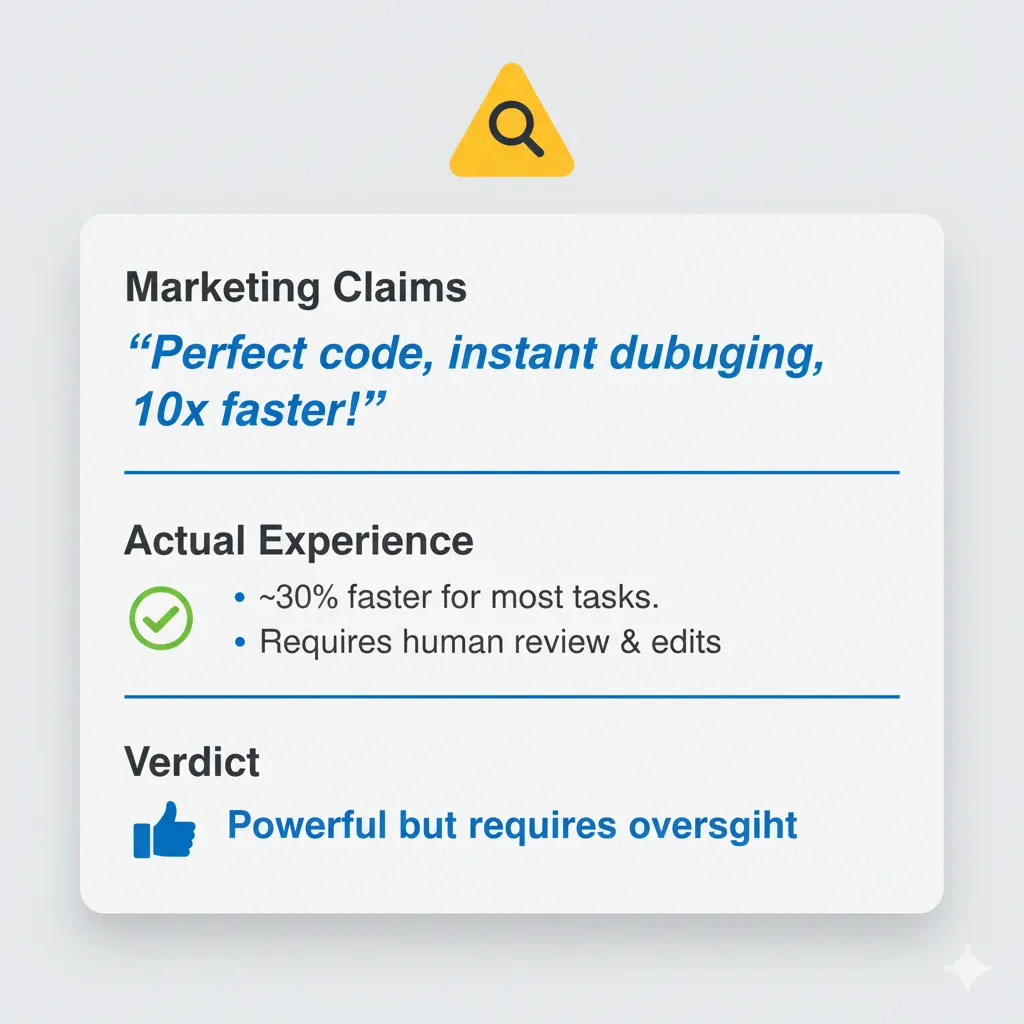
But here’s what makes this review different from the breathless coverage you’ll find elsewhere: Cursor’s biggest competitor is no longer Windsurf (which collapsed spectacularly in July 2025) or GitHub Copilot (which remains solid but unambitious). It’s Claude Code with Opus 4.6 — Anthropic’s terminal-native coding agent that trades Cursor’s polished GUI for raw reasoning depth and massive context windows. And Cursor’s own behavior has raised questions: a pricing bait-and-switch in June 2025 that damaged trust, and a January 2026 marketing stunt where they claimed to “vibe-code” an entire web browser that Hacker News promptly debunked.
Skip this tool if: you need predictable billing and hate surprises on your invoice. Or if you prefer terminal-native workflows — Claude Code does that better. Or if you’re learning to code — Cursor will write code for you without teaching you anything.
Use this tool if: you’re an experienced developer working on multi-file projects, you want the fastest AI autocomplete available, you need Background Agents for async task offloading, and you can tolerate some billing complexity in exchange for the most feature-rich AI code editor on the market.
⚡ TL;DR — Cursor 2.0 Review (February 2026)
- What It Is: A VS Code fork rebuilt as an AI-first code editor with multi-agent mode, Background Agents, and Composer 1.5 — now at v2.4, valued at $29.3B with $1B ARR and 1M+ daily users.
- What’s New: Background Agents (cloud VMs that code asynchronously), BugBot (automated PR reviewer), Subagents & Skills, Composer 1.5 with 20x scaled RL and 60% latency reduction, Claude Opus 4.6 and GPT-5.3 model support, Graphite acquisition, and Cursor Blame for enterprise.
- Best For: Experienced developers (3+ years) working on multi-file projects who want the fastest AI autocomplete, async task offloading via Background Agents, and a polished GUI experience.
- Key Strength: Tab completion remains best-in-class, Composer 1.5 handles multi-file refactoring reliably, and Background Agents let you kick off coding tasks from your phone — no competitor matches this feature set in one package.
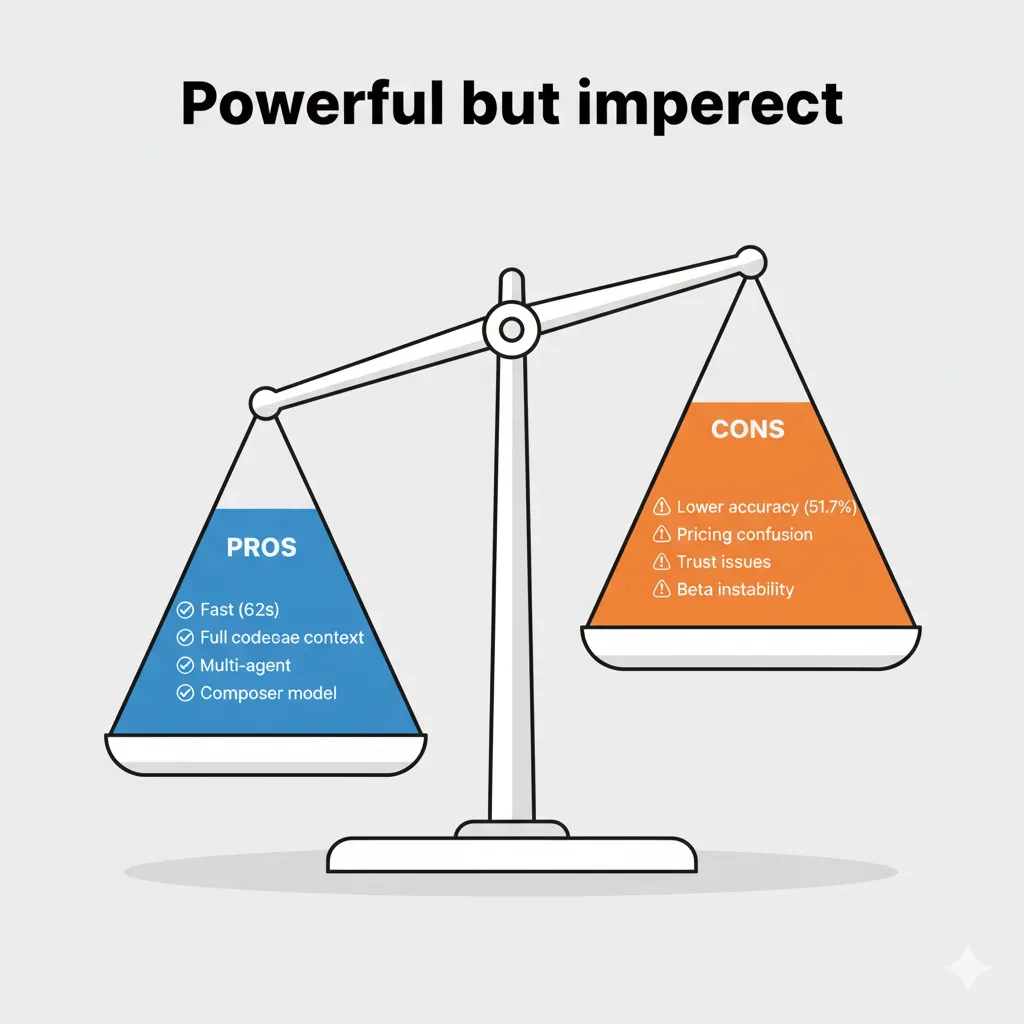
- Current Issues: Credit-based pricing is opaque and hard to predict (June 2025 controversy damaged trust), the January 2026 browser marketing scandal hurt credibility, context windows lag behind Claude Code’s 200K-1M tokens, and costs can creep to $100-150/month for heavy users.
- Verdict: The most feature-rich AI code editor on the market — great product, questionable company marketing. Use it for the product, watch it for the business practices, and monitor your billing weekly.
📑 Quick Navigation
🔥 What’s Happened Since Cursor 2.0: The 2026 Reality
October 29, 2025 feels like a lifetime ago in AI development. When Cursor 2.0 launched that day, I called it “the most ambitious AI code editor update I’d ever seen.” The Composer model was brand new. Multi-agent mode let you run up to eight parallel agents. The $500 million revenue run rate seemed impressive. Three and a half months later, every one of those milestones has been surpassed — some of them twice over.
Here’s what actually changed, in roughly chronological order:
November 2025: The Money Tsunami. Anysphere closed a massive $2.3 billion Series D round, valuing the company at $29.3 billion. That’s roughly triple the valuation from just five months earlier. Google and Nvidia came in as strategic investors — Google presumably hedging its Windsurf bet, Nvidia doing what Nvidia does (investing in everything that uses GPUs). The team grew from roughly 60 employees to over 300.
Late November – December 2025: Product Acceleration. Background Agents graduated from limited preview to general availability. These are cloud-based Ubuntu VMs that clone your repository, check out a branch, do the work, and open a pull request — all without touching your local machine. You can trigger them from the IDE, from Slack, or from a web/mobile app. Graphite, the code review platform known for stacked PRs and developer workflow tools, was acquired in December. BugBot launched as an automated AI code reviewer that scans pull requests for bugs, security flaws, and code quality issues at roughly $40 per person per month.
January – February 2026: The Composer 1.5 Era. Cursor shipped version 2.4 with a fundamentally upgraded Composer model (version 1.5). The improvements are real: 20x scaled reinforcement learning, self-summarization for long contexts, and a 60% reduction in latency. Subagents and Skills arrived, letting the main agent spawn independent specialized agents for subtasks. Cursor Blame, an enterprise feature, now distinguishes human-written code from AI-generated code in your codebase. Interactive Q&A sessions let the agent ask clarifying questions before diving into tasks.
The competitive landscape has shifted dramatically. Windsurf — which I recommended as a worthy alternative in my original review — was eliminated as an independent competitor in July 2025 when Google hired its CEO and 40 engineers for $2.4 billion, and Cognition acquired the remaining entity for $250 million. Claude Code with Opus 4.6 emerged as the most credible alternative, offering terminal-native workflows with deeper reasoning capabilities. Cline hit 5 million installs by January 2026, proving there’s a massive market for free, open-source AI coding tools.
And through it all, revenue crossed the $1 billion ARR threshold. Over one million developers use Cursor daily. More than 50,000 businesses have deployed it. Half the Fortune 500 are customers. Enterprise partnerships with EPAM and Infosys signal that Cursor isn’t just a developer toy — it’s becoming infrastructure.

The question is no longer “Is Cursor good?” It’s “Is Cursor worth trusting?” And that’s a much harder question to answer. Let’s dig in.
🤖 What Cursor Actually Does (The 2026 Reality)
If you’ve never used Cursor, here’s the elevator pitch: it’s a VS Code fork rebuilt from the ground up to be AI-first. Not “VS Code with an AI plugin bolted on” like GitHub Copilot. Not “a chatbot that can edit files” like early Claude Code. It’s the entire VS Code editing experience — extensions, themes, keyboard shortcuts, everything — with AI woven into every interaction.
Think of it like this: GitHub Copilot is a smart autocomplete that happens to live in your editor. Cursor is an editor that happens to have autocomplete as one of its least impressive features.
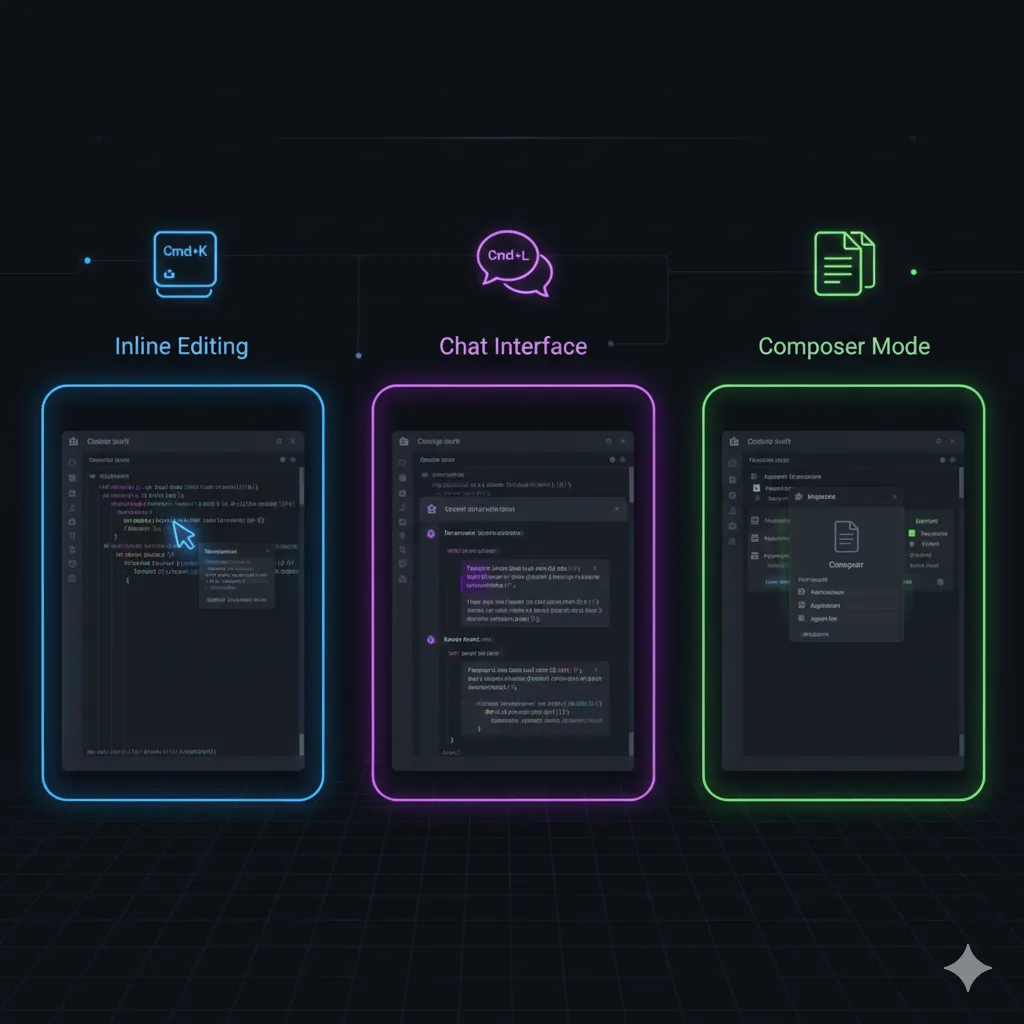
Three Modes of Operation:
Normal Mode is where you’ll spend most of your time. Tab completion predicts what you want to type next — not just the current line, but entire blocks of code. It understands your codebase context through full repository indexing with Merkle-tree delta sync (improved significantly in version 2.4). You press Tab, it fills in code that actually fits your project’s patterns. This alone is worth the price of admission for many developers.
Composer Mode is where Cursor starts to feel different from anything else on the market. You describe what you want in natural language, and Composer generates or modifies code across multiple files simultaneously. With Composer 1.5, this has gotten genuinely impressive — it plans before it acts, handles file dependencies better, and recovers from errors more gracefully. The 60% latency reduction means you’re not waiting around watching a spinner.
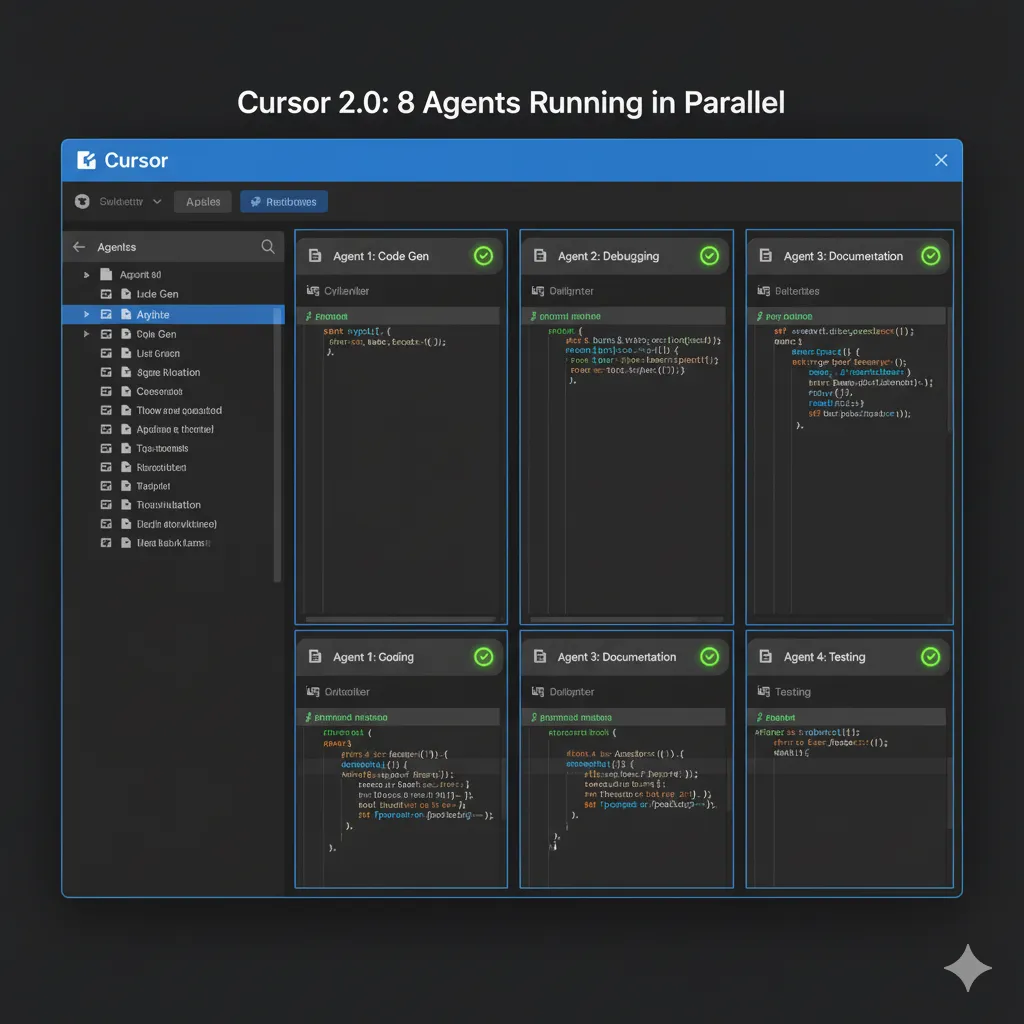
Agent Mode is the fully autonomous option. You give it a task, it figures out the plan, creates files, installs dependencies, runs tests, and iterates until the task is done (or it gets stuck). Multi-agent mode lets you run up to eight of these in parallel, each isolated in its own git worktree so they don’t step on each other. And now, with Background Agents, you can kick these off from your browser or phone and come back later to review the pull request.
The model lineup has expanded significantly. You’re no longer limited to whatever Cursor decides to serve you. Current options include Claude Opus 4.6 (Anthropic’s strongest reasoning model), GPT-5.3 (OpenAI’s latest), Gemini 3 Pro (Google), Grok Code, DeepSeek, and Cursor’s own Composer 1.5. Each model has different strengths — Opus 4.6 for complex reasoning, GPT-5.3 for speed, Composer 1.5 for Cursor-specific optimizations. You can switch between them per conversation or set defaults per project.
The core value proposition hasn’t changed: Cursor makes experienced developers faster by handling the mechanical parts of coding so you can focus on architecture, logic, and design decisions. What’s changed is the ambition. Cursor doesn’t just want to help you write code anymore. It wants to write code for you, review code for you, fix bugs for you, and create pull requests for you — even when you’re not at your computer.
Whether that’s exciting or terrifying depends on how much you trust the AI to get it right. Spoiler: the answer is “sometimes.”
⚡ Getting Started: From Download to First AI Interaction
Getting started with Cursor remains one of its genuine strengths. The onboarding experience is smooth enough that I don’t need to change much from my original review.
Step 1: Download and install from cursor.com. Available for Mac, Windows, and Linux. The installer is straightforward — no package managers, no terminal commands, no Docker containers. If you can install Slack, you can install Cursor.
Step 2: Import your VS Code settings. Cursor auto-detects your existing VS Code installation and offers to import extensions, themes, keybindings, and settings. This is seamless. I’ve done it across three machines now and it’s never failed. Your muscle memory transfers intact.
Step 3: Open a project and let indexing complete. Cursor will index your entire codebase for context. With the improved Merkle-tree delta sync in version 2.4, re-indexing after git operations is significantly faster. A medium-sized project (10K-50K lines) indexes in under a minute. Large monorepos can take longer — and this is where Cursor starts to strain (more on that later).
Step 4: Try your first AI interaction. Press Cmd+L (Mac) or Ctrl+L (Windows/Linux) to open the chat panel. Ask it something about your codebase: “How does authentication work in this project?” or “Where is the payment processing logic?” This is the fastest way to understand whether Cursor “gets” your codebase.
Step 5: Test Composer mode. Press Cmd+Shift+I to open Composer. Describe a small task: “Add a rate limiting middleware to the API router with a 100 requests per minute limit.” Watch how it plans the changes, creates or modifies files, and presents the diff for your review. Don’t accept the first result blindly — iterate 2-3 times. This is where you’ll learn Cursor’s communication style and figure out how to prompt it effectively.
Step 6: Review and refine. Cursor’s suggestions are starting points, not finished products. The best workflow I’ve found: let Cursor do the scaffolding, then manually refine the details. Accept the structure, rewrite the edge cases. This keeps you in control while still getting the speed benefit.
One tip that’s become more important since the original review: set up a .cursorrules file in your project root early. This file tells Cursor about your coding conventions, preferred patterns, and project-specific context. It’s not perfect — Cursor still forgets things across long sessions — but it meaningfully improves the quality of suggestions, especially for Composer and Agent mode tasks.
💰 Pricing Breakdown: What You’ll Actually Pay (2026 Update)
Pricing is where Cursor’s story gets complicated — and not in a “it’s complex but fair” way. More in a “they changed the rules mid-game and people are still angry about it” way.
First, the current tier structure:
| Plan | Price | What You Get |
|---|---|---|
| Hobby (Free) | $0/month | 2,000 completions, 50 premium requests. Good for evaluation only. |
| Pro | $20/month | Unlimited completions, $20 credit pool for premium models, Background Agent access. |
| Pro+ | $60/month | Everything in Pro, larger credit pool, priority access during peak. |
| Ultra | $200/month | Maximum credit pool, highest priority, all features unlocked. |
| Teams | $40/user/month | Admin controls, usage dashboards, centralized billing, Cursor Blame. |
| Enterprise | Custom | SSO, SAML, audit logs, dedicated support, on-prem options, SLA. |
💡 Swipe left to see all columns →
Annual billing saves 20% across all paid tiers. That brings Pro down to $16/month, Pro+ to $48/month, and Ultra to $160/month.
The June 2025 Pricing Controversy — What Actually Happened:
In June 2025, Cursor switched from “500 fast requests per month” to a credit-based system without adequate warning. Developers who had budgeted based on the old model suddenly found themselves burning through credits faster than expected. The backlash was severe — Reddit threads with thousands of upvotes, Twitter storms, blog posts titled “Why I’m Leaving Cursor.”
To their credit (no pun intended), Anysphere’s CEO publicly apologized, offered refunds to affected users, and settled on a hybrid model: a flat monthly fee plus a credit pool that resets every billing cycle. Usage resets every 5 hours for heavy users, which helps prevent accidental overage in a single session.
But complaints continue. Users report that the credit system is opaque — it’s hard to predict exactly how many credits a given task will consume because it depends on the model, context length, and number of iterations. Some developers report their effective cost doubled compared to the old flat-rate model. The trust damage hasn’t fully healed.
New Cost Centers to Watch:
- Background Agents: Usage-based pricing at roughly $4.63 per pull request during the current preview period, with a $10 minimum monthly spend. This will almost certainly increase once it exits preview.
- BugBot: Approximately $40 per person per month as an add-on. Worth it for teams that value automated code review, but adds up fast for a 10-person team ($400/month on top of seat costs).
- Bug Finder: Pay-per-click model at $1+ per scan. Useful but unpredictable in cost.
How does this compare to alternatives?
- Claude Code: $20-$200/month depending on tier. Predictable billing. No hidden credit mechanics.
- GitHub Copilot: $10/month individual, $19/month business. Simplest pricing in the market.
- Cline: Free and open-source. You pay only for API calls to your chosen model provider. Total cost depends entirely on usage — could be $5/month or $50/month.
- Aider: Free and open-source. Same API cost model as Cline.
My honest take: for a solo developer, Cursor Pro at $20/month is reasonable if you stay within the credit pool. The moment you start using Background Agents, BugBot, and premium models heavily, costs can creep toward $100-150/month without you noticing. Monitor your usage page weekly.

🔑 Features That Actually Matter (And What’s New in 2026)
I’m keeping the same rating framework from the original review: each feature gets a star rating based on how much it actually improves my daily workflow, not how impressive it sounds in a changelog. Features that sound revolutionary but don’t change how I work get low ratings. Features that seem boring but save me 30 minutes a day get high ones.
Returning Features (Updated Ratings)
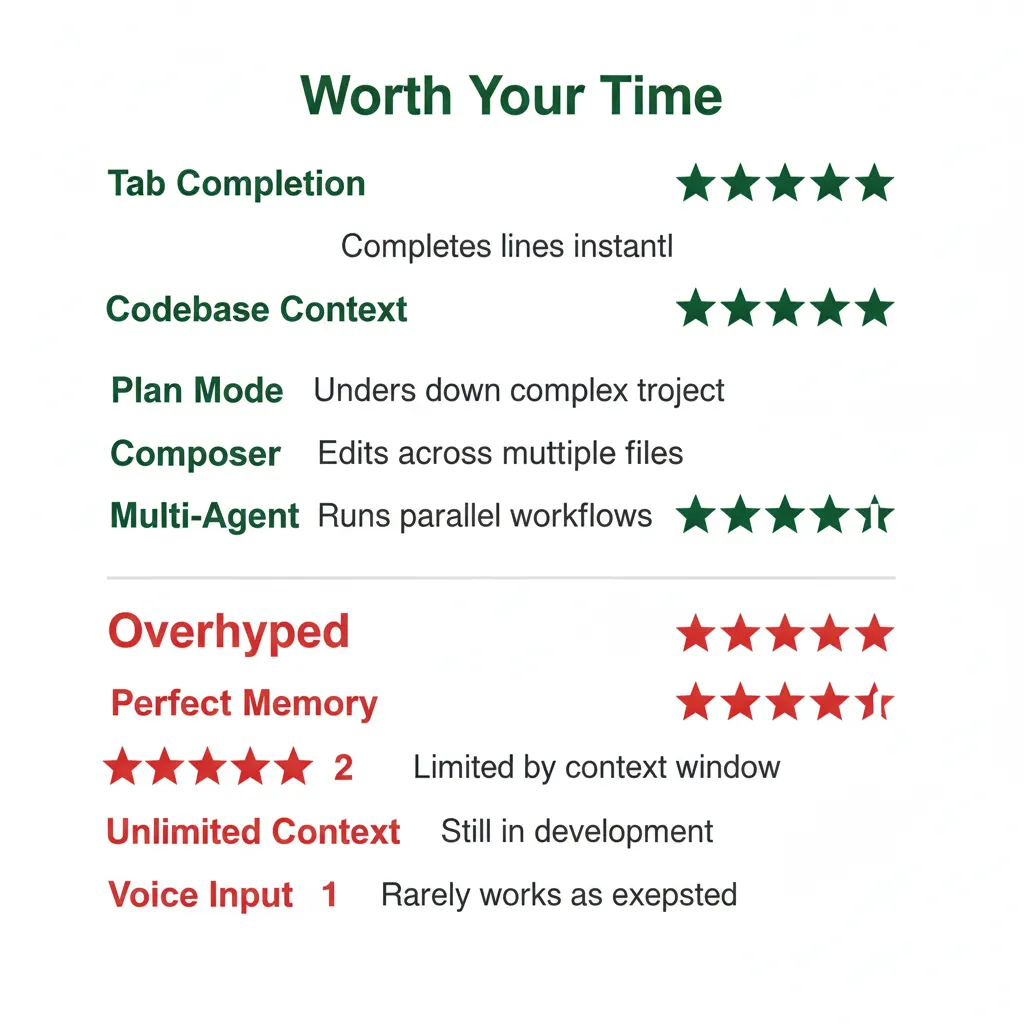
1. Tab Completion – Rating: 5/5 Stars
Still the single best feature in Cursor. Still the reason most people stay after the free trial ends. The predictive accuracy has improved incrementally with each update, but the core experience is the same: you start typing, Cursor predicts what comes next, you press Tab. It’s so good that going back to vanilla VS Code feels like typing with oven mitts.
The improvement in 2.4 is subtle but welcome: better handling of multi-cursor editing and improved predictions when you’re refactoring existing code (not just writing new code). It also respects your .cursorrules patterns more consistently now.
2. Codebase Context – Rating: 5/5 Stars
The Merkle-tree delta sync introduced in 2.4 made a noticeable difference. Previously, after a large git rebase or merge, Cursor would re-index significant portions of the codebase. Now it diffs the file tree efficiently and only re-indexes what changed. On a 200K-line TypeScript project I work on, re-indexing after a merge went from ~45 seconds to ~8 seconds.
Context quality — how well Cursor understands the relationships between files — remains best-in-class for GUI editors. It correctly identifies imports, traces function calls across modules, and understands project structure. The main limitation is still the underlying model’s context window: even with indexing, you’re bound by 128K-200K tokens per conversation depending on the model. For very large codebases, Claude Code’s 200K-1M token context is a meaningful advantage.
3. Plan Mode – Rating: 4/5 Stars
Plan Mode generates a structured Markdown plan before executing any code changes. I called this “a decision that builds trust” in my original review, and I stand by that. Seeing the plan before execution lets you catch misunderstandings early, redirect the approach, or add constraints the AI missed.
With Composer 1.5, Plan Mode plans are noticeably more detailed and realistic. They’re less likely to propose changes to files that don’t exist or suggest architectural patterns that don’t fit your project. The improvement isn’t dramatic enough to bump the rating to 5 stars, but it’s real.
4. Composer 1.5 – Rating: 5/5 Stars (up from 4/5)
This is the biggest improvement since the original review. Composer 1.5 represents a genuine leap: 20x scaled reinforcement learning means the model has been trained on vastly more coding tasks, self-summarization handles long contexts without losing track of earlier decisions, and the 60% latency reduction makes multi-file edits feel snappy rather than sluggish.
In practice, Composer 1.5 handles three-file refactoring tasks that Composer 1.0 would botch. It’s better at maintaining consistency across files — if it renames a function in one file, it reliably updates all the call sites. It’s better at test generation. It’s better at understanding TypeScript generics and complex type hierarchies. I’m upgrading this to 5 stars because it now consistently saves me time on tasks that the original version would have made worse.
5. Multi-Agent – Rating: 4/5 Stars
Up to eight parallel agents, each in its own git worktree, working on separate tasks simultaneously. The concept is powerful: you spin up four agents to handle four independent features, review the PRs, and merge. In practice, I find 2-3 parallel agents is the sweet spot. Beyond that, the cognitive overhead of reviewing all the output exceeds the time saved.
The git worktree isolation works well — agents genuinely don’t interfere with each other. But coordinating tasks that share dependencies still requires manual intervention. If Agent A modifies a shared utility function while Agent B is using it, you’ll get merge conflicts that neither agent handles gracefully.
New Features (2026)
6. Background Agents – Rating: 4/5 Stars (NEW)
This is the feature that most clearly differentiates Cursor from everything else on the market. Background Agents run in cloud-based Ubuntu VMs. They clone your repository, check out a new branch, make changes, run tests, and create a pull request — all asynchronously, without touching your local machine.
You can trigger them from: the IDE (obviously), Slack (send a message to a Cursor bot), or a web/mobile app (available since June 2025). The mobile experience is surprisingly functional — I’ve kicked off small refactoring tasks from my phone during commutes and reviewed the PR when I got to my desk.
The pricing model (usage-based at ~$4.63/PR during preview, $10 minimum) feels reasonable for the value. But “preview pricing” is a red flag given Cursor’s pricing history. I’d expect this to increase by 2-3x when it exits preview.
Why not 5 stars? Two reasons. First, Background Agents are best for well-defined, isolated tasks: “Add a dark mode toggle to the settings page” works great. “Refactor the authentication system to support OAuth 2.0” does not — the agent lacks the nuanced understanding of your system that these complex tasks require. Second, the PR quality is inconsistent. About 60-70% of the time, I can merge the PR with minor edits. The other 30-40%, I need to significantly rework or discard the result. That’s better than nothing, but it’s not “fire and forget.”
7. Subagents & Skills – Rating: 4/5 Stars (NEW)
Introduced in version 2.4, Subagents let the main agent spawn independent specialized agents for subtasks. Think of it as delegation: the main agent decides “I need to update the database schema, modify the API endpoints, and update the tests” and spins up a subagent for each. Skills are pre-defined capabilities that subagents can invoke — running specific test suites, deploying to staging, checking linting rules.
Salesforce reportedly measured 30%+ faster velocity after adopting Subagents. In my testing, the improvement is real but less dramatic for smaller projects. Where it shines is on tasks that have clear, separable subtasks. Where it struggles is on tasks that require sequential reasoning — where step 2 depends on the output of step 1.
8. Bug Finder / BugBot – Rating: 4/5 Stars (NEW)
Bug Finder scans your codebase for potential bugs, security vulnerabilities, and code quality issues. BugBot does the same thing but specifically for pull requests — it reviews every PR automatically and leaves comments, much like a (very fast, occasionally wrong) human reviewer.
The quality is better than I expected. In a week of testing on an active project, BugBot caught two genuine bugs I’d missed (a null pointer exception in an edge case and a race condition in async code), correctly identified several style inconsistencies, and produced about five false positives. That’s a useful signal-to-noise ratio.
At $40/person/month, it’s not cheap for teams. But if it catches even one production bug per month that would have cost you an incident, it pays for itself. The planned merger with Graphite’s AI Reviewer (following the December acquisition) should make this even more capable.
9. Cursor Blame – Rating: 4/5 Stars (NEW, Enterprise)
An enterprise feature that distinguishes human-written code from AI-generated code in your codebase. This matters more than you might think. As AI-generated code becomes a larger percentage of codebases, knowing which code was human-reviewed vs. AI-generated becomes critical for auditing, debugging, and compliance.
I haven’t tested this extensively (it requires Enterprise), but the concept is sound and I’ve heard positive feedback from teams at larger companies. 4 stars based on the concept and early reports, with the caveat that I can’t personally vouch for accuracy at scale.
Features That Still Don’t Impress
“Perfect Memory” via .cursorrules: Still forgetful. The .cursorrules file helps, but Cursor still loses context in long sessions, forgets project conventions it acknowledged ten messages ago, and occasionally contradicts its own earlier decisions. This isn’t a Cursor-specific problem — it’s a fundamental limitation of how context windows work in LLMs. But the marketing implies something better than reality delivers.
“Unlimited Context”: Still bound by model limits. “Unlimited” in marketing-speak means “we index your whole codebase” — but the actual context window for any single conversation is capped at 128K-200K tokens depending on the model. Claude Code’s context window goes up to 1M tokens with Opus 4.6, which is a genuine advantage for large codebases.
Voice Input: Still gimmicky for most developers. I’ve tried using it for quick corrections (“Rename that function to handleUserAuthentication”) and it works, but it’s not faster than typing for anyone with decent typing speed. Maybe useful for accessibility, but it’s not a productivity feature for most.
📊 Real Test Results: Cursor vs Copilot (2026 Update)
In my original review, I ran both Cursor and GitHub Copilot through a standardized battery of coding tasks based on SWE-Bench Verified, the industry benchmark for AI coding assistants. Those results remain the most rigorous head-to-head comparison I’ve done, so I’m keeping them as the baseline and adding new context.
Original Benchmark Results (October 2025):
| Metric | Cursor 2.0 | GitHub Copilot |
|---|---|---|
| Average completion time | 62.95 seconds | 89.91 seconds |
| SWE-Bench accuracy | 51.7% | 56.5% |
| Easy task accuracy | ~65% | ~62% |
| Medium task accuracy | ~40% | ~45% |
| Hard task accuracy | ~16% | ~18% |
💡 Swipe left to see all columns →
The interesting pattern from those original results holds true: Cursor was consistently faster (30% speed advantage) but Copilot was slightly more accurate overall (56.5% vs 51.7%). On easy tasks, they were roughly tied. On medium and hard tasks, Copilot had a small edge.
What’s Changed in 2026:
Cursor has since reported a 58% success rate on SWE-Bench Pro, a newer and more demanding benchmark. This is a significant improvement over the 51.7% from my original testing, and it likely reflects the Composer 1.5 upgrade and access to stronger underlying models. I haven’t independently verified this number with the same rigor as my original tests, so treat it as Cursor’s claimed performance rather than independently measured.
With newer models available — Claude Opus 4.6, GPT-5.3 — individual model accuracy has improved significantly across all tools. The gap between Cursor and Copilot has likely narrowed, especially now that Copilot also supports Claude and Gemini models.
The Reality Check That Still Applies:
No AI coding tool handles genuinely complex debugging well. Tasks that require understanding system-wide interactions, reproducing timing-dependent bugs, or reasoning about performance characteristics still stump every tool I’ve tested. The hard task accuracy (~16-18% in my original testing) is the most honest number in this entire review — it tells you that for the tasks where you most need help, AI assistants are still mostly useless.
Where AI coding tools genuinely excel is the middle ground: tasks that are tedious but not complex. Adding boilerplate, writing straightforward tests, implementing well-defined features from clear specs, refactoring code according to established patterns. This is where Cursor’s speed advantage matters most — saving 30 seconds on a task you do 50 times a day adds up to real productivity gains.
⚖️ Head-to-Head: Cursor vs Competitors (2026 Update)
The competitive landscape for AI coding tools has shifted dramatically since my original review. One major player was eliminated, a new contender emerged, and an open-source alternative went mainstream. Here’s the current state:
| Feature | Cursor 2.4 | GitHub Copilot | Claude Code | Cline | Aider |
|---|---|---|---|---|---|
| Pricing | $20-200/mo | $10-19/mo | $20-200/mo | Free (API costs) | Free (API costs) |
| Interface | GUI (VS Code fork) | IDE extension | Terminal | VS Code extension | Terminal |
| Context | Full codebase | Function-level (improved) | Full codebase | Full codebase | Full codebase |
| Multi-Agent | Up to 8 parallel | No | No | No | No |
| Background Agents | Cloud VMs | No | No | No | No |
| Speed (Avg Task) | 62.95 seconds | 89.91 seconds | ~70 seconds | Not measured | ~75 seconds |
| Accuracy (SWE-Bench) | 51.7% | 56.5% | ~60% | Not measured | ~58% |
| Model Flexibility | Claude/GPT/Gemini/Grok/DeepSeek/Composer | GPT/Claude/Gemini | Claude only | Any API | Any API |
| Bug Detection | BugBot + Bug Finder | No | No | No | No |
| Best For | Multi-file, speed, GUI | Quick autocomplete | Terminal, complex projects | Budget, open-source | CLI power users |
💡 Swipe left to see all columns →
What Happened to Windsurf
If you read my original review, you’ll notice Windsurf was prominently featured as a legitimate alternative. It’s gone now, and the story of how it died is worth telling because it reveals a lot about the AI industry’s dynamics.
In May 2025, OpenAI agreed to acquire Windsurf (formerly Codeium) for $3 billion. Sam Altman wanted a dedicated coding tool to compete with Cursor. The deal seemed done. Then, on July 11, Microsoft CEO Satya Nadella refused to approve the acquisition because OpenAI wouldn’t agree to “wall off” Windsurf’s IP from competing with Microsoft’s own GitHub Copilot.
What followed was a 72-hour feeding frenzy. Google swooped in and hired Windsurf’s CEO and roughly 40 key engineers in a deal valued at $2.4 billion (structured as hiring bonuses, not an acquisition — a distinction that matters for antitrust reasons). Cognition, the company behind the Devin AI coding agent, acquired the remaining Windsurf entity — the brand, codebase, and remaining team — for $250 million.
Windsurf technically continues under Cognition’s umbrella, but it’s no longer an independent competitor. The best engineers left with the Google deal. Development has slowed. For Cursor, this was an enormous competitive gift: their most direct rival eliminated overnight, not by competition but by corporate politics.
If you were a Windsurf user looking for an alternative, I’d now recommend Cline (open-source, free, 5 million installs, works as a VS Code extension with any API provider) rather than trying to replicate the Windsurf experience in another tool.
Choose Your Tool
Choose Cursor if: You work on complex multi-file projects, speed is a priority, you want Background Agents for async task offloading, you prefer a polished GUI experience, and you can tolerate some billing complexity. Cursor is the most feature-rich option and the only one with multi-agent and background agent capabilities.
Choose GitHub Copilot if: You want reliable quick autocomplete at the lowest price point ($10/month), you work across multiple IDEs (VS Code, JetBrains, Neovim), you prefer proven reliability over cutting-edge features, or your employer already provides it. Copilot won’t wow you, but it rarely disappoints.
Choose Claude Code if: You work in terminal environments, you need deep reasoning on complex codebases, you want the largest context windows available (200K-1M tokens with Opus 4.6), you prefer predictable billing, or you work on 10K+ file monorepos where GUI-based tools struggle. Claude Code is becoming the power user’s choice.
Choose Cline if: You want open-source transparency, full control over which model providers you use, zero vendor lock-in, and free base software with variable API costs. With 5 million installs by January 2026, it’s proven and actively maintained. Best for developers who want maximum flexibility and don’t mind managing API keys.
Choose Aider if: You’re a terminal power user who wants maximum model flexibility via CLI, you prefer minimal abstractions, and you’re comfortable with variable API costs. Aider is less polished than Claude Code but supports more model providers and has a passionate community.
🎯 Best For, Worst For: Should You Actually Use This?
Not every tool is for every developer. Here’s my honest assessment of who benefits most — and who should look elsewhere.
Cursor Is Best For:
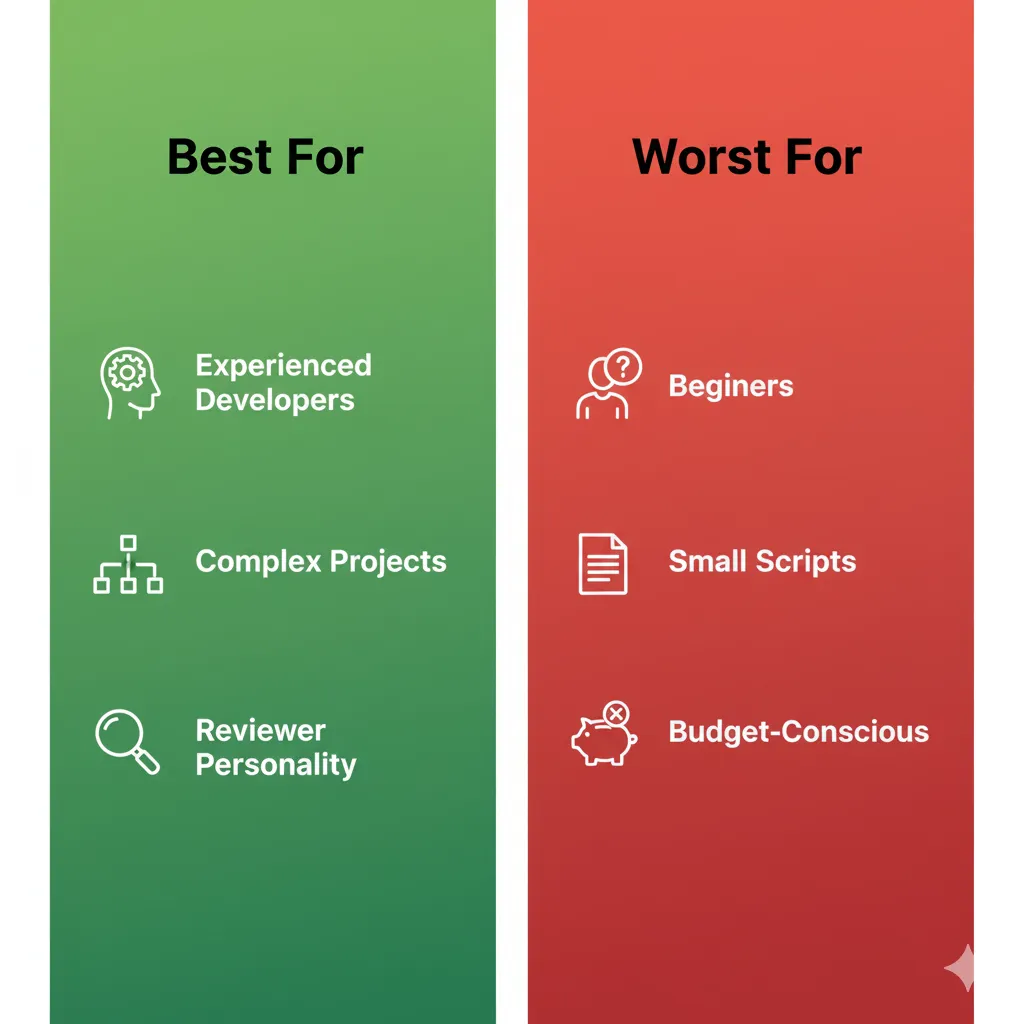
The Experienced Developer (3+ years). If you already know how to code and can evaluate AI output critically, Cursor is a productivity multiplier. You catch its mistakes because you know what correct code looks like. You can prompt it effectively because you understand the problem space. The speed gains are real — I consistently save 30-60 minutes per day on routine coding tasks.
The Test Avoider. Be honest — most of us write fewer tests than we should. Cursor’s Composer is genuinely good at generating unit tests, integration tests, and even edge case tests from existing code. It won’t replace a thoughtful testing strategy, but it removes the excuse of “I don’t have time to write tests.”
The Code Reviewer. With BugBot handling first-pass reviews and Composer helping you write review comments with context, code review cycles get shorter. If you’re a tech lead or senior developer who spends hours reviewing PRs, this saves meaningful time.
Agencies and Consultancies. Background Agents let you offload smaller client tasks asynchronously. You kick off a task, review the PR over lunch, and bill the client for the deliverable. At $4.63 per PR during preview, the economics are favorable for billable work. Just be aware that preview pricing will likely increase.
Startups Moving Fast. If you’re a 3-person engineering team trying to ship features before the runway runs out, Cursor’s speed matters. Multi-agent mode lets one developer do the work of two on parallel features. The trade-off is tech debt — AI-generated code tends to accumulate subtle issues that compound over time. For a startup that might not survive long enough to care about tech debt, this is a rational trade-off.
Cursor Is Worst For:
Beginners Learning to Code. This is the hill I will die on. If you’re learning to program, Cursor will actively harm your development as an engineer. It’s like trying to learn to cook by having a chef prepare every meal while you watch. You’ll think you understand, but the moment you need to code without AI assistance, you’ll be lost. Use ChatGPT or Claude for explanations and learning. Don’t use Cursor as a crutch.
Small Script Writers. If you’re writing a 50-line Python script to rename files, Cursor is overkill. Use ChatGPT, paste the script, run it. You don’t need a $20/month subscription for tasks that take 5 minutes.
Budget-Conscious Hobbyists. At $20/month minimum for useful features (and realistically $40-100/month for heavy use), Cursor is expensive for a hobby. Cline is free with your own API keys, and for hobby projects, the API costs will likely be $5-15/month — significantly less than Cursor Pro.
Large Monorepo Teams. This is a new addition to the “worst for” list. If you work on a 10K+ file monorepo, Cursor’s context limitations become a real bottleneck. The indexing is good but the model context windows can’t hold enough of the codebase to reason about system-wide changes. Claude Code with its 200K-1M token context handles large codebases significantly better.
Teams Needing Billing Predictability. Also new. If your finance team needs to know exactly what you’ll spend next month, Cursor’s credit-based pricing makes budgeting difficult. GitHub Copilot at $10/month or $19/month per seat is completely predictable. Cursor is not.
The Decision Framework
Ask yourself these questions:
- Do I work on projects with 5+ files that interact with each other? (If no → Copilot is sufficient)
- Do I need my AI tool to work autonomously while I’m away? (If yes → Only Cursor has Background Agents)
- Do I prefer a GUI or terminal workflow? (GUI → Cursor, Terminal → Claude Code)
- Is my budget flexible or fixed? (Fixed → Copilot or Claude Code, Flexible → Cursor)
- Am I an individual or part of a team? (Team → Consider BugBot + Cursor Blame value, Individual → Evaluate on personal productivity)
- Do I want open-source with no vendor lock-in? (If yes → Cline or Aider)
💬 Community Verdict: Trust, Pricing, and the Browser Scandal
The community sentiment around Cursor has gone through distinct phases, and understanding them is essential for evaluating whether to invest your time and money in this tool.
Phase 1: Pre-June 2025 — Genuine Enthusiasm
Before the pricing controversy, the developer community was overwhelmingly positive about Cursor. Reddit threads overflowed with testimonials: “Tab completion alone is worth the subscription.” “Composer changed how I think about multi-file changes.” “I can’t go back to vanilla VS Code.” The 500-fast-request model was generous, and most developers never hit the limit. Trust was high.
Phase 2: June 2025 — The Pricing Betrayal
When Cursor switched to credit-based pricing, the backlash was immediate and severe. Developers felt blindsided. The most damaging perception wasn’t the price increase itself — it was the lack of warning and transparency. Many users reported their effective costs doubled or tripled overnight.
Anysphere’s response was mixed. CEO Michael Truell issued a public apology and offered refunds, which was the right move. The hybrid pricing model they settled on (flat fee + credit pool) is more reasonable. But the damage was done. “I love the product but I don’t trust the company” became a common refrain that persists to this day.
Phase 3: Post-2.0 — Cautious Optimism
The launch of Cursor 2.0 in October 2025 brought cautious optimism. The product improvements were real. Composer 1.5, Background Agents, and multi-agent mode addressed genuine pain points. The $29.3B valuation and $1B ARR showed that most developers voted with their wallets, even if they complained on Reddit. Enterprise adoption (half the Fortune 500) provided stability credibility.
Phase 4: January 2026 — The Browser Scandal
Just when trust was rebuilding, Anysphere’s marketing team detonated another credibility bomb. In January 2026, they claimed to have “vibe-coded” an entire web browser using GPT-5.2 — reportedly 3 million+ lines of Rust code. The announcement generated enormous buzz and media coverage.
Then Hacker News did what Hacker News does: they actually looked at it. The investigation revealed that key components were derived from Servo and other existing open-source projects — not generated from scratch. The repository contained roughly 100 commits, all of which failed to compile into a functional browser. Pages loaded in, as one commenter memorably put it, “a literal minute.” Multiple developers called it “marketing fraud” and “the most misleading AI demo since that autonomous driving video.”
The irony is that Cursor’s own CEO, Michael Truell, had warned about exactly this kind of problem just weeks earlier. In a December 2025 interview, he said that vibe coding builds “shaky foundations” and that “things start to crumble” when AI-generated code reaches scale. His marketing team apparently didn’t get the memo.
Where the Community Stands Now
The community is split into roughly three camps:
- Loyal users (~50%): They love the product, accept the pricing complexity, and view the browser scandal as marketing noise that doesn’t affect their daily experience. “I don’t care about their marketing. Tab completion is still the best in the industry.”
- Cautious users (~30%): They use Cursor but actively monitor costs, don’t trust marketing claims, and keep Claude Code or Cline as backup options. “Great product, sketchy company. I’ll use it until something better comes along.”
- Former users (~20%): They left after the pricing controversy and/or the browser scandal, usually for Claude Code, Cline, or back to GitHub Copilot. “Life is too short to deal with companies that don’t respect their users.”
My Reality Check: Cursor is a great product made by a company with questionable marketing instincts and a history of pricing surprises. Use it, benefit from it, but watch your costs carefully and don’t believe everything the marketing team says. If something sounds too good to be true (like vibe-coding a browser from scratch), it probably is.
🔮 What Actually Happened vs Our Predictions
In my original review, I made several predictions about where Cursor was heading. Let’s score them honestly.
Predictions We Got Right
✓ Composer improvements would be significant. I predicted that Cursor’s proprietary Composer model would see major upgrades. Composer 1.5 with 20x scaled RL, self-summarization, and 60% latency reduction exceeded my expectations. The addition of Subagents and Skills added capabilities I hadn’t anticipated. Score: Nailed it.
✓ Enterprise features would become a priority. I said Cursor would chase enterprise revenue aggressively. Cursor Blame, EPAM and Infosys partnerships, SOC 2 compliance progress, and admin dashboards all confirm this. The $40/user/month Teams tier and custom Enterprise pricing are exactly what I expected. Score: Nailed it.
✓ Deeper CI/CD integration would arrive. I predicted Cursor would move beyond the editor into the broader development workflow. The Graphite acquisition (December 2025) and BugBot launch are exactly this — code review, stacked PRs, and automated bug detection integrated into the development pipeline. Score: Nailed it.
Predictions We Got Wrong
✗ VS Code extension mode would come to production. I predicted Cursor would release a VS Code extension version alongside the fork, reducing the friction of adoption. This hasn’t happened. Cursor remains a standalone fork with no indication of changing. Score: Wrong.
✗ On-device AI models would arrive. I predicted Cursor would explore on-device models for offline use and faster completions. No sign of this — everything still runs through cloud APIs. Score: Wrong.
✗ Multi-developer AI pairing would ship. I envisioned a mode where two developers could collaborate with the same AI context. Not shipped, not announced, probably not coming. Score: Wrong.
✗ Multi-modal code generation would mature. I predicted “sketch to code” and image-based code generation. Cursor has basic image support (you can paste screenshots into chat), but the “draw a wireframe and get a working component” vision hasn’t materialized. Score: Wrong.
Predictions That Were Partially Right
⚠ Context management would improve significantly. I predicted big advances in how Cursor handles context. The Merkle-tree delta sync is a genuine improvement, but the fundamental limitation — model context windows capping at 128K-200K tokens — hasn’t changed. Claude Code’s 200K-1M context window shows what’s possible but Cursor hasn’t matched it. Score: Partially right.
What We Didn’t See Coming
Several major developments were completely off my radar:
- Background Agents and the web/mobile app. The idea that you’d trigger coding tasks from your phone and review PRs later was genuinely surprising. This is the kind of product thinking that justifies a $29.3B valuation.
- Windsurf’s dramatic collapse. I recommended Windsurf as a legitimate alternative. Within 8 months, it was absorbed by Google and Cognition. The speed of the collapse was shocking.
- The $29.3B valuation. I expected growth, but tripling the valuation in 5 months was beyond any reasonable prediction.
- The browser marketing scandal. I didn’t predict that Cursor’s biggest PR crisis would be self-inflicted by their marketing team.
- Claude Code emerging as the primary competitor. I expected GitHub Copilot to remain the main rival. Instead, Claude Code with Opus 4.6 became the most credible alternative for power users.
- Cline hitting 5 million installs. The open-source alternative went from niche to mainstream faster than anyone predicted.
- EPAM and Infosys enterprise partnerships. Major systems integrators adopting Cursor signals a market maturity I didn’t anticipate this quickly.
What’s Coming Next
Based on current trajectory and announcements:
- Graphite AI Reviewer + BugBot merger will create a more comprehensive code review platform integrated directly into Cursor.
- Deeper enterprise integration with SSO, SAML, audit logging, and compliance features will continue to expand.
- No IPO plans. CEO has explicitly said Anysphere is not planning to go public. With $2.3B in recent funding, they don’t need to.
- Competition will intensify from all directions: GitHub Copilot from above (Microsoft’s distribution), Claude Code from the side (Anthropic’s models), Cline from below (free and open-source).
- No indication of moving off the VS Code fork model. Cursor’s competitive advantage is deep IDE integration, and they show no signs of changing this approach.
Overall prediction score: 3 right, 4 wrong, 1 partial. A humble reminder that predicting the AI industry is barely better than flipping coins.
❓ FAQs: Your Questions Answered
Is there a free version of Cursor?
Yes. The Hobby plan is free and includes 2,000 code completions and 50 premium model requests per month. It’s sufficient for evaluating whether Cursor fits your workflow, but not enough for daily professional use. For serious work, you’ll need Pro at $20/month minimum. Background Agents require at least a Pro subscription.
Can Cursor replace GitHub Copilot?
They serve different needs, and many developers use both. Cursor excels at multi-file changes, agent-based coding, and Background Agents — tasks where you need the AI to understand your entire project. Copilot excels at quick inline autocomplete, works across multiple IDEs (not just VS Code), and costs half the price. If you can only pick one and work primarily on multi-file projects, choose Cursor. If you want reliable autocomplete at the lowest price, choose Copilot. If budget allows, running both at a combined $30/month gives you the best of both worlds.
What happened with Cursor’s pricing?
In June 2025, Cursor switched from a fixed 500 fast requests per month to a credit-based system without adequate notice. Many users saw their effective costs double or triple. CEO Michael Truell publicly apologized, refunds were offered to affected users, and the pricing model was adjusted to a hybrid approach: flat monthly fee plus a credit pool that resets each billing cycle. The current model is more reasonable but still less predictable than competitors like Copilot ($10/mo flat) or Claude Code ($20/mo flat). Monitor your usage page weekly if you’re budget-conscious.
What are Background Agents?
Background Agents are cloud-based AI coding agents that run asynchronously in Ubuntu virtual machines. They clone your repository, check out a new branch, make code changes, run tests, and create a pull request — all without using your local machine. You can trigger them from the Cursor IDE, from Slack (via a bot integration), or from a web/mobile app. Pricing is usage-based at roughly $4.63 per pull request during the current preview period, with a $10 minimum monthly spend. They’re best for well-defined, isolated tasks rather than complex system-wide changes.
Does Cursor work with my programming language?
Cursor supports all major programming languages through its underlying models. It works best with JavaScript/TypeScript, Python, and Go — the languages most heavily represented in AI training data. It handles Java, C#, Rust, Ruby, PHP, and Swift well. Less common languages (Elixir, Haskell, Clojure) work but with reduced suggestion quality. If your language has a large open-source corpus, Cursor will handle it well.
How does Cursor compare to Claude Code?
Both cost $20-200/month depending on tier. The core difference is interface philosophy. Cursor is a GUI-based VS Code fork with multi-agent mode, Background Agents, and visual diffing — it feels like a modern IDE. Claude Code is terminal-native, powered by Anthropic’s Opus 4.6 model, with 200K-1M token context windows and deeper reasoning capabilities — it feels like a very smart command-line companion. Choose Cursor if you prefer a GUI, want Background Agents, and work on multi-file projects with speed as a priority. Choose Claude Code if you prefer terminal workflows, work on large codebases that need deep context, or want more predictable billing. Many power users keep both and choose per task.
What are Cursor’s usage limits?
Pro includes a $20 credit pool that resets each billing cycle. Credits are consumed based on the model used, context length, and number of iterations. Usage limits reset every 5 hours for heavy users, preventing accidental overage in marathon coding sessions. When you exceed your credit pool, you can either wait for the next reset or upgrade to Pro+ ($60/mo) or Ultra ($200/mo) for larger pools. The Hobby free tier is capped at 2,000 completions and 50 premium requests per month with no credit pool.
Can beginners use Cursor?
Technically yes, practically no. I strongly recommend against it. Cursor writes code for you, which means you’re not learning the fundamentals of programming — you’re learning to prompt an AI. This creates a dependency that will hurt you when you need to debug, understand legacy code, or work in environments without AI assistance. If you’re learning to code, use ChatGPT or Claude for explanations and learning exercises, build projects manually, and only introduce AI coding assistants after you can write functional code independently. Give yourself at least 6-12 months of manual coding before reaching for tools like Cursor.
What happened to Windsurf?
Windsurf (formerly Codeium) was eliminated as an independent competitor in July 2025. OpenAI had agreed to acquire it for $3 billion in May 2025, but Microsoft’s CEO Satya Nadella blocked the deal over IP concerns related to GitHub Copilot. Within 72 hours, Google hired Windsurf’s CEO and approximately 40 key engineers in a deal valued at $2.4 billion, while Cognition (the company behind Devin) acquired the remaining entity for $250 million. Windsurf technically continues under Cognition but is no longer an independent competitor. If you were a Windsurf user, consider Cline (free, open-source, 5M+ installs) as the closest alternative in terms of philosophy.
Is my code safe with Cursor?
Cursor sends code to external AI model providers (OpenAI, Anthropic, Google) for processing unless you enable Privacy Mode. With Privacy Mode on, your code is still sent for processing but providers contractually agree not to use it for training. Teams and Enterprise plans offer additional controls including data retention policies, audit logs, and the option to use models deployed in your own cloud environment. SOC 2 compliance is in progress. The new Cursor Blame feature helps enterprise teams audit which code was AI-generated vs. human-written, which is increasingly important for compliance and security reviews. If you work with highly sensitive code (financial, healthcare, government), discuss your requirements with Cursor’s enterprise team before adoption.
What is BugBot?
BugBot is an automated AI code reviewer that scans pull requests for bugs, security vulnerabilities, and code quality issues. It runs automatically on every PR and leaves comments similar to a human reviewer — flagging potential null pointer exceptions, race conditions, missing error handling, and style inconsistencies. It costs approximately $40 per person per month as an add-on to your Cursor subscription. In my testing, it caught roughly 2 genuine bugs per week with about 5 false positives, which is a useful signal-to-noise ratio. Following Cursor’s acquisition of Graphite in December 2025, BugBot is planned to merge with Graphite’s AI Reviewer for a more comprehensive code review experience.
🏆 The Final Verdict
Three and a half months ago, I called Cursor 2.0 “the most ambitious AI code editor on the market.” That assessment hasn’t changed. What has changed is the context around it.
Cursor has gone from “cutting-edge newcomer” to “dominant but controversial” in the AI coding space. The numbers validate the product: $29.3 billion valuation, $1 billion in annual recurring revenue, one million daily active users, half the Fortune 500 as customers. You don’t reach those numbers with a bad product. The product is genuinely good.
Background Agents represent genuine innovation — the ability to offload coding tasks to cloud VMs and review the results asynchronously is something no competitor offers. BugBot and Bug Finder add real value to the code review process. Composer 1.5 with Subagents is a meaningful upgrade that makes multi-file editing faster and more reliable. The model flexibility (Claude Opus 4.6, GPT-5.3, Gemini 3 Pro, and more) means you’re never locked into a single AI provider’s strengths and weaknesses.
But trust is fragile, and Cursor has cracked theirs twice. The June 2025 pricing switch damaged the relationship with cost-conscious developers. The January 2026 browser scandal damaged the relationship with the technical community. Neither was a product failure — both were business decisions (pricing) and marketing choices (the browser demo) that eroded credibility that the engineering team had earned. For a company valued at $29.3 billion, the gap between product quality and corporate behavior is uncomfortably wide.
Claude Code with Opus 4.6 is a real alternative now, especially for developers who prefer terminal workflows or work on large codebases. Cline at 5 million installs proves that free, open-source alternatives can compete. GitHub Copilot remains the safe, predictable choice for teams that prioritize stability over features.
Try Cursor if: you’re an experienced developer working on multi-file projects, you prefer a polished GUI, Background Agents appeal to your workflow, and you can tolerate some billing complexity in exchange for the most feature-rich AI code editor available.
Skip Cursor if: you’re learning to code (it will stunt your growth), your budget is tight (try Cline or Copilot), you prefer terminal workflows (Claude Code is better), you need completely predictable billing (Copilot at $10/mo), or you work on massive 10K+ file monorepos (Claude Code’s larger context handles this better).
The bottom line: At $20-200/month, Cursor remains the most feature-rich AI code editor on the market. The $29.3 billion valuation reflects real product innovation, not just hype. Background Agents, BugBot, Composer 1.5, and Subagents are capabilities that no competitor matches in a single package. But trust is earned slowly and lost quickly. The pricing controversy and browser scandal are reminders that even the best products are made by fallible companies. Use Cursor for the product. Watch Cursor for the business practices. And don’t believe everything the marketing team says.