
📅 Post Updated: February 14, 2026
Major refresh: All 6 editors updated with Feb 2026 pricing and features. Added new AI Video Generators section (Sora 2, Kling 3.0, Veo 3.1, Pika, HeyGen, VEED.io). Adobe Premiere Pro rebranded to “Adobe Premiere.” DaVinci Resolve 20.3.2 adds 5 new AI tools. Original review published August 2025.
The Creator’s Edge: Why AI is Redefining Video in 2026
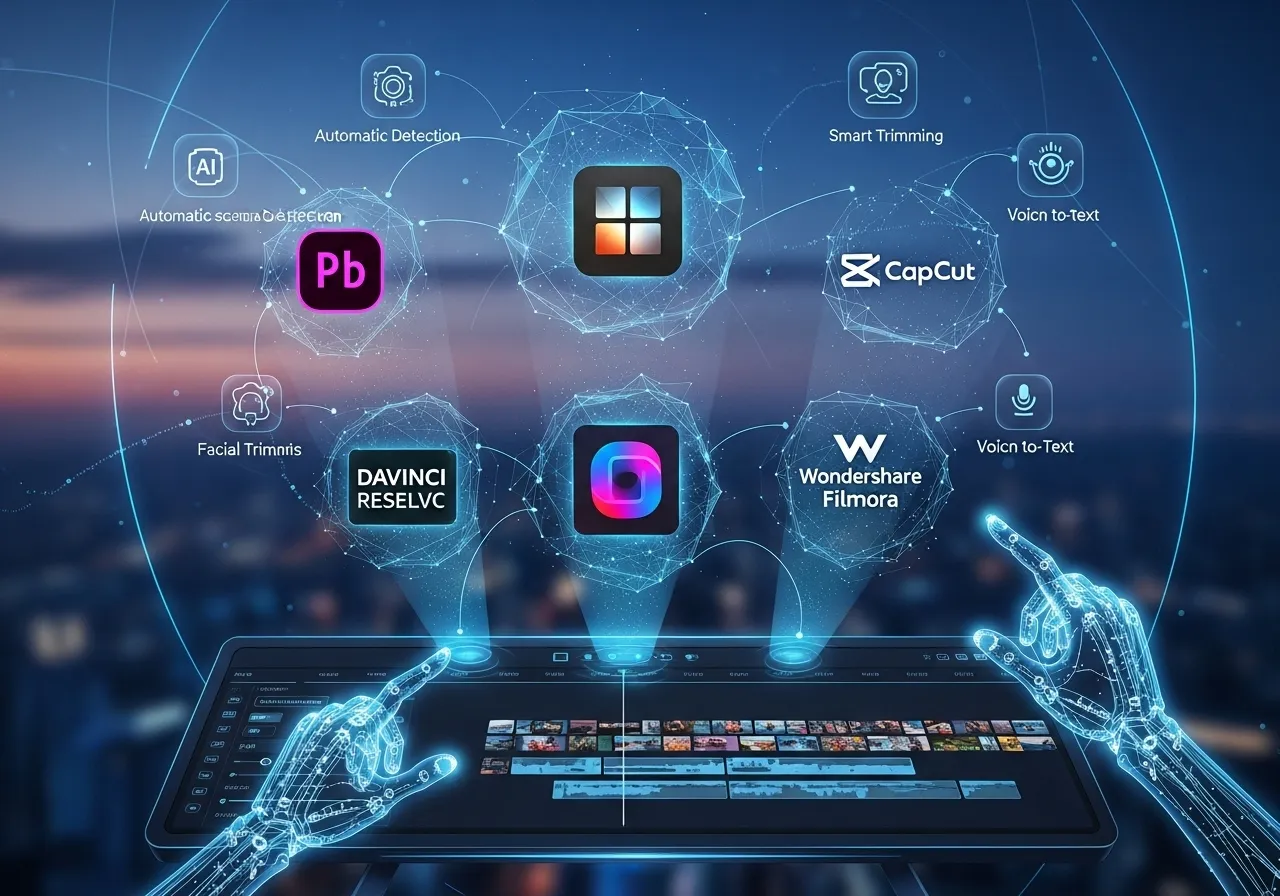
AI video editing tools have revolutionized the creative landscape, fundamentally transforming how content creators approach video production. In 2026, the market has split into two distinct but overlapping categories: traditional editors with AI features (Adobe Premiere, DaVinci Resolve, Descript, CapCut) and AI-native video generators (Sora 2, Runway Gen-4.5, Kling 3.0, Veo 3.1). Understanding both is now essential for any serious creator.
The convergence is accelerating. Adobe’s January 2026 update added one-click AI Object Masks that track subjects through entire scenes. DaVinci Resolve 20 introduced AI IntelliScript, which builds timelines from a written script. Meanwhile, Sora 2 can generate photorealistic 20-second clips from a text prompt for $20/month. The gap between “editing existing footage” and “generating new footage” is closing fast.
This guide covers both categories. We test and rank 12 tools across traditional editors and AI generators, with real pricing, honest limitations, and specific recommendations for every type of creator — from the TikTok native to the documentary filmmaker.
The AI Video Editing Tools: A Deep Dive into the Top Platforms
A closer examination of the leading platforms reveals a spectrum of strategic approaches, each targeting a different creator archetype. The following analysis provides a detailed look at their core features, pricing models, and how their distinct value propositions are shaping the industry.
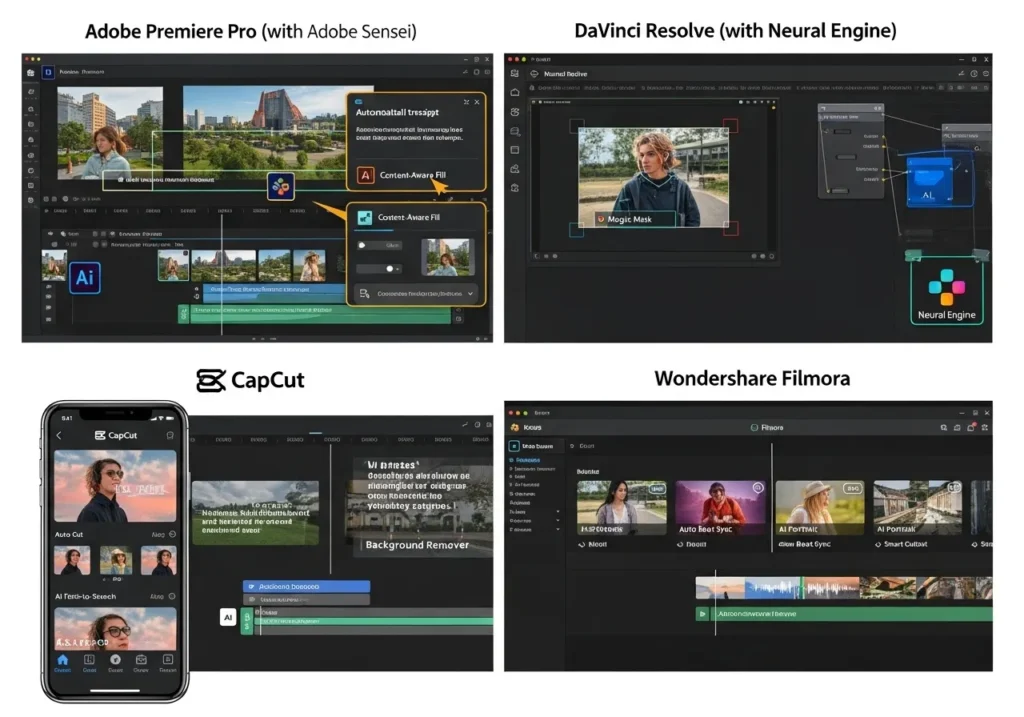
Adobe Premiere (formerly Premiere Pro) — with Adobe Sensei
🚨 January 2026 Update
Adobe dropped “Pro” from the name — it’s now simply “Adobe Premiere” (v26.0). The “Pro” branding now refers to Adobe’s higher subscription tier across all Creative Cloud apps. Major new AI features include one-click Object Mask tracking, Generative Extend in 4K, and auto-translate captions in 27 languages. Source: Adobe Blog
Adobe’s approach to AI is one of deep integration rather than flashy, standalone features. Through its machine learning platform, Adobe Sensei, the company has embedded powerful tools directly into its flagship video editor. Key AI-powered functionalities include:
- AI Object Mask (NEW): Hover over any subject, click once, and Premiere builds a mask that automatically tracks through the entire scene. Shape masks now track up to 20x faster than previous versions.
- Generative Extend (now in 4K): Intelligently fills gaps in a video clip to match the original scene’s lighting and motion — now at full 4K resolution powered by Firefly.
- Auto-Translate Captions: Automatically translates captions into 27 languages, a massive time-saver for global creators.
- Media Intelligence: AI-powered search across visuals, transcripts, and metadata to find the exact clip you need instantly.
- Audio Remix: Automatically edits background music to fit the exact length of your timeline.
- Auto Reframe: Intelligently adjusts aspect ratios for TikTok, Instagram, or YouTube Shorts without losing the main subject.
- Rotobrush 2: AI-powered rotoscoping in After Effects that simplifies masking subjects from backgrounds.
Adobe’s strategic value lies in its ecosystem integration. A professional can use Firefly to generate new B-roll clips, import them into Premiere, use Generative Extend to perfect a transition, and then use After Effects for AI-powered rotoscoping — all within a unified suite. The new Adobe Stock integration adds 52 million+ clips (including ~100K free) directly within the editor.
Pricing: The standalone Premiere plan costs $22.99/month. The full Creative Cloud suite (20+ apps including Photoshop and After Effects) is $69.99/month. Available on Windows and macOS.
- Pros: Deep AI integration that enhances professional workflows; unbeatable ecosystem with other Adobe apps; the gold standard for high-end production; new Object Mask is genuinely impressive.
- Cons: High barrier to entry for beginners; subscription pricing adds up; the rebrand from “Premiere Pro” may cause confusion; AI features augment an already complex tool rather than simplifying it.
The Creator’s Verdict: User Sentiment
User feedback on Premiere remains polarized. New users on Reddit voice frustration with the learning curve, choppy playback, and stability issues. Experienced users defend it, arguing most problems stem from underpowered hardware or a lack of editing fundamentals. The January 2026 AI Object Mask feature has been well received by professionals. For career-minded editors, Premiere’s industry-standard status and seamless integration with After Effects and Audition remain its biggest draws — many jobs still require Adobe Suite knowledge.
DaVinci Resolve (with Neural Engine)
🔥 February 2026 Update
DaVinci Resolve 20.3.2 (February 11, 2026) brings 100+ new features including AI IntelliScript (builds timelines from text scripts), AI Animated Subtitles, AI Multicam SmartSwitch (auto-assembly via speaker detection), and an AI Audio Assistant. Still $295 one-time with free lifetime updates. Source: Blackmagic Design
Blackmagic Design’s DaVinci Resolve has long been respected for its color grading capabilities, but version 20 has transformed it into the most feature-rich AI-assisted editing suite on the market. The Neural Engine now powers an extraordinary array of professional-grade features:
- AI IntelliScript (NEW): Feed Resolve a written script, and it creates a timeline automatically — matching your words to the corresponding footage. Think of it as “text-based editing” but for narrative filmmakers.
- AI Animated Subtitles (NEW): Generates subtitles that animate in sync with spoken words — karaoke-style, but professional.
- AI Multicam SmartSwitch (NEW): Automatically assembles multi-camera timelines based on speaker detection. Point multiple cameras at a roundtable discussion, and Resolve cuts between them intelligently.
- AI Audio Assistant (NEW): Analyzes and auto-mixes your audio to professional broadcast standards with one click.
- AI Set Extender: Generates new backgrounds from text prompts to fill frames or replace limited angles.
- Magic Mask: One-click isolation and tracking of objects or people for targeted color correction.
- Super Scale: Upscales HD footage to pristine 4K or 8K using Neural Engine.
- Speed Warp: Creates crystal-clear slow-motion by generating new frames between existing ones.
Pricing: The free version is fully professional — supports up to UHD 60fps and includes editing, color grading (Fusion), VFX, and audio (Fairlight). Advanced AI features require DaVinci Resolve Studio at $295 one-time with free lifetime updates. Also available on iPad ($94.99 one-time). Runs on Windows, macOS, and Linux. Neural Engine now fully supports Apple M-series and Snapdragon X Elite chips.
- Pros: The one-time $295 purchase is an unbeatable long-term value; the free version is a full professional suite; industry standard for color grading; five new AI tools in 2026 alone.
- Cons: Steep learning curve for beginners; advanced AI features locked behind the paid Studio version; less integrated with other creative apps than Adobe.
The Creator’s Verdict: User Sentiment
DaVinci Resolve is overwhelmingly praised, especially for its powerful free version and one-time purchase model. Creators who switched from Premiere say they “haven’t looked back.” Users describe it as a “magnificent” and “top shelf free piece of software” that serves as a “one stop shop” for editing, graphics, audio, and color grading. The version 20 AI features have only strengthened this sentiment — AI IntelliScript and SmartSwitch are being called “game changers for documentary workflows.” The biggest downside remains the initial learning curve, with some finding it less intuitive for simple edits.
Descript
🔄 February 2026 Update
Descript’s Underlord AI assistant now runs on Gemini 3. New features include UK English transcription, improved lip sync for translated videos, and mobile review/share. Note: YouTube import was removed due to unreliable success rates. Source: Descript Changelog
Descript has a completely different value proposition: it’s an AI-first editor that reinvents the fundamental workflow of content creation. You edit video by editing a text transcript — like working in Google Docs, but every word maps to a frame in your timeline. Delete a sentence in the transcript, and the corresponding video disappears. Rearrange paragraphs, and your video recuts itself.
Its AI capabilities are designed to streamline spoken-word content — podcasts, interviews, tutorials, and webinars. The Filler Word Removal tool automatically strips “uh,” “um,” and “like” from both the transcript and video. Studio Sound uses AI to transform noisy audio into studio quality. Overdub generates a voice clone to insert missing words without re-recording. The Underlord AI assistant (now powered by Gemini 3) can summarize your content, suggest cuts, and generate social clips automatically.
Pricing: Free plan with basic features and 1 hour of transcription. Paid plans: Hobbyist $12/mo (10 hours, 1080p), Creator $24/mo (expanded AI features), Business $50-55/mo/user (40 hours transcription, priority support). Available on Windows and macOS.
- Pros: Redefines editing for spoken-word content; unparalleled ease of use; powerful collaboration features; Gemini 3-powered AI assistant is genuinely useful.
- Cons: Can struggle with large files or multi-speaker videos; not ideal for cinematic projects; YouTube import was removed; the unique workflow isn’t for everyone.
The Creator’s Verdict: User Sentiment
Descript remains the top Reddit recommendation for podcast and interview editing. Users describe the text-based editing as a “game changer” that saves hours of work. The Filler Word Removal and social clip generation are consistently praised. However, it’s still seen as a “rough draft” tool by many — users often export to DaVinci Resolve or Premiere for final polish. Complaints focus on laggy playback with large files, occasional transcription errors, and the “hit or miss” Studio Sound feature. The removal of YouTube import has frustrated some users who relied on that workflow.
CapCut
🤖 February 2026 Update
CapCut added an AI Video Agent that takes a script and style input and handles editing, visuals, and pacing automatically. Also new: 100+ AI avatars with custom cloning, AI Background Remover, and cloud collaboration. Source: CapCut
CapCut is the king of accessibility and the de facto standard for social media creators. Its strength lies in a drag-and-drop interface that makes it easy for beginners to create trend-based content quickly. The AI features are tailored for the social media-native creator:
- AI Video Agent (NEW): Enter a script and a style direction, and the AI handles editing, visuals, and pacing automatically. It’s like having a junior editor inside the app.
- AI Avatars (NEW): Choose from 100+ digital avatars, or clone yourself from a short video upload. The AI extracts your visual traits and voice to replicate across scenes.
- AI Background Remover (NEW): One-click green-screen effect without a green screen.
- Text-to-Speech: Generates voiceovers from typed scripts in multiple voices.
- Long Video to Shorts: AI identifies key moments in long-form content and suggests clips for TikTok and Reels.
- Auto-captioning: A must-have for content designed for silent scrolling.
Pricing: The free version is robust and includes auto captions, text-to-speech, AI avatars, and script-to-video. Pro (Mobile only): $5.99/month. Pro (All platforms): $19.99/month. Available on web, Windows, macOS, and mobile.
- Pros: An excellent and powerful free plan; native mobile-first experience; the AI Video Agent is genuinely impressive for quick content; ideal for fast-paced social media.
- Cons: Limited control for high-end professional workflows; free version now restricts some features behind Pro; pricing varies by platform (mobile vs desktop); some AI outputs downscale quality.
The Creator’s Verdict: User Sentiment
Reddit consensus: CapCut is the undisputed leader for budget-conscious creators. The free tier with no watermark and exports up to 8K is called an “unbeatable value proposition.” The AI Video Agent has been well-received for quick social content. However, user frustration continues over features being moved from free to Pro, with some calling the company “money hungry.” Users who tried the AI editing for complex projects reported mixed results — great for simple social clips, but it can downscale 4K footage and produce artifacts on more demanding projects.
Runway
🏆 December 2025 / January 2026 Update
Runway launched Gen-4.5 (December 2025), which holds the #1 position on the Artificial Analysis Text-to-Video benchmark with 1,247 Elo points — beating Google, OpenAI, and all competitors. Image-to-Video mode added January 2026. Source: Runway Research
Runway is a pioneer in the generative AI space, standing apart from traditional editors. Its primary function is to generate new video assets from text prompts, images, or existing video — making it a complementary tool in any creator’s stack rather than a replacement for a timeline editor.
Gen-4.5 represents a massive leap. The model produces markedly improved physical accuracy, stronger prompt adherence, and higher visual fidelity than any previous version. The new Image-to-Video mode lets you supply a first-frame image alongside your text prompt for precise creative control. Think of it as “start with this exact frame, and animate it according to these instructions.”
Pricing (credit-based):
- Free: 125 credits (one-time)
- Standard: $12/month (monthly credits)
- Pro: $28/month (more credits, priority generation)
- Unlimited: $76/month (unlimited video generations)
- Enterprise: Custom pricing
- Pros: Gen-4.5 is the #1 rated text-to-video model; Image-to-Video gives unmatched creative control; essential for creating impossible shots and B-roll; cloud-based so it runs on any device.
- Cons: Credit-based pricing can be costly for heavy users; not a traditional timeline editor; free plan is heavily limited; queue times can be long during peak hours.
The Creator’s Verdict: User Sentiment
Sentiment has improved significantly with Gen-4.5. Filmmakers and VFX artists praise it as their favorite tool for creative control and professional workflows. However, the credit system remains the #1 complaint — free users find the service “completely unusable” due to demand, and even paid users report long queue times. The $76/month Unlimited plan is seen as the only viable option for serious users, which prices out many independent creators. Quality has improved dramatically, but some users still note that “all AI videos look the same” in terms of visual style.
Wondershare Filmora
Wondershare Filmora occupies a unique position as a hybrid between a traditional editor and AI-powered automation. Its AI Mate feature lets you use natural language prompts to simplify editing — type “make my video look vintage” and get instant filter and effect recommendations. It also includes AI-powered smart cutouts, motion tracking, and a Video Enhancer for local upscaling.
Filmora is known for being beginner-friendly with an intuitive interface and wealth of learning resources. Its pricing offers both a subscription and a one-time perpetual license for ~$79.99, appealing to prosumers who want a powerful tool without recurring costs. Available on Windows and macOS.
- Pros: Best of both worlds with traditional editing + AI automation; perpetual license provides stable, predictable cost; strong choice for beginners who want to grow.
- Cons: Not as feature-rich as Resolve or Premiere for high-end work; some AI features consume “AI credits”; users report bugs and a confusing pricing structure with deceptive add-ons.
The Creator’s Verdict: User Sentiment
Filmora receives mixed but passionate feedback. Some praise it as “super user-friendly” and a “perfect stepping stone” for beginners. The perpetual license is a significant draw. However, widespread criticism targets bugs, random crashes, and poor customer service. The “perpetual” license requires repurchase for major version updates, which users feel is deceptive. Exported videos can look blurry compared to DaVinci Resolve. Constant upsell pop-ups and AI credit purchases frustrate many users.
AI Video Generators: The New Frontier in 2026
The biggest shift since our original review: AI video generators have matured from experimental toys to production-ready tools. These don’t edit existing footage — they create entirely new video from text prompts, images, or audio. Here are the six generators every creator should know about in 2026.
Sora 2 (OpenAI)
OpenAI’s Sora 2 can generate photorealistic video clips up to 20 seconds long with synchronized dialogue and sound effects. The Storyboard tool provides frame-by-frame control over the generation process. Physical accuracy has improved dramatically — complex physics simulations, human movement, and narrative coherence up to 60 seconds are now achievable.
Pricing (bundled with ChatGPT): ChatGPT Plus ($20/mo) gets you 1,000 credits, 720p, clips up to 5 seconds. ChatGPT Pro ($200/mo) unlocks 10,000 credits, 1080p/4K, and clips up to 90 seconds. This makes Sora the most accessible high-end AI video generator — the $20/month entry point is hard to beat. Source: OpenAI
Kling 3.0
Kling 3.0 (launched February 5, 2026) is the first AI video generator with a multi-shot storytelling system — you can create connected scenes that maintain character consistency across clips. It generates 15-second continuous clips in native 4K with native audio across multiple languages, dialects, and accents. Upload a character reference photo, and the AI replicates their visual traits and voice across scenes. Over 60 million creators have produced 600 million+ videos on the platform.
Pricing: Free tier with limited credits. Paid plans range from ~$7/month (Basic) to ~$180/month (Enterprise). Note: unlike competitors, unused Kling credits expire rather than rolling over, which users find frustrating. Source: PR Newswire
Google Veo 3.1
Google’s Veo 3.1 (January 2026) is the consensus “best overall” AI video generator according to multiple independent reviews. It produces native 4K resolution with vertical video support (YouTube Shorts, TikTok), combined video and audio generation, and strong character consistency. Available through Google AI subscriptions and as a model option inside other platforms like Pika.
Pricing: Limited free access via Firefly. Firefly Standard ($9.99/mo) gets 2,000 generative credits. Google AI Pro ($28.99/mo) adds more credits and 2TB cloud storage. Google AI Ultra ($359.98/mo) for heavy users. Source: Zapier
Pika 2.5
Pika 2.5 stands out for its generous free tier (80 credits/month) and automatic sound effect generation — the AI creates matching audio for your generated video. It now supports 1080p resolution and Start/End Frame functionality for creative control. The platform has integrated Google’s Veo 3.0 model for the fastest, most realistic generations.
Pricing: Free (80 credits/month, 480p, watermark). Pro ($28/mo) with 2,300 credits, all models, roll-over, and commercial use. Fancy ($76/mo) with 6,000 credits and fastest speeds. Valued at approximately $900 million in early 2026. Source: Fueler
HeyGen (Avatar IV)
HeyGen has pivoted from a “lip-syncing tool” to a full-scale performance engine. Avatar IV produces AI avatars with intelligent movement — not just lip-sync, but natural gestures, expressions, and body language. The Voice Doctor tool offers granular control over pitch, pace, and emotional inflection. The Video Agent endpoint creates complete avatar videos from a single natural-language prompt. Supports stable 10-minute long-form videos with B-roll from Sora 2 and Veo 3.1 integrated directly into the platform.
Pricing: Creator ($29/mo) with unlimited generated videos. Team ($39/seat/mo) with collaboration features. Enterprise with custom pricing. Credits were overhauled in February 2026 — renamed to “Premium Credits” with upfront cost estimates. Source: HeyGen Blog
VEED.io 3.0
VEED.io 3.0 bridges the gap between traditional editors and AI generators. Its AI Agent lets you edit video using natural language — type “make my video good for TikTok” and the AI handles the rest. Auto-subtitles in 125+ languages with 95%+ accuracy, filler word removal, AI avatars, and real-time collaboration round out the feature set. Used by P&G, Pinterest, and Visa — 84% of enterprise users report faster project completion.
Pricing: Free (720p, watermark, 10-min limit). Lite ($12/mo) for 1080p, no watermark. Pro ($29/mo) for 4K, AI video generation, background removal, and eye contact correction. Enterprise custom. 4.6/5 on Trustpilot with 3,000+ reviews. Source: CyberNews
The Creator’s Choice: Ranking by Value in 2026
The following ranking is based on a weighted assessment of three key criteria: overall value proposition (cost vs. features), workflow efficiency, and effectiveness for the target audience.
Comparison Table: AI Video Editing Tools 2026
| Tool | Type | Best For | Pricing | Free Tier | AI Strength |
|---|---|---|---|---|---|
| DaVinci Resolve | Editor | Professional filmmakers | $295 one-time | Yes (full suite) | IntelliScript, SmartSwitch, Neural Engine |
| Descript | Editor | Podcasters, educators | $12-55/mo | Yes (1 hr) | Text-based editing, filler removal, Overdub |
| CapCut | Editor | Social media creators | $5.99-19.99/mo | Yes (robust) | AI Video Agent, avatars, auto-captions |
| Adobe Premiere | Editor | Pro agencies, careers | $22.99-69.99/mo | No | Object Mask, Generative Extend 4K, Firefly |
| Filmora | Editor | Beginners, prosumers | ~$79.99 one-time | Limited | AI Mate, smart cutouts, upscaling |
| VEED.io | Editor + Generator | Teams, marketers | $12-29/mo | Yes (720p) | AI Agent, 125+ language subtitles |
| Runway Gen-4.5 | Generator | VFX artists, creatives | $12-76/mo | 125 credits | #1 benchmark, Image-to-Video |
| Sora 2 | Generator | General creators | $20-200/mo | No | Photorealism, dialogue, storyboard |
| Veo 3.1 | Generator | Best overall quality | $9.99-359.98/mo | Limited | Native 4K, best all-rounder |
| Kling 3.0 | Generator | Multi-shot storytelling | ~$7-180/mo | Limited | 4K, multi-shot, native audio |
| Pika 2.5 | Generator | Best free AI generation | $28-76/mo | Yes (80/mo) | Auto sound effects, Start/End Frame |
| HeyGen | Generator | Avatar videos, marketing | $29-39/mo | No | Avatar IV performance engine |
Spotlight on the Top 3: The Standouts of 2026
1. DaVinci Resolve: The Champion of Professional Value
DaVinci Resolve earns the top spot not just for its features, but for its disruptive, creator-centric business model. The one-time Studio purchase at $295 with free lifetime updates is a monumental value proposition — while every competitor pushes subscriptions, Blackmagic bets on your loyalty by never charging you again. The free version alone is a full-fledged professional suite. Version 20’s five new AI tools (IntelliScript, Animated Subtitles, SmartSwitch, Audio Assistant, and Set Extender improvements) make it the most feature-complete editor on the market.
Use-Case Examples:
- The Documentary Filmmaker: Uses AI IntelliScript to assemble a rough cut from a written script, then AI Multicam SmartSwitch to auto-cut a panel discussion between four cameras. Super Scale upscales archival 1080p footage to 4K. Total software cost: $295, once.
- The YouTube Cinematographer: Uses the free version for daily uploads. Purchases Studio for Speed Warp (slow-motion) and AI Audio Assistant (one-click professional audio mixing). The Neural Engine now runs natively on Apple M-series chips — no external GPU needed.
2. Descript: The Innovator of Efficiency
Descript doesn’t just augment a video editing workflow — it completely revolutionizes it. Its text-based interface solves the single biggest pain point for millions of podcasters, educators, and content marketers: the immense time required to edit spoken-word content. The Filler Word Removal automates the most tedious part. The Gemini 3-powered Underlord assistant can now summarize, suggest cuts, and generate social clips automatically.
Use-Case Examples:
- The Podcaster: Uploads a two-hour interview. Descript transcribes it, removes all filler words, and the creator edits the transcript like a document. Uses Overdub to fix a single mispronounced word without re-recording. Exports social clips automatically via Underlord.
- The Content Marketer: Records a 45-minute webinar. Uses Descript to automatically identify key moments and export dozens of captioned social clips. The team collaborates on the transcript in real-time — anyone who can edit a Google Doc can now edit video.
3. CapCut: The King of Creator Accessibility
CapCut’s unique value is its ubiquity and unparalleled ease of use. The app has become a cultural phenomenon — the de facto standard for a new generation of social media creators who prioritize speed and trendy effects. The new AI Video Agent takes this further: describe what you want, and CapCut handles the editing, visuals, and pacing. The free version includes auto captions, text-to-speech, AI avatars, and script-to-video — more than most competitors offer in their paid tiers.
Use-Case Examples:
- The TikTok Creator: Records a tutorial on their phone. Opens CapCut, uses the AI Video Agent to auto-edit it with trending transitions and captions. Exports in under 10 minutes. Free.
- The Small Business Owner: Uploads a 20-minute product demo. Uses Long Video to Shorts to generate a dozen social clips. Uses AI avatars to create a presenter version without appearing on camera. Total cost: $0 (free tier) or $5.99/mo (mobile Pro).
The Future of Video: Strategic Recommendations
The landscape of AI video editing in 2026 is defined not by a single winner, but by a diverse ecosystem where traditional editors and AI generators work together. The most successful creators build a multi-tool stack, using each tool’s unique strength.
Creator Archetypes & Tool Recommendations
- The Professional Filmmaker: DaVinci Resolve Studio ($295 once) for editing, color, VFX, and audio. Use Runway Gen-4.5 ($28-76/mo) when you need impossible shots or AI B-roll. Total annual cost: $295 + ~$336-912 = $631-1,207/year.
- The Pro Marketer or Agency: Adobe Creative Cloud ($69.99/mo) for the full ecosystem — Premiere, After Effects, Photoshop. Add HeyGen ($29/mo) for AI avatar marketing videos. Total: ~$1,188/year.
- The Podcaster or Educator: Descript Creator ($24/mo) for text-based editing and filler removal. Export to DaVinci Resolve (free) for final polish if needed. Total: $288/year.
- The Social Media Native: CapCut (free or $5.99/mo mobile) for daily content. Add Sora 2 via ChatGPT Plus ($20/mo) when you need AI-generated clips. Total: $0-312/year.
- The AI Artist / Experimenter: Runway Gen-4.5 Pro ($28/mo) for creative text-to-video generation. Pika 2.5 (free) for experimentation with sound effects. Kling 3.0 (~$7/mo) for multi-shot storytelling. Total: ~$420/year.
- The Corporate Communicator: HeyGen ($29/mo) for avatar-based training and marketing videos. VEED.io Pro ($29/mo) for team-based editing with AI subtitles in 125+ languages. Total: $696/year.
The future of video editing is not about a single tool but about a smart stack. A creator might use Sora 2 to generate a specific B-roll shot, Descript to create a rough cut and remove filler words from an interview, and DaVinci Resolve for final color grading and sound design. The most successful creators in 2026 are those who embrace this modular approach, leveraging each AI tool’s unique strengths to create a workflow that is faster, cheaper, and more creatively liberating than ever before.
Frequently Asked Questions (FAQs)
What is the difference between a perpetual license and a subscription?
A perpetual license is a one-time purchase that gives you permanent access to the software, often with free lifetime updates, as seen with DaVinci Resolve ($295 once, updates forever). A subscription model, like Adobe’s ($22.99-69.99/month), requires recurring payments to maintain access. Filmora offers a hybrid — a ~$79.99 perpetual license, though major version updates may require repurchase.
Can I use these AI tools for professional or commercial projects?
Yes. Most platforms are designed for commercial use. Adobe Firefly’s video model is trained on legally acquired datasets with no copyright issues. Paid plans for Runway, CapCut Pro, Pika Pro, and HeyGen include commercial usage rights. Sora 2 via ChatGPT Plus/Pro also grants commercial rights. Always check the specific terms of your plan tier — free tiers often restrict commercial use.
Are these AI video editing tools easy for beginners to learn?
It depends on the tool. CapCut and Descript are very beginner-friendly — CapCut uses drag-and-drop, while Descript lets you edit video by editing a text transcript. VEED.io’s AI Agent lets you describe edits in plain English. On the other end, Adobe Premiere (formerly Premiere Pro) and DaVinci Resolve have steep learning curves suited to professionals. AI video generators like Sora 2 and Pika require only a text prompt — no editing skills needed.
Do I need a powerful computer to use these tools?
For local editors like DaVinci Resolve and Adobe Premiere, yes — AI features are demanding on hardware. DaVinci Resolve’s Neural Engine now runs natively on Apple M-series and Snapdragon X Elite chips, which helps. Cloud-based tools like Runway, Sora 2, Pika, Kling, VEED.io, and HeyGen run on remote servers and work on any device with an internet connection. CapCut works well on mobile devices and older hardware.
Can these AI tools replace a human video editor?
No — but they can replace about 60-80% of the tedious work. AI tools excel at automating transcription, filler word removal, rough cuts, captioning, and B-roll generation. They still lack creative vision, ethical judgment, and nuanced storytelling. The best approach is to use AI as an assistant: let Descript handle the rough cut, let Sora 2 generate the B-roll, and focus your human energy on the story, pacing, and emotional beats that only you can craft.
What’s the difference between AI video editors and AI video generators?
AI video editors (DaVinci Resolve, Adobe Premiere, Descript, CapCut, Filmora) help you edit existing footage faster — auto-captions, filler removal, smart cuts, color grading. AI video generators (Sora 2, Runway, Kling, Veo 3.1, Pika, HeyGen) create new video from text prompts, images, or audio — no camera needed. Most serious creators in 2026 use both: a generator for B-roll and creative shots, and an editor for the final timeline.
Which free AI video editing tool is the best in 2026?
For traditional editing: DaVinci Resolve’s free version is a full professional suite (editing, color, VFX, audio) up to UHD 60fps — nothing else comes close. For social media editing: CapCut’s free tier includes auto captions, text-to-speech, AI avatars, and exports up to 8K with no watermark. For AI video generation: Pika offers 80 free credits per month. For podcast/interview editing: Descript’s free plan includes 1 hour of transcription.
Which AI video generator should I choose — Sora, Runway, Kling, or Veo?
It depends on your priority. Best overall quality: Google Veo 3.1 (native 4K, best all-rounder). Best value entry point: Sora 2 via ChatGPT Plus ($20/mo — you also get ChatGPT). Best creative control: Runway Gen-4.5 (#1 benchmark, Image-to-Video). Best for storytelling: Kling 3.0 (multi-shot system, character consistency). Best free option: Pika 2.5 (80 credits/month with auto sound effects).
Glossary of Key Terms
- AI Video Editor: Software that uses AI to help edit existing footage — auto-captions, filler removal, smart cuts, color grading, and audio cleanup.
- AI Video Generator: Software that creates entirely new video from text prompts, images, or audio using generative AI models.
- AI IntelliScript: DaVinci Resolve’s feature that creates timelines automatically from a written script by matching words to footage.
- AI Object Mask: Adobe Premiere’s one-click feature that isolates and tracks any subject through a scene for targeted effects.
- Generative Extend: Adobe’s tool that uses AI to fill gaps or extend video clips with new contextually relevant frames, now available in 4K.
- Image-to-Video: Runway Gen-4.5’s feature that animates a still image according to a text prompt — supply the first frame, describe the motion.
- Multi-Shot Storytelling: Kling 3.0’s system for creating connected scenes with consistent characters, settings, and narrative across multiple generated clips.
- Neural Engine: DaVinci Resolve’s AI engine powering Magic Mask, Super Scale (upscaling to 8K), Speed Warp (slow-motion), and new tools like SmartSwitch and Audio Assistant.
- Perpetual License: A one-time purchase for permanent software access. DaVinci Resolve ($295) and Filmora (~$79.99) offer this model vs. Adobe’s subscription.
- Text-based Editing: Descript’s core innovation — edit video by editing its text transcript. Delete a sentence, and the corresponding video disappears.
- Text-to-Video: Creating video from a text prompt. Available in Sora 2, Runway Gen-4.5, Kling 3.0, Veo 3.1, and Pika 2.5.
Stay Updated on AI Video Tools
The AI video space moves fast. Follow our weekly AI news roundup for the latest tool launches, pricing changes, and feature updates. Or explore our in-depth reviews: