
🔴 BREAKING — March 24, 2026
Anthropic just launched Claude computer use in research preview. Claude can now control your Mac, clicking, typing, and navigating apps on your behalf. Available today for Claude Pro ($20/month) and Max ($100-$200/month) subscribers on macOS. Read Anthropic’s announcement.
The Bottom Line
Claude computer use turns your Mac into a remote-controlled workstation. You tell Claude what to do from your phone or desktop, and it opens apps, navigates browsers, fills spreadsheets, and exports files, the same way you would sitting at your keyboard. It pairs with Claude Cowork for everyday tasks and Claude Code for developer workflows. The feature is free if you already have a paid Claude plan ($20/month minimum). macOS only for now, and Anthropic is upfront that it makes mistakes. Best for Mac users who want to automate repetitive desktop work without learning to code. Skip if you handle sensitive data, need Windows support, or want a battle-tested tool today.
⚡ TL;DR – The Bottom Line
What It Is: AI-powered desktop automation that controls your Mac — clicking, typing, and navigating apps on your behalf via screen-based control.
Best For: Mac users who want zero-config desktop automation and remote task assignment from their phone.
Price: Included free with Claude Pro ($20/mo) or Max ($100–$200/mo). No separate charge, but sessions burn through your usage allocation faster.
Our Take: The most polished AI desktop agent available today — 5-minute setup, strong safety model, and Dispatch is genuinely innovative — but it is clearly version 1.0.
⚠️ The Catch: macOS only, screen control is slower than native integrations, complex tasks may fail on first attempt, and your screen data is cloud-processed by Anthropic.
📑 Quick Navigation
What Claude Computer Use Actually Does
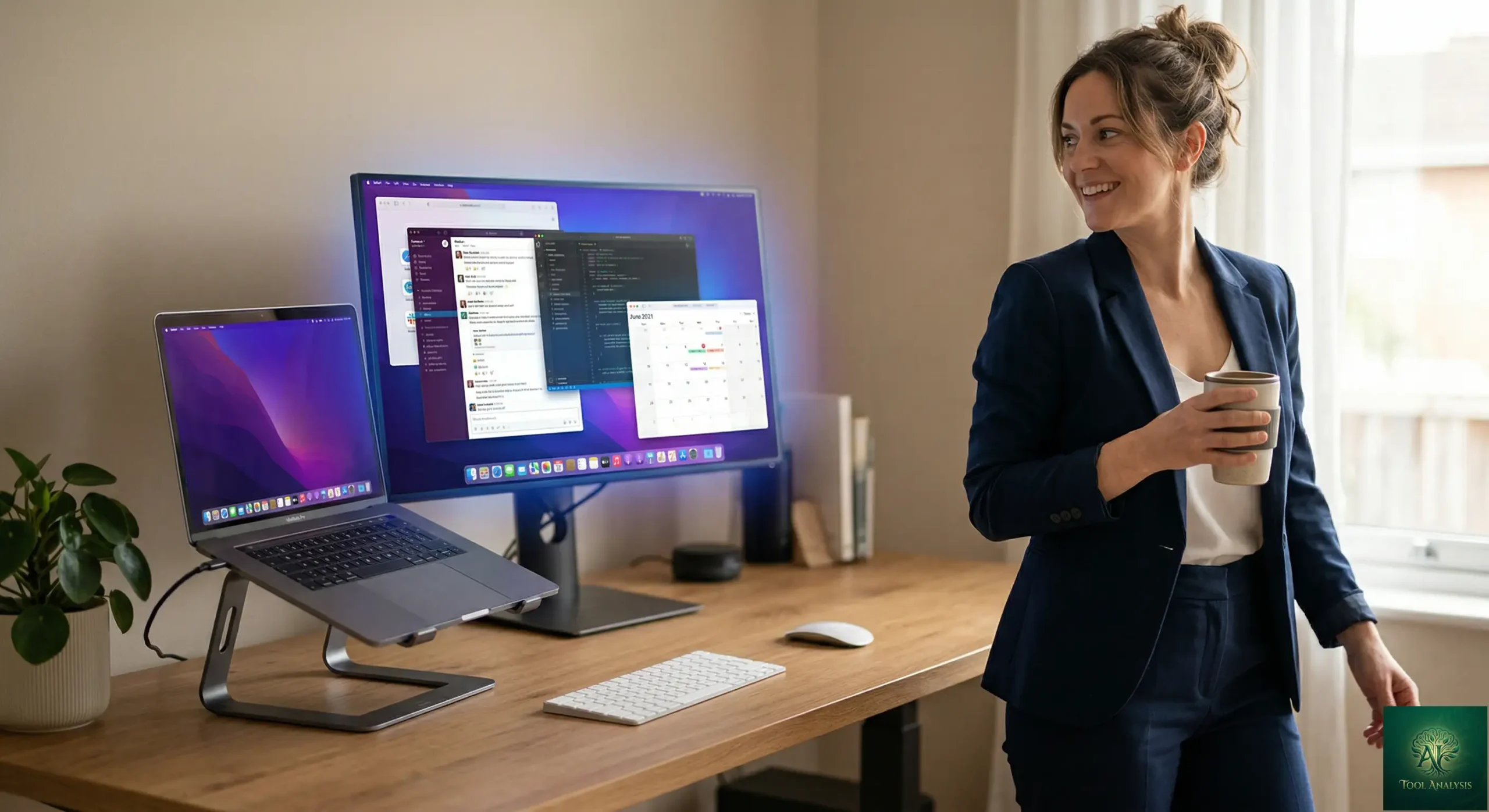
Claude computer use launched today, March 24, 2026, as a research preview. In the simplest terms possible: you give Claude a task, and instead of just talking about how to do it, Claude actually does it on your computer. It moves the mouse, clicks buttons, types text, and navigates through your apps the way you would.
Think of it like handing your laptop to a capable assistant who can see your screen and use your keyboard. You say “export my slides as a PDF and attach them to my 2pm meeting invite,” and Claude opens Keynote, hits File > Export, saves the PDF, opens Calendar, finds the invite, and attaches the file. You come back to finished work.
Here is how it decides what to do. Claude follows a hierarchy: first it tries direct integrations, connectors to apps like Google Calendar, Slack, or MCP servers. These are faster and more reliable. But when no connector exists for what you need, Claude falls back to screen-based control. It reads what is on your display, figures out where to click, and navigates like a human would.
The feature works inside two existing Claude products. Claude Cowork handles non-technical tasks like file organization, document creation, and general desktop automation. Claude Code handles developer workflows like making changes in an IDE, submitting pull requests, and running tests. Both now share the same underlying computer use capability.
A key companion feature is Dispatch, which Anthropic released last week. Dispatch lets you message Claude from your phone and assign tasks that execute on your Mac. Running late for a meeting? Text Claude from the train. It handles the rest on your desktop.
🔍 REALITY CHECK
Marketing Claims: “It opens your apps, navigates your browser, fills in spreadsheets, anything you’d do sitting at your desk.”
Actual Experience: Based on early reports and Anthropic’s own demo, Claude handles straightforward multi-step tasks well (exporting files, attaching documents to calendar events). But a developer on the Anthropic team confirmed Claude “moves slowly, much slower than humans.” Complex tasks may need multiple attempts, and screen-based navigation is noticeably slower than direct API integrations.
Verdict: Genuinely useful for tasks you would rather not do manually. Not a speed upgrade, more of a convenience upgrade for when you are away from your desk or busy with other work.
💡 Key Takeaway: Claude computer use is a convenience tool, not a speed tool. If you are looking for faster task completion, direct integrations and MCP connectors will always beat screen-based control. The real value is hands-free automation when you are away from your desk.
Getting Started: Your First 30 Minutes
Setting up Claude computer use takes about five minutes. You need three things: a Mac running macOS, the Claude Desktop app (updated to the latest version), and an active Claude Pro ($20/month) or Max ($100-$200/month) subscription. Windows support is coming “in the next few weeks” according to an Anthropic team member, but no firm date yet.
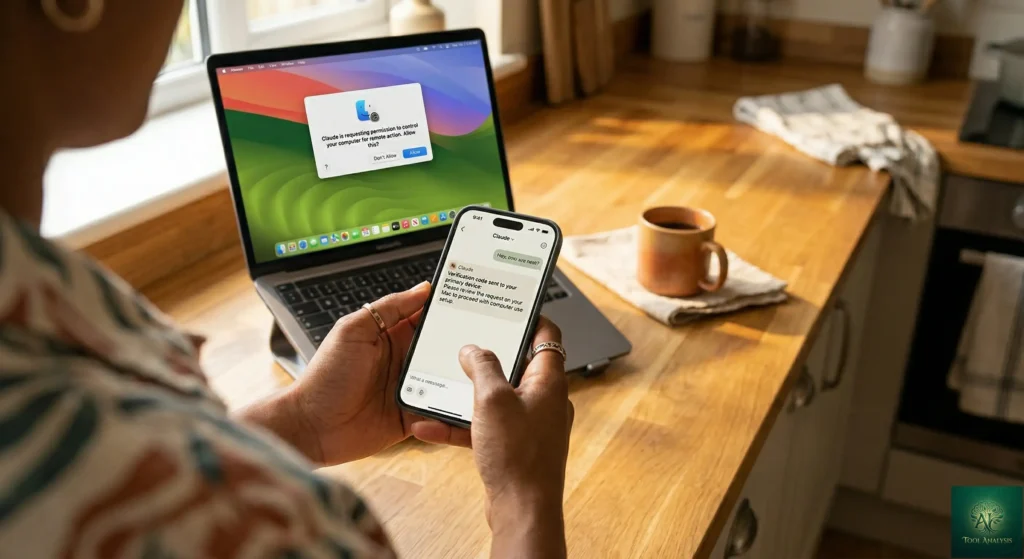
Step one: update both the Claude Desktop app and the Claude mobile app. Step two: pair them together, which enables Dispatch for remote task assignment. Step three: open Claude Cowork or Claude Code and enable computer use in settings. That is it. No terminal commands, no configuration files, no technical setup.
When you first give Claude a task that requires computer control, it will ask for permission before accessing each app. You approve once per application, and Claude remembers your choices. You can also stop Claude at any point during execution. Some apps are blocked by default for security reasons.
One early frustration from users: Claude cannot pick up where you left off if you switch projects. There is no way to quickly switch between different task contexts within the same session. You have to re-explain your project each time. Anthropic’s Claude AI platform has been improving conversation memory, but it does not yet extend fully to computer use sessions.
Features That Actually Matter
Screen-Based Navigation ⭐⭐⭐⭐
Claude reads your screen, identifies UI elements, and interacts with them. In Anthropic’s demo, Claude navigated Keynote, Calendar, and a file browser without any custom configuration. The underlying technology has improved dramatically. On OSWorld, a benchmark for AI computer use, Claude’s Sonnet models jumped from under 15% in late 2024 to 72.5% with Sonnet 4.6. That is approaching human-level performance on standard desktop tasks. But “approaching human-level” is not “at human-level.” Expect occasional misclicks and confusion on cluttered screens.
Dispatch Integration ⭐⭐⭐⭐⭐
This is where Claude computer use becomes genuinely compelling. You message Claude from your phone, and it executes tasks on your Mac while you are away. A morning briefing pulled from your email and calendar. Test results compiled while you commute. A PDF exported and sent before your meeting starts. The phone-to-desktop workflow is the real innovation here, not just the screen control itself.
Smart Tool Selection ⭐⭐⭐⭐
Claude does not go straight to screen control for everything. It checks for direct connectors first (Google Calendar, Slack, MCP integrations) and only falls back to mouse-and-keyboard navigation when no better option exists. This is a smart design choice. Direct integrations are faster and more reliable. Screen-based control is the safety net, not the default. If you have been following Claude’s ecosystem growth, including Claude Code plugins and Claude in Chrome, you will recognize this as a natural extension of the same strategy.
Developer Workflows ⭐⭐⭐⭐
For developers using Claude Code, computer use adds the ability to make changes in your IDE, submit pull requests, run tests, and manage your development environment visually. Combined with Claude Agent Teams for parallel task execution, this creates a workflow where you can dispatch multiple agents to work on different parts of your codebase while Claude handles the desktop-level integration.
🔍 REALITY CHECK
Marketing Claims: “Claude will reach for the most precise tool first, starting with connectors to services like Slack or Google Calendar.”
Actual Experience: The connector-first approach works well when integrations exist. But the current connector library is limited compared to OpenClaw’s 50+ integrations. For many apps, Claude will default to screen-based control, which is slower and more error-prone than direct API access.
Verdict: Smart architecture, but the connector ecosystem needs to catch up. The more MCP servers and integrations Anthropic adds, the better this will get.
🎯 Claude Computer Use — Feature Ratings at Launch
📬 Enjoying this review?
Get honest AI tool analysis delivered weekly. No hype, no spam.
Pricing Breakdown: What You’ll Actually Pay
Claude computer use is included with existing paid Claude subscriptions. You do not pay extra for the feature itself. But computer use sessions consume your regular usage allocation faster than standard chat because screen navigation tasks are compute-intensive.
| Plan | Monthly Cost | Computer Use Access | Usage Limits | Best For |
|---|---|---|---|---|
| Free | $0 | No access | Basic chat only | Trying Claude chat |
| Pro | $20/month | Yes (research preview) | Standard limits, shared with chat | Occasional automation |
| Max 5x | $100/month | Yes (research preview) | 5x Pro limits | Daily automation users |
| Max 20x | $200/month | Yes (research preview) | 20x Pro limits | Heavy professional use |
The hidden cost here is usage consumption. Computer use tasks burn through your allocation much faster than regular conversations. If you also use Claude for Excel analysis, PowerPoint creation, or daily coding with Claude Code, heavy computer use sessions could push you toward limits mid-week. Pro plan users should budget their automation tasks carefully.
📈 12-Month Cost: Claude Plans vs OpenClaw
💡 Key Takeaway: If you are already paying for Claude Pro, computer use is essentially free. The question is not whether to try it, but whether you need Max-tier limits for heavy automation. Start with Pro and upgrade only if you hit usage caps regularly.
Head-to-Head: Claude Computer Use vs OpenClaw
OpenClaw is the open-source AI agent that went viral in early 2026, racking up 247,000+ GitHub stars and inspiring Nvidia’s CEO to call it “the next ChatGPT.” Created by Austrian developer Peter Steinberger (who later joined OpenAI), OpenClaw runs locally on your machine and connects AI models to messaging apps like WhatsApp, Telegram, and Slack. It uses a skills-based system with 5,700+ community-built plugins.
Claude computer use is Anthropic’s direct response. Here is how they compare on the same task: “Check my email, find the latest invoice from Acme Corp, and save it to my Downloads folder.”
| Feature | Claude Computer Use | OpenClaw |
|---|---|---|
| Price | $20-$200/month (included with Claude plan) | Free (bring your own API key, ~$5-30/month) |
| Setup Time | 5 minutes (download app, log in) | 30-60 minutes (Node.js, config, API keys) |
| Platform Support | macOS only (Windows coming soon) | macOS, Windows, Linux, Raspberry Pi |
| Integrations | Google Workspace, Slack, MCP connectors | 50+ services including WhatsApp, Telegram, Discord |
| Community Plugins | 9,000+ (via Claude Code plugins ecosystem) | 5,700+ AgentSkills |
| Screen Control | Built-in, seamless | Via browser automation skills |
| Mobile Control | Yes (Dispatch from phone) | Yes (via messaging apps) |
| Security Model | Permission-first, app approval required | User-managed, community-vetted skills |
| AI Model | Claude Sonnet 4.6 / Opus 4.6 only | Any model (Claude, GPT, DeepSeek, Ollama) |
| Data Privacy | Cloud-processed by Anthropic | Fully local, nothing leaves your machine |
| Always-On | Requires desktop app running | Runs 24/7 as background service |
| Technical Skill Needed | None | Moderate (command line, JSON config) |
The verdict: Claude computer use wins on ease of setup and polish. OpenClaw wins on flexibility, platform support, and cost. If you already pay for Claude and use a Mac, Claude’s version is the obvious choice. It is a five-minute setup versus an hour of configuration. If you want cross-platform support, model flexibility, full data privacy, or you are comfortable with command-line tools, OpenClaw gives you more control for less money.
One important note: OpenClaw has documented security vulnerabilities. Cisco’s security team found data exfiltration in a third-party skill. Chinese authorities restricted government use over security concerns. Claude’s permission-first approach is more locked down, which is both its safety advantage and its flexibility limitation.
💡 Key Takeaway: If you are a Mac user who already pays for Claude, there is no reason not to try computer use — it is included in your plan. If you need Windows/Linux support or full data privacy, OpenClaw remains the better choice today.
Who Should Use This (And Who Shouldn’t)
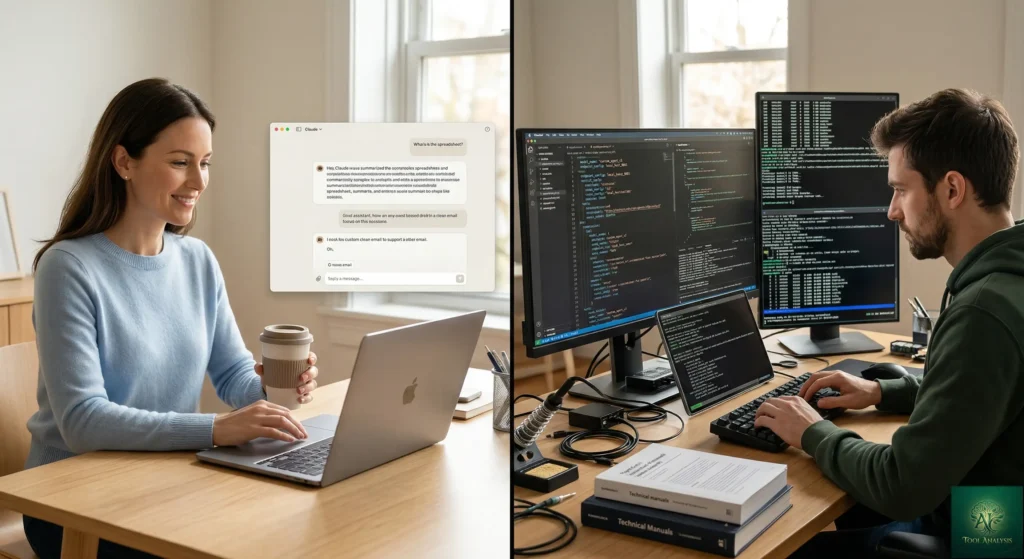
Choose Claude computer use if: You already pay for Claude Pro or Max. You use a Mac. You want zero-configuration desktop automation. You value safety guardrails over maximum flexibility. You want to assign tasks from your phone and come back to finished work.
Stick with OpenClaw if: You need cross-platform support (Windows, Linux). You want to bring your own AI model (DeepSeek, local Ollama, GPT). Privacy is paramount and you cannot have data processed by Anthropic’s cloud. You enjoy customizing and extending your tools. Budget is tight and you want to minimize recurring costs.
Skip both for now if: You handle sensitive financial, medical, or legal data. You need production-grade reliability today. You are not comfortable being an early adopter of experimental technology. You primarily work on Windows and cannot wait for Claude’s upcoming support.
For developers specifically, consider how computer use complements the broader Claude ecosystem. If you are already using Claude Code instead of Cursor for terminal-based coding, computer use extends that capability to visual IDE interactions. For cost-conscious developers, the Claude Code Router can help offset the higher token consumption of computer use sessions.
What Users Are Actually Saying
Since the announcement dropped just hours ago, the early reactions are rolling in across social media and forums. The MacRumors community is split between excitement and caution. Comments range from enthusiastic (“Claude is the best out of all Gen AI. So worth the Max Plan”) to cautious (“So let me get this straight, you want me to grant a 3rd party chatbot permission to use my most important digital device by itself?”).
On X (formerly Twitter), the dominant reaction is that Claude computer use is Anthropic’s answer to OpenClaw. Multiple users noted that people who recently bought Mac Minis specifically to run OpenClaw may be rethinking that investment. The comparison is inevitable: Claude offers a polished, locked-down experience while OpenClaw offers the open-source, fully customizable alternative.
Chinese tech coverage went further, with headlines claiming “Claude kills OpenClaw.” That is an exaggeration. OpenClaw supports more platforms, more AI models, and runs entirely locally. But for Mac users who want simplicity, Claude computer use removes the strongest argument for setting up OpenClaw.
The security conversation is the most important one. Several commenters pointed out that agentic AI systems can take dramatic actions quickly with little warning. Anthropic’s permission-first model helps, but the fundamental tension between convenience and control is not going away. As one forum user put it: letting AI control your computer is both impressive and concerning.
Security: The Elephant in the Room

Giving any AI agent control of your computer creates inherent risks, and Anthropic deserves credit for being transparent about them. Here is what you need to know.
Claude can see everything visible on your screen during operation. This includes emails, files, passwords that might be visible, and any sensitive information you have open. Anthropic recommends starting with apps you trust and avoiding sensitive data during this research preview.
The system includes prompt injection detection, where malicious websites or documents could embed hidden instructions to trick Claude into performing unintended actions. Anthropic says Sonnet 4.6 shows major improvement in resisting these attacks compared to earlier models. They also block high-risk application categories by default.
Anthropic recently acquired Vercept, a startup specializing in AI perception and interaction, specifically to improve computer use safety and capability. This signals continued investment in making the feature more reliable and secure.
🔍 REALITY CHECK
Marketing Claims: “We’ve built this with safeguards that minimize risk.”
Actual Experience: The safeguards are real: permission-first app access, prompt injection scanning, the ability to stop Claude at any time. But “minimize” is not “eliminate.” Screen-based AI control is inherently riskier than API-based integrations. One misinterpreted command could send an email to the wrong person or delete the wrong file.
Verdict: Safer than OpenClaw’s community-managed security model, but treat this like giving your car keys to a new driver. Start with low-stakes tasks and build trust gradually.
FAQs: Your Questions Answered
Q: Is Claude computer use free?
A: Yes, if you already have a paid Claude subscription. It is included with Claude Pro ($20/month) and both Max tiers ($100 and $200/month). There is no separate charge. However, computer use sessions consume your regular usage allocation faster than standard chat.
Q: Can Claude computer use work on Windows?
A: Not yet. It is macOS only at launch. An Anthropic team member confirmed Windows x64 support is coming “in the next few weeks,” but there is no official date. Linux support has not been mentioned.
Q: Is my data safe when Claude controls my computer?
A: Claude can see everything visible on your screen during operation. Anthropic processes this data on their cloud servers. They have implemented permission-based app access and prompt injection detection, but they explicitly recommend not working with sensitive data during this research preview. For fully local data processing, OpenClaw keeps everything on your machine.
Q: Can Claude computer use replace OpenClaw?
A: For Mac users who want simplicity, largely yes. Claude offers a polished, five-minute setup versus OpenClaw’s hour-long configuration. But OpenClaw wins on cross-platform support, model flexibility, 24/7 background operation, and full data privacy. They serve overlapping but different audiences.
Q: How does Claude computer use compare to Claude in Chrome?
A: Claude in Chrome only controls your web browser. Claude computer use controls your entire desktop, including apps, files, and the browser. Think of Chrome as a browser co-pilot and computer use as a full desktop assistant. They work together within the Claude ecosystem.
Q: What’s the learning curve?
A: Minimal. If you can describe a task in plain English, you can use Claude computer use. The harder part is learning to trust it with real work and understanding its limitations, which takes a few sessions of trial and error.
Q: Can Claude computer use work while I am asleep?
A: Technically yes, but your Mac and the Claude Desktop app must stay running. Combined with Dispatch, you can assign tasks from your phone and let Claude work overnight. However, if Claude hits an unexpected permission request or error, it will stop and wait for you.
Q: Does it work with Claude’s free plan?
A: No. Computer use requires a Claude Pro ($20/month) or Max ($100-$200/month) subscription. The free tier does not have access.
Final Verdict
The most polished AI desktop agent available today, but clearly version 1.0. A strong foundation that needs Windows support and a larger connector ecosystem to reach its potential.

Claude computer use is the most polished AI desktop agent available today. The five-minute setup, permission-first security model, and Dispatch integration put it ahead of OpenClaw on accessibility. Anthropic’s investment in computer use capability (72.5% OSWorld score, the Vercept acquisition, steady model improvements) shows this is a strategic priority, not a demo feature.
But it is also clearly version 1.0. macOS only. Screen-based control is slower than native integrations. Complex tasks may fail on the first attempt. The security implications of AI seeing your entire screen are real and not fully resolved. And you are paying $20/month minimum for something OpenClaw offers free (with more flexibility, if you are willing to configure it).
The 3.5 rating reflects the score today. If Anthropic ships Windows support, grows the connector ecosystem, and improves task reliability over the next few months, this easily becomes a 4 or higher. For now, it is an impressive foundation that hints at where AI is heading rather than a finished product you should rely on for critical work.
Use Claude computer use if you already pay for Claude, you use a Mac, and you want the easiest possible path to desktop automation. Stick with OpenClaw if you need cross-platform support, data privacy, or maximum customization. For the full picture on Claude’s growing ecosystem, start with our Claude AI Review 2026 and explore satellite reviews for Cowork, Claude Code, and Claude in Chrome.
Try it today: Update your Claude Desktop app and enable computer use in Claude Cowork or Claude Code.
✅ What We Liked
- ✓ Five-minute setup, zero technical configuration
- ✓ Dispatch lets you assign tasks from your phone
- ✓ Smart connector-first architecture (MCP, Slack, Calendar)
- ✓ Permission-first security model with app approval
- ✓ Included free with existing Claude paid plans
❌ What Fell Short
- ✗ macOS only — no Windows or Linux support yet
- ✗ Screen-based control is noticeably slow
- ✗ Screen data processed on Anthropic’s cloud
- ✗ Burns through usage allocation faster than chat
Founder of AI Tool Analysis. Tests every tool personally so you don’t have to. Covering AI tools for 10,000+ professionals since 2025. See how we test →
Stay Updated on AI Productivity Tools
Don’t let your team fall behind. Subscribe for weekly reviews of AI productivity tools, automation platforms, and business solutions.
- ✅ Honest Reviews: We actually test these tools, not rewrite press releases
- ✅ Price Tracking: Know when tools drop prices or add free tiers
- ✅ Feature Launches: Major updates covered within days
- ✅ Comparison Updates: As the market shifts, we update our verdicts
- ✅ No Hype: Just the AI news that actually matters for your work
Free, unsubscribe anytime. 10,000+ professionals trust us.
Want AI insights? Sign up for the AI Tool Analysis weekly briefing.
Newsletter

Related Reading
Explore more AI productivity and automation reviews:
- Claude AI Review 2026: The Complete Platform Guide
- Claude Cowork Review: AI Agent for Non-Coders
- Claude Code Review: Terminal-Based AI Coding Agent
- Claude in Chrome Review: Browser Automation Agent
- Claude Agent Teams: Multiple AI Agents in Parallel
- MCP Explained: The Universal AI Connector Standard
- Claude Code Plugins: Extending Your AI Coding Agent
- Claude Code vs Cursor: Terminal vs IDE AI Coding
Last Updated: March 26, 2026
Claude Computer Use Version Tested: Research Preview (March 24, 2026 launch)
Next Review Update: April 26, 2026
Have a tool you want us to review? Suggest it here | Questions? Contact us